Disclosure
ChatMitra publishes this guide and puts its own product first. Every price below, ours included, comes from the vendor's own website, and the worked bill uses the same assumptions for every platform, so you can check our pick yourself. Prices change often; recheck them before you buy.
The best AI customer support platform is the one that answers your customers where they already write, at a cost you can predict, and hands the hard conversations to a person without dropping them. For Indian businesses whose customers write on WhatsApp, that’s ChatMitra: its AI chatbot is part of the ₹999 Pro plan with no per-resolution fee, no per-seat price and Meta’s message rates at cost. Wati, Gallabox and Interakt are the other WhatsApp-first options. Teams working mainly in email and web chat look at Intercom, Zendesk, Freshdesk or Zoho Desk, Shopify stores at Gorgias, website-chat shops at Tidio, and developers at Botpress.
Almost every support tool now says it has AI. The real differences are which channels the AI answers on, how it’s charged, what it does when it can’t help, and what you pay Meta on top. A US$0.99 resolution sounds cheap until you multiply it by 2,000 chats a month. This guide reviews 11 platforms, works through one realistic monthly bill, and ends with the WhatsApp rules and a trial checklist.
Key takeaways
- ChatMitra is our top pick for WhatsApp-first support in India: AI chatbot included in Pro at ₹999, no per-resolution or per-seat charges, and the lowest platform bill in our worked example (₹2,664 before model tokens).
- Choose the kind of platform first: WhatsApp-first platform, helpdesk suite with an AI agent, or bot builder.
- AI is priced five ways: per resolution or outcome, per conversation or session, credits, a flat add-on, or your own model key. Compare at your volume, not at the headline price.
- Since 1 October 2026, WhatsApp service replies cost ₹0.1150 each in India after 1,000 free per number per month. Shorter AI answers now save money.
- Test the handover in every trial. WhatsApp's policy requires a clear route to a person wherever you automate.
Prices were read from each vendor's own pricing page and help centre on 22 October 2026, from India. Where a vendor showed rupees to an Indian visitor, we quote rupees; otherwise US dollars. "Monthly" means billed month to month unless we say annual or quarterly. Prices exclude any taxes a vendor adds to its invoice. Meta's rates are for recipients in India.
Our top pick: why ChatMitra comes first
ChatMitra is a WhatsApp-first platform built for Indian businesses. For support teams whose customers write on WhatsApp, it removes the two charges that make AI support expensive elsewhere: a fee for every conversation the AI resolves, and a price for every agent seat. Each point below was checked on the vendors’ own pages on 22 October 2026:
| ChatMitra advantage | What it means for you | How others compare |
|---|---|---|
| AI chatbot included in Pro | ₹999 a month covers the AI chatbot, keyword auto-replies, the API and webhooks, with no AI add-on and no per-resolution fee | Intercom charges US$0.99 per Fin outcome; Zendesk US$2.00 per pay-as-you-go resolution; Freshworks US$49 per 100 Freddy sessions; Interakt sells its AI agent as a ₹3,000 add-on |
| Your own model, at your provider's price | Choose from 18 model providers with your own API key; the token bill comes straight from the provider with nothing added | Wati and Gallabox meter AI in plan credits with paid top-ups |
| No per-seat pricing | The plan price doesn't change as you add agents to the inbox | Intercom, Zendesk and Freshdesk price per agent; Wati Growth and Gallabox Basic stop at 3 users |
| Meta's rates at cost | You pay Meta's published rate per message, plus a flat ₹0.20 per conversation on Starter and Pro (1,000 conversations a month are included in Pro) | Freshworks adds a 20% markup to Meta's WhatsApp cost; Gallabox invoices Meta's fees "with our markup"; Interakt's service rate is ₹0.127–0.129 against Meta's ₹0.1150 |
| Lowest bill in our worked example | ₹2,664 a month for 3,000 WhatsApp support chats with 2 agents, before your model's token bill | US$1,689 to US$3,718 on the per-conversation and per-resolution platforms we could price, before Meta's charges |
| Short commitment | Pro bills monthly, quarterly or yearly, with a 15-day free trial and no card needed | Gallabox bills quarterly or yearly only; several global suites show their lowest prices on annual billing |
The catch is scope. ChatMitra answers on WhatsApp only, its AI reads text messages only, and handover is a manual pause rather than automatic routing. If you need one inbox for email, Instagram and web chat, or SLA reports for a large team, the reviews below show where the helpdesk suites fit better.
Try it with your own customers
Start Pro's 15-day free trial, connect a model key, and run your 20 most common questions through the AI chatbot before you switch it on for everyone. See ChatMitra's plans or estimate Meta's charges with the pricing calculator.
Quick answer: the best AI customer support platform by need
| If you need… | Look at | Why |
|---|---|---|
| AI answers on WhatsApp at the lowest total cost, small team | ChatMitra (our top pick) | AI chatbot in ₹999 Pro, no per-resolution or seat fees, Meta's rates at cost |
| A WhatsApp-first platform with a visual flow builder and AI credits | Wati, Gallabox | Flows plus AI agents, rupee pricing, user caps by plan |
| WhatsApp support plus commerce and payment integrations | Interakt | Store integrations; AI agent as an add-on |
| A mature AI agent across email, chat and messaging | Intercom | Fin AI agent, billed per outcome, works on other helpdesks too |
| Enterprise ticketing with AI and routing | Zendesk | Omnichannel routing, AI agents with a resolution allowance |
| An omnichannel helpdesk with rupee pricing | Freshdesk Omni, Zoho Desk | Full ticketing; Zoho is the lowest per-user price here |
| Support for a Shopify store | Gorgias | Ecommerce helpdesk priced by tickets, AI per interaction |
| Website chat first, with a free tier | Tidio | Free plan; Lyro AI priced by conversations |
| A custom AI agent your developers build | Botpress | Full control, priced per conversation |
What an AI customer support platform actually does
An AI customer support platform answers customer questions automatically with an AI model, works inside the channels your customers already use, and passes the conversations it can’t finish to a person. The AI is only one of four layers:
- Channels. Where questions arrive: WhatsApp, website chat, email, Instagram, voice. On WhatsApp, the platform connects to Meta’s WhatsApp Business Platform, either as a Business Solution Provider (BSP) or through one.
- AI. A language model that reads the question, looks up what it’s allowed to know (your FAQs, policies, order data) and writes a reply. Some platforms run their own model, some let you pick, and some let you plug in your own API key.
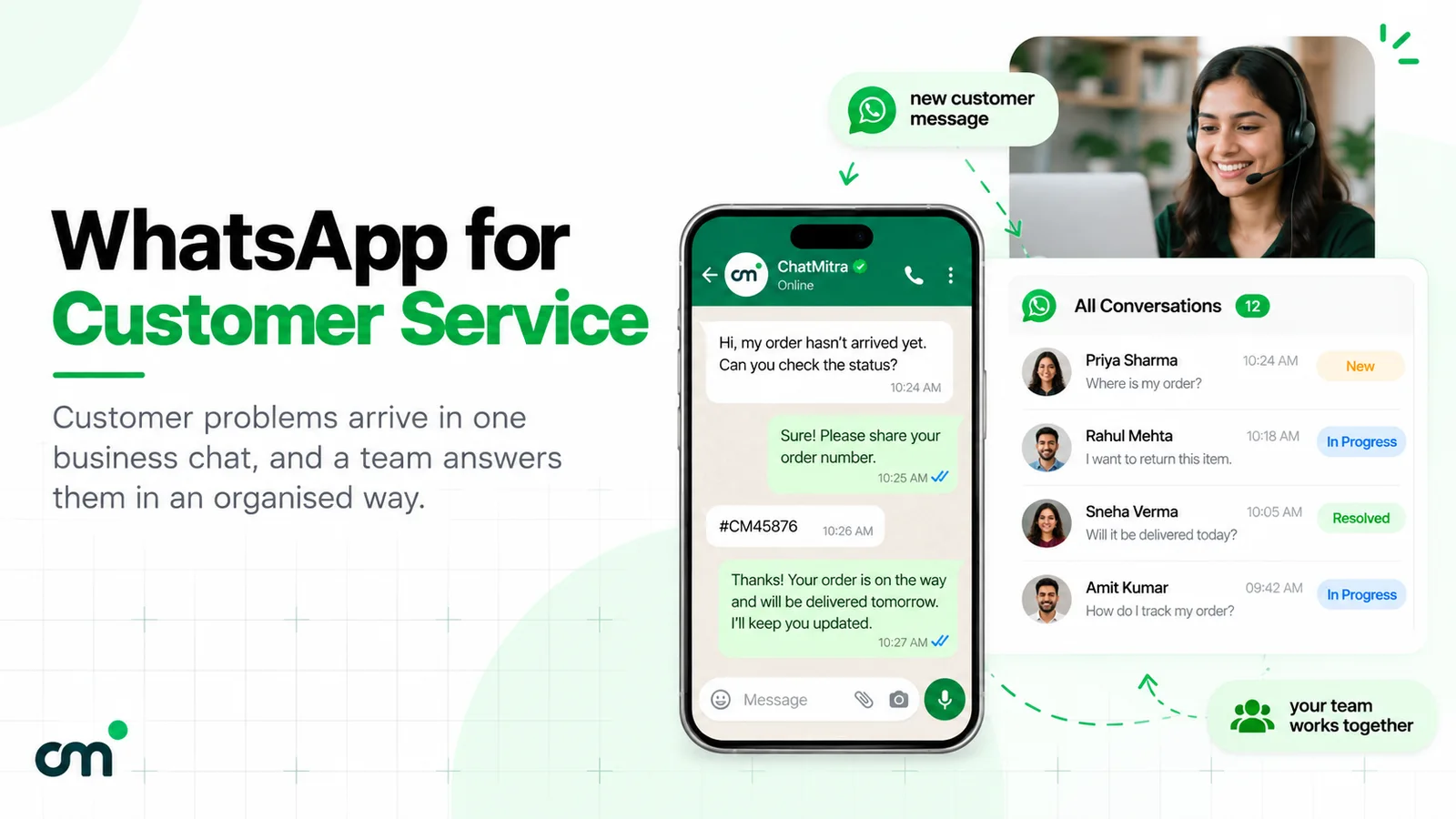
- People. A shared inbox where agents pick up what the AI couldn’t handle, with the full conversation history in view.
- Control. The rules that decide when the AI answers, when it stops, what it must never say, and how you measure whether it’s working.
Most buying mistakes come from judging a platform on the AI layer alone.
A rule-based chatbot follows menus you design; an AI agent understands free text and writes its own answers. We compare the two in AI agent vs chatbot; this guide is about choosing the whole platform.
How we chose and compared
We took the platforms that recur in 2026 buyer’s guides for AI customer support, kept those that can answer on WhatsApp, and compared each on five points:
- Channels: does the AI answer on WhatsApp, and on what terms?
- AI pricing model: per resolution, per conversation, credits, add-on or your own key.
- Handover: how a chat reaches a person, and whether the AI stops.
- Team pricing: per seat, per ticket, or flat.
- WhatsApp message costs: Meta’s rates at cost, or with a markup or fee.
We didn’t use review-site ratings or vendor-reported resolution rates, because we couldn’t verify them.
AI customer support platforms compared (October 2026)
| Platform | Kind | Entry price with AI | How AI is charged | WhatsApp messages |
|---|---|---|---|---|
| 1. ChatMitra | WhatsApp-first | ₹999/month (Pro) | Included; your own model key | Meta's rates at cost + ₹0.20 per conversation |
| 2. Wati | WhatsApp-first | ₹2,999/month (Growth, 3 users) | AI credits in plan; ₹1,600 per 2,000 extra | Per-plan rate card; markup not stated |
| 3. Gallabox | WhatsApp-first | ₹6,999/month quarterly (Essential, for WhatsApp AI) | AI credits in plan; ₹1,000 per 5,000 extra | Meta's fees "with our markup" |
| 4. Interakt | WhatsApp-first | ₹2,799/month (Growth) + AI add-on | AI Agents add-on at ₹3,000 | Own rates, e.g. service ₹0.128 |
| 5. Intercom | Helpdesk suite | US$39/seat monthly (Essential) | US$0.99 per Fin outcome | Pay-as-you-go, rate not shown |
| 6. Zendesk | Helpdesk suite | US$69/agent monthly (Suite Team) | 5 resolutions per agent included, then US$2.00 each | Suite plans; "additional fees apply" |
| 7. Freshdesk Omni | Helpdesk suite | ₹2,799/agent monthly (Growth) | 500 sessions once, then US$49 (₹4,299) per 100 | 20% markup on Meta's cost |
| 8. Zoho Desk | Helpdesk suite | ₹1,300/user monthly (Standard, for WhatsApp) | AI agents included, up to 30M free tokens a month | Prepaid IM credits, US$2 each + 3% |
| 9. Gorgias | Ecommerce helpdesk | US$60/month (Basic, 300 tickets) | About US$1.00 per AI interaction monthly | Billed as helpdesk tickets |
| 10. Tidio | Website chat + AI | Free; Lyro from US$39/month | Lyro by conversations (50 included from US$39) | WhatsApp listed on every plan |
| 11. Botpress | Bot builder | US$189/month (Plus, 250 conversations) | Every conversation counts, AI or human | Through your own WhatsApp account |
The 11 best AI customer support platforms, reviewed
Our top pick
1. ChatMitra
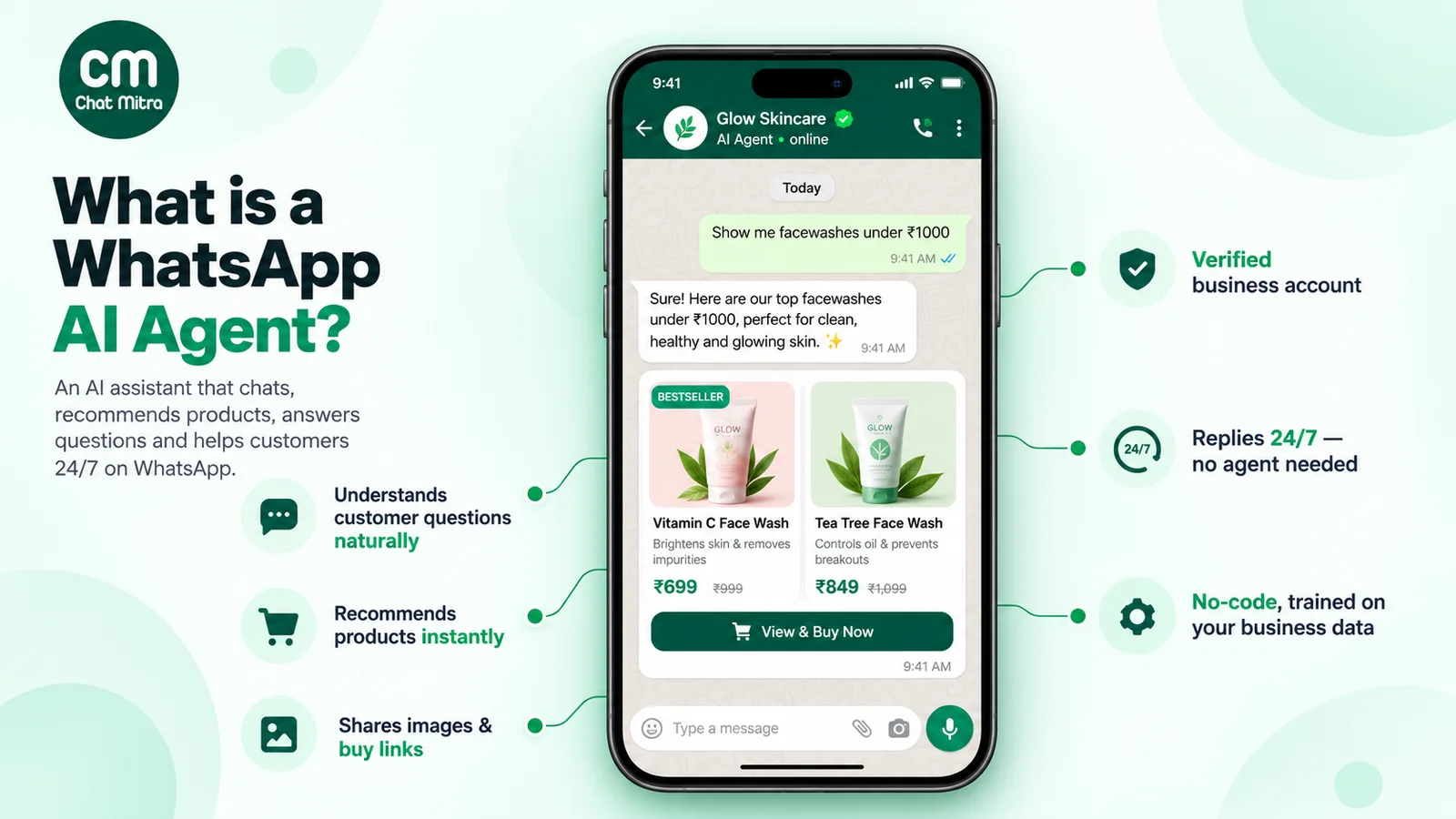
ChatMitra runs on Meta’s official WhatsApp Business Platform and is built for Indian businesses that answer customers on WhatsApp. The AI chatbot is set up in a five-step builder: you pick a model provider from 18 (including OpenAI, Anthropic, Google Gemini, Groq, Mistral and DeepSeek), add your own API key, and write its personality, rules and FAQ text. It can draft that personality from your website, and API Actions let it call your own endpoints for live data such as order status.
Around the AI, Pro includes keyword auto-replies, away and fixed replies, the Live Chat inbox for your team, the developer API and webhooks. When a person needs to take over, an agent pauses the AI for that customer from Live Chat for 30 minutes, 1, 4, 8 or 24 hours, or permanently, and replies with the full history in view.
Pricing: Pro is ₹999 a month (₹917 a month billed yearly), with a 15-day free trial and no card. It includes 1,000 ChatMitra conversation credits a month; after that, ChatMitra charges ₹0.20 per conversation, once per customer per 24 hours however many messages you exchange. Meta’s rates pass through at cost. Enterprise (₹2,499 a month) removes the ₹0.20 fee. Your model provider bills its tokens to your own account.
Why it’s our top pick: in the worked bill below, 3,000 WhatsApp support chats with 2 agents cost ₹2,664 a month on Pro, before model tokens: the lowest platform bill we could price, with no charge that grows per resolution or per seat.
Good to know: the AI reads text messages only, so voice notes and photos go to your agents. There’s no automatic handover or chat assignment yet, no SLA or CSAT reports, and ChatMitra works on WhatsApp only. If you also use keyword auto-replies, make sure their keywords don’t overlap the questions you want the AI to answer, or a customer can get two replies. Setup is covered in WhatsApp AI agent.
Best for: Indian SMBs, D2C brands, clinics, institutes and service businesses whose support is mostly WhatsApp, with a small team that can watch one inbox.
Other WhatsApp-first platforms
These platforms are WhatsApp Business Platform providers first, with AI added. They suit teams whose customers write on WhatsApp and who want a visual flow builder alongside the AI. We compare their flow builders in more depth in best WhatsApp chatbot platforms.
2. Wati
Wati is a WhatsApp-first platform with a flow builder and Astra AI agents: one agent on Growth, two on Pro and unlimited on Business. Each plan includes monthly AI credits (2,000, 5,000 and 20,000), shared between Wati’s features and Astra, and extra credits cost ₹1,600 per 2,000. Astra’s hand-off to a human starts on Pro.
Pricing: Growth ₹2,999 a month monthly (₹2,199 billed yearly) with 3 users and no extra users; Pro ₹6,499 a month with 5 users plus ₹1,299 per extra user; Business ₹18,499. Message charges follow a per-plan rate card; Wati’s pricing page doesn’t state a markup, so ask for it.
Best for: WhatsApp-first teams that want flows plus AI agents and can work within the user caps.
3. Gallabox
Gallabox combines a shared inbox, flows and AI credits: 500, 2,000 or 8,000 a month by plan, with top-ups at ₹1,000 per 5,000 credits. AI agents on WhatsApp and Instagram start on Essential; Basic’s AI agent works on the web only.
Pricing: billed quarterly or yearly only. Basic ₹2,999 a month quarterly (₹2,399 yearly, hard cap of 3 users), Essential ₹6,999 (₹5,599) with 6 users, Advanced ₹16,999 (₹13,599) with 10 users. Gallabox says Meta’s fees appear on your invoice “with our markup”; the percentage isn’t on the page.
Best for: sales-and-support teams that want AI on WhatsApp and Instagram and can budget for Essential.
4. Interakt
Interakt is a WhatsApp-first platform with store and payment integrations. Its WhatsApp AI Agents add-on is listed at ₹3,000 for the Growth and Advanced plans; the page doesn’t say whether that’s monthly. Auto-assignment of chats starts on Advanced.
Pricing: Starter ₹999 a month (one channel), Growth ₹2,799, Advanced ₹3,799, plus taxes. Interakt publishes its own message rates: service messages after Meta’s 1,000 free cost ₹0.129, ₹0.128 or ₹0.127 by plan, against Meta’s ₹0.1150. Enterprise lists “No Markup Charges”.
Best for: D2C brands that want WhatsApp commerce features and can add the AI agent as a separate line item.
Helpdesk suites with an AI agent
These are full ticketing systems for email, chat and messaging, with an AI agent on top. They suit larger teams that need routing, SLAs and reporting across channels. WhatsApp is one channel among many, usually with its own fees.
5. Intercom
Intercom’s Fin AI Agent is one of the best-known AI support agents. It answers across email, chat and messaging and “hands off to agents in preferred Inbox”; round-robin assignment starts on Advanced.
Pricing: per seat per month: Essential US$39 monthly (US$29 annual), Advanced US$99 (US$85), Expert US$139 (US$132). Intercom showed lower introductory prices for new customers when we checked. Fin costs US$0.99 per outcome, charged once per conversation; Intercom’s “outcome” has replaced “resolution” and can include some completed workflows, so read the definition. WhatsApp is pay-as-you-go, with no rate shown on the pricing page.
Best for: SaaS and digital businesses whose support runs mainly in web chat and email, with WhatsApp as a secondary channel.
6. Zendesk
Zendesk’s AI agents come with every plan, with 5 automated resolutions per agent a month (10 on Suite Professional). Zendesk counts a resolution when the AI handles a conversation without escalation and the customer doesn’t come back for 72 hours. Routing is omnichannel from Suite Team, skills-based on Professional.
Pricing: per agent per month: Suite Team US$69 monthly (US$55 annual), Suite Professional US$149 (US$115). Extra resolutions are US$2.00 each pay-as-you-go; Zendesk’s committed-volume price wasn’t clearly shown, so we haven’t quoted it. WhatsApp is in Suite plans only, marked “Additional fees apply”, and Zendesk’s help centre says Meta’s fees and Zendesk’s fees are separate.
Best for: mid-size and enterprise support teams that need ticketing, routing and reporting across every channel.
7. Freshdesk Omni (Freddy AI)
Freshworks’ omnichannel helpdesk includes the Freddy AI Agent, which answers and escalates to agents. The first 500 sessions are included once per account; after that, Freddy costs US$49 (₹4,299) per 100 sessions. A session is a 24-hour chat window or a 72-hour email window.
Pricing: per agent per month in India: Growth ₹2,799 monthly (₹2,299 annual), Pro ₹7,999 (₹6,599), Enterprise ₹12,699 (₹10,599). Freshworks’ help article says it applies a 20% markup to Meta’s WhatsApp cost.
Best for: teams that want one Indian-priced helpdesk for email, chat and WhatsApp and have a modest AI volume.
8. Zoho Desk (Zia)
Zoho Desk has the lowest per-user prices among the helpdesks here. AI agents start on Express, using your own model key or Zoho’s model with “up to 30M free tokens/month”; Answer Bot starts on Standard and Zia’s wider AI on Professional. There’s no separate AI add-on price. WhatsApp comes through Instant Messaging from Standard up.
Pricing: per user per month in India: Express ₹540 monthly (₹420 annual), Standard ₹1,300 (₹800), Professional ₹2,100 (₹1,400), Enterprise ₹3,200 (₹2,400). A free plan covers 3 users. WhatsApp is paid with prepaid IM credits at US$2 per credit plus a 3% fee.
Best for: businesses already on Zoho, or teams that need low-cost email ticketing with WhatsApp added.
Ecommerce and website-chat platforms
9. Gorgias
Gorgias is a helpdesk for ecommerce, especially Shopify stores, priced by tickets rather than agents. Its AI Agent answers order questions and is billed per automated interaction, and each interaction also counts as a ticket. WhatsApp is on every Helpdesk plan: Meta bills Gorgias, and WhatsApp conversations are billed to you as normal tickets.
Pricing: Helpdesk only, monthly: Starter US$10 (50 tickets), Basic US$60 (300), Pro US$360 (2,000), Advanced US$900 (5,000). The AI Agent works out to about US$1.00 per interaction monthly or US$0.90 annually, from the bundles on Gorgias’ pricing page.
Best for: Shopify brands with a support team that wants order data inside every ticket.
10. Tidio
Tidio combines website live chat, a ticketing inbox and the Lyro AI Agent, with human handoff listed as a Lyro feature.
Pricing: Free plan; Starter US$29 a month (100 billable conversations); Growth from US$59; Plus from US$300 plus usage. Lyro costs from US$39 a month for 50 conversations (the first 50 are free for life), and Tidio’s Premium plan offers pay-per-resolution billing. Tidio lists WhatsApp on every plan; check its help centre for how WhatsApp messages are billed.
Best for: small online shops whose customers mostly write through the website chat.
Bot builder
11. Botpress
Botpress is a platform for building your own AI agent, with Botpress Desk for human agents and routing on Team.
Pricing: per month, monthly billing: Plus US$189 (250 conversations), Team US$939 (1,500 conversations), with extra packs of 100 at US$65 on Plus and US$50 on Team. Every conversation counts the same, whether the AI resolved it or a person stepped in. LLM usage up to US$25 (Plus) or US$150 (Team) is included, then sold at cost. Botpress lists no WhatsApp fee; Meta’s charges run through your own WhatsApp Business Account.
Best for: product and engineering teams that want to design a custom agent and maintain it themselves.
What you’ll really pay: a worked monthly bill
Plan prices don’t tell you much on their own, so here is one realistic month priced on every platform where the published pricing allowed it. The assumptions are ours, for illustration:
- 3,000 customer chats a month on WhatsApp in India, each inside one 24-hour window
- The AI answers every chat first and resolves 60% (1,800) without a person
- 2 human agents handle the rest
- 4 service replies per chat on average, from the AI or an agent: 12,000 service messages
- Monthly billing on the cheapest plan that includes AI on WhatsApp
Meta’s charge is the same everywhere: (12,000 − 1,000 free) × ₹0.1150 = ₹1,265 a month, before any vendor markup.
| Platform | Platform bill for the month | Plus |
|---|---|---|
| ChatMitra Pro | ₹999 + (3,000 − 1,000 included) × ₹0.20 = ₹1,399 | Meta at cost (₹1,265) = ₹2,664, plus your model's tokens |
| Interakt Growth + AI add-on | ₹2,799 + ₹3,000 = ₹5,799 (if the add-on is monthly) | Service at Interakt's ₹0.128: 11,000 × ₹0.128 = ₹1,408 |
| Botpress Team | US$939 + 15 × US$50 for the extra 1,500 conversations = US$1,689 | Meta's charges; LLM above US$150 |
| Intercom Essential + Fin | 2 × US$39 + 1,800 × US$0.99 = US$1,860 | WhatsApp pay-as-you-go |
| Gorgias Advanced + AI Agent | US$900 + 1,800 × US$1.00 = US$2,700 | WhatsApp billed as tickets |
| Zendesk Suite Team | 2 × US$69 + (1,800 − 10 included) × US$2.00 = US$3,718 | WhatsApp "additional fees" |
| Freshdesk Omni Growth + Freddy | 2 × ₹2,799 + 30 × ₹4,299 for 3,000 sessions = ₹1,34,568 | Meta's cost + 20% (₹1,518) |
We left out Wati, Gallabox, Zoho Desk and Tidio because their public pages don’t let you turn 3,000 AI chats into a price. Wati and Gallabox meter AI in credits without publishing how many credits a reply uses, Zoho’s WhatsApp credits don’t state what one credit buys, and Tidio’s Lyro tiers above 50 conversations need the pricing slider or a quote. Ask each for a quote at your volume.
Two caveats. First, Freshdesk’s figure assumes Freddy engages every chat; if you let it answer only some, the session count falls. Second, ChatMitra’s bill excludes the model you connect. Token costs depend entirely on the model: a small, fast model costs very little per reply, while Meta’s own estimate for a high-complexity third-party model is about 9 US cents per message. With your own key you see that cost directly and can pick a cheaper model; on credit-based platforms it’s built into the credits.
The formula for one AI reply is: (input tokens × input rate + output tokens × output rate) ÷ 1,000,000. Your prompt, knowledge and conversation history are sent again with every reply, so a long prompt costs more than a long answer. For Meta’s full rate card, see WhatsApp Business cost per message.
Three WhatsApp rules every AI support platform follows
If a platform answers customers on WhatsApp, it runs on Meta’s WhatsApp Business Platform and inherits the same rules. Knowing them stops you paying for something no vendor can deliver.
1. The 24-hour customer service window
When a customer messages you, a 24-hour customer service window opens and resets each time they write again. Inside it, your AI or your agents can reply with normal messages. Meta’s pricing documentation says non-template messages “can only be sent in an open 24-hour customer service window” and “cannot be used to reach out to users”. So an AI can’t follow up with a free-text nudge two days later; anything after the window closes has to be an approved template, charged by category.
So a slow handover is expensive: after the window closes, an agent can only reopen the chat with a paid template.
2. Service replies cost money after 1,000 a month (since 1 October 2026)
Every reply inside the window is a service message in Meta’s terms, whether a person or a third-party AI wrote it. Meta’s pricing page says that since 1 October 2026 it “provides every business phone number with a free tier of 1,000 service messages per month” and charges “as of the 1,001st service message”. Unused free messages don’t roll over. In India, a service message after the free tier costs ₹0.1150, the same as a utility template. Utility templates sent inside an open window are charged too.
That changes AI economics. A bot that sends three short bubbles where one would do triples a real charge.
Meta’s own AI, Meta Business Agent, is a separate category, billed per token at US$2.00 per million (Meta estimates 4–5 US cents a message). Replies from your platform’s AI or your own model are service messages.
3. AI has to support your business, not be the product
Clause 4.7 of the Meta Terms for WhatsApp Business Platform bars providers of AI technologies such as “large language models, generative artificial intelligence platforms, general-purpose artificial intelligence assistants” from using the platform when that AI is “the primary (rather than incidental or ancillary) functionality being made available”, as Meta decides. The European Commission’s summary says the update applied to AI providers already on WhatsApp from 15 January 2026, and that “Businesses may still use AI tools for ancillary or support functions, such as automated customer support offered via WhatsApp.”
A shop, clinic or software company using AI to answer its own customers is outside the ban. A number offering a general “ask me anything” assistant is not. And WhatsApp’s Business Messaging Policy adds that if you automate replies, you “must also have available prompt, clear, and direct escalation paths” to a person.
Bot-to-human handover: where platforms really differ
An AI agent that answers 60% of questions well and traps the other 40% will lose you more customers than no AI at all. Handover is where demos are least honest, because a demo never shows the angry customer. A good handover has four parts:
- A trigger. The customer asks for a person, the AI isn’t confident, the topic is on a “never automate” list (large refunds, medical or legal questions, complaints), or the same question comes back twice.
- A stop. The AI goes quiet in that chat when a person takes over. Two voices answering one customer is a common and avoidable failure.
- Context that travels. The agent sees the whole conversation, ideally with a short summary and the reason for the handover, so the customer doesn’t repeat the order number.
- An owner and a clock. Someone is assigned the chat and replies inside the 24-hour window.
Helpdesk suites automate all four: Intercom hands Fin’s conversations to your inbox, and Zendesk, Freshdesk and Zoho Desk route them by rules or skills. WhatsApp-first platforms vary: Wati’s Astra hand-off starts on Pro and Interakt’s auto-assignment on Advanced. ChatMitra gives you the stop and the context, through a per-chat pause with the full history in Live Chat, but leaves the trigger and the owner to your team. That works for a small team watching one inbox, and less well for a 30-agent floor.
Whatever you choose, ask the vendor to show all four steps live, on WhatsApp, on your own test number. For the inbox side, see our guide to the WhatsApp team inbox.
How to choose an AI customer support platform
Start from where your customers write and who answers them today, not from a feature list.
Step 1: pick the kind of platform
| Your situation | Start with | Why |
|---|---|---|
| Most support on WhatsApp, team of 1–15, budget-sensitive | A WhatsApp-first platform: ChatMitra, then Wati, Gallabox or Interakt | Native WhatsApp features, rupee pricing, no per-seat helpdesk bill |
| Email and web chat dominate; WhatsApp is one channel of several | A helpdesk suite: Intercom, Zendesk, Freshdesk or Zoho Desk | Ticketing, routing, SLAs and cross-channel reports |
| Shopify store; most questions are "where is my order" | Gorgias, or a WhatsApp-first platform linked to Shopify | Order data in the conversation |
| Website chat first, very small team | Tidio | Free plan; AI priced by conversations |
| Developers who want to own the agent's logic | Botpress | Full control, and full responsibility |
Step 2: price your real month
Write down four numbers before you open any pricing page: chats a month, the share you hope the AI resolves, replies per chat, and the people who answer. Then add, for each platform: seats or plan, the AI charge, Meta’s service and template charges, and any markup. The worked bill above shows the sum.
Step 3: test with your worst questions
Free trials show the best case. Feed the AI your 20 most common questions and your 5 hardest: a refund outside policy, an angry customer, a question in Hinglish, a voice note, a photo of a damaged product. Note what it gets wrong, whether it admits it doesn’t know, and how it hands over.
Step 4: check the boring parts
- Can you export conversations if you leave?
- Who owns the WhatsApp number and template approvals, you or the vendor?
- What happens to the bill when a broadcast brings 5,000 replies in an hour?
- What exactly counts as a resolution or outcome, and are you charged if the customer comes back the next day?
- Does the vendor add a markup to Meta’s charges? Ask for a sample invoice.
Mistakes that make AI support worse than no AI
- Switching it on for every question at once. Start with the 10 questions that make up most of your volume and widen the scope when those are right.
- No “talk to a person” route. It breaks WhatsApp’s policy and infuriates customers. Make it one word or one button.
- Letting the bot and an agent talk over each other. Make sure the AI stops when a person replies, or pause it yourself.
- Long, chatty answers. On WhatsApp, three short bubbles are three service messages. One clear answer is cheaper and easier to read.
- Counting deflection as resolution. A customer who gives up isn’t resolved. Track how many come back within 7 days with the same problem.
- A stale knowledge base. The AI is only as current as its instructions and documents. Update them when prices, policies or stock change.
- Hiding the AI. Say that customers are talking to an automated assistant. It sets expectations and makes the handover feel natural.
Why we recommend starting with ChatMitra
For an Indian business whose customers already write on WhatsApp, ChatMitra keeps AI support simple and its cost predictable. The AI chatbot is part of Pro at ₹999 a month, with no fee per resolution, outcome or session. You connect any of 18 model providers with your own key and see the token bill directly. Adding agents doesn’t change the plan price, Meta’s rates pass through without a markup, and Enterprise removes even the ₹0.20 conversation fee.
If you need automatic routing across a large team, SLA reports, or one inbox for email, Instagram and web chat, compare the helpdesk suites above as well. For most small and mid-sized Indian teams whose support happens on WhatsApp, ChatMitra is the lowest-cost way to add AI on the official platform.
Get started
Compare ChatMitra's plans and start the Pro trial. Then follow our WhatsApp customer service guide to set up the team side, and the WhatsApp AI agent guide to write the AI's instructions.
Summary
- ChatMitra is our top pick for WhatsApp-first support in India: the AI chatbot is included in ₹999 Pro, with no per-resolution or per-seat charges, your own model key and Meta’s rates at cost.
- AI customer support platforms come in three kinds: WhatsApp-first platforms, helpdesk suites with an AI agent, and bot builders. Choose the kind first.
- The AI line can outweigh the plan. In our example of 3,000 chats a month, published prices put per-resolution and per-conversation platforms between US$1,689 and US$3,718 before Meta’s charges, against ₹2,664 on ChatMitra Pro before model tokens.
- Test handover, wrong answers and the real invoice in every trial before you sign.
Sources: vendors' own pricing pages and help centres, read 22 October 2026: chatmitra.com/pricing; wati.io/pricing; gallabox.com/pricing; interakt.shop/pricing; intercom.com/pricing; zendesk.com/pricing and Zendesk Help Center on WhatsApp billing; freshworks.com/freshdesk/omni/pricing and Freshworks' "WhatsApp pricing model" article; zoho.com/desk/pricing and Zoho Desk's help article on instant-messaging payments; gorgias.com/pricing and Gorgias' WhatsApp FAQ; tidio.com/pricing; botpress.com/pricing and Botpress' WhatsApp integration guide. Meta: WhatsApp Business Platform pricing, Meta Terms for WhatsApp Business Platform, WhatsApp Business Messaging Policy. European Commission press release IP/25/2896. ChatMitra product code, 22 October 2026. Recheck prices before you buy.