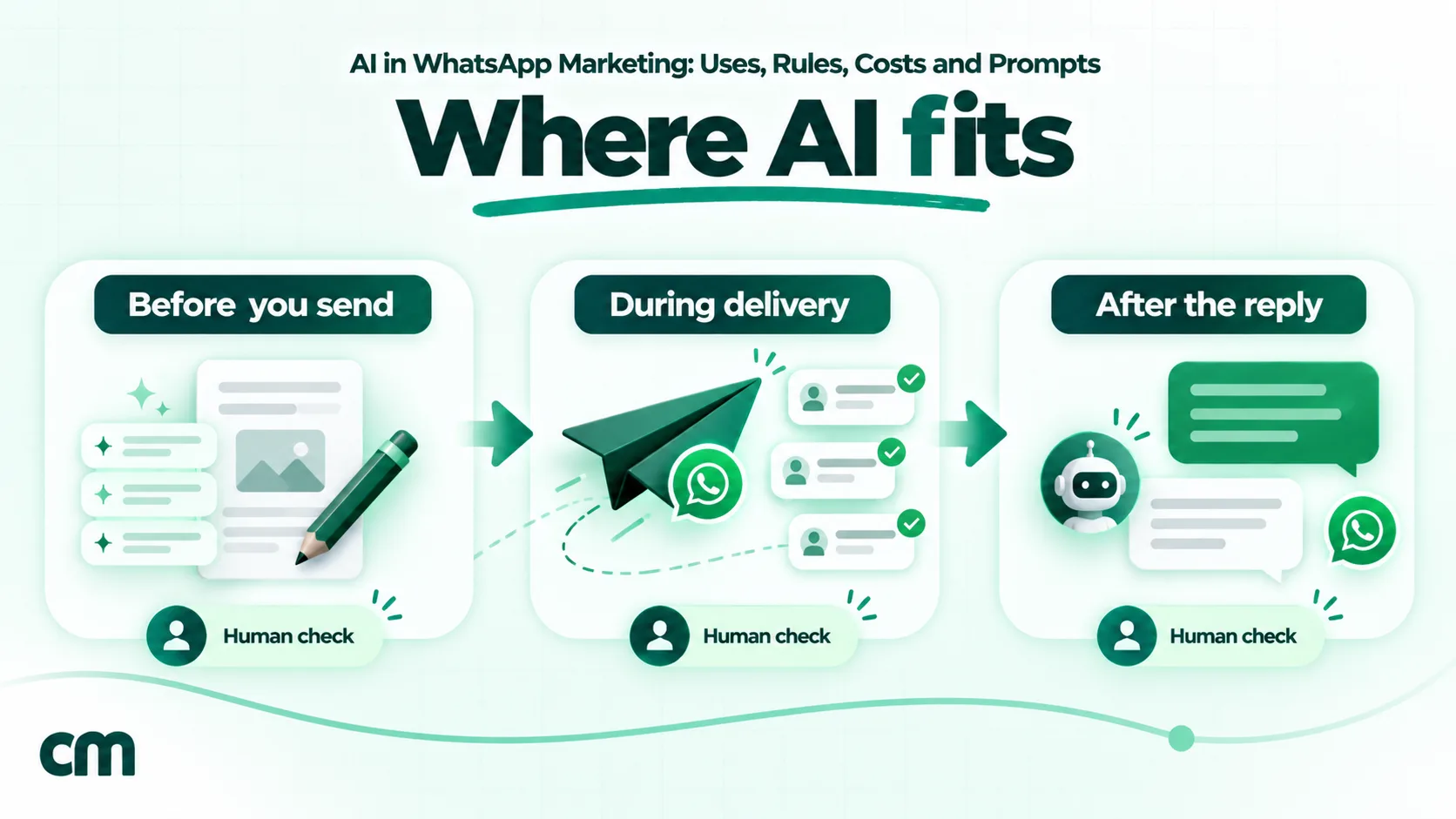
AI in WhatsApp marketing means using machine help at three points: before you send (drafting campaign ideas, template copy, translations and segments), during delivery (Meta’s own optimisation of who gets a marketing message and how it looks), and after the customer replies (a conversational AI that answers questions, qualifies leads and books). AI is good at drafts and fast replies. People still decide who gets messaged, what’s promised and when a conversation needs a human.
This guide is for marketers and business owners who run WhatsApp campaigns or click-to-WhatsApp ads and want to use AI without breaking Meta’s rules or their budget. It covers what Meta allows, what each step costs in India, a set of prompts for marketers, and how to tell whether the AI is helping. Policies and prices are checked against Meta’s documentation as of October 2026.
Using ChatMitra? The AI chatbot on the Pro plan answers customers’ typed messages with the AI provider and model you choose, and ChatMitra adds no fee per AI reply. Campaign copy stays in your hands: draft it with any AI tool, then send it as an approved template to tagged audiences. Jump to AI in WhatsApp marketing on ChatMitra.
Where AI fits in WhatsApp marketing
Most guides list “10 ways to use AI” as if they were all the same kind of thing. They aren’t. Some happen on your laptop before anything is sent, one happens inside Meta’s systems, and some happen live in the chat with a customer. Each has a different owner and a different risk.
| Stage | What AI does | What a person must still do | Main risk |
|---|---|---|---|
| Before you send | Campaign ideas, template drafts, variations, translations, image drafts, finding segments in your data | Choose the offer, check facts, check the category, approve | Wrong facts, wrong category, off-brand tone |
| During delivery | Meta’s Marketing Messages API optimises delivery and formatting | Decide whether to keep the optimisations on | Less control over exactly how the message looks |
| After the reply | Answers questions, recommends products, qualifies leads, books slots | Write the instructions, set limits, take over chats | Made-up answers, no exit to a human |
The useful habit is to treat AI as a fast junior copywriter and a tireless first responder, not as the person who signs off.
What Meta allows, and the AI products it offers
The rule on AI providers
Clause 4.7 of the Meta Terms for WhatsApp Business Platform (last modified 23 September 2026) bars AI providers from using the platform when large language models, generative AI or “general-purpose artificial intelligence assistants” are “the primary (rather than incidental or ancillary) functionality being made available”. Meta’s AI providers page dates this from 15 January 2026, with exceptions only where Meta is legally required to allow it.
For a business marketing its own products, this is a narrow rule. An AI that answers questions about your shoes, courses or flats is incidental to your business and allowed. A WhatsApp number whose product is a general chat assistant is what the clause targets. Two more parts of the clause matter to marketers:
- You can hire an AI company as your solution provider.
- WhatsApp Business Platform data may not be used to train or improve AI systems, except to fine-tune a model “for your exclusive use”. Check the data terms of every AI tool you connect.
The escalation rule
WhatsApp’s Business Messaging Policy (updated 23 September 2026) lets you automate replies in the 24-hour window, but you “must also have available prompt, clear, and direct escalation paths”, such as an in-chat transfer to a human agent, a phone number or email. The policy has no specific AI-disclosure rule, but it bans communication that confuses or misleads people.
Meta’s own AI: two different products
Meta offers AI of its own, and the two products are easy to mix up:
| Business AI | Meta Business Agent | |
|---|---|---|
| Where | WhatsApp Business app (small businesses) | WhatsApp Business Platform (API) |
| India | Launched for Indian small businesses on 14 May 2026, in native Indian languages, for businesses that meet Meta’s eligibility criteria | Available to businesses in authorised countries; the India rate card lists it |
| Cost | Not priced in Meta’s API docs | $2 per million tokens; Meta says a message typically uses 20,000–25,000 tokens, about 4–5 US cents |
| Not for | — | Finance, government, health, alcohol, gambling, over-the-counter drugs and matrimony services |
Most businesses on the API use a third-party AI instead, through their provider. Those replies are priced as normal service messages, covered below.
Using ChatGPT and other AI tools to write campaigns
This is where AI saves the most time, and where it causes the most rejected templates. A good process has five steps.
Step 1: Give the AI a real brief
AI writes generic copy from a generic prompt. Give it what a copywriter would need: the product, the audience segment, the one offer, the deadline, the action you want, your brand’s tone, and two past messages that worked. Ask for three to five variations, not one.
Step 2: Put Meta’s limits in the prompt
Meta’s template components cap the body at 1,024 characters, a text header and footer at 60 each and button text at 20. Its review rules reject templates whose variables are out of order, that start or end with a variable, that put #, $ or % inside a variable, or that have too many variables for their length. Tell the AI all of this up front, and ask it to write variables as {{1}}, {{2}} in order.
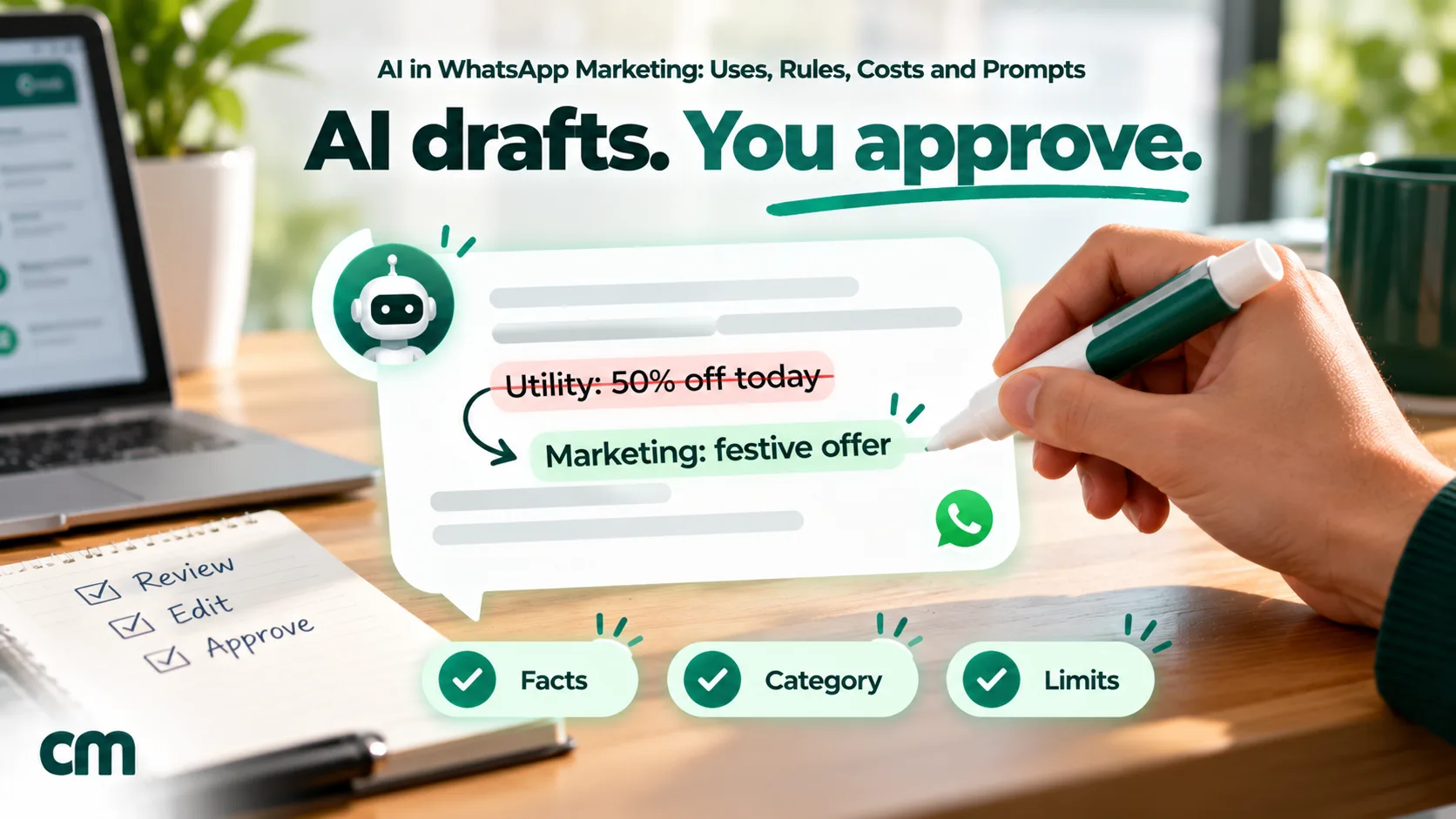
Step 3: Check the category yourself
Some AI-generated advice, and some blogs, suggest rewording an offer so it “passes” as a utility template at the lower price. Don’t. Meta’s categorisation guidelines say utility must be non-promotional, and templates with mixed content, such as an order update with a promotion, are marketing. Meta approves such templates as marketing or rejects them, and businesses that keep misusing utility can have every utility template treated as marketing for 7 days, or 30 for repeat violations. Ask the AI to write marketing copy as marketing.
Step 4: Fact-check every claim
AI fills gaps with plausible detail: a discount you aren’t offering, a delivery promise you can’t keep, a stock level it made up. Check every number, date, price and promise against your actual offer before you submit.
Step 5: Approve, then test
A person approves the final text and submits it. Then test two versions against each other on a small share of your list before sending to everyone; our A/B testing guide explains how to split and compare them.
Prompts for WhatsApp marketers
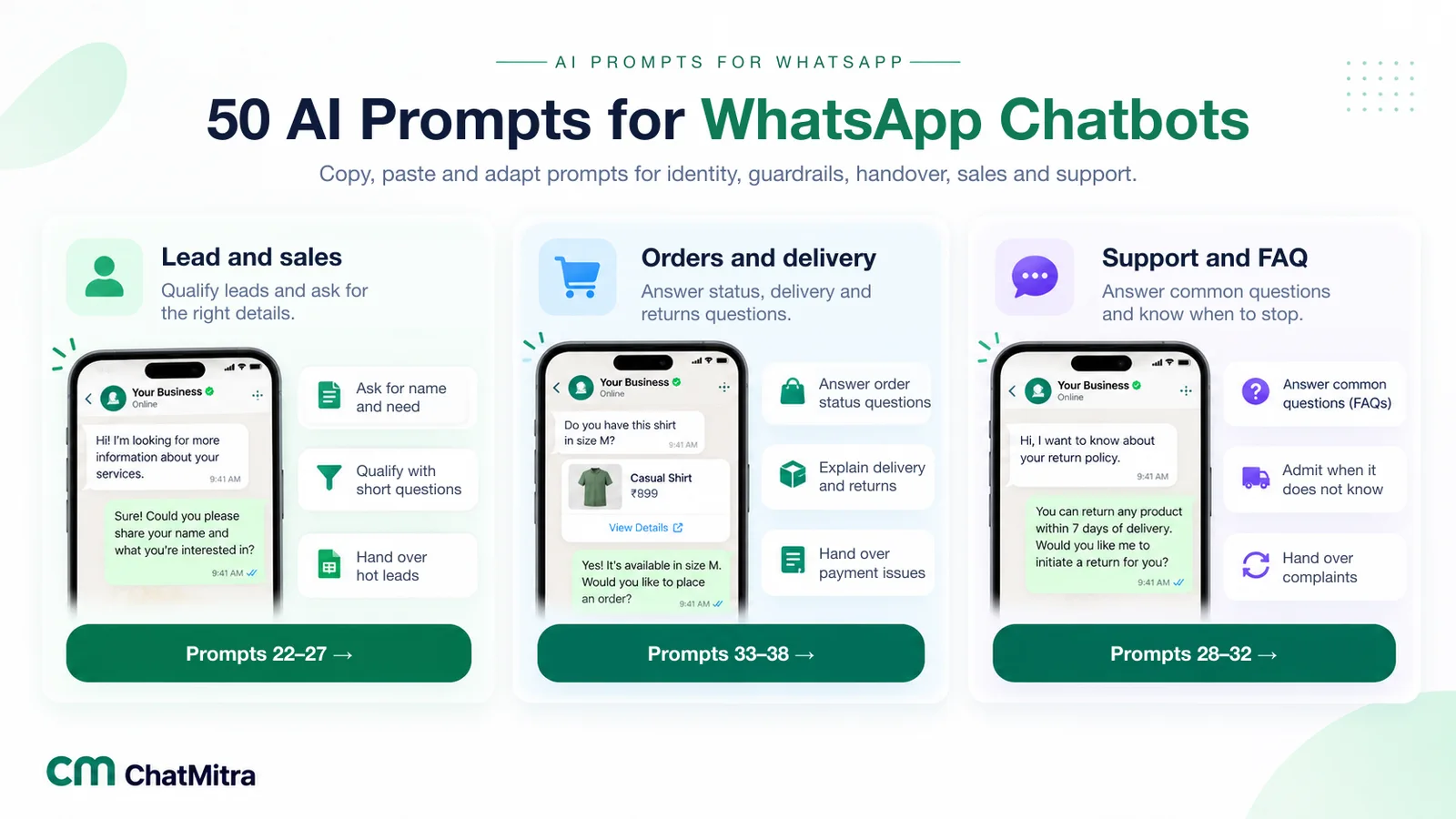
These prompts are written for campaign work, not chatbot instructions; for those, see our library of AI prompts for WhatsApp chatbots. Replace the brackets with your details.
1. Campaign ideas from a calendar
“I run [business] in [city/country], selling [products] to [audience]. List 10 WhatsApp campaign ideas for [month], tied to real dates or seasons in [country]. For each, give the offer type, who it’s for and why they’d reply. No invented statistics.”
2. Template body within Meta’s limits
“Write 3 versions of a WhatsApp marketing template for [offer] ending [date]. Body under 550 characters, friendly and direct, one clear action. Use {{1}} for the first name only; don’t start or end the body with a variable. Suggest two quick-reply buttons of 20 characters or fewer.”
3. Category check
“Here is a WhatsApp template: [text]. Under Meta’s rules, utility messages must be non-promotional and about the customer’s own order, account or service. List every word or phrase that makes this promotional. Don’t rewrite it to hide the offer.”
4. Shorten for mobile
“Cut this message to under 300 characters without losing the offer, the deadline or the action: [text].”
5. Translation with a native-speaker check
“Translate this approved English template into [Hindi/Gujarati/Tamil], natural and conversational, as a person from [region] would write it. Keep {{1}} and {{2}} in the same places. List any words you weren’t sure about, so a native speaker can check them.”
6. Segment ideas from your data
“Here is an anonymised table of customers with last purchase date, category bought, order count and city: [paste, no names or numbers]. Suggest 5 segments worth a separate WhatsApp campaign, the rule that defines each, and one message angle per segment.”
7. Reading campaign replies
“Here are 200 anonymised replies to our WhatsApp campaign: [paste]. Group them into themes, count each theme, and list the 5 questions we should answer in our next message or FAQ.”
8. Re-engagement without pressure
“Write a WhatsApp marketing message for customers who bought [product] [time] ago and haven’t bought since. Offer [offer]. No fake urgency, no guilt. Include an easy way to stop receiving offers.”
9. Ad-to-chat first reply
“Customers tap our click-to-WhatsApp ad for [product] and send ‘Hi’. Write a first reply under 250 characters that thanks them, asks one question to understand what they need, and offers to connect them with a person.”
10. Brand-voice guard
“Here are 5 messages that sound like our brand: [examples]. Here is a new draft: [draft]. Rewrite the draft in the same voice, keep every fact unchanged, and flag any claim that isn’t in the brief.”
Prompts 6 and 7 send customer data to an AI provider, so remove names and phone numbers first, and use a provider whose terms let you keep that data out of model training.
Writing in Indian languages and Hinglish
AI makes it cheap to offer campaigns in several languages, and in India that’s often the difference between a message that’s read and one that’s ignored. Meta adds three constraints:
- Each language is a separate template version. You submit the Hindi, Gujarati or Tamil version with its own language code, such as hi, gu, ta, mr or en_IN, and each is reviewed.
- Meta doesn’t translate variables. If {{2}} holds a product name or a date, fill it in the same language as the template.
- Keep one script per message. Some systems reject values that mix Devanagari and Latin letters; ChatMitra’s API does.
Hinglish, Hindi written in Latin letters, is how many customers actually text. AI handles it well, but tone is easy to get wrong, so have someone who speaks it the way your customers do read every version.
Using AI to choose who gets which message
Relevance matters more on WhatsApp than on email, because Meta limits how many marketing messages each person receives. Its per-user limits depend on that person’s recent marketing read rate and how many messages are already in their inbox. When a message is held back you get error 131049, and Meta says to wait at least 24 hours before trying again. Sending fewer, better-targeted messages keeps more of them landing.
AI helps here as an analyst, not a decision-maker. Give it anonymised purchase or reply data and ask for segments, as in prompt 6. Then turn the useful ones into simple, checkable rules, such as “bought a winter jacket last year, no order since August”, and apply them as tags or lists in your WhatsApp platform. Only people who opted in to marketing belong in any segment.
AI images and media in campaigns
Image headers lift attention in a crowded chat list, and AI can produce a festive banner or a lifestyle scene in minutes. Use it for backgrounds, layouts and seasonal artwork, and keep three limits:
- Show the real product. An AI image that makes a kurta look richer or a flat look bigger than it is can be a misleading advertisement, and ASCI’s guidelines say synthetic content in ads can be misleading whatever labels you add. Use your own product photos for the item itself.
- No real people’s faces or voices without care. AI that replicates a real person’s likeness or voice for personalised messages needs a label under ASCI’s guidelines, even with that person’s consent.
- Check the text in the image. AI image tools still misspell words and invent prices. Read every word, or add the text yourself in a design tool.
Meta’s own AI in delivery
Meta is moving marketing messages onto its Marketing Messages API, which “optimizes delivery to reach more of the people most likely to find your messages relevant.” Meta says Cloud API will stop supporting marketing messages on 13 October 2027, and messaging accounts created on or after 13 April 2027 can’t send marketing through Cloud API at all.
The API also applies creative optimisations, all switched on by default. Active ones include image filtering, headline extraction, text formatting (“No text content is changed - format only”), product add-ons, promo tags, image banners, CTA text tailoring and a business-profile end card. Image cropping, text overlays, animation and background generation are paused. Meta reports that text extraction and highlighting raised click-through rates by an average of 13.9% across about 200 advertisers. Delivery optimisation isn’t offered in the EEA, UK, Japan, South Korea, Nigeria, South Africa or Thailand.
What this means for you: if your campaigns go through the Marketing Messages API, Meta may format your message differently for different people. Preview what the optimisations do, and switch them off per template if exact formatting matters, for example in regulated industries. Ask your provider which API your marketing messages use and when it will move.
Conversational AI after the click
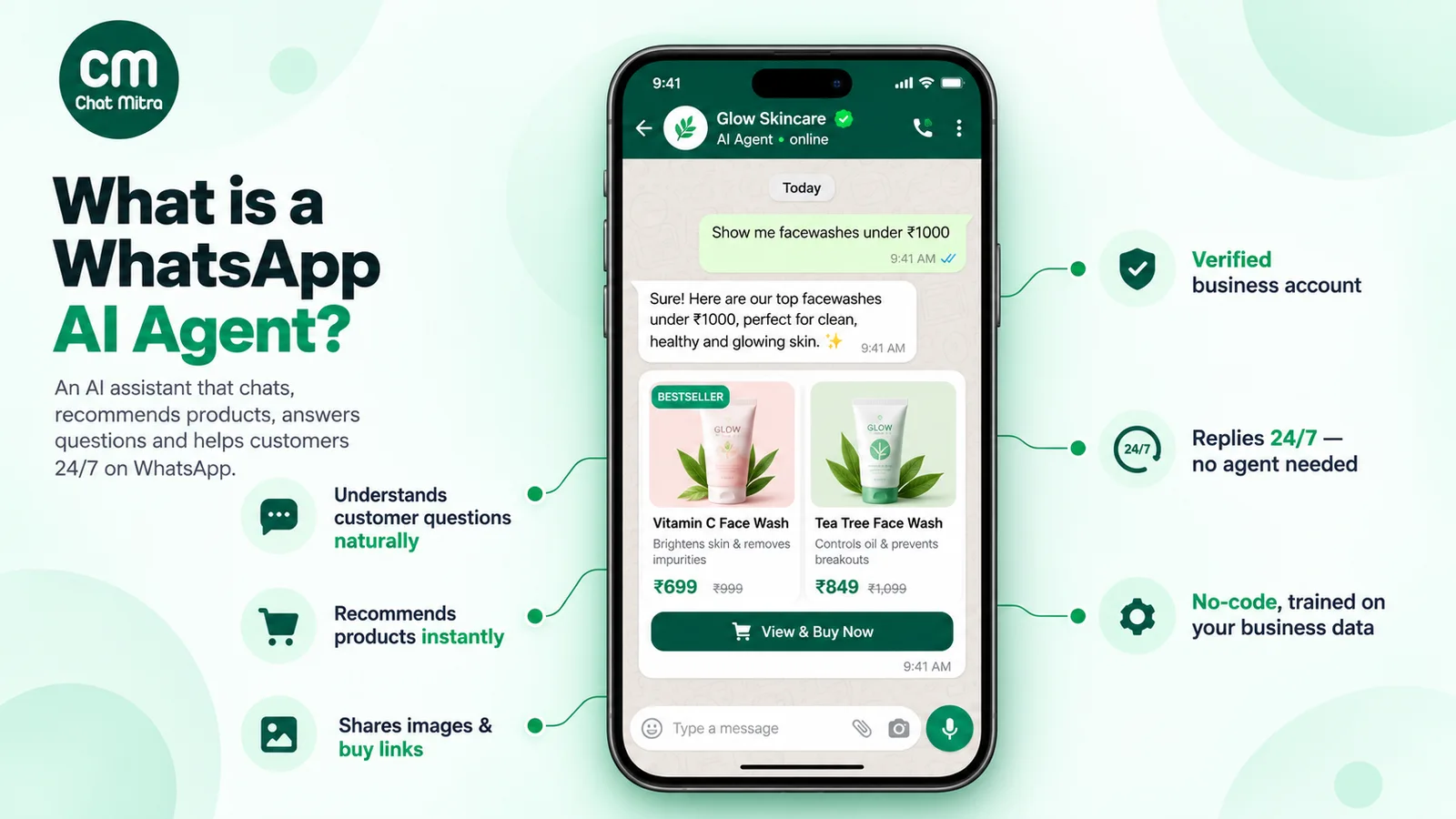
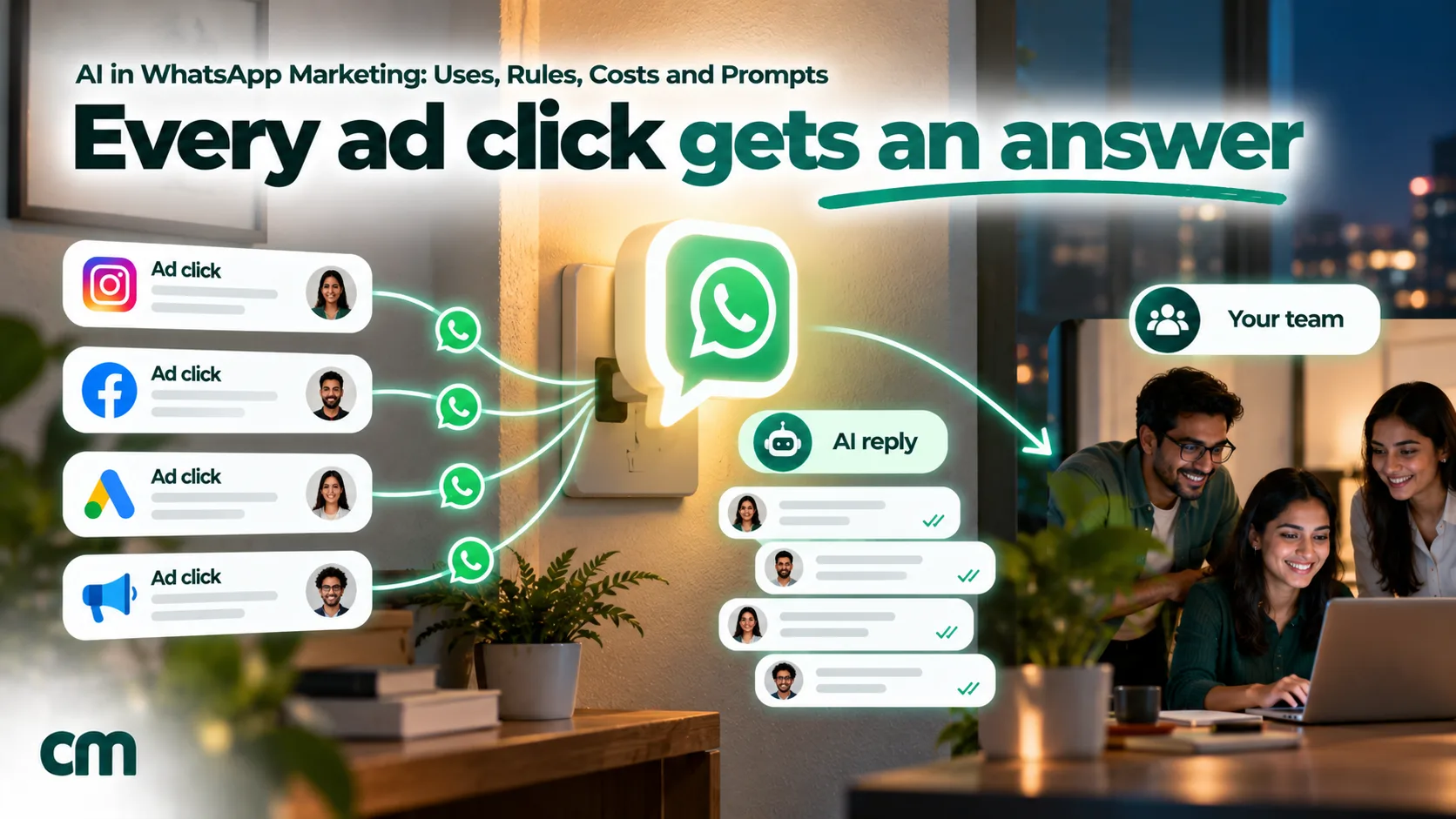
This is often called conversational AI marketing: instead of a message that ends in a link, the campaign or ad opens a chat, and an AI handles the first part of it. On WhatsApp it’s most useful in three places.
- Click-to-WhatsApp ads. The customer taps the ad and types a question, often outside your working hours. A fast, useful answer is what makes the ad pay off. Meta’s free entry point window lets you send any type of message free for up to 7 days after a customer arrives from a click-to-WhatsApp ad on the Android or iOS app, though Meta Business Agent messages are still charged.
- Replies to campaigns. When a broadcast lands, replies arrive in a burst. AI answers the repeat questions (price, sizes, delivery, how to order) while your team handles buyers who are ready.
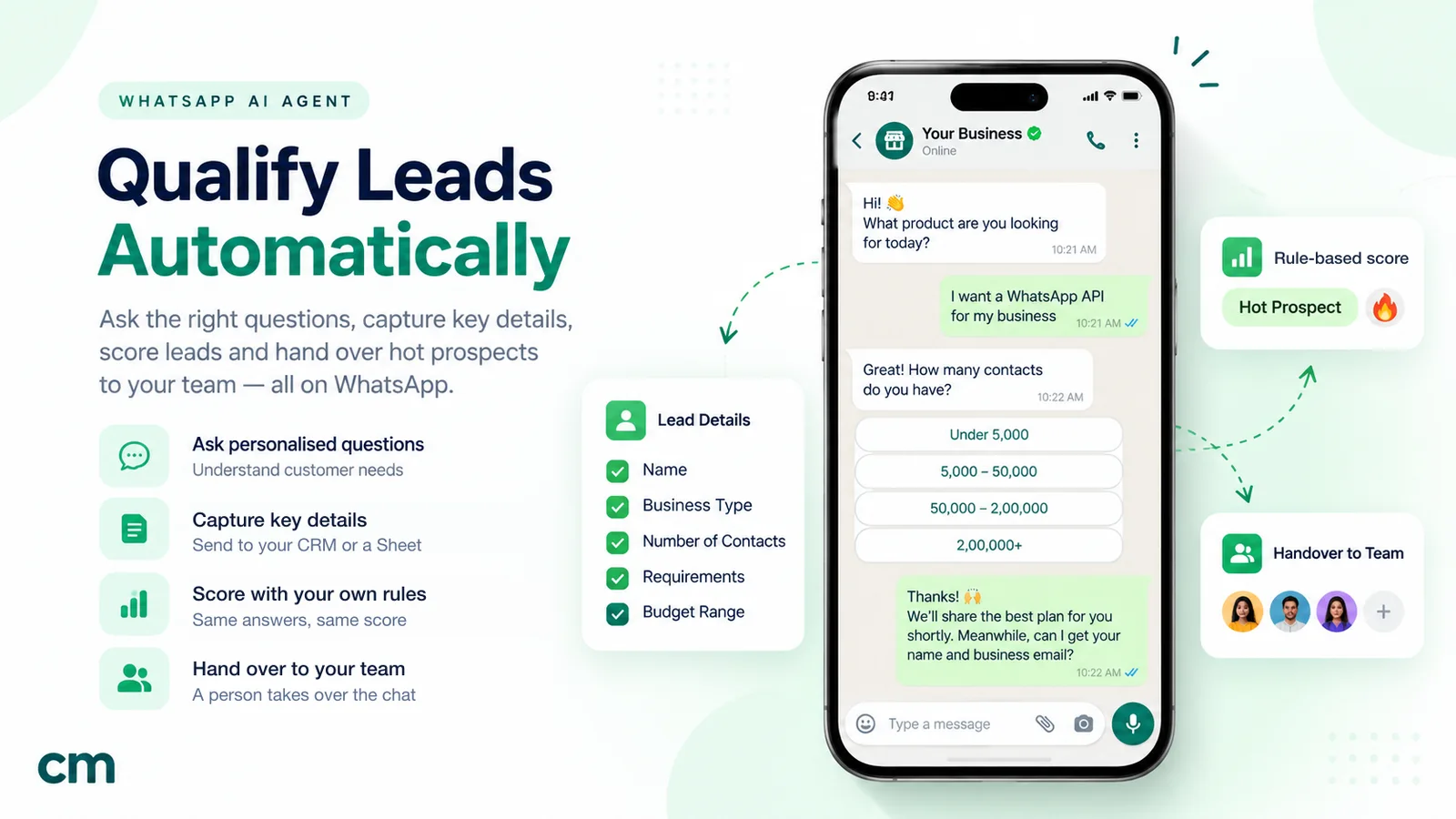
- Qualification and booking. AI asks a few questions, such as budget, location and timeline, and hands warm leads to sales. Our guide to qualifying WhatsApp leads with an AI agent covers the script and scoring.
Three rules make it work. Ground the AI in your real catalogue, prices and policies, and tell it to say “I’ll check with the team” rather than guess. Keep it short, because every extra reply is another service message. And give every chat a visible way to a person. For the set-up itself, see our WhatsApp AI agent guide.
What AI in WhatsApp marketing costs in India
| Bill | Rate (India, from 1 October 2026) | Notes |
|---|---|---|
| Marketing template | ₹0.8631 per delivered message | Every campaign message you start |
| AI reply in the 24-hour window (your own or third-party AI) | Service message: first 1,000 a month per number free, then ₹0.115 | Same as a human reply |
| Meta Business Agent reply | $2 per million tokens (about 4–5 US cents a message, per Meta) | Charged even in the free entry point window |
| Your AI model | Your provider’s token rates | Only if you bring your own key |
| Your WhatsApp platform | Plan fee and usage fee | On ChatMitra, ₹0.20 per conversation (once per customer per 24 hours) on Starter and Pro |
A worked campaign (illustrative). A fashion store sends a festive offer to 5,000 opted-in customers. 600 reply, and an AI answers each reply in an average of 4 messages, all within 24 hours of the campaign.
| Item | Count | Cost |
|---|---|---|
| Marketing templates | 5,000 | 5,000 × ₹0.8631 = ₹4,315.50 |
| AI replies (service messages) | 2,400 − 1,000 free = 1,400 | 1,400 × ₹0.115 = ₹161 |
| Meta total | ₹4,476.50 | |
| ChatMitra on Starter: one conversation per customer that day | 5,000 | 5,000 × ₹0.20 = ₹1,000 |
| Your AI provider’s tokens | 2,400 replies | Depends on model and prompt length |
If the same 2,400 replies came from Meta Business Agent at Meta’s estimate of 4–5 US cents each, that line alone would be about $96–120 instead of ₹161. The template is the big cost. AI replies are cheap as long as they stay short and stop when the question is answered.
Indian rules to keep in mind
- DPDP Act, 2023. Consent must be “free, specific, informed, unconditional and unambiguous” and limited to the data needed (section 6). You stay responsible for processing done on your behalf, and an AI vendor that processes customer data for you needs “a valid contract” (section 8). The DPDP Rules are being phased in over 18 months from November 2025.
- IT Rules on synthetic content. The amendment of 10 February 2026 covers synthetically generated audio, visual or audio-visual content that appears real, and puts labelling and metadata duties on intermediaries. It doesn’t cover text, and it targets platforms rather than a business’s own messages, but AI images or voice notes in campaigns are the kind of content it describes.
- ASCI’s synthetic-content guidelines (signed 17 September 2026, in effect three months after publication). Using AI to generate or enhance ad copy doesn’t need a label. Synthetic influencers, and AI that replicates a real person’s likeness or voice for personalised messages, do, even with that person’s consent. Sponsored suggestions inside AI chatbots must be labelled, and synthetic content can still be misleading regardless of labels.
How to tell whether AI is helping
Don’t judge AI copy by how good it reads. Test it.
- Hold out a control group. Send the AI-written version to a random half of a segment and your usual copy to the other half, on the same day and at the same time.
- Compare outcomes. Watch replies, orders or bookings per message sent, plus opt-outs and blocks. A message that lifts replies but doubles opt-outs is a loss.
- Watch delivery. A rising 131049 rate means you’re sending more marketing than people read.
- For AI replies, sample 20 conversations a week and track three things: questions answered correctly, chats a person had to take over, and replies per conversation. Each one tells you what to fix in the instructions.
When AI isn’t worth it
AI pays off when there’s volume: many campaigns, many languages or many replies. It’s often not worth setting up when:
- you send one or two campaigns a month to a few hundred customers, and writing them takes ten minutes;
- most replies need a person anyway, such as custom quotes, complaints or high-value negotiations;
- your catalogue, prices or stock change daily and the AI can’t read them from your systems;
- you work in a sector where a wrong answer is costly, such as health, finance or legal services, and you can’t review every reply.
In those cases, use AI for drafting and analysis only, and keep live replies with your team, helped by saved replies.
AI in WhatsApp marketing on ChatMitra
ChatMitra is a WhatsApp Business Platform inbox and automation tool. Here’s what its AI covers today:
- AI chatbot (Pro and Enterprise plans): answers customers’ typed messages using your own key for one of 18 AI providers, including OpenAI, Google Gemini and Anthropic’s Claude. Token costs go to your provider; ChatMitra adds no fee per AI reply.
- Instructions and memory: you write the bot’s personality and rules, or draft them with “Generate with AI” and import text from your website. You choose how many past messages it remembers, from 1 to 100.
- Your own systems: API Actions let the bot call your APIs, for example to check an order, look up stock or post a lead to your CRM.
- Control: pause the AI for any contact, so your team can take over.
- Campaigns: send approved templates to audiences built by including and excluding tags, with your copy drafted in any AI tool you like.
ChatMitra’s advantages for AI marketing:
| Advantage | What it means |
|---|---|
| Your choice of AI provider | Use the model and key you already pay for, and switch providers without changing platform |
| No AI markup | No per-reply AI fee; you pay your provider’s tokens and ₹0.20 per conversation, not per message |
| Meta’s rates at cost | Marketing at ₹0.8631 and service at ₹0.115 after the free 1,000, as Meta charges |
| Unlimited team members | Everyone who takes over from the AI works from the same number and inbox |
| Connects to your data | API Actions bring real order and stock answers into the chat |
Good to know:
- The AI reads typed text only. Photos, voice notes and button taps don’t reach it, and its replies are text.
- It doesn’t receive the ad a customer came from, so write instructions that work for any entry point.
- It can’t see or update contact fields and tags. Capture leads through an API Action to your CRM.
- Handover is manual: there’s no automatic transfer after a missed question, so agree who watches AI chats.
- If keyword auto-replies and the AI chatbot are both on, a message that matches a keyword gets two replies.
- ChatMitra has no built-in AI copywriter, translation or AI segmentation. Use your own AI tool, then build tags.
- There’s no click or ROI tracking for campaigns. Measure replies and orders.
- Exclude contacts tagged as opted out before every campaign.
Common mistakes with AI in WhatsApp marketing
- Sending AI copy without reading it. One invented discount can cost more than a month of AI saves.
- Disguising offers as utility. It’s against Meta’s rules, and it costs you the cheaper rate on genuine utility messages too.
- Pasting customer lists into a chatbot. Remove names and numbers, and check the provider’s data terms.
- Translating without a native reader. Machine translation can be correct and still sound rude.
- An AI with no exit. WhatsApp requires a clear path to a person.
- Chatty AI replies. Four messages where one would do means four service messages.
- Judging copy by taste. Test against a control group.
- Messaging everyone because AI made it easy. Per-user limits and blocks punish volume without relevance.
Sources
- Meta: Meta Terms for WhatsApp Business Platform (§4.7, modified 23 September 2026); WhatsApp Business Messaging Policy (updated 23 September 2026).
- Meta for Developers: Pricing (updated 30 September 2026), AI providers (updated 15 October 2026), Meta Business Agent overview, Marketing Messages API (updated 13 October 2026), creative optimisations, per-user marketing limits, template categorization, template components, template review, supported languages.
- Meta Newsroom: Introducing Business AI on WhatsApp for small businesses in India (14 May 2026).
- Salesforce: State of the AI Connected Customer.
- India: Digital Personal Data Protection Act, 2023; PIB, DPDP Rules notified (14 November 2025); MeitY, IT Rules as amended 10 February 2026; ASCI, Guidelines for Responsible Labelling of Synthetically Generated Content in Advertising (September 2026).