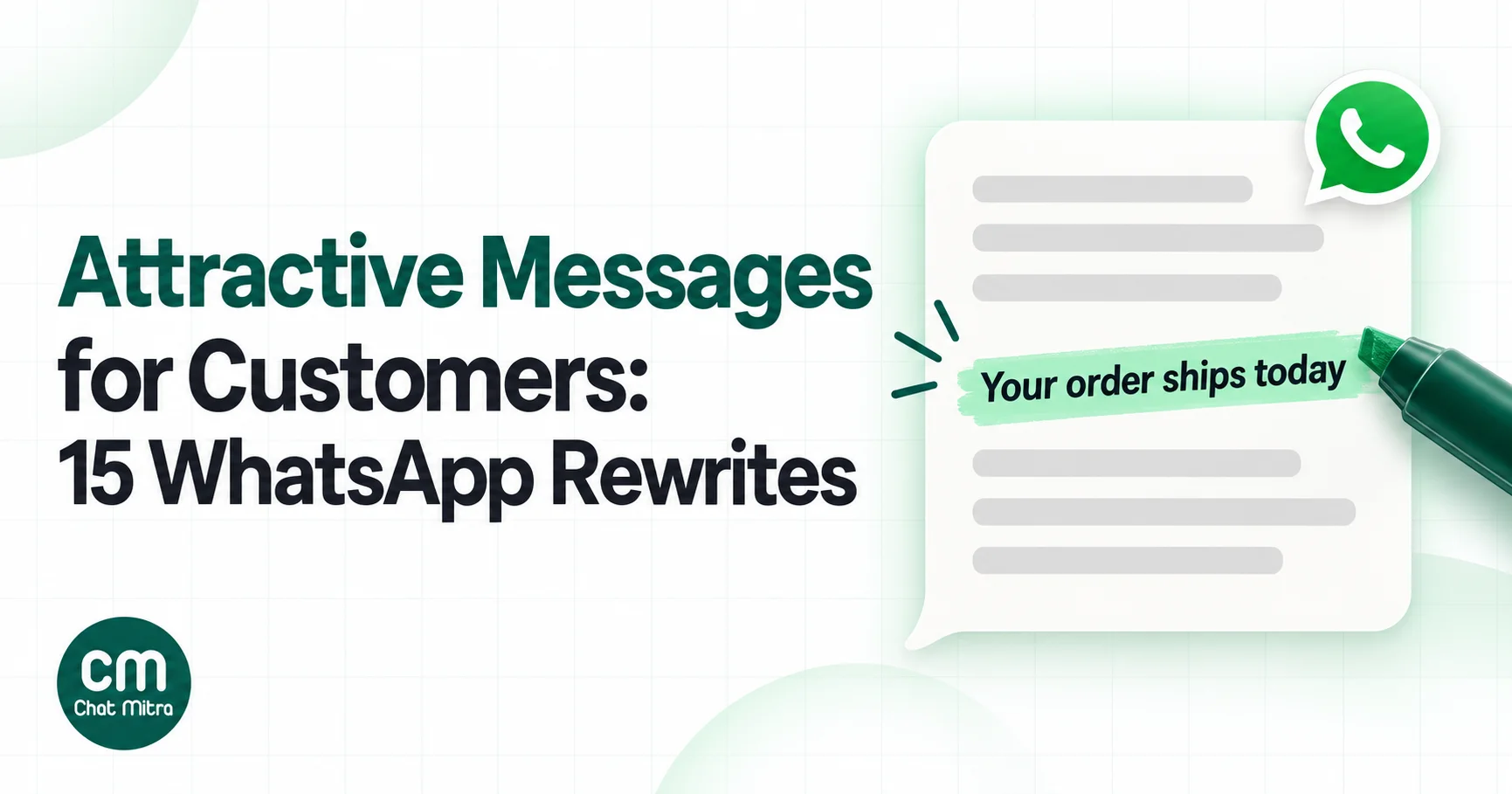
An attractive message for customers is one they’re glad to get and can act on in one tap: it’s about them, its first line says why you’re writing, and it asks for one thing. Most business messages fail on all three. They open with the company’s name, list every offer at once and end with “kindly revert”. The fix is usually not a cleverer sentence but a more specific one.
Below are 15 everyday WhatsApp messages from Indian businesses (welcomes, follow-ups, offers, reminders, apologies and thank-yous), each shown before and after a rewrite, with the reason behind every change. The rules the rewrites follow come first. After the rewrites: Hinglish versions, formatting, Meta’s limits, the claims that can get you into trouble, and how to test whether your rewrite actually works.
Using ChatMitra? Write the template in Templates, where the builder checks Meta’s limits as you type, then send it as a campaign that fills each customer’s name and other details from their contact fields. Jump to writing and sending these with ChatMitra.
Seven rules behind every rewrite
- Put the point in the first line. Meta’s best-practice guide for marketing messages says to highlight key information in the opening line, “the most likely text/content to show on people’s locked screens”. “Your order has shipped” earns the tap. “Greetings from Sharma Electronics!” doesn’t.
- Fit it in five lines. The same guide says “messages with more than 5 lines are automatically truncated” behind “read more”. Anything below line five is optional reading.
- One message, one ask. Meta’s guide lists multiple special offers, several links and “multiple competing calls-to-action” as marks of a poorly made message. Decide the one thing you want the customer to do.
- Make replying effortless. A button, or “Reply 1 or 2”, beats “please let us know your requirement”. Meta recommends call-to-action buttons instead of links typed in the text.
- Specifics beat adjectives. A date, an amount, a size, a product name. “Flat 20% off cotton kurtas till Sunday” is more persuasive than “amazing discounts on our premium range”.
- Write to one person. Use their name once, mention what they bought or asked about, and sign off as a person or a shop, not “Team ABC Pvt Ltd”. In a large email field experiment, adding the recipient’s name to the subject line raised opening rates by about 20% and cut unsubscribes (Sahni, Wheeler and Chintagunta, Marketing Science, 2018). That was email, not WhatsApp, but the principle carries.
- Sound like a person, not a notice. “Dear valued customer, kindly be informed” reads like a circular. People scan rather than read word by word: in Nielsen Norman Group’s classic web study, 79% of test users scanned, and objective, plain wording beat promotional language (NN/g).
15 messages, before and after
Each rewrite shows the likely Meta category if you send it as a template, which sets the price: about ₹0.115 for utility and ₹0.8631 for marketing in India, on Meta’s rate card effective 1 October 2026. Replies inside a customer’s open 24-hour chat are service messages, free for the first 1,000 a month per number. Names, prices and dates are examples.
First contact and follow-up
1. Replying to a new enquiry (a reply in the open chat, so no template needed)
Before: Hello Sir/Madam, Thank you for contacting ABC Enterprises. We are a leading provider of quality optical products since 1998. Please let us know your requirement.
After: Hi! Thanks for messaging Sharma Opticals 👋 What can we help with today? Buttons: Book an eye test · Frame prices · Store timings
- The customer’s choice comes first; the company history goes.
- Three buttons turn “let us know your requirement” into one tap, and tell you what they want before a person replies.
- More welcome openers are in our guide to welcome messages for customers.
2. Following up on a quote (marketing if sent as a template after the chat has gone quiet)
Before: Dear customer, just following up on our previous conversation. Kindly revert at the earliest.
After: Hi Priya, your quote for the 2 BHK modular kitchen (₹1,85,000, installation in 6 weeks) is valid till Friday 18 October. Shall I hold the 12 November installation slot for you? Buttons: Yes, hold it · I have a question
- The customer has to remember nothing: the quote, amount and timing are all in the message.
- The deadline is real (the quote’s validity), not invented pressure.
- “Kindly revert” asks for work; the buttons don’t. More patterns are in our follow-up message guide.
Selling
3. Announcing a sale (marketing)
Before: 🎉🎉🎉 MEGA SALE!!! 🔥🔥🔥 HUGE DISCOUNTS ON ALL PRODUCTS!!! HURRY UP!!! Visit our store or click www.example.in/sale www.example.in/new
After: Flat 20% off all cotton kurtas till Sunday, 20 October. Your size, M, is in stock in 14 colours. Buttons: Shop kurtas · Stop offers
- One offer, one date, one button. The two links typed in the text are gone.
- Bold marks the offer, as Meta’s guide suggests; capitals and nine emojis go.
- “Your size” uses what you know about the customer.
- A “Stop offers” quick reply gives an exit that’s gentler than the block button.
4. A new arrival (marketing)
Before: New collection launched. Check it out now.
After: Riya, the waterproof sneakers you asked about in July are in: ₹2,499, sizes 5 to 9. Button: See the sneakers
- It answers a question the customer actually asked, which is why it gets read.
- Name, product, price and sizes fit in one line.
5. A festival offer (marketing)
Before: Wishing you and your family a very Happy Diwali!!! Get 30% OFF* on everything. *T&C apply.
After: Happy Diwali from Meera Sweets 🪔 Order a 1 kg mithai box by 30 October and we’ll deliver it free anywhere in Pune. Button: See the boxes
- The asterisk is gone. The ASCI Code says disclaimers must not contradict the main claim, and “30% off everything” with hidden terms invites a complaint.
- “Free delivery” names exactly what’s free and where.
- A greeting with an offer is marketing. If you only want to wish customers, see our Diwali and Navratri wishes, which keep greetings and offers apart.
6. Back in stock (marketing)
Before: Product back in stock. Order now before it’s gone!
After: Good news, Mr Khan: the Prestige 5 L pressure cooker you asked about is back. We have 12. Want us to keep one for you till tomorrow evening? Buttons: Yes, keep one · No thanks
- “We have 12” is true scarcity; “before it’s gone” is a vague threat.
- Offering to hold one turns pressure into a service.
7. A forgotten cart (marketing; Meta lists cart reminders as marketing “even if requested by users”)
Before: You left items in your cart! Complete your purchase NOW!
After: Hi Arjun, the Bose earbuds (₹14,990) are still in your cart. Delivery to 560034 takes 2 days. Questions about the warranty? Just reply here. Button: Go to cart
- It names the item and removes the next worry (delivery time) instead of shouting.
- “Just reply here” invites the question that’s actually stopping the purchase.
- For timing and sequences, see abandoned cart recovery on WhatsApp.
Service
8. An appointment reminder (utility)
Before: Reminder: You have an appointment tomorrow.
After: Hi Kavya, see you tomorrow, Thursday 17 October, at 4:30 pm with Dr Mehta at our Andheri clinic. Please bring your last prescription. Buttons: Confirm · Reschedule
- Who, when, where and what to bring, in two lines.
- Two buttons tell you who’s coming. More reminder formats are in our reminder messages guide.
9. A payment reminder (utility)
Before: Your payment is OVERDUE. Pay immediately to avoid legal action.
After: Hi Mr Rao, invoice INV-2041 for ₹18,600 was due on 10 October. You can pay by UPI with the link below. Already paid? Reply Paid and we’ll check. Button: Pay now
- Meta’s template review guidelines reject threatening content, such as threats of legal action.
- “Already paid?” saves an angry call from a customer who paid yesterday. Our guide to payment links on WhatsApp covers the button.
10. A delivery delay (utility, as long as it carries no compensation offer)
Before: Due to unforeseen circumstances, your order has been delayed. We regret the inconvenience caused.
After: Your order #5512 will arrive on Saturday, a day later than we promised, because the courier missed today’s pickup. Sorry about that. Prefer to cancel? Reply Cancel for a full refund. Button: Track order
- It gives the new date, the reason and a choice. “Unforeseen circumstances” gives nothing.
- Keep any coupon out of it: Meta’s guidelines list a delay apology that adds a credit as a marketing message. More wording is in our apology message guide.
11. Out of stock (a reply in the open chat)
Before: Item not available.
After: Sorry, the 500 g Darjeeling first flush sold out an hour ago. The second flush (₹640) is close in taste and ships today, or we can message you when the first flush is back. Which would you like? Buttons: Second flush · Tell me when it’s back
- A dead end becomes two options.
- “Tell me when it’s back” is also how you earn permission for the back-in-stock message in rewrite 6. See our out of stock message guide.
Relationships
12. Thank you after a first purchase (likely utility if it’s about the order and has no offer)
Before: Thank you for shopping with us. Visit again!
After: Thanks for your first order, Neha! Your plants ship tomorrow. One tip: water the fern only when the top inch of soil feels dry. Any questions, just reply here.
- A useful tip about the thing they bought makes a thank-you worth reading.
- “Visit again” is a request; the tip is a gift. Adding a discount code would make it marketing.
13. Asking for a review (utility when it asks about a specific purchase or visit)
Before: Please rate us 5 stars on Google!!! It really helps a small business 🙏🙏🙏
After: How was your haircut with Sameer on Saturday? If you have a minute, a Google review helps other people in Indore find us. Button: Write a review
- It asks for a review, not a rating. Google’s policy forbids selectively soliciting positive reviews, and asking for five stars is exactly that.
- It names the visit and the stylist, so it reads as a person asking. Our Google reviews guide covers timing and policy.
14. Winning back a lapsed customer (marketing)
Before: We miss you! It’s been a long time. Come back and shop with us.
After: Mr Iyer, it’s been about 3 months since your last 20 L water can order. Shall we deliver your usual 2 cans tomorrow morning? Buttons: Yes, deliver · Not now
- It assumes the customer still needs the product and makes reordering one tap.
- “We miss you” is about the business; “your usual 2 cans” is about the customer.
15. A birthday message (marketing, because it carries an offer)
Before: HAPPY BIRTHDAY DEAR VALUED CUSTOMER!!! 🎂🎂🎂🎉🎉 Enjoy 10% off on your next purchase*.
After: Happy birthday, Ananya! 🎂 Your treat from Cafe Brio: a free pastry with any order this week at our Koregaon Park café. Just show this message.
- A small, concrete treat beats a percentage with an asterisk.
- “Just show this message” tells her exactly how to use it.
- More wording is in birthday wishes for clients.
The same rewrites in Hinglish and Hindi
Many customers in India read and write Hinglish, Hindi written in Roman letters and mixed with English. It often sounds warmer than formal English or formal Hindi. Two rewrites from above:
Rewrite 8, Hinglish: Hi Kavya, kal Thursday 17 October ko 4:30 pm par Dr Mehta ke saath Andheri clinic mein aapka appointment hai. Apna last prescription saath le aana. Buttons: Confirm · Reschedule
Rewrite 14, Hindi: अय्यर जी, आपका पिछला 20 लीटर पानी का ऑर्डर लगभग 3 महीने पहले था। क्या हम कल सुबह आपके हमेशा वाले 2 कैन भेज दें? Buttons: हाँ, भेज दो · अभी नहीं
Three rules keep regional versions approved and readable:
- One script per message. Write it fully in Roman letters or fully in Devanagari. ChatMitra’s API rejects message text that mixes Devanagari and Latin script, and mixed scripts are harder to read on a small screen.
- Each language is a separate template. Meta supports Hindi, Bengali, Gujarati, Kannada, Malayalam, Marathi, Punjabi, Tamil, Telugu, Urdu and English (India), among others, and doesn’t translate templates for you. There’s no “Hinglish” language code, so submit Roman-script Hinglish under the language that best matches how it’s written. If Meta rejects it for a language mismatch, resubmit under the other.
- Fill variables in the same script. If a customer’s name is saved in English letters, send them the Hinglish or English version, or store the name in Devanagari for the Hindi one.
Formatting that helps, and formatting that doesn’t
WhatsApp supports a handful of formatting codes (WhatsApp Help Center):
| To get | Type | Use it for |
|---|---|---|
| Bold | *text* | The offer or the key fact, once per message |
| Italic | _text_ | A quiet aside, rarely |
~text~ | An old price next to a new one (only if the old price was real) | |
Monospace | three backticks before and after | Codes and order numbers |
| Lists and quotes | -, 1., > at the start of a line | WhatsApp’s help page notes the newer formatting may show only on some apps, so test it before you rely on it in a template |
Use it sparingly. Bold works when there’s one bold phrase; three bold phrases cancel each other out. Meta’s documentation says not to use formatting characters in a template’s text header.
Emojis follow the same logic. Meta’s guide counts “excessive use of emojis” as a mark of a poorly made message. One or two that replace a word (🪔 for Diwali, 🎂 for a birthday) or set a tone help. A row of 🔥🔥🔥 doesn’t. Research on emojis in advertising found they lifted purchase intention mainly for products bought for pleasure, like food or gifts, not for practical ones (Das, Wiener and Kareklas, Journal of Business Research, 2019).
Meta’s limits to write within
A message you type in an open chat can be up to 4,096 characters and can say almost anything polite. A template, which you need for messages sent outside the 24-hour window, has stricter rules (Meta’s template components and review pages):
| Part | Meta’s limit | Writing tip |
|---|---|---|
| Header (text) | 60 characters, 1 variable, no formatting characters | A short label like “Your order is ready”, or use an image |
| Body | 1,024 characters; can’t start or end with a variable; not too many variables for its length | Aim for 2 to 5 lines; put the variable inside a sentence |
| Footer | 60 characters | Validity, terms or how to stop offers |
| Buttons | Up to 10 in total; quick replies up to 10; up to 2 URL buttons; 1 phone button; labels up to 25 characters | With more than 3 buttons, WhatsApp shows 2 and hides the rest under “See all options” |
Category follows the words. Meta’s categorisation guidelines say a template with mixed content, such as an order update with a promotion or a feedback survey with an offer, is marketing. That’s the single most expensive copywriting mistake: the coupon at the end of a delivery update costs you more than seven times as much per message in India. For approval wording and the full submission checklist, see our WhatsApp marketing templates guide. If a template comes back rejected, see why WhatsApp templates get rejected.
Claims that can get you into trouble
Attractive copy still has to be true. Three sets of rules apply to promotional messages in India:
- WhatsApp’s Business Messaging Policy says businesses must not “confuse, deceive, defraud, mislead, spam, or surprise people”, must have opt-in, and must respect opt-outs (WhatsApp Business Messaging Policy).
- The ASCI Code applies to digital advertising. Claims about facts must be capable of substantiation, ads mustn’t mislead by exaggeration or omission, “free” is allowed only when there’s no cost other than delivery or postage and that cost is stated, and “up to” or “from as low as” claims are unacceptable if they mislead (ASCI Code).
- The Central Consumer Protection Authority’s Guidelines for Prevention and Regulation of Dark Patterns, 2023 cover false urgency (fake deadlines or claiming stock is more limited than it is), drip pricing (hiding part of the price, including “free” with undisclosed costs) and nagging (repeated, persistent requests), among others (summary by Trilegal).
In practice: only say “last day” on the last day, only say “only 5 left” if there are 5 left, state every condition of a “free” offer, and don’t send the same promotion again and again to people who haven’t replied.
How to tell whether a rewrite worked
Opinions about copy are cheap; replies are not. Test a rewrite before you roll it out:
- Pick one metric. For a message with a button, use taps per delivered message. For a question, use replies per delivered message. Read rates mostly reflect timing and the first line.
- Split fairly. Send the old and new versions to two random halves of the same audience, at the same time.
- Change one thing. If the new version changes the first line, the button and the offer, you won’t know which change worked.
- Watch the downside too. Meta adjusts how many marketing templates each person receives based on how they engage, and blocks and low read rates lower a template’s quality rating, which can get it paused. A version that wins on taps but loses on blocks hasn’t won.
Our guide to A/B testing WhatsApp campaigns covers group sizes and how to tell a real winner from luck. Timing matters as much as wording, so also read the best time to send a WhatsApp broadcast.
Writing and sending these with ChatMitra
Here’s how the rewrites map onto ChatMitra, checked against the product in October 2026.
| Need | ChatMitra feature | Plan |
|---|---|---|
| Write templates without breaking Meta’s rules | Templates builder: flags a body that starts or ends with a variable, is only variables, runs past 1,024 characters, has more than 20 placeholders, more than 10 emojis or repeated placeholders; header and footer up to 60 characters, button labels up to 25, no emojis in any of them | All plans |
| Use the customer’s name, size or last order | Campaign variables mapped to contact attributes, with fallback text when a value is missing | All plans |
| Send to the right people only | Campaigns with include and exclude tags, and scheduling | All plans |
| Follow up on who read or ignored a message | Retargeting by sent, delivered, read or failed | All plans |
| Reply fast inside the chat | Saved replies, typed with ”/” in the inbox | All plans |
| First-contact message (rewrite 1) | Welcome message with buttons, sent once to a new customer | All plans |
| Keyword replies such as “timings” or “price” | Auto Reply rules | Pro |
| Regional-language templates | Templates in Hindi and other Meta-supported languages, each submitted separately | All plans |
Good to know:
- No built-in A/B split. Run tests manually with two tagged groups and two campaigns on the same schedule.
- Exclude opted-out customers yourself. Tag anyone who taps “Stop offers” and exclude that tag from every campaign. Campaigns don’t remove marketing opt-outs automatically.
- One script per message in the API. Text mixing Devanagari and Latin is rejected.
Why businesses write their WhatsApp messages in ChatMitra
| ChatMitra advantage | What it means for your copy | How it compares |
|---|---|---|
| Builder checks Meta’s template rules as you type | Fewer rejections from dangling variables, emoji overload or over-long headers | Otherwise these mistakes surface only after Meta’s review |
| Personalisation with fallbacks on every plan, including the free Starter plan | ”Hi Riya” for customers with names, a clean greeting for those without | Check whether personalisation is a paid add-on elsewhere |
| Retargeting by read, delivered or failed | Send a different follow-up to people who didn’t read the first one | Useful for testing a rewrite against the original |
| Meta’s rates at cost, no markup, plus ₹0.20 per conversation | A utility rewrite costs ₹0.115 from Meta, nothing added | Check whether a provider adds a margin on Meta’s rates |
| Pro at ₹999 a month includes 1,000 conversation credits | Auto Reply rules for instant answers to common questions | Enterprise (₹2,499 a month) removes the ₹0.20 fee |
Plans are on the pricing page. For a bank of ready-to-adapt templates, see 100 WhatsApp template messages, and for broadcast-specific examples, broadcast message examples.
A checklist before you hit send
- Does the first line say why you’re writing, without the company name?
- Does it fit in five lines on a phone screen?
- Is there exactly one thing you want the customer to do, and is it a button?
- Is there at least one specific: a name, a date, an amount, a product?
- Would you say it this way to a customer standing at your counter?
- Is every claim true today: the deadline, the stock, the “free”?
- Does an order update, reminder or feedback request contain an offer it doesn’t need?
- Is it in one script, in the customer’s language?
- Is there an easy way to stop promotional messages?
Where to start
Pick the one message you send most, usually an order update, a reminder or the reply to a new enquiry, and rewrite it using the seven rules. Send the new version to half your customers for two weeks and compare taps or replies. Then move to your next most-sent message. Fifteen small rewrites done this way will do more for your WhatsApp results than one clever campaign.
ChatMitra’s Starter plan is free and includes the template builder, personalised campaigns and retargeting. Pro adds Auto Reply rules and the API, with a 15-day free trial.
Sources: Meta, Best Practices for Marketing Messages on WhatsApp and marketing messages one-sheet (April 2026). Meta for Developers: template components (updated 24 June 2026), template review, template categorisation (updated 15 September 2026), per-user marketing limits, template quality, supported languages, pricing (India rate card effective 1 October 2026). WhatsApp Business Messaging Policy. WhatsApp Help Center: formatting. ASCI Code. Trilegal on the 2023 dark-patterns guidelines. Nielsen Norman Group, How Users Read on the Web. Sahni, Wheeler and Chintagunta (2018). Das, Wiener and Kareklas (2019). ChatMitra product behaviour as checked in ChatMitra's code and pricing page (October 2026).