A chatbot for small business is software that answers customer messages automatically, on your website or WhatsApp, so that you or your staff only handle the conversations that need a person. It’s worth having when the same questions eat hours of your week, or when customers message after you’ve closed and buy elsewhere before you reply. If neither describes you, free tools in the WhatsApp Business app will serve you better than any bot.
This guide is for owners deciding whether to get one at all. It gives a quick test, the four options from free to AI, what to automate first, what it really costs in rupees, and how to keep a bot from damaging your reputation. It links out to our build guides once you’ve decided.
Key takeaways
- Get a chatbot to fix a repetition or availability problem, not because competitors have one.
- The cheapest option is free: greeting and away messages plus up to 50 quick replies in the WhatsApp Business app.
- Automate the questions with one right answer first. Keep complaints, refunds and judgement calls with people.
- On the WhatsApp API in India, bot replies are service messages: 1,000 free a month per number, then ₹0.115 each. Fewer messages per answer means a lower bill.
- Every bot needs an easy way to reach a human, and you are responsible for what it says.
Do you need a chatbot? A quick test
Before you compare tools, look at your own messages. Scroll through last week’s chats on your business phone and count:
- How many messages asked something you’ve answered before? Price, timing, location, “is it available?”, “where’s my order?”.
- How many arrived when nobody could reply? Late evening, Sundays, during a busy shift.
- How long did each routine reply take you, including finding the information?
- How many enquiries went quiet after a slow reply?
Then read the result:
| What you found | What it means | Best first step |
|---|---|---|
| Fewer than about 10 chats a day, mostly unique questions | Your problem isn't volume | Quick replies and an away message; no bot |
| Many repeats of the same 5–10 questions | A repetition problem | A menu or FAQ bot for those questions |
| A lot of after-hours enquiries that go cold | An availability problem | An after-hours bot that answers basics and captures details |
| Varied questions in customers' own words, often in mixed languages | Menus will frustrate people | An AI agent with tight instructions, plus human backup |
| Most chats need a quote, a judgement or negotiation | The conversation is the sale | Better tools for people (labels, shared inbox), not a bot |
The thresholds are rules of thumb, not research. The principle isn’t: a bot earns its keep by taking away work that is repetitive and predictable. If your messages aren’t repetitive, a bot just adds a step between you and your customer.
When a chatbot is the wrong answer
Vendors rarely say this, but sometimes a bot makes things worse:
- Your volume is low. A home baker with eight chats a day gains little from automation and risks sounding cold.
- The chat is the sale. Interior design, custom jewellery, B2B quotes, wedding photography: the customer is judging you through the conversation. A menu in front of that conversation lowers trust.
- The answers carry risk. Medical, legal, financial or insurance advice, refunds and anything you’d need to put in writing. A bot’s wrong answer is your answer, as Air Canada found. In Moffatt v. Air Canada (2024), a Canadian tribunal held the airline liable after its website chatbot told a customer he could claim a bereavement fare after travel. The tribunal said “It makes no difference whether the information comes from a static page or a chatbot.”
- Nobody will pick up handovers. A bot that says “an agent will reply soon” and then nobody does is worse than no bot.
- Your customers distrust automation. In a Gartner survey of 5,728 customers published in July 2024, 64% said they would prefer companies didn’t use AI for customer service. The main worry was that it would get harder to reach a person. That doesn’t rule bots out. It means the route to a human has to be obvious.
If any of these apply, fix the human side first. Use faster replies, saved answers, clear hours and a shared inbox, then automate only the narrow, safe slice.
Your four options, from free to AI
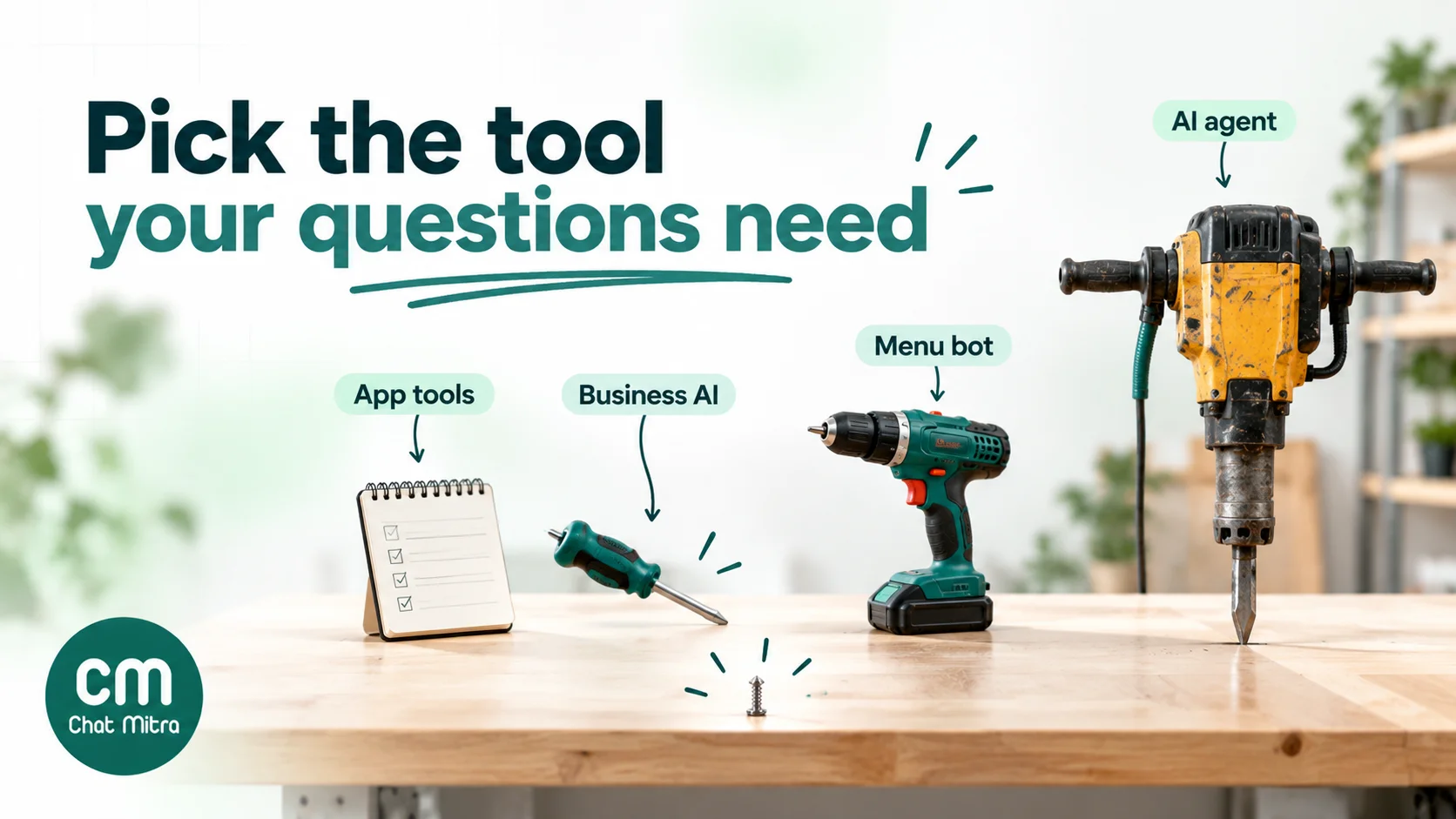
Small businesses usually don’t need to start with a paid platform. Here are the options in order of cost and complexity:
1. Free tools in the WhatsApp Business app
The WhatsApp Business app includes basic automation at no cost:
- Greeting message: sent when someone messages you for the first time, or after 14 days without contact.
- Away message: sent always, on a schedule, or outside your business hours.
- Quick replies: up to 50 saved answers that you insert by typing
/. - Labels: up to 20, being renamed “lists”, to sort chats into new, pending, paid and so on.
This isn’t a chatbot, because a person still sends each quick reply, but for many small businesses it removes most of the typing. Our 60 quick-reply templates and greeting message examples are ready to copy.
2. Meta’s Business AI in the WhatsApp Business app
Meta launched Business AI for small businesses in India in May 2026. It answers customer queries 24/7, captures leads and books appointments, and Meta says it works in all of India’s native languages. The owner can step in at any time. Know the trade-offs before you switch it on:
- Availability. It’s rolling out to businesses that meet Meta’s criteria, so it may not be on your Tools tab yet.
- Cost. Meta says getting started is free. Its Meta One subscription plans, from $14.99 a month with prices that may vary by region, give more access.
- Data. WhatsApp’s help centre says chats with it are used to improve AI at Meta, and customers see a notice that AI from Meta receives their messages.
- Side effects. The same help page says it may interfere with broadcast lists and greeting and away messages, and that it disconnects linked devices. It stops when you reply manually.
- Payments. Meta describes UPI payments through Business AI as coming soon.
For a solo owner on one phone, this is now the cheapest way to try an AI assistant. It stays inside the app, though, so it doesn’t give you a team inbox or connect to your other systems.
3. A rule-based chatbot (menus and keywords)
A rule-based bot follows a script you design. The customer taps a button or types a keyword, and the bot sends the matching answer, often a menu leading to another menu. It runs on the WhatsApp Business API through a provider, or on a website chat widget.
- Good at: fixed answers (hours, price lists, delivery areas), guiding people to the right person, collecting a few details step by step.
- Bad at: anything it wasn’t scripted for. A customer who types a full question into a menu bot often gets “Sorry, I didn’t understand.”
- Cost profile: no AI model charges, but each menu step is a separate message.
4. An AI agent trained on your business
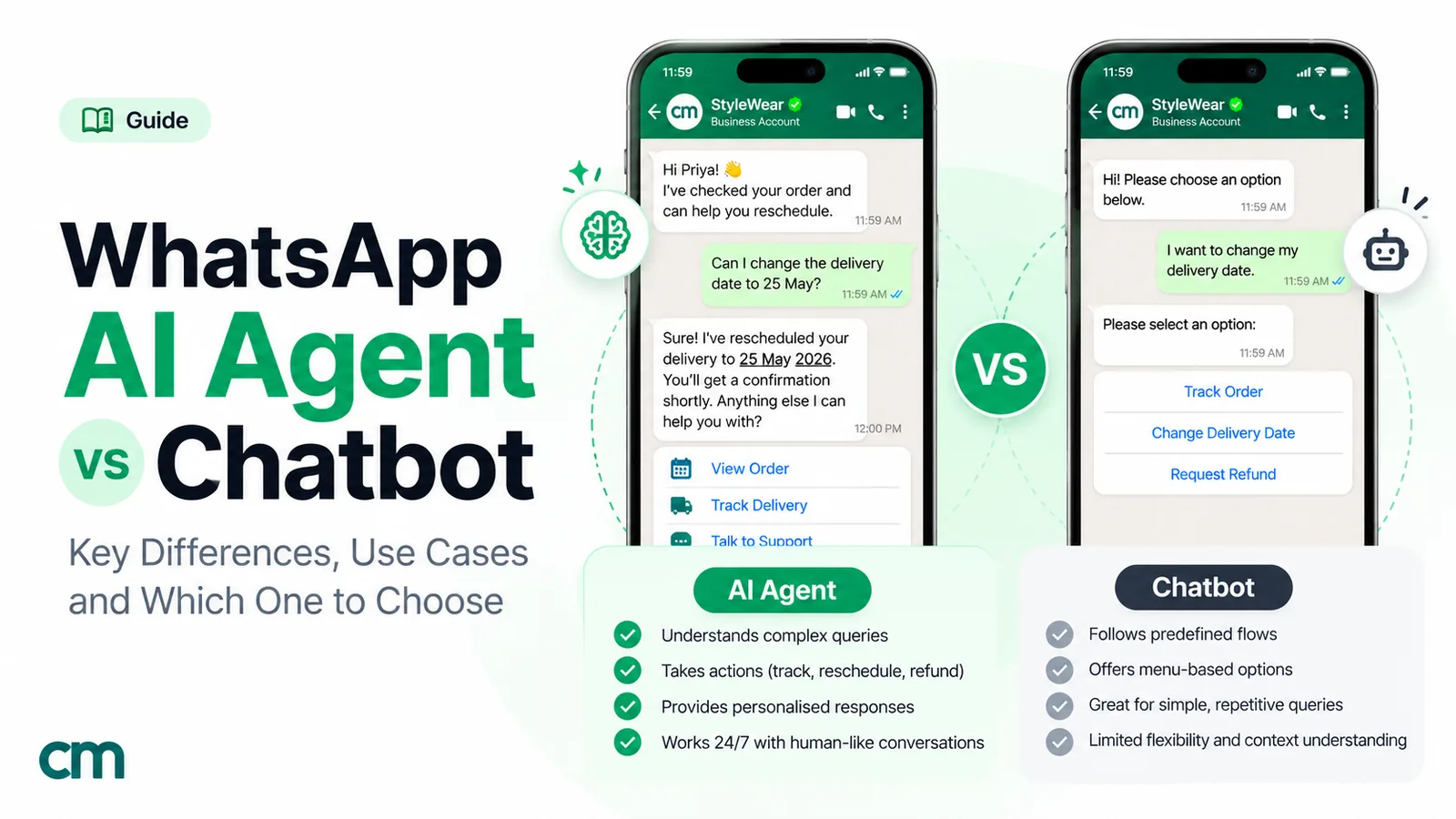
An AI agent reads what the customer actually typed and writes a reply from instructions and business information you give it. Many can also call your systems, for example to look up an order. It handles varied wording and Hinglish far better than menus, but it can be confidently wrong, so it needs firm limits and testing. Our guide to AI agents vs chatbots compares the two in depth, with a decision framework.
One policy line to know: Meta’s WhatsApp Business Platform terms prohibit providers whose main product is a general-purpose AI assistant. This has applied to all such providers since 15 January 2026. A bot that answers questions about your business, such as support, bookings or orders, is not affected. A “chat with our AI about anything” service is.
| Option | Cost | Handles free-text questions | Team inbox and integrations | Best for |
|---|---|---|---|---|
| Business app tools | Free | No (a person replies) | No | Solo owners, low volume |
| Meta Business AI (app) | Free to start; Meta One for more | Yes | No | Solo owners who want 24/7 answers, where available |
| Rule-based bot (API) | Platform plan + Meta message charges | Poorly | Yes | Fixed FAQs, routing, simple capture |
| AI agent (API) | Platform plan + Meta charges + AI model usage | Yes | Yes | Varied questions, teams, after-hours sales |
What to automate first
Owners who automate everything at once usually end up switching the bot off. Start with the safest, most repeated job and add one job at a time:
- Opening hours, location, prices and delivery areas. These have one right answer and make up a big share of first messages. A mistake here is easy to spot and fix.
- After-hours capture. Answer the basics, then ask for the customer’s name and what they need, and promise a reply time you will keep: “We’ll reply by 10 am.”
- Order or booking status. “Where’s my order?” and “What time is my appointment?” are repetitive and need data, so this step needs a bot that can look things up, or a utility template sent automatically from your store or booking tool.
- Appointment requests. Collect the service, preferred day and time, then confirm by hand until you trust the flow. Our appointment booking templates cover the wording.
- Simple lead questions. Two or three qualifying questions (budget, location, timeline) before a person takes over. Our guide to qualifying leads with an AI agent shows how.
Keep these with people, whatever tool you use:
- complaints and refunds;
- custom quotes and discounts;
- medical, legal or financial questions;
- anything emotional, such as a missed delivery for a wedding or a bereavement;
- any customer who has asked for a human twice.
What that looks like by business type
| Business | First job for the bot | What stays human |
|---|---|---|
| Salon or spa | Prices, timings, booking requests by service | Rescheduling disputes, treatment advice |
| Online store | Delivery areas and times, order status, return policy | Damaged items, refunds, sizing doubts |
| Clinic or diagnostic lab | Hours, doctor availability, report-ready messages | Anything clinical; reports explained by staff |
| Coaching class or tuition centre | Batch timings, fees, demo-class requests | Fee concessions, parent concerns |
| Local services (repairs, cleaning, pest control) | Service areas, visit charges, slot requests | Quotes after inspection, complaints |
For worked bots by job, see our WhatsApp chatbot examples, and for message ideas, auto-reply examples for small businesses.
What a chatbot costs a small business
A WhatsApp chatbot bill has up to three parts.
1. Meta’s message charges (WhatsApp API only). When a customer messages you, a 24-hour customer service window opens, and every non-template reply in it is a service message. Since 1 October 2026, each business phone number gets 1,000 free service messages a month. After that, Meta charges ₹0.115 per message in India. It makes no difference whether a person or a bot wrote the reply. Two consequences:
- Menu depth costs money. A main menu, a sub-menu and an answer are three messages for one question.
- Meta’s own agent is billed differently. On the API, replies from Meta Business Agent are charged at $2 per million tokens. Meta estimates that at about 4 to 5 US cents a message, with no free tier.
2. The platform’s plan fee. Plan prices checked on each vendor’s pricing page on 15 October 2026, before taxes and Meta’s charges:
| Platform | What includes bots or AI | Monthly price |
|---|---|---|
| ChatMitra | Pro plan: Auto Reply rules and the AI Chatbot, 1,000 credits included | ₹999 |
| AiSensy | Chatbot Builder add-on (5 bots) or AI Agent Builder add-on (1,000 AI messages), on top of a plan from ₹1,500 | ₹2,500 or ₹1,350 add-on |
| Interakt | WhatsApp AI Agents from the Growth plan | From ₹2,799 |
| Wati | Growth plan, monthly billing; AI Co-pilot credits extra | From ₹2,999 |
| Tidio (website chat) | Starter plan, 100 conversations; Lyro AI extra | From $29 |
Plans differ in what they include, and some resell Meta’s messages at a markup, so compare the whole bill for your volume, not the headline fee. Our comparison of WhatsApp chatbot platforms goes vendor by vendor.
3. AI model usage (AI agents only). Most platforms either include AI messages in a plan or let you connect your own AI provider’s key. With your own key you pay the AI provider per token. For short support replies on a low-cost model, that’s typically a fraction of a rupee per reply. Our AI agent vs chatbot guide shows the arithmetic.
A worked month: a salon with 600 enquiries
Assumptions (illustrative, except Meta’s rates):
- 600 enquiry chats a month on one number, 60% of them routine (prices, timings, booking requests).
- A person spends about 4 minutes on a chat and sends 2 replies.
- A menu bot sends 3 messages to answer a routine chat. An AI agent sends 2.
- Messages that aren’t automated still go to staff.
| Setup | Service messages | Charged after 1,000 free | Meta charge | Staff time |
|---|---|---|---|---|
| Staff only | 1,200 | 200 | ₹23.00 | 40 hours |
| Menu bot for routine chats | 1,560 (1,080 bot + 480 staff) | 560 | ₹64.40 | 16 hours |
| AI agent for routine chats | 1,200 (720 bot + 480 staff) | 200 | ₹23.00 | 16 hours, plus reviewing transcripts |
What the example shows:
- Meta’s charges are small at this volume. The difference between setups is about ₹40 a month.
- The real saving is about 24 hours of staff time a month. That’s three working days, the number to weigh against the platform fee.
- On ChatMitra Pro, these 600 conversations use 600 of the 1,000 credits the plan includes (one ₹0.20 credit per conversation), so the platform cost in this example is the ₹999 plan.
- If your bot can’t actually resolve routine chats, the hours saved disappear and you’ve added messages for nothing. Measure the resolution rate in the first month.
For every message category and the current rates, see WhatsApp Business cost per message, or model your own volumes in the WhatsApp pricing calculator.
Design the handover before you launch
The handover is where small-business bots most often fail, and it’s the part customers remember.
What WhatsApp requires. The Business Messaging Policy says you may use automation in the 24-hour window but “must also have available prompt, clear, and direct escalation paths”. These can be a transfer to a human agent in the chat, a phone number, an email address, a web support page, an in-store visit or a support form. One clear route is enough.
What customers expect. Gartner’s advice from the same survey is that a bot should say it will connect people to an agent, then hand over so the agent picks up where the bot left off. Nobody wants to repeat their story.
A handover plan that works for a small team:
- Offer a way out on every menu. A “Talk to a person” button, or a line saying “Type HELP to reach our team”.
- Hand over automatically on the risky topics: refund, complaint, damaged, cancel, doctor, lawyer, plus the same words in the languages your customers use.
- Hand over after two failed answers, not five.
- Tell the customer when a person will reply, and keep the promise. Outside hours, give the next real reply time.
- Pause the bot while a person is in the chat, so it doesn’t interrupt.
- Pass the context. The person picking up should see what the customer already asked.
Say it’s a bot. India has no rule that specifically requires a business chatbot to disclose that it’s automated, and WhatsApp’s policy doesn’t require it either. The EU’s AI Act, Article 50, does require AI providers to tell people they are interacting with AI unless it’s obvious, from 2 August 2026, which matters if you serve EU customers. Everywhere, a first line like “I’m the shop’s assistant bot; type HELP for a person” sets expectations and lowers frustration.
Keep it away from sensitive data. WhatsApp’s policy prohibits asking people to share full card numbers, bank account numbers or ID numbers in chat, so never script a bot to ask for them. If you collect personal details, India’s DPDP Rules, notified in November 2025 and being phased in over 18 months, add consent and notice duties. Our WhatsApp opt-in guide covers both.

A seven-day rollout plan
You don’t need a project plan. A week of focused effort is enough for a first version:
- Day 1: List the questions. Export or scroll a month of chats and write down the 20 most common questions with your best answer to each. This list is your bot. Write your own words, not marketing copy.
- Day 2: Pick the option from the four above, using the quick test, and set up greeting and away messages whatever you choose.
- Day 3: Build only the top five answers, plus the handover route and an honest first line (“I’m the assistant bot…”).
- Day 4: Test it like a customer. Ask questions in your customers’ own words, in the languages they use, with spelling mistakes. Try to break it, and ask for a refund to check the handover.
- Day 5: Switch it on for after-hours only. Read every conversation the next morning.
- Day 6: Fix what you saw. Rewrite the answers that confused people, add the questions you missed.
- Day 7: Extend to business hours, if day 5 went well, and set a weekly 15-minute review.
For build steps in a WhatsApp platform, follow our no-code WhatsApp chatbot guide. If you’re using an AI agent, our 50 AI prompts for WhatsApp chatbots include ready-made instructions for tone, limits and handover.
How to tell if it’s working
Check these numbers monthly, against the month before you launched:
- Resolution rate: routine chats the bot finished without a person, out of all the chats it handled.
- Handover rate and reasons. A rising “talk to a person” rate on one topic means that answer is weak.
- First-reply time, especially after hours.
- Enquiries that turned into orders or bookings.
- Blocks, complaints and “this is useless” messages. Read them; they’re the most useful feedback you’ll get.
- Staff hours on chat. This is the number the bot was meant to move.
If the resolution rate stays low after two rounds of fixes, narrow the bot to fewer jobs rather than adding more.
Where ChatMitra fits
ChatMitra is a WhatsApp Business API platform, so it covers options 3 and 4 above. Here is what it does today, checked against the product:
- Welcome message (all plans). Sends one or more messages when a customer first writes to you.
- Auto Reply rules (Pro).
- Keyword rules that match exactly, by “starts with” or by a pattern.
- Each rule can send text, media, reply buttons, lists and product messages.
- Button and list taps trigger rules too, so you can chain rules into a menu.
- There’s no drag-and-drop flow designer.
- AI Chatbot (Pro). Works with your own key from one of 18 AI providers. It answers from your instructions and business details, and can call your own APIs with an optional confirm step. Customers can’t upload documents, so put key facts in the instructions.
- Handover.
- A team member takes over from the shared inbox, and you can pause automation for one contact from 30 minutes to permanently.
- There’s no automatic “talk to a human” switch, so put a phone number or the team’s hours in your fallback message.
- One thing to design around: with Auto Reply and the AI Chatbot both on, a typed message that matches a keyword rule gets a reply from both. Use buttons and lists for menus, and test the combination before launch.
- Price. Pro is ₹999 a month and includes 1,000 credits. See pricing, Auto Reply and the AI Chatbot.
If you’re a solo owner on one phone, start with the free Business app tools, or Meta’s Business AI if your app offers it. Come back when you need a team inbox, integrations, or a bot that runs on your own terms.
Common mistakes
- Automating before counting. Without the list of real questions, you build a bot for the questions you imagine.
- Hiding the human. No “talk to a person” option is the fastest way to lose a customer, and WhatsApp’s policy requires a clear escalation path.
- Five-level menus. Every level is another message, another cost and another chance to give up.
- Letting an AI agent improvise prices or policies. Give it the exact text, tell it to hand over when unsure, and read transcripts weekly.
- Promising instant replies the team can’t keep. “We’ll reply by 10 am” beats “An agent will be with you shortly” at 11 pm.
- Pretending the bot is a person. It erodes trust when customers find out, and they usually do.
- Setting it and forgetting it. Prices, timings and stock change, so the bot’s answers must too.
Summary
A chatbot is worth it for a small business when it removes repetitive work or catches enquiries you’d otherwise miss, and not otherwise. Count your repeated and after-hours questions first. Start with the cheapest option that fixes the problem: free Business app tools, Meta’s Business AI where available, a menu bot, or an AI agent. Automate the questions with one right answer first, and design the handover before you launch. In India, Meta’s charges for a few hundred bot conversations a month are small; the real gain is staff hours, so measure them.
Ready to build? Follow our WhatsApp chatbot guide, or start with ChatMitra.
Sources: WhatsApp Business Messaging Policy (updated 23 September 2026); Meta, WhatsApp Business Platform terms (AI Providers, clause 4.7); European Commission, press release on its investigation of the AI Providers rule (dates of application); Meta, pricing and INR rate card (effective 1 October 2026); WhatsApp Help Center on greeting messages, away messages, quick replies, labels and the business agent; Meta Newsroom, Business AI on WhatsApp for small businesses in India (May 2026) and Meta One (September 2026); WhatsApp Business blog, introducing Meta Business Agent; Civil Resolution Tribunal of British Columbia, Moffatt v. Air Canada, 2024 BCCRT 149; Gartner, survey on AI in customer service (9 July 2024); EU AI Act, Article 50; PIB, DPDP Rules, 2025 notified (14 November 2025); pricing pages of AiSensy, Interakt, Wati and Tidio, checked 15 October 2026. ChatMitra product behaviour as verified in ChatMitra's code (October 2026).