Chatbot marketing is the use of an automated chat to start and move buyer conversations: greeting people who click an ad or scan a QR code, answering pre-sales questions, recommending the right product, collecting consent and passing ready buyers to a person. On WhatsApp it works best as a short, button-led conversation that qualifies interest in three or four taps and hands hot leads to your team within minutes.
This guide is for marketers, founders and sales teams who want a chatbot to do real marketing work rather than just answer FAQs. It covers the plays that work on WhatsApp, how to script them, what Meta allows, what each conversation costs in India and how to tell whether the bot is earning its place. Prices and rules are checked against Meta’s documentation as of October 2026.
Using ChatMitra? You can build a marketing bot from ChatMitra’s Welcome message, Auto Reply rules with buttons and lists, and the AI chatbot on Pro, then send follow-up templates to the tags the bot applied. ChatMitra’s ₹0.20 fee is per conversation, not per bot message. Jump to Chatbot marketing on ChatMitra.
What chatbot marketing is, and what it isn’t
A marketing chatbot has a commercial goal: a lead, a booking, a sale, an opt-in. A support bot has a different goal: resolve the question and close the chat. The same software can do both, but the scripts are different. A support bot wants to be finished quickly. A marketing bot wants to learn enough to make the next step obvious, whether that’s a payment link, a call from sales or a product page.
It helps to separate chatbot marketing from three nearby ideas:
| Term | What it means | How it relates |
|---|---|---|
| Conversational marketing | Selling through two-way conversations, with people or bots replying | The strategy. Chatbot marketing is the automated layer inside it. |
| AI in marketing | Using AI anywhere in the workflow, from drafting copy to optimising delivery | Overlaps only when the bot itself uses AI. See AI in WhatsApp marketing. |
| Broadcast campaigns | One-way messages sent to a list | Broadcasts often start the conversation the bot then carries. |
| Support chatbot | Answers questions after purchase | Same tools, different goal and different success metric. |
Chatbots come in three build styles, and you’ll see all three in marketing:
- Rule-based bots follow buttons, lists and keywords. They’re predictable, cheap and easy to audit, which matters when the bot quotes prices or offers.
- AI bots read free text and write their own replies from instructions and your content. They handle “do you have this in navy, and can it reach Pune by Friday?” without a menu.
- Hybrid bots use buttons for the main path and AI for anything typed off-script. This is the sensible default for most marketing bots.
Why WhatsApp changes how chatbot marketing works
Most chatbot marketing advice was written for website chat widgets. WhatsApp works differently in three ways that shape every play in this guide.
The customer usually speaks first. When a person messages your business, a 24-hour customer service window opens, and inside it you can reply with free-form text, buttons, lists and media. Meta describes these non-template messages as a way to respond, not to reach out. So a WhatsApp marketing bot is mostly a machine for making the most of conversations customers start.
You can come back later, but only with permission and a template. Unlike a website visitor who closes the tab, a WhatsApp contact can be messaged again, but only with an approved template, and for marketing only if they opted in. Meta’s opt-in rules say the person must be told they’re opting in and must see your business’s name. A bot that collects that consent in the chat is building a list you can actually use.
Ad clicks open a free window. When someone messages you from a click-to-WhatsApp ad on the WhatsApp mobile app and you reply within the 24-hour window, Meta opens a free entry point window from the time you replied. Meta’s pricing page says it may stay open for up to 7 days, and while it’s open Meta doesn’t charge for marketing, utility, authentication or service messages. Meta Business Agent messages are the exception. That makes ads plus a bot one of the cheapest ways to hold a sales conversation on WhatsApp.
Here’s how the main chat channels compare for marketing bots:
| Website chat widget | Instagram DMs | ||
|---|---|---|---|
| Who starts | Visitor, while on your site | Customer messages or comments first | Customer, or you with an approved template to opted-in contacts |
| Can you follow up tomorrow? | Only if the bot captured an email or number | Limited, inside Meta’s messaging windows | Yes, with a template if they opted in |
| Rich replies | Depends on the widget | Buttons and quick replies | Up to 3 reply buttons, lists of up to 10 rows, media, links |
| Main marketing use | Convert site traffic | Comment-to-DM and story replies | Ads, QR codes, links, re-engagement and sales handover |
The chatbot marketing plays that work on WhatsApp
A “play” is one marketing job with its own entry point, script and handover rule. Start with one. Bots that try to do everything at once usually do none of it well.
| Play | Where people come from | What the bot does | Hand to a person when | Measure |
|---|---|---|---|---|
| Ad responder | Click-to-WhatsApp ads | Greets instantly, answers the ad’s question, qualifies | The lead is qualified or asks for a call | Cost per qualified lead |
| Product finder | Ads, Instagram bio link, website button | Asks 2–4 questions, recommends 1–3 products with links | The shopper asks something the bot can’t answer | Recommendation clicks, orders |
| Lead qualifier | Ads, property portals, website forms | Asks need, timeline and budget, books a call slot | Score is high or a slot is booked | Qualified rate, speed to first call |
| Opt-in collector | QR at the counter, packaging, receipts, events | Delivers the promised perk and asks for marketing consent | Rarely; it’s self-serve | Opt-in rate per source |
| Offer and coupon desk | QR on posters, flyers, ads | Gives the code, checks eligibility, answers terms | The customer disputes terms | Redemptions per scan |
| Event and webinar registrar | Invites, ads, partner posts | Registers, sends the joining link and reminders | Group bookings or special requests | Attendance rate |
| Re-engagement bot | A marketing template to past leads or buyers | Picks up replies, asks what changed, offers the next step | The person shows buying intent | Reply rate, revived leads |
| Feedback to referral | A post-purchase message | Asks for a rating, routes happy customers to a review or referral | Unhappy customers, immediately | Reviews and referrals gained |
The ad responder
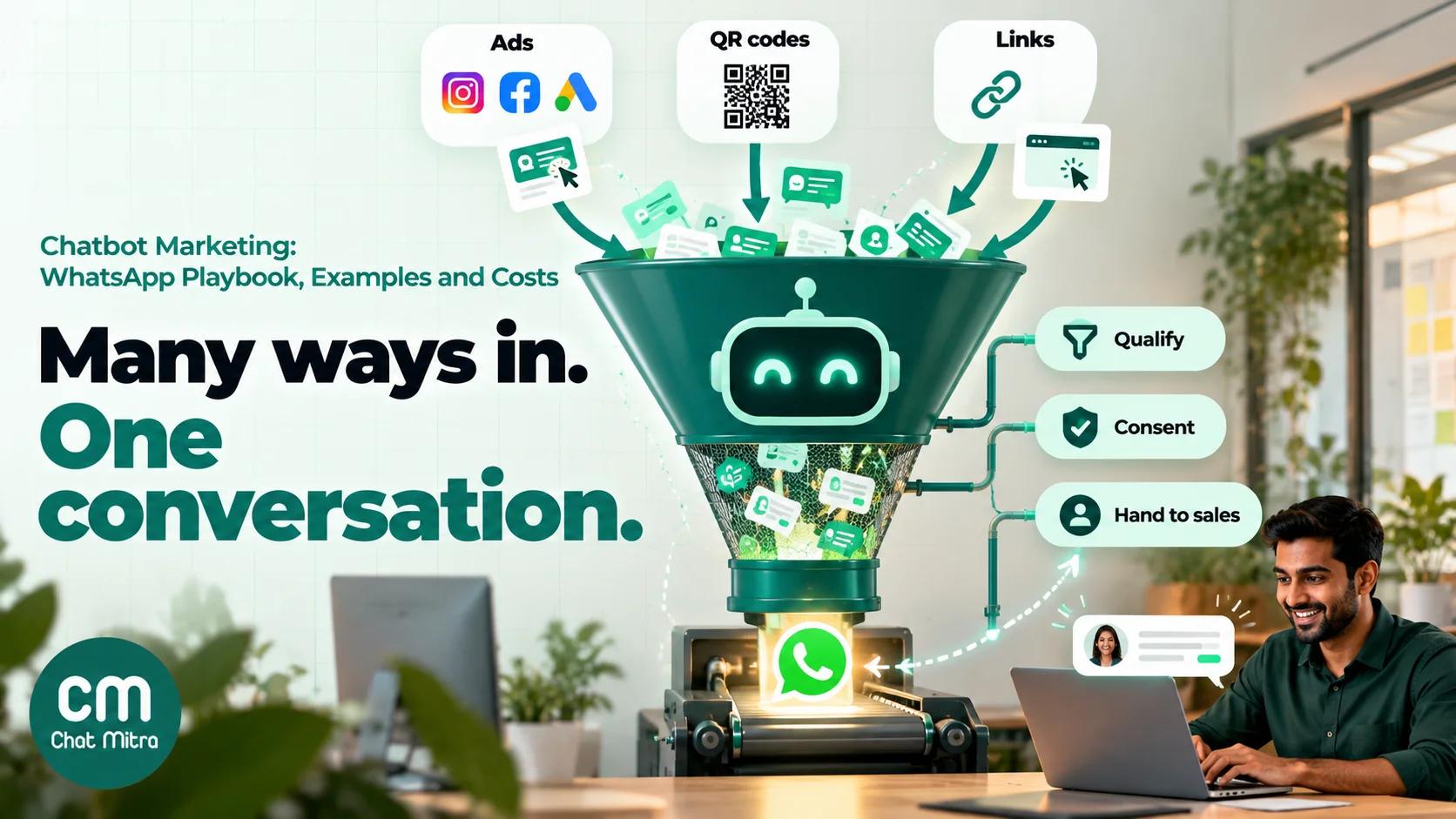
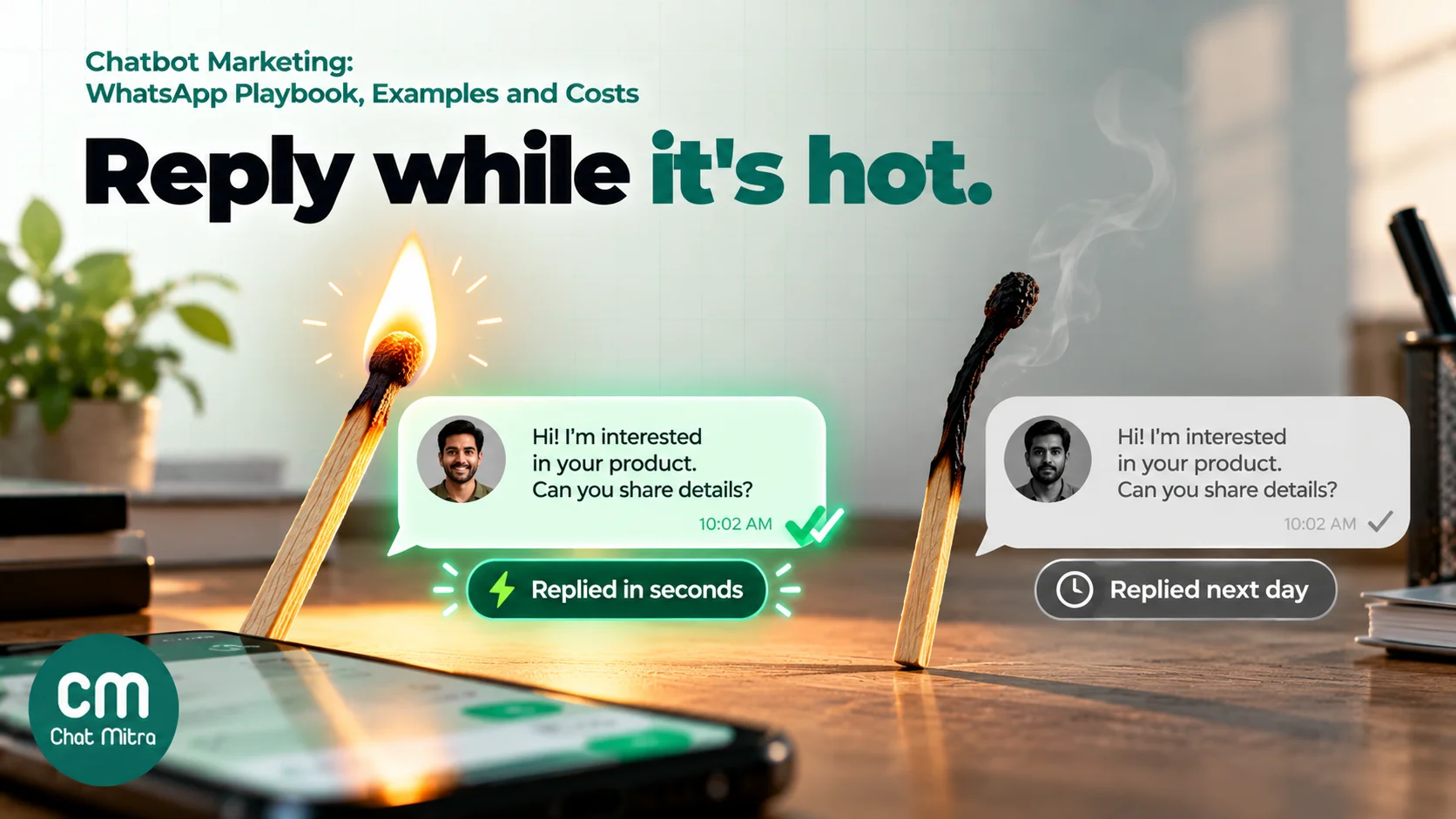
Speed matters most here. Someone who taps an ad is curious for a few minutes, and a reply that arrives an hour later competes with everything else on their phone. The bot’s first message should acknowledge what they clicked, so match it to the ad: a prefilled message like “Hi, I saw the 2BHK in Baner” lets the bot reply about that property and not open a generic menu.
Keep the first reply short: one line that answers the ad’s promise, then one question with buttons. For a coaching institute, that might be “Thanks for asking about the weekend data analytics batch. Which describes you?” with the buttons Working pro, Student and Career switch. Each tap tells sales something useful and moves the chat forward.
The product finder (quiz bot)
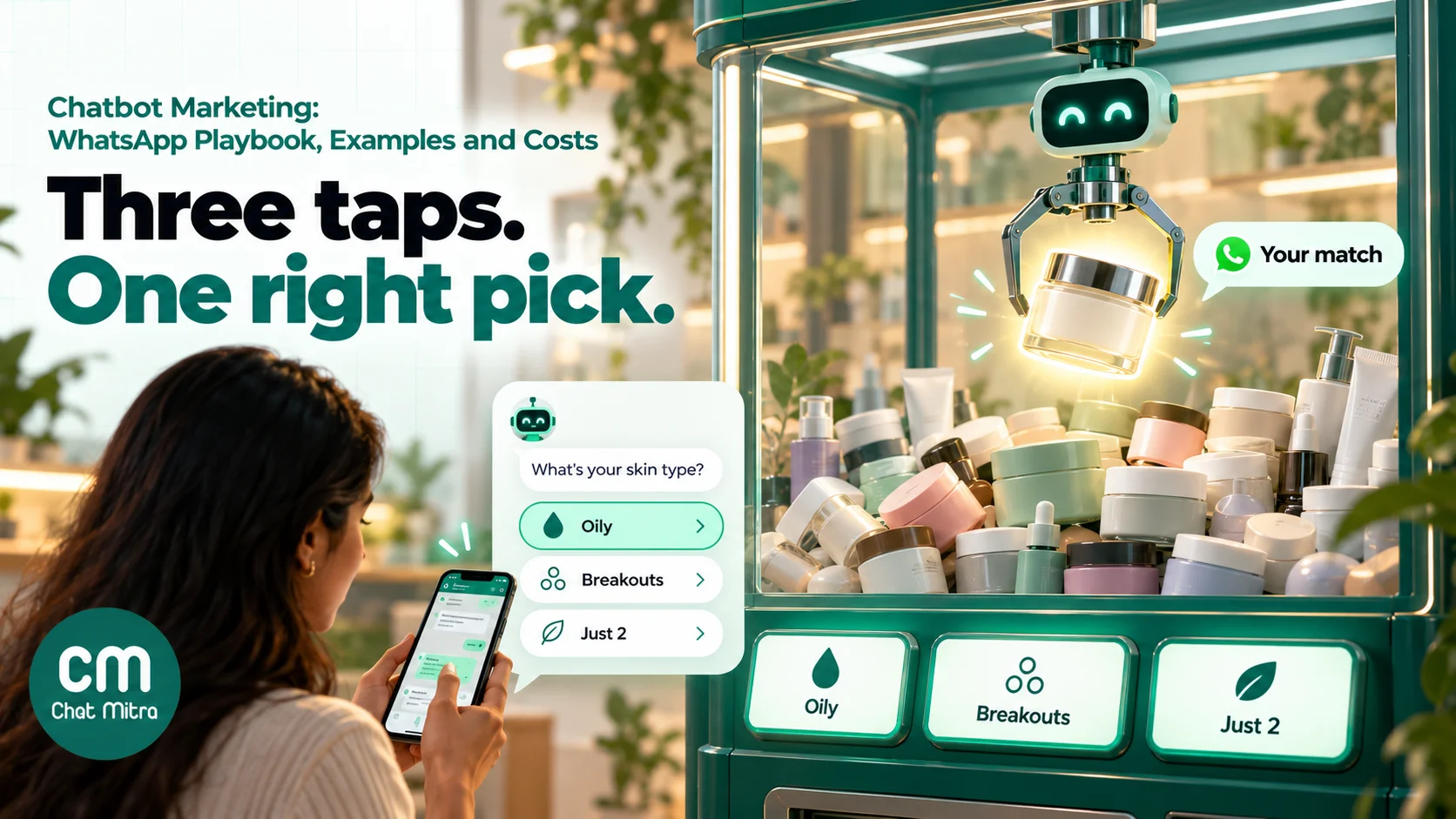
A product finder replaces a catalogue with a few questions. It works when shoppers feel unsure: skincare, eyewear, mattresses, insurance plans, laptops, gifts. The quiz is the marketing. It gives the shopper a reason to start chatting and ends with a recommendation they feel was made for them.
A good product finder:
- Asks no more than four questions, each with tap answers.
- Puts the most important filter first (skin type before fragrance preference).
- Recommends one to three products, never ten, each with a reason that repeats their answers back (“for oily skin with breakouts”).
- Includes a “Not sure” option at every step, which routes to a short explainer or a person.
- Ends with an action: a product link, a payment link or “Talk to an expert”.
The lead qualifier
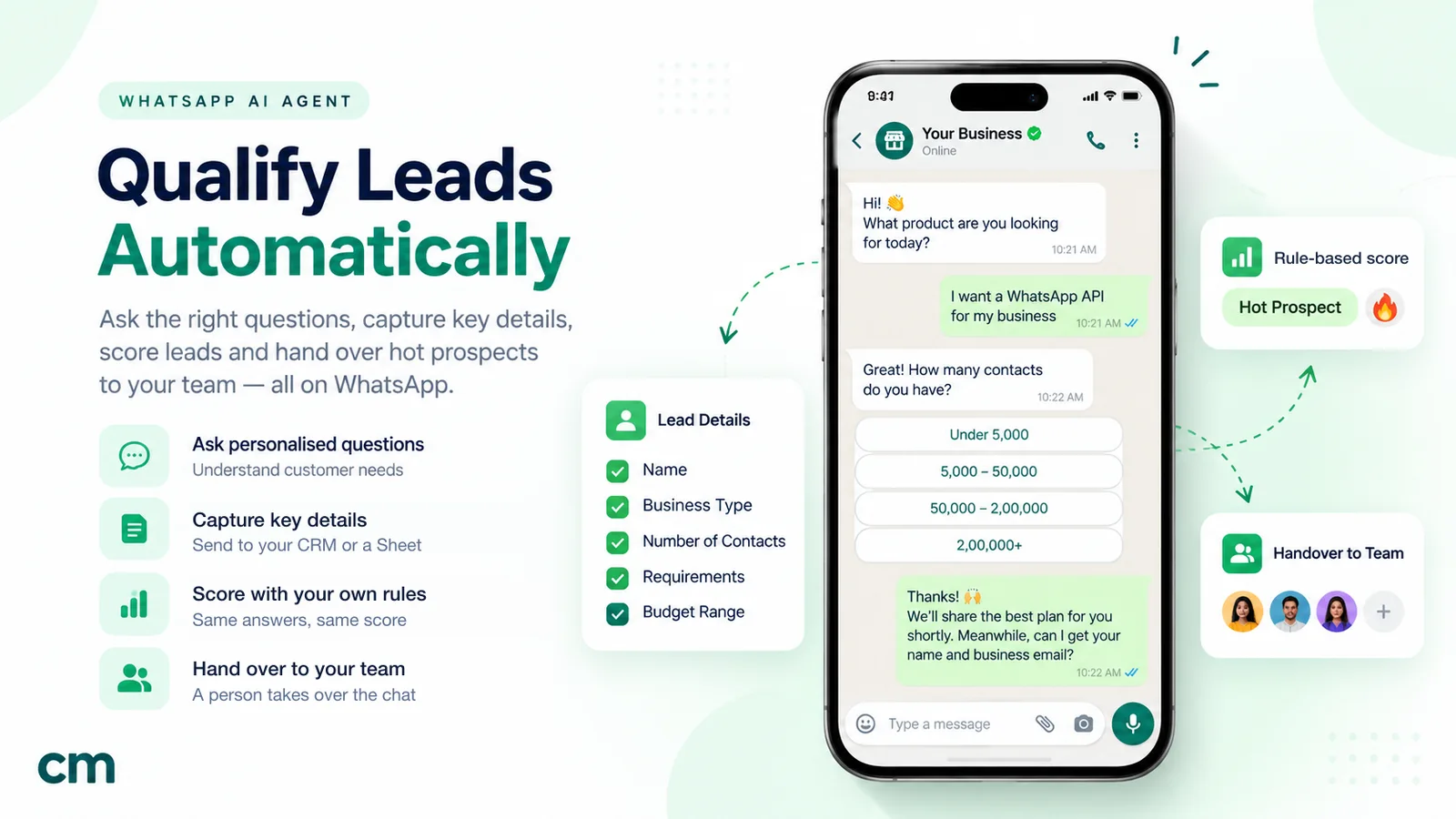
High-value products such as property, education, cars, B2B software and financial products need a human to close. The bot’s job is to make sure that human talks to the right people first. Ask only what changes the next step: what they want, when, and roughly how much they can spend. Pull the name from their WhatsApp profile instead of asking for it.
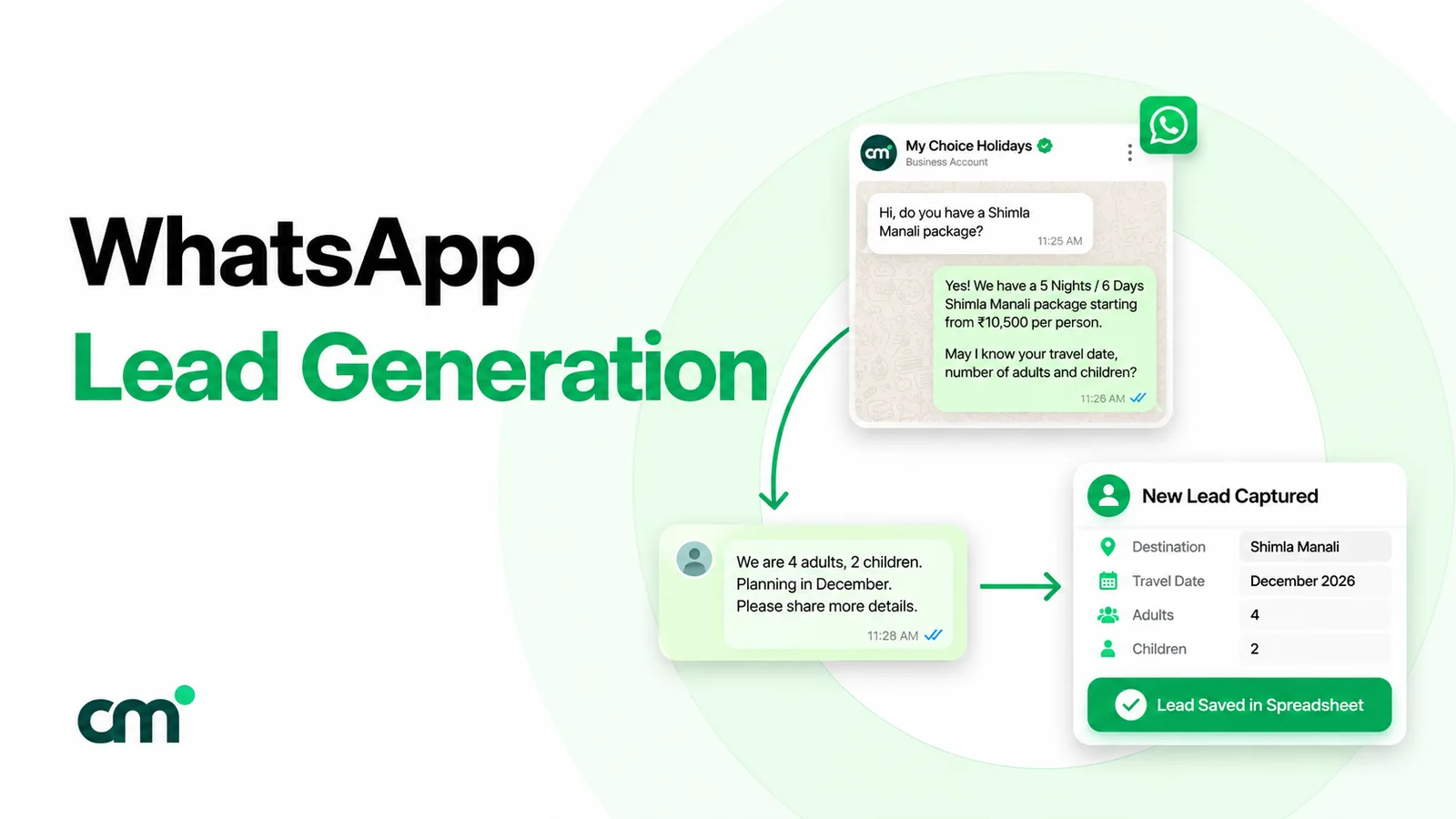
Then route by answer. “Ready this month, budget fits” goes to a salesperson now, ideally with a call slot picked in the chat. “Just exploring” gets a useful guide and a tag for a later follow-up. Our guide to WhatsApp lead generation covers lead sources in more depth, and qualifying leads with an AI agent covers scoring with AI.
The opt-in collector
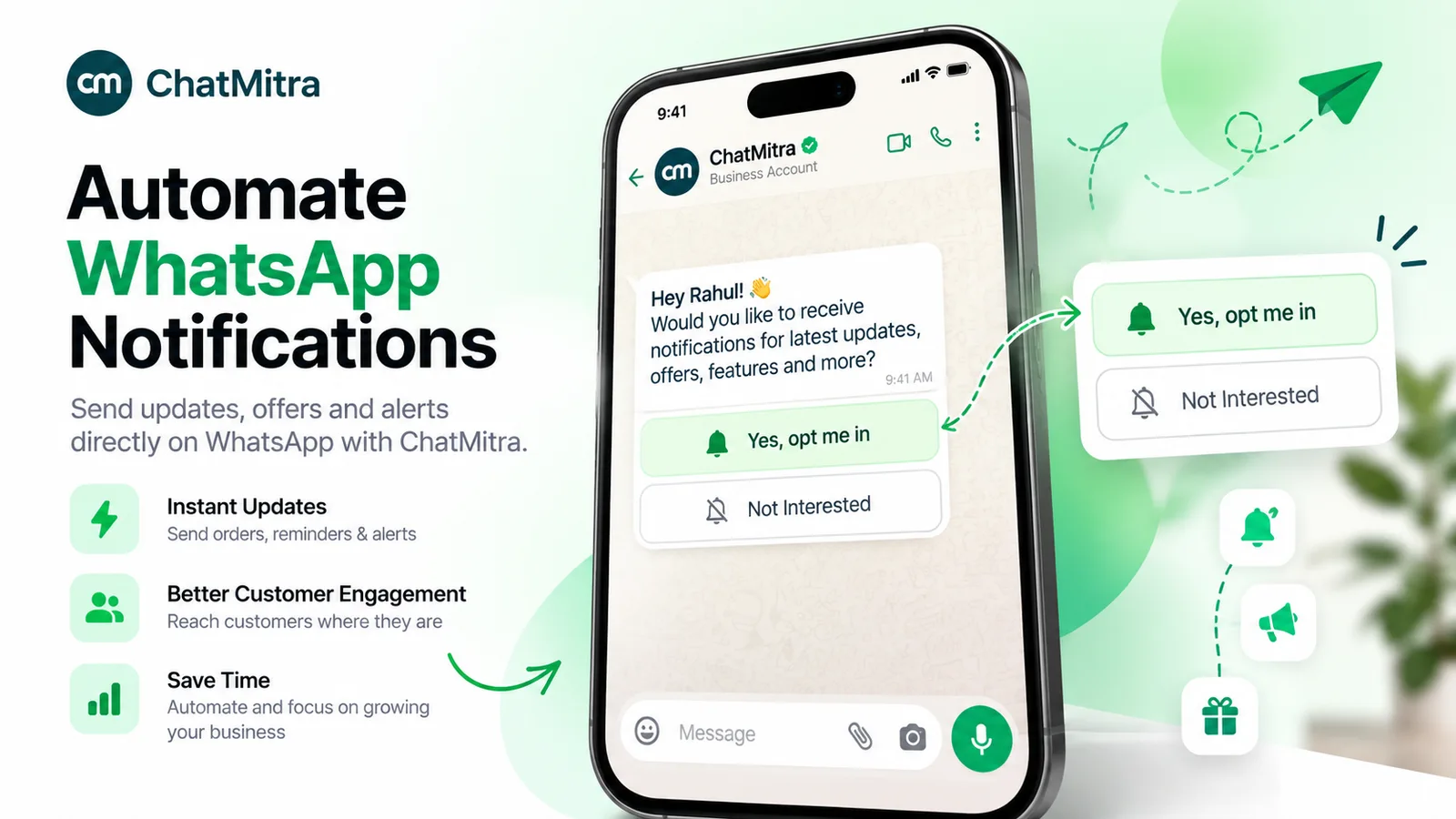
Not every customer arrives from an ad. A QR code at the billing counter, on a delivery box or on an event standee can open a WhatsApp chat with a prefilled message like “Send my 10% code”. The bot delivers what was promised, then asks for permission to send more:
Here’s your code: WELCOME10 (valid on your next order this month). Would you like new arrivals and offers from Sundar Sarees on WhatsApp? Usually 2–4 messages a month. You can stop anytime. Yes, send offers · No thanks
That last message does two things Meta requires: it says what the person is opting in to, and it names the business. The tap also gives you a clean record of who agreed and when. Read more in our guide to WhatsApp opt-in.
The re-engagement bot
Old leads and lapsed customers are cheaper to revive than new ones are to find. Send a marketing template to opted-in contacts with a quick-reply button (“Show me what’s new”, “Not now”), and let the bot pick up the replies. The template costs money; every reply after that falls in the customer service window. The bot’s job is to turn a tap into a next step quickly, before the window closes.
Rule-based, AI or hybrid: choosing your marketing bot
| Rule-based (buttons, lists, keywords) | AI (free text) | Hybrid | |
|---|---|---|---|
| Best for | Offers, prices, quizzes, bookings, opt-ins | Open questions, product comparisons, many languages | Most marketing bots |
| Strength | Predictable and easy to audit | Understands how people actually type | Reliable main path, flexible edges |
| Weakness | Breaks when people type off-script | Can invent prices or offers if poorly grounded | More setup |
| Typical cost | Platform fee plus Meta’s message charges | Plus your AI model’s token charges | Both |
| Risk control | Review every message once | Ground it in your content, forbid quoting unlisted prices, test often | Buttons for anything with a right answer |
Two Meta rules apply to AI bots. Meta’s terms for the WhatsApp Business Platform bar AI providers from offering general-purpose AI assistants as the main service; AI that supports your own business, such as answering questions about your products, is allowed. And WhatsApp’s Business Messaging Policy requires “prompt, clear, and direct escalation paths” to a person, so every bot needs a visible way out.
Meta also sells its own AI option, Meta Business Agent, which is billed per token and is charged even inside the free entry point window. If you use your own AI model through a platform, those replies are ordinary service messages to Meta, and your AI provider bills its tokens separately.
How to build a marketing chatbot, step by step
1. Pick one goal and one number
“Engage customers” isn’t a goal. “Book 40 site visits a month from Instagram ads” is. Pick the play, then the number that proves it works: qualified leads, bookings, opt-ins or orders. Every design decision after this should serve that number.
2. Map entry points and tag them
List where people will start the chat: each ad, each QR code, each link. Give each one its own prefilled message, such as “Hi, I scanned the store QR” or “Hi, I want the free sample”. The prefilled text tells the bot which script to run and tells you later which source produced the lead. Free tools such as a WhatsApp chat link generator and a WhatsApp QR code generator create these links.
3. Write the first message
Answer the reason they came, then ask one question. Keep it under 300 characters so it reads in a single glance. Reply buttons hold up to 20 characters each and you get three, so labels must be short and distinct: “Book a demo”, “See prices”, “Ask a question”.
4. Set a question budget
Each question should change what happens next. Three or four questions is usually enough. Use reply buttons for up to three choices and a list (up to 10 rows, 24-character titles) for more. Avoid typed answers except where you truly need them, such as a pincode.
5. Ask for consent in plain words
If you’ll send marketing later, ask now, in the chat, with your business name and a rough frequency. Store the answer as a tag or field. A “no” is still useful: it tells you to keep this person to service and order messages.
6. Decide the handover
Write down when a person takes over (a qualified answer, a typed question the bot can’t handle, any complaint), who takes it, and how fast. Tell the customer what will happen: “Priya from our team will message you within 15 minutes, 10 am to 7 pm.” Then keep that promise. A bot that qualifies a lead perfectly and then leaves it unanswered for a day has wasted the ad money.
7. Plan the follow-up
Most people won’t buy in the first chat. Decide what the non-buyers get next: a reminder template the next day, a guide, a price drop alert. Only send marketing templates to people who opted in, and space them out.
8. Test with real phones, then launch small
Run every path on two or three phones, including Android and iPhone. Tap every button, type something unexpected, try it in Hindi, and check what happens at 11 pm. Launch on one ad set or one QR location first, read the first 50 conversations yourself, then fix the script before you scale.
A sample script: product finder for a skincare brand
Here’s an illustrative script for a hypothetical D2C skincare brand running click-to-WhatsApp ads. It uses only buttons and a list, so every answer is clean data.
Bot: Hi! I’m the skin-match assistant from Glow Theory. Three quick taps and I’ll suggest the right routine. What’s your skin like by mid-afternoon? Oily · Dry or tight · A bit of both
Bot: Got it. What’s your main concern right now? (list) Acne and breakouts · Dark spots · Dullness · Fine lines · Sensitivity and redness · Not sure
Bot: Last one: how many steps do you actually want each day? Just 2 · 3 to 4 · Full routine
Bot: For oily skin with breakouts and a 2-step routine, try the Clear Gel Cleanser and the Oil-Free Moisturiser. Both are fragrance-free. Want the bundle link or to ask our skin expert a question? Send bundle link · Ask an expert · Start over
Then add one consent message for anyone who received a recommendation: “Want restock alerts and new launches from Glow Theory on WhatsApp? 2–3 messages a month, stop anytime.” Tag everyone by skin type and concern. Next month’s campaign for an acne serum goes only to the “breakouts” tag, which is more relevant to them and cheaper for you.
Writing bot messages that sell without sounding like a bot
- Lead with their words. Repeat the answer they gave: “For a 2BHK under ₹90 lakh in Baner, there are three options.” It proves the bot listened.
- One idea per message. A wall of text on a phone gets skimmed. Three short messages with a button at the end beat one long one.
- Be specific about the next step. “Tap below to pick a call time” beats “Let us know how we can help”.
- Never invent urgency. “Only 2 left” must be true. Fake scarcity breaks trust and, in India, can run into the Central Consumer Protection Authority’s dark-pattern guidelines.
- Write for the language your customers use. If your ads run in Hindi, the bot should answer in Hindi. Keep each message in one script; mixing scripts inside one message reads badly and some systems reject it.
- Say it’s automated. “I’m the Glow Theory assistant” sets expectations and makes the handover to a named person feel like a step up.
What chatbot marketing costs on WhatsApp in India
Your costs depend on who started the conversation and which message types the bot sends. These are Meta’s India rates effective 1 October 2026:
| Message | When it applies | Meta’s charge (India) |
|---|---|---|
| Any message in a free entry point window | After a chat started from a click-to-WhatsApp ad, for up to 7 days from your first reply | ₹0 (Meta Business Agent messages excepted) |
| Service message (free-form reply, buttons, lists) | Inside the 24-hour customer service window | First 1,000 a month per number free, then ₹0.115 |
| Marketing template | Starting or restarting a conversation with an offer | ₹0.8631 |
| Utility template | Order, booking or account updates | ₹0.115 |
Your platform adds its own fee, and AI bots add your AI model’s token cost.
Worked example 1: ad responder on Pro. A coaching institute’s ads start 1,200 WhatsApp conversations in a month. The bot answers inside each free entry point window, so Meta charges ₹0 for those chats. ChatMitra Pro includes 1,000 conversations, so the extra 200 cost 200 × ₹0.20 = ₹40. A week later, 500 people who opted in but didn’t enrol get one marketing template: 500 × ₹0.8631 = ₹431.55 from Meta, plus 500 × ₹0.20 = ₹100 in ChatMitra conversations. Total: ₹999 + ₹40 + ₹431.55 + ₹100 = ₹1,570.55 for the month, before ad spend.
Worked example 2: in-store QR on Starter. A saree store’s counter QR starts 800 conversations in a month, one per customer, and the bot sends 5 messages in each. That’s 4,000 service messages: (4,000 − 1,000) × ₹0.115 = ₹345 from Meta. ChatMitra Starter adds 800 × ₹0.20 = ₹160. Total: ₹505, or about 63 paise per customer reached.
Two cost lessons follow. First, fewer, better messages save money once you pass the 1,000 free service messages: combine a question and its buttons into one message instead of three. Second, marketing templates are the expensive part, so let the bot tag interest and send templates only to people whose tags match the offer.
How to measure a marketing chatbot
| Metric | What it tells you | Watch out for |
|---|---|---|
| Chat starts per source | Which ad, QR or link pulls people in | Prefilled text missing, so sources merge |
| Completion rate | Share who answered every bot question | Drop-off at one question means that question is the problem |
| Qualified or opt-in rate | Share who met your goal criteria | Criteria loosened to make the number look good |
| Time to human reply | How fast sales picks up a handover | Out-of-hours leads waiting overnight |
| Cost per qualified lead | Ads plus messages divided by qualified leads | Ignoring template follow-up costs |
| Sales per conversation | The number that pays for the bot | Credit going to the last ad instead of the chat |
| Blocks, opt-outs, “stop” replies | Whether people find the bot annoying | Rising quietly while conversions look fine |
Read transcripts every week. The numbers tell you where people drop off; the transcripts tell you why. Most fixes are small: a confusing button label, a question asked too early, a missing “Not sure” option.
Common chatbot marketing mistakes
- A menu as the first message. “Press 1 for sales, 2 for support” ignores why they came. Answer the ad first.
- Asking for a name, email and phone number. WhatsApp already gives you the number and usually a profile name.
- No exit. People who want a person and can’t find one leave, block or complain, and WhatsApp’s policy requires an escalation path anyway.
- Treating the window as permission to spam. The 24-hour window allows replies; it isn’t a licence to send ten messages.
- Messaging people who never opted in. It breaks Meta’s rules, gets you blocked and lowers your quality rating.
- An AI bot that quotes prices it wasn’t given. Ground it in your real price list and tell it to hand over when unsure.
- Handover with no human. A qualified lead that waits until tomorrow is a lead you paid for and lost.
- Never reading transcripts. Dashboards hide the conversations where the bot misunderstood people.
Rules to know before you launch
- Opt-in. Required before you message people on WhatsApp. It must say what they’re opting in to and name your business.
- Per-user marketing limits. WhatsApp may limit how many marketing templates a person receives from businesses when they’re less likely to engage. Marketing messages sent inside an open customer service window don’t count towards that limit, which is another reason to let customers start the conversation.
- Opt-outs. WhatsApp users can stop marketing messages from a business inside WhatsApp. Respect those and any “stop” reply in the chat.
- Escalation. Provide a clear path to a person.
- AI. Use AI for your own business, not as a general-purpose assistant.
- India’s DPDP Rules. The Digital Personal Data Protection Rules were notified in November 2025, and most duties, including consent notices, apply from May 2027. Collect only what the bot needs and say why you’re asking.
- Advertising claims. Offers, prices and comparisons made by the bot are your advertising. Keep them true and checkable.
Chatbot marketing examples by business type
These are illustrative setups, not case studies.
- D2C brand: a product-finder bot behind Instagram and Facebook ads, with a consent question after each recommendation and monthly launch templates sent by tag.
- Coaching institute: an ad responder that asks course, mode and start month, books a counselling call, and sends a demo-class reminder.
- Real-estate developer: a lead qualifier for each project that asks configuration, budget band and visit timing, and routes “this weekend” to the site team.
- Clinic or salon: a QR at reception that offers a booking link and asks permission to send seasonal offers.
- Restaurant: a menu and offers bot behind a table QR that collects consent for weekend specials.
- B2B manufacturer: a trade-show QR that collects the visitor’s company and product interest and sends the right brochure.
Chatbot marketing on ChatMitra
ChatMitra gives you the building blocks of a WhatsApp marketing bot on the official WhatsApp Business API, and puts the cost where it belongs: on conversations, not on every bot message.
| ChatMitra advantage | What it means for chatbot marketing |
|---|---|
| ₹0.20 per conversation, not per message | A five-message quiz costs the same ChatMitra fee as a one-line reply: once per customer per 24 hours. |
| Welcome message on every plan | Even on the free Starter plan, a new contact gets your opening sequence (up to 20 messages, with buttons, lists or media) and can be tagged automatically. |
| Auto Reply rules with buttons and lists on Pro | Each tap can trigger the next question and add a tag, which is all a product finder or qualifier needs. |
| AI chatbot included in Pro (₹999/month) | Choose from 18 AI providers with your own API key; ChatMitra adds no fee per AI reply. |
| 1,000 conversations a month included in Pro | Covers the bot traffic of most small campaigns before any ₹0.20 fee applies. |
| Enterprise (₹2,499/month) removes the fee | Cheaper than Pro above about 8,500 conversations a month. |
| Meta’s rates passed through at cost | The India rates in the table above are what you pay Meta. |
How to build the plays in this guide on ChatMitra:
- Set the opening. Use the Welcome message for first-time contacts: a greeting that says it’s automated, plus your first question with reply buttons. Add a source tag such as “new-lead”.
- Script the taps. On Pro, create one Auto Reply rule per button. A tap is matched by the button’s title, so a rule for “Oily” replies with the next question and adds the tag “skin-oily”. Keep button titles unique across your rules so two quizzes don’t collide.
- Route by entry point. Give each ad, QR code and link its own prefilled message and a “starts with” rule for it, such as “Hi, I scanned the store QR”. Rules match exactly, by “starts with” or by a regular expression, always ignoring case.
- Collect consent. End the play with a “Yes, send offers” button whose rule adds an “offers-yes” tag. Send marketing campaigns only to that tag.
- Hand over. Qualified answers get a tag such as “hot-lead”; your team filters the inbox by it and replies. Pause the bot for that customer from the chat while a person is talking.
- Follow up. Send templates to tagged audiences, schedule them, and retarget people who received, read or didn’t receive a campaign.
- Add AI for typed questions. On Pro, the AI chatbot answers free-text messages from your instructions and product details, with the AI provider and model you choose.
Good to know:
- The AI chatbot reads typed text and replies in text (or up to two fixed buttons). It doesn’t see contact tags, fields or which ad someone came from, and if a typed message also matches an Auto Reply rule, both reply. Button taps go only to Auto Reply rules, so a button-led quiz and the AI can share a number if your rules are triggered by taps rather than typed keywords.
- Click-to-WhatsApp ad details are stored with the incoming message and sent to your webhook, but aren’t shown in the inbox yet, so use a distinct prefilled message per ad to tell sources apart.
- There’s no built-in STOP keyword. Create an Auto Reply rule for “stop” that adds an “opted-out” tag, and exclude that tag from every campaign.
- Campaign reports show sent, delivered, read and failed, not button or link clicks. Use the tags your rules apply as your click counters.
- Auto Reply rules react to one tap at a time and don’t remember earlier answers. For a product finder, let the last question decide the recommendation, or give each branch its own button labels. The tags still record every answer for later campaigns.
- Bot rules add tags but don’t write custom fields, and there’s no calendar booking inside the chat; send a booking link instead.
Want to try it? Starter is free, and Pro comes with a 15-day trial with no card. Compare plans.
Sources
- Meta for Developers: Pricing on the WhatsApp Business Platform (updated 30 September 2026), non-template messages, Get opt-in for WhatsApp (updated 16 June 2026), per-user marketing template limits (updated 17 June 2026), interactive reply buttons (updated 21 May 2026), interactive list messages (updated 2 July 2026), user_preferences webhook.
- Meta: Meta Terms for WhatsApp Business Platform (§4.7); WhatsApp Business Messaging Policy (updated 23 September 2026).
- India: PIB, DPDP Rules notified (14 November 2025); Central Consumer Protection Authority, Guidelines for Prevention and Regulation of Dark Patterns, 2023 (30 November 2023).