A Click-to-WhatsApp ads strategy is the plan for everything between an ad and a sale: the objective you choose, what the ad promises, the message the customer sends, how fast and how well you reply, how you follow up inside Meta’s free window, and how you measure which ads produced customers. The ad is the cheapest part to fix and rarely the part that loses the money.
Click-to-WhatsApp ads run on Facebook, Instagram and WhatsApp Status, and a tap opens a chat with your business instead of a website. If you’re new to the format, our WhatsApp ads guide explains the ad types, what they cost and how to set one up in Ads Manager, and the Click-to-WhatsApp ads explainer covers the basics in five minutes. This guide is the next step: how to plan, write, staff and measure a campaign so the chats turn into business. For industry playbooks, see our guides for online stores, clinics and hospitals and travel businesses.
Using ChatMitra? Meta Ads Manager runs the ad; ChatMitra runs the chat. Ad chats land in a shared inbox, a welcome message greets first-time contacts and can tag them as leads, and on Pro an Auto Reply rule per ad answers each prefilled message with what that ad promised. The AI chatbot covers the hours nobody is online. Jump to running this strategy on ChatMitra.
The five handoffs every Click-to-WhatsApp ad depends on
A Click-to-WhatsApp ad doesn’t deliver a customer. It delivers a person who might send a message. Between the ad and the sale there are five handoffs, and each one leaks.
| Handoff | What has to happen | Where you see it | Usual leak |
|---|---|---|---|
| 1. Scroll → tap | The ad stops the scroll and earns a tap | Ads Manager: link clicks, click-through rate | Generic creative, no reason to chat |
| 2. Tap → send | The person presses send on the message WhatsApp has typed for them | Ads Manager: link clicks vs messaging conversations started | An opening message they don’t want to send |
| 3. Send → first reply | Your business answers, fast and on topic | Your inbox: time to first reply | No one online, or a reply that ignores the question |
| 4. Reply → qualified | The chat confirms need, budget and timing | Your inbox: tags such as “qualified” | Too many questions, or none |
| 5. Qualified → sale | A clear next step: price, slot, payment, visit | Orders, bookings, invoices | No follow-up after the first day |
Most guides concentrate on handoff 1, because it’s the one Ads Manager reports in detail. But a better ad only puts more people into a leaky chat. If your team takes three hours to reply, doubling the click-through rate doubles the number of people who give up waiting.
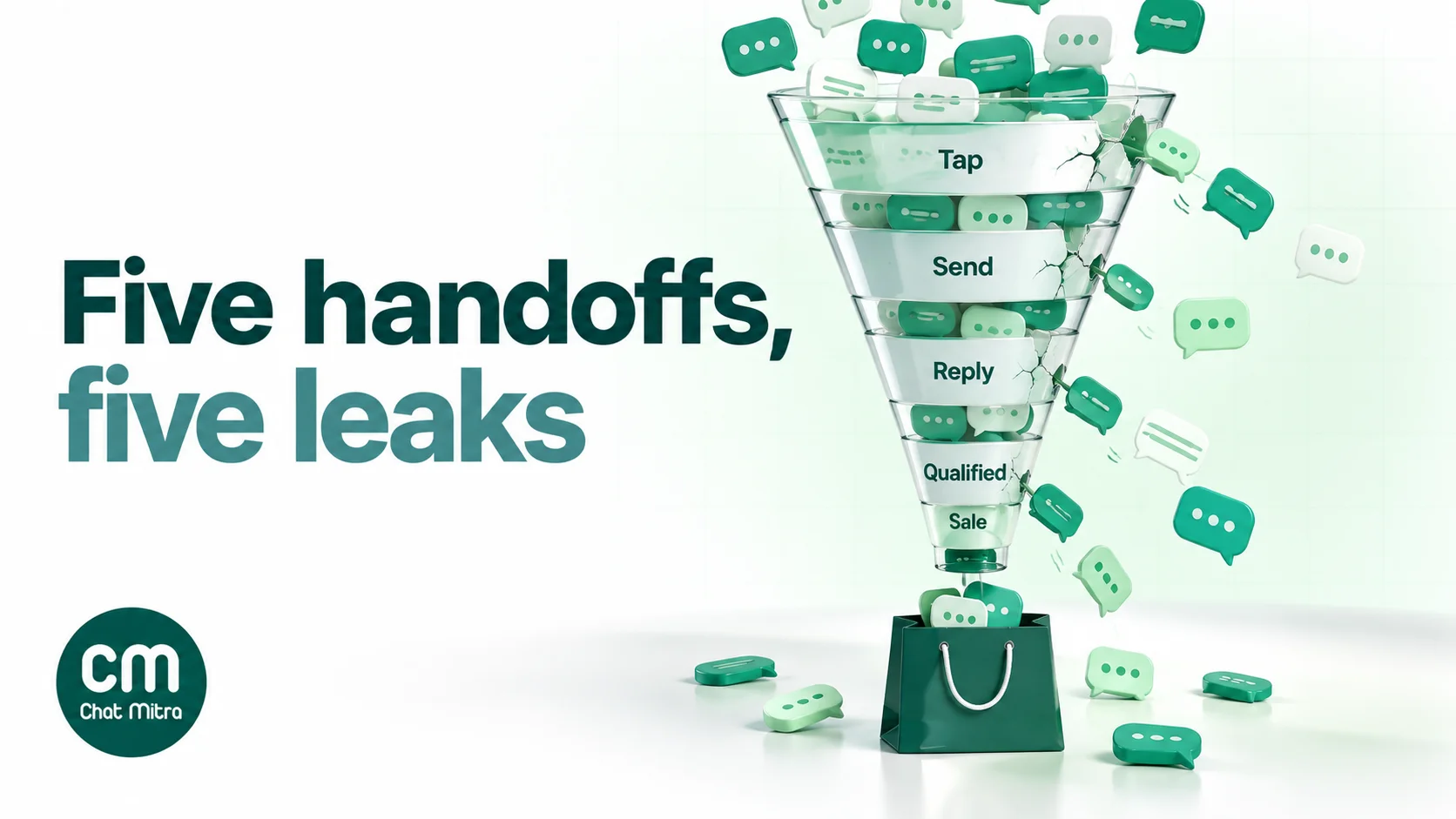
The rest of this guide follows the handoffs in order.
Start with the job, then choose the objective
Before you open Ads Manager, decide what a successful chat looks like for your business. “More conversations” isn’t a job; it’s a cost.
Meta’s Click-to-WhatsApp documentation lists four objectives that can send people to WhatsApp: Engagement, Leads, Sales and Traffic (Meta: Click-to-WhatsApp ads). Which one you choose tells Meta’s delivery system who to look for.
| The job | Typical businesses | Objective and goal | Count as success |
|---|---|---|---|
| Learn what the chat can do | Any first campaign | Engagement, maximise conversations | Conversations, then your own qualified-lead rate |
| Generate enquiries for a considered purchase | Property, coaching, clinics, insurance, B2B | Leads, with WhatsApp as the message destination | Qualified leads per ad, counted in your inbox |
| Sell a small range of products in the chat | D2C brands, local shops, food | Sales, with purchase optimisation once purchases are reported to Meta | Orders and cost per order |
| Fill appointments or seats | Salons, clinics, workshops, tours | Engagement or Leads | Booked slots, show-up rate |
| Bring back warm audiences | Website visitors, past enquirers | Engagement or Sales, to a custom audience | Repeat orders, reactivated leads |
A practical ladder. Start with Engagement to learn how many chats become business, and at what cost. Move to Leads when you’re sorting serious enquiries from browsers. Meta is also adding a “Collect info with a form in WhatsApp” option to lead ads, built on WhatsApp Flows, which it says “may not be available to you yet” (Meta: lead generation in WhatsApp). Move to Sales with purchase optimisation once you can tell Meta which chats bought something.
That last step needs Meta’s Conversions API for Business Messaging, which reports purchases and other outcomes from the chat using the click ID each ad chat carries (Meta: Conversions API for Business Messaging). It needs a developer or a partner integration, so treat it as a later stage, not a launch requirement.
Traffic is also listed, but it optimises for clicks rather than conversations. For a chat-led business it usually brings the people least likely to press send.
Structure campaigns so every chat tells you which ad started it
Campaign structure decides two things: whether Meta’s delivery system gets enough results to learn, and whether you can tell afterwards which ad produced which customer.
Fewer ad sets, more signal
Meta’s delivery system goes through a learning phase for each ad set and needs a steady flow of the result you optimise for before delivery settles. Meta says ad sets exit the learning phase once delivery is stable, which “usually occurs after about 50 results in the week after the ad set’s last significant edit” (Meta Business Help Centre: about the learning phase). Splitting a small budget across many ad sets means none of them learns.
Do the arithmetic before you build. These figures are assumptions for illustration, not benchmarks:
| Optimising for | Assumed cost per result | Results needed per week | Weekly spend per ad set | About per day |
|---|---|---|---|---|
| Conversations | ₹40 | 50 | ₹2,000 | ₹290 |
| Purchases reported to Meta (1 in 15 chats buys) | ₹600 | 50 | ₹30,000 | ₹4,290 |
So a business spending ₹1,000 a day can run about three conversation-optimised ad sets that learn, but not even one purchase-optimised ad set. That’s why purchase optimisation suits larger budgets, and why most small businesses should optimise for conversations and do the qualifying in the chat. Even on the Leads objective, Meta’s own guide says “Maximise number of conversations is selected by default” as the performance goal (Meta: create ads that click to WhatsApp).
One offer per ad, one opening message per ad
Each ad should carry one offer, and each ad should open the chat with different words. If three ads all prefill “Hi, I’m interested”, your inbox can’t tell them apart, and neither can your automatic replies.
A simple naming scheme keeps reporting and inbox in step:
- Campaign: the job and the month, such as “Leads · Pune 2BHK · Nov”.
- Ad set: the audience, such as “Cold · 25–45 · 15 km” or “Warm · site visitors 30d”.
- Ad: the offer and its opening words, such as “Price list · ‘Please send the Wakad 2BHK price list’”.
Separate cold and warm audiences
People who already know you behave differently in a chat. A website visitor who looked at a product yesterday needs a short path to buy; a stranger needs a reason to trust you.
Run them as separate ad sets with different promises. Cold audiences get an answer to a question (“See this week’s prices”); warm audiences get a reason to come back (“Your saved size is back in stock”). Meta’s custom audiences, such as website visitors or people who engaged with your Instagram account, are set up in Ads Manager. For what to send people who’ve already chatted, see WhatsApp retargeting.
Creative that earns a conversation, not just a click
The creative has to do something a website ad doesn’t: make the person comfortable starting a chat with a business. That means making three things obvious.
- That a chat will open. Say it in the headline or the image: “Ask on WhatsApp”, “Get the price list on WhatsApp”. People who expect a website and get a chat often back out.
- What they’ll get in the chat. A price, a slot, a quote, a size check, a brochure. “Chat with us” promises effort; “Get today’s price in one message” promises a result.
- That a real business is behind it. Show the product, the shop, the team or a real customer outcome. Polished stock imagery reads like an ad for an ad.
| Weak creative | Stronger creative | Why |
|---|---|---|
| ”Chat with us on WhatsApp!" | "Send ‘PRICE’ and get the full 2BHK price list in a minute” | Names the reward and the effort |
| A stock photo of a smiling call-centre agent | The actual product on a counter, with the price range visible | Real, specific, believable |
| ”Best coaching institute in the city" | "Ask which batch fits your child’s Class 10 board date” | Starts from the customer’s question |
| A 30-second brand film | A 9:16 clip that ends on the chat opening | Fits Stories, Reels and Status, and shows the next step |
Keep promises you can keep. If the ad says “replies in 5 minutes”, someone has to reply in five minutes, including on Sunday evening. An instant automatic reply with the promised information is better than a promise of human speed that fails.
Vertical formats matter. Stories, Reels and WhatsApp Status are full-screen placements. Make a 9:16 version of every ad, with the message in the middle of the frame rather than at the edges where the interface covers it.
Write the opening message as the customer’s first line
When the chat opens, the customer sees whatever you set in the ad’s message template. Meta lets you use a greeting, a prefilled message the customer can send as is, or ice breakers, which are tappable starter questions (WhatsApp Business: ads that click to WhatsApp).
| Option | Best when | Watch out for |
|---|---|---|
| Prefilled message | The ad sells one thing, and you want the opening words to label the chat | Writing it in your voice rather than the customer’s |
| Ice breakers | The ad invites browsing, such as a whole collection or several services | Each button needs its own planned reply |
| Greeting only | You want to say hello before they type | The customer has to think of what to write, so fewer send |
The prefilled message is the most important line in the campaign, because it’s the one the customer has to agree to send. Some rules that work:
- Write it in the first person, as the customer. “Please send me the price list for the 2BHK in Wakad”, not “Get our exclusive price list!”
- Make it specific to the ad. The words should match the offer exactly, so your first reply can answer it without asking “Which property?”
- Make it low-commitment. “Can I see this week’s prices?” is easier to send than “I want to book a site visit.”
- Give each ad different opening words. Rules that match the start of a message can then route each ad to its own reply, and you can count chats per ad without any integration.
- Keep it one line, in the language of the ad. A Hindi ad with an English prefilled message feels like a bait-and-switch.
| Ad | Prefilled message | What the first reply should deliver |
|---|---|---|
| Ready-to-move flats | ”Please send me the Wakad 2BHK price list” | The price list, carpet areas and one question: “When would you like to visit?” |
| Coaching demo class | ”Which demo class fits a Class 10 student?” | The next two demo slots and a booking button |
| Dental implant consultation | ”What does an implant consultation involve?” | A plain explanation, the consultation fee, and an offer to book |
| Festive kurta sale | ”Show me the festive kurtas under ₹2,000” | Four product images with prices, and a size question |
| B2B packaging quote | ”I need a quote for printed boxes” | Three questions: size, quantity, delivery city |
The first five minutes decide the cost per sale
The person who taps your ad is interested right now. Five minutes later they’re back in their feed; an hour later they may have messaged a competitor too. Speed and the quality of the first reply matter more than anything else you control after launch.
Reply while the interest is warm
- Staff the hours your ads run. If no one can answer at night, schedule the ad set to run only during staffed hours, or turn on an automatic reply that delivers the promised information immediately.
- Answer the prefilled message, not a generic hello. An automatic first reply that says “Thanks for contacting us, an agent will reach you soon” wastes the moment. Send the price list, the slots or the catalogue the ad promised.
- Hand over cleanly. Once the automatic reply has done its job, a person should pick up the qualified chats, and the customer should be told when.
Meta’s rule for the free entry point window, covered in the next section, is that you must reply within 24 hours. Treat that as the deadline for not losing money, not as a service standard.
Anatomy of a good first reply
A first reply that converts usually has three parts: the thing the ad promised, one question, and an easy next step.
Customer: Please send me the Wakad 2BHK price list
Business: Here’s the price list for our Wakad 2BHK homes (PDF attached). Prices start at ₹78 lakh for 712 sq ft carpet area, and possession is in June. Are you looking to move in within the next six months? Reply Yes for a site-visit slot, or Later and we’ll send updates.
The question qualifies; the buttons or keywords keep the next step easy. (The figures in the example are illustrative.)
Qualify with two or three questions, then stop
Qualification separates people you should spend time on from people who were curious. Ask only what changes what you do next:
- Need: which product, service or course.
- Timing: this week, this month, just looking.
- Fit: location, budget range or quantity.
More than three questions before you give anything back feels like a form, and forms are what Click-to-WhatsApp ads were supposed to replace. For a deeper method, including how an AI agent can ask these questions for you, see how to qualify WhatsApp leads with an AI agent.
Check your capacity before you raise the budget
Chats arrive in bursts, especially in the evenings. As an illustration: ₹3,000 a day at ₹30 per conversation brings about 100 new chats a day. If half arrive between 7 and 10 pm, that’s around 17 new chats an hour at peak, on top of ongoing ones. One person can’t qualify that many well. Before increasing spend, either add people for the peak hours or automate the first reply and the qualifying questions.
Turn the free window into a seven-day plan
Click-to-WhatsApp chats come with a pricing advantage that changes how you follow up. Meta’s pricing page sets out the rule (Meta: pricing):
- When the customer messages you from the ad, a 24-hour customer service window opens.
- If you reply within it, a free entry point window opens from your reply. Meta says it “may remain open for up to 7 days.”
- While it’s open, Meta doesn’t charge for marketing, utility, authentication or service messages.
Three conditions apply. The customer must message from the WhatsApp phone app; Meta’s desktop and web apps aren’t supported. You must reply within 24 hours. The free period is for businesses on the WhatsApp Business Platform, not the WhatsApp Business app (Meta: best practices for ads that click to message). And “up to 7 days” means the window can close sooner, so put your most important follow-ups early. Many older guides still say 72 hours; that was the earlier rule.
The window covers Meta’s message charges only. Your ad spend and your WhatsApp provider’s fees still apply. On ChatMitra, the ₹0.20 conversation fee (once per customer per 24 hours) applies on Starter and Pro; Enterprise removes it.
Here’s a follow-up plan that uses the window without pestering anyone:
| When | Message | Purpose |
|---|---|---|
| Day 0, within minutes | The answer the ad promised, plus one question | Deliver value, start qualifying |
| Day 0, later | A person follows up on qualified chats | Move to a slot, a quote or an order |
| Day 1 | A useful extra: a comparison, a short video, a customer review | Answer the doubt that usually stops a sale |
| Day 2 or 3 | A clear next step with a reason: a visit slot, limited sizes, a deadline that’s real | Ask for the decision |
| Before day 5 | Ask whether they’d like updates on WhatsApp | Get opt-in for later offers |
Stop as soon as someone says no, or goes quiet after two follow-ups. Messages inside the window are free from Meta, but every unwanted message risks a block or a report, and those hurt your number’s quality rating. For more on timing and wording, see our guide to WhatsApp follow-up messages.
After the window closes, you can only start a conversation with an approved template. Marketing templates need the person’s opt-in (WhatsApp Business policy), and in India each delivered marketing template costs ₹0.8631 from Meta. On ChatMitra Starter or Pro, with the ₹0.20 conversation fee, that’s about ₹1.06 for the first message of a new conversation. Our opt-in guide has wording you can use in the chat.
Measure the chain, not the click
Ads Manager reports messaging conversations started and cost per messaging conversation started. Meta counts a conversation as started when someone messages you “after at least seven days of inactivity, attributed to your ads”, so a customer who chats twice in a week counts once (Meta: messaging conversations started). Those numbers tell you what the ads cost. They don’t tell you which ads produced customers, and a campaign tuned for cheap conversations can quietly fill your inbox with people who never buy.
Track one number for each handoff:
| Metric | Formula | Where it comes from |
|---|---|---|
| Tap-to-send rate | Conversations started ÷ link clicks | Ads Manager |
| Cost per conversation | Spend ÷ conversations started | Ads Manager |
| Reply time | Minutes from first message to first reply | Your inbox |
| Qualified rate | Qualified chats ÷ conversations | Inbox tags |
| Cost per qualified lead | Spend ÷ qualified chats | Spend and tags |
| Cost per sale | Spend ÷ sales | Spend and orders or bookings |
Why the cheapest chats can cost the most
These figures are invented to show the arithmetic. Two ads for the same coaching institute each spend ₹10,000 in a week:
| Ad A: “Free career quiz” | Ad B: “Class 10 batch fees and dates” | |
|---|---|---|
| Cost per conversation | ₹18 | ₹42 |
| Conversations | 556 | 238 |
| Qualified (parent with a Class 10 child, this year) | 6% = 33 | 30% = 71 |
| Enrolled | 3 | 9 |
| Cost per enrolment | ₹3,333 | ₹1,111 |
Ad A wins every comparison inside Ads Manager and loses the only one that matters. A curiosity hook brings cheap chats from people who aren’t buyers. Ad B costs more per chat because it filters for intent before the tap.
How to connect chats to ads
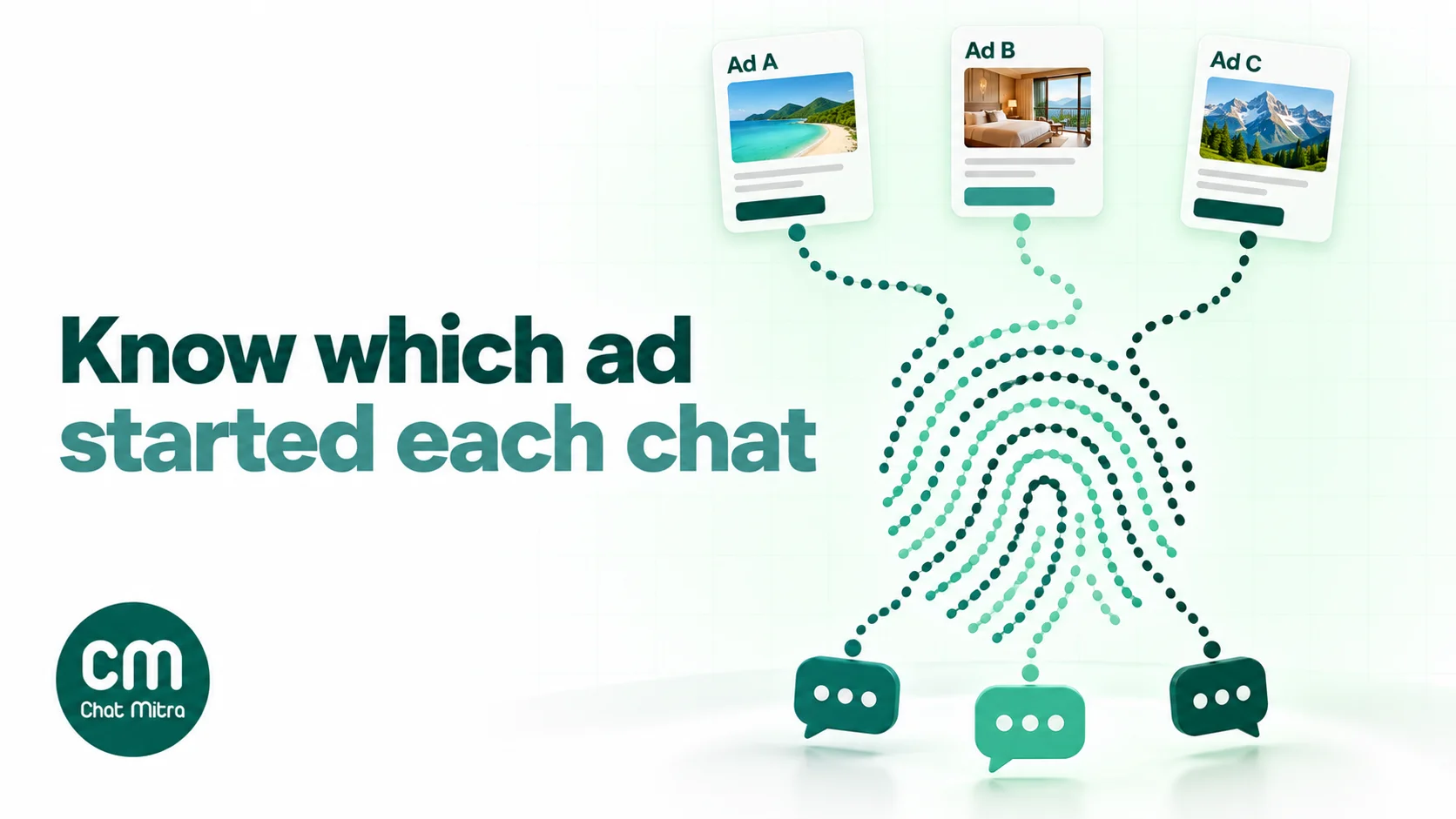
- Opening words. Each ad’s prefilled message identifies it. Tag chats by those words, add an outcome tag when the chat ends (qualified, booked, bought, not interested), and count per ad each week. This works on any setup.
- Codes per ad. A different offer code per ad catches people who chat and then buy on your website or in your shop.
- The referral data. Through the WhatsApp Business API, the first message from an ad carries a
referralobject with the ad’s ID, headline, body and a click ID calledctwa_clid(Meta webhook reference). Meta omits the click ID for chats from ads in WhatsApp Status. - Outcomes back to Meta. With the Conversions API for Business Messaging, the click ID lets you report leads and purchases so Meta can optimise for them.
Give each ad set at least a week before you judge it. Meta’s advice is to choose a duration of more than six days so delivery can settle (Meta ad pricing).
Diagnose a campaign that isn’t working
When results disappoint, find the handoff that’s leaking before you change anything. Changing the creative won’t fix a slow inbox.
| Symptom | Likely cause | What to try |
|---|---|---|
| Low click-through rate | Generic creative, or the wrong audience | Lead with the specific reward; test a 9:16 version for Stories and Status |
| Many link clicks, few conversations started | People don’t want to send the prefilled message | Rewrite it as a low-commitment question in the customer’s words; say in the ad that a chat will open |
| Conversations start, then customers go silent after your reply | Your reply didn’t deliver what the ad promised | Send the promised price, slot or catalogue in the first message |
| Lots of chats, few qualified | The hook attracts curiosity, not need | Put a qualifier in the ad itself: price range, location, eligibility |
| Qualified leads, few sales | No follow-up, or no clear next step | Use the free window plan above; give every qualified chat an owner |
| Cost per conversation keeps rising | The audience has seen the ad too often | Refresh the creative; widen the audience; check frequency in Ads Manager |
| Chats arrive when no one is online | Ads run 24 hours, the team doesn’t | Schedule the ad set, or automate the first reply and qualifying questions |
| Some chats never got the free window | They came from WhatsApp desktop or web, or your reply came after 24 hours | Reply faster; expect a share of desktop chats to be charged normally |
Use cases by business type
The same five handoffs apply everywhere, but the offer, the opening message and the qualifying questions change by business.
| Business | What the ad offers | Opening message | Qualify with | Deeper guide |
|---|---|---|---|---|
| Online store | One product or a small collection, with price | ”Show me the festive kurtas under ₹2,000” | Size, colour, delivery pin code | CTWA for ecommerce |
| Travel agency | One trip with dates and a starting price | ”Send me the Kashmir 6-day itinerary” | Dates, number of travellers, budget | CTWA for travel |
| Clinic or hospital | A consultation, explained plainly | ”What does an implant consultation involve?” | Treatment interest, preferred day | CTWA for healthcare |
| Real estate | A price list or a site visit | ”Please send the Wakad 2BHK price list” | Budget, move-in timing, loan needed | WhatsApp for real estate developers |
| Coaching institute | A demo class or batch details | ”Which demo class fits a Class 10 student?” | Class, board, preferred timing | WhatsApp for coaching institutes |
| Salon or spa | A first-visit offer or a slot | ”What slots are free this Saturday?” | Service, preferred time | Salon and spa templates |
| Manufacturer or B2B supplier | A quote or a sample | ”I need a quote for printed boxes” | Size, quantity, delivery city | WhatsApp lead generation |
A few patterns hold across the table:
- High-value, considered purchases (property, treatment, courses) benefit most from qualification in the chat and from Leads optimisation.
- Low-price, quick decisions (fashion, food, small accessories) benefit most from showing the product in the first reply and making ordering a single step.
- Appointment businesses should measure booked slots and show-ups, not chats, and send reminders as utility templates.
Health, finance, employment and housing ads follow their own advertising rules and aren’t delivered to the WhatsApp Status placement, as explained in our WhatsApp ads guide. They can still run on Facebook and Instagram.
Mistakes that waste Click-to-WhatsApp budget
- Optimising for the cheapest conversation. Cheap chats from curious people inflate the inbox and hide the ads that actually sell.
- One prefilled message for every ad. You lose both automatic routing and per-ad measurement.
- An automatic reply that answers nothing. “We’ll get back to you” in reply to “Send me the price list” breaks the ad’s promise.
- Too many ad sets on a small budget. None of them leaves the learning phase.
- No plan for days 1 to 7. The free window passes and the follow-ups that would have been free from Meta never get sent.
- Treating an ad chat as opt-in for everything. Ask before adding someone to broadcasts.
- Judging after two days. Delivery needs about a week to settle.
- Scaling spend before the inbox can cope. More chats than your team can answer raise the cost per sale.
Running a Click-to-WhatsApp strategy on ChatMitra
ChatMitra doesn’t create or buy ads; that stays in Meta Ads Manager. It runs the WhatsApp side, where handoffs 3 to 5 happen. Checked against the product in October 2026:
| Strategy step | On ChatMitra | Plan |
|---|---|---|
| Use the ad’s WhatsApp number in a shared inbox | One official API number answered by your whole team, on web and the Android app | All plans |
| Greet first-time contacts and tag them | Welcome message (text, template or buttons) with auto-tagging | All plans |
| A different automatic reply per ad | Auto Reply rules on each ad’s opening words: exact match, starts with, or regex | Pro |
| Cover unstaffed hours | Away replies, or the AI chatbot trained on your FAQs with your own AI provider key | Pro |
| Follow up after the free window | Approved templates through campaigns or the API, to contacts who opted in | All plans; API on paid plans |
| Know which ad started a chat | The ad’s referral details, including ctwa_clid, in the message.received webhook | Pro |
ChatMitra’s advantages for ad-led businesses:
| Advantage | What it means |
|---|---|
| Starter plan is free | You can run ad chats through an official API inbox without a platform subscription |
| Unlimited team members on one number | Peak-hour chats from ads can be shared across the whole team |
| AI chatbot included on Pro (₹999 a month), using your own provider key | Out-of-hours ad chats get an answer without an AI add-on fee |
| Meta’s rates passed through at cost | Ad chats inside the free window cost nothing from Meta; you pay ₹0.20 per conversation on Starter and Pro, and nothing extra on Enterprise (₹2,499 a month) |
Good to know: the referral details aren’t shown in the inbox yet and chats aren’t tagged by ad automatically, so use opening words and Auto Reply tags for day-to-day tracking. ChatMitra doesn’t send Conversions API events to Meta; use your webhook data with a separate integration if you want purchase optimisation. Auto Reply has no “contains” match, so make each ad’s opening words unique at the start of the message.
Mapping the handoffs onto ChatMitra:
- Handoff 2 (tap → send): write each ad’s prefilled message first, then copy it exactly into a “starts with” Auto Reply rule, so the words the customer sends are the words the rule expects.
- Handoff 3 (first reply): make that rule’s reply the thing the ad promised. Keep the welcome message for first-time contacts who arrive without a prefilled message, and let the AI chatbot or an away reply cover unstaffed hours.
- Handoff 4 (qualified): tag chats as your team qualifies them, with the same tag names every week, so you can count qualified chats per ad.
- Handoff 5 (sale): get one or two follow-up templates approved before launch, and ask for opt-in inside the free window. The step-by-step setup is in our WhatsApp ads guide.
Plans and rates are on the pricing page.
Where to start: a two-week plan
- Day 1: Write down the job and what a qualified chat means for you.
- Day 2: Make two ads with two different offers, each with its own prefilled message and a 9:16 version.
- Day 3: Set up the automatic first replies and the qualifying questions; test them from a personal phone.
- Day 4: Launch one ad set, optimised for conversations, scheduled to staffed hours if you can’t cover nights.
- Days 4 to 10: Reply within minutes, tag every outcome, and follow the seven-day plan for each chat.
- Day 11: Compare the two ads on cost per qualified lead, not cost per conversation.
- Days 11 to 14: Pause the weaker ad, write a new challenger, and only then consider more budget.
Click-to-WhatsApp ads work when the ad, the opening message and the first reply are designed together. Get handoffs 2 and 3 right, and the same budget buys noticeably more customers.