Conversational commerce is selling through a two-way conversation. Customers ask questions, get advice, choose products, pay and get support inside a chat on WhatsApp, a website, a social app or a voice assistant, answered by people, automation or AI. It works when the customer can act in the conversation, not just talk.
This guide covers what counts as conversational commerce, how it differs from social commerce and chatbots, what it costs on WhatsApp, where AI helps and hurts, and how to launch one journey in 30 days.
Key takeaways
- Start with the questions customers already send you. They show which part of the sale needs a conversation.
- Every conversational sale touches a system of record: price list, stock, orders, payments. Connect those before adding AI.
- Measure orders and revenue per conversation, not message volume.
Facts checked against Meta's WhatsApp Business Platform documentation, the WhatsApp Business Messaging Policy and Meta's newsroom on 26 September 2026. Rupee figures are Meta's India rates and exclude tax.
What is conversational commerce?
Conversational commerce is any sale, or part of a sale, that happens through a dialogue between a customer and a business: on a messaging app, in website live chat, over SMS or RCS, or with a voice assistant or AI agent. The business side can be a salesperson, a support agent, a rules-based bot or a language model.
A useful test separates it from ordinary digital marketing: can the customer reply, and can that reply move the sale forward? A few examples make the line clearer.
- It is conversational commerce when a shopper asks “Do you have this in blue?” and receives the blue variant with a button to order it.
- It is when a patient picks a clinic slot from a list in the chat and gets a confirmation.
- It isn’t when a business blasts an offer from a number that nobody monitors. That’s one-way messaging on a chat app.
- It isn’t when a website bot only links to FAQ pages and never lets the customer buy, book or reach a person.
The phrase is older than most people assume. Wikipedia’s entry on the term cites a December 2013 trends piece by Dan Miller, “10 Trends to Watch: Conversational Commerce 2014”, and a January 2016 Medium essay by Chris Messina titled “Conversational commerce” (Wikipedia, Conversational commerce, secondary source). What has changed since then is scale and capability. Meta said in June 2026 that there are “more than one billion active threads with businesses on WhatsApp, Messenger and Instagram every day” (Meta Newsroom, 3 June 2026), and language models can now answer open-ended product questions that older menu bots couldn’t.
Conversational commerce vs social commerce, conversational marketing and conversational AI
These terms are often used as if they meant the same thing. They don’t.
| Term | What it describes | Where it happens | How it relates to conversational commerce |
|---|---|---|---|
| Conversational commerce | Buying, selling and after-sales service through a two-way conversation | Messaging apps, website chat, SMS/RCS, voice, AI assistants | The subject of this guide |
| Social commerce | Selling inside social feeds: shoppable posts, live shopping, in-app shops | Instagram, Facebook, YouTube and similar platforms | Often the start of a conversation: people see a post, then message the business |
| Conversational marketing | Using chat to capture and qualify leads, usually before a sales call | Website chat, messaging apps, ads that open a chat | Covers the top of the funnel; conversational commerce continues through payment and support |
| Conversational AI | Software that understands and generates natural language | Inside chatbots, voice assistants and AI agents | One technology used in conversational commerce, alongside humans and simple automation |
| Chat commerce | A near-synonym, usually meaning selling on messaging apps specifically | WhatsApp, Messenger, WeChat, Telegram | A narrower slice of conversational commerce |
The distinction matters for budgets: a chatbot isn’t conversational commerce if orders still go by phone, and a social shop isn’t if nobody answers its messages.
How conversational commerce works: five moments in the buying journey
It’s more useful to map where a conversation replaces a page, a form or a phone call than to list benefits. There are five such moments, each needing different content, people and message types.
| Moment | What the customer asks | What the business sends | Who should usually answer |
|---|---|---|---|
| 1. Discovery | "Do you sell…?" "Do you deliver to my area?" | A short answer, a catalog or a few relevant products | Automation for common questions; a person for unusual ones |
| 2. Decision | "Which size fits me?" "What's the difference between these two plans?" | Advice, comparisons, photos, a recommendation | A person or a well-grounded AI agent |
| 3. Purchase | "How do I order?" "Can I pay by UPI?" | A cart, an order summary, a payment request, a booking confirmation | Automation connected to your store, booking or payment system |
| 4. Help after buying | "Where is my order?" "How do I return this?" | Order status, return steps, a way to reach support | Automation for status; a person for complaints and exceptions |
| 5. The next order | "Can I get the same again?" or no message at all | A reorder prompt, a relevant offer, a renewal reminder | Scheduled or triggered messages, sent only to people who opted in |
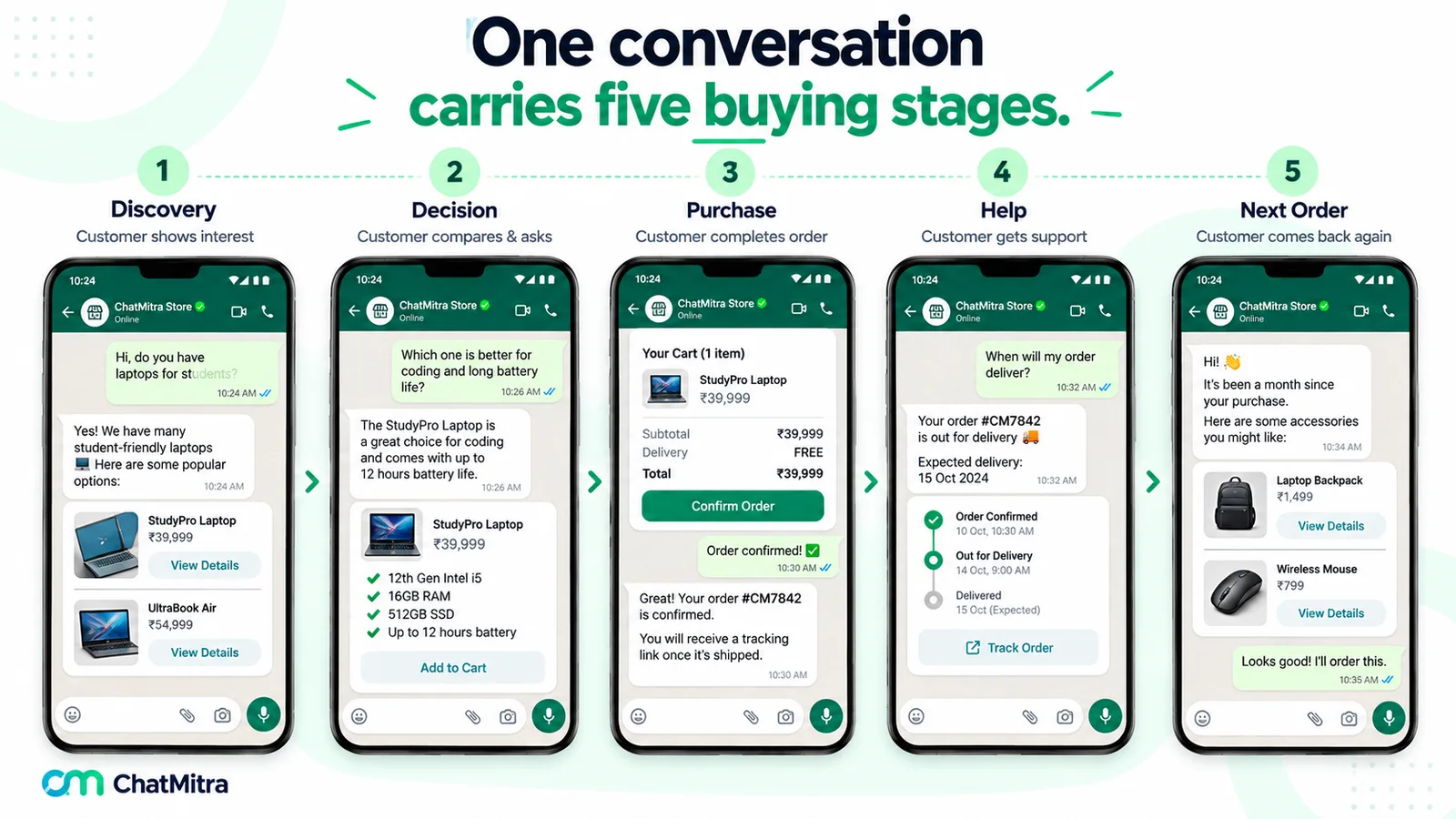
Map your own chats against this table and two patterns appear. Moments 1 and 4 bring most of the volume but little direct revenue: “Do you deliver to Pune?” and “Where’s my parcel?” are repetitive and easy to automate, which frees people for moment 2, where a good answer changes the order. And moment 3 is where most journeys break: the customer is ready, and the business replies “Please order on our website” or “I’ll send a payment link later”. Every hand-off to another channel loses buyers, so make sure the purchase can happen in the chat, or one tap from it.
Where conversational commerce happens: channels compared
No channel wins everywhere. Choose by where your customers already talk and what each channel lets you do there.
| Channel | Strengths | Limits to plan for | Best fit |
|---|---|---|---|
| WhatsApp (Business app or Business Platform) | Used daily by very large audiences in India, Latin America, Europe, Africa and the Middle East; catalogs, carts, buttons and, in India, payments inside the chat | Opt-in required; templates needed outside the 24-hour window; Meta charges per delivered message | Markets where customers already message businesses on WhatsApp |
| Instagram and Messenger direct messages | The conversation starts where people discover the product; linked to Meta ads | Messaging rules and automation options differ from WhatsApp | Brands whose discovery happens on Instagram or Facebook |
| Live chat on your website or app | You own the experience; you can see the page the visitor is on | The conversation usually ends when the visitor leaves the site | High-consideration purchases researched on your site |
| SMS and RCS | Reaches phones without a messaging app; RCS adds rich cards on supported phones and networks | SMS is plain text; replies and rich features vary by carrier and country | Order alerts and short transactional updates |
| Voice assistants | Hands-free reordering of familiar items | Hard to browse or compare options by voice | Repeat purchases of known products |
| AI assistants and agents | Can research, compare and, increasingly, act for the shopper | Your products must be described clearly enough for an AI to understand; rules are still forming | Businesses preparing for AI-driven discovery |
WhatsApp says more than 3 billion people in over 180 countries use it (WhatsApp, About); our WhatsApp statistics guide explains what such figures do and don’t measure. The rest of this guide uses WhatsApp for its examples, because that is where most Indian businesses sell by chat, but the five moments apply to every channel.
Conversational commerce on WhatsApp: the building blocks
The free WhatsApp Business app suits an owner answering from one phone. The WhatsApp Business Platform (the API) is for teams that need many agents on one number, automation, AI or integrations. Both can sell; the Platform gives you the pieces below.
| Building block | What it does | Key limit (Meta documentation) |
|---|---|---|
| Catalog | Your products or services, uploaded to Meta and connected to your WhatsApp account | Items are reviewed against WhatsApp's Commerce Policy |
| Single-product message | Shows one item with image, title and price, plus a View button | Items must come from your connected catalog |
| Multi-product message | A curated selection in sections | Up to 30 products |
| Product carousel | Product cards in a horizontal scroll | Up to 10 cards |
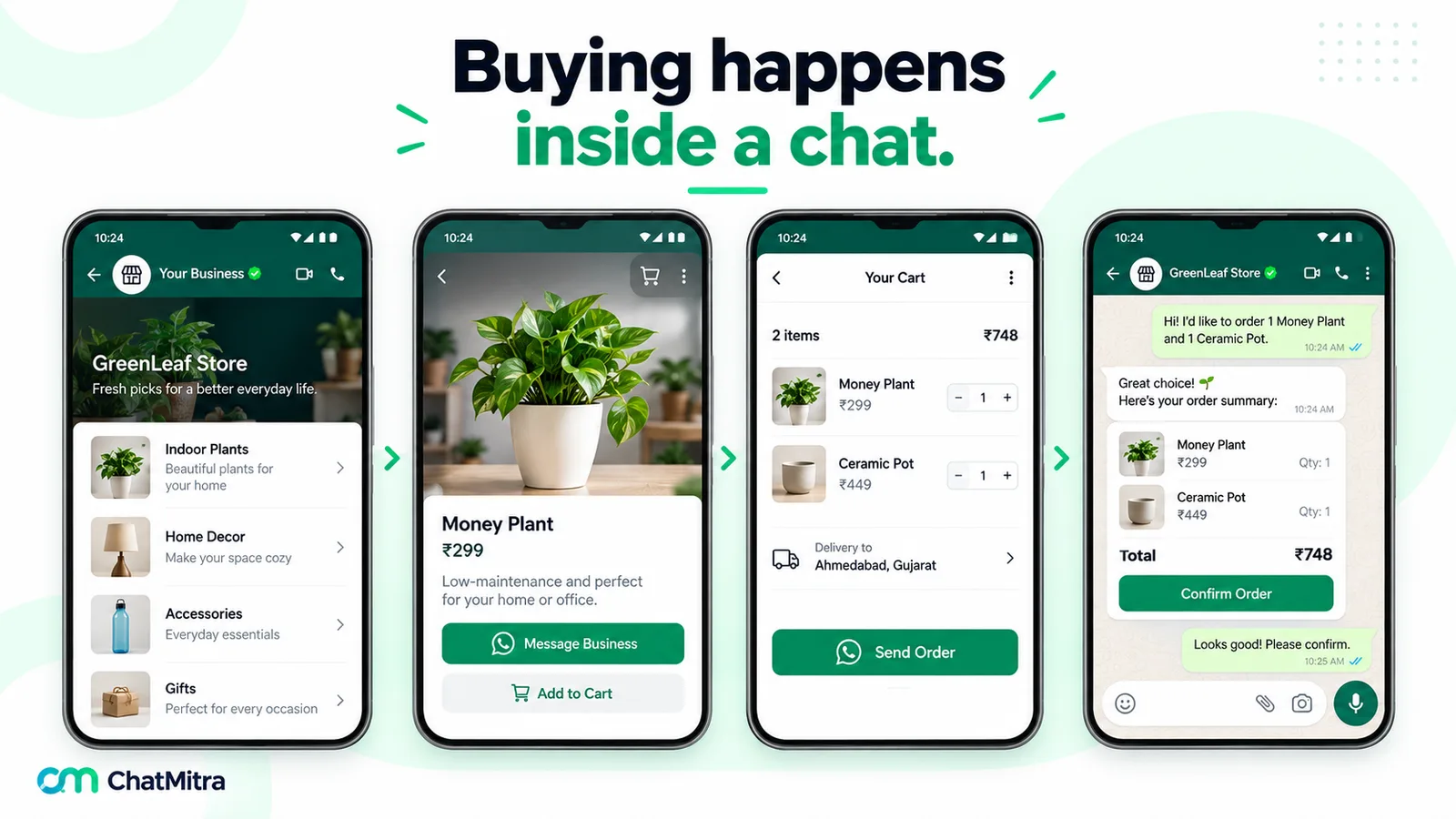
| Cart | The customer collects items and sends one order | Up to 99 units of each item; the business can't send a cart to the customer |
| Payments (India) | An order-details message the customer pays from the chat | Needs a supported payment gateway; see below |
| Buttons and lists | One-tap replies and menus for choices | Reply buttons are limited to three per message |
| Templates | Pre-approved messages for reaching customers outside the 24-hour window | Categorised as marketing, utility or authentication and priced by category |
Sources: Meta's catalogs overview (updated 18 June 2026), share products and send messages pages, checked 26 September 2026.
Orders and product questions reach you “as webhook notifications”, Meta says. Two details surprise people: once a customer sends a cart, “no edits can be made”, so a change means a new cart; and marking an item unavailable removes it from carts that contain it. Keep the catalog in step with real stock.
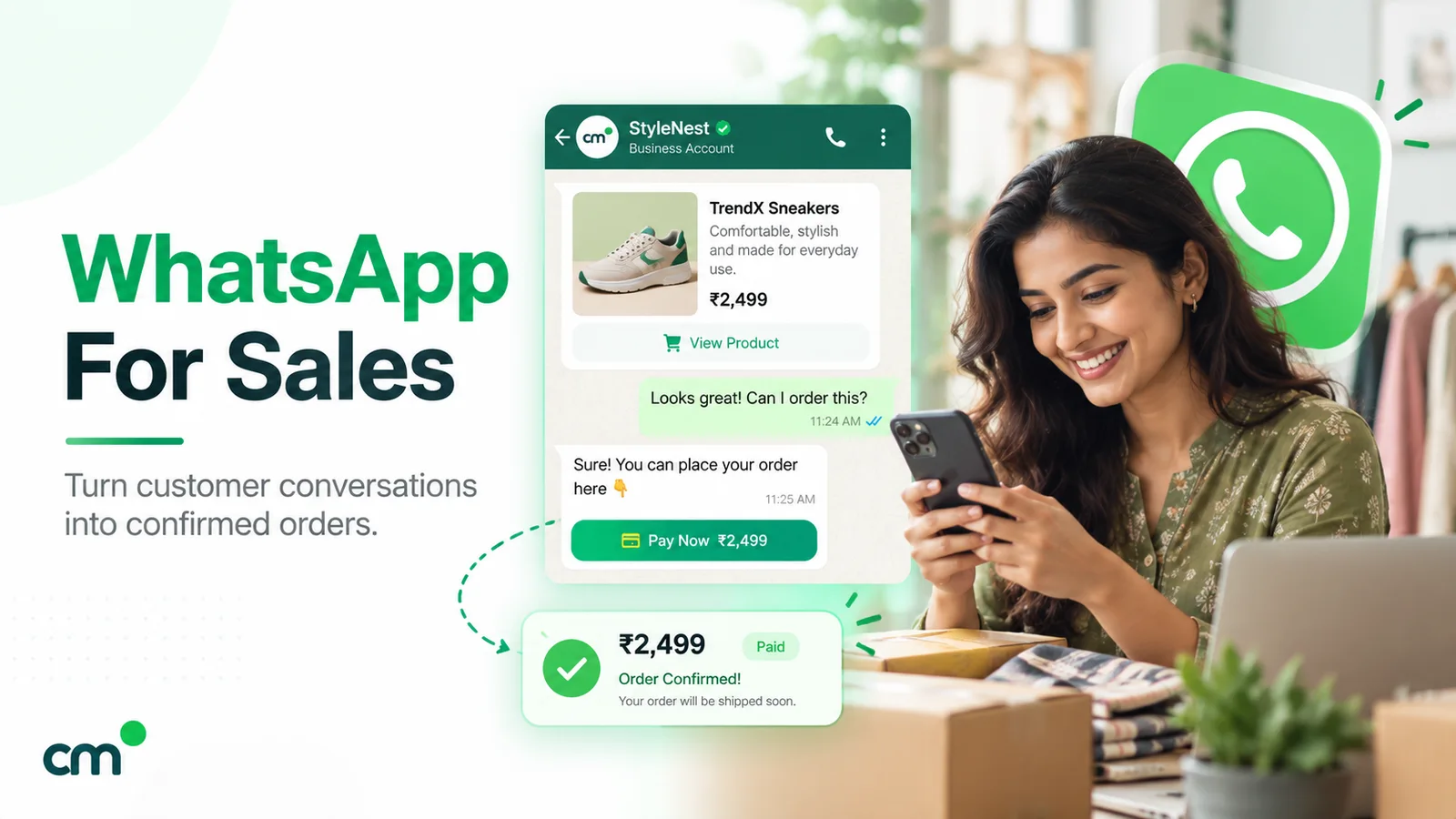
Payments. In India, Meta’s Payments API lets a business “accept payments from your customers through all UPI apps installed on their devices and other payment methods such as cards, NetBanking, and wallets via WhatsApp” (Meta, Payments API India). UPI Intent mode works with any gateway that generates UPI intents. The deeper mode, which adds cards, wallets, refunds and payment-status webhooks, is “currently supported for Razorpay, PayU, Billdesk, and Zaakpay only”. India-based businesses can also send checkout button templates to users with Indian numbers. Outside India, options vary by country, and many businesses share a payment link from their gateway. Our guide to WhatsApp for sales compares the three ways to collect payment in a chat.
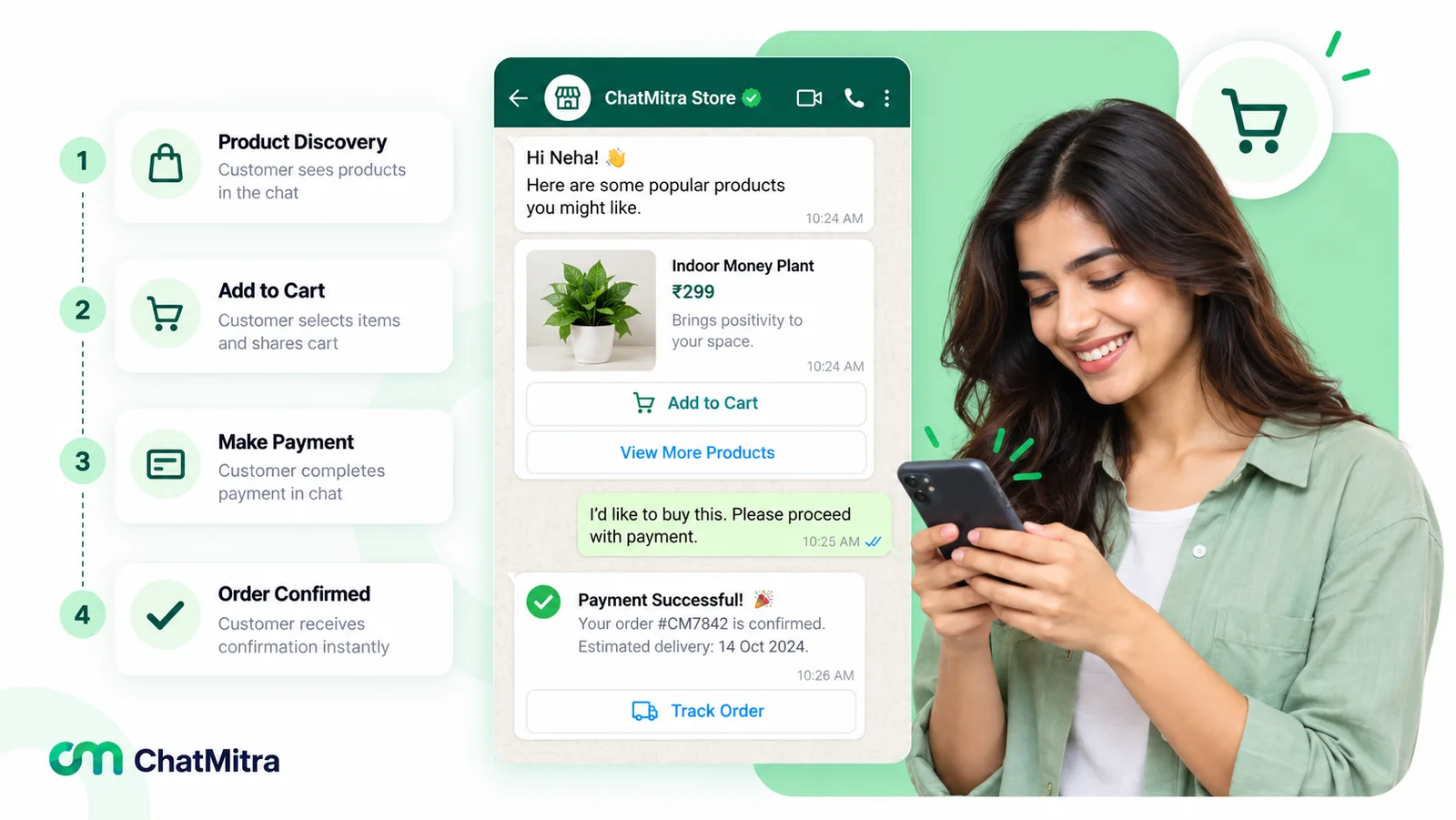
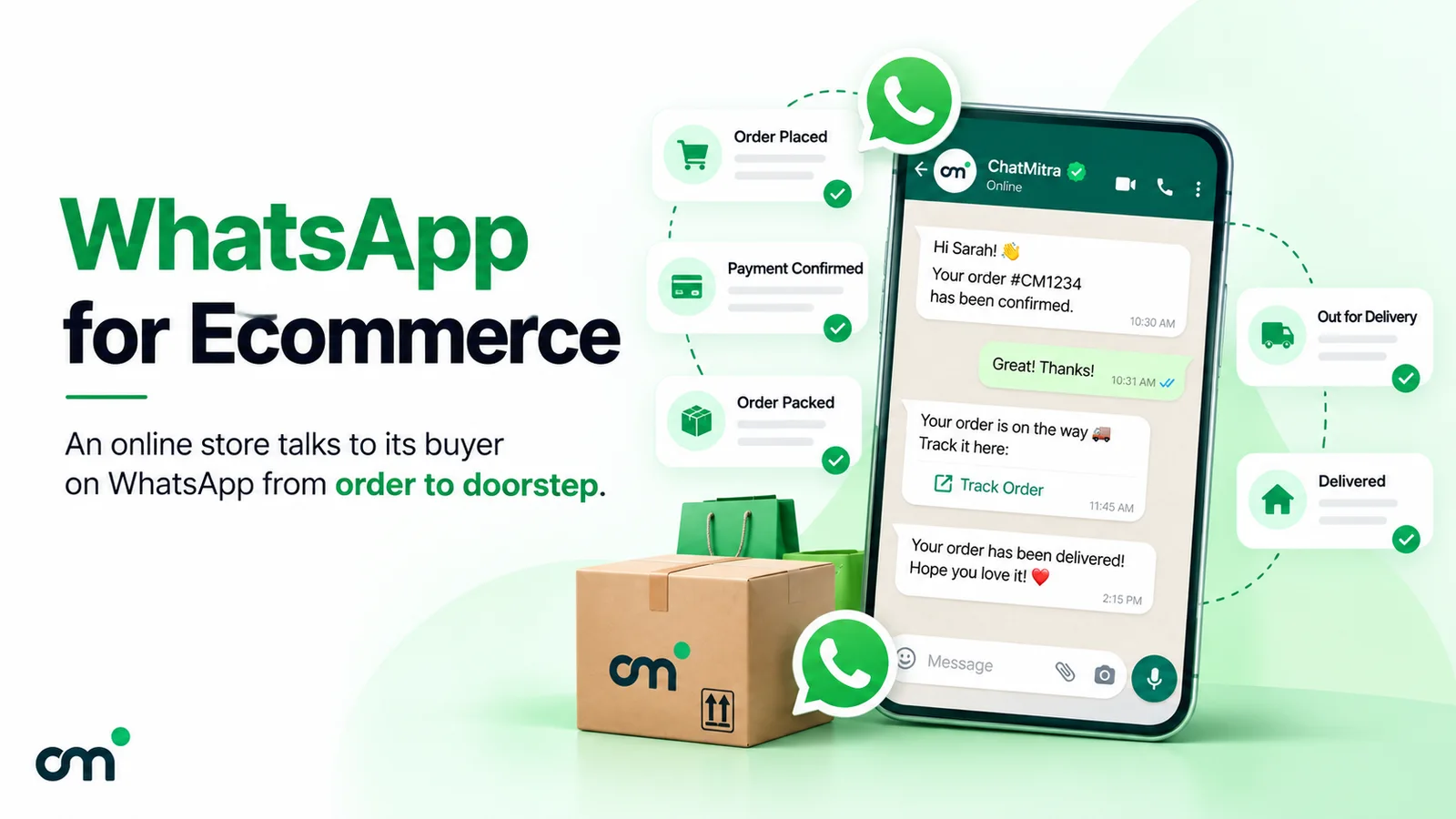
For a stage-by-stage store playbook, including cash-on-delivery confirmation and cost per order, read our guide to WhatsApp for ecommerce. Catalog setup and its limits are covered in the WhatsApp Business catalog guide, and every button and list type in WhatsApp interactive messages.
The rules that shape every conversation
Four of Meta’s rules shape how WhatsApp journeys can be designed.
- Opt-in comes first. The WhatsApp Business Messaging Policy (last updated 23 September 2026) says you may contact people only if they have given you their number or username and “you have received opt-in permission from the recipient”. Meta’s opt-in guide adds that the opt-in can be general but must “clearly state the business’s name” (Meta, Get opt-in). Our WhatsApp opt-in guide covers wording and proof.
- The 24-hour window decides what you can send. When a customer messages you, “a 24-hour timer called a customer service window starts”, and it resets each time they write again (Meta, Send messages). Inside it you can reply freely. Outside it you can only send approved templates.
- Automation needs an exit. The policy allows automation inside the window but says you “must also have available prompt, clear, and direct escalation paths”, listing in-chat transfer to a human agent, a phone number, email, web support, in-store visits or a support form. A bot that traps customers breaks the policy as well as the sale.
- You own the transaction. Businesses that use catalogs or other commerce features must follow the Meta Commerce Policy, and the Messaging Policy states that WhatsApp is “not responsible for processing, paying for, or fulfilling any sales”. Meta’s catalog documentation adds that businesses based in India “must comply with all online selling laws”.
What does conversational commerce cost on WhatsApp?
Meta charges per delivered message. Its pricing documentation (updated 10 September 2026) says rates vary by the template’s category and the recipient’s country code. For Indian numbers, Meta’s rate card effective 1 October 2026 lists these prices:
| Message type | When it's used in conversational commerce | Meta's charge in India |
|---|---|---|
| Service message (free-form reply) | Answering questions, advice, sending product messages inside the 24-hour window | First 1,000 per business phone number each month free, then ₹0.1150 |
| Utility template | Order confirmations, shipping updates, payment reminders | ₹0.1150 (also charged inside the window since 1 October 2026) |
| Marketing template | Offers, new arrivals, reorder prompts, win-back messages | ₹0.8631 |
| Any message in a free entry point window | Replies to someone who arrived from a Click to WhatsApp ad or a Facebook Page button, when you answer within 24 hours | Free for 72 hours |
Here is one month for a small online store in India. The numbers illustrate the method; they aren’t a benchmark.
- 600 customers start chats from the website and a QR code on packaging, and the team sends 3,600 replies in total. The first 1,000 service messages are free, and the remaining 2,600 cost 2,600 × ₹0.1150 = ₹299.00.
- 150 of those chats become orders. Each order gets a utility confirmation (150 × ₹0.1150 = ₹17.25) and a shipping update (another ₹17.25).
- The store sends a new-arrivals template to 400 past buyers who opted in: 400 × ₹0.8631 = ₹345.24.
Meta’s total is ₹678.74, or about ₹4.52 per order. Your platform then adds its own charge, which may be a subscription, a per-message fee or a per-conversation fee. On ChatMitra’s free Starter plan, for example, the fee is ₹0.20 per contact per 24-hour conversation. If the store’s month contained 1,150 such conversations (600 chats, 150 shipping updates sent on later days and 400 campaign messages), that adds ₹230.00, bringing the total to ₹908.74, or about ₹6.06 per order.
Marketing templates are the expensive line, so send them to segments, not everyone. Service replies are cheap but add up, so answering repetitive questions with a catalog or menu saves money as well as staff time. More worked examples are in WhatsApp Business cost per message.
Humans, bots and AI agents: who should answer what
Conversational commerce means routing each question to whoever answers it best, not replacing staff with software. Three kinds of responder share the work.
| Responder | Good at | Poor at | Typical jobs |
|---|---|---|---|
| Rules and menus (keyword replies, buttons, lists) | Fast, predictable, cheap, never goes off script | Anything not anticipated | Opening hours, delivery areas, order status, catalog links |
| AI agent (a language model connected to your data) | Open questions, comparisons, many languages, any hour | Anything its data doesn't cover; judgement calls | Product advice, sizing, plan comparisons, first-line support |
| People | Negotiation, complaints, exceptions, high-value sales | Speed at volume, night shifts | Bulk and B2B orders, refunds, angry customers, custom work |
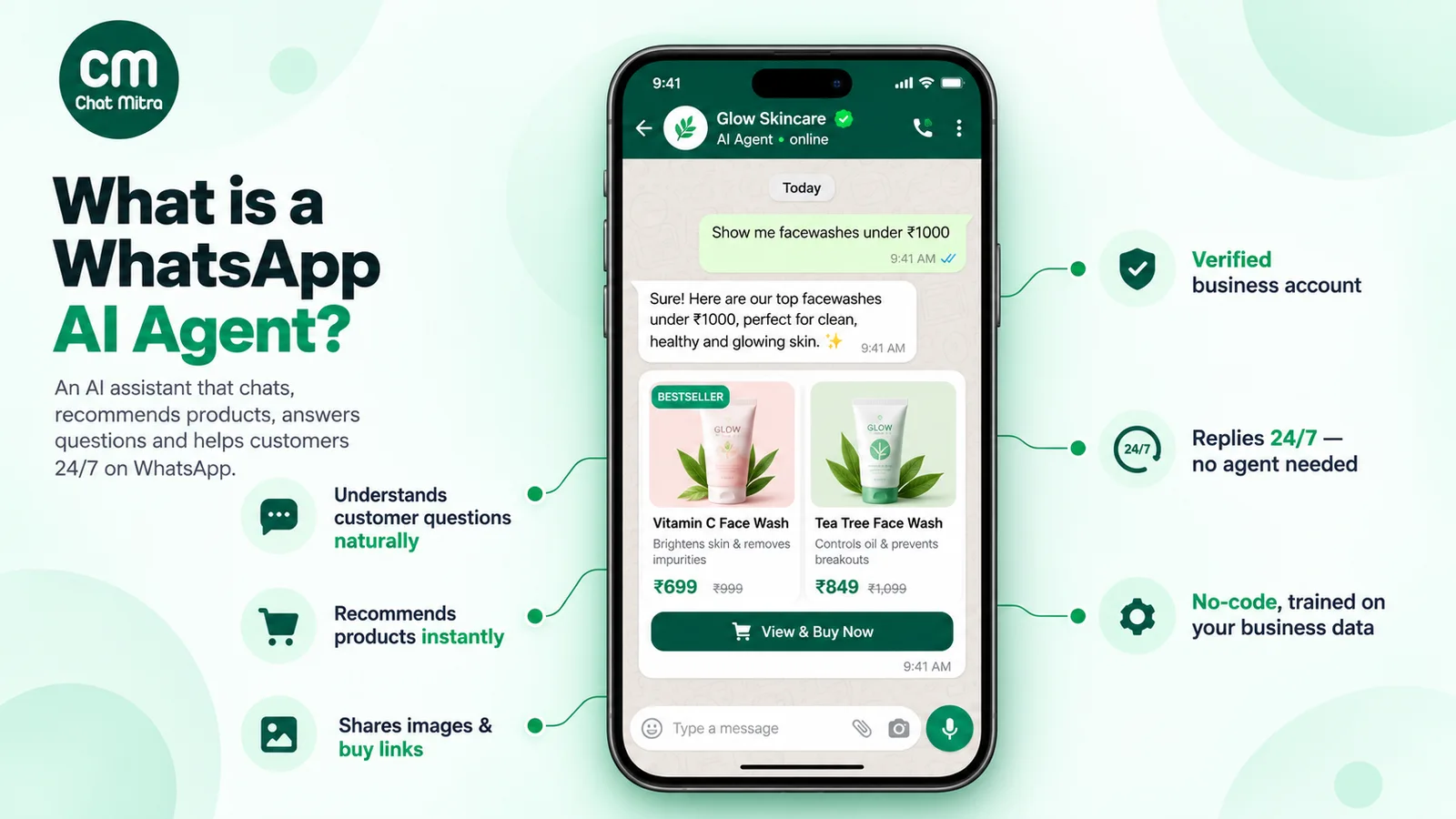
AI agents are the fastest-moving part of this, and the riskiest. Meta itself launched Meta Business Agent in June 2026, saying more than one million businesses were already using one on WhatsApp and Messenger (Meta Newsroom). Other platforms let you connect your own model. Whichever you choose, the same guardrails apply:
- Ground every commercial fact. Prices, stock, delivery dates and discounts should come from your catalog, store or order system through a lookup, not from the model’s general knowledge. A model that “helpfully” invents a 10% discount has made an offer your staff must now honour or retract.
- Confirm before acting. Placing an order, cancelling one or booking a slot should need a clear yes from the customer.
- Hand over early. Send complaints, refund requests and anything the agent is unsure about to a person, and tell the customer that you’re doing so. On WhatsApp, the escalation path is a policy requirement, not a courtesy.
- Read transcripts weekly, especially chats that ended without an order or with a hand-over.
For Meta’s current rules on AI in WhatsApp, the four ways to deploy an agent and what each costs, read our WhatsApp AI agent guide.
Conversational commerce examples by industry
These scenarios show the five moments in different businesses. They illustrate how each flow works on WhatsApp; they aren’t case studies.
Fashion or D2C store. A shopper messages from an Instagram post asking about sizing. The store asks two questions (usual size, preferred fit), replies with a single-product message in the right size, and the shopper orders from the cart. A utility template confirms the order, another sends tracking, and a marketing template three weeks later suggests a matching item to shoppers who opted in to offers.
Restaurant or cloud kitchen. Regulars send “same as last time”. The restaurant replies with a multi-product message of their usual dishes, the customer adjusts the cart and pays by UPI: repeat orders without an aggregator’s app.
Coaching institute. Parents ask about fees, batch timings and results before enrolling. A list message routes them to the right course, a counsellor answers the detailed questions, and the demo-class booking and fee reminders go out as utility templates.
Real estate. A buyer asks about a project’s two-bedroom units. The agent shares a brochure and floor plan, qualifies budget and timeline, and books a site visit. The sale closes offline; the chat carries the lead to the visit.
Clinic or diagnostics lab. Patients book, reschedule and receive appointment reminders by chat. WhatsApp’s policy warns against sending or requesting health information where regulations prohibit sharing it with systems that don’t meet heightened requirements, so keep reports and diagnoses out of the chat unless your setup meets those requirements.
B2B distributor. Retailers reorder from a price list shared as a document or multi-product message. A salesperson confirms availability and credit terms, and payment reminders go out as utility templates, replacing phone orders written down by hand.
Travel agency. A traveller asks for a Goa package. The agent sends two or three options, shares a payment link for the advance, then the itinerary and vouchers as documents.
How to start conversational commerce: a 30-day plan
Projects stall when they try to cover all five moments on every channel at once. Start with one journey on one channel.
- Days 1–3: Read your last 100 conversations. Sort them by moment and by question. A handful of questions usually make up most chats.
- Days 4–5: Pick one journey. Choose the moment with the most volume or the most lost sales. For a store, that is often “Where’s my order?” or “Do you have this in my size?”. For a service business, it’s usually booking.
- Days 6–10: Prepare the content. Write short answers, clean the catalog, and submit the templates you’ll need (order confirmation, reminder, one offer) early, because Meta must approve them.
- Days 11–14: Decide who answers what. Mark each question as automated, AI-assisted or human, and write the hand-over rule, for example: “complaint, refund or no answer found, transfer to the team and say so”.
- Days 15–18: Open the entry points. Add a chat button to your website, product pages and order emails, and print QR codes on packaging or at the counter. Our free WhatsApp chat link generator creates the link, and our guide to WhatsApp integration with your website covers placement.
- Days 19–21: Connect the purchase step. Set up the payment route (Payments API, payment link or UPI ID) and make sure orders taken in chat reach the same system as website orders.
- Days 22–30: Launch to a slice of traffic. Watch the metrics below daily, fix answers that confuse people, then widen the rollout.
How to measure conversational commerce
Message counts show how busy the team was, not what conversations sold. Track these instead:
| Metric | How to calculate it | What it tells you |
|---|---|---|
| Conversation-to-order rate | Orders placed from chat ÷ conversations started | Whether conversations are moving people to buy |
| Revenue per conversation | Revenue from chat orders ÷ conversations started | The value of each chat, for comparing against its cost |
| Cost per order | (Meta charges + platform fees + staff time) ÷ chat orders | Whether the channel pays for itself |
| First response time | Time from the customer's first message to your first reply | Slow replies lose buyers in the decision moment |
| Hand-over rate | Conversations passed from automation to a person ÷ automated conversations | Where bots or AI can't cope; rising rates point to missing content |
| Opt-out and block signals | Opt-outs or blocks after a campaign ÷ recipients | Whether marketing messages are welcome; Meta may limit your sending based on blocks and reports |
| Repeat purchase rate | Customers with a second chat order within your normal cycle ÷ first-time chat buyers | Whether moment 5 is working |
Tag each order with its source (a chat, a campaign, a QR code); a shared tag or a field in your order system is enough to start.
Common conversational commerce mistakes
- Launching a bot with no hand-over. Customers who can’t reach a person leave, and on WhatsApp it breaches Meta’s escalation rule.
- Letting AI answer from memory. Prices, stock and policies change; an agent that isn’t reading your live data will be confidently wrong.
- Breaking the purchase moment. Sending a ready buyer to a website form, or promising a payment link “soon”, loses sales you had already won.
- Messaging people who never opted in. It breaches policy and invites blocks and reports, which Meta can use to limit how many messages you send.
- Treating every message as marketing. Order and payment updates are utility messages. Mixing a promotion into them changes the category and the price.
- Measuring volume instead of outcomes. A thousand chats that end without orders is a cost, not a success.
Where ChatMitra fits, and where it doesn’t
ChatMitra is a WhatsApp Business Platform tool. Here is what it does and doesn’t do today.
| Need | ChatMitra | Notes |
|---|---|---|
| Shared team inbox on one WhatsApp number | Yes | Many agents, roles and permissions, tags, saved replies; an Android app |
| Keyword auto-replies, welcome and away messages | Yes (Pro plan) | Exact, starts-with and regex matching |
| AI chatbot | Yes (Pro plan), bring your own model key | 18 model providers; can call your own HTTP endpoints, with a Confirm/Cancel step before write actions; agents can take over a chat |
| Automatic "talk to a human" trigger | No | Agents can take over and pause the bot per contact; offer a phone number or email as a second escalation path |
| Catalog sync or catalog templates | No | A keyword auto-reply can send a catalog, single-product or multi-product message using catalog and product IDs you type in |
| Payments inside WhatsApp | No | Use your payment gateway's links or Meta's Payments API through a provider that supports it |
| Shopify order messages | Yes | COD and prepaid confirmations, cancellations, shipping with a tracking link, feedback requests |
| Broadcasts to segments, with reports and retargeting | Yes | Include or exclude tags; reports show sent, delivered, read and failed |
| Date and event automation | Yes, via Google Sheets automation | Row, date, birthday, schedule, webhook and message triggers |
| Instagram, Messenger, website chat widget, SMS | No | ChatMitra is WhatsApp-only |
| First-response-time or revenue-per-conversation reports | No | Track them in your store or order system using tags |
If your conversations run mainly on WhatsApp and you want the inbox, automation, AI and Shopify messages in one place, compare ChatMitra’s plans. If you need one inbox across Instagram, Messenger and web chat, or in-chat payments, choose a platform built for that.
Where to start
Pick the moment where customers already message you most, answer those questions well, and let buyers finish the purchase in the chat. Then measure orders per conversation. For budgets and campaign calendars, see our WhatsApp marketing strategy guide.
Facts checked against Meta's WhatsApp Business Platform documentation (pricing, catalogs, payments, messaging and opt-in), the WhatsApp Business Messaging Policy, WhatsApp's About page and Meta's newsroom on 26 September 2026. Rupee figures are Meta's India rates effective 1 October 2026 and exclude tax.