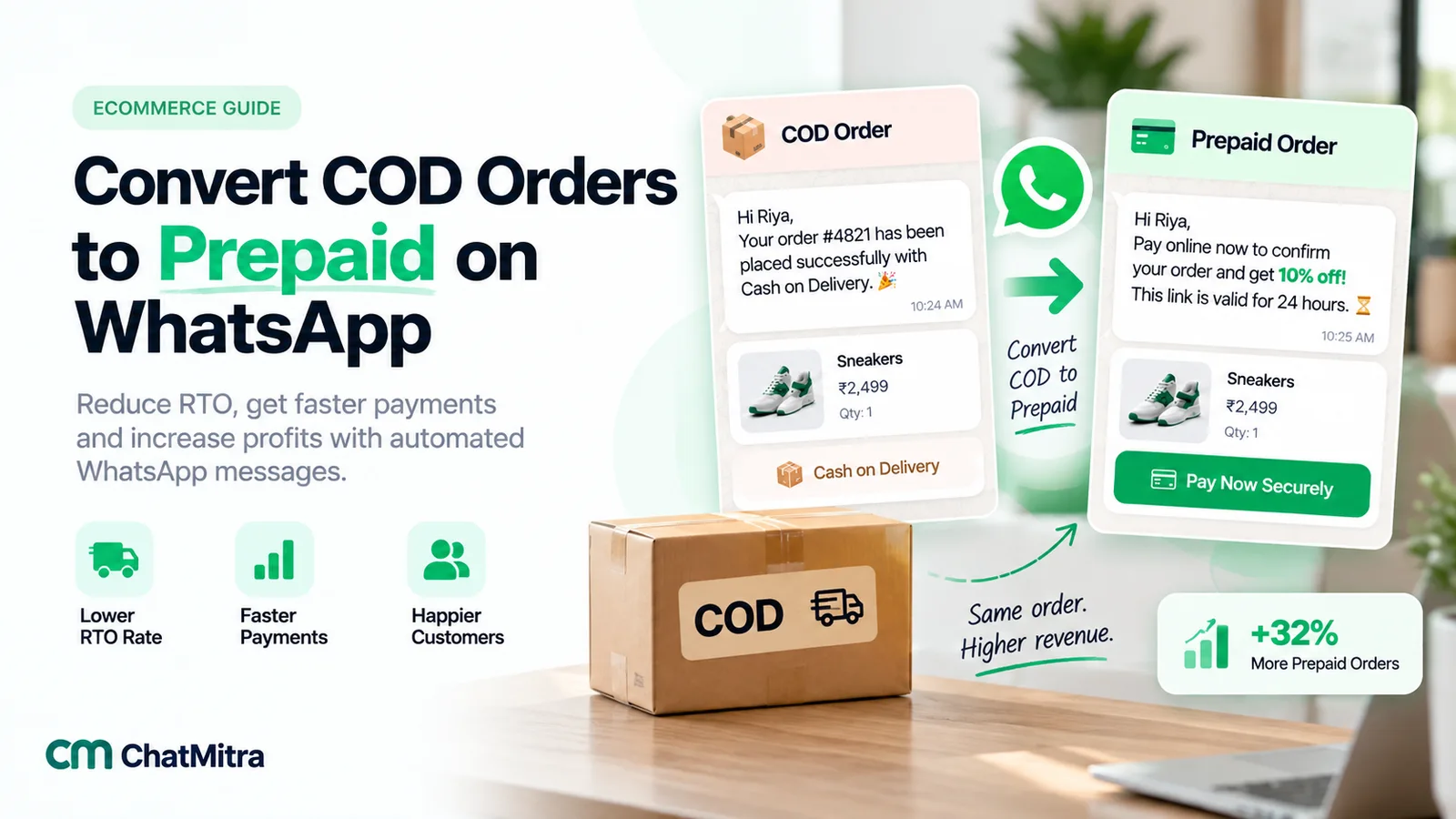
COD to prepaid is the practice of asking a buyer who chose cash on delivery to pay online before the parcel ships. In practice it’s one WhatsApp message, sent a few minutes after the order, with a payment link, a reason to use it and a deadline. When it works, you ship a parcel that almost never comes back and you’re paid days earlier. When it’s done badly, you hand discounts to buyers who would have paid anyway and annoy the ones who wanted to pay in cash.
This guide covers the whole job: why prepaid orders behave so differently, the moments when a buyer is most likely to switch, the WhatsApp rules that decide what each message costs, how to work out an incentive you can actually afford, partial COD, the link and webhook mechanics, message examples and how to measure whether any of it worked. It’s written for Indian D2C and Shopify sellers, where COD is part of daily life, but the method carries over to any market where buyers pay at the door.
Key takeaways
- Prepaid parcels rarely come back. Shipway's FY25 data found under 2% of prepaid orders returned, against nearly 26% of non-prepaid ones.
- Ask early: within minutes of the order, while the buyer still has their phone in hand and before the parcel is packed.
- Send two templates, not one. The COD confirmation is utility; the prepaid offer is marketing and needs marketing opt-in.
- Use a unique payment link per order that expires before your dispatch cut-off, and let the gateway's webhook mark the order paid.
- Price the incentive from your own data and test it against a holdout group. The average RTO rate overstates what a conversion saves.
What COD-to-prepaid conversion means
A COD-to-prepaid conversion takes an order the buyer has already placed with cash on delivery and changes how it’s paid, not what’s in it. The buyer gets a link, pays by UPI, card or wallet, and the order ships as prepaid.
It’s easy to confuse with three nearby ideas, so here is how they differ:
| Practice | When it happens | What it asks of the buyer |
|---|---|---|
| Prepaid nudge at checkout | Before the order is placed | Choose an online method instead of COD on the payment step |
| COD confirmation | Minutes after a COD order | Confirm the order (and address) is real, or cancel it |
| COD-to-prepaid conversion | After a COD order, before dispatch | Pay online now for an order already placed |
| Partial COD | At checkout or after the order | Pay part online as an advance, the rest in cash at the door |
This post is about the third row, with partial COD as its close relative. Confirmation has its own guide, order confirmation message examples. The wider operational problem of parcels coming back is covered in RTO in ecommerce.
Why converting COD orders is worth the effort
Three costs sit behind every COD order, and a successful conversion removes most of them.
Returned parcels. A COD buyer who changes their mind pays nothing to refuse the parcel at the door. A prepaid buyer has already paid, so they usually accept it. Shipway’s analysis of FY25 D2C shipments, as reported by MediaBrief, found that “less than 2% of prepaid orders are returned, while nearly 26% of the non-prepaid orders are returned”. Your own rates will differ by category and region, but the direction is consistent everywhere COD exists. Each return costs you forward and return freight, packaging and handling, and the sale itself.
Cash in transit. With COD, the courier collects your money and passes it on later, on whatever remittance schedule your contract sets. Prepaid money reaches your gateway account at the time of sale and settles on the gateway’s cycle. For a growing store, that difference in timing is working capital.
Handling fees. Many couriers and aggregators charge a COD fee per parcel, flat or as a percentage of the amount collected. A prepaid order avoids it, though you pay your payment gateway’s fee instead. Check both rate cards; the net difference is part of your incentive budget later.
There’s a softer benefit too. A buyer who pays online has committed. They watch for the parcel, answer the delivery partner’s call and are less likely to be “not available” on delivery day.
Why buyers choose COD in the first place
Before writing the message, it helps to know what it has to overcome. Buyers pick COD for a handful of reasons, and each one needs a different answer.
- Trust in a new brand. “What if it never arrives?” is the most common one for first-time buyers of a store they found through an ad. The answer is proof: your store name, the order details, a clear refund promise if the order is cancelled.
- Wanting to see the product first. Some buyers want to inspect before paying. An incentive rarely moves them, and they are the reason COD should stay available.
- Payment friction. The UPI app timed out at checkout, the card needed an OTP they didn’t get, or they didn’t want to leave the store page. A one-tap link on WhatsApp removes that friction later.
- Habit. Some buyers default to COD without thinking about it. A small, clear reason to switch often works here.
Payment friction matters less every year. UPI handled 24.51 billion transactions worth ₹29.82 lakh crore in August 2026, according to NPCI data reported by Business Standard. Most of your COD buyers already pay online elsewhere every day. Your message just has to make paying you feel as safe as paying the neighbourhood shop.
When to ask: the four moments
Timing decides most of the result. The buyer’s intent is highest right after ordering and fades by the hour. The table below compares the realistic moments to ask.
| Moment | Why it works | Watch out for |
|---|---|---|
| On the checkout page | The buyer is already on the payment step | Belongs to your checkout tool, not WhatsApp; heavy nudges can lose the order |
| 5–30 minutes after the order | The buyer is still engaged and expects a message from you | Send the confirmation first; don’t bury it under an offer |
| A few hours before your dispatch cut-off | A single reminder catches buyers who missed the first message | One reminder only; after that it’s pressure |
| After dispatch | Rarely worth it | The parcel is already COD with the courier; a payment at this stage creates reconciliation problems |
Two rules follow from this. Send the first ask soon after the order, and stop asking once the parcel is packed for COD. If you dispatch twice a day, the window is short, and the link’s expiry should match it (more on that below).
The WhatsApp rules that shape a COD-to-prepaid flow
On the WhatsApp Business Platform, you can only start a conversation with an approved template, and each template has a category that decides its price and the rules that apply to it. Get the category right and the rest of the flow is straightforward.
Utility or marketing?
Meta’s template categorization guide sets the line. A utility template “must be non-promotional, not containing any promotional or persuasive intent” and must be “specific to or requested by the user”. For order management in particular, Meta says messages “should not promote, recommend, upsell, or cross-sell products; include offers; or attempt to secure renewals”. It also says templates with mixed content, such as “an order update with a promo”, count as marketing.
For a COD store, that sorts the messages like this:
| Message | Likely category | Why |
|---|---|---|
| ”Please confirm your COD order #1042 for ₹1,299.” | Utility | About the buyer’s own order, no persuasion |
| ”Your order is confirmed. Payment received: ₹1,249.” | Utility | A receipt for a transaction the buyer made |
| ”Pay online now and get ₹50 off order #1042.” | Marketing | Contains an offer |
| ”Pay now and skip the COD fee.” | Marketing | The waived fee is an incentive |
| ”Confirm your order. PS: prepaid orders get free shipping!” | Marketing | Mixed content turns the whole template into marketing |
Meta reviews each template and makes the final call. If a utility template is later found to be promotional, Meta can recategorize it, so write them to stay clearly on one side of the line.
What each message costs
In India, since 1 October 2026, Meta charges ₹0.1150 per delivered utility template and ₹0.8631 per delivered marketing template. From the same date, Meta also charges for messages you send inside an open 24-hour customer service window. Utility templates sent in the window, free since July 2025, are charged again. Free-form service replies get a monthly free tier of 1,000 per business phone number, and after that are charged at the same rate as utility in each market. The rupee cost of any single message is small. The category matters more for the rules that come with it.
Opt-in and per-user limits for the offer
Because the prepaid offer is marketing, two further rules apply:
- Opt-in. WhatsApp’s Business Messaging Policy requires permission before you message someone, and Meta’s opt-in guidance suggests separate opt-in for marketing. A buyer who ticked “send me order updates on WhatsApp” has not necessarily agreed to offers. Add a separate, unticked “WhatsApp offers” checkbox at checkout. How to word it is in our WhatsApp opt-in guide.
- Per-user marketing limits. Meta may limit how many marketing templates a person receives from all businesses, and a blocked send fails with error 131049. Your prepaid offer competes with every other brand’s marketing for that person’s attention. Even Razorpay’s documentation for its own conversion feature warns that these messages are “subject to Meta’s daily messaging limits” for marketing. Expect some offers not to be delivered, and never let the offer replace the confirmation.
The in-window route
There’s one pattern that keeps the confirmation clean and still gives buyers a path to pay. Add a neutral quick-reply button to the utility confirmation, such as Pay online instead, next to Confirm and Cancel. It describes a payment option for the buyer’s own order and offers nothing, so it doesn’t break the utility rules. If the buyer taps it, they have messaged you, which opens a 24-hour customer service window. Your reply with the payment link is then a service message, not a template, and it can explain any prepaid benefit because the buyer asked.
This route reaches only the buyers who tap, and service replies count against your 1,000 free service messages a month and are charged beyond it. But it respects the buyer’s choice, doesn’t depend on marketing opt-in and can’t be throttled by marketing limits. Meta still decides the category when it reviews the template; if the button text sounds like an offer, it won’t pass as utility.
How much incentive can you afford?
Most COD-to-prepaid advice skips this part, and it’s where money is lost. An incentive is paid to every buyer who converts, including the ones who would have accepted the parcel and paid in cash anyway. So the question isn’t “how much does an RTO cost?” but “how much does converting this buyer save?”
The formula
For one converted order, the saving is roughly:
Saving = (RTO risk as COD − RTO risk as prepaid) × (return cost + lost margin) + (COD fee avoided − gateway fee paid) − messaging cost per conversion
The incentive has to be smaller than the saving, or every conversion loses you money.
A worked example
These figures are assumptions for illustration. Replace each one with your own numbers.
| Input | Assumed value |
|---|---|
| Average order value | ₹1,200 |
| Gross margin on the product | ₹420 |
| Cost of one return (two freight legs, packing, handling) | ₹180 |
| Courier COD fee per delivered COD parcel | ₹40 |
| Payment gateway fee on a prepaid order | ₹24 (2%) |
| RTO rate, prepaid | 2% |
| Share of messaged buyers who convert | 15% |
| Messages per buyer (offer + one reminder) | 2 marketing templates |
Case 1: the converter is an average COD buyer (RTO risk 20%).
- Fewer returns: 18% × ₹180 = ₹32.40
- Sales kept: 18% × ₹420 = ₹75.60
- Fees: ₹40 × 80% delivered − ₹24 = ₹8
- Messages: 2 × ₹0.8631 ÷ 15% = ₹11.51
- Saving ≈ ₹104. A ₹50 incentive leaves about ₹54 per conversion.
Case 2: the converter is a safer-than-average COD buyer (RTO risk 8%).
- Fewer returns: 6% × ₹180 = ₹10.80
- Sales kept: 6% × ₹420 = ₹25.20
- Fees: ₹40 × 92% delivered − ₹24 = ₹12.80
- Messages: ₹11.51
- Saving ≈ ₹37. The same ₹50 incentive now loses about ₹13 per conversion.
Case 2 is closer to reality than most stores expect. The buyers who switch fastest tend to be the committed ones: repeat customers, people who ordered something specific, people who simply prefer UPI. The high-risk impulse buyer is the least likely to take the offer. That’s why the answer to “what discount should I give?” comes from a test, not a benchmark (see measuring it honestly).
Incentive options compared
| Incentive | Strength | Weakness |
|---|---|---|
| Flat amount off (“₹50 off if you pay now”) | Easy to understand and to budget | Same cost on a ₹400 and a ₹4,000 order |
| Percentage off | Scales with basket size | Expensive on big orders; harder to compare with your COD fee |
| COD fee waived | Feels fair, and it’s already your cost | Only works if you charge a COD fee, shown clearly before checkout |
| Free gift or sample | Low cost to you, high perceived value | Needs stock and packing changes |
| Faster dispatch | No discount at all | Only persuasive if you can keep the promise |
| Credit on the next order | Brings the buyer back | Weaker today; doesn’t help the current decision much |
Keep the incentive the same for everyone in a test, apply it only to the order in question, and show the new total in the message so the buyer isn’t guessing.
A note on COD fees in India
Some stores prefer a stick to a carrot: a COD fee, with prepaid shown as “no fee”. That’s workable, but only if the fee is visible before the buyer places the order. India’s Guidelines for Prevention and Regulation of Dark Patterns, 2023 define drip pricing to include prices “not revealed upfront” and “charging an amount higher than the amount disclosed at the time of checkout”. In October 2025, Consumer Affairs Minister Pralhad Joshi said the department had received complaints against platforms “charging extra for Cash-on-Delivery, a practice classified as a dark pattern”, and that a detailed investigation had begun. Show the fee on the product or checkout page, never add it later, and never ask the delivery partner to collect more than the order says.
Partial COD: the middle option
Some buyers won’t prepay in full, and some orders are too risky to ship on a promise. Partial COD sits between the two: the buyer pays part of the order online and the rest at the door.
How it’s set up. Checkout tools offer it as a payment option. Razorpay’s Magic Checkout on Shopify, for example, lets buyers “pay a partial order amount online and use cash on delivery for the remaining balance”, and “the partial amount cannot exceed 50% of the total order value”. After an order, you can ask for an advance with a payment link for the advance amount only.
When to use it. Not everywhere. Target the segments where your data shows the worst returns: first-time buyers above a certain order value, pincodes with a history of refusals, or categories that are often ordered on impulse. For everyone else, a full prepaid offer or plain COD is simpler.
How the message is categorised. A plain request for an advance on the buyer’s own order (“Please pay a ₹200 advance to confirm order #1042 for dispatch”) is about their transaction, so it can pass as utility. If you add “and get free shipping”, it becomes marketing. Whichever you choose, say clearly what happens if they don’t pay the advance: does the order ship as full COD, or is it cancelled? Buyers accept a clear rule far more readily than a vague one.
Step by step: a COD-to-prepaid flow on WhatsApp
Here is the full flow, from order to dispatch. It assumes a Shopify store, a payment gateway that creates payment links (Razorpay in the examples) and a WhatsApp Business Platform provider.
- Identify the COD order. When the order is created, check its payment gateway. In Shopify, COD is a manual payment method, and “orders that accept manual payments are marked as unpaid”. Tag the order so your team and tools can see it’s a conversion candidate.
- Hold fulfilment. Put the order on hold so it can’t ship before the buyer has had a chance to confirm or pay. Shopify’s fulfilment hold reasons include “awaiting payment”. Our RTO guide covers holds for unconfirmed COD orders.
- Send the utility confirmation. Within a few minutes, with the order number, the amount due on delivery, the delivery city and Confirm and Cancel buttons (plus the optional neutral Pay online instead button). Keep offers out of it.
- Create a unique payment link. Create one link per order through your gateway’s API. With Razorpay Payment Links, set
reference_idto your order number (Razorpay says it “must be a unique number for each Payment Link”), set the amount to the post-incentive total, and setexpire_byto just before your dispatch cut-off. A UPI-only link (upi_link: true) is an option, but Razorpay notes it “is not supported in Test Mode”, so test with a standard link first. - Send the prepaid offer. To buyers with marketing opt-in, send the marketing template with the link in a dynamic URL button, the incentive and the expiry time. Send it after the confirmation, not in place of it.
- Listen for the payment. Your gateway’s webhook tells you when the link is paid. Razorpay sends
payment_link.paidwhen a link is paid, andpayment_link.expiredwhen it lapses. Don’t rely on the buyer’s redirect to your site; buyers close tabs. - Update the order and confirm. Mark the Shopify order as paid, record the incentive so the order total matches what the buyer paid, change the tag from COD to prepaid and release the hold. Then send a utility receipt on WhatsApp.
- Let unpaid links expire quietly. When the link expires, the order ships as COD, exactly as the buyer chose. No second offer, no delay.
- Handle replies. Questions like “Is this link safe?” or “I’ll pay cash” come back as messages. Answer them within the 24-hour window with short service replies (see handling replies).
One Shopify detail to check with your own store: Shopify’s Collect payment > Send invoice option emails the buyer “a link to the checkout page” for an unpaid order, but Shopify also warns that for orders in pending payment with a non-card method, “you might be unable to mark the order as paid”. Test the full paid-and-marked flow on a real COD order before you roll it out.
Enhanced Payment Links in India
If you use Razorpay, PayU or Cashfree, Meta’s Enhanced Payment Links feature can render a gateway link in a template as a payment card with the amount and a Pay Now button. It needs a template with no header and exactly one dynamic URL button, and your account has to be allowlisted first. The requirements are in our payment link guide.
Message examples
All examples below are templates you would submit for approval. Variables are in double braces. Adjust the tone to your brand.
1. COD confirmation (utility)
Hi {{first_name}}, thanks for your order {{order_number}} from {{store_name}}. Amount to pay on delivery: {{cod_amount}}. Delivering to {{city}} {{pincode}}. Please confirm so we can pack it.
Buttons: Confirm order · Cancel order · Pay online instead (quick replies)
2. Prepaid offer (marketing)
{{first_name}}, want to skip cash at the door? Pay online for order {{order_number}} and it’s {{new_total}} instead of {{cod_amount}}. The offer is open until {{expiry_time}} today, before your order is packed. If you’d rather pay on delivery, you don’t need to do anything.
Button: Pay {{new_total}} (dynamic URL)
3. One reminder (marketing)
Your {{discount_amount}} saving on order {{order_number}} ends at {{expiry_time}}. Pay online in a tap, or pay cash on delivery as planned.
Button: Pay now (dynamic URL)
4. Payment received (utility)
Payment received. Order {{order_number}} is now prepaid ({{amount_paid}}) and will be packed today. You won’t need to pay anything on delivery. We’ll send tracking once it ships.
5. Advance for partial COD (utility, no incentive)
Hi {{first_name}}, to dispatch order {{order_number}} ({{order_total}}), please pay an advance of {{advance_amount}} by {{deadline}}. The balance of {{balance_amount}} is payable on delivery. If the advance isn’t paid by then, {{what_happens}}.
Button: Pay advance (dynamic URL)
6. Reply after “Pay online instead” (service message, in the window)
Here’s your secure payment link for order {{order_number}}: {{link}}. It’s issued by {{gateway}} and works until {{expiry_time}}. Paying online saves you {{discount_amount}}, and if you cancel before dispatch, your money is refunded in full.
Four writing rules that hold across all of them:
- Name the store and the order. A payment request from an unknown name looks like a scam.
- Show the final amount, not just the discount.
- Say what happens if they do nothing. “Pay on delivery as planned” lowers the pressure and, oddly, raises trust.
- Keep links on the gateway’s own domain. Buyers have learned to distrust shortened links from strangers. Meta’s payment card also won’t render a link wrapped in your own redirect.
Handling replies and edge cases
Real buyers reply in ways a flowchart doesn’t expect. Prepare short answers for these.
| Situation | What to do |
|---|---|
| ”Is this link safe?” | Explain who issued it (your gateway), that the amount matches the order and that paying is optional. Don’t argue. |
| ”I’ll pay cash.” | Thank them and confirm the COD order is going ahead. Nothing else. |
| Paid, but the order still shows COD | Check the gateway webhook first. Webhooks can arrive late or fail; reconcile before replying. |
| Paid twice | Refund the duplicate promptly through the gateway and tell the buyer when to expect it. |
| Paid after the parcel shipped as COD | Tell the delivery team not to collect cash, or refund the online payment. This is why the link must expire before dispatch. |
| Cancelled after paying | Refund in full and confirm the refund on WhatsApp. How fast you refund here shapes whether they trust your links next time. |
| Link expired, buyer still wants to pay | If the parcel hasn’t shipped, issue a new link. If it has, the order stays COD. |
Most of these replies arrive inside the 24-hour window, so your team can answer in plain text. Saved quick replies keep the answers consistent.
Measuring it honestly
The obvious metric, conversion rate, is the least useful one on its own. A 25% conversion rate made up of buyers who would have accepted the parcel anyway saves you very little. Track these instead:
| Metric | How to calculate | What it tells you |
|---|---|---|
| Conversion rate | Converted COD orders ÷ COD orders offered | Whether the message and incentive are persuasive |
| Incentive cost | Incentive × converted orders | What you paid for conversions |
| RTO rate, offered vs holdout | RTO rate of COD orders offered the deal vs a random group not offered | The only honest estimate of what conversion changed |
| Delivered revenue per COD order | Delivered order value ÷ all COD orders, per group | Combines conversions, returns and incentive in one number |
| Opt-out and block rate | Opt-outs after the offer ÷ offers sent | Whether the offer is hurting your number’s quality |
Use a holdout. Pick a random share of eligible COD orders, say 10–20%, that get only the confirmation and no prepaid offer. Compare the two groups’ return rates and delivered revenue after the returns have come back, which takes a few weeks. If the offered group’s delivered revenue per order isn’t higher after incentives, the offer isn’t working, however good the conversion rate looks. How to run a clean split is in our WhatsApp A/B testing guide.
Segment the result. Break conversions and returns down by first-time vs repeat buyers, order value band and region. You’ll usually find the offer pays in some segments and not others, and you can target it there.
Tools: checkout apps, gateways and WhatsApp providers
There are three ways to run the flow, and they suit different stores.
| Approach | How it works | Suits |
|---|---|---|
| Checkout tool’s built-in conversion | Some checkout apps send the conversion link themselves. Razorpay Magic Checkout’s “Convert COD Orders to Prepaid” sends buyers a conversion link “via Razorpay’s WhatsApp handle”, with an optional discount, on Shopify and WooCommerce | Stores already on that checkout, who are happy for the message to come from the checkout’s WhatsApp number |
| Gateway links + your WhatsApp provider | You create per-order links through the gateway API and send them from your own business number | Stores that want every order message from one number and full control over wording and timing |
| Manual, for low volume | Your team creates links in the gateway dashboard and sends them from the shared inbox | Small stores testing whether buyers respond at all |
Checkout apps in India, including GoKwik and Shopflo, also offer prepaid discounts and COD controls at the checkout itself. Those work before the order and complement a post-order WhatsApp flow.
Setting it up with ChatMitra
Here is what ChatMitra does for COD stores today, checked against the product, and where you need your gateway or a developer.
| Step | In ChatMitra | Notes |
|---|---|---|
| Detect COD orders from Shopify | Yes | Orders paid with Shopify’s default “Cash on Delivery (COD)” method get the COD confirmation flow. If you renamed the payment method, test it first |
| Send the COD confirmation | Yes | A utility template with Confirm and Cancel quick replies, sent when the order is created |
| Replies to the confirmation | In the shared inbox | Taps and typed answers reach your team inbox. Replies don’t update or cancel the Shopify order automatically |
| Create a per-order payment link | No | Create links through your gateway (for example Razorpay Payment Links) |
| Send the prepaid offer with a link | Through the API or a campaign | The REST API (Pro plan) can send a marketing template with the link as a dynamic URL button value. Campaigns can target contacts by tag, but a per-order link needs a developer |
| React to a “Pay online instead” tap | With automations and a developer | Automations can trigger on a button tap and call your own endpoint, which looks up the buyer’s order and returns a link |
| Mark the order paid | No | Your gateway webhook and Shopify, or a developer’s script, handle this |
If you start from the “COD to prepaid” template in ChatMitra’s template library, replace its sample button link and coupon with your own before submitting it. For the confirmation side, including Shopify flows and message timing, see WhatsApp for ecommerce and the Shopify integration.
Mistakes that waste the incentive
- Offering the discount inside the confirmation. It makes the confirmation marketing, needs marketing opt-in and can be throttled. Your most important message then fails to arrive.
- Offering it to everyone for ever. Buyers learn to choose COD and wait for the discount. Rotate or cap the offer and watch repeat buyers’ behaviour.
- Links that outlive the dispatch window. A buyer pays for a parcel already out as COD, and your team spends an hour untangling it.
- One link reused for several orders. A unique link per order is the only way to reconcile payments automatically.
- Judging by conversion rate alone. Without a holdout, you can’t tell a saving from a subsidy.
- Pressuring buyers who chose COD. Several reminders, countdown language or a threat to cancel turn a helpful option into a reason to refuse the parcel.
- Hiding a COD fee. Anything the buyer didn’t see at checkout is a refusal waiting at the door, and a regulatory risk in India.
Beyond India
COD-to-prepaid is an Indian phrase, but the problem isn’t. Worldpay’s Global Payments Report 2026 found that “Southeast Asian markets have the highest rates of cash on delivery globally”, with COD making up 23% of ecommerce value in the Philippines, 16% in Vietnam and 15% in Thailand in 2025, against 1.6% worldwide. The same flow works there: a clean confirmation, a separate offer to opted-in buyers, a per-order link and an honest measurement. Adjust the template language, the local payment methods your gateway supports and Meta’s marketing and utility rates for that country.
Summary
Converting COD orders to prepaid is a small message with a large effect, because prepaid parcels rarely come back. Ask within minutes of the order, keep the utility confirmation and the marketing offer in separate templates, send a unique link that expires before dispatch and let the gateway webhook mark the order paid. Most importantly, work out what a conversion is worth from your own numbers and test the incentive against a holdout, because the buyers who switch are usually your safest COD buyers. Done that way, you’ll find the offer, the segments and the amount that actually save money.
Sources: Shipway ShipNotes FY25, as reported by MediaBrief (29 July 2025). NPCI UPI data for August 2026 as reported by Business Standard (1 September 2026). Meta for Developers: template categorization, pricing, non-template message pricing, per-user marketing limits, Enhanced Payment Links. WhatsApp Business Messaging Policy. Razorpay docs: create a standard payment link, UPI payment links, payment link webhooks, Magic Checkout: convert COD orders to prepaid, Magic Checkout on Shopify features. Shopify Help Center: manual payments, deferred payments; Shopify Admin API: fulfillment hold reasons. Guidelines for Prevention and Regulation of Dark Patterns, 2023 (Central Consumer Protection Authority); Pralhad Joshi on COD charges (October 2025). Worldpay Global Payments Report 2026. Facts checked 29 September 2026. Rupee message prices are Meta's India rates from 1 October 2026.