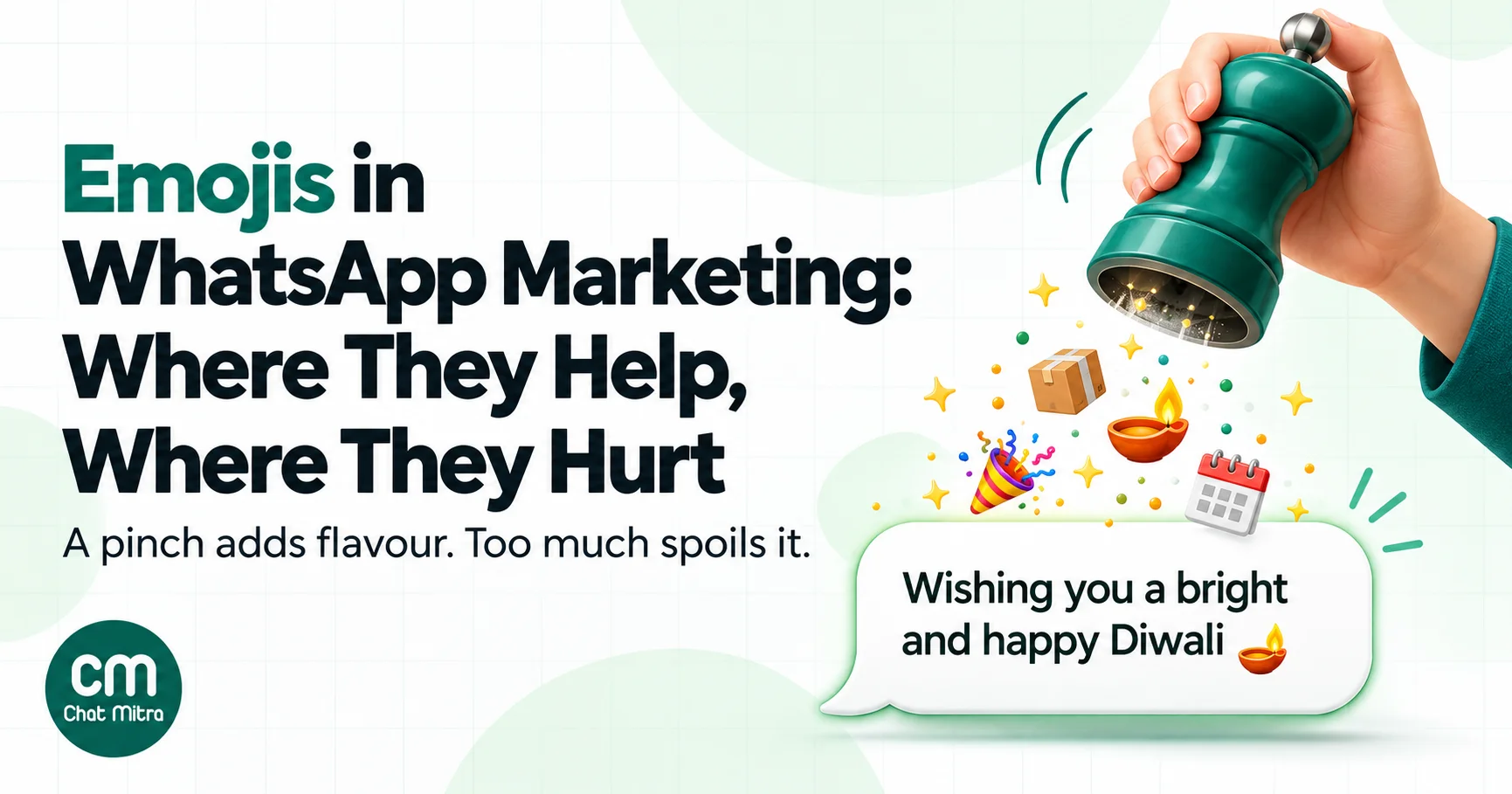
Emojis work in WhatsApp marketing when they do a job: mark a delivery update with 📦, put a date next to 📅, or add warmth to a festival greeting with 🪔. They hurt when they replace words, crowd the message, sit in parts of a template where WhatsApp doesn’t want them, or mean something different to your customer than to you. On the WhatsApp Business API, the practical rule is short: emojis in the body, plain text in the header, footer and buttons, and one to three per message.
This guide covers what the research actually says (it’s less flattering than most vendor blogs claim), where emojis can go in a template, how they render and how screen readers read them, how culture changes their meaning, and emoji sets that suit common industries and Indian festivals. Formatting syntax such as bold and italics is a separate topic and isn’t repeated here.
Using ChatMitra? Add emojis to the template body; ChatMitra’s template builder warns you if you put them in a header, footer or button, and above 10 in the body. The shared inbox has an emoji picker for replies and shows customers’ reactions on each message. Emojis don’t change what you pay: ChatMitra’s fee is ₹0.20 per conversation, not per message. Jump to Emojis on ChatMitra.
Do emojis actually help? What the evidence says
Most articles on this topic open with big numbers: “3x engagement”, “56% higher open rates”, “85% more likely to be opened”. Look for the source and you usually find an email or push-notification test from years ago, with no method, or no source at all. None of them measured WhatsApp template messages.
The published research is more careful and more mixed:
- Warmth goes up, competence can go down. In a set of laboratory and field experiments published in the Journal of Consumer Research (Li, Chan and Kim, 2019), customers saw service employees who used emoticons as warmer but less competent than those who didn’t. Customers in an “exchange” mindset, who see the relationship as a transaction, were more likely to read emoticons as incompetence and were less satisfied.
- In work-like settings, smileys can backfire. Three experiments reported in Social Psychological and Personality Science (Glikson, Cheshin and van Kleef, 2018) found that smileys in work-related messages didn’t increase perceived warmth and lowered perceived competence, with the effect depending on how formal the context was.
- Emoji subject lines didn’t raise email opens. A Nielsen Norman Group usability study (2020) found that emojis in email subject lines increased negative sentiment and didn’t make people more likely to open the email.
What this means for WhatsApp: emojis are a tone tool, not a performance lever. They suit relationship moments (greetings, thank-yous, birthdays, festival wishes) better than transactional or high-stakes ones (payment reminders, account issues, complaints), where customers want competence. And because WhatsApp is a personal space, the right amount depends on your brand and audience. The only reliable answer for your list is your own test, covered later in this guide.
Where emojis can go in a WhatsApp template
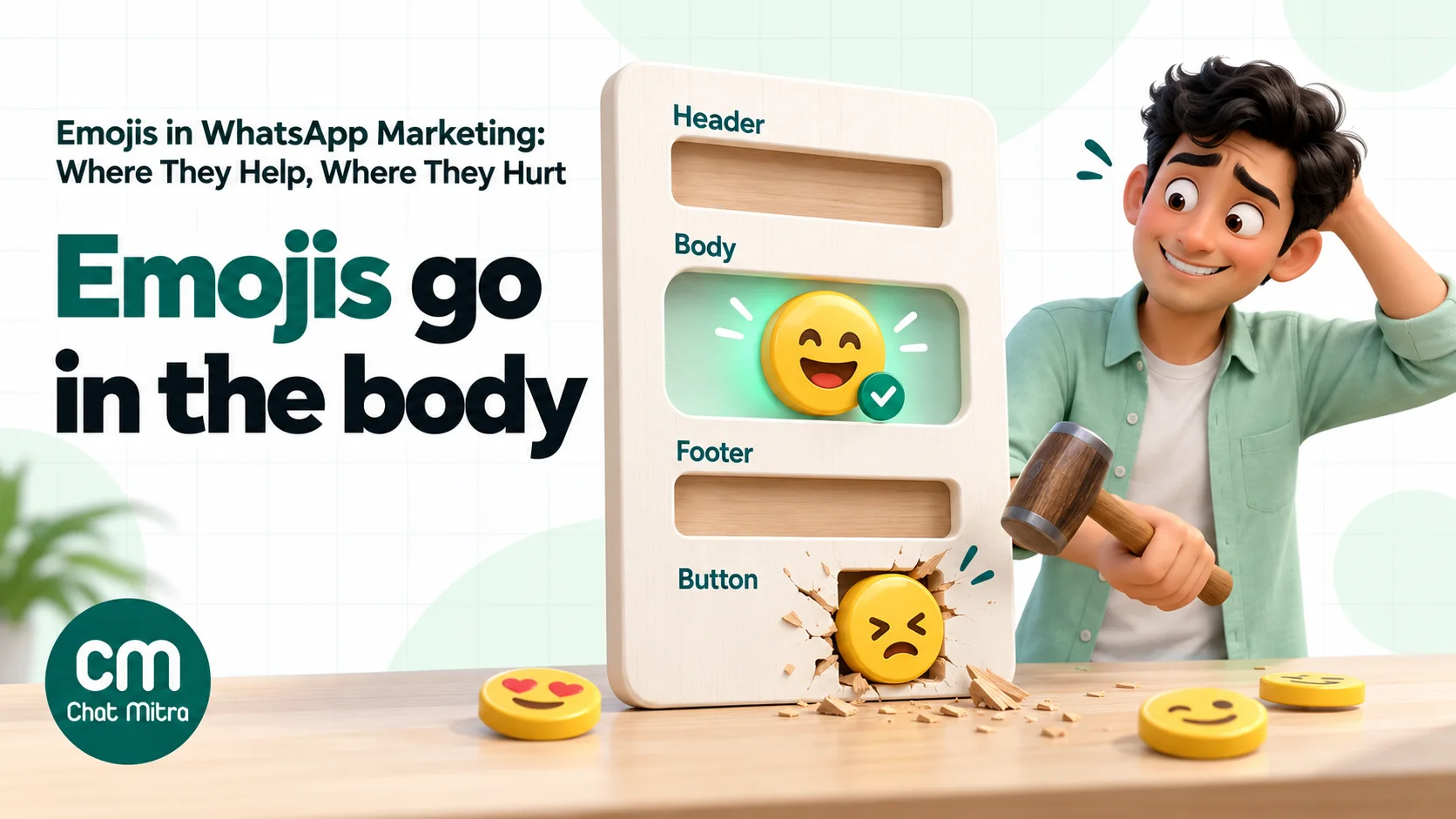
A WhatsApp template has up to four parts: a header, a body, a footer and buttons. Meta’s rules for each are different, and its documentation is clearer on some parts than others.
| Template part | Meta’s limit | Emojis? | What to do |
|---|---|---|---|
| Header (text) | 60 characters; no Markdown special characters | Not mentioned in Meta’s component reference; several providers report headers with emojis are rejected | Keep it plain text, or use an image header to carry the visual |
| Body | 1,024 characters | Allowed. Meta says the number of emojis “may also be limited” | Put your emojis here, one to three |
| Footer | 60 characters | Not mentioned by Meta | Keep it plain; footers are for small print |
| Button labels | 25 characters (quick reply, URL, phone) | Not mentioned by Meta; providers report they’re not supported | Use clear words: “Track order”, “Book now” |
| Variables (parameters) | Can’t start or end the template; no special characters such as #, $ or % | Content depends on what you send | Don’t rely on emojis inside variables; put them in the fixed text |
| Authentication templates | Fixed format | Not allowed in content or parameters | No emojis at all |
Two points need care. First, Meta’s component reference sets character limits for headers, footers and buttons but doesn’t say emojis are banned there. The ban you’ll read about comes from WhatsApp providers’ own documentation, based on the rejections they see. Treat it as a strong practical rule rather than a quoted Meta policy. Second, Meta’s template review guidance says the number of emojis in the body “may also be limited”, without a number. Figures like “10 emojis” come from individual providers. Write well below any of them.
Interactive messages inside the 24-hour window
Inside an open conversation, you can send interactive messages (reply buttons and lists) without a template. Their limits are tight: reply button labels can have up to 20 characters, list rows 24 characters for the title and 72 for the description, and the list button 20. Meta’s pages don’t mention emojis for these fields either, and some platforms reject emojis in button titles, so the same advice applies: words in buttons, emojis in the body text.
Do emojis affect the template category?
Not directly. Meta’s categorisation rules decide utility versus marketing by intent: a utility template “must be non-promotional, not containing any promotional or persuasive intent”, and an order update that includes a promotion is marketing. Emojis aren’t mentioned. In practice, though, tone matters to a reviewer reading your template. “Your order #4471 has shipped 📦” reads as a transaction update. ”🎉🔥 Your order has shipped! 🔥🎉” starts to look like hype. Keep utility templates factual and limit them to functional emojis.
Emojis don’t change the price either. Meta charges per delivered template message by category and country, whether the body has no emojis or three.
Emojis and character counts
Every emoji takes up space in the 1,024-character body, and some take more than you’d expect. Many emojis are stored as two code units, and some are built from several characters joined together: skin-tone variants, family groups and flags. A tool that counts code units will count 📦 as 2 characters, and a family emoji as many more.
Meta doesn’t publish how it counts emojis against template limits, so leave headroom. If your body is at 1,015 characters with five emojis, cut words rather than testing the limit. The same goes for 25-character button labels and 60-character headers, which is one more reason to keep emojis out of them.
How emojis look on your customer’s phone
The emoji you pick on your laptop isn’t always the one your customer sees. According to Emojipedia, WhatsApp uses its own emoji designs on WhatsApp for Android and WhatsApp Web; on iPhones, customers see the designs that come with iOS. Most everyday emojis look similar across both, but details such as colour, facial expression and direction can differ, and a face that looks friendly in one design can look smug in another.
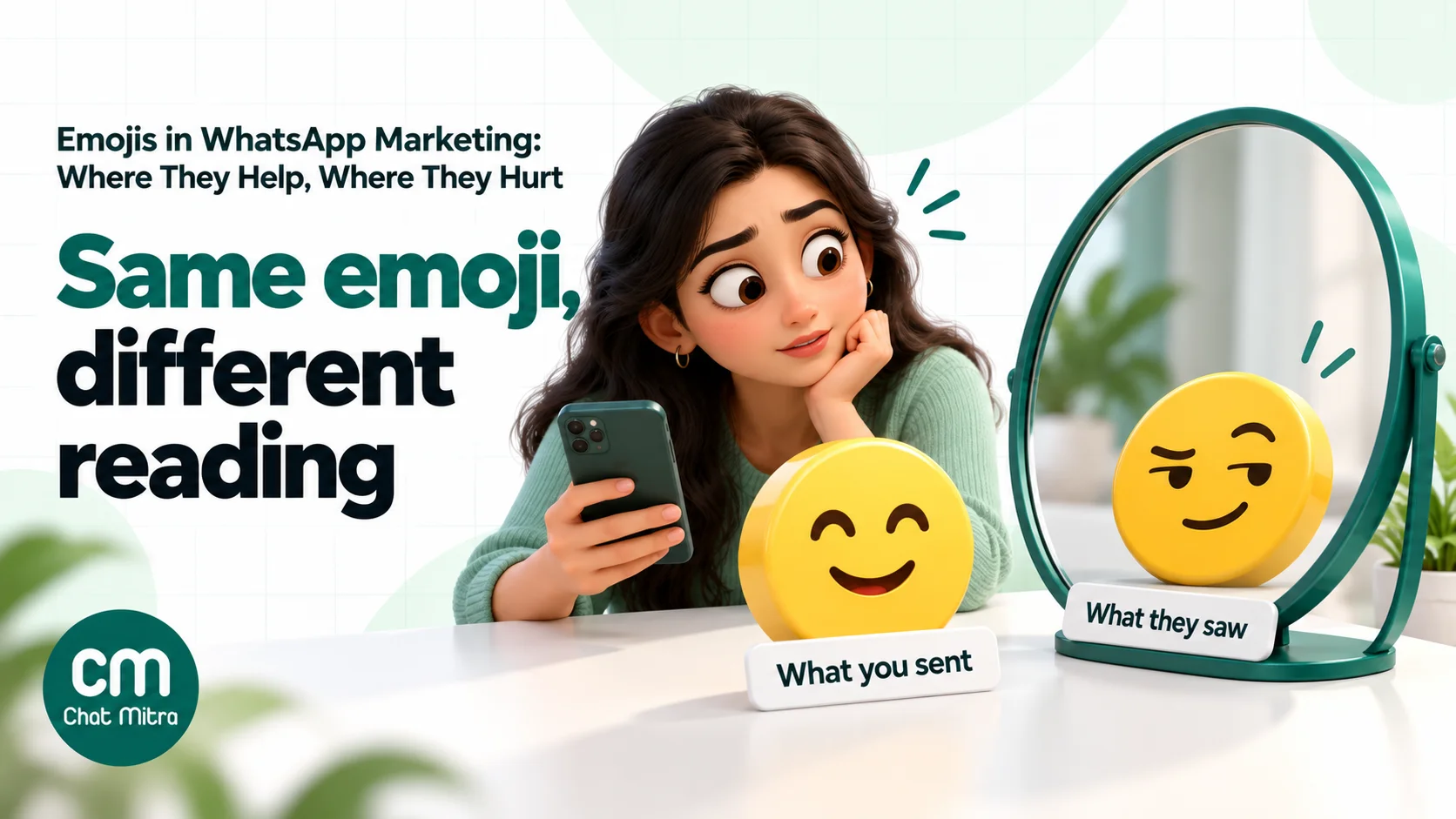
New emojis are a bigger risk. Unicode added nine new emoji characters in version 18.0 in September 2026. Unicode’s emoji standard explains that a phone without a font for a character shows a “missing glyph indicator”, usually an empty box, and that combined emojis a phone doesn’t support fall back to separate emojis shown side by side. Not every customer updates their phone or its software quickly, so keep new emojis out of marketing templates until they’ve been around for a year or two.
Before a large campaign, send the template to a few test phones: one recent Android, one older Android and one iPhone. Check that every emoji renders and that none changes the tone.
Emojis in your profile and display name
Your display name is the first thing customers see in the chat list, and Meta’s display name guidelines are strict: the name must reflect the business name only, “with no advertising or promotional language”. Meta’s guidelines don’t mention emojis, but a name like “Sweet Corner 🍬” adds nothing a customer needs and risks a rejection you then have to wait out. Keep the display name as your plain business name.
The business profile description, “about” text and profile photo are different. They’re yours to style, and a single emoji in the description can help it feel less formal. Keep it to one, and keep the important details (hours, location, website) in words.
What your emoji says to whom
An emoji’s meaning isn’t fixed. A few that businesses use all the time:
| Emoji | What you might mean | How else it’s read |
|---|---|---|
| 🙏 | Thank you | Please, prayer or a respectful greeting such as namaste. Emojipedia notes it’s rarely used as a high five, despite keyboard suggestions |
| 👌 | Perfect, all good | Offensive in some cultures, including parts of Europe, the Middle East and South America (Emojipedia) |
| 👍 | Confirmed | Can come across as passive-aggressive or sarcastic, especially as a reply to a complaint |
| 🔥 | Hot deal | Fine for youth brands; odd from a bank or a hospital |
| 😂 | Funny | Reads as mocking if the customer is upset |
In India, 🙏 is widely used to mean thank you or as a respectful greeting, and it suits most customer messages. For international audiences, check meanings in each market before a campaign, and when an emoji could be misread, use the word instead.
Accessibility: emojis read aloud
Customers who use screen readers hear each emoji’s standard Unicode name: 🙏 is “folded hands” and 🎉 is “party popper”. Oregon State University’s accessibility guidance gives the example of “Happy Birthday! 🎂🎂🎂🎂🎂”, which a screen reader announces as “Happy Birthday! Birthday cake, birthday cake, birthday cake, birthday cake, birthday cake.” The Bureau of Internet Accessibility recommends no more than three emojis per post, though no formal standard sets a number.
For WhatsApp messages this means:
- Don’t stack emojis. One 🎂 is warm; five are noise.
- Put emojis at the end of a sentence, not in the middle, so they don’t break up the meaning.
- Never let an emoji carry information. “Delivery ✅” should be “Delivered ✅”. If a customer can’t see or hear the emoji, the message must still make sense.
- Don’t use emojis as bullet points in long lists. A screen reader announces each one before every line.
Where emojis help, message by message
Here’s how emoji use changes across the messages a business sends on WhatsApp.
| Message type | Emojis? | Example line |
|---|---|---|
| Order confirmation (utility) | One functional emoji | ”Your order #4471 is confirmed. We’ll message you when it ships 📦“ |
| Delivery update (utility) | One functional emoji | ”Your order is out for delivery and should reach you today 🚚“ |
| Appointment reminder (utility) | One functional emoji | ”Reminder: your appointment is on 14 Nov at 11:00 📅“ |
| Payment reminder | None | ”Invoice 8821 for ₹14,200 is due on 30 Nov. Pay using the link below.” |
| Offer or sale (marketing) | One or two | ”Our winter sale starts tomorrow: 20% off all jackets until Sunday ❄️” |
| Festival greeting (marketing) | One festival emoji | ”Wishing you and your family a bright and happy Diwali 🪔“ |
| Back-in-stock alert (marketing) | One | ”The linen shirt you asked about is back in your size 👕“ |
| Thank-you or feedback request | One | ”Thank you for shopping with us 🙏 How was your order?” |
| Complaint reply (service) | None | ”I’m sorry about the damaged item. I’ve arranged a replacement for tomorrow.” |
| Account or security alert | None | Keep it plain, factual and calm |
Notice the pattern. Emojis go where the relationship is warm and the stakes are low. They disappear where customers want reassurance: money, complaints and security. If you send reminders and greetings, our reminder message examples and Diwali and Navratri wishes show complete messages in this style.
Emoji sets by industry and festival
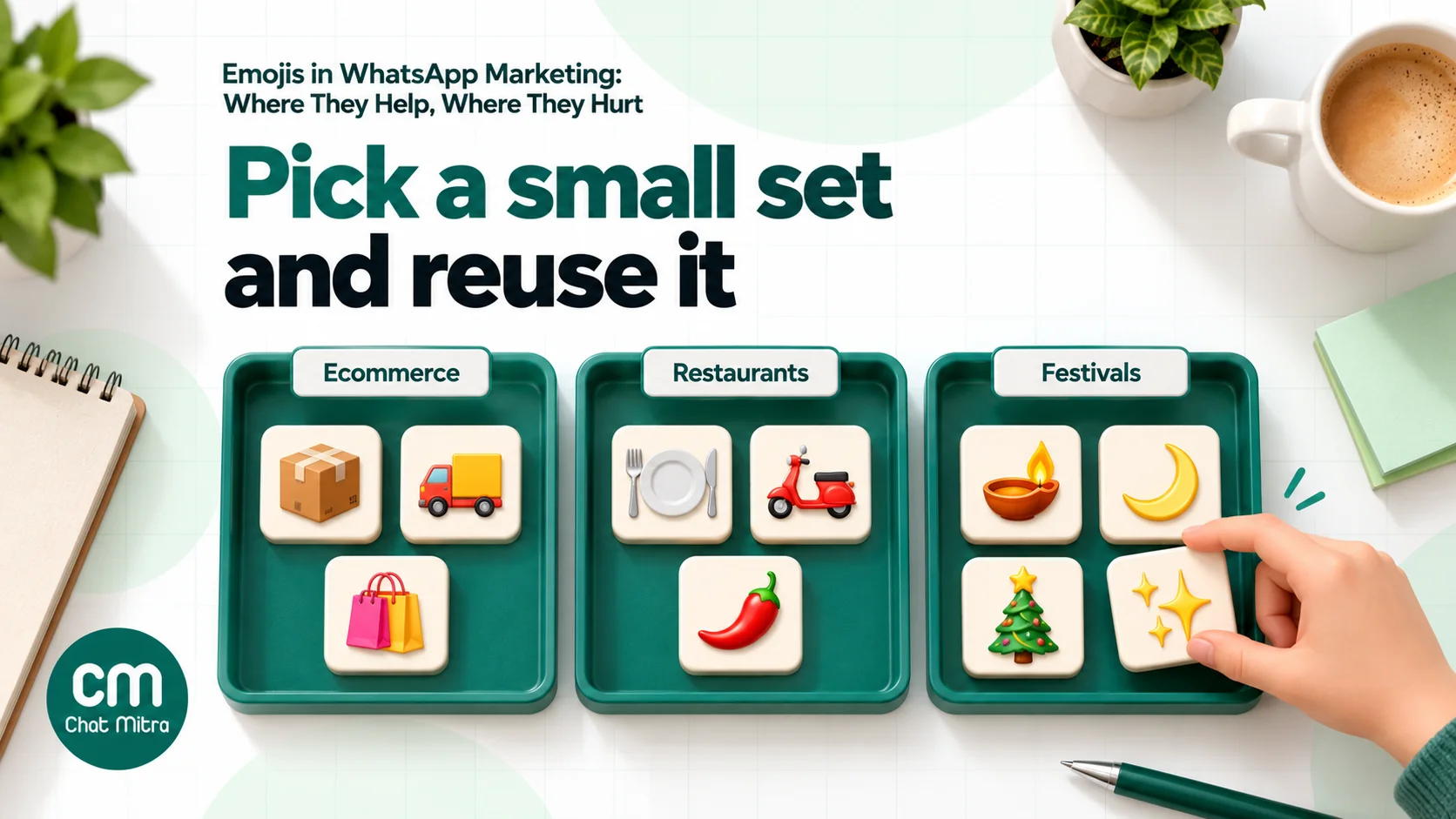
A small, consistent set of emojis becomes part of your brand voice. Pick three to five that fit what you sell and reuse them, rather than reaching for a different one every time.
| Industry | A starting set | Use sparingly or avoid |
|---|---|---|
| Ecommerce and D2C | 📦 🚚 🛍️ ✨ | 💸 and 🤑 near prices |
| Restaurants and food delivery | 🍽️ 🛵 🌶️ ⏰ | Food emojis that don’t match your menu |
| Salons and spas | 💇 💅 📅 🌿 | 😍 on before-and-after messages |
| Education and coaching | 📚 📅 ✏️ 🎓 | 🎉 on exam results until you know the result |
| Travel and hotels | ✈️ 🏨 🧳 🌴 | Weather emojis that may not match the forecast |
| Real estate | 🏡 📍 📅 | 🔥 on prices |
| Healthcare | 📅 and nothing else | Faces, hearts and anything that reads as casual about health |
| Banking, insurance and finance | None, or 📅 for dates | Money emojis, 🔒 used as decoration |
Festivals. Use the festival’s own symbol, once:
- Diwali: 🪔 or ✨
- Holi: 🎨
- Eid: 🌙
- Christmas: 🎄
- New Year: 🎆
- Birthdays and anniversaries: 🎂 or 🎉
For festivals without a matching emoji, use words alone or a general one such as ✨ rather than an emoji from a different tradition. Our Christmas and New Year wishes and birthday wishes for clients have ready-to-adapt examples.
How many emojis is too many?
Use one to three per message, and fewer in anything transactional. That keeps you well below Meta’s unpublished body limit and in line with accessibility advice, and it stops emojis from drowning out the offer.
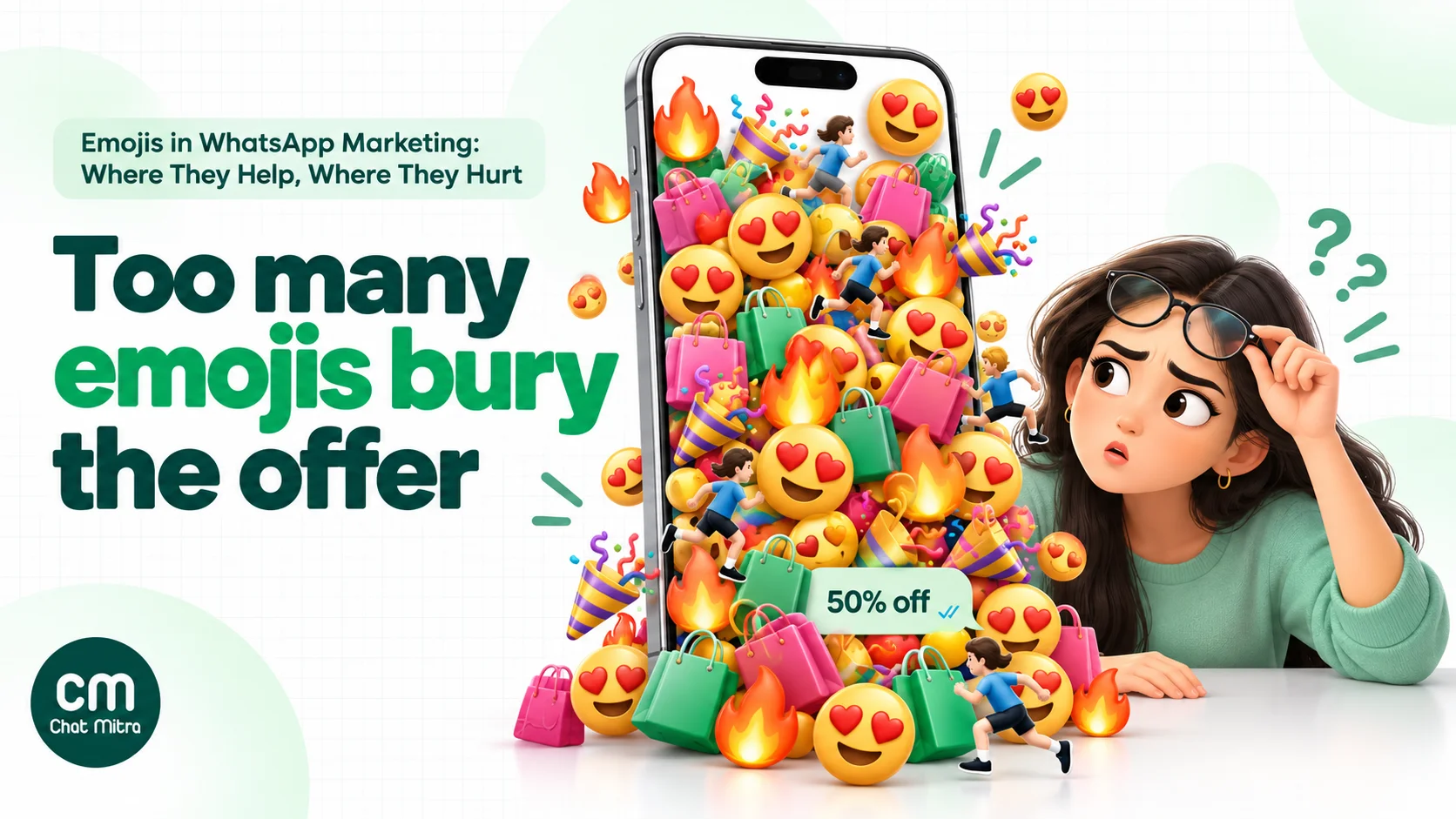
A quick test for every emoji: delete it and reread the message. If nothing is lost, leave it out. If the message feels colder or a date is harder to spot, put it back.
Compare these two versions of the same sale message:
- Too much: ”🔥🔥 MEGA SALE 🔥🔥 Get 50% off 😍🛍️ on everything!! ⏰ Hurry 🏃♀️💨”
- Better: “Our end-of-season sale is on: 50% off everything until Sunday night. Tap below to shop 🛍️”
The second is easier to read, easier to hear on a screen reader and more believable, and it still has a visual cue.
Before and after: four template rewrites
Seeing the same message with and without discipline makes the rules concrete. Each “after” keeps the information, moves emojis to where they help, and stays inside Meta’s component rules.
1. Order shipped (utility)
- Before: Header ”📦 Shipped! 🎉” · Body “Yay!! 🥳 Your order {{1}} is on its way 🚚💨 Track it below 👇👇” · Button ”👉 Track”
- After: Header “Your order has shipped” · Body “Hi {{1}}, your order {{2}} is on its way and should reach you by {{3}} 📦” · Button “Track order”
The header and button are plain text, the celebration is gone (it’s a transaction update, not a promotion), and the one remaining emoji marks what the message is about. The 👇 pointing at the button adds nothing: WhatsApp already shows the button directly below.
2. Weekend offer (marketing)
- Before: ”🔥🔥🔥 WEEKEND DHAMAKA 🔥🔥🔥 Flat 30% OFF 😱😱 on all kurtas 👗👗 Only till Sunday ⏰⏰ Shop now 🛒🛒”
- After: “Hi {{1}}, our weekend sale is on: 30% off all kurtas until Sunday night. Tap below to see this week’s new prints 🛍️”
The offer, the deadline and the action all survive. Twelve emojis became one, and the message no longer looks like spam forwarded from a group.
3. Diwali greeting (marketing)
- Before: ”🪔🪔✨✨🎆🎆 Happy Diwali 🎇🎇🙏🙏 From all of us 💛💛”
- After: “Wishing you and your family a bright, happy and safe Diwali 🪔 Thank you for being part of our story this year.”
One diya carries the festival. The second sentence does what the stacked emojis were trying to do: make the greeting personal.
4. Back in stock (marketing)
- Before: ”😍😍 IT’S BACK 😍😍 The one you loved 💕 is back in stock 🙌 Grab it before it’s gone 🏃♀️”
- After: “Good news, {{1}}: the linen shirt you asked about is back in your size. We’ve kept a few aside until Friday 👕”
The “after” gives a reason to act (sizes held until Friday) instead of borrowing urgency from emojis. If you want more rewrites in this style, see our WhatsApp broadcast message examples.
Test emojis on your own audience
Because the evidence is mixed, the best way to settle the question for your brand is a simple test:
- Pick one recurring message, such as a weekly offer or a back-in-stock alert.
- Create two templates that are identical except for the emojis: version A with none, version B with one or two.
- Split a list into comparable groups of at least a few thousand contacts each, by random assignment rather than by city or signup date.
- Send both at the same time and compare read rate (read ÷ delivered), replies and button clicks after the same period, ideally 48 hours.
- Repeat at least once before deciding. One campaign can be skewed by timing or the offer.
Change only the emojis. If you also change the wording, you won’t know what made the difference. Our guide to A/B testing WhatsApp campaigns covers sample sizes and pitfalls. Calculate read rate as read ÷ delivered, not read ÷ sent.
Keep an eye on read rates in general. Meta’s per-user marketing limits take each person’s recent read rate into account, so messages that annoy people make your next campaign harder to deliver, emojis or not.
Emojis in live chat replies
Templates are only half of WhatsApp. Inside the 24-hour customer service window, your team replies in free-form messages, and emoji habits matter there too. A few rules that keep agents consistent:
- Mirror the customer, one step behind. If a customer writes with emojis, an occasional one in reply feels natural. If they write formally, stay formal.
- No emojis in apologies. “Sorry for the delay 😅” sounds like you don’t take it seriously. Say sorry in words and fix the problem.
- Never answer a complaint with 👍 alone. To an upset customer it can read as dismissive. Confirm what you’ll do: “Thanks for the photos. I’ve arranged a replacement for Thursday.”
- Use emojis to close, not to explain. A 🙏 at the end of a resolved conversation is warm. An emoji in the middle of instructions is a distraction.
- Treat reactions as signals. When a customer reacts to your message with 👍 or ❤️, they’re usually saying “got it, thanks”. There’s no need to reply to a reaction unless something is still open.
Write these into your saved replies, so every agent starts from the same tone.
Write it down: a one-page emoji style guide
Brands that use emojis well usually have a short written rule, so marketing, support and the agency all do the same thing. It needs only six lines:
- Our set: the three to five emojis we use, and what each one means for us (for example 📦 for orders, 📅 for dates, 🙏 for thanks).
- Where they go: body text only, never in headers, footers, buttons or the display name.
- How many: at most one in utility messages, at most three in marketing messages.
- Never in: payment reminders, complaints, apologies, security, health or legal messages.
- Festivals: the one emoji we use for each festival we celebrate with customers.
- Before a big send: check rendering on three phones and read the message aloud as a screen reader would.
Revisit it after each emoji test, and update it when the results tell you something.
Common mistakes
- Emojis instead of words. “Your 📦 is 🚚 today” is a puzzle, not a message.
- Emojis in headers and button labels. Keep them plain to avoid rejections.
- Celebratory emojis in utility templates. They make an order update read like a promotion.
- Emojis in sensitive messages. No emojis in payment reminders, complaint replies, health or security messages.
- New or obscure emojis in big sends. They may show as an empty box on older phones.
- Stacking. Three 🔥 in a row is noise, and a screen reader reads every one.
- Assuming one meaning. 👌 and 👍 don’t read the same everywhere.
- Copying another brand’s set. Your emojis are part of your voice; choose your own few.
Emojis on ChatMitra
ChatMitra runs on the official WhatsApp Business API, so Meta’s template rules apply as described above. Here’s what helps when you write and send messages with emojis.
| ChatMitra advantage | What it means for emojis | How it compares |
|---|---|---|
| ₹0.20 per conversation, never per message | Emojis and replies don’t add to your cost; a customer chatting all afternoon counts once | Per-message platform fees grow with every reply |
| Template builder warnings | You’re warned if you put emojis in a header, footer or button label, or more than 10 in the body | Catch likely rejections before Meta’s review |
| Campaign preview | See the template body with its emojis, bold and line breaks before you send | Check spacing and tone at a glance |
| Emoji picker in the shared inbox | Agents can add an emoji to replies within the 24-hour window | Natural, human replies without copy-pasting |
| Customer reactions shown on messages | When a customer reacts with 👍 or ❤️, the reaction appears on the message in the inbox | Quick feedback without a reply |
| Emoji keywords in Auto Reply (Pro) | A rule can answer an exact emoji message, such as a customer sending 👍 to confirm | Simple confirmations without a bot builder |
| Developer API checks (paid plans) | The API rejects emoji-only parameter values, more than 10 emojis in a parameter and emojis in interactive button titles before the request reaches Meta | Clear errors instead of failed sends |
| Tags for A/B groups | Tag two comparable groups and send each its own template version | Test emojis on your own audience |
| Enterprise (₹2,499/month) removes the fee | High-volume senders pay a flat platform fee | Starter is free; Pro is ₹999/month |
Good to know:
- The template builder has no emoji picker. Paste emojis into the body from your keyboard.
- The warnings don’t block submission; Meta’s review has the final say. The header warning can also appear for symbols such as ₹ or curly quotes; you can still submit those.
- The character counter counts most emojis as 2 characters, so a body near the limit has slightly more room than it shows. The 10-emoji warning doesn’t count every emoji (for example ✅, ✨ or 🪔).
- Auto Reply matches the exact emoji. ❤️ and ❤ are different characters, and skin-tone variants of 👍 don’t match plain 👍, so add each variant as a keyword. A reaction doesn’t trigger an Auto Reply rule.
- Reactions from customers show in the web inbox; agents can’t send reactions from the web dashboard.
- Check the pricing page for what your plan includes.
Where to start
Open your three most-sent templates. Remove every emoji from the header, footer and buttons, cut the body to one to three emojis that each do a job, and take emojis out of anything about money, complaints or security. Choose a small emoji set for your brand and write it into your style guide. Then pick one recurring marketing message and test it with and without emojis over two sends. You’ll have a better answer for your audience than any statistic in a blog post, this one included.
Sources
- Meta for Developers: Template components, Template review, Template categorization, Interactive reply buttons, Interactive list messages, Per-user marketing limits; Meta Business Help Center: WhatsApp message templates, Display name guidelines. All read on 22 October 2026.
- Li, X., Chan, K. W. and Kim, S. (2019). Service with Emoticons: How Customers Interpret Employee Use of Emoticons in Online Service Encounters. Journal of Consumer Research, 45(5), 973–987.
- Glikson, E., Cheshin, A. and van Kleef, G. A. (2018). The Dark Side of a Smiley. Social Psychological and Personality Science, 9(5), 614–625.
- Nielsen Norman Group: Emojis in Email Subject Lines: Advantage or Impediment? (Kim Flaherty, 28 June 2020).
- Emojipedia: WhatsApp emoji designs, WhatsApp releases its own emoji set (2017), Folded hands, OK hand, Thumbs up.
- Unicode Consortium: Announcing the Unicode Standard, Version 18.0 (16 September 2026); UTS #51: Unicode Emoji.
- Oregon State University: Emoji accessibility best practices; Bureau of Internet Accessibility: Emojis and web accessibility best practices (24 February 2025).