Personalized WhatsApp messages are broadcasts in which each customer sees content that fits them: their name, the product they bought, their city’s delivery date, the points they’re about to lose. On the WhatsApp Business Platform, this works through approved templates with variables. You write the message once, Meta approves it, and your platform fills in each customer’s details at send time.
The name is the least interesting part. The broadcasts that work best change who receives a message as much as what it says. This guide covers both layers: the template rules Meta enforces, the fallbacks that stop broken messages, how to plan segment-level copy, and ten worked examples. It ends with the costs, which personalisation doesn’t change.
Using ChatMitra? In the campaign builder, pick an approved template, then map each
{{n}}to a contact attribute ($name,$city, or any column you imported from CSV) and set Alt text as the fallback. Choose the audience by tags, send a test to your own number, then schedule. Jump to Personalising broadcasts on ChatMitra.
How WhatsApp personalisation works
Three pieces work together whenever you send a personalised WhatsApp broadcast:
- An approved template. Outside the 24-hour window that opens when a customer messages you, a business can only start a conversation with a template that Meta has reviewed. The template holds the fixed words plus numbered placeholders,
{{1}},{{2}}, and so on. - Contact data. Each recipient’s record holds the values: name, city, last product, order date, plan, points balance. In most platforms these come from your store integration, a CSV import, or fields your team fills in.
- A mapping. For each campaign, you tell the platform which field fills which variable, and what to use when a field is empty.
The template is reviewed once; the values never are. That’s why the template has to read well with any plausible value, and why you, not Meta, are responsible for the data that goes into it.
| Layer | What changes | Example | Who controls it |
|---|---|---|---|
| Segment | Who receives the message | Repeat buyers of face serum in Mumbai | You, through tags and filters |
| Template | The fixed wording and structure | ”Hi {{1}}, your {{2}} usually runs out around now…” | You write it; Meta approves it |
| Variables | The words that differ per person | ”Priya”, “Vitamin C serum” | Your contact data, filled at send time |
| Media | The image, video or document in the header | A product photo | Usually one file per campaign |
Segment first, then personalise
The most common personalisation mistake is putting a first name on a message that the person shouldn’t have received. “Hi Rahul, our new running shoes are here!” isn’t personal if Rahul has only ever bought kurtas.
So start with the audience:
- Purchase history: what they bought, how often, how long ago.
- Lifecycle stage: new subscriber, first-time buyer, repeat customer, lapsed customer, VIP.
- Location and language: city for delivery dates and store events, language for the template itself.
- Engagement: who replied, who read, who hasn’t responded to the last few broadcasts.
- Stated preferences: categories they chose, sizes, opt-ins to specific message types.
Each segment then gets its own message, and variables handle the details within it. Three well-chosen segments with simple names in the copy usually beat one huge list with five variables.
A quick rule for how many variables to use: one to three per message. The name, one detail that proves you know them (product, date, city), and maybe one value they care about (points, amount, expiry). Beyond that the template gets hard to approve, hard to read, and fragile when data is missing.
Template variables: the rules Meta enforces
Meta reviews every template before you can send it. Most rejections of personalised templates come from how the variables are written, not from what the message says.
| Rule | Why Meta enforces it | Do this |
|---|---|---|
| The body can’t start or end with a variable | Meta calls these “dangling parameters”; a blank value would leave a broken sentence | Add words before the first variable and a short sentence after the last |
Variables are numbered in order: {{1}}, {{2}}, {{3}} | Gaps or jumps ({{1}}, {{3}}) are a formatting error | Renumber after every edit |
| Not too many variables for the length | A message that’s mostly placeholders tells the reviewer nothing | Keep more fixed words than variables |
| Every variable needs a realistic sample | The reviewer judges the message from the samples | Use “Priya” and “ORD-4521”, not “name” or “xxx” |
| No #, $ or % in sample values | Meta lists them as special characters to avoid in parameters | Keep symbols in the fixed text: “order #{{1}}” becomes “order {{1}}” with sample “4521” |
| Body up to 1,024 characters | Platform limit | Shorter is better on a phone anyway |
| A URL button can carry one variable, at the end of the link | Lets each customer get their own tracking or offer link | Sample the full link, e.g. https://example.com/track/ORD4521 |
Meta also supports named parameters, such as {{first_name}}, as an alternative to numbers. Names must be unique and use only lowercase letters and underscores, and you still give an example value for each. They’re easier to read, but not every platform supports them. Positional {{1}}, the default when no format is chosen, works everywhere.
Two rules are often quoted but don’t appear in Meta’s current documentation: a ban on two variables side by side, and a fixed ratio of words to variables. Treat them as good habits rather than hard rules. Keep at least a word between variables, and keep the fixed text longer than the placeholders.
Category still applies. Adding a name to an offer doesn’t make it a service message. A message that promotes a product, sale or new launch is a marketing template, however personal it is. A message about a specific order or account, with no promotion, can be utility. Put a discount code into an order update and it becomes marketing, at a higher price.
Where variables can go in a template
The body isn’t the only place you can personalise. Each part of a template has its own limits:
| Template part | Can it be personalised? | Limits to know |
|---|---|---|
| Text header | Yes, one variable | 60 characters; no Markdown symbols |
| Media header (image, video, document) | The file is chosen at send time | A sample is required at submission |
| Body | Yes, several variables | 1,024 characters including the filled-in values |
| Footer | No, treat it as fixed text | 60 characters |
| URL button | One variable at the end of the link | Full URL up to 2,000 characters; percent-encode special characters in the value |
| Copy-code button | The coupon code is set at send time | Up to 20 characters; marketing templates only |
| Limited-time offer | The expiry time is set at send time | Marketing only; body up to 600 characters; no footer |
| Carousel cards | Each card’s body and buttons can carry variables | 2 to 10 cards; send exactly as many cards as the template defines; card text up to 160 characters |
| Authentication templates | The code only | Parameters up to 15 characters; no URLs, media or emoji |
Two of these are especially useful for personalisation. A URL button with a variable gives every customer their own link (their order page, their cart, their referral code) without a long URL in the text. A copy-code button puts a unique coupon in one tap, which you can then trace to the customer who used it.
Plan your fallbacks before you send
Every variable will be empty for someone. The name field is blank because the contact came from a checkout without one. The city is missing for older contacts. The CSV column you added last month exists only for new imports.
Decide in advance what each variable should say when the data is missing:
| Variable | Good fallback | Why |
|---|---|---|
| First name | ”there" | "Hi there” reads naturally; “Hi customer” doesn’t |
| Product | ”your last order” | Keeps the sentence true without the detail |
| City | ”your area” | Avoids naming the wrong place |
| Date | Remove the variable from that segment’s template | A vague date (“soon”) on a utility message can mislead |
| Points or amount | Exclude contacts without a value | A wrong number is worse than no message |
Three habits prevent most broken broadcasts:
- Clean the data before the campaign. Fix names in capitals (“PRIYA SHARMA”), remove emoji and stray quotation marks from imported fields, and format dates and amounts as text (“12 October”, “₹2,400”).
- Split by data completeness. If 30% of a segment has no product field, send that 30% a different template, not a vaguer version of the same one.
- Test with an incomplete contact. Send the campaign to a test contact with an empty field and check what arrives.
What to personalise, and what to leave alone
Worth personalising:
- Name. Expected, so its absence is noticed more than its presence. Use the first name only.
- Last product or category. The strongest signal that the message is about them.
- Time-based details: order date, renewal date, days since the last visit, points expiry date.
- Location: delivery promise by city, nearest store, local event.
- Value they hold: points balance, wallet credit, an amount due. Double-check these, because errors cost trust.
- Their own link: a URL button with their order, cart or coupon at the end.
Language. A WhatsApp template exists in one or more languages under the same name, and each language version is reviewed separately. If your customers prefer Hindi, Gujarati or Tamil, submit that language version and choose it for the segment, instead of translating a variable inside an English template. Keep variable values in the same script as the template around them.
Leave out:
- Sensitive details: health conditions, religion, income, full account or card numbers.
- Anything that reveals tracking they didn’t expect (“we saw you looked at this three times”).
- Personal data in places others may see, such as lock-screen previews of outstanding debts.
- Guessed attributes such as gender or age inferred from a name.
10 personalised WhatsApp message examples
Each example shows the template with variables, the samples you’d submit, and the category. Adapt the wording to your brand; keep the structure.
1. Replenishment reminder (marketing) “Hi {{1}}, your {{2}} usually lasts about a month, and it’s been {{3}} days since your order. Reorder in two taps below, or reply if you’d like a different size.” Samples: Priya · Vitamin C serum · 28
2. Back in stock, for people who asked (marketing) “Good news, {{1}}! The {{2}} in size {{3}} is back in stock. We’re holding it for the next 24 hours for customers who asked to be told.” Samples: Arjun · linen shirt · M
3. Points expiry (marketing) “Hi {{1}}, you have {{2}} points that expire on {{3}}. Use them on your next order, and they come off at checkout automatically.” Samples: Meera · 450 · 31 October
4. Order shipped (utility) “Hi {{1}}, your order {{2}} has shipped and should reach you by {{3}}. Track it with the button below.” Samples: Rahul · ORD-4521 · 15 October. URL button: https://example.com/track/{{1}}
5. Appointment reminder (utility) “Hi {{1}}, this is a reminder of your appointment at {{2}} on {{3}}. Reply 1 to confirm or 2 to reschedule.” Samples: Anita · our Andheri clinic · 18 October, 4:30 pm
6. Win-back for lapsed buyers (marketing) “Hi {{1}}, it’s been a while since your last order of {{2}}. Here’s a code for 15% off your next one, valid this week: use it at checkout.” Samples: Sandeep · cold-pressed oils
7. City event invitation (marketing) “Hi {{1}}, we’re hosting a weekend trial event at our {{2}} store on {{3}}. Reply YES and we’ll save you a slot.” Samples: Kavya · Koramangala · Saturday, 26 October
8. Course renewal (marketing) “Hi {{1}}, your {{2}} membership ends on {{3}}. Renew this week to keep your batch timing and progress.” Samples: Nikhil · yoga · 30 November
9. Payment due (utility) “Hi {{1}}, this is a reminder that your invoice {{2}} for {{3}} is due on {{4}}. Pay securely with the button below.” Samples: Deepak · INV-2207 · ₹4,800 · 25 October
10. Festival greeting with a personal touch (marketing) “Happy Diwali, {{1}}! Thank you for shopping with us since {{2}}. Your festive gift is waiting at checkout this week.” Samples: Fatima · 2024
Example 6 shows why categories matter: the discount makes it marketing even though it reads like a personal note. Example 9 stays utility because it’s about a specific invoice and has no offer.
Personalising broadcasts on ChatMitra
ChatMitra runs on the official WhatsApp Business API. It fills template variables from each contact’s record at send time, in the body, a text header and URL buttons.
| ChatMitra advantage | What it means for your broadcasts |
|---|---|
| Any contact field can fill a variable | Name, mobile, email, address, city, country, pincode, notes and tags, plus every extra column you import from CSV |
| Alt text per variable | A fallback such as “there” is used whenever that contact’s field is empty, and retries reuse the same fallback |
| Variables in URL buttons too | Put $order_id or a coupon field into the dynamic part of a link so each customer gets their own page |
| Audiences by tags | Include and exclude tags to build each segment, so every group gets its own template |
| Template builder checks | Blocks a body that starts or ends with a variable, goes over 1,024 characters, or carries more than 20 variables, before you submit |
| Test before you launch | Send the campaign to your own number and check the filled-in message |
| ₹0.20 per conversation, never per message | Personalisation adds nothing to the fee, and Meta’s rates are passed through at cost |
How to set it up:
- Bring the data in. Import contacts from CSV (extra columns such as
last_productorpoints_balancebecome custom fields), or connect Shopify or WooCommerce. - Tag your segments. For example,
serum-buyers,lapsed-90d,vip. - Create the template with positional variables and realistic samples, and wait for approval.
- Create the campaign. Pick the template, then for each variable type or select an attribute, such as
$name, and open Alt to set the fallback. - Choose the audience by including and excluding tags.
- Send a test to your own number, using a contact with an empty field if you can.
- Schedule or send.
Good to know:
- If a field is empty and you haven’t set Alt text, ChatMitra sends the raw token (for example “$name”). Always set Alt text.
- The media header is one file per campaign: image (up to 5 MB), video (up to 15 MB) or document (up to 100 MB). Run one campaign per segment to show different products.
- Opted-out contacts aren’t removed automatically, so keep a
do-not-messagetag and exclude it from every campaign. - A running campaign can’t be stopped, so test first.
What personalised broadcasts cost
Personalisation doesn’t change the price of a message. Meta charges per delivered template by category and the recipient’s country. In India, from 1 October 2026:
| Charge | India rate | Personalisation changes it? |
|---|---|---|
| Marketing template (Meta) | ₹0.8631 per delivered message | No |
| Utility template (Meta) | ₹0.115 per delivered message | No, unless an offer turns it into marketing |
| Service replies inside the 24-hour window (Meta) | First 1,000 a month per number free, then ₹0.115 | No |
| ChatMitra fee | ₹0.20 per conversation (once per customer per 24 hours) | No |
A worked example: a skincare brand sends a replenishment reminder (marketing) to 2,000 customers who bought a serum 25–35 days ago.
- Meta: 2,000 × ₹0.8631 = ₹1,726.20.
- ChatMitra: 2,000 conversations × ₹0.20 = ₹400, minus any of the Pro plan’s 1,000 included credits.
- Replies within 24 hours: no extra ChatMitra fee, because they’re part of the same conversation. Meta’s service replies are free within the monthly 1,000.
Sending the same message to the whole list of 10,000 would cost five times as much, mostly to people who don’t need serum this week. That’s the real financial case for personalisation: you pay less by sending to fewer, better-chosen people.
When a personalised message fails to send
An approved template can still fail at send time, usually because of the values you put into it. The errors Meta returns point to the cause:
| Error | What it means | Usual personalisation cause |
|---|---|---|
| 132000 | The number of parameters doesn’t match the template | A variable was left unmapped, or the template was edited and the campaign wasn’t |
| 132012 | Variable parameter values are formatted incorrectly | A value in the wrong format for that parameter |
| 132018 | There’s an issue with the parameters (API v23.0 and later) | Problem values, such as line breaks pasted into a field |
| 131049 | Not delivered “to maintain healthy ecosystem engagement” | Meta’s per-user limit on marketing messages, not your content |
| 131050 | The user has opted out of marketing messages from you | Remove them from future marketing segments |
Two points about these errors.
Line breaks and tabs in values often trigger send errors. Meta doesn’t spell out this rule in its documentation, but platforms widely report it. Clean imported fields so each value is a single line.
Per-user marketing limits aren’t about personalisation. WhatsApp may limit how many marketing templates a person receives from all businesses, based on how recently they’ve read marketing messages and how many are waiting in their inbox. Marketing messages sent inside an open 24-hour customer service window don’t count towards the limit. Meta advises waiting at least 24 hours before resending, because repeated retries can make further delivery to that person unavailable for up to a day. Better targeting helps here too: a person who reads your messages is more likely to receive the next one.
Category can change after approval. If Meta decides a utility template is really marketing (for example, because it contains a promotion), it re-categorises it, usually with a day’s notice. Repeated misuse can lead to utility limits and, eventually, all your utility templates being treated as marketing. Keep personal touches out of the promotional zone in utility messages.
How to measure whether personalisation works
Delivered and read counts show the message arrived. They don’t show it worked. Measure against a business outcome:
- Pick one outcome per campaign: reorders, bookings, renewals, replies.
- Hold out a control group. Send the generic version to a random 10–20% of the segment, and the personalised version to the rest.
- Compare outcome rates after a fixed window, such as seven days for reorders.
- Watch the negative signals: blocks, opt-out replies, and a falling quality rating mean the message wasn’t welcome, however personal it was.
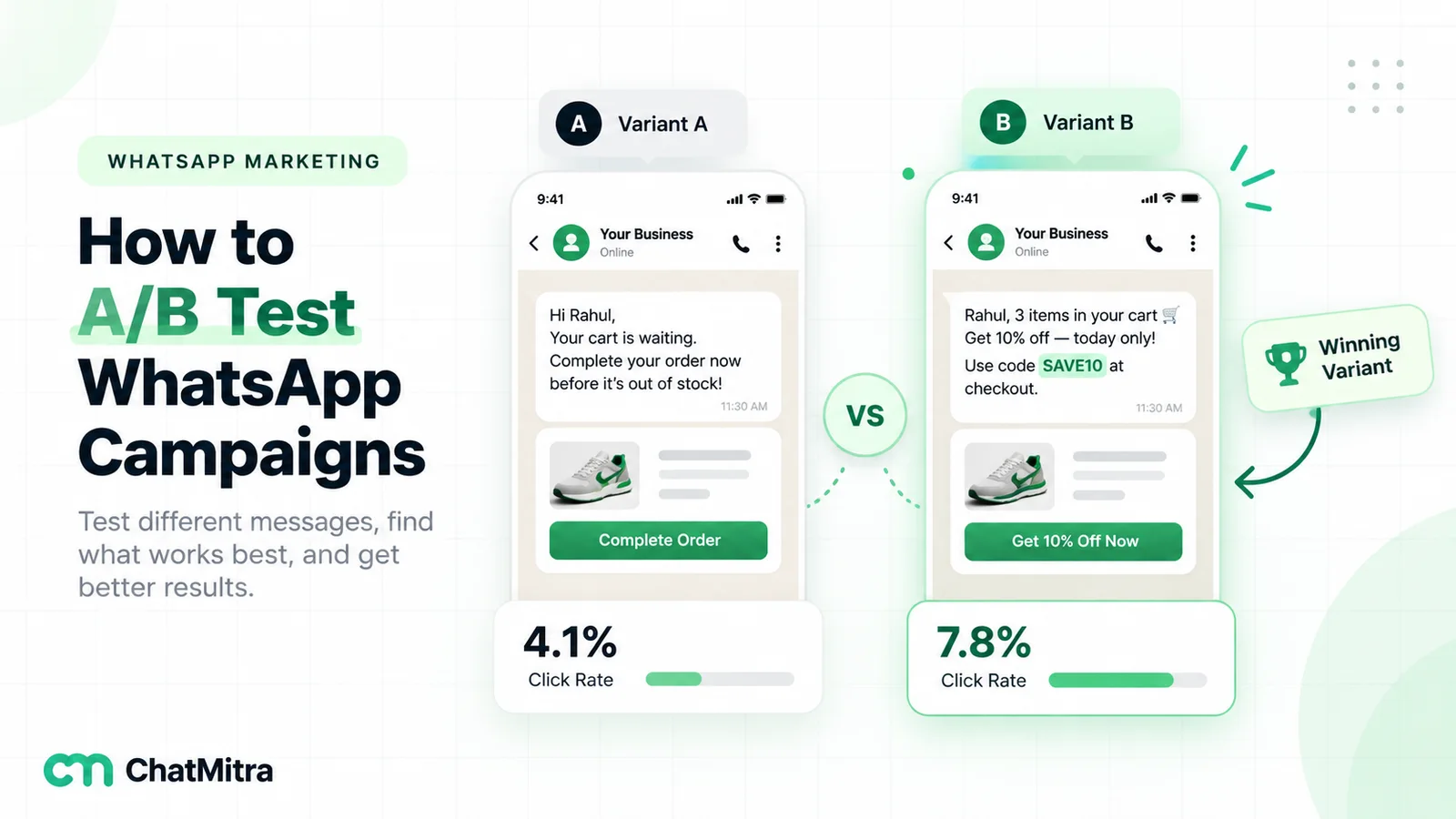
- Change one thing at a time. Name versus no name, product versus category, morning versus evening.
Read receipts can be switched off by users, so read rates understate real reads. Treat them as a rough signal.
Common mistakes
- “Hi {{1}}” on a mass offer. A name doesn’t rescue an irrelevant message.
- Stale data. A “last product” from two years ago, or a points balance from last month’s export.
- No fallback. “Hi , your order…” or a raw placeholder in front of thousands of customers.
- Over-personalising. Six details in one message feels like surveillance, not service.
- Offers in utility templates. They become marketing and cost more.
- Skipping consent. WhatsApp’s policy requires opt-in before you message people, and blocks from unwanted messages lower your quality rating and sending limits.
Sources
- Meta: WhatsApp Business Platform pricing (updated 30 September 2026) and the INR rate card effective 1 October 2026; WhatsApp Business Messaging Policy.
- Meta for Developers, WhatsApp Business Platform documentation: templates overview (named and positional parameters), template review (parameter formatting and samples), template components (character limits and buttons), template categorisation, per-user marketing limits, coupon, limited-time offer and carousel templates, and error codes.
- ChatMitra’s campaign builder, contact import and pricing page (22 October 2026).
Start with one segment
Pick the segment where a personal detail clearly helps the customer: a replenishment date, an expiring balance, a shipped order. Write one template with two variables and a fallback for each, then test it on your own phone. For the broadcast basics, see our WhatsApp broadcast message examples and the difference between broadcast lists and API broadcasts. Collect consent properly with our WhatsApp opt-in guide, and test copy changes with A/B testing for WhatsApp campaigns. Compare plans on ChatMitra’s pricing page.