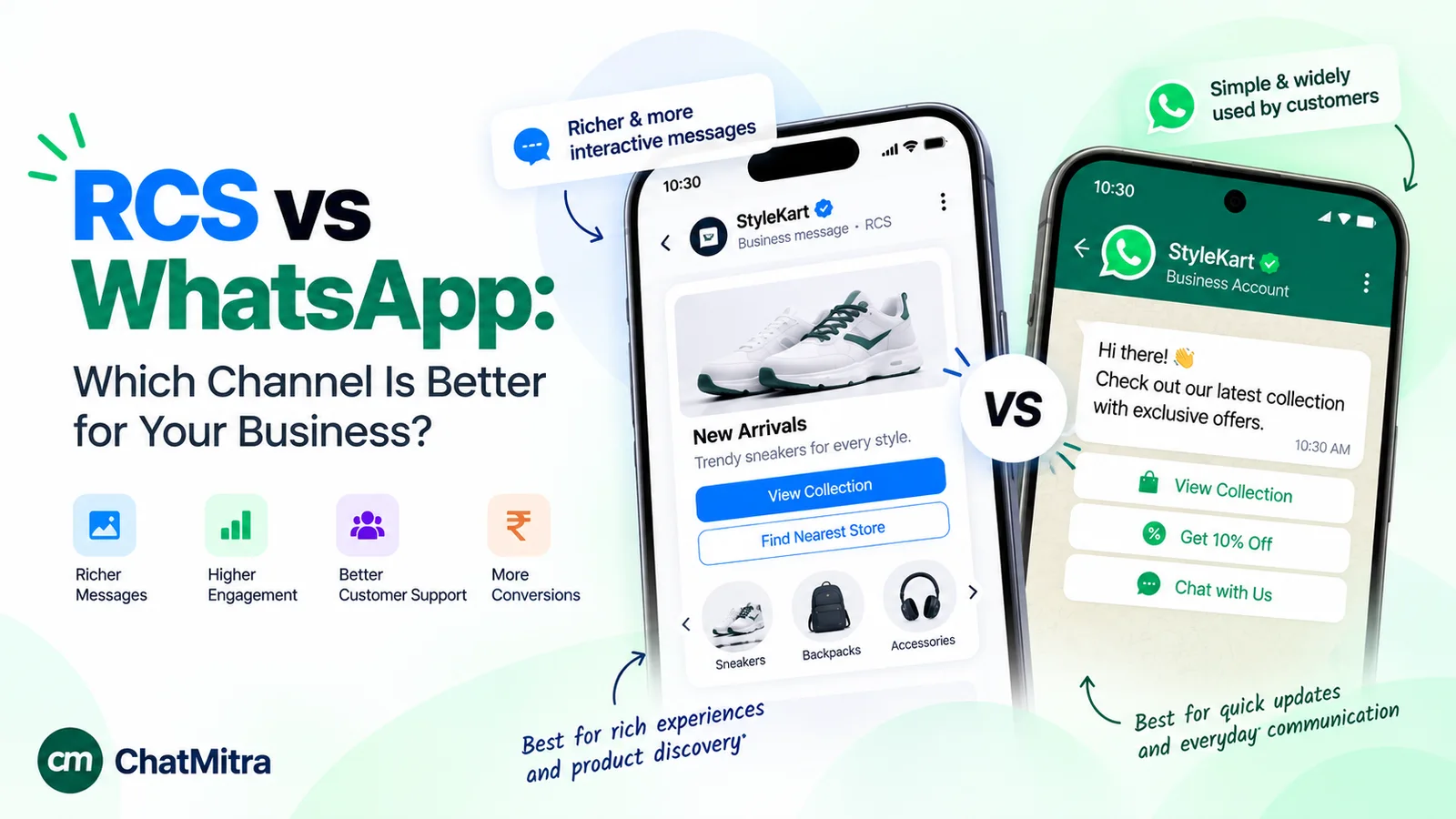
RCS is better for reaching people in their phone’s built-in Messages app without an extra download, with SMS as the fallback. WhatsApp is better for two-way conversations that customers can start themselves, and for keeping sales and support in one thread. In India, promotional RCS is capped per person and limited to 7 AM–10 PM, while WhatsApp needs opt-in and limits marketing messages per person.
Both channels now look alike on a phone screen: a branded sender, images, buttons, read receipts. The differences show up in who can receive the message, who is allowed to speak first, what it costs, and what the rules let you send. This guide compares RCS business messaging and the WhatsApp Business Platform on those points, with India’s rules where they differ from the rest of the world, and ends with a practical way to use both.
Key takeaways
- RCS reaches phones through the carrier. WhatsApp reaches people who have installed WhatsApp.
- On RCS the business always speaks first. On WhatsApp either side can.
- Pick the channel per message type, not per company.
RCS vs WhatsApp at a glance
| Point | RCS business messaging | WhatsApp Business Platform |
|---|---|---|
| Where the message lands | The phone's built-in Messages app | The WhatsApp app |
| What the customer needs | RCS switched on, on a handset and network that both support it | The WhatsApp app, mobile data or Wi-Fi, and their permission to hear from you |
| Who can start the chat | Only the business | The customer or the business (business-first messages must be approved templates) |
| If the message can't be delivered as rich | Fall back to SMS | No built-in fallback; use another channel |
| Sender identity | Brand name, logo and a verification checkmark after brand verification | Display name and profile; a blue checkmark for Official Business Accounts |
| Pricing | Set by carriers and your provider; per message or per conversation, depending on the agent's billing category | Per delivered message, by category and country, on Meta's public rate card |
| India-specific limits | Promotional agents capped per person per 28 days; business-initiated messages only 7 AM–10 PM | Opt-in required; per-person marketing limits set by WhatsApp |
| Encryption for business chats | Encrypted in transit to and from Google's servers, not end to end | Signal protocol; not treated as end to end when the business uses certain optional Meta services |
What is RCS business messaging?
RCS (Rich Communication Services) is the carrier standard that upgrades SMS. On a phone with RCS switched on, texts can carry high-quality images, typing indicators and read receipts. Google runs the business side of it, called RCS for Business (earlier, RCS Business Messaging or RBM).
A business sends RCS messages through an agent: a branded sender with a name, logo, colour and description. Google’s documentation describes the flow simply. Something happens, such as a package shipping, and “your agent sends the first message when it receives an external trigger that you configure.” The customer sees it in the Messages app and can reply, tap a suggestion or share a location (Google, how RCS for Business works).
Before an agent can reach customers, it goes through two approvals. Brand verification: an authorised person at the brand confirms the agent’s details and the right to manage it on the brand’s behalf. After launch, Google says “Google Messages automatically displays a verification checkmark next to the agent’s name” (Google, brand verification). Launch approval is given per carrier network. Some launches are managed by Google and some directly by the carrier, and Google warns that certain carriers “will reject your launch if they have no contract in place with you” (Google, verify and launch your agent).
Every agent must also declare one use case: OTP, transactional, promotional or multi-use. The use case decides what the agent may send. A transactional agent, for example, “can’t include” offers, promotions, discounts or upgrades (Google, agent use cases and business rules). Most businesses don’t build this themselves. They go through a messaging provider that is a Google partner and already has carrier agreements.
What is WhatsApp business messaging?
WhatsApp has two business products. The WhatsApp Business app is a phone app for a small team replying by hand. The WhatsApp Business Platform (the API) is for businesses that send at volume, connect a CRM or website, or run a shared team inbox, usually through a provider.
The Platform works around a customer service window. Meta explains that “when a WhatsApp user messages you or calls you, a 24-hour timer called a customer service window starts.” While it’s open, you can send normal messages. After it closes, “you can only send pre-approved template messages” (Meta, send messages). Templates are reviewed by Meta and priced by category: marketing, utility or authentication.
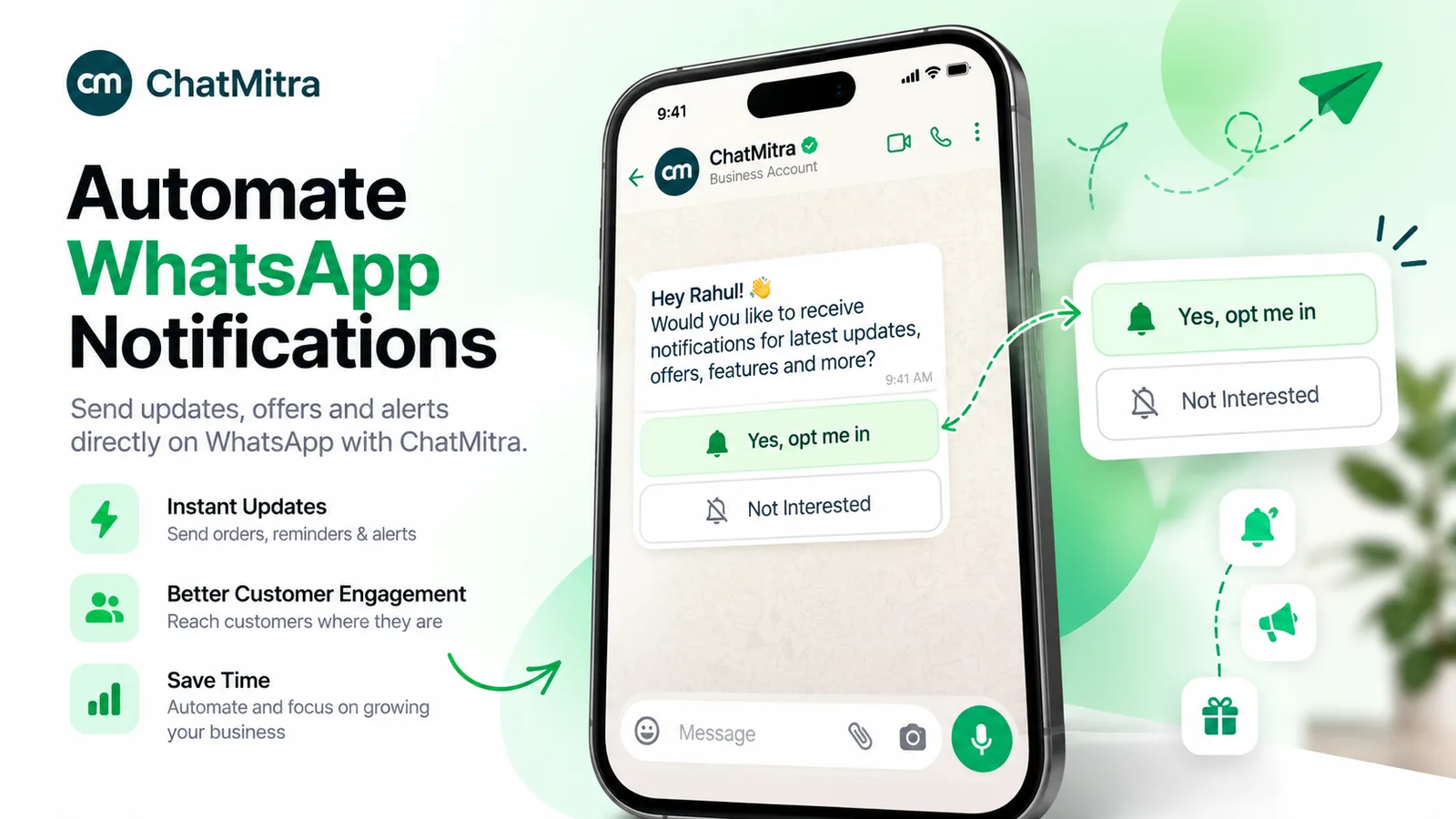
Consent is a requirement, not a courtesy. Meta says “businesses are required to obtain opt-in before messaging people on WhatsApp,” and the opt-in must name your business (Meta, get opt-in for WhatsApp). Our WhatsApp opt-in guide covers the wording and the places to collect it.
Who can you reach on each channel?
Reach is where the two channels differ most, and where generic comparisons are least useful. The honest answer depends on your customers’ phones and carriers.
RCS needs three things to line up: the phone supports RCS, the carrier supports it, and RCS is switched on. When they don’t, Google says the platform “returns a 404 error, and the agent should fall back to another technology, such as SMS” (Google). Your provider checks capability before sending, so every campaign has an RCS share and an SMS share.
iPhone depends on the carrier. Apple says “To use RCS, you need iOS 18 and a cellular plan from a carrier that supports RCS messaging on iPhone,” and that “Availability varies by region and carrier.” iPhone users can also turn RCS business messages off, and can report a message as junk (Apple Support, RCS on iPhone).
India, carrier by carrier. When we checked on 28 September 2026:
- Reliance Jio was the only Indian carrier on Apple’s list with “RCS messaging” for iPhone. Airtel and Vi were listed without it (Apple, carrier features in the Middle East and India).
- Airtel announced a partnership with Google on 1 March 2026. Its business messages “can be directly viewed in Google Messages, available on most Android phones” (Airtel press release).
- For Vi, and for Android phones that use a different default messaging app, ask your provider for its measured RCS reach on your own contact list.
WhatsApp needs the app and data. It reaches anyone who has installed WhatsApp, on any phone and any carrier, but only over an internet connection. If a number isn’t on WhatsApp, the message fails with error 131026 (“Unable to deliver message”), and Meta’s suggested fix starts with contacting the person by “a non-WhatsApp communication method” (Meta, error codes). Consent narrows the list too: you can only message people who opted in.
So neither channel reaches “everyone”. RCS reach is set by the phone and the carrier. WhatsApp reach is set by the app and your opt-in list. Test both on a sample of real customers before you commit a budget.
Who can start the conversation?
This point matters more than any feature list, and many comparisons skip it.
On RCS, Google is explicit: “Users can’t start conversations with your agent, but once the agent starts a conversation, the user can reply at any time” (Google). A customer can’t find your RCS agent and write to it cold. RCS works as an outbound channel with a reply path.
On WhatsApp, customers message you whenever they like. They can type your number, tap a wa.me link or QR code, or tap an ad; WhatsApp’s own help page describes people choosing “to start a chat with a business after interacting with their ad on Facebook and Instagram” (WhatsApp Help Center, encryption and business chats). Each customer message opens a 24-hour window in which your replies don’t need a template.
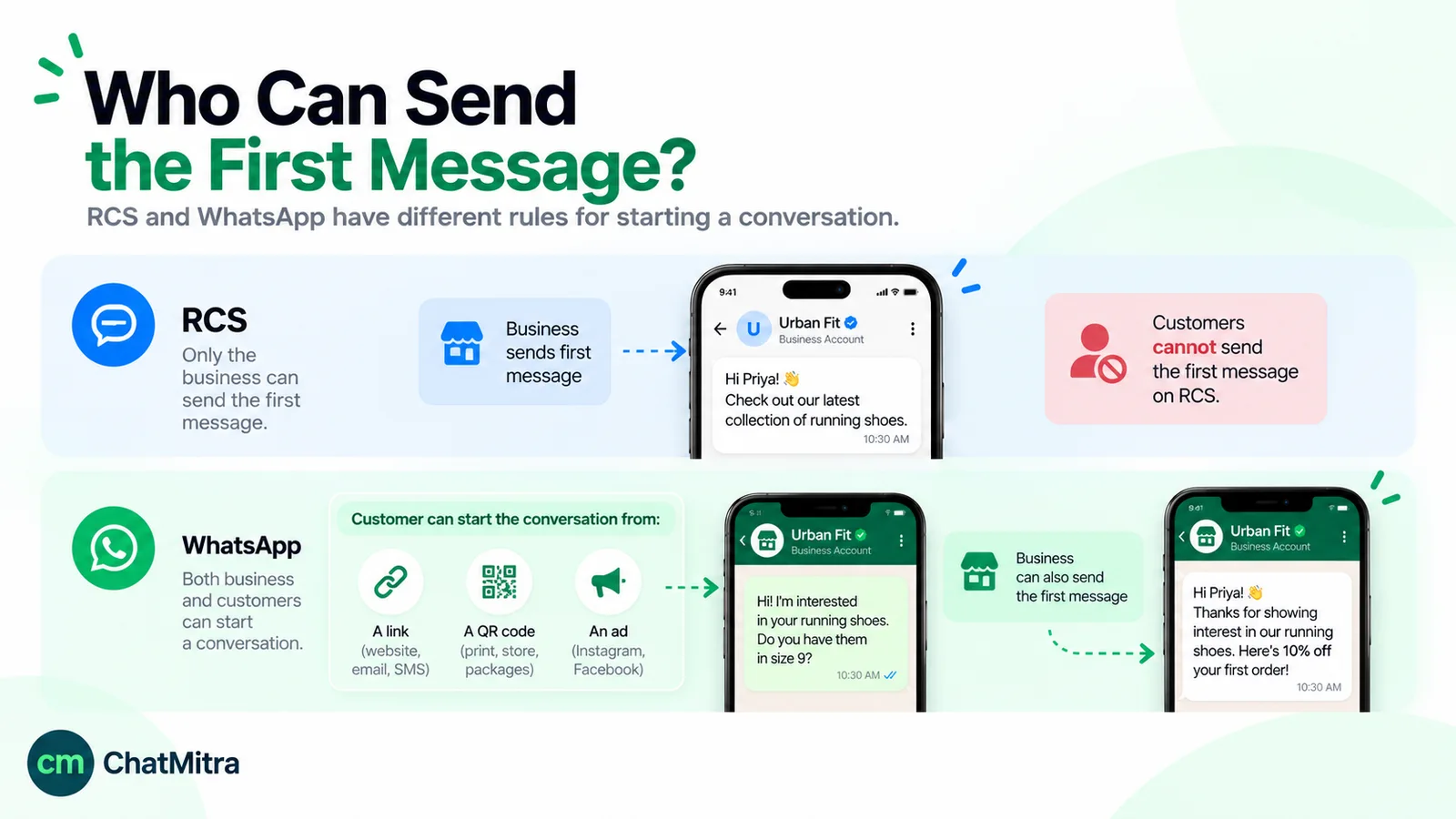
The practical consequence: support, pre-sales questions and “can I change my order?” flow naturally on WhatsApp. On RCS they depend on the customer replying to a message you sent. If your support team needs customers to reach it at any hour, RCS can’t be the only channel. Our guide to WhatsApp customer service covers running support on WhatsApp.
What can each message contain?
Both channels have moved well beyond plain text. The building blocks differ in detail, and the details decide what you can design.
| Element | RCS for Business | WhatsApp Business Platform |
|---|---|---|
| Text | Up to 3,072 characters per message | Up to 4,096 characters in a text message; 1,024 in the body of a reply-button or CTA URL message |
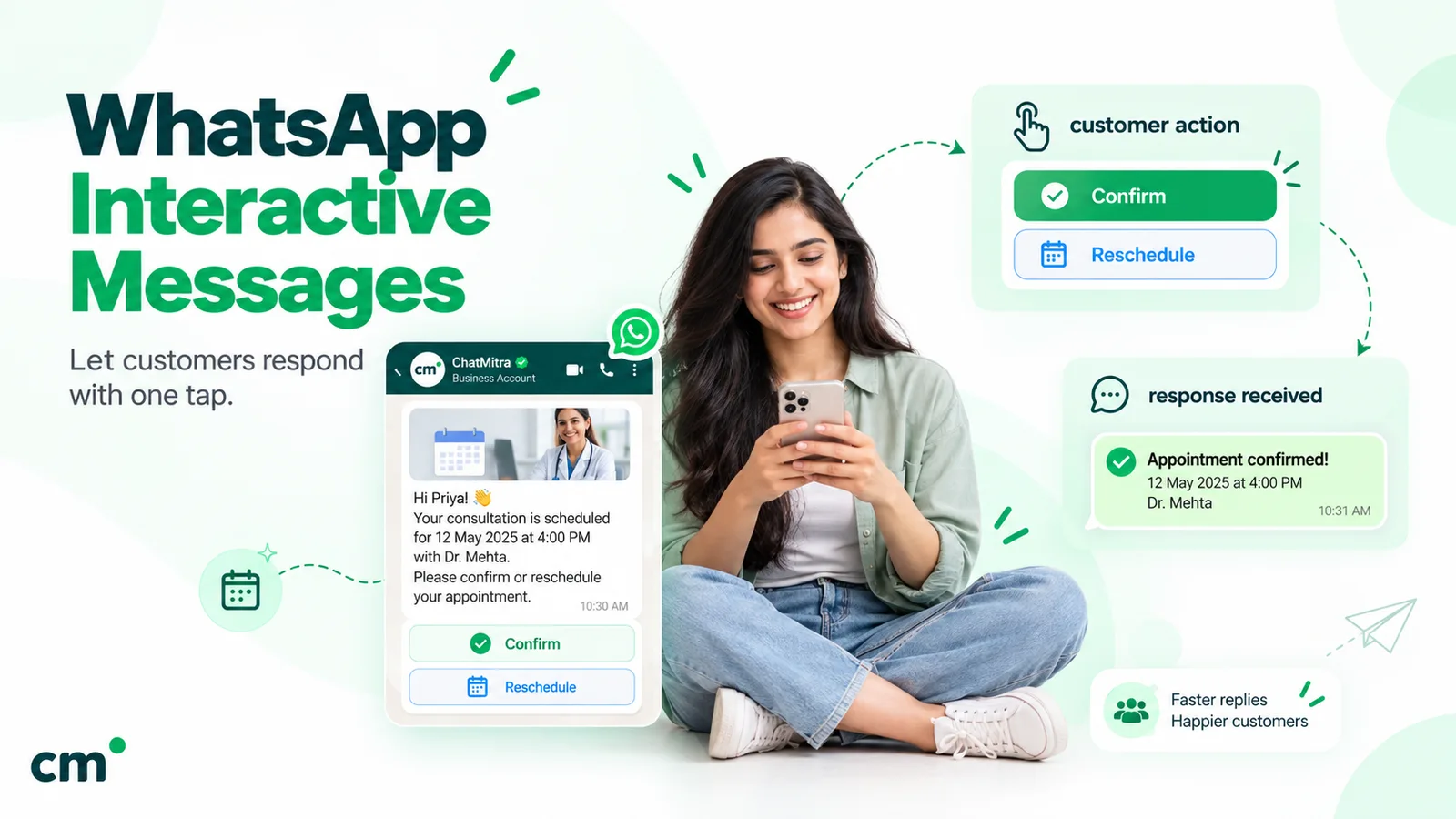
| Quick answers | Up to 11 suggestion chips, 25 characters each | Up to 3 reply buttons, or a list of up to 10 rows |
| Built-in actions | Dial, open a map, share location, open a URL, add a calendar event | URL, phone-number and copy-code buttons in templates; call-to-action URL messages |
| Cards | Rich cards with up to 4 suggestions; carousels of 2 to 10 cards | Media carousels of 2 to 10 cards; product carousels from a catalogue |
| Commerce | Cards and links out to your site or app | Catalogues, carts and, in India, in-chat payment via order-details messages with a supported provider |
| Forms | Replies and suggestions | WhatsApp Flows (multi-screen forms inside the chat) |
| Files | Up to 100 MiB per message in total | Images, video, audio and documents, with per-type size limits |
RCS limits are from Google’s messages guide (Google, send messages). WhatsApp limits are from Meta’s interactive message references, for reply buttons, list messages and media carousels. Our guide to WhatsApp interactive messages covers each WhatsApp type in detail.
Two details are easy to miss:
- RCS shows the link. For “Open a URL” suggestions, Google Messages displays the underlying address as a second line inside the button, “to build user trust” (Google). Use a clean, recognisable domain rather than a shortener.
- RCS messages can expire. You can set a time to live of up to 15 days. If the message isn’t delivered in time, Google tries to revoke it and notifies you, which is your cue to fall back to SMS. Google says you aren’t billed for an RCS message that wasn’t delivered.
How is RCS priced, compared with WhatsApp?
The two channels price different things, so a per-message comparison on its own misleads.
RCS: the carrier sets the rate, the agent’s category sets the method. Google’s billing FAQ describes two billing categories, chosen when the agent is created and not changeable later (Google, RCS for Business billing FAQ):
- Non-conversational agents are “billed per message”. Each message is either a basic message (text only, 160 characters or fewer) or a single message (rich content, or text over 160 characters). Google counts characters as UTF-8 bytes, so an emoji or a Hindi character uses two to four of the 160, or more.
- Conversational agents are billed per conversation: if one side replies within 24 hours, the next 24 hours of messages are billed at “a fixed rate for the conversation”. Unanswered messages are billed individually.
Google records these events. Whether each one costs anything, and how much, depends on “the carrier’s rate card” (Google, billing overview). Carriers also decide whether customer replies are charged.
We found no public RCS rate card for India. Inc42 reported on 9 September 2026, citing an Economic Times report on emails Jio sent to businesses, that Jio’s new business RCS rates for iPhone users took effect on 1 September 2026: ₹0.25 per transactional message, ₹0.27–0.30 per marketing message and ₹0.11–0.16 per OTP, replacing an earlier flat tariff of ₹0.08–0.10 per message (Inc42). Jio hadn’t commented when Inc42 published, so treat the figures as indicative and get a written quote.
WhatsApp: one public rate card, charged per delivered message. Meta’s India rates since 1 October 2026 are ₹0.8631 per marketing message and ₹0.1150 per utility, authentication or service message. The first 1,000 service messages each month are free per business number, and customers’ own messages cost you nothing (Meta, pricing). Your provider’s fee comes on top; our Cloud API pricing guide explains what’s billed and when.
| What you're paying for | RCS | |
|---|---|---|
| A one-way alert | One basic or single message at your carrier's rate | One utility template (₹0.1150 in India) |
| A promotion | One message at the promotional rate your provider quotes | One marketing template (₹0.8631 in India) |
| A back-and-forth chat | Per message, or one conversation fee if the agent is conversational | Customer messages free; your free-form replies are service messages, charged after the first 1,000 free each month |
| Phones that can't take it | SMS fallback, at SMS rates plus any DLT charges | Not delivered; you pay nothing to Meta, but need another channel |
Compare cost per result, not cost per message. Take 10,000 delivery alerts. On WhatsApp, Meta’s charge is 10,000 × ₹0.1150 = ₹1,150 before your provider’s fee, and it only reaches customers on WhatsApp who opted in. On RCS, the bill is the RCS share at your quoted rate plus the SMS share at SMS rates, and it reaches nearly every phone. For a promotion, the better metric is cost per order. A cheaper message that nobody can reply to may cost more per sale than a dearer one that starts a conversation.
RCS rules in India vs WhatsApp’s limits
Both channels restrict marketing. They do it in different ways, and India’s RCS rules are stricter than most businesses expect.
Google’s business rules for India (Google, agent use cases and business rules):
- Multi-use agents are “Not available in India”. An agent is OTP, transactional or promotional, so a brand that wants both usually needs separate agents.
- Promotional agents have a reputation score (high, medium or low) based on user feedback and spam reports. Low “is the default reputation score for all agents”.
- Each promotional agent is capped on initial messages to the same person in a rolling 28 days: 2 at low reputation, 4 at medium, 8 at high. It is also capped on unique users reached in that period: 1 million, 25 million and 300 million.
- A shared daily cap limits promotional messages a person gets from all low-reputation agents combined. Google doesn’t publish the number.
- Business-initiated conversations are allowed only between 7 AM and 10 PM, seven days a week.
- Replies are exempt. Google says “If a user messages an agent, the agent can always reply, regardless of their current reach limit.”
Carriers add their own checks. Airtel says its platform will validate senders “using telco-backed business identity checks” and respect users’ DND preferences “by categorising communications as promotional or transactional” (Airtel). TRAI amended its commercial-communication regulations again on 18 September 2026. Its press release doesn’t mention RCS, so ask your provider how DND and consent are applied to your RCS traffic (TRAI press release).
Consent applies on both channels. Google’s acceptable use policy says “You must first provide end users with notice and obtain consent prior to soliciting any end user,” and requires a simple way to withdraw, such as “replying ‘STOP’ to an SMS or RCS for Business message” (Google, acceptable use policy). WhatsApp requires opt-in, as covered above.
WhatsApp’s marketing limits are per person too, but adaptive. WhatsApp “may limit the number of marketing template messages a WhatsApp user receives from any business,” based partly on that person’s “recent marketing message read rate” (Meta, per-user marketing limits). WhatsApp doesn’t publish a fixed number and has no sending-hours rule, but low engagement means fewer of your promotions arrive. One more rule matters for global brands: WhatsApp “does not currently deliver marketing template messages” to US phone numbers.
Security, trust and spam
Encryption. Google’s documentation says RCS business messages “are encrypted between RCS for Business agents and Google servers, and between Google servers and users’ devices.” RCS partners “can’t use their own encryption keys because Google needs to scan messages for malicious content” (Google). That’s encryption in transit, not end to end. Apple’s end-to-end encrypted RCS, a beta from iOS 26.5, works only when every participant’s carrier supports it, and Apple’s pages don’t say it extends to business agents.
WhatsApp says “Every WhatsApp message is protected by the same Signal encryption protocol,” and treats chats with businesses on the WhatsApp Business app as end-to-end encrypted by default. It adds that when businesses use certain optional services, such as having Meta “securely store messages and respond to customers”, it does “not consider messages with these businesses to be end-to-end encrypted,” and it shows this in the chat (WhatsApp Help Center). Once a message reaches a business, the business’s own privacy practices apply on either channel.
Identity. Both channels show a verified badge after checks: Google’s checkmark after brand verification, and WhatsApp’s blue checkmark for an Official Business Account. In India, Airtel has announced carrier identity checks for RCS senders.
Spam controls. RCS reputation scores and caps are set by Google and carriers. On WhatsApp, negative feedback and low read rates lower a template’s quality rating, and a low-rated template can be paused (Meta, template quality). On either channel, the fastest way to lose reach is to message people who didn’t ask to hear from you.
Which channel for which message?
A decision rule per message type works better than choosing one channel for the whole company. It also fits a wider WhatsApp marketing strategy, where each channel has a job. The table below is our editorial judgement, based on the rules above.
| Message | Better first choice | Why |
|---|---|---|
| OTP to a customer who may not have WhatsApp | RCS (OTP agent) with SMS fallback | Arrives in the default inbox; iOS suggests the code for autofill, and Android apps can read it with the SMS Retriever API |
| OTP inside a WhatsApp-heavy user base | WhatsApp authentication template | Copy-code or one-tap autofill buttons; low per-message rate |
| Order, delivery and appointment updates | WhatsApp for opted-in customers, RCS for the rest (see these order confirmation message examples) | The customer can reply "change my slot" on WhatsApp without a new template |
| Support and pre-sales questions | Customers can start the chat, and the history stays in one thread | |
| Promotions to a large list without WhatsApp opt-in | RCS (promotional agent), within India's caps | Reaches the default inbox; consent still required |
| Promotions to engaged, opted-in customers | Replies lead straight into a sale in the same chat | |
| Abandoned-cart reminders | WhatsApp, if the shopper opted in | Google classes cart reminders as promotional; on WhatsApp, the shopper can ask a question and finish the order |
| Messages to US numbers | RCS or SMS for marketing | WhatsApp doesn't deliver marketing templates to US numbers |
Google lists “a reminder about an abandoned shopping cart” under promotional use, so a transactional RCS agent can’t send it (Google). On WhatsApp, Meta’s template guide lists “You left {{items}} in your cart!” as a retargeting example, which is marketing “even if requested by users” (Meta, template categorisation).
Using RCS and WhatsApp together
Most larger brands in India will end up with both. The trick is to make them work as one system, so no customer gets the same message twice.
- Keep one contact record per person. Store their WhatsApp opt-in, RCS/SMS consent and preferred channel against a single ID.
- Route by consent and capability. If the person opted in on WhatsApp, send there first. If not, check RCS capability through your provider and send RCS, with SMS as the automatic fallback.
- Fall back on silence, not by default. For time-critical messages such as OTPs, wait a short, fixed time for a WhatsApp delivery receipt before sending by RCS or SMS. For everything else, one channel per message is enough.
- Invite people across. An RCS delivery update can carry a “Chat with us on WhatsApp” link for questions. Customers who tap it start a WhatsApp conversation themselves, which opens the 24-hour window.
- Honour opt-outs everywhere. A STOP on RCS and a block on WhatsApp mean the same thing: stop marketing to that person on all channels.
- Measure per channel. Track delivered, read, replied and converted for each channel separately, then look at cost per outcome.
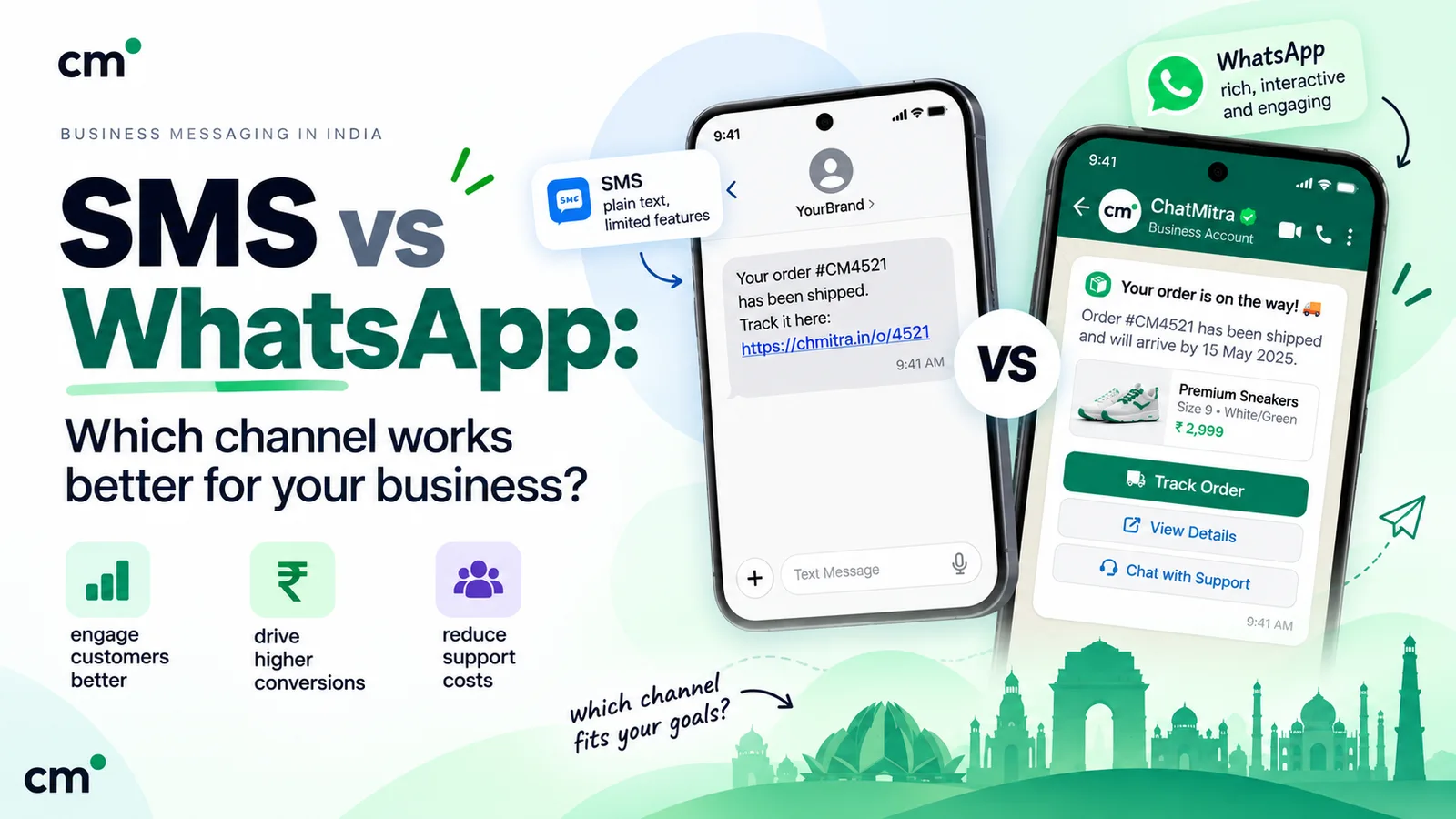
If you also compare SMS on its own terms, including DLT registration and segment pricing, our WhatsApp vs SMS guide covers it.
How to get started on each channel
RCS for Business, usually through a provider:
- Choose a provider that is a Google RCS partner and can launch on the Indian carriers your customers use.
- Decide the agent’s use case (OTP, transactional or promotional) and billing category. In India you can’t combine them in one multi-use agent. Choose carefully: the use case can’t change once you submit for launch, and the billing category is set when you create the agent (after launch, only Google’s support team can change it).
- Prepare brand assets: name, logo, banner, description, contact details and privacy policy link.
- Complete brand verification with an authorised person at your company.
- Submit for launch on each carrier network, and sign carrier agreements where required.
- Set up SMS fallback and delivery reporting before the first campaign.
WhatsApp Business Platform:
- Create or use a Meta Business portfolio and a WhatsApp Business Account through a provider.
- Add a phone number and a display name, and get them approved.
- Collect opt-in wherever customers give you their number.
- Create templates for anything you’ll send outside the 24-hour window, and submit them to Meta.
- Connect your store, CRM or website, and set up replies for inbound chats.
Mistakes to avoid
- Comparing a quoted RCS rate with WhatsApp’s marketing rate only. Compare like with like: alert with alert, promotion with promotion. Include SMS fallback costs.
- Assuming RCS reaches every Indian iPhone. On Apple’s list it depended on the carrier when we checked.
- Planning support on RCS alone. Customers can’t start an RCS conversation.
- Launching a promotional RCS agent and expecting full volume on day one. New agents start at low reputation, with two first messages per person every 28 days.
- Sending promotions from a transactional agent or a utility template. Both Google and Meta classify by content. A promotional line changes the category.
- Messaging the same person on three channels at once. Route per person and stop once one channel delivers.
- Ignoring timing. In India, business-initiated RCS is limited to 7 AM–10 PM. Quiet hours are good practice on WhatsApp too.
Where ChatMitra fits
ChatMitra is built for the WhatsApp side of this plan: approved templates, broadcasts to tagged segments, a shared team inbox for one number, and API and webhook access on the Pro plan, per ChatMitra’s pricing page. It doesn’t send RCS or SMS. If you run RCS or SMS through another provider, you can still use ChatMitra’s webhooks, which report each WhatsApp message’s status (sent, delivered, read or failed), to decide when your own system should fall back.
| Part of the plan | ChatMitra | What to use instead |
|---|---|---|
| WhatsApp templates, broadcasts and replies | Yes | — |
| WhatsApp delivery status for fallback logic | Yes, via webhooks on Pro | — |
| Send RCS or SMS | No | A Google RCS partner or SMS provider |
If WhatsApp is where your customers talk to you, compare ChatMitra’s plans or estimate your Meta charges with the WhatsApp pricing calculator.
Sources: Google's RCS for Business documentation (how it works, launch, brand verification, use cases and India rules, messages, billing, acceptable use policy); Apple Support; Airtel's 1 March 2026 press release; TRAI's 18 September 2026 press release; Inc42 (reported Jio rates); Meta's WhatsApp pricing page, India INR rate card, messaging, opt-in, per-user limits, error codes and interactive-message references; and the WhatsApp Help Center. All are linked above. Facts checked against Google's, Meta's, Apple's and WhatsApp's documentation on 28 September 2026.