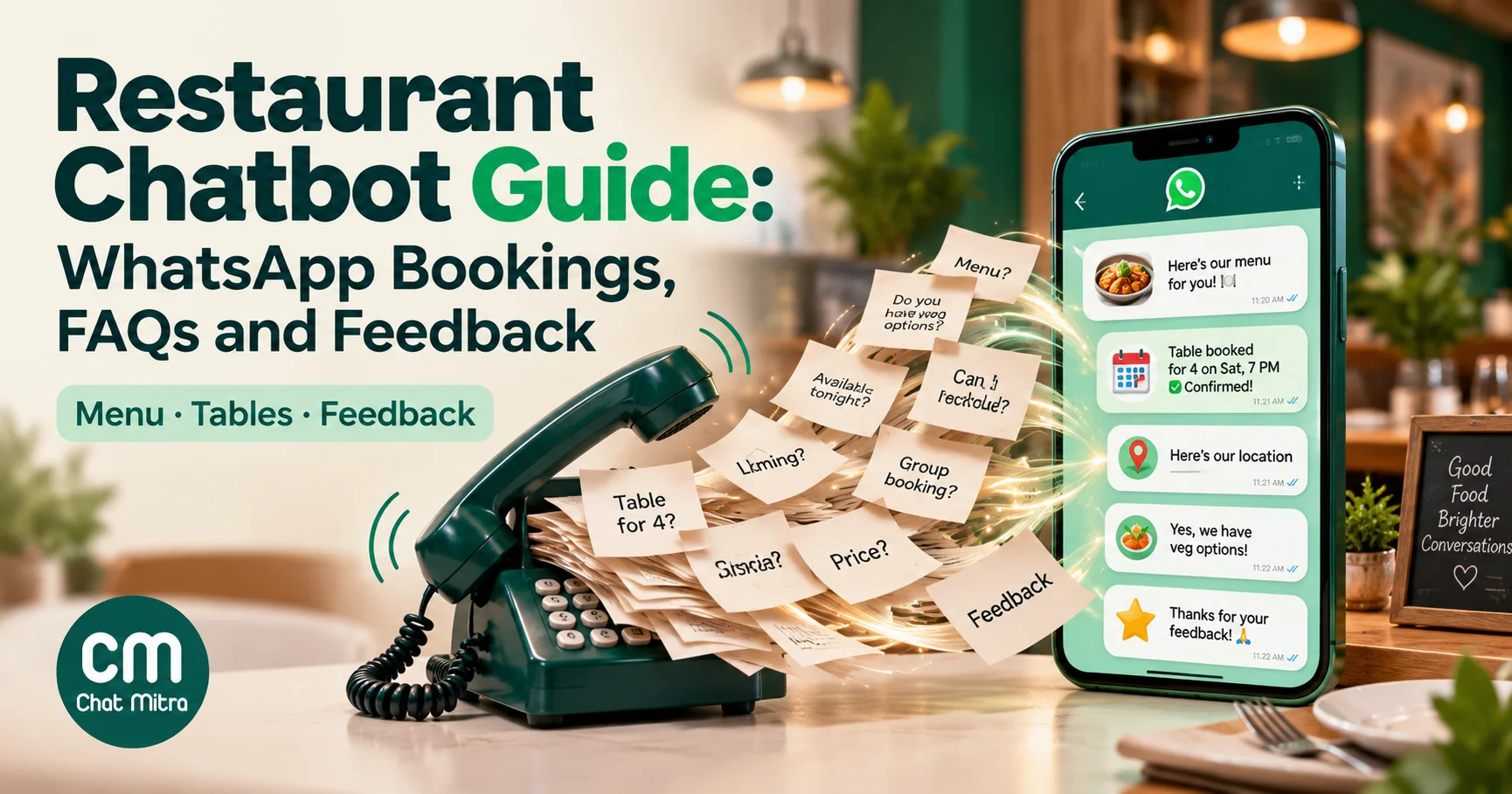
A restaurant chatbot answers guests’ messages for you: what’s on the menu, whether you’re open, where to park, whether there’s a table for four at 8:30, how long the wait is, and how dinner was. On WhatsApp it runs in the app most guests already use, so there’s nothing to download and no form to find. Done well, it takes the repetitive questions off your staff during service. Done badly, it gives a wrong answer about nuts.
This guide is about the bot, not the ordering system. It covers the jobs a restaurant chatbot should do, which ones need rules and which need AI, how to take reservations and run a waitlist, why allergy questions always go to a person, what Meta’s 2026 rules mean for AI bots, and what it all costs in India. Ordering by WhatsApp has its own guide: WhatsApp for food delivery.
Key takeaways
- Automate the questions with one right answer: menu, timings, location, booking steps, waitlist updates. These are most of a restaurant's messages.
- Keep a person on allergy questions, large parties, events and complaints. Allergen information must be accurate, and an AI model can guess.
- Meta requires a clear route to a human whenever you automate replies, and has barred general-purpose AI assistants on WhatsApp in India since 15 January 2026.
- Booking confirmations, same-day reminders and feedback about a recent visit are utility messages: ₹0.115 each in India. Promotions are marketing: ₹0.8631.
- Start with rules, add an AI bot later, and never run both on the same question without testing what the guest actually receives.
What a restaurant chatbot is, and what it isn’t
A restaurant chatbot is software that replies to guests’ messages on its own. There are two kinds, and most good setups use both.
- Rule-based bots reply to a keyword or a button tap with a fixed answer. “Menu” sends the menu. “Book” starts the booking questions. They’re predictable, cheap to run and easy to check, but they only understand what you’ve planned for.
- AI bots use a language model to read free text and write a reply. They cope with “do you have anything for a 3-year-old who hates spice?” and with spelling mistakes. They also can be confidently wrong, so they should only answer from facts you’ve given them.
A restaurant chatbot is not a replacement for your host, a reservation system or a point-of-sale system. It’s the front door to them: it answers the routine questions, collects what staff need, and hands over everything else.
Why WhatsApp rather than a website chat widget
A website chat bubble only helps people who are already on your website. Most guests find a restaurant on Google Maps, Instagram, a delivery app or by word of mouth, and many tap “WhatsApp” or save your number. A WhatsApp bot answers them where they are, and the conversation stays in their chat list for next time. They can come back to it on the day of the booking, share it with the friends they’re eating with, and reply to your reminder.
What Meta’s 2026 rules mean for AI bots
Two rules matter.
General-purpose AI assistants are out. Section 4.7 of Meta’s terms for the WhatsApp Business Platform prohibits AI providers from using the platform “when such technologies are the primary (rather than incidental or ancillary) functionality being made available”. Meta’s developer documentation says that from 15 January 2026, AI providers may offer general-purpose AI assistants only where Meta is legally required to allow it, and India isn’t on that list. A restaurant whose bot answers questions about its own menu and bookings is using AI incidentally to serve its guests, which is the use the terms leave open. Don’t turn your number into a general “ask me anything” assistant.
There must be a way to reach a human. WhatsApp’s Business Messaging Policy says that when you use automation, you “must also have available prompt, clear, and direct escalation paths”, such as an in-chat transfer to a human agent, a phone number, email or an in-store visit. For a restaurant, that’s easy to meet and important to get right: see the hand-over section below.
The seven jobs of a restaurant chatbot
This table sets out what to automate, what to keep human, and what each message costs in India from 1 October 2026. Replies inside the 24-hour window that opens when a guest messages you are service messages: the first 1,000 a month per number are free, then ₹0.115 each.
| Job | Best handled by | When a person steps in | Typical message | India cost |
|---|---|---|---|---|
| Menu, prices, timings, location, parking | Rules | Rarely | Reply in the open window | Service |
| Table reservations | Rules plus staff or your booking system | Large parties, special requests | Confirmation and same-day reminder templates | Utility, ₹0.115 |
| Waitlist on busy nights | Staff, with saved replies | Always (they know the floor) | “Your table is ready” in the open window | Service |
| Takeaway and delivery orders | Catalog plus staff, or a full ordering system | Order confirmation, problems | Order updates | Utility, ₹0.115 |
| Events, private dining, large groups | A person, after the bot collects the basics | Always | Replies in the window | Service |
| Allergy and dietary questions | A person, with the bot sharing your allergen chart | Always for specific dishes | Replies in the window | Service |
| Feedback after the visit | Rules (template with buttons) | When the guest is unhappy | Feedback template | Utility if about the visit, ₹0.115 |
Two rules from Meta decide the categories. A utility template must be non-promotional and specific to the guest’s own transaction or engagement. Feedback requests qualify as utility only when they’re about a previous order or visit; Meta’s own example asks for “your thoughts on your {{recent visit}}”. A generic survey, or one that carries an offer, is marketing.
Rules, AI or both?
Here’s a practical way to decide, question by question:
| Question type | Example | Use |
|---|---|---|
| Fixed fact | ”What time do you close?” | Rule |
| Fixed process | ”I want to book a table” | Rule (buttons and lists) |
| Live data | ”Is there a table at 8:30 tonight?” | Rule that calls your booking system, or staff |
| Open but low-risk | ”Anything good for a family with small kids?” | AI, answering only from your menu notes |
| Safety or money | ”Is the korma nut-free?” “I was charged twice” | A person |
| Emotional | ”The food was cold and the waiter was rude” | A person, quickly |
Start with rules for the first three rows. They cover most messages, they’re predictable, and you can test every path. Add an AI bot when you see the same open questions coming up in many different phrasings, and give it a short, factual brief: your menu with dish descriptions, spice levels and what’s vegetarian, Jain or vegan; timings; location; booking rules; and the instruction to hand over anything about allergies, complaints, refunds or events.
One trap: if a keyword rule and an AI bot both listen to the same messages, a guest can get two answers to one question. In ChatMitra, both run on every incoming text message, so test each rule with the AI bot on before going live, and keep your rule keywords for things the AI should never answer itself.
Designing the menu and FAQ bot
Most guests’ first message is “hi”, “menu” or a question. Plan for all three.
The first reply. Send a short welcome with three tap targets. WhatsApp’s reply buttons allow up to three options with labels of up to 20 characters, so keep them short: See menu · Book a table · Talk to us. Add one line with your hours and area so guests who only wanted to know “are you open?” have their answer.
The menu. Send it as a PDF or an image for dine-in, or as a WhatsApp catalog if you also take orders. A list message (up to 10 rows) works well for sections: Starters, Mains, Biryani, Desserts, Drinks, Today’s specials. Keep prices current: an outdated price in a menu PDF is the most common complaint a menu bot creates.
The usual questions. Write one rule per question, with the variations guests actually type: “timings”, “open”, “closing”; “parking”, “valet”; “location”, “address”, “where”. Send your location as a map pin, not just an address.
A sample conversation:
Guest: hi Bot: Welcome to Saffron Table 👋 We’re open 12–3:30 pm and 7–11 pm, every day. How can we help? See menu · Book a table · Talk to us Guest: Book a table Bot: Lovely. Which day? Today · Tomorrow · Another day
The restaurant name is an example; use your own.
Closed hours. Guests message at midnight. An away message tells them you’re closed, when you’ll reply, and that the menu and booking buttons still work.
Table reservations on WhatsApp
A WhatsApp booking flow needs only five things: date, time, party size, a name, and anything special (a birthday, a high chair, wheelchair access, outdoor seating). Ask them one at a time with buttons and lists, then read the booking back in one message: “Table for 4, this Saturday, 8:30 pm, under Priya, birthday. Shall we confirm? Yes · Change”.
Who confirms the table? You have three options:
- Staff confirm. The bot collects the details and a host checks the floor plan and replies. It’s simple, and it works for most independent restaurants.
- The bot checks your reservation system. If your booking software has an API, a rule can query it and reply with free slots. This needs some technical setup, but guests get an instant answer.
- A link to your booking page. The bot sends a link to your existing online booking page. It’s the quickest to set up, but guests leave the chat to finish.
Reduce no-shows. Send a same-day reminder with Keep and Cancel buttons. A cancellation at 4 pm is a table you can still give away at 8. In OpenTable’s 2026 Restaurant Impact Report, as reported by Restaurant Online, 43% of restaurateurs named confirmation reminders as their main way to tackle no-shows. For bookings made by phone or on your website, the confirmation and reminder go out as utility templates. For bookings made in the chat, confirm with a plain reply while the window is open; since 1 October 2026, Meta charges for utility templates sent inside an open window, and a reply is cheaper. For wording, see booking confirmation messages and WhatsApp reminder messages.
The waitlist on a busy night
On a Saturday night, the waitlist is where a chat beats a crowded doorway. Guests give their name and number at the door, or send a message (“waitlist 3 people”), and go for a walk. When the table is ready, the host sends “Your table is ready. Please come to the host stand within 10 minutes.”
Because the guest messaged you or got a message from you within the last 24 hours, these updates are usually service replies, not templates. Keep three saved replies for the host: the wait estimate, “table ready”, and “we’ve held your table for 10 minutes; reply if you’re on the way”. The host decides who’s next. That’s a judgement about the floor, and a bot shouldn’t try to make it.
Allergy and dietary questions: always a person
This is the most important section in this guide.
Guests ask “is this nut-free?”, “can you make it without onion and garlic?”, “is the paneer fried in the same oil as the fish?”. Some are preferences. Some are about a reaction that can put someone in hospital. A bot can’t tell the difference, and an AI model asked about a dish it doesn’t have complete information on may produce a confident, plausible and wrong answer.
The rules expect accuracy. In India, the FSSAI (Labelling and Display) Regulations, 2020 require food service establishments to display allergen information and a veg or non-veg logo. The listed allergens include cereals with gluten, crustaceans, milk, eggs, fish, nuts, soy and sulphites. In the UK, the Food Standards Agency’s guidance says businesses “must ensure that all mandatory food allergen information is accurate”, and for online or phone orders, that written allergen information is available before ordering and on delivery.
A safe design:
- The bot shares your allergen chart. When a message mentions “allergy”, “allergic”, “nut”, “gluten”, “dairy”, “egg”, “shellfish”, “Jain” or “vegan”, reply with your allergen chart (the same information you show on the menu) and a line: “For any allergy, our team will confirm with the kitchen before you order.”
- A person confirms. A staff member checks with the kitchen and replies about the specific dish and preparation.
- The AI is told not to answer. If you run an AI bot, its brief should say plainly: never confirm whether a dish is safe for an allergy; share the allergen chart and say a person will confirm.
- The record stays in the chat. The written confirmation in WhatsApp is useful to both of you.
The hand-over to staff
Meta requires a clear route to a human, and guests expect it. Design three ways in:
- A button or keyword. Every menu should include Talk to us. Typing “staff”, “human” or “manager” should get “Thanks, someone from our team will reply shortly”, and the rule should tag the chat (for example
needs-staff) so the team can find it. - Automatic routing for sensitive topics: allergies, complaints, refunds, large groups and events, as above.
- Other channels: your phone number and address in the welcome message, for guests who’d rather call.
Then make sure someone actually replies. A hand-over that leads nowhere is worse than no bot. Agree who watches the WhatsApp inbox during lunch and dinner service, and how fast they reply.
In ChatMitra, the hand-over is manual. A staff member opens the chat and switches on Pause AI auto-replies for 30 minutes, 1, 4, 8 or 24 hours, or with no time limit. While it’s on, that one guest gets no AI replies, keyword replies or away message, so the staff member and the bot don’t talk over each other. Push notifications from the mobile app go to the owner’s account only, so keep the inbox open on a screen at the host stand during service.
Feedback after the meal
Ask the morning after the visit, while it’s fresh but not during dinner. One template, sent to every guest, does both jobs: a line asking how the visit was, a Write a review link button, and quick replies for private feedback such as Loved it · Could be better.
- Every guest sees the review link. Google’s policy doesn’t allow businesses to “selectively solicit positive reviews from customers”, so never send the link only to guests who said they were happy. Don’t offer anything in exchange for a review either.
- Unhappy replies go to a manager within hours, not to an automated apology. A rule can answer Could be better with “Sorry to hear that; our manager will message you today” and tag the chat so the team sees it. For more detail, see how to ask for Google reviews and how to ask customers for feedback.
On the Meta side, a feedback request about the guest’s own recent visit, with no promotion attached, fits the utility category. Add a discount code and it becomes marketing.
Real restaurant bots on WhatsApp
A few public examples show how restaurants have used WhatsApp bots:
- Wow! Momo (India). In February 2023, the chain launched ordering on WhatsApp, built on the WhatsApp Business Platform by Gupshup. Guests could browse the menu, order in the chat or through a QR code, share their location to reach the nearest outlet, track orders and get support, starting in Delhi, Mumbai, Bangalore and Kolkata.
- McDonald’s India – North and East. In December 2020, it introduced WhatsApp ordering in Delhi NCR: guests sent “Hi” to a published number, received a menu link and got their invoice on WhatsApp.
- Kilimanjaro (Nigeria). In July 2023, the restaurant chain launched “Lulu”, a WhatsApp bot that asks for the guest’s location to find the nearest outlet, takes orders and handles complaints and enquiries.
All three are larger chains. They show the pattern that matters for any restaurant: “Hi” starts a guided flow, location finds the right outlet, and support stays in the same chat.
What it costs in India
Here’s an illustrative month for a busy restaurant, using Meta’s India rates from 1 October 2026.
| Messages | Count | Category | Rate | Meta charge |
|---|---|---|---|---|
| Booking confirmations (phone and web bookings) | 400 | Utility | ₹0.115 | ₹46.00 |
| Same-day reminders | 350 | Utility | ₹0.115 | ₹40.25 |
| Feedback requests | 300 | Utility | ₹0.115 | ₹34.50 |
| Two promotional campaigns to 500 guests each | 1,000 | Marketing | ₹0.8631 | ₹863.10 |
| Bot and staff replies inside open chats | 3,200 | Service (first 1,000 free) | ₹0.115 on the 2,200 above 1,000 | ₹253.00 |
| Total | ₹1,236.85 |
What this shows:
- The bot itself is cheap to run on WhatsApp. Thousands of replies inside open chats cost ₹253 because the first 1,000 a month are free.
- Promotions are 70% of the bill. Two campaigns cost more than every booking, reminder, feedback request and reply combined. Send fewer, better-targeted offers.
- Confirm in the chat when you can. A plain reply inside an open window counts as a service message; a utility template sent inside the window is charged.
Two other costs to add:
- Your provider’s fee. On ChatMitra’s Starter plan, you pay ₹0.20 per conversation (once per guest in a 24-hour period, not per message) plus Meta’s charges. Pro is ₹999 a month and includes 1,000 conversations, keyword rules, the AI chatbot, the away message and the API. Busy restaurants that go well past that can compare Enterprise on the pricing page.
- The AI model. ChatMitra’s AI chatbot works with your own API key from a model provider (it supports 18, including OpenAI, Google Gemini, Anthropic, Groq and Mistral). That provider bills you for usage, at its own rates.
To model your own numbers, use the WhatsApp pricing calculator.
Setting up a restaurant chatbot in ChatMitra
Here’s what ChatMitra can do for a restaurant bot today, and how to set it up.
- Connect a dedicated number. Use the restaurant’s own number, not a manager’s personal phone. See how to get the WhatsApp API.
- Write the welcome message (all plans). It goes to each guest the first time they message you: hours, area and three buttons.
- Build keyword rules (Pro). One rule per question: menu, timings, location, parking, booking, “staff”. Rules match a keyword exactly, by “starts with” or by a pattern. They can reply with text, images, a PDF, buttons, lists, a location pin or catalog products. A tap on a button or list row is matched like a typed keyword, so one rule can lead to the next. That’s how the booking questions chain together.
- Connect your booking system, if it has an API (Pro). A rule can call up to two APIs before replying, and use the response in its message, for example to list tonight’s free slots. Calls time out after 5 seconds by default.
- Set the away message (Pro) for one daily closed window, such as 11 pm to 11 am.
- Save quick replies for the host: wait estimate, table ready, table held.
- Add the AI chatbot if you need it (Pro). Choose a model provider and paste your API key, then write the bot’s brief: a role, tone, and the facts it may use. ChatMitra’s AI chatbot answers text messages only (not voice notes, photos or button taps), replies in text, and doesn’t read your catalog, so put the menu details it needs into the brief. Include the instruction never to answer allergy questions.
- Test what guests receive. Message your number from a personal phone and try every path, with the AI bot both on and off.
- Submit your templates: booking confirmation, same-day reminder, feedback. See WhatsApp templates for restaurants for 20 examples.
- Brief the team on the hand-over: who watches the inbox, how fast they reply, and when to pause the bot for a chat.
Limits to know:
- ChatMitra has no built-in reservation calendar and doesn’t support WhatsApp Flows forms, so availability comes from staff or from your booking system’s API.
- No automatic hand-over. Staff pause the bot for a chat themselves.
- No chat assignment. Everyone sees the same inbox, so agree who answers what.
- The inbox doesn’t label bot replies. Staff see the conversation but not which messages came from the bot.
- Opt-outs are manual for campaigns. Campaigns don’t automatically skip guests who’ve turned off marketing messages in WhatsApp. Tag anyone who asks to stop and exclude that tag. Collect opt-in before sending promotions; see the WhatsApp opt-in guide.
For broader chatbot setup, see how to build a WhatsApp chatbot, and for the AI side, AI agent vs chatbot. The WhatsApp for restaurants page has the wider business case.
Common mistakes
- Letting an AI bot answer allergy questions. Share the chart; let a person confirm.
- A bot with no way out. Every menu needs Talk to us, and someone needs to answer it.
- Out-of-date menus and prices in the PDF the bot sends. Update them when the menu changes.
- Two bots answering one question. Test rules and AI together before going live.
- Asking for feedback during the meal, or sending the review link only to happy guests.
- Daily promotions. They’re the most expensive message you send, and guests mute restaurants that send them too often.
Summary
A restaurant chatbot on WhatsApp should answer the questions with one right answer, collect bookings and waitlist details, ask for feedback the morning after, and hand everything sensitive to a person. Start with keyword-and-button rules, add an AI bot only with a tight brief, and make the route to your staff obvious. Meta’s rules require that route, and allergy questions depend on it. At India’s rates, the bot’s own replies cost little; promotions are where the money goes.
To get started, see how to get the WhatsApp API, or start free with ChatMitra.
Sources: Meta, Meta Terms for WhatsApp Business Platform, section 4.7 (last modified 23 September 2026), AI providers on the WhatsApp Business Platform, WhatsApp pricing and INR rate card (effective 1 October 2026), template categorisation guidelines, reply buttons and list messages; WhatsApp Business Messaging Policy; FSSAI, Food Safety and Standards (Labelling and Display) Regulations, 2020, compendium; UK Food Standards Agency, allergen information for non-prepacked foods: best practice (February 2025); Google, Maps user-contributed content policy: fake engagement; Restaurant Online, report on OpenTable's Restaurant Impact Report (6 October 2026); Restaurant India on Wow! Momo (February 2023) and McDonald's India – North and East (December 2020); TechCabal on Kilimanjaro's Lulu (July 2023). ChatMitra product behaviour as verified in ChatMitra's code (October 2026).