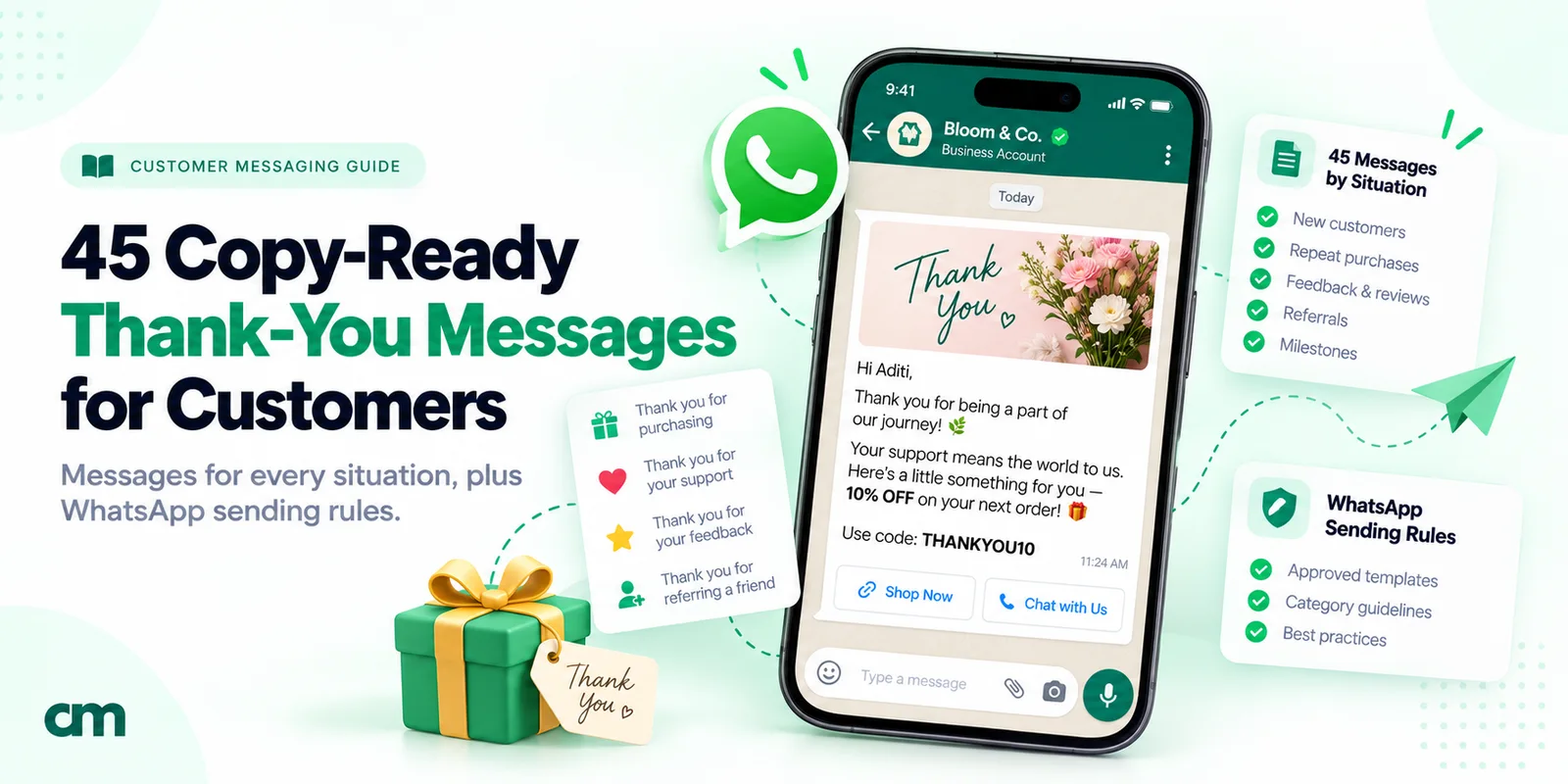
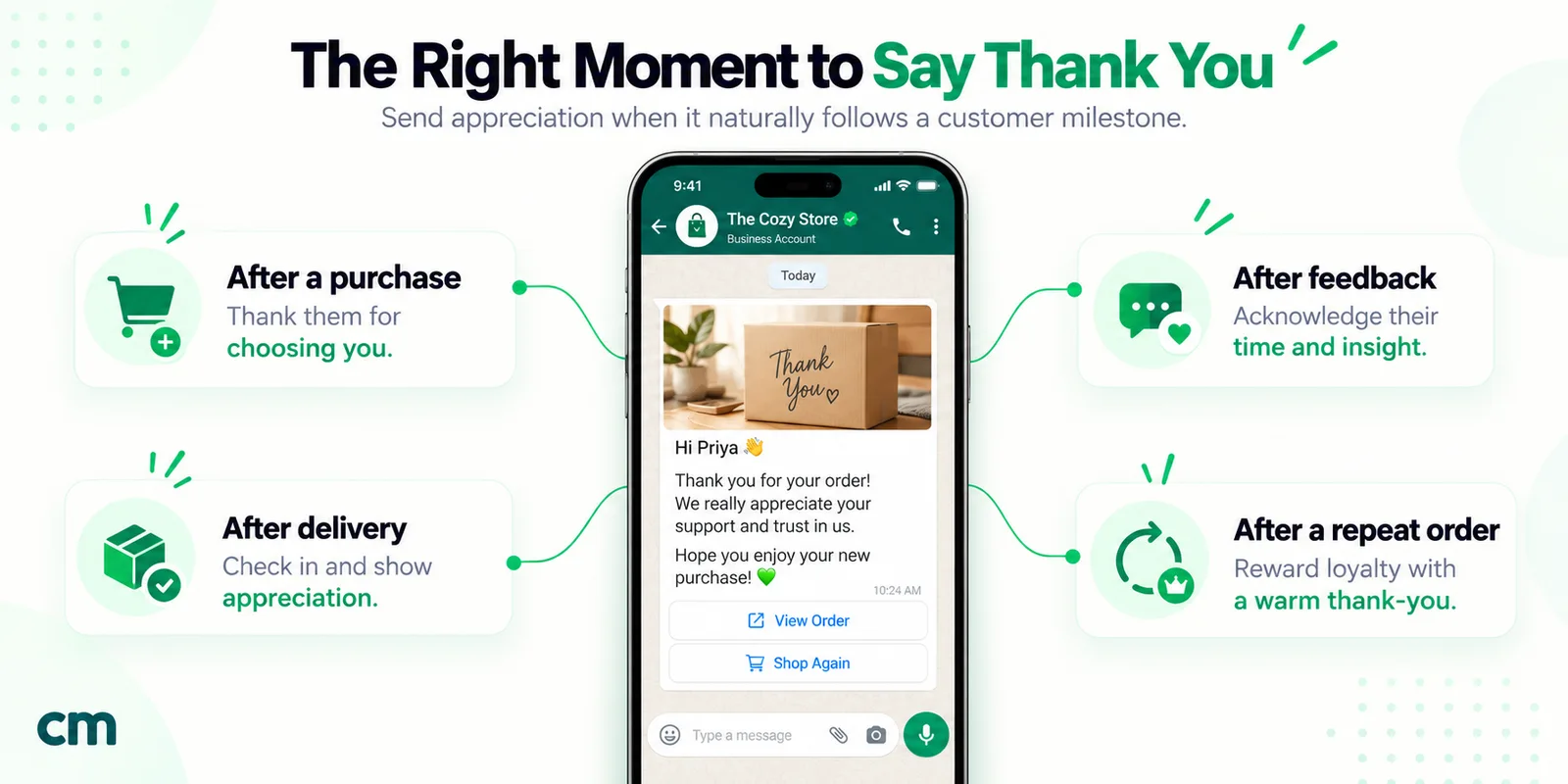
A good thank you message for customers names the person, says exactly what you’re thanking them for and asks for nothing in return. Send it soon after the moment it refers to, keep it to two or three sentences and sign it from a real person. On WhatsApp, adding an offer turns a thank-you into a marketing message.
Below are 45 original thank-you messages, notes and customer appreciation messages for customers and clients, grouped by situation from a first purchase to a complaint you fixed. Then come timing, channels, Meta’s template categories, the 24-hour window, costs, buttons and automation.
Key takeaways
- Specific beats warm. "Thanks for trusting us with your kitchen tiles" lands; "Thanks for your business" doesn't.
- The best WhatsApp thank-you is often a reply to something the customer just sent you. It needs no template.
- Keep offers out of thank-you templates. They change the category, the price and, for US numbers, whether the message arrives at all.
Rupee figures are Meta's India rates and exclude tax.
What makes a thank-you message work?
Most thank-you messages fail because they could have gone to anyone. Four habits fix that.
- Be specific. Name the order, the visit, the referral or the problem they reported. Detail shows a person wrote it.
- Be prompt. A thank-you belongs to a moment. Three weeks later it reads like a campaign.
- Don’t sell. A coupon says “we want something”, and on WhatsApp it changes the message’s category.
- Sign it from a person. “Mira, Fernhill Ceramics” reads differently from “Team Fernhill”.
Two or three sentences is enough. WhatsApp’s 1,024-character template body limit is a ceiling, not a target.
If a thank-you feels awkward to send, research on gratitude between people suggests that worry is overdone. In three experiments published in Psychological Science in 2018, University of Chicago researchers Amit Kumar and Nicholas Epley found that people writing gratitude letters “overestimated how awkward recipients would feel” and “underestimated how positive recipients would feel” (study abstract). Those were personal letters, not business messages: a reason to send the note, not a sales forecast.
| Generic | Specific | What changed |
|---|---|---|
| Thanks for your business! | Thanks for choosing us for your kitchen tiles, Priya. Send us a photo once they're down. | Names the purchase and invites a reply, not a sale |
| Thank you for being a valued customer. | That's your fifth order this year, Sam. We noticed, and we're grateful. | Proves you actually know the customer |
Thank you messages for customers, by situation
How to use these:
- Plain versions use [brackets]. Send them by hand, by email or on a card.
- WhatsApp templates use positional variables, {{1}}, {{2}}, filled from your contact or order data. The business name is written in, because Meta rejects templates that start or end with a variable.
- Category labels are the likely Meta category. Meta decides at review.
First purchase
- Hi [Name], thank you for your first order with [Business]. We packed it this morning with a card on caring for the linen. If anything isn’t right when it arrives, reply here and I’ll sort it out. — [Your name]
- [Name], thank you for trusting a small studio with your first order. It means more to us than you’d guess. — [Your name], [Business]
- WhatsApp template (marketing, general appreciation): “Hi {{1}}, thank you for choosing Fernhill Ceramics for your first order. Every piece is thrown and glazed in our studio, and we hope the {{2}} earns a place on your table. — Mira, Fernhill Ceramics” Variables: {{1}} first name, {{2}} product name.
Repeat and loyal customers
- [Name], that’s your fifth order with us this year. We noticed, and we’re grateful. Thank you for coming back. — [Your name], [Business]
- Hi [Name], thank you for sticking with us while the new ovens went in. Regulars like you kept the lights on that month. — [Business]
- WhatsApp template (marketing): “Hi {{1}}, you’ve been ordering from Corner Crust Bakery since {{2}}. Thank you for being one of the regulars who make the 5 a.m. starts worth it. — Sam and the Corner Crust team” Variables: {{1}} first name, {{2}} month and year of first order.
Rewarding loyalty? Send the offer separately, only to people who opted in to offers.
Large and B2B orders
- Dear [Name], thank you for [Company]‘s order of [quantity] units. I’ve asked our dispatch lead to send the packing list before the pallet leaves, so your receiving team has it in advance. — [Your name], [Role]
- [Name], thank you for placing the first order under the new annual agreement. [Account manager] is your direct line for anything that comes up, on [phone]. — [Business]
- WhatsApp template (utility candidate: specific order, next step, no promotion): “Thank you for purchase order {{1}}, {{2}}. We’ve reserved the stock and will send the invoice and dispatch date by {{3}}. Reply here with any delivery-window requirements. — Accounts team, Harlow Industrial Supply” Variables: {{1}} PO number, {{2}} contact’s first name, {{3}} date.
Thank you for your purchase or order
Short lines for receipts, packing slips and the top of an order confirmation. The full sequence of order, shipping and delivery messages, with the rules that keep them utility, is in our WhatsApp order confirmation message guide.
- Thank you for your order, [Name]. It’s in good hands.
- Thanks for shopping with us, [Name]. We’ll message you as soon as it ships.
- Your purchase supports a family-run shop in [town]. Thank you, [Name].
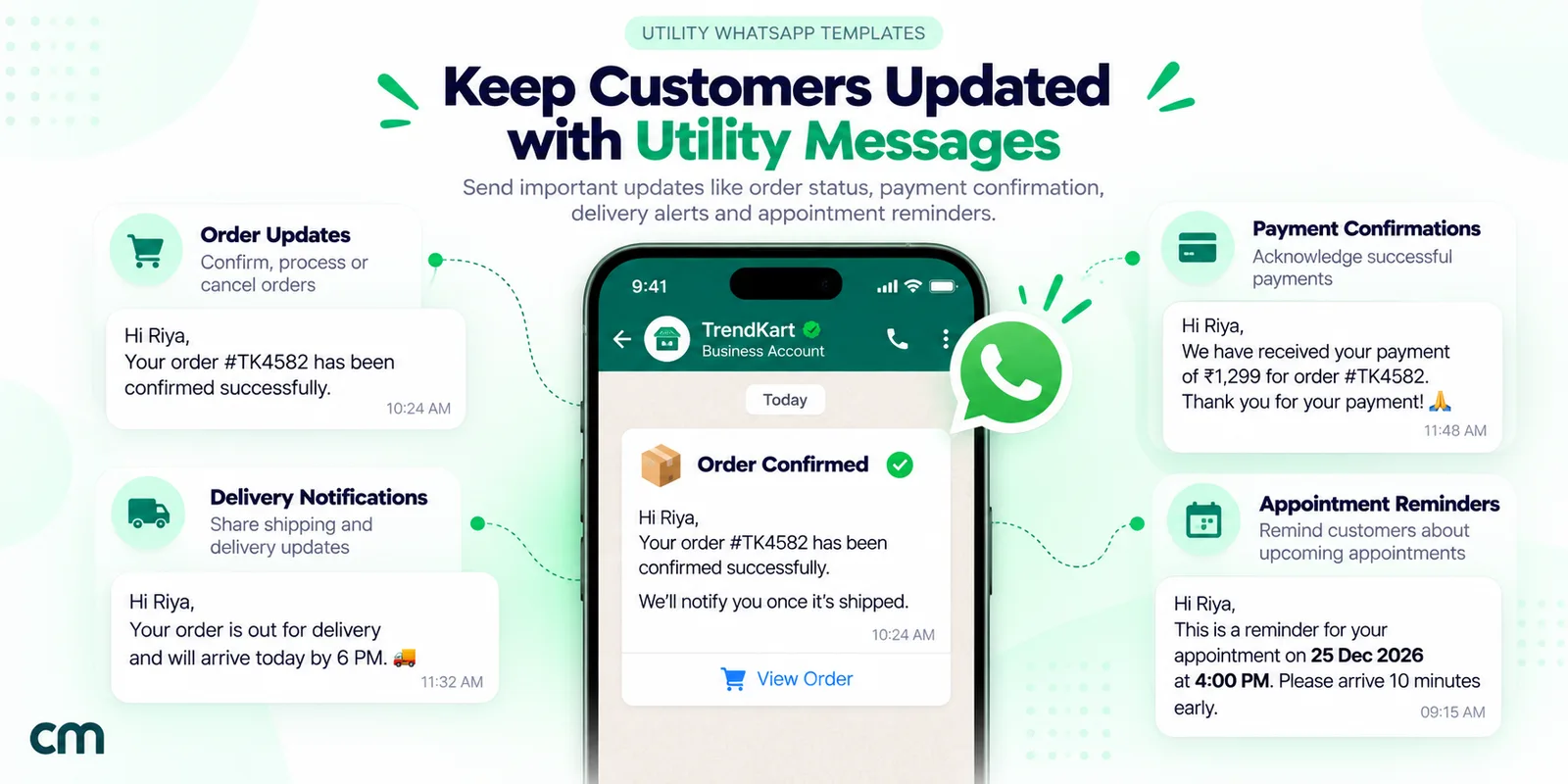
- WhatsApp template (utility: order-specific, no promotion): “Thank you for your order, {{1}}. Order {{2}} is confirmed, and we’ll message you here when it ships. — Kestrel Outdoor” Variables: {{1}} first name, {{2}} order number.
After a service or appointment
- Salon: Hi [Name], thanks for coming in today. Your colour will settle over the next two washes, so use cool water this week. Whenever you’re ready to book again, just reply here. — [Stylist], [Salon]
- Vet clinic: [Name], thank you for trusting us with [pet]‘s check-up today. The vaccination record is attached, and the next booster is due on [date]. — [Clinic]
- Repair: Thanks for letting us fix your [appliance], [Name]. We replaced the [part], and the repair is covered for [period]. Keep this message as your record. — [Technician], [Business]
- Consulting: [Name], thank you for your time today. I’ve summarised the three decisions we agreed and will send the draft plan by [day]. — [Your name]
- WhatsApp template (utility candidate: service record for this visit): “Thank you for bringing your {{1}} to Ridgeway Auto on {{2}}. Your service report and warranty details are at the link below. Reply here if anything feels different on the road. — Service desk, Ridgeway Auto” Variables: {{1}} vehicle model, {{2}} visit date. Button: a URL button to the report.
New client onboarding (agencies and B2B)
- [Name], thank you for choosing [Agency]. Signing is the easy part; the next month is where we earn it. Your kickoff is on [date], and I’ll send the agenda two days before. — [Your name]
- Welcome to [Agency], [Name], and thank you for such a clear brief. We’ve already started the audit. Our questions will come in one batch on Friday rather than in drips. — [Your name]
- WhatsApp template (utility candidate: account setup): “Thank you for signing with Northbeam Studio, {{1}}. Your project workspace is ready and your kickoff call is on {{2}}. Tap below to add your team. — Priya, Northbeam Studio” Variables: {{1}} first name, {{2}} date and time. Button: URL to the workspace.
After a referral
- [Name], you sent [Friend] our way and they’ve just booked. Thank you. Recommending us to a friend is a real vote of trust, and we’ll look after them. — [Your name]
- Thanks for the introduction to [Company], [Name]. We met on [day] and it looks like a good fit. I’ll keep you posted without sharing anything they’d want kept private. — [Your name]
- WhatsApp template (marketing: reward credit): “Hi {{1}}, thank you for recommending Tidewater Yoga to {{2}}. Your referral credit is now on your account. — Leah at Tidewater Yoga” Variables: {{1}} first name, {{2}} friend’s first name.
Meta’s marketing examples include a credit deposited to a customer’s account, so treat any referral reward as marketing.
After a review or testimonial
- [Name], thank you for the review. The line about [detail] made the team’s week, and I’ve passed it straight to [staff member]. — [Business]
- Thank you for letting us share your words on our site, [Name]. We’ll send you the link when the page is live, and we’ll take it down whenever you ask. — [Your name]
- For a critical review: Thank you for the honest review, [Name]. You’re right about the [issue], and we’ve [change]. If you give us another try, I’d like to hear how it goes. — [Owner], [Business]
Thank people after they review, never as a trade for the review. Asking for reviews, and the rules on incentives, are in our guide to asking customers for feedback.
After feedback or a resolved complaint
- [Name], thank you for telling us straight away that the parcel arrived damaged. The replacement went out today, tracking below, and you don’t need to send the broken one back. — [Your name], [Business]
- Thanks for your patience while we sorted out the billing error, [Name]. Your refund of [amount] has been processed and should reach your card within [days]. — [Business] billing team
- [Name], the change you suggested to [feature] is now live. Thank you; it came straight from your message in [month]. — [Your name]
- WhatsApp template (utility: specific interaction): “Thank you for your patience with case {{1}}, {{2}}. The issue is resolved and there’s nothing more you need to do. Reply here if anything still looks wrong. — Support team, Lumen Home Internet” Variables: {{1}} case number, {{2}} first name.
Wait until the fix is real. Thanks sent while the problem is open read as closing a ticket.
Customer anniversaries and milestones
- Happy one-year anniversary with us, [Name]. Thank you for a year of Saturday deliveries; by now we know exactly how dark you like your sourdough. — [Business]
- [Name], today was your 100th class at [Studio]. Thank you for turning up, especially on the cold mornings. — [Coach]
- WhatsApp template (marketing: relationship): “Hi {{1}}, it’s been {{2}} since your first order with Wildroot Tea. Thank you for every cup along the way. — Hana and the Wildroot team” Variables: {{1}} first name, {{2}} time as a customer, for example “two years”.
Seasonal thanks at Christmas and New Year have their own guide: Christmas and New Year wishes for customers.
Small businesses and local shops
- Thank you for shopping local today, [Name]. Your order helps keep a real person behind this counter. — [Your name], [Shop]
- [Name], thanks for collecting your order so quickly. We know you drove across town for it. Enjoy! — [Shop]
- Thanks for buying from our stall at [market], [Name]. We’re there every [day] if you’d like to say hello. — [Business]
For a small shop, a handwritten line on the packing slip often does more than any message.
After an inquiry that didn’t convert
- Thank you for considering us, [Name]. Sorry we couldn’t make the timing work this time. If your plans change, this chat stays open. — [Your name], [Business]
- [Name], thanks for talking through [project] with us. Choosing a team that can start in March makes sense, and I hope it goes well. If you ever want a second opinion, just ask. — [Your name]
- Thanks for asking about [product], [Name]. Honestly, it isn’t the right fit for [need], and we’d rather say so. [Alternative] may suit you better. — [Business]
Send these as a reply while the conversation is open. A template to someone who just said no is how businesses get blocked.
Event and webinar attendees
- Thank you for joining [event], [Name]. The recording and slides are at the link below, with answers to the questions we ran out of time for at the end. — [Host]
- Thanks for coming to our open studio, [Name]. It was lovely to put a face to the orders. — [Business]
- WhatsApp template (utility candidate: delivers what they registered for): “Thank you for attending {{1}} on {{2}}. The recording you registered for is at the link below and stays available for 30 days. — Events team, Clearpath Money School” Variables: {{1}} session name, {{2}} date. An invitation to the next event would make it marketing.
Donors and members
- [Name], thank you for your gift of [amount] to [cause]. It [specific use]. Your receipt is attached. — [Name], [Organisation]
- Thank you for renewing your membership, [Name]. Your [year] card is attached and there’s nothing else to do. — [Club]
Meta’s marketing examples include “We are actively seeking {{donations}} to meet our fundraising goal”, so keep any new ask separate.
When to send a thank-you message
| Situation | When to send | Watch out for |
|---|---|---|
| First purchase | One line in the order confirmation; a separate note, if any, when the order arrives | Two messages within minutes of checkout |
| Repeat or loyal customer | At a milestone: fifth order, first year | Thanking every routine order |
| Large or B2B order | The same working day the order arrives | A thank-you with no next step |
| Service or appointment | The same evening or the next morning | Waiting until the invoice goes out |
| Referral | When the referral books or buys | Rewarding a referral before it happens |
| Review or testimonial | Within a day or two of it appearing | A reply that asks for another favour |
| Complaint or feedback | Once the fix is done | Thanking before the problem is solved |
| Anniversary | On the date, in the customer's daytime | A date trigger firing at night in their time zone |
Which channel suits which thank-you?
| Channel | Best for | Keep in mind |
|---|---|---|
| Customers who already chat with you; quick thanks with a useful detail or link | Opt-in required; templates outside the 24-hour window; no marketing templates to US numbers | |
| Receipts, longer notes, formal B2B thanks | Easy to miss in a busy inbox | |
| SMS | US customers who don't use WhatsApp; very short thanks | Plain text; each country has its own texting rules |
| Handwritten thank-you note, card or packing-slip line | High-value clients, small-shop first orders, donors | Slow to scale, which is why people keep them |
On WhatsApp, permission comes first. The Business Messaging Policy allows contact only if “they have given you their mobile phone number or username” and “you have received opt-in permission from the recipient”. A number on an invoice isn’t opt-in; our WhatsApp opt-in guide has consent wording you can adapt. Choosing between WhatsApp and texting for US customers? Our WhatsApp vs SMS comparison covers both.
Is a WhatsApp thank-you message utility or marketing?
Outside the 24-hour window, a business can only start a WhatsApp conversation with an approved template, and each template has a category. The category sets the price and, for US customers, whether it arrives.
Meta’s template categorisation guidelines set two tests for utility. The message “Must be non-promotional, not containing any promotional or persuasive intent”, and it must “ALSO be either specific to or requested by the user (clearly related to their order, account, services, or transactions) OR essential or critical to the user”.
Meta’s own examples settle most cases:
- Marketing. Under “Build Customer Relationships”, Meta lists “Thank you for being a {{valued_customer}}. We look forward to continuing to serve you.” Under “Sales” it lists “As a thank you for your last order, please enjoy {{15}}% off your next order.”
- Utility. Under “Order Management” it lists “Thank you! Your order {{order_number}} is confirmed.” and a refund message ending “Thank you for your business.”
- Mixed. “Templates with mixed content (for example, both utility and marketing, such as an order update with a promo or a feedback survey with promotional content)” are marketing.
So “thank you” decides nothing. What matters is whether the message carries this customer’s order, visit or account details, and whether anything in it sells.
| Thank-you type | Likely category | Why |
|---|---|---|
| "Thank you for your order" plus the order number and next step | Utility | Order-specific, no promotion |
| Thanks after a visit with the service record, warranty or aftercare link | Utility (Meta decides) | Information about a service the customer bought |
| "Thank you for being a loyal customer" or an anniversary note | Marketing | Relationship-building |
| Thanks plus a coupon, referral credit, "shop again" or a new-product mention | Marketing | Promotional content |
Mislabelling doesn’t save money. Since 9 April 2025, a template submitted as utility that WhatsApp decides is marketing “is approved as MARKETING”, and approved templates are re-checked on a recurring basis (you can request a review within 60 days). Meta’s pricing page puts the cost squarely on the sender: “Whenever a template is used, a business accepts the charges associated with the category applied to the template at time of use.”
The 24-hour window: when you don’t need a template at all
Often the best thank-you is a reply. Meta’s messaging documentation says: “When a WhatsApp user messages you or calls you, a 24-hour timer called a customer service window starts.” While it’s open you can send free-form messages; “When the window closes, you can only send pre-approved template messages.”
So when a customer sends a photo of the cake at the party, thank them in your own words: no template, no approval, no category. Messages 38 to 40 belong here too.
Since 1 October 2026 those replies are no longer free without limit. Meta says “Each business phone number has one shared free tier of 1,000 delivered service messages per month”; after that, service messages cost the market’s utility rate. Utility templates sent inside an open window are charged too.
Thanking US customers on WhatsApp
If your customers are in the US, one rule matters more than any other. Meta’s page on per-user marketing limits states: “WhatsApp does not currently deliver marketing template messages to WhatsApp users with United States phone numbers (numbers composed of a +1 dialing code and a US area code).” Sending one returns an error.
For US customers, that leaves three routes:
- Reply inside the 24-hour window. Free-form thanks, as above.
- Use a utility template tied to a transaction, like messages 9, 13, 18, 31 and 43.
- Use another channel for appreciation-only notes: anniversary, loyalty and referral thanks go by email, SMS or card.
The rule names US area codes, not every +1 number.
What a WhatsApp thank-you message costs
Meta bills each delivered template by its category and the recipient’s country. From the rate cards effective 1 October 2026:
| Recipient market | Marketing | Utility | Service reply (after 1,000 free) |
|---|---|---|---|
| India (INR card) | ₹0.8631 | ₹0.1150 | ₹0.1150 |
| North America (USD card) | $0.0250 (not delivered to US numbers) | $0.0034 | $0.0034 |
| United Kingdom (USD card) | $0.0635 | $0.0220 | $0.0220 |
A worked example: a salon in India thanks 400 clients in a month.
| Approach | Meta charge | With ChatMitra's ₹0.20 fee (Starter, Pro) |
|---|---|---|
| Anniversary thanks as a marketing template | 400 × ₹0.8631 = ₹345.24 | ₹345.24 + ₹80.00 = ₹425.24 |
| Post-visit thanks with aftercare notes as a utility template | 400 × ₹0.1150 = ₹46.00 | ₹46.00 + ₹80.00 = ₹126.00 |
| Thanks as replies to clients who messaged first | ₹0 while within the 1,000 free service messages | Up to ₹80.00, because a customer's message can open a ₹0.20 window |
ChatMitra’s fee is ₹0.20 per 24-hour conversation window on the Starter and Pro plans, not per message, and a window can also start when the customer messages you. The example assumes every message is delivered and no window was open. For volume tiers and provider fees, read our guide to WhatsApp Business cost per message.
Buttons that suit a thank-you
The right button makes a thank-you useful; the wrong one makes it an ad. From Meta’s template components reference:
- Quick reply buttons send a fixed reply when tapped. “All good” and “I need help” surface problems early. Up to 10 per template, labels up to 25 characters.
- URL buttons open the service report, recording or care guide. “Templates are limited to two URL buttons.”
- A phone number button calls you; one per template.
Skip “Shop now” or “Reorder” on a thank-you: that is persuasive intent, which makes a template marketing.
Two more rules: Meta’s template review page lists “The message template cannot start or end with a parameter” as a frequent reason for rejection, and says approval “can take up to 24 hours”. Inside the 24-hour window you can also send reply buttons without a template; the guide to WhatsApp interactive messages explains both kinds.
Automating thank-you messages without losing the personal touch
Let automation decide when a thank-you goes out, from an order, a completed appointment, a signed contract or a customer-since date. Let a person decide what it says. Fill at least one variable with a real detail (the product, the vehicle, the session name), sign with a real name, and make sure replies reach someone who can answer.
What ChatMitra can do
ChatMitra sends approved WhatsApp templates from these events. We checked each point against its code, not its marketing pages.
- Shopify. The Shopify integration sends your chosen template when a paid or cash-on-delivery order is placed, fulfilled or cancelled. You can delay the send by a preset interval from 1 minute to 24 hours, and variables such as the customer’s name and order number are filled from Shopify.
- Google Sheets. The Google Sheets automation offers triggers including “Google Sheet — Row Added”, “N Days After a Date” and “Anniversary Today”, and actions including “Send WhatsApp Template”, “Add Tag” and “Delay / Wait”. A visit-date column plus one day gives post-service thanks; a customer-since column gives anniversary thanks; a new row in a clients sheet gives onboarding thanks.
- Tags. Tag the contacts you’ve thanked and exclude that tag from broadcasts, so nobody gets a promotion the day after a personal note.
- Saved replies. For thanks inside the window, your team can insert a shared saved reply by typing ”/” in the inbox, then add a personal detail.
Know the limits. Date triggers run once a day at a “Run at” time set in India Standard Time (9:00 AM by default), which is late evening of the previous day on the US East Coast, so set a time that suits your customers. Sheet dates match on day and month only, so a row left in the sheet matches again a year later; move finished rows out. There are no quiet hours or automatic country-code handling, so store numbers with the country code. ChatMitra also doesn’t send email or SMS to your customers.
Mistakes that make a thank-you backfire
- Generic copy. If the message would make sense sent to any customer, rewrite it.
- A coupon in the thank-you. It changes the category and the price, and to US numbers the message won’t arrive.
- Thanking every order. Save thanks for firsts, milestones and moments.
- Sending at the wrong hour. A date-triggered anniversary note at 11 p.m. local time undoes the gesture.
- Asking for a favour in the same breath. “Thanks! Now please review us” makes the thanks look like a set-up.
- Thanking before fixing. A complaint isn’t resolved until the customer would agree it is.
- Messaging people who never opted in. Kind isn’t the same as wanted.
- Replies that go nowhere. Someone should see a reply the same day.
Getting started
Pick the three situations that happen most in your business. Write a plain version of each and a template for the ones you’ll automate, keep offers out, and submit order- or visit-specific templates as utility. Send them for a month, read every reply and adjust. To plan how notes like these fit into your wider mix of utility and marketing messages, see the WhatsApp marketing strategy guide.
To send templates from Shopify or Google Sheets events and answer replies from a shared inbox, compare ChatMitra’s plans.
Sources: Meta for Developers (template categorisation, pricing and the rate cards effective 1 October 2026, messaging and the customer service window, per-user marketing limits, template components, template review); WhatsApp Business Messaging Policy; Kumar and Epley, Psychological Science (2018), abstract on PubMed. ChatMitra behaviour verified in ChatMitra’s code on 25 September 2026.
Facts checked against Meta's and WhatsApp's documentation and the study abstract on PubMed on 25 September 2026.