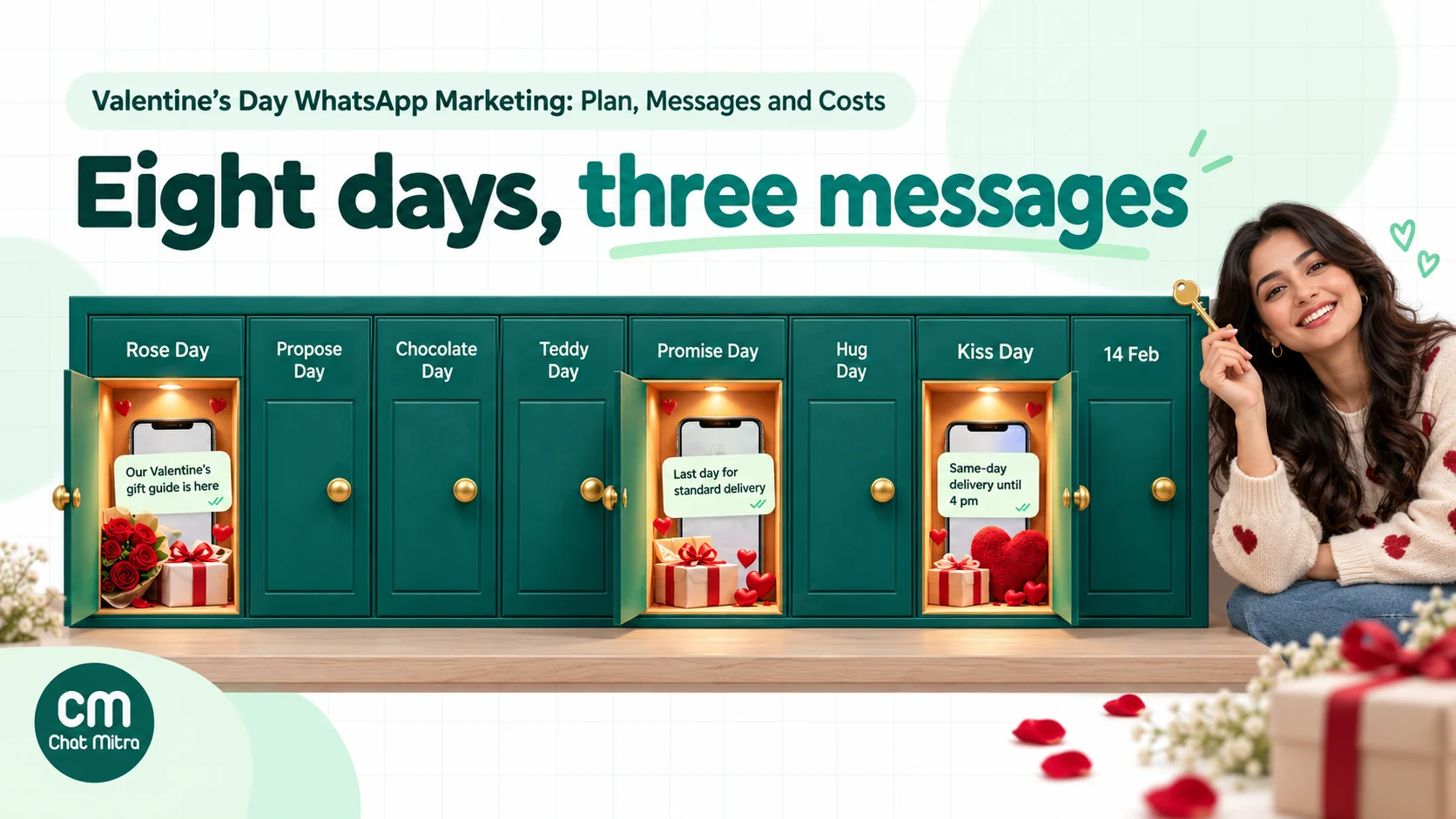
Valentine’s Day WhatsApp marketing works best as a short, planned sequence sent to people who asked to hear from you: a gift-list sign-up in late January, a gift guide on Rose Day (7 February), a delivery cut-off reminder around 11 February and one last call for same-day or pickup options on 13 February. In between, the chat does the real work, helping buyers choose a gift, write the note and get it delivered on time. Offers and reminders are marketing templates; order and delivery updates are utility.
Every February, the same pattern repeats on WhatsApp. A brand sends a red, heart-covered “Valentine’s Sale! Up to 40% off” message to its whole contact list on 7 February, then another on 10 February, then a “last chance” on 13 February. A few people buy. Several mute the chat. Some block the number. And somewhere in that list is a customer who lost their partner last year and didn’t want any of it.
There’s a better way to use the channel, because Valentine’s buying is unusual, and different from the festive wishes in our Diwali and Navratri guide. Most of the people shopping are buying for someone else, often at the last minute, with a hard deadline and a lot of uncertainty about what to get. That’s exactly what a conversation is good at, and a broadcast isn’t.
This guide covers the 2027 calendar, how to build a gift list before the week starts, which messages need which template category, a day-by-day plan for Valentine’s week, how to run gift advice and delivery cut-offs inside the chat, sample messages you can adapt, and a rupee budget for a 3,000-person campaign. If Valentine’s Day is one of several seasonal campaigns you plan, our WhatsApp marketing campaign ideas list covers the rest of the year.
Using ChatMitra?
Create a "Send me gift ideas" WhatsApp link and QR code, tag everyone who sends it with a keyword auto-reply, and schedule your gift-guide, cut-off and last-call campaigns to that tag in advance, excluding anyone who asked to skip Valentine's messages. ChatMitra charges ₹0.20 per conversation, never per message. See How ChatMitra helps.
Why Valentine’s Day is different on WhatsApp
Valentine’s Day is not Diwali. Diwali messages go to almost everyone, and a warm greeting from a shop you know feels natural. Valentine’s Day is narrower and more personal, and four things change how you should use WhatsApp for it.
The buyer is not the user. A man buying earrings for his wife, a daughter ordering a cake for her parents’ first Valentine’s Day apart, a college student sending flowers to another city: the person you’re talking to is shopping for someone you’ll probably never message. Your job is to make them look good.
The deadline is real. A Diwali offer can run for two weeks. A Valentine’s gift that arrives on 15 February has failed. Every message you send in the week should help the buyer beat a date: the last day for standard delivery, the last day for express, the last time for same-day pickup.
Buyers need help choosing. People rarely know what to buy, what it costs or whether it will arrive. A gift guide, a budget question and a quick reply from a real person do more for conversion than a bigger discount.
Not everyone celebrates. Some customers are single and happy about it, some are grieving, some don’t celebrate for religious or family reasons, and some just find hearts in their WhatsApp inbox irritating. A campaign that respects that, with an easy way to skip Valentine’s messages, protects your number for the rest of the year.
One more point: you’ll see vendor claims that WhatsApp messages get open rates above 90%. They come from software companies, not from Meta. Plan your Valentine’s campaign around your own results from Diwali or your last sale, and treat this February as the baseline for next year.
The 2027 Valentine’s calendar
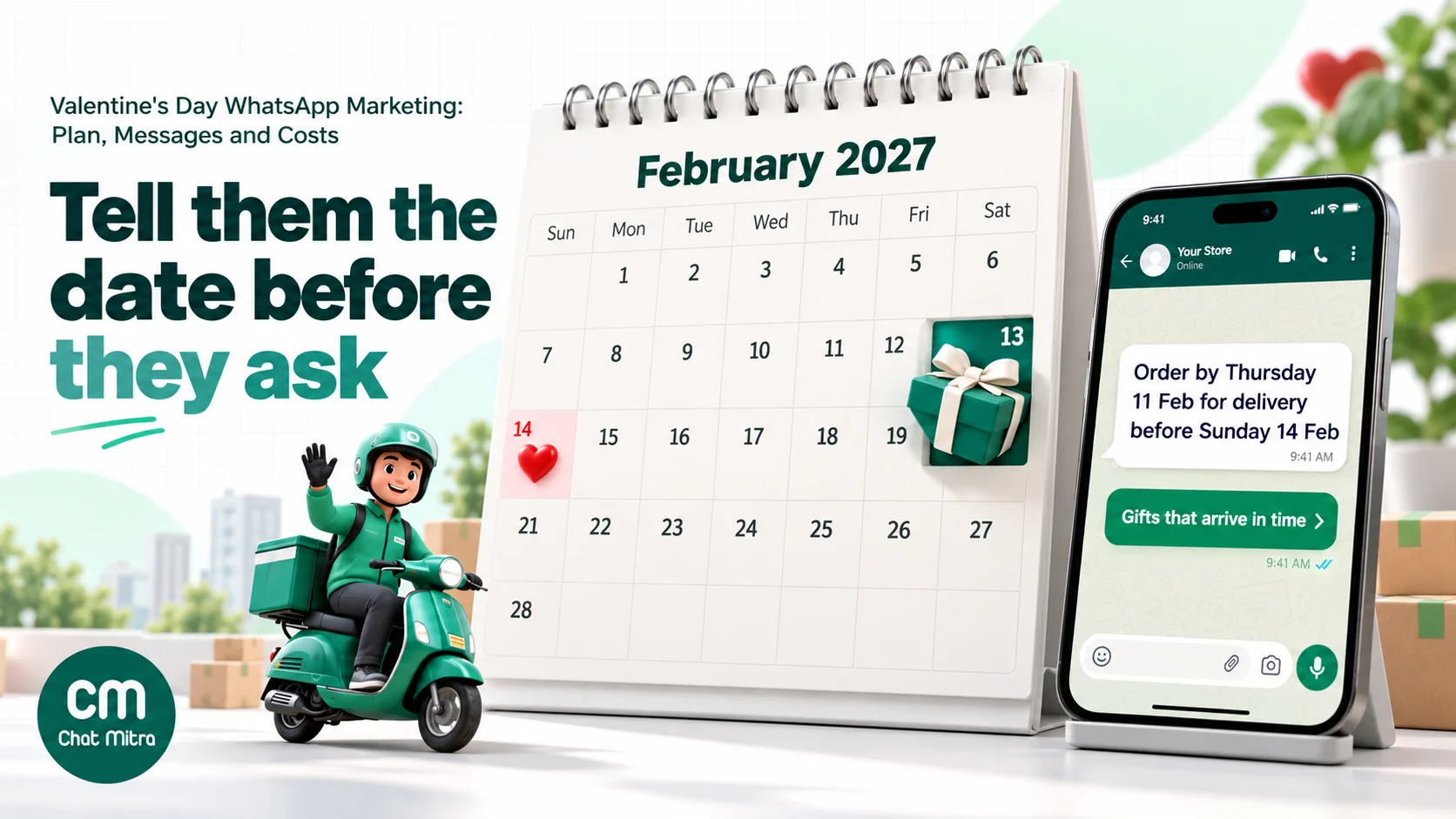
Valentine’s week is a popular, unofficial tradition in India that runs from 7 to 14 February. In 2027, Valentine’s Day falls on a Sunday, which matters for delivery: courier pickups and store hours are often limited on Sundays, so the real deadline for many businesses is Saturday 13 February.
| Date (2027) | Day | Valentine’s week | What it means for your WhatsApp plan |
|---|---|---|---|
| By Fri 15 Jan | — | — | Templates written and submitted for review |
| Wed 20 Jan to Sat 6 Feb | — | — | Promote your gift-list sign-up; reply to every “send me ideas” message |
| Sun 7 Feb | Sunday | Rose Day | Send 1: gift guide to your gift list |
| Mon 8 Feb | Monday | Propose Day | Jewellers and restaurants: proposal packages, if relevant |
| Tue 9 Feb | Tuesday | Chocolate Day | Answer gift questions; no new send needed |
| Wed 10 Feb | Wednesday | Teddy Day | Answer gift questions; no new send needed |
| Thu 11 Feb | Thursday | Promise Day | Send 2: delivery cut-off reminder (non-buyers only) |
| Fri 12 Feb | Friday | Hug Day | Express-delivery and reservation questions peak |
| Sat 13 Feb | Saturday | Kiss Day | Send 3: last call for same-day delivery, pickup or bookings |
| Sun 14 Feb | Sunday | Valentine’s Day | Answer the inbox; send nothing new |
| Mon 15 Feb onwards | — | — | Order updates and thank-yous to buyers; ask about next year |
The themed days are a creative resource, not a schedule. “Chocolate Day” is a natural hook for a bakery’s gift guide, and “Teddy Day” suits a toy or gifting store, but nobody wants a separate message for each of them. Pick the two or three moments that matter for your business and stop there.
Four weeks out: build a gift list people asked to join
The single best thing you can do for a Valentine’s campaign happens before February: collect a list of people who want gift ideas from you this year. Their sign-up tells you they’re shopping, and the conversation it starts gives you a free, natural first reply.
Ways to collect sign-ups
- A WhatsApp link with pre-filled text. For example, “Send me Valentine’s gift ideas”. Our free WhatsApp chat link generator makes one in a minute. Put it on your website banner, Instagram bio, Google Business Profile and email footer.
- A QR code on packaging and at the counter. January customers who bought for themselves are often next month’s Valentine’s gift buyers.
- Click-to-WhatsApp ads. A chat that starts from a Meta ad and gets a reply opens what Meta calls a free entry point window. Meta’s pricing page says it “may remain open for up to 7 days”, and messages you send inside it, including marketing templates, aren’t charged by Meta. It applies only to chats started from the Android or iOS apps. Our Black Friday click-to-WhatsApp ads guide explains how to set these ads up for a seasonal sale.
- A checkbox at checkout or in-store billing. Collect the number with clear wording, not a pre-ticked box.
What the sign-up has to say
Meta’s opt-in rules are short but strict: “Businesses must clearly state that a person is opting in to receive communication from the business” and “must clearly state the business’s name”. A good sign-up line reads:
Get Valentine’s gift ideas and delivery dates from Rose & Rasa on WhatsApp. Reply STOP any time.
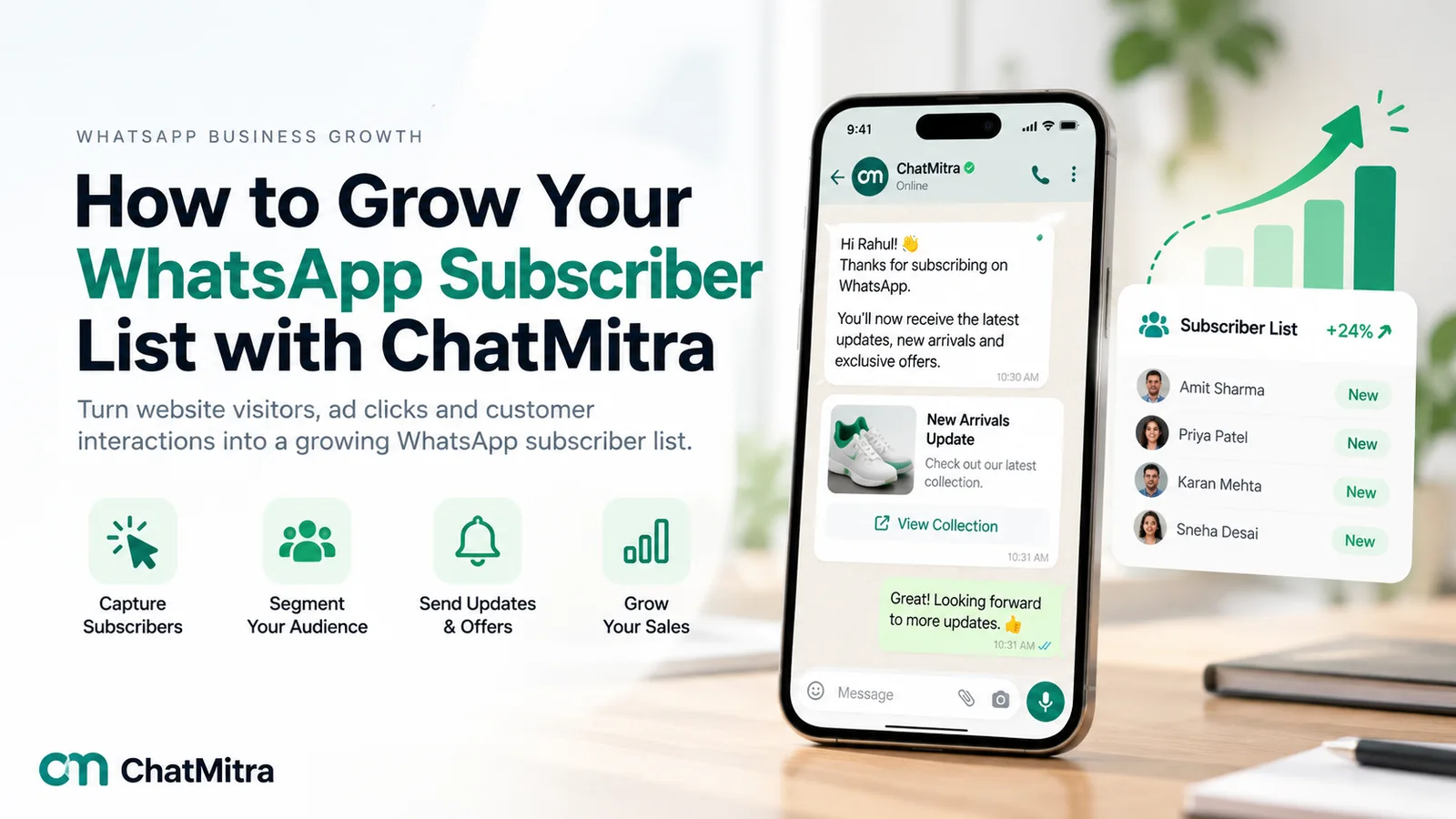
That’s enough. It names the business, says what they’ll get and tells them how to leave. Our WhatsApp opt-in guide covers consent wording for every channel, and growing a WhatsApp subscriber list has more places to put the sign-up. A customer who only asked for gift ideas has opted in to Valentine’s messages from you, which is a good reason to ask, at the end of the season, whether they’d like your other offers too.
The confirmation reply
When someone sends “Send me Valentine’s gift ideas”, reply straight away. Because the customer messaged first, your reply is a normal message inside the 24-hour customer service window, not a paid marketing template. Meta’s first 1,000 service messages per business phone number each month are free, and after that each costs ₹0.115 in India.
Use the reply to learn something:
Thanks for joining! We’ll send our Valentine’s gift guide on Sunday 7 Feb, plus the last order dates for delivery. Who are you shopping for? [Partner] [Parent] [Friend] [Just browsing]
The answer gives you a tag for each person, so the gift guide they get on Rose Day can lead with the right products.
Get your templates approved before the rush
Any message you send outside a 24-hour customer service window has to be an approved template, and the category decides the price and the rules. Valentine’s messages fall into two groups.
| Message | Category | Why |
|---|---|---|
| Gift guide, offers, new collection | Marketing | Promotes products |
| ”Order by 11 Feb for delivery by the 14th” reminder | Marketing | Encourages a purchase |
| Reminder a customer asked for (“Remind me before the deadline”) | Marketing | Meta’s categorization guidelines say retargeting messages “are marketing even if requested by users” |
| Valentine’s greeting with or without an offer | Marketing | Greetings are relationship-building content |
| Order confirmation, payment received, out for delivery, delivered | Utility | Updates about an order the customer placed, with no promotion |
| Table or appointment booking confirmation | Utility | Confirms a booking the customer made |
| Order update with “add a card for ₹99?” | Marketing | Meta treats mixed utility and marketing content as marketing |
Three practical rules follow.
Submit by mid-January. Template review is usually quick, but rejections happen, and a rejected gift guide on 6 February is a problem you don’t need. Write one template per message and per language.
Keep utility templates clean. A delivery update that ends with “PS: Get 10% off chocolates!” becomes marketing, at marketing prices, and repeated miscategorisation can count against you. Our utility templates guide shows where the line falls.
Consider a countdown. Meta’s limited-time offer templates “display expiration dates and running countdown timers for offer codes”, which suits a Valentine’s offer. They must be marketing templates, can’t have a footer, and people reading on WhatsApp Web or the desktop app see a notice instead of the offer. So always repeat the deadline in the message text.
Valentine’s week, day by day
Here is the plan in more detail. It assumes a business that ships gifts, such as a florist, bakery, jeweller or gifting store. Restaurants, salons and hotels can use the same three sends with booking dates instead of delivery dates; see playbooks by business type.
Send 1, Rose Day (Sunday 7 February): the gift guide
This is your main Valentine’s message. Send it to your gift list in the late morning or early evening, when people have time to browse.
- Lead with help, not a discount. “Five gifts under ₹1,500 that arrive by the 13th” is more useful than “Flat 30% off”.
- Use the tag. If someone said they were shopping for a parent, lead with the parent-friendly gift.
- One image, one link, one question. An image header with your best-selling gift, a URL button to the gift page and a quick-reply button such as “Help me choose”.
- Add the opt-out. A second quick-reply button, “Skip Valentine’s messages”, lets people leave this campaign without leaving your list.
- State the delivery dates. The last order date for standard delivery belongs in this first message, not just the reminder.
Between sends: answer, don’t broadcast
From 8 to 10 February, most of the value is in replies. People tap “Help me choose”, ask about sizes, colours, eggless cakes, gift wrap and whether you deliver to their parents’ town. Every reply is inside a 24-hour service window opened by the customer, and further messages within it don’t count towards Meta’s per-user marketing limit.
Send 2, around Promise Day (Thursday 11 February): the cut-off reminder
Send this only to people who haven’t bought yet. It’s the most useful message of the week, because it answers the question every late buyer has: “Is it too late?”
Last day for standard delivery: order by 11:59 pm tonight to receive it before Sunday 14 Feb. Express delivery is open until Saturday noon in Ahmedabad, Surat and Vadodara. [See gifts that arrive in time] [Help me choose]
Use the real dates from your courier or delivery partner, not a guess. If you can’t promise delivery, say so and offer pickup.
Send 3, Kiss Day (Saturday 13 February): the last call
This is the message for people who’ve left it very late: same-day delivery in your city, in-store pickup, digital gift cards or a restaurant table on the 14th. Keep it tasteful. Kiss Day is a popular hook in India, but a business messaging policy that prohibits sexually explicit content, and a customer list that includes people of all ages, both argue for a light touch.
Valentine’s Day itself: staff the inbox
Send nothing new on 14 February. Instead, have someone answering messages from the morning onwards: delivery questions, “Can I still pick up a cake at 6?”, and thank-yous from happy buyers.
After the 14th: close the loop
Buyers get their order updates. A day or two later, one short thank-you with a request for a photo or a review is fine. For everyone else, the Valentine’s campaign is over. If someone joined only for gift ideas, ask once whether they’d like your other offers during the year, and keep the answer.

Turn the chat into a gift advisor
A Valentine’s shopper’s biggest problem isn’t price, it’s uncertainty. A short, friendly set of questions solves most of it, and you can ask them in a chatbot, with quick-reply buttons or simply as a trained agent’s routine.
- Who is it for? Partner, spouse, parent, friend or “me”. The gift for a new relationship is different from a 25th-anniversary gift.
- What’s your budget? Offer ranges as buttons: under ₹1,000, ₹1,000 to ₹3,000, over ₹3,000.
- Where should it go? City or PIN code, so you can say straight away whether delivery is possible.
- When does it need to arrive? On the 14th, before it, or for pickup.
- Do you want a note? Ask them to type the message for the card. Customers are happy to write it in a chat, and it saves a phone call.
Then send two or three suggestions, not twenty, each with a photo and a link. If they still can’t decide, hand the chat to a person.
Don’t message the gift recipient
This is the rule most often broken. When a buyer gives you the recipient’s phone number for delivery, that number has not opted in to hear from your business. Sending it a “Your gift is on its way” WhatsApp, or worse, adding it to next year’s list, breaks WhatsApp’s opt-in rules and can ruin the surprise.
Instead:
- Send all order and delivery updates to the buyer. They can forward what they choose.
- Let your courier or delivery partner contact the recipient for the delivery itself, as they normally would.
- Store the recipient’s number only for this delivery. Don’t import it into your contact list.
- Ask whether the gift should be anonymous, and make sure the packing slip and the delivery person know.
Keep the gift note safe
People write personal things in gift notes. Copy the note into the order exactly, don’t reuse it in marketing, and don’t show it to anyone who doesn’t need it to pack the gift.
Delivery cut-offs, payments and order updates
The cut-off is the heart of a Valentine’s campaign, and it’s where many businesses lose sales they had already won.
Publish the dates early. Put your last order dates in the gift guide, on your website and in your WhatsApp Business profile description, and update them as courier slots fill up.
Plan for Sunday. With Valentine’s Day on a Sunday in 2027, check which of your delivery partners deliver on Sundays and in which cities. If they don’t, your real deadline is Saturday.
Send order updates as utility templates. Confirmation, payment received, dispatched, out for delivery and delivered are utility messages: ₹0.115 each in India, or free if the customer messaged you in the previous 24 hours. Our order tracking notifications guide has wording for each stage.
Nudge cash-on-delivery orders towards prepaid. A gift that’s refused at the door because the recipient wasn’t expecting to pay is the worst Valentine’s outcome. If you accept COD, confirm each order on WhatsApp and offer a payment link; our guide to converting COD to prepaid orders covers the flow, and WhatsApp payment links explains how to send them.
Recover abandoned carts, carefully. Valentine’s carts are often abandoned because the buyer is comparing gifts or checking a delivery date. A single reminder that answers the delivery question works better than a discount. See our abandoned cart recovery guide for timing and template rules.
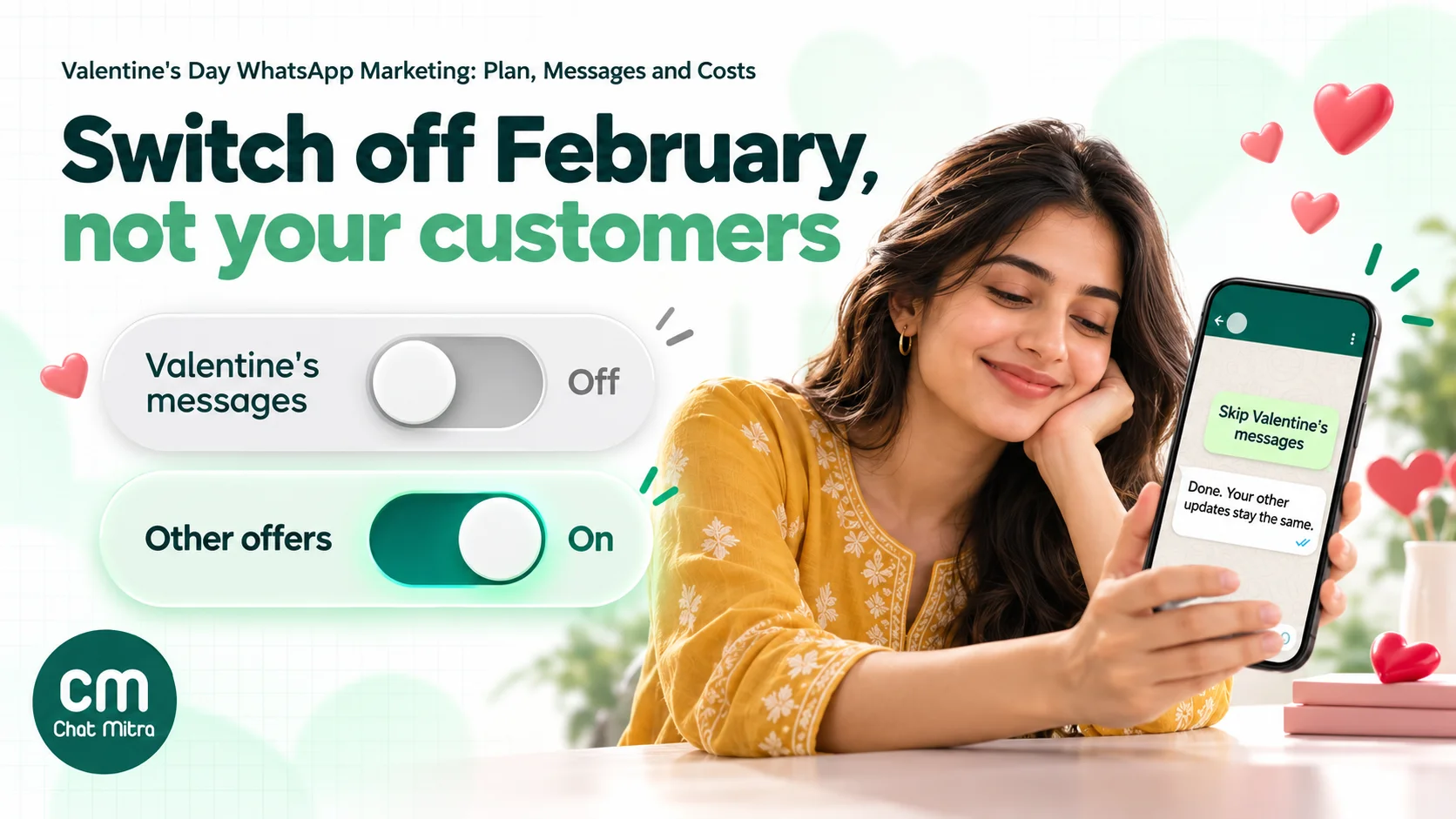
Let customers skip Valentine’s messages
Some brands now let people opt out of Mother’s Day or Valentine’s Day emails. On WhatsApp the case is stronger, because a message lands in the same app as personal chats, and an unwanted one is two taps away from a block.
WhatsApp’s business policy says businesses should “provide clear instructions for how people can opt out of receiving specific categories of messages”, and must respect every request to stop. A Valentine’s opt-out is a category opt-out, and it’s easy to run:
- Add a quick-reply button to your first Valentine’s message: “Skip Valentine’s messages”.
- Reply kindly and confirm. “Done. You won’t get any more Valentine’s messages from us this year. Your other updates stay the same.”
- Tag the contact and exclude the tag from the cut-off and last-call sends.
- Remember it next year. Ask once in January whether they’d like to hear about Valentine’s gifts this time, or leave them out.
Blocks and reports affect your phone number’s quality rating, and Meta’s systems can limit how many messages a business sends based on that feedback. An opt-out button costs you nothing and keeps people who don’t celebrate Valentine’s Day on your list for Holi, Mother’s Day and your summer sale.
Sample Valentine’s messages
Adapt these to your business, prices and dates. Template variables are shown in double curly brackets. Business names, prices and cities are examples.
1. Gift-list confirmation (service reply, not a template)
Thanks for joining, {{name}}! Our Valentine’s gift guide arrives on Sunday 7 Feb with last delivery dates. Who are you shopping for? [Partner] [Parent] [Friend] [Just browsing]
2. Gift guide (marketing, Rose Day)
Hi {{1}}, it’s Rose Day! 🌹 Here are five gifts under ₹1,500 that reach most of Gujarat by Saturday 13 Feb. Standard delivery closes on Thursday 11 Feb. [See the gift guide] [Help me choose] [Skip Valentine’s messages]
3. Gift guide for parents (marketing, tag-based)
Hi {{1}}, shopping for your parents this Valentine’s Day? Our couple’s cake-and-flowers box for ₹1,299 is our most-ordered gift for parents. Delivery available in {{2}} until Saturday noon. [See the box] [Help me choose]
4. Cut-off reminder (marketing, non-buyers only)
{{1}}, today’s the last day for standard delivery before Valentine’s Day. Order by 11:59 pm to have it delivered by Saturday 13 Feb. Express delivery stays open until Saturday noon. [Gifts that arrive in time]
5. Last call (marketing, Kiss Day)
Still looking for a Valentine’s gift, {{1}}? Same-day delivery in Ahmedabad until 4 pm today, store pickup until 9 pm, or send a digital gift card in a minute. [Same-day gifts] [Gift cards]
6. Restaurant table booking (marketing)
Valentine’s dinner on Sunday 14 Feb: a four-course set menu for two at ₹2,999, with a vegetarian option. 18 tables left for the 8 pm seating. [Book a table] [See the menu]
7. Order confirmation (utility)
Thanks, {{1}}! Your order {{2}} is confirmed for delivery on {{3}} in {{4}}. Your card will read: “{{5}}”. We’ll message you when it’s out for delivery.
8. Delivery update (utility)
Your order {{1}} has been delivered at {{2}}. We hope it made someone smile.
9. Opt-out confirmation (service reply)
Done, you won’t get any more Valentine’s messages from us this year. Your order updates and other offers stay the same.
10. After the 14th (marketing, buyers only, one message)
Thank you for choosing us this Valentine’s Day, {{1}}. If your gift made someone happy, a quick review helps other shoppers find us next year. [Leave a review]
For more examples of campaign messages through the year, see our WhatsApp broadcast message examples.
What a Valentine’s campaign costs
Here’s a worked budget for a gifting store with a Valentine’s gift list of 3,000 opted-in people in India, using Meta’s India rates in effect from 1 October 2026 (marketing ₹0.8631, utility and service ₹0.115) and ChatMitra’s ₹0.20 fee, which applies once per customer per 24 hours.
| Item | Messages | Meta cost | ChatMitra fee |
|---|---|---|---|
| Gift guide, 7 Feb | 3,000 marketing | ₹2,589.30 | ₹600 |
| Cut-off reminder, 11 Feb (non-buyers) | 2,600 marketing | ₹2,244.06 | ₹520 |
| Last call, 13 Feb (non-buyers) | 2,300 marketing | ₹1,985.13 | ₹460 |
| Order updates for 500 orders | 1,000 utility (2 per order) | ₹115.00 | ₹100 (one delivery-day conversation per order) |
| Gift-advice replies | 4,800 service, first 1,000 free | ₹437.00 | Included above (same 24-hour windows) |
| Total | ₹7,370.49 | ₹1,680 |
That’s about ₹9,050 for the whole campaign, or about ₹3 per person on the gift list. The 500 orders, the shrinking non-buyer counts and the 4,800 replies are illustrative assumptions, not benchmarks; use your own numbers. If the campaign drives 500 orders, WhatsApp costs about ₹18 per order.
A few things move the total:
- Messages that aren’t delivered aren’t charged. Meta charges per delivered message.
- Chats from click-to-WhatsApp ads are free from Meta inside the free entry point window, but you pay for the ads.
- Meta updates its rates on a published calendar. The rates above were in effect from October 2026; check the pricing page before you set your February budget.
- ChatMitra’s Enterprise plan has no per-conversation fee. The ₹0.20 applies on Starter and Pro.
Playbooks by business type
| Business | Gift-list hook | Best Valentine’s offer format | The deadline to communicate |
|---|---|---|---|
| Florists and cake shops | ”Send me Valentine’s ideas” on Instagram and the shop counter | Ready-made combos by budget, eggless options, photo cakes | Last order time for same-day delivery, by area |
| Jewellers | Appointment-led: “Book a quiet time to choose” | Couple’s bands, engraving, gift-ready boxes | Last day for engraving or resizing |
| Restaurants and cafés | Past diners who opted in to offers | Set menus, two seatings, pre-paid bookings | When bookings for the 13th and 14th close |
| Salons and spas | Clients from the last six months | Couple’s packages, gift vouchers | Last slots on the 13th and 14th; voucher validity |
| Fashion and D2C gifting | Checkout opt-in plus a “gift ideas” link | Gift guides by recipient, free gift wrap, gift cards | Standard and express cut-offs by city |
| Hotels and staycations | Previous guests | Valentine’s weekend stays, dinner add-ons | Booking deadline and cancellation terms |
A few notes for specific businesses:
- Jewellers: proposal and engagement purchases are high-value and private. Offer a call or an in-store appointment from the chat, and never send ring photos to a number the buyer didn’t give you.
- Restaurants: a table confirmation is utility; a “18 tables left” message is marketing. Send the confirmation and reminder for each booking, not repeated invitations.
- Salons: gift vouchers solve the deadline problem completely. Push them in the last-call message.
- Self-gifting: a growing share of February shopping is people treating themselves or their friends. A “for yourself” option in the gift guide includes the customers a couples-only message would leave out.
Valentine’s campaigns outside India
ChatMitra’s customers sell around the world, and Valentine’s Day is celebrated in many markets, but not all of them.
- United States: Meta says WhatsApp “does not currently deliver marketing template messages to WhatsApp users with United States phone numbers”. Plan US campaigns around click-to-WhatsApp ads, website chat links and replies within the 24-hour service window.
- Time zones: schedule each send in the customer’s local time. A 7 pm Rose Day message in Dubai is 8:30 pm in Mumbai.
- Local customs and law: check how Valentine’s Day is viewed in each market before you send. WhatsApp’s business policy also requires organisations to comply with applicable law.
- Per-user limits apply everywhere. Meta may limit how many marketing templates a person receives from all businesses, and Valentine’s week is a crowded inbox. Messages that hit the limit fail with error 131049, and Meta advises waiting at least 24 hours before trying that person again.
Measuring the campaign
You don’t need complicated analytics. Track these numbers in a spreadsheet, and compare them with your Diwali or last sale campaign.
- Gift-list sign-ups by source (link, QR code, ad, checkout).
- Delivered and read for each send, from your campaign report.
- Replies and “Help me choose” taps: the best signal that the gift-advisor approach is working.
- Orders with a Valentine’s-only code or UTM-tagged links, by send.
- Skips, opt-outs and blocks. If more than a handful of people per thousand skip after the first send, your gift list was too broad.
- 131049 failures: a high number means your audience is getting a lot of marketing from other businesses that week.
- Late deliveries. Every gift that arrives on the 15th should change next year’s cut-off date.
Common mistakes
- Messaging the whole contact list. Valentine’s Day is a gift-list campaign, not an all-customers broadcast. People who never opted in to marketing shouldn’t get it.
- A message for every themed day. Eight sends in eight days costs money, uses up per-user allowances and earns blocks.
- Hiding the delivery dates. If the buyer has to ask, many won’t. Put the cut-off in every message.
- Promising delivery you can’t control. Check Sunday delivery and city coverage with your partners before 7 February.
- Messaging the recipient. Updates go to the buyer. Always.
- Promotions inside utility templates. “Out for delivery, and 10% off chocolates” is a marketing message at marketing prices.
- Ignoring the inbox. A “Help me choose” button with nobody behind it on Saturday evening wastes your best leads.
- No way to skip. Not offering a Valentine’s opt-out costs more in blocks than it saves in reach.
- Last-minute templates. Submit by mid-January, and test each template on a phone before scheduling.
- Prohibited or explicit content. WhatsApp’s business policy prohibits adult products and services and dating services, and messages “must not contain offensive content, for example sexually explicit materials”. Keep Valentine’s creative romantic, not risqué.
How ChatMitra helps
ChatMitra runs on the official WhatsApp Business API and handles the gift list, the scheduled sends and the conversations in between.
| ChatMitra feature | Role in a Valentine’s campaign | Why it matters |
|---|---|---|
| WhatsApp link and QR generator | Create the “Send me Valentine’s gift ideas” link and a QR code for packaging and counters | Sign-ups start with the customer messaging you |
| Keyword auto-replies that add a tag | The sign-up message gets the confirmation reply and a valentines-2027 tag; “Skip” gets a valentines-skip tag | The gift list and the opt-out list build themselves |
| Quick-reply buttons in templates | ”Help me choose” and “Skip Valentine’s messages” in the gift guide | One tap starts a conversation or an opt-out |
| Scheduled campaigns with include and exclude tags | Schedule the gift guide, cut-off and last call days ahead, to the gift-list tag, excluding skips and buyers | Messages go out on time, to the right people |
| Image headers and URL buttons with dynamic suffixes | Show the gift and add a tracking parameter to each link | Measure orders by send in your store analytics |
| Retarget by status | Send the cut-off reminder to people whose gift guide was delivered or read | Follow up without rebuilding the list |
| Shared team inbox and quick replies | Agents answer gift questions with saved answers for delivery areas, eggless options and gift wrap | Fast answers on the busiest evenings |
| AI chatbot trained on your FAQs | Answers delivery and product questions outside shop hours | Late-night buyers still get an answer |
| Shopify integration | Order confirmation and abandoned-cart flows with your own templates | Order updates go out without manual work (see the gift-order note below) |
| ₹0.20 per conversation, never per message | A buyer who asks ten questions on 12 February counts once in 24 hours | Gift advice doesn’t multiply the platform bill |
Setting it up:
- Create the gift-list link. In the dashboard’s WhatsApp link generator, enter your number and the pre-filled text “Send me Valentine’s gift ideas”, and download the QR code.
- Add the auto-replies. Create a keyword rule for messages starting with “Send me Valentine’s”, with your confirmation text, and turn on Add tag. Add a second rule for “Skip Valentine’s messages” that tags
valentines-skip, and a STOP rule for full opt-outs. - Submit your templates. Create the gift guide, cut-off and last-call templates as marketing, and your order updates as utility, by mid-January.
- Schedule the three campaigns. Include the gift-list tag, exclude the skip and opt-out tags, and exclude a buyer tag for the cut-off and last call.
- Staff the inbox from 7 to 14 February, with quick replies ready for the questions you’ll get most often.
Good to know:
- ChatMitra’s Shopify order flows send to the phone number on the shipping address first. On a gift order shipped straight to the recipient, that’s the recipient’s number. If many Valentine’s orders ship to someone other than the buyer, switch the automatic order-confirmation flow off for the week and send gift-order updates to buyers from the inbox.
- Campaigns don’t yet send limited-time offer, carousel or catalogue templates, and copy-code coupon buttons aren’t filled in by the campaign sender. Put the Valentine’s code in the message text and the deadline in words.
- ChatMitra doesn’t track link clicks. Use UTM parameters and a Valentine’s-only code to measure orders.
- Contacts who opt out of marketing in WhatsApp, or reply STOP, aren’t removed from campaigns automatically. Tag them with a keyword rule and exclude the tag.
- Campaign retries can include messages that failed with 131049. Meta advises waiting at least 24 hours before trying those people again, so don’t retry a Rose Day send on Rose Day.
- Agents pick chats from the shared inbox; there’s no automatic assignment, so agree who covers which hours during the week.
- Broadcasts, automation and scheduling depend on your plan. Check the pricing page.
A Valentine’s checklist
- Fix your last order dates for standard, express and same-day delivery, including Sunday coverage.
- Write and submit the gift guide, cut-off, last-call and order-update templates by 15 January.
- Create the gift-list link and QR code, and the confirmation, skip and STOP auto-replies.
- Promote the gift list from about 20 January.
- Schedule the gift guide for Rose Day, 7 February.
- Schedule the cut-off reminder for 11 February, to non-buyers.
- Schedule the last call for 13 February, to non-buyers, with same-day, pickup and gift-card options.
- Staff the inbox from 7 to 14 February.
- Send order updates to buyers only, never to recipients.
- After the 14th, thank buyers once, ask everyone about next year and record your numbers.
Valentine’s Day rewards the business that helps a nervous shopper get it right on time. Send fewer messages, answer more of them, and let anyone who’d rather skip February do so.
Sources
- Meta for Developers: Get opt-in for WhatsApp, Pricing on the WhatsApp Business Platform (updated 30 September 2026), Template categorization (updated 15 September 2026), Per-user marketing template message limits, Limited-time offer templates.
- WhatsApp: WhatsApp Business Messaging Policy.
- India rates (marketing ₹0.8631, utility ₹0.115, service after the free 1,000 at ₹0.115) are Meta's rates from 1 October 2026 as listed on ChatMitra's pricing page. Valentine's week dates are the customary 7–14 February observances; weekdays are for 2027. All sources read on 22 October 2026.