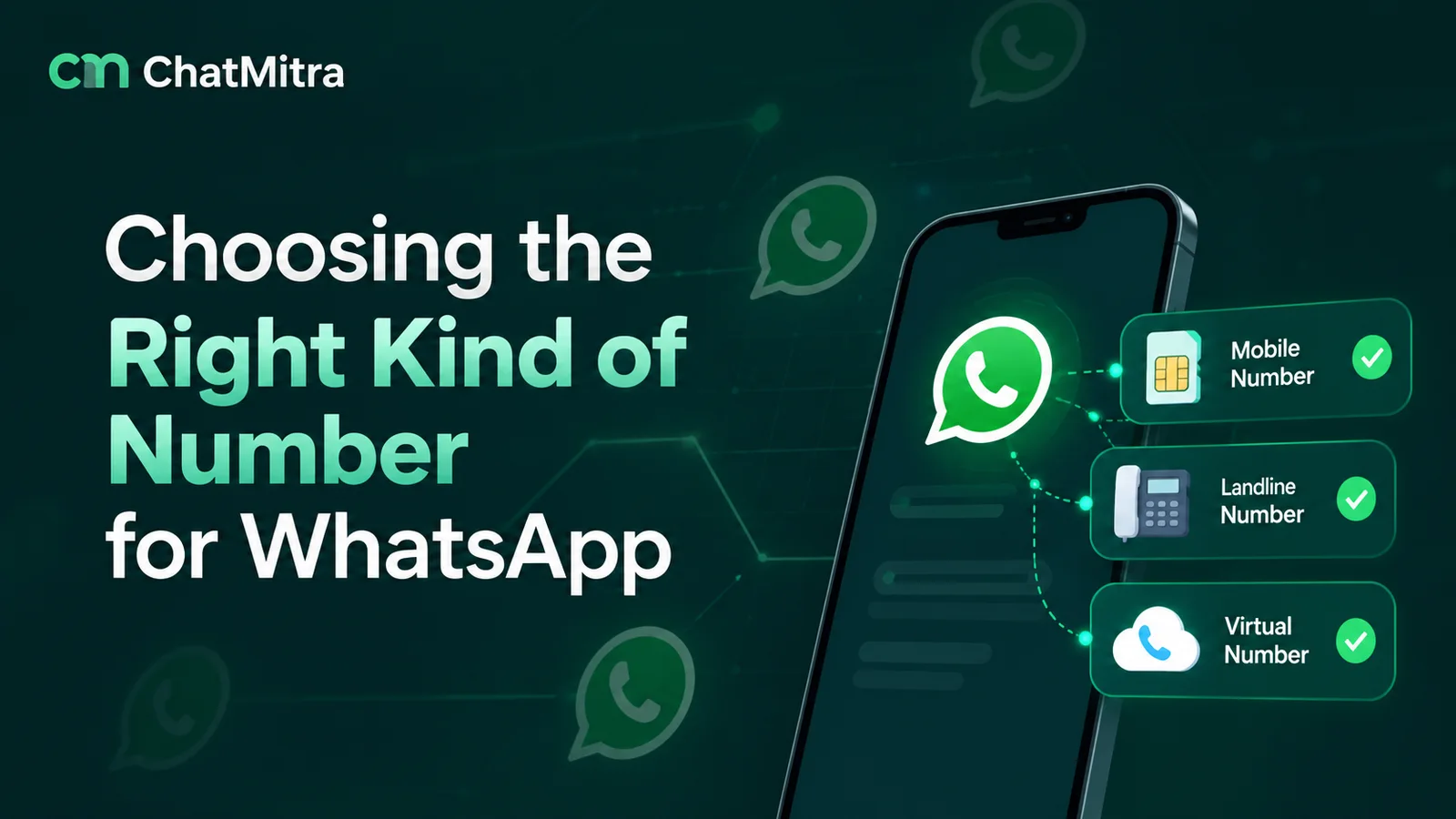
Whether a virtual number works for WhatsApp depends on which WhatsApp you mean. Personal WhatsApp and the WhatsApp Business app don’t accept VoIP, toll-free or premium-rate numbers, though the Business app does take a landline. The WhatsApp Business Platform (API) accepts any number you own that has a country and area code and can receive an SMS or a voice call.
That split explains most of the confusion. Sites selling “virtual numbers for WhatsApp” rarely say which of the three products the number will work with, and free OTP sites don’t mention the risks at all. This guide covers what each product accepts, what India’s SIM-binding directions change, and how to register a landline, virtual or toll-free number properly.
Key takeaways
- For a personal account, use a normal mobile number with a SIM. Virtual numbers are the wrong tool.
- For a shop on the Business app, a landline you own works; tap Call me to get the code.
- For a team, automation or a toll-free line, register the number on the Business Platform (API) instead.
Facts checked against the WhatsApp Help Center and Terms of Service, Meta's WhatsApp Business Platform documentation the Department of Telecommunications' SIM-binding release and reports of the government's April 2026 update on 27 September 2026.
What is a virtual number?
A virtual number is a phone number that isn’t tied to a SIM card in your phone. Calls and messages to it are routed over the internet or a telecom provider’s network to an app, a dashboard, a desk phone or another number. Businesses have used them for years for call centres, sales lines and toll-free support.
“Virtual number” covers several different things, and WhatsApp treats them differently:
| Type | What it is | Typical use |
|---|---|---|
| VoIP number | A number delivered over the internet, answered in an app or softphone | Remote teams, second numbers, calling apps |
| Cloud telephony / virtual business number | A number from a telecom or cloud-calling provider, often with an IVR, call routing and recording | Sales and support lines |
| Toll-free number | A number the caller doesn't pay for; the business pays | Customer care lines |
| Virtual mobile number | A mobile-series number hosted by a provider rather than a SIM in your handset | Receiving SMS in a dashboard |
| Temporary or "receive SMS online" number | A shared number whose incoming texts are shown publicly on a website | One-off sign-ups (and account theft) |
| Meta-provided 555 number | A US +1 555 number issued by Meta for the WhatsApp Business Platform only | Businesses with no number to register |
A landline isn’t usually called virtual, but it raises the same question (no SIM, no SMS), so it’s covered below too.
Can you use a virtual number for WhatsApp?
There are three WhatsApp products, and each has its own rule. WhatsApp’s Help Center is explicit for the two apps, and Meta’s developer documentation sets the rule for the Platform.
| Number type | WhatsApp (personal) | WhatsApp Business app | WhatsApp Business Platform (API) |
|---|---|---|---|
| Mobile number with a SIM | Yes | Yes | Yes (Meta's recommended type) |
| Landline | No | Yes, by voice call | Yes, by voice call |
| VoIP / cloud number | No | No | Yes, if it can receive the SMS or call |
| Toll-free | No | No | Yes, if the registration call can reach a person |
| Premium-rate, UAN, personal numbers | No | No | Possible but "Not Recommended" for SMS; personal numbers not recommended for either |
| Short code | No | No | No: "short codes are not supported" |
For the apps, the WhatsApp Help Center says: “Unsupported phone numbers, such as VoIP, landlines, toll-free, paid premium numbers, universal access numbers (UAN), shared cost, and personal numbers can’t be registered on WhatsApp”, with the exception that “Landines can only be used when registering on on the WhatsApp Business App” (WhatsApp Help Center; the typos are WhatsApp’s). The Business app’s own registration page sets the rule out as “You can only register a mobile phone or a landline (fixed) number that you own”, and lists VoIP, toll-free, paid premium, UAN and personal numbers as unsupported (WhatsApp Help Center).
WhatsApp’s Terms of Service also ask users to “provide your current mobile phone number”. So the honest answer to “can I use a virtual number for personal WhatsApp?” is no. Some virtual mobile numbers will still receive the code, because to WhatsApp they look like any mobile line. That’s a loophole, not a supported setup, and for Indian numbers it’s the gap India’s SIM-binding directions aim to close (see below).
For the Platform, Meta’s business phone numbers documentation (updated 21 May 2026) sets these rules for the number itself. Eligible numbers must:
- “be owned by you”
- “have a country and area code (short codes are not supported)”
- “be able to receive voice calls or SMS”
The same list adds a fourth line, “have scaled capabilities”, which links to Meta’s help page on scaling an account. That page lets an account register up to two numbers before scaling and 20 after, so it limits how many numbers you add, not which kind.
That’s why virtual and toll-free numbers belong on the Platform. It verifies ownership with one code, then runs in the cloud, so there’s no phone or SIM involved after registration. Our learn page on phone numbers for the WhatsApp API covers the basics of choosing an API number.
Why free virtual numbers for WhatsApp are a bad idea
“Virtual number for WhatsApp free”, “temporary number for WhatsApp” and “fake number for WhatsApp” are common searches. The sites that answer them list public numbers and show every SMS those numbers receive. Using one for WhatsApp causes three problems.
- Anyone can take the account. WhatsApp’s Help Center warns that someone trying to take over an account “need[s] the SMS verification code sent to your phone number to do so” (WhatsApp Help Center). On a public inbox, that code is visible to everyone. The next person to register the same number can move the account to their phone.
- You don’t control the number. When the free period, trial or rental ends, the provider can reassign it. If you ever need to verify again, on a new phone or after a reinstall, you can’t.
- It often doesn’t work anyway. The number may already be registered to someone else, or blocked from receiving the code. And for businesses, a number you can lose is a number customers will lose you with.
If privacy is the goal, there are better tools. WhatsApp’s two-step verification adds a second check, such as a PIN or password, on top of the SMS code; its Help Center describes it as a way to “protect against unauthorized access” (WhatsApp Help Center). A second, paid, SIM-based number that you control is also better than a shared one.
Need a second WhatsApp number? Better options than a virtual number
Many people searching for a virtual number just want a second WhatsApp: one for family, one for work. WhatsApp’s own rules point to a SIM. Its Help Center says “an active SIM card or eSIM with your registered phone number is required to maintain access to your WhatsApp account”, and that an eSIM works “the same way it works with a physical SIM” (WhatsApp Help Center).
| Option | How it works | Good for | Watch out for |
|---|---|---|---|
| A second SIM or eSIM | A normal mobile number in a dual-SIM phone | Separating personal and work chats | A second plan to pay for |
| WhatsApp plus WhatsApp Business on one phone | One number in each app | Sole traders who want business tools on the work number | Still two numbers to keep active |
| WhatsApp's multiple-account feature | Two accounts, each with its own number, in WhatsApp on one phone | Keeping both in one place | Mobile only, and account switching "isn't currently available on the WhatsApp Business app" |
| A number on the Business Platform | A cloud number used through an inbox or API | Teams and automation | Not for personal chats |
One more rule applies to all of them: a WhatsApp account is verified with exactly one phone number, so a second number always means a second account.
India: what SIM binding means for virtual numbers
India has added a rule that goes further than WhatsApp’s own. On 28 November 2025, the Department of Telecommunications (DoT) issued directions under the Telecom Cyber Security Rules, 2024 to messaging apps that use Indian mobile numbers, naming “WhatsApp, Telegram, Snapchat, Arattai, Sharechat, Josh, Jiochat and Signal” (DoT / PIB release, 1 December 2025). The release says the directions require these apps to:
- ensure the service “is continuously linked to the SIM card … installed in the device, making it impossible to use the app without that specific, active SIM”;
- log out web sessions “periodically (not later than 6 hours)” and let users re-link with a QR code (a rule since reported as relaxed; see below).
DoT gave apps 90 days to implement this and 120 days to report. Its stated reason is that accounts “continue to work even after the associated SIM is removed, deactivated or moved abroad”, which enables fraud with Indian numbers.
Our reading of what this means (neither DoT nor WhatsApp has published detail on these cases):
- An Indian mobile number without its SIM in the phone (a virtual mobile number, or a SIM kept in a drawer) is exactly what SIM binding is meant to stop. Once WhatsApp enforces it, expect that setup to stop working in the app.
- The WhatsApp Business Platform isn’t mentioned. The release describes apps “running” on a device with a SIM. A Platform number runs in the cloud with no handset, and the release doesn’t address it.
- Landlines and toll-free numbers aren’t mobile numbers. The release covers apps using an “Indian Mobile Number”. How WhatsApp will treat Business-app landlines under SIM binding hasn’t been published.
- The timing and the logout rule have moved. On 2 April 2026, MediaNama reported that DoT had extended the deadline to December 2026, confirmed through a representative of one of the platforms. The same day, PTI reported a written reply to the Rajya Sabha in which the Minister of State for Communications gave the compliance timeframe as “December 31, 2026” and said web sessions are to be logged out “on the basis of risk-based analysis”, with no fixed time period. We couldn’t find a DoT notice or the reply’s text on an official website, so treat both as reported, not confirmed.
For Indian businesses the takeaway is simple. If one person answers WhatsApp on one phone, use a SIM-based number in that phone. If the number has to live in the cloud, register it on the Business Platform.
Which number should your business use?
Pick the product first, then the number. This table covers the common situations.
| Your situation | Best choice | Why |
|---|---|---|
| One owner replies from their phone | A mobile number with a SIM, on the WhatsApp Business app | Simplest, supported everywhere, meets SIM binding |
| A shop wants customers to message its printed landline | The landline, on the WhatsApp Business app | Supported by voice-call registration; the smartphone running the app holds the account |
| Several staff answer, or you need automation, templates or an API | A dedicated number on the WhatsApp Business Platform | No handset needed; any eligible number (mobile, landline, virtual, toll-free) |
| You advertise a toll-free or cloud-telephony number | That number, on the Business Platform | The apps reject it; the Platform accepts it if the registration code can reach you |
| You're already on the Business app and want an API too | The same number, onboarded with coexistence | Keeps the app working alongside the API |
| You have no number to register at all | A Meta-provided 555 number, if offered | Issued by Meta, but it's a +1 number and can't be migrated |
One detail matters more than the number type: own the number. A number in your company’s name, on a contract you control, can usually be kept for years and moved between providers. A number rented through a reseller can disappear with the reseller.
How to register a landline on the WhatsApp Business app
This is the most common “no SIM” setup for small businesses, and it’s fully supported. The Business app runs on a smartphone, not a Wi-Fi-only device such as most tablets, because WhatsApp won’t set up new accounts on those. The code itself comes to the landline:
- On that smartphone, choose your country and type the landline number, area code included, with no 0 in front.
- Tap Call me if the app offers it, or let the SMS timer run out and then choose Call me.
- Pick up the landline and listen: a recorded voice reads out a six-digit code.
- Enter those six digits in the app, and the landline becomes the account’s number.
Extensions won’t work: WhatsApp sends the code only to the landline itself, “that you intend to use for your business account”. WhatsApp also asks you to disable call-blocking settings and apps before you register. Our guide to creating a WhatsApp Business account covers the rest of the app set-up, including naming and profile rules.
The smartphone that registered the landline now holds the account. You can add up to four linked devices, but WhatsApp logs them out “if your phone is unused for over 14 days” (WhatsApp Help Center), so keep that phone at the business and in regular use.
How to register a virtual or toll-free number on the WhatsApp Business Platform
On the Platform, the number is verified once with a code sent by SMS or voice call, then used through the API or a platform built on it.
- Check eligibility. The number must be yours, have a country and area code, and receive an SMS or a voice call. It can’t already be registered on personal WhatsApp or the Business app, unless you delete that account first or onboard the Business-app number with coexistence.
- Pick the verification method that suits the line. Meta’s number-type table rates SMS codes as “Not Recommended” for fixed lines, toll-free, VoIP and most non-mobile types, and voice codes as “Standard” for them. For most virtual numbers, choose the voice call.
- Prepare the line for an international call. Meta’s advice for these types is to make sure the number can “receive International SMS/Calls”, and to “disable call forwarding or IVR features” while you register.
- For numbers behind an IVR (typical for toll-free): Meta says a registration call “cannot navigate an IVR”. You can still register the number if it can accept international calls and route the call to a person: WhatsApp gives you “one or two phone numbers that the registration call will come from”, you allow-list them, and send that call to an employee or a mailbox.
- Set the display name and a two-step verification PIN. Meta says you “must set a two-step verification PIN when registering a business phone number”. Keep the PIN somewhere your team can find it.
- Keep using the line for calls if you like. Meta notes that registered numbers “can still be used for everyday purposes, such as calling and text messages”. On that wording, a toll-free line should keep taking ordinary calls while it runs WhatsApp.
New business portfolios can register two numbers at first. Meta raises the cap to 20 once the business is verified or reaches a messaging limit of 2,000.
Meta’s own verdict on each number type
Meta’s documentation rates each type by how reliably it receives registration codes. This summary is its table, shortened:
| Number type | SMS code | Voice code |
|---|---|---|
| Mobile (recommended) | Standard | Standard |
| Fixed line (landline) | Not recommended | Standard |
| Freephone (toll-free) | Not recommended | Standard |
| VoIP | Not recommended | Standard |
| Premium rate, universal access, inbound-only | Not recommended | Standard |
| Shared cost, personal number, M2M/IoT | Not recommended | Not recommended |
| Pager | Not supported | Not supported |
Meta’s 555 numbers: a virtual number from Meta itself
If you don’t have a number to register at all, Meta may give you one. Its Embedded Signup documentation says business customers “can claim up to two 555 business phone numbers”. These numbers:
- “Have a US country calling code (+1)” and “a 555 area code”
- “Are verified automatically”
- “Cannot be migrated to another WhatsApp account, or used outside of the WhatsApp Business platform”
They “behave the same way as standard business phone numbers”, but the display name must be approved before you can send messages. Meta describes them as an option on Embedded Signup’s phone-number screen for eligible business customers, so you’ll only see one if a provider onboards you that way.
Think about who you’re messaging. A +1 number is fine for testing or a US presence, but customers in India may hesitate to reply to an unfamiliar foreign number. And because you can’t migrate it, anything you build on it (a QR code on packaging, a number in ads) has to change if you later move to your own number. Our learn page on Meta-provided 555 numbers covers set-up.
Cost doesn’t change with the number type. Meta prices each template by its category and “the recipient WhatsApp phone number’s country calling code” (Meta pricing), so a landline, toll-free or 555 number messaging an Indian customer pays India’s rates.
Three example setups
A clinic with a landline. Patients already call the clinic’s fixed line, which is printed on prescriptions. The receptionist registers that landline on the WhatsApp Business app using Call me, on a smartphone that stays at the front desk. Patients can message the number they already know, and no new number needs printing.
A D2C brand with a toll-free support line. The brand advertises an 1800 number and wants WhatsApp on the same number, answered by five agents. The Business app can’t take a toll-free number, so the brand registers it on the Business Platform. It asks its telephony provider to allow-list WhatsApp’s registration callers and route that call to a supervisor, then connects the number to a shared inbox. Meta says registered numbers can still be used for calling, so the phone line should carry on as before.
A remote team with a VoIP number. A consultancy with staff in three cities uses a VoIP number on its website. It registers that number on the Business Platform with a voice-call code and answers from a web inbox. Nobody needs a SIM, and DoT’s release describes apps running on a phone, not the Platform.
In each case the business kept a number it already owned. That’s usually the best choice: customers already trust it, and it’s already on your website, receipts and signage.
What to check before you buy a virtual number for WhatsApp
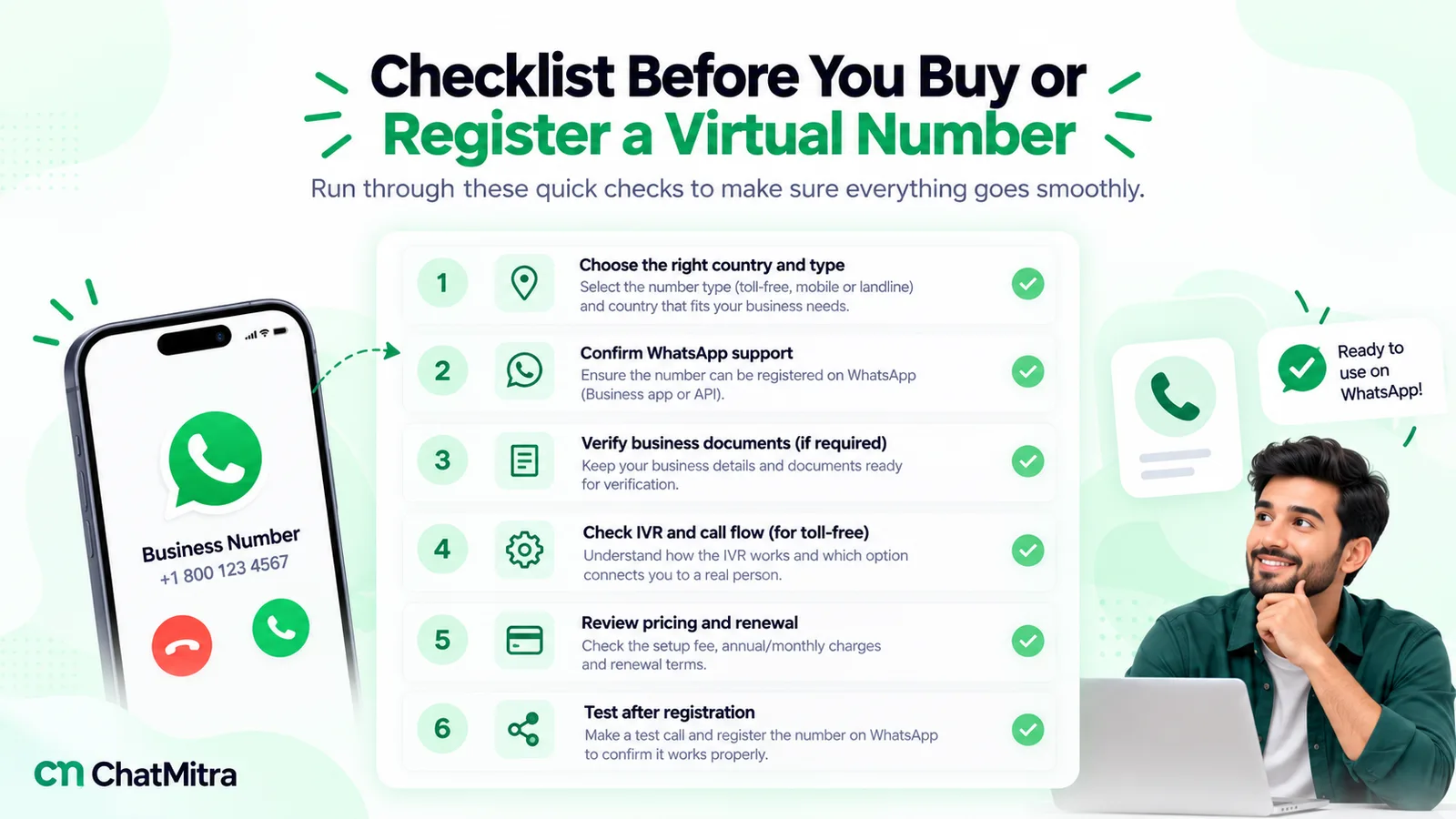
Many providers sell numbers “for WhatsApp”. Before you pay, get clear answers to these:
- Which WhatsApp product is it for? If the answer is personal WhatsApp or the Business app, it’s the wrong number type (see the first table).
- Is the number dedicated to you? Shared or pooled numbers are a security risk for any account.
- Who owns it? Can you port it to another provider or carrier if you leave, and what happens if a payment is missed?
- Can it receive international calls and SMS? WhatsApp’s registration call and SMS may come from abroad.
- Can you turn off the IVR or allow-list callers? Otherwise the registration call can’t reach you.
- Does the country code fit your customers? A local number usually gets more replies than a foreign one.
- Is it on WhatsApp anywhere already? A number still in use on WhatsApp must be deleted from it first, and a banned number unbanned, before it can go on the Platform.
Answers you can’t get in writing are a reason to walk away.
Troubleshooting: the code doesn’t arrive
- Switch to a voice call. Most virtual, landline and toll-free numbers receive calls more reliably than SMS; Meta rates voice as “Standard” for them. In the apps, tap Call me after the timer runs out.
- Remove what blocks the call: call forwarding, IVR menus, call-blocking apps, and settings that reject international callers.
- Check the format. Country code, then the number without a leading 0, and no extension.
- Check whether the number is already registered. Meta says “Numbers already in use with WhatsApp cannot be registered unless they are deleted first”, and a banned number must be unbanned through the appeal process first (see what to do if WhatsApp banned your number).
- Ask the provider whether the number can receive short-code or international SMS. Some virtual numbers can’t.
- Wait for the timer. WhatsApp says to “Wait for the progress bar to finish before you retry”, and after too many wrong guesses “There’s no way to make this faster.”
If a number never receives the code after all of this, don’t try to force it with a different app. Use another number or register it on the Platform instead.
Where ChatMitra fits, and where it doesn’t
Many businesses look for a virtual number because several people need to answer the same WhatsApp. That’s a job for a shared inbox rather than a new number, and it’s where ChatMitra helps.
| Job | ChatMitra? | Detail |
|---|---|---|
| Sell or rent a virtual, toll-free or mobile number | No | Get the number from a telecom or cloud-telephony provider, in your name |
| Use a number you registered on the WhatsApp Business Platform | Yes | Connect it to ChatMitra and use it from the web inbox and Android app |
| Keep a WhatsApp Business app number working alongside the API | Yes | Coexistence numbers are supported, and messages sent from the phone appear in the inbox; the coexistence onboarding option has to be enabled for your account |
| Let a team answer one number | Yes | A shared inbox with separate logins and role permissions |
| Register or verify the number with Meta for you | Partly | ChatMitra sends Meta's registration request when you connect a number; verification codes, display names and business verification are handled in Meta's tools |
In short: choose a number you’ll own for years, register it on the Platform (or keep your Business app number with coexistence), then connect it. For what a team inbox changes, read the WhatsApp CRM software guide; our guide to getting the WhatsApp API walks through the Meta side, and ChatMitra’s pricing shows what each plan includes.
Where to start
Write down what the number is for: one person on a phone, a shop counter or a team. If it’s a person, use a SIM. If it’s a shop, use the Business app, with your landline if you like. If it’s a team or a toll-free line, choose a number you own, register it on the WhatsApp Business Platform with a voice call, and keep the two-step PIN safe. Skip free and shared numbers entirely.