A welcome message for customers is the first note you send to someone who has just become your customer or client, after a first order, a sign-up or a signed agreement. It thanks them for that specific step, tells them what happens next and shows them how to reach you. Send it within minutes, on the channel they used to join.
Below are 40 welcome messages to adapt: for new customers, new clients, email, letters, SMS and the first month that follows. After them come the channel rules and a simple way to automate welcomes.
Key takeaways
- Thank people for the exact thing they did, not for "choosing us".
- Give one next step. Everything else can wait for message two.
- Match the channel to how they joined: a QR scan gets WhatsApp, a web form can get email.
Channel rules were checked on 27 September 2026 against Meta's WhatsApp Business Platform documentation (template categories, template review, per-user marketing limits, pricing and the INR rate card), the WhatsApp Business Messaging Policy, the US FTC's CAN-SPAM guide, CTIA's Messaging Principles and Best Practices, TRAI's advice to message senders and Twilio's SMS documentation. WhatsApp rates are Meta's charges for India, before tax.
What is a welcome message for customers?
It’s the message that marks the start of a relationship. The customer has paid, registered, enrolled, joined a membership or signed a contract, and the welcome confirms that they’re in and that someone on your side knows it.
It is not the same as three messages it gets mixed up with:
| Message | Who gets it | Its job |
|---|---|---|
| Greeting (auto-reply) | Anyone who messages your WhatsApp for the first time | Confirms they've reached you and when you'll reply |
| Order or booking confirmation | Someone who just bought or booked | Proves the transaction and gives its details |
| Welcome message | Someone who just became a customer, member or client | Starts the relationship and shows them the next step |
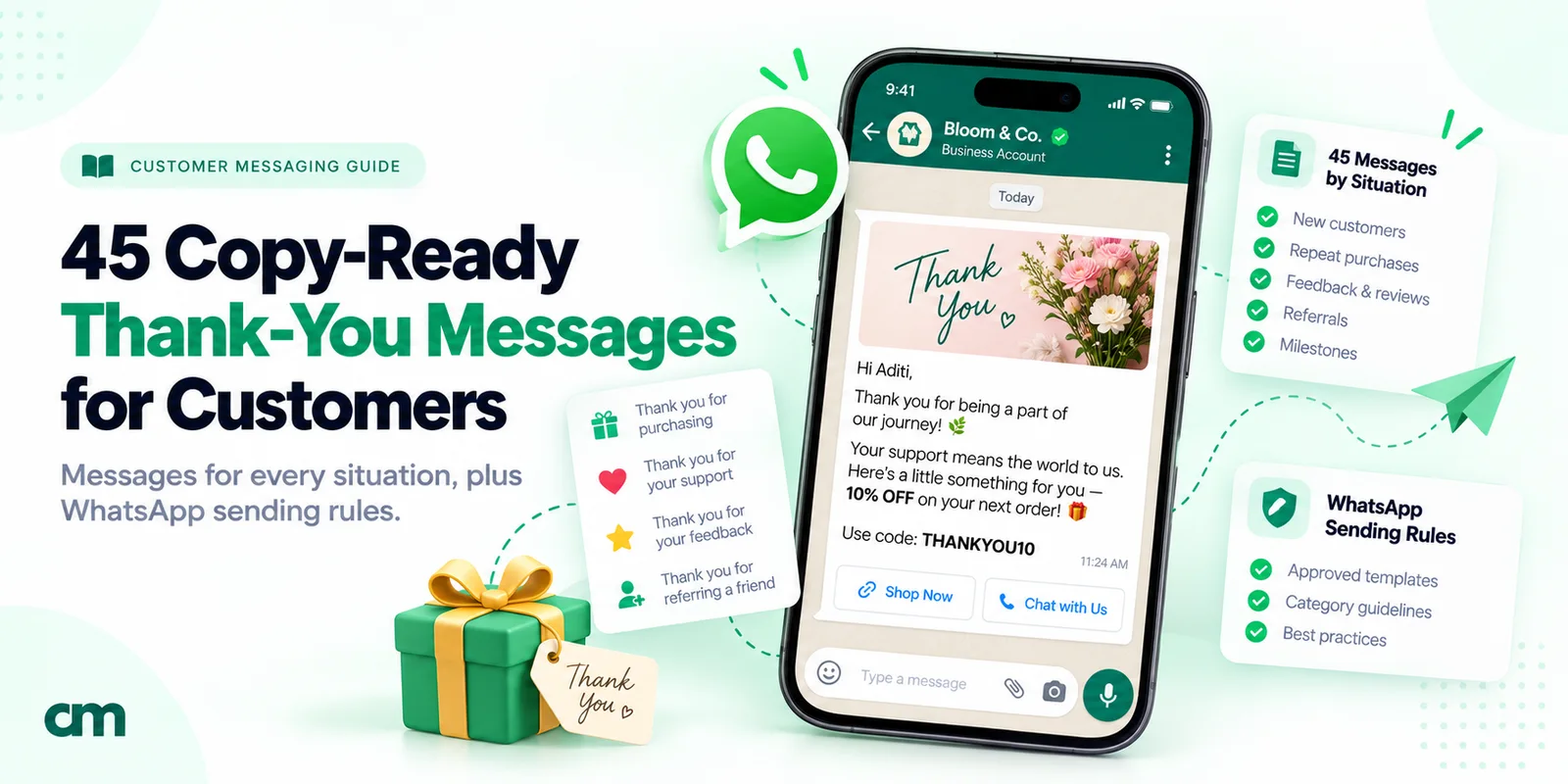
| Thank-you message | An existing customer, at any point | Recognises loyalty, a review, a referral or a milestone |
For the automatic reply to first-time chats, see our WhatsApp greeting message guide. After an order, send the order confirmation first; the welcome can follow a few minutes later.
What a good welcome message includes
Most welcomes fail in one of two ways: they say nothing (“Welcome to the family!”) or they say everything at once. Five parts are enough.
| Part | Example line | Why it matters |
|---|---|---|
| Who you are | "Hi Meera, this is Riya from Sunrise Opticals." | New customers often don't have your number saved |
| The specific thank-you | "Thanks for picking up your first pair with us today." | Proves a person, or at least a real system, noticed |
| The next step | "Your lenses will be ready on Thursday after 4 pm." | Removes the most likely question before it's asked |
| One useful thing | "Here's how to clean them without scratches: [link]" | Gives the message a reason to be read, not just seen |
| How to reach you | "Reply here any time between 10 am and 8 pm." | Sets the channel and hours before a problem happens |
If you’ll message the customer regularly, add a sixth line saying what to expect and how often. For US texts, CTIA’s guidelines expect it.
A quick test: cover the first line and ask whether the rest could have come from any business. If it could, add a detail only you would know, like the product, the batch timing or their contact’s name.
Welcome messages for new customers, by business type
Words in [brackets] are placeholders. Submitted as a WhatsApp template, they become numbered variables, and Meta’s template review rules say a template “cannot start or end with a parameter”. The WhatsApp-style examples below start and end with fixed text.
Shops and online stores
- Shop, after a first purchase: “Hi [Name], thanks for shopping at [Store] today. Your bill and warranty card are saved with us, so you won’t need the paper copy. If anything needs exchanging, bring it back within [days] days, or message us here first.”
- Online store, first order: “Hi [Name], welcome to [Store]. Your first order is being packed, and the tracking link will follow as soon as it ships. Our kurtas run slightly small, so check each page’s size note next time.”
- Online store, sign-up with a first-order code: “Welcome to [Store], [Name]. As promised, here’s your code for [discount] off your first order: [code]. It works until [date]. We send two or three messages a month, never more.”
- Grocery delivery: “Hi [Name], you’re registered with [Store] home delivery. Send your list here as text or a photo before 11 am for same-day delivery in [area]. Minimum order [amount]. We’ll reply with the total before we pack.”
Food and hospitality
- Café loyalty sign-up: “Welcome to the [Café] regulars’ list, [Name]. Your card now has 1 stamp; 9 more and your next coffee is on us. Just give your number at the counter each visit.”
- Tiffin or meal subscription: “Hi [Name], your [plan] starts on [date]. Lunch reaches [area] between 12:30 and 1:15 pm. To skip a day, message us by 8 pm the day before. This week’s menu is attached.”
- Hotel guest, on arrival: “Welcome to [Hotel], [Name]. You’re in room [number]. Breakfast is on the first floor from 7 to 10:30 am; the Wi-Fi password is on your key card. Message this number for anything you need.”
Health, fitness and beauty
- Clinic, new patient: “Hi [Name], welcome to [Clinic]. Your patient ID is [ID]; please quote it when you call or visit. Reports will be shared on this number when ready. For emergencies, call [number] instead of messaging.”
- Gym or yoga studio, new member: “Welcome to [Studio], [Name]. Your first session is on [day] at [time] with [trainer]. Bring a water bottle and a small towel, and eat lightly an hour before. Your membership is valid until [date]; just give your name at the desk each visit.”
- Salon, first visit: “Thanks for visiting [Salon] today, [Name]. We’ve noted your hair type and the colour we used, so your next appointment starts from there. To book, reply with a day and time that suits you.”
Education
- Coaching class, new student: “Welcome to [Institute], [Name]. [Student]‘s batch meets [days] at [time] in room [number]. Class updates and test results will come from this number. For fee questions, contact [name] at the front desk.”
- Online course enrolment: “Hi [Name], you’re enrolled in [Course]. Log in at [link] with this mobile number. Start with lesson 1; it sets up everything the others use. Mentors reply here within a working day.”
Services, property and finance
- Home services, annual contract: “Hi [Name], welcome to [Company]. Your annual service plan for [appliance] is active from [date]. We’ll message you a week before your first check-up in [month] to fix a slot. Breakdown? Send a photo here.”
- Real estate, after booking a flat: “Congratulations on booking your home at [Project], [Name]. [RM name] is your relationship manager from today and will share the payment schedule and document checklist within two working days. You can reach them directly on [number] from 10 am to 7 pm.”
- Insurance or financial adviser: “Hi [Name], thank you for trusting [Firm] with your [policy/portfolio]. Your documents will reach your email by [date]. Please check the nominee details once they arrive. I’m your contact for any change or claim.”
Apps, software and B2B
- App or SaaS sign-up: “Welcome to [App], [Name]. Your account is ready. Start by connecting your [data source], the step everything else depends on: [link]. Stuck? Reply here and a person will help.”
- New dealer or distributor: “Welcome to the [Brand] dealer network, [Name]. Your dealer code is [code]. The current price list and scheme sheet are attached. Place orders here or on [portal] before 3 pm for next-day dispatch. Your area manager, [name], is on [number] for anything else.”
- Wholesale customer’s first order: “Hi [Name], thanks for your first order with [Company]. Your account is set up on [credit terms]. Invoices will come to [email] and this number. For stock checks, send the item code here.”
Welcome messages for new clients
Clients want to know the work has an owner, a timeline and a clear list of what you need from them.
- Agency, day one: “Hi [Name], great to have [Company] on board. Our kick-off call is on [date] at [time]; the invite is in your email. Before then, could you share your brand guidelines and logins for [tools]? I’m your day-to-day contact.”
- Chartered accountant or tax consultant: “Welcome to [Firm], [Name]. For this year’s filing we need your [document list] by [date]. Upload them at [link] or send clear photos here. [Name] will prepare your return and call you before filing.”
- Consultant or freelancer: “Thanks for signing, [Name]. The first draft will reach you by [date]. I reply the same working day, so anything sent on Saturday gets an answer on Monday.”
- Interior designer or architect: “Welcome aboard, [Name]. Our site measurement visit is on [date] at [time]. Please share photos of styles you like before then. The first concept board follows about [days] days after the visit.”
- Software development client: “Hi [Name], welcome to [Company]. Your project manager is [PM], and you’ll get a progress update every [day]. For urgent production issues, call [number] rather than messaging.”
- Wedding or event vendor: “Hi [Name], your date is officially ours: [event] on [date]. Thank you. The planning questionnaire comes this week, and your advance receipt is attached.”
Welcome emails and a welcome letter
Email suits welcomes that carry detail. Keep the subject specific and put the next step in the first two lines.
- Welcome email to a new client
Subject: Welcome to [Firm], and what happens in your first two weeks
Hi [Name],
Thank you for choosing [Firm] for [project]. Here’s how the first two weeks will run:
- [Date]: kick-off call (invite attached)
- [Date]: we share the plan for your approval
- [Date]: work starts
To start on time we need [items] by [date]. [Contact name] is your main contact at [email] and [number]. We answer within one working day.
Looking forward to working together, [Your name]
- Welcome email after a customer sign-up
Subject: Your [Brand] account is ready
Hi [Name], thanks for signing up. Your account is active, and the quickest way to see what [Brand] does is to [first action] here: [link]. We’ll email you a couple of short tips over the next week; you can stop them at any time from the link at the bottom of each email.
- Welcome email to a new B2B customer
Subject: Your account manager at [Company]
Dear [Name], welcome to [Company]. I’ll be your account manager. Attached are our rate card, ordering process and escalation contacts. Could we take 20 minutes this week to walk through your first order? Reply with a time that suits you.
- Formal welcome letter to a new client
Dear [Name],
On behalf of everyone at [Firm], welcome. We are grateful for the trust you have placed in us for [service].
Your engagement begins on [date]. [Partner name] will lead your work, supported by [team member]. Our engagement letter, fee schedule and the list of documents we need are enclosed.
Please contact us at [phone] or [email] whenever you have a question.
Yours sincerely, [Name, title]
A rule to know if you email US customers. The FTC’s CAN-SPAM compliance guide treats an email as “transactional or relationship” when it only confirms or delivers something the recipient agreed to, and warns that “the law views these categories narrowly”. A promotional welcome email needs a working opt-out, honoured within 10 business days, and “your valid physical postal address”.
Welcome text messages (SMS)
In the US, CTIA’s Messaging Principles and Best Practices (May 2023) guide the wireless industry. For recurring messages, the confirmation sent after someone opts in “should include” the programme name, customer care contact information, how to opt out, a disclosure that the messages recur and how often, and any fees. Example 29 covers all five.
- US opt-in welcome: “[Brand] Rewards: you’re in, [Name]! Expect up to 4 texts a month with member offers. Reply HELP for help or STOP to opt out. Msg & data rates may apply.”
- Service business, US: “Thanks for joining [Company] text updates. We’ll text about your appointments and service visits only, usually 1 to 3 times a month. Msg & data rates may apply. Reply HELP for help, STOP to stop.”
Don’t invent your own cancel keyword. Twilio’s opt-out documentation lists STOP, UNSUBSCRIBE, CANCEL, END and QUIT among the words it handles by default on long code and toll-free numbers, so “Reply CANCEL to cancel your plan” would unsubscribe the customer instead.
In India, business SMS runs through registration with the telecom operators: TRAI’s advice to senders lists entity registration, a registered header and a registered content template for every category, from transactional to commercial. Write the template with its fixed text and variables before you go live.
- India, registered welcome SMS: “Welcome to [Brand], [Name]. Your membership no. is [number], valid till [date]. For help call [number] between 10 am and 7 pm.”
Hinglish welcome messages
If your customers chat in Hinglish, welcome them in it.
- Local shop: “Namaste [Name] ji, [Store] mein aapka swagat hai! Aapka bill aur warranty humare paas save hai. Kuch bhi exchange karna ho to pehle yahan message kar dijiye.”
- Coaching class: “Hi [Name], [Institute] mein welcome! [Student] ki class [days] ko [time] baje hai. Test results aur updates isi number se aayenge. Fees ke liye front desk par [name] se baat karein.”
The first month: what to send after the welcome
One welcome can’t do everything. A short series spreads the load, and each message arrives when it’s useful.
| When | Purpose | Keep it to |
|---|---|---|
| Day 0, within minutes | Welcome and the next step | 2–4 sentences |
| Day 2 or 3 | One tip that makes the product or service work better | One idea, one link |
| Day 7 | Check in: is anything missing or confusing? | A question they can answer in one line |
| Day 21–30 | Ask for feedback or a review, or suggest the next purchase | One request |
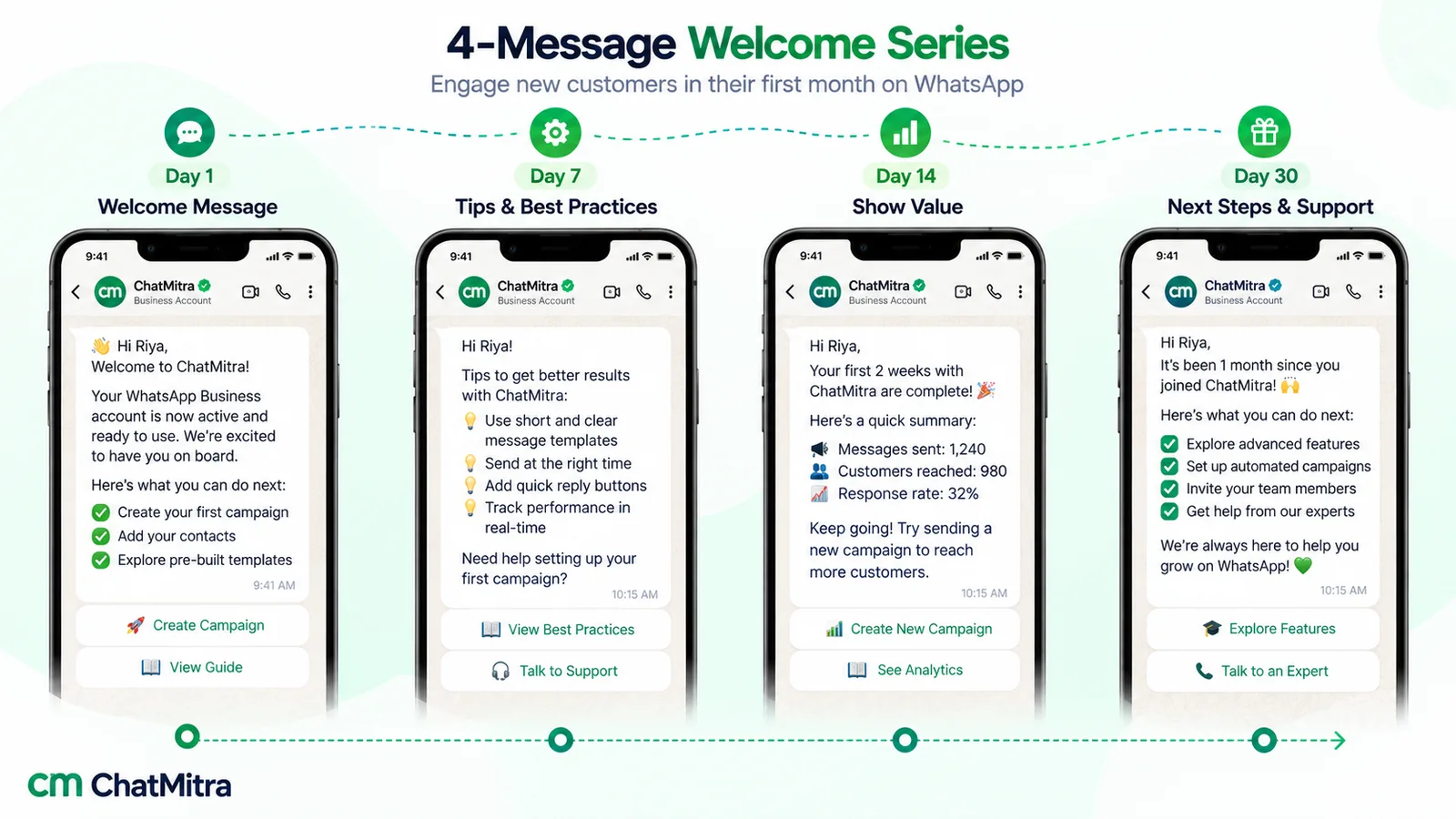
- Day 2–3 tip: “Hi [Name], one tip for your new [product]: [tip in one sentence]. Most people find it in week three; you’re ahead. More ideas here: [link]. Questions? Just reply.”
- Day 7 check-in: “Hi [Name], it’s been a week since you joined [Business]. Is there anything you expected that we haven’t shown you yet? A one-line reply is enough; [name] reads every message.”
- Day 30 feedback ask: “Hi [Name], you’ve been with [Business] a month now. How are we doing? Rate us from 1 to 5 by replying with a number, and tell us one thing to improve. Thank you for being with us.”
For wording and timing, see how to ask customers for feedback.
Three more situations call for their own kind of welcome:
- Welcome back, after a long gap: “Hi [Name], it’s been a while, and it’s good to see you back at [Business]. Your old preferences are still saved: [detail]. Anything changed since last time? Tell us and we’ll update it.”
- Referred customer: “Welcome to [Business], [Name]. [Referrer] told us you’d be joining, and your referral benefit of [benefit] is already applied to your account. We’ll thank them separately.”
- Moving up to a premium tier: “Hi [Name], welcome to [Tier]. From today you get [benefit 1] and [benefit 2], and [name] is your dedicated contact. Thank you for staying with us.”
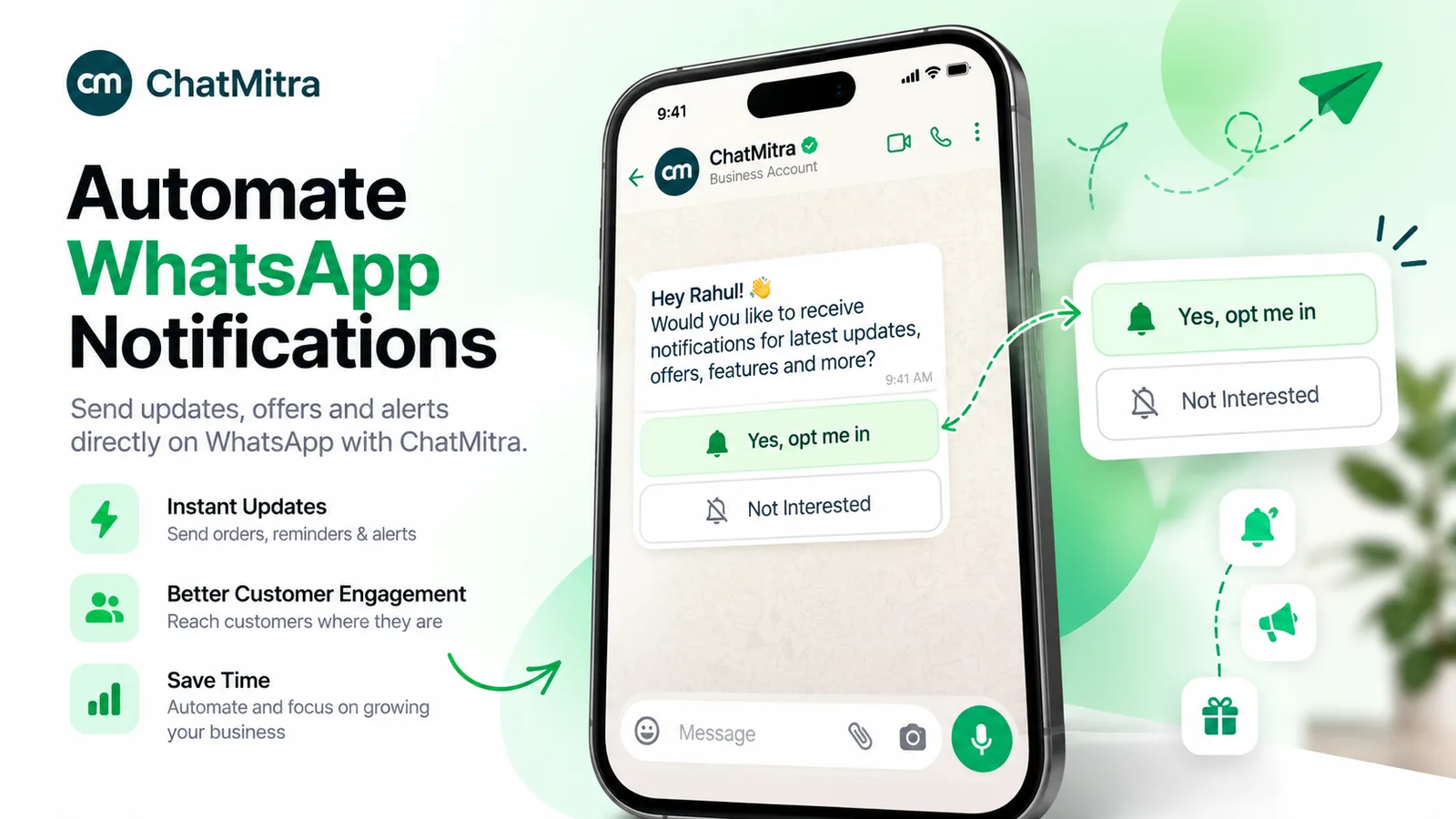
- Welcome after a WhatsApp opt-in: “Thanks for confirming, [Name]. You’ll now get your order updates from [Business] on WhatsApp. You can stop them any time from this chat.”
Example 40 is deliberately plain; the WhatsApp section explains why. For thank-yous later on, see our thank-you messages for customers.
Which channel should a welcome go on?
Start with the channel the customer used to join.
| Channel | Best for | Watch out for |
|---|---|---|
| Quick welcomes, local businesses, anything the customer may want to reply to | Opt-in needed; templates and categories apply outside a chat | |
| Detail: timelines, documents, logins, contracts | Easily lost in promotions folders; commercial rules if it promotes | |
| SMS | Customers without WhatsApp, short confirmations | Registration in India; opt-in confirmation rules in the US |
| Letter or card | High-value clients, professional services, premium products | Slow; best alongside a quick digital welcome |
| In person | Shops, clinics, studios, hotels | Nothing to refer back to, so follow up in writing |
For a deeper comparison, see WhatsApp vs SMS and WhatsApp vs email marketing.
Sending a welcome message on WhatsApp
WhatsApp handles two situations quite differently.
The customer messages you first. Someone scans your counter QR code or taps a chat link and sends “Hi”. That opens a 24-hour customer service window, and any ordinary message you send inside it is a service message. Tools like our free QR code generator and chat link generator make this route easy for walk-in customers.
You message the customer first. After an online order or a sign-up form, the customer hasn’t written to you, so you need two things: their opt-in and an approved template. The WhatsApp Business Messaging Policy says you may only contact people who have given you their number and from whom “you have received opt-in permission” confirming they want to hear from you. Our WhatsApp opt-in guide shows how to collect it on a form or at checkout.
Marketing or utility: why most welcomes are marketing
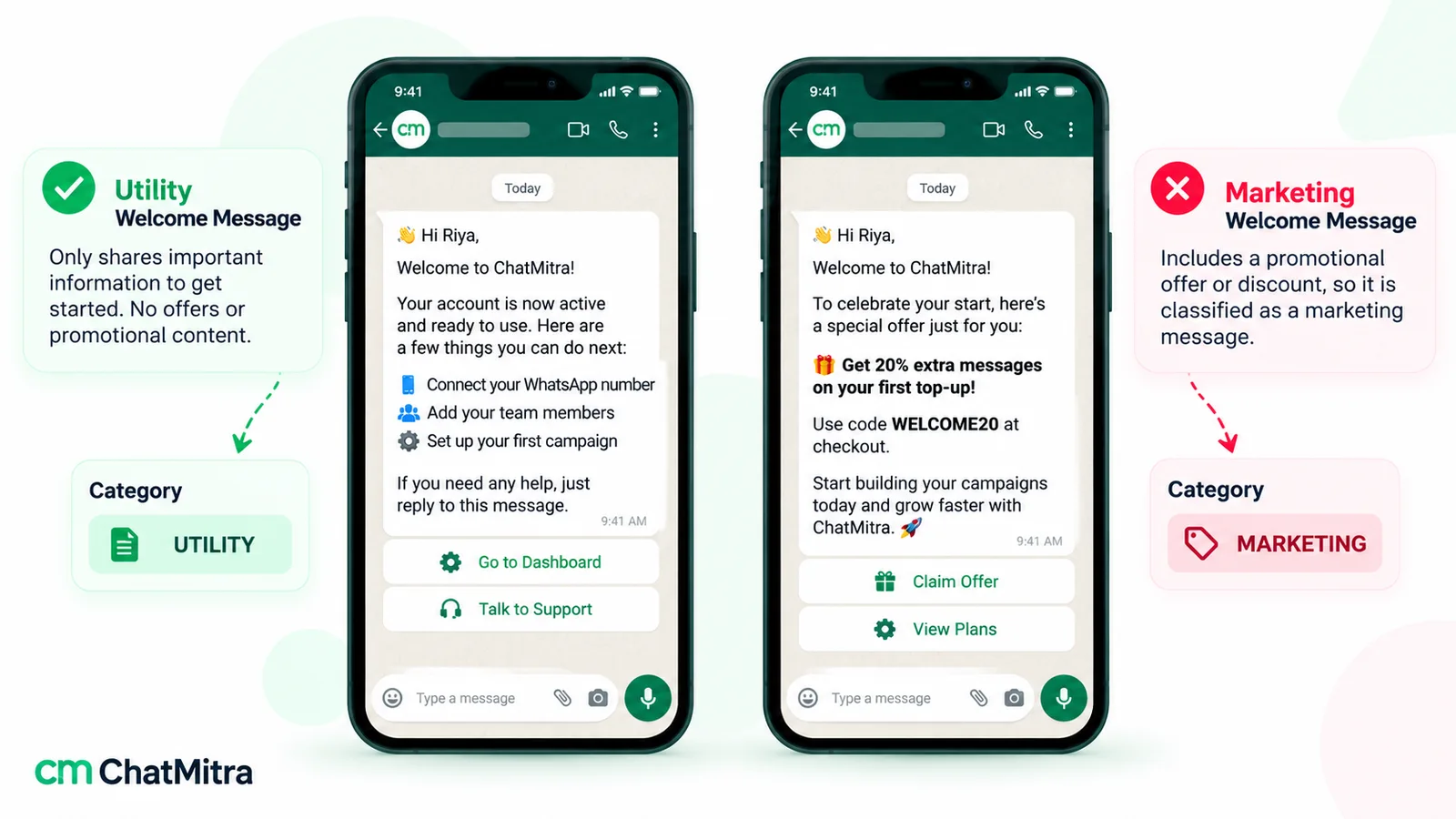
Meta’s template categorisation guidelines define utility templates as non-promotional and “specific to or requested by the user”. Its own examples of marketing include messages that “strengthen customer relationships”, such as thanking someone for being a valued customer. So a warm “Welcome to the family, here’s what we’re about” is marketing, even without a discount.
Two kinds of welcome can fit utility, as long as nothing promotional is added:
- An opt-in confirmation, like example 40. Meta lists “Opt-In Management” as a utility use, with the example “Thanks for confirming opt-in! You’ll now receive notifications via WhatsApp.”
- A plain account-setup step. Meta’s account-alert examples include “To finish setting up your {{new_profile}}, you need to upload a {{photo}}.” Example 16, stripped of its friendly extras, is close to this.
Meta also says templates with “mixed content” are marketing. Add a code or a product suggestion to a setup message and the whole template changes category. Our learn pages explain utility messages and marketing messages in more detail.
What a welcome costs on WhatsApp
Meta charges per delivered template. Its pricing page links an India rate card that lists ₹0.8631 per marketing message and ₹0.1150 per utility message. Since 1 October 2026, service messages cost ₹0.1150 too, after a free tier of 1,000 per business phone number each month. Here’s what that means for 500 new customers a month:
| Welcome plan | Messages | Meta's charge |
|---|---|---|
| One marketing welcome | 500 | ₹431.55 |
| Utility setup step + two marketing follow-ups | 1,500 | ₹920.60 |
| Three marketing messages | 1,500 | ₹1,294.65 |
| Customer writes first; you reply with a welcome | 500 | ₹0 while your service messages stay within the free 1,000 |
The 1,000 free service messages a month are shared by every service message on that number, so a busy support inbox will use it up faster. Your software provider may add its own fee; on ChatMitra’s Starter plan that’s ₹0.20 once per contact per 24-hour conversation.
Template tips for welcomes
- Meta says review “can take up to 24 hours”, so submit welcome templates well before the launch that needs them.
- Write one template per job. A setup message and a friendly welcome are two templates, not one.
How to send welcome messages automatically
A welcome works best when nobody has to remember to send it:
- Pick the moment that makes someone a customer: a paid order, a submitted form, a signed contract.
- Get that moment into your messaging tool as a spreadsheet row, a webhook from your website or CRM, or an API call.
- Send WhatsApp only to people who ticked the WhatsApp opt-in, using the approved welcome template.
- Schedule the follow-ups from the first-month table, each after a delay, and tag the contact.
- Test with your own number, then read the first ten real sends.
Our WhatsApp automation guide goes further into triggers and workflows.
Welcome message not arriving? What to check
- No window, no template. Outside a customer service window only templates can be sent; plain text fails.
- The template isn’t approved, or has been paused. Check its status in your WhatsApp account.
- The customer is in the US. Meta’s per-user limits page says “WhatsApp does not currently deliver marketing template messages to WhatsApp users with United States phone numbers”. Use email or SMS for them, or a utility template if the message genuinely qualifies.
- The customer gets too many marketing messages. Meta limits marketing templates per person based on recent engagement, so yours may not be delivered.
- The number is wrong. Web forms often drop the country code. Store numbers with it.
Mistakes that make a welcome fall flat
- Thanking people for “choosing us”. Thank them for the specific thing they did.
- Opening with a discount they didn’t ask for. It teaches new customers to wait for codes.
- Sending the welcome days later. After the first day it stops feeling like a welcome.
- One template for everyone. A new dealer and a new retail customer need different next steps.
- Welcoming the same person twice because they signed up on two forms. Deduplicate by phone number.
Where ChatMitra fits, and where it doesn’t
ChatMitra handles the WhatsApp side of a welcome. Here is what it does, checked in ChatMitra’s code on 27 September 2026:
| You want to… | ChatMitra | How |
|---|---|---|
| Welcome people who message you first (QR codes, chat links) | Yes | The Welcome Message setting replies to a contact's first message with a sequence of up to 20 messages and can personalise them with $name. Details in our greeting message guide |
| Send a welcome when a row is added to a Google Sheet (for example, from a sign-up form) | Yes | An automation with the "Google Sheet — Row Added" trigger and the "Send WhatsApp Template" action. See Google Sheets automation |
| Send a welcome from your website or CRM | Yes | The "Incoming Webhook" trigger, or the REST API (API access comes with the Pro and Enterprise plans) |
| Run a first-month series | Yes | Add "Delay / Wait" steps (from 1 minute to 7 days each) between template sends |
| Welcome contacts automatically when you add them in Contacts | No | The automation builder has no new-contact trigger. Use a sheet, a webhook, the API or a broadcast to a "new customer" tag |
| Send welcome emails or SMS | No | Use your email or SMS provider alongside |
| Show a welcome on your website | No | ChatMitra has no website chat widget |
Plan contents are listed on ChatMitra’s pricing page.
Where to start
Pick the example closest to your business and rewrite its third sentence around the one thing your new customers ask most. Send it to the next ten people who join, read their replies, and only then build the day 3 and day 7 messages. The replies will tell you what those should say.