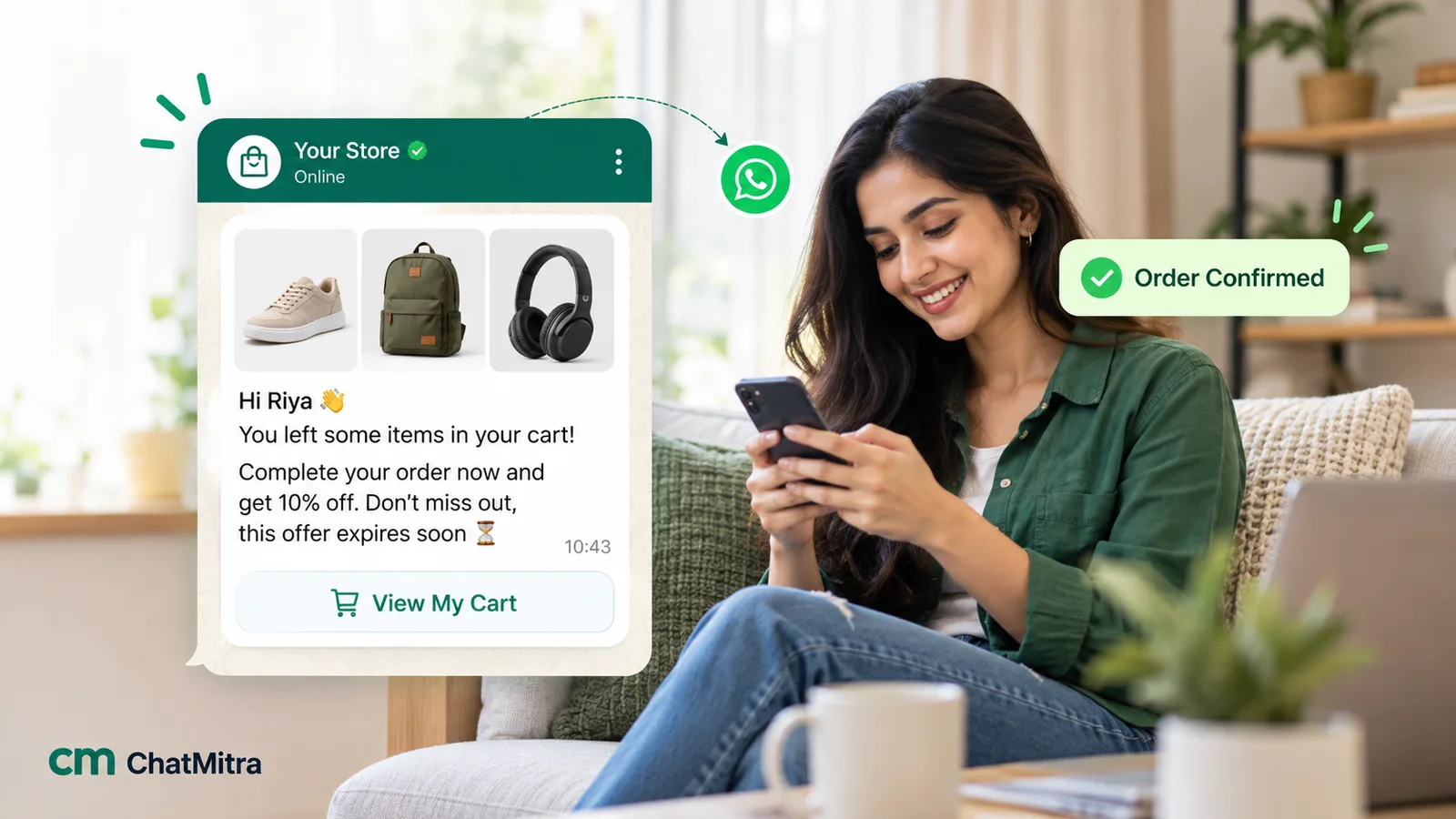
WhatsApp abandoned cart recovery is an automated message, or a short sequence of messages, sent to a shopper who started checkout, shared a mobile number and agreed to hear from you, then left without paying. The message reminds them what they left and links back to their saved checkout. It must be an approved template, Meta bills it as marketing, and it only works for the carts where you captured a number before the shopper left.
This guide covers the full job: which abandoned carts you can actually reach, the rules that apply, when to send, what to write, what it costs, and how to tell whether the messages are recovering sales or just taking credit for orders that would have arrived anyway. It finishes with setup on Shopify through ChatMitra and a troubleshooting table. The examples use Indian prices because that’s where most of our readers sell, but the method works in any country where your buyers use WhatsApp.
Key takeaways
- Most carts are abandoned by people who were only browsing. You're trying to win back the subset who wanted to buy and got interrupted, confused or put off.
- You can only message checkouts where a phone number was captured and the shopper agreed to WhatsApp messages. The checkout design decides your ceiling.
- Cart reminders are marketing templates: ₹0.8631 per delivered message in India, subject to per-user limits, and not delivered to US numbers.
- Send two or three reminders at most, cancel them the moment an order arrives, and keep any discount for the last one.
- Judge success against a holdout group. "Orders after a reminder" overstates what the reminder did.
What an abandoned cart is, and which ones you can reach
“Abandoned cart” gets used loosely for two different events.
- Cart abandonment: a shopper adds items to the cart and leaves. Unless they’re logged in, you usually don’t know who they are, so there’s nobody to message.
- Checkout abandonment: a shopper starts checkout, types in contact details and leaves before paying. Now you have a name, a phone number or email, and the exact items. This is the event recovery messages are built on.
Shopify, for example, defines an abandoned checkout as one that “remains incomplete for more than ten minutes after the customer has provided their email information”, and keeps abandoned checkouts in the admin for three months (Shopify Help Center). For WhatsApp, the detail that matters is the phone number. A checkout that asks for email first and phone last gives you many abandoned checkouts and few you can message.
That’s why phone-first checkouts are popular with Indian D2C brands. Razorpay’s Magic Checkout, for instance, asks new and logged-out shoppers to “Enter their mobile number” as the first step, before the address and payment (Razorpay docs). Anyone who leaves after that first screen is reachable.
So the pool you can work with shrinks at every step:
- All sessions with something in the cart.
- Sessions that started checkout.
- Checkouts where a phone number was entered.
- Of those, shoppers who agreed to receive WhatsApp messages from you.
- Of those, numbers that are on WhatsApp and can receive a marketing template in their country.
Only the last group gets a message. Improving step 3 (ask for the phone earlier) and step 4 (ask for consent clearly) often recovers more revenue than rewriting the message.
Why shoppers abandon, and what a message can fix
Baymard Institute, a UX research firm, averages 50 published studies and puts the documented online cart abandonment rate at 70.22% (Baymard). The same page is honest about what that number means. In its survey of US online shoppers, 42% had abandoned a cart because they were “just browsing / not ready to buy”. No message changes that.
Setting the browsers aside, Baymard’s list of remaining reasons reads like a checklist of what a reminder can and can’t touch:
| Reason (Baymard, US shoppers) | Share | Can a WhatsApp message help? |
|---|---|---|
| Extra costs too high (shipping, tax, fees) | 40% | Partly. State the delivery charge or free-delivery threshold up front. A small incentive in the final reminder can offset it |
| Delivery was too slow | 20% | Partly, if your real delivery estimate is better than the shopper assumed. Only quote dates you can meet |
| Didn't trust the site with card details | 19% | Yes. A message from a named business account, with COD or UPI options spelled out, can reassure |
| Site wanted me to create an account | 18% | Barely. The reminder returns them to the same checkout, so fix the checkout |
| Too long or complicated checkout | 17% | Barely, for the same reason. A restored checkout link skips re-entering details |
| Website had errors or crashed | 17% | Yes. The restored link lets them finish after the glitch |
| Returns policy wasn't satisfactory | 13% | Yes, if your policy is better than they assumed. Say it plainly |
| Couldn't see the total cost up front | 12% | Yes. Put the full total, including delivery, in the message |
| Card was declined | 10% | Yes. Offer another payment method |
| Not enough payment methods | 9% | Yes, if you offer more than they saw. List them |
Shoppers could pick more than one reason, so the shares add up to more than 100%. The survey is of US shoppers, and Indian buyers will weigh things differently (cash on delivery matters far more here, for one). But the lesson carries: the most useful reminders answer a question the shopper had, rather than only saying “you forgot something”.
Why WhatsApp for cart recovery
Email is the default recovery channel because every checkout collects an email. It’s cheap and, for many stores, it still works. WhatsApp earns its place for three reasons.
It gets seen. Your message arrives in the app the shopper checks all day, next to their personal chats, not in a promotions tab.
The shopper can answer back. A reminder that says “Questions about sizing? Just reply here” turns a nudge into a sales conversation. Once the shopper replies, a 24-hour customer service window opens and your team can chat freely. Free-form replies within that window don’t need templates.
It fits how Indian shoppers buy. Many first-time buyers want to confirm COD availability, delivery time to their pincode or the return policy before they pay. Those are conversations, and they’re easier on WhatsApp than over email.
The trade-offs are real, though:
| Factor | SMS | ||
|---|---|---|---|
| Contact detail needed | Email (almost always collected) | Phone number | Phone number on WhatsApp |
| Consent | Local email rules | Local telecom rules (DLT registration in India) | WhatsApp opt-in naming your business, plus local law |
| Rich content | Full HTML, product grids | Plain text and a link | Image or video header, text, up to a few buttons |
| Two-way conversation | Slow | Limited | Natural; opens a 24-hour service window |
| Cost per message | Very low | Low | Meta's marketing rate by country (₹0.8631 in India) plus your provider's fee |
| Delivery limits | Spam filtering | Carrier filtering | Template review, per-user marketing limits, no marketing to US numbers |
Most stores shouldn’t choose one. Email catches the shoppers who didn’t give a phone number or consent, and WhatsApp handles the ones who did. Just make sure the same shopper doesn’t get an email, an SMS and a WhatsApp message within the same hour.
The WhatsApp rules that shape your cart flow
Four platform rules decide what your cart recovery can look like. Get these wrong and messages fail, cost more than planned or put your number’s quality at risk.
1. You need opt-in, and it has to name you
WhatsApp’s Business Messaging Policy says you may only contact people if they have given you their number and “you have received opt-in permission from the recipient confirming that they wish to receive subsequent messages or calls from you”. Meta’s opt-in guide adds two requirements: state clearly that the person is opting in, and state your business’s name. It also suggests getting opt-in for the categories you’ll send, such as order updates and offers, so nobody is surprised.
In practice, add a line next to the phone field at checkout, such as: “Send me order updates and offers from [Store name] on WhatsApp”. A pre-ticked box is weaker evidence of consent than one the shopper ticks, and some privacy laws treat it as no consent at all. Check the rules in your market. Our WhatsApp opt-in guide covers wording and placement in detail.
2. Every cart reminder is a marketing template
This one surprises people who assume a reminder about the shopper’s own cart is transactional. Meta’s template categorization guidelines list “You left {{items}} in your cart! Don’t worry, we saved them. Checkout now below.” as an example of a retargeting message, and say such messages “are marketing even if requested by users”.
Don’t try to squeeze a cart reminder into the utility category. Meta’s page describes penalties for misuse, up to recategorising every approved utility template on the account as marketing and blocking new utility templates for 7 days, or 30 days for repeat violations. That would raise the price of your order confirmations and delivery updates too.
3. Marketing messages have per-user limits
Meta’s per-user limits page says WhatsApp “may limit the number of marketing template messages a WhatsApp user receives from any business in a given period of time”, based partly on the person’s recent read rate. A blocked message fails with error 131049, and Meta asks you to wait at least 24 hours before trying that person again.
Two consequences for cart flows. First, some reminders will fail through no fault of yours, especially to shoppers who get a lot of marketing messages. Second, a reply helps: Meta says marketing messages sent inside an open customer service window “do not count towards the limit”. A reminder that invites a reply earns more than engagement.
4. Where your shoppers live matters
The same Meta page says WhatsApp “does not currently deliver marketing template messages to WhatsApp users with United States phone numbers”. If you sell to US customers, use email or SMS for their carts. Prices also vary by country; check Meta’s rate card for each market you sell into.
How a cart recovery flow works, step by step
Whatever tool you use, the logic is the same:
- Trigger. Your store, checkout app or payment page reports that a checkout has been started, with the phone number, items, total and a link that restores the checkout.
- Wait. The flow holds for a set delay, so shoppers who were only switching tabs aren’t messaged.
- Check. Before sending, it checks whether the checkout has turned into an order. If it has, the flow stops.
- Send. It sends your approved template, filling in the name, items, total and restore link.
- Repeat or stop. It waits for the next delay, checks again and sends the next reminder, until the sequence ends or an order arrives.
- Hand over. If the shopper replies, the conversation goes to a person (or a bot) who can answer questions and close the sale.
Step 3 is the one that separates a professional setup from an embarrassing one. A “you left something behind” message that arrives after the customer has paid tells them your systems don’t talk to each other.
When to send: a starting schedule
There’s no universal best timing, and you should distrust anyone who quotes one without data from your store. This schedule is a sensible starting point to test against:
| Reminder | When | Job | Incentive? |
|---|---|---|---|
| 1 | 30–60 minutes after abandonment | Catch the interrupted buyer while the decision is fresh. Restore the cart, show the total, offer help | No |
| 2 | About 20–24 hours after abandonment | Answer the likely objection: delivery time, COD, returns, sizing. Invite a reply | No |
| 3 (optional) | 48–72 hours after abandonment | A last nudge before the items go back or the offer expires | Optional, small, one per customer |
A few reasons behind those numbers:
- Not too fast. Shopify waits ten minutes before it even calls a checkout abandoned. A message within minutes can feel like surveillance and catches people who were about to come back on their own.
- The second reminder lands at a similar time of day. Someone who shopped at 9 p.m. is likely to have free time at 9 p.m. again.
- Keep to waking hours. If a delay would land a message at 2 a.m., hold it until morning. Late-night marketing messages attract blocks.
- Stop early. Beyond three days, most shoppers have bought elsewhere or moved on, and you’re paying for reminders to cold leads.
Two or three reminders is plenty. Each one is a paid marketing message, and each one is another chance to be blocked or reported, which hurts the quality rating of your number. Cart recovery is one of several trigger-based flows worth running; our WhatsApp marketing campaign ideas cover the others, such as win-backs and back-in-stock alerts.
What to write: anatomy of a cart recovery template
A good cart template has five parts:
- Header (optional): the main product’s image. Pictures jog the memory faster than product names. Use a dynamic image only if your tool can fill it per shopper; otherwise use a store-level image or none.
- Opening line: the shopper’s first name and what they left, in plain words.
- The useful part: the thing most likely to help them decide. That might be the total with delivery, delivery time, COD availability, return policy or stock status (only if true).
- Call to action button: a URL button that opens their saved checkout. With a dynamic URL button, the template holds a fixed domain and the unique checkout part is filled at send time.
- A reply invitation: “Questions? Reply here” or a quick-reply button such as “I need help”. A reply opens a 24-hour service window.
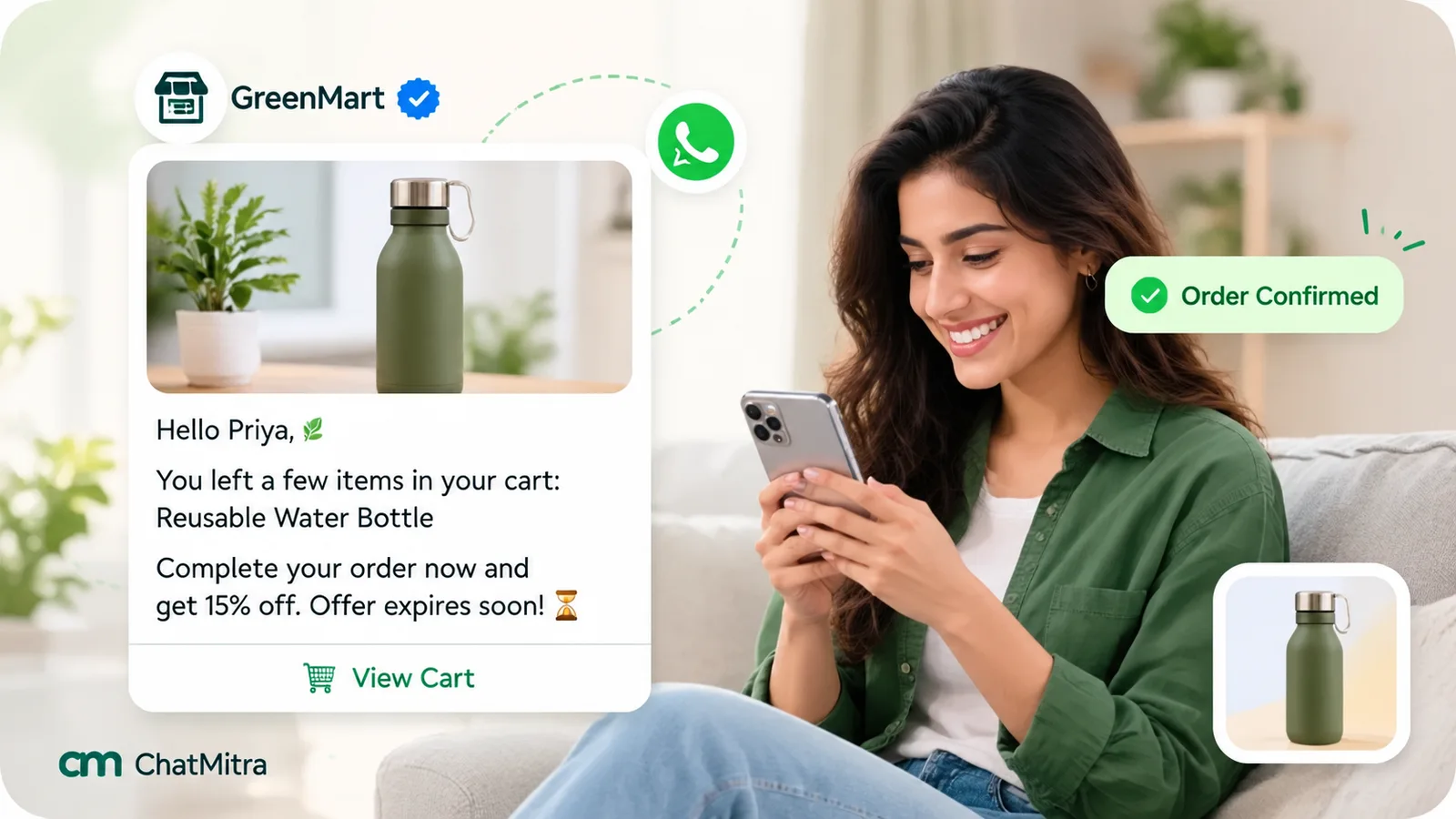
Example messages
These are examples to adapt, not copy word for word. Variables are shown in double braces; your tool may number them instead. Check which fields your tool can fill in a cart flow. Some, including ChatMitra today, pass only the name, total and checkout link, so the item-specific lines below would need rewording.
Reminder 1: the simple restore
Hi {{name}}, you left {{item}} in your cart at {{store}}. Your total is {{total}}, delivery included. We’ve saved everything, so you can pick up where you left off. [Complete my order] [I have a question]
Reminder 1, variant for COD-heavy stores
Hi {{name}}, your {{item}} is still in your cart. Cash on delivery is available to your pincode, and orders usually reach you in {{days}} days. [Complete my order]
Reminder 2: answer the objection
Still thinking about {{item}}, {{name}}? A quick note in case it helps: returns are free within {{return_days}} days, and you can pay by UPI, card or cash on delivery. Reply here if you’d like help choosing a size. [Return to checkout] [Talk to us]
Reminder 2, for high-consideration products
Hi {{name}}, choosing {{item}} is a big decision, and we’re happy to help. Our team can answer questions about specifications, warranty or delivery right here on WhatsApp. [Ask a question] [View my cart]
Reminder 3: the final nudge with an incentive
Last reminder, {{name}}: your cart with {{item}} is saved until {{date}}. Use code {{code}} for {{offer}} on this order. After that, the cart will be cleared. [Complete my order]
For a failed payment on a checkout
Hi {{name}}, it looks like your payment for {{item}} didn’t go through. Nothing was charged. You can try again with UPI, a different card or cash on delivery. [Try again]
A caution on that last one. If the shopper had already placed an order and only the payment step failed, check how your store records it. A message about an existing order with no promotion might qualify as utility; a message about a checkout that never became an order is a retargeting message and belongs in the marketing category.
Writing rules that hold up
- Name the product. “Your cart” is vague. “The navy linen shirt, size M” is specific and easy to act on.
- Show the full total. Surprise costs are the top reason in Baymard’s list. Putting the total with delivery in the message removes the surprise.
- One main button. The restore link. A second quick-reply for help is fine, but don’t add a catalogue link, a social link and an app download.
- No fake urgency. “Only 2 left” is useful when it’s true and damaging when it isn’t. The same goes for countdowns that reset.
- Match the language to the store. If your site is in Hindi or Tamil, register the template in that language too.
- Keep it short. Two or three sentences, then the button.
For a longer list of reminder formats beyond cart recovery, see our WhatsApp reminder messages guide.
Discounts: when to use them and when not to
Offering 10% off in the first reminder is the fastest way to raise your recovery numbers and lower your margin. It also trains regular customers. Once shoppers learn that leaving a cart brings a code, some will abandon on purpose.
A more careful approach:
- No incentive in reminders 1 and 2. Many shoppers were interrupted, unsure or waiting for payday. Help, not a discount, is what brings them back.
- Incentive only in the last step, and only for first-time buyers or carts above a threshold where the margin can absorb it.
- Prefer free delivery to a percentage off. Extra costs are the biggest objection, and a delivery waiver answers it directly.
- One code per customer, with an expiry. Generate unique single-use codes if your store platform can, so codes don’t leak to coupon sites.
- Check the maths first. On a ₹1,000 cart with a 35% gross margin, a 10% discount gives away almost a third of your profit on that order.
Meta also offers coupon code templates with a copy-code button, so the shopper can copy the code with one tap. Check whether your provider’s template builder and cart flow support it before you design around it. Our coupon code templates explainer shows how the format works. Without it, put the code in the message text or apply it automatically through the checkout link.
What WhatsApp cart recovery costs: a worked example
Cart reminders are cheap per message but not free, so it’s worth doing the sums before you set up a three-step sequence. Here’s an example for an Indian store. The volumes, margin and order value are assumptions; replace them with your own.
- 1,000 abandoned checkouts a month with a phone number.
- 60% of those shoppers opted in to WhatsApp messages: 600 people.
- Two reminders each, minus those who ordered in between or couldn’t receive the message: about 1,150 delivered marketing messages.
- Average order value ₹1,500 and gross margin 40%, so each recovered order brings ₹600 of margin.
| Cost line | Calculation | Monthly cost |
|---|---|---|
| Meta marketing charge (India, from 1 October 2026) | 1,150 × ₹0.8631 | ₹992.57 |
| ChatMitra platform fee (Starter and Pro plans), at most | 1,150 × ₹0.20 | ₹230.00 |
| Total, at most | ₹1,222.57 |
At ₹600 of margin per order, the reminders pay for themselves after three recovered orders out of 600 shoppers, half a percent. That’s a low bar. The real question is whether those orders were caused by the reminders, which is what the next section is about.
The same sum shows why a fourth or fifth reminder rarely pays. By then you’re sending to shoppers who’ve ignored two or three messages, the per-message cost is unchanged, and each extra message risks a block. For a fuller per-order view that includes confirmations and delivery updates, see the cost breakdown in WhatsApp for ecommerce.
How to measure recovery honestly
Most cart recovery dashboards report every order placed after a reminder as “recovered”. That overstates the effect, because some of those shoppers would have come back anyway. They were comparing prices, waiting for salary day or finishing on a laptop what they started on a phone.
Here are the metrics worth tracking, in order of how much they tell you:
| Metric | How to calculate it | What it tells you |
|---|---|---|
| Reachable rate | Abandoned checkouts messaged ÷ all abandoned checkouts | How much of the problem WhatsApp can touch. Improve it with phone-first checkout and clear consent |
| Delivery and read rate | Delivered ÷ sent; read ÷ delivered | Whether messages arrive and get opened. A falling delivery rate may point to per-user limits or number quality |
| Click rate | Button clicks ÷ delivered | Whether the copy and the button persuade. Available in Meta's template analytics |
| Recovery rate | Orders from messaged checkouts ÷ messaged checkouts | The headline number, but not proof of cause |
| Recovery rate per step | Orders after reminder 1, 2, 3 separately | Which reminders earn their cost. Drop steps that recover almost nothing |
| Incremental recovery | Recovery rate of the messaged group − recovery rate of a holdout group | What the messages actually caused |
The holdout test. For one month, randomly leave out a slice of eligible shoppers, say one in ten, from the cart flow. Track how many of them complete their order anyway. If 6% of the holdout returns on their own and 9% of the messaged group does, your reminders caused about 3 points of recovery, not 9. That’s the figure to use when deciding whether to add a step, a discount or a new channel.
Random matters. Don’t hold out “all Tuesday carts” or “carts under ₹500”, because those groups differ in ways that would skew the result. Our guide to A/B testing WhatsApp marketing campaigns explains how to split an audience fairly and how big each group needs to be.
Setting it up on Shopify with ChatMitra
ChatMitra connects to Shopify and runs the flow described above with your own approved templates. Here’s what it does today, checked against the product code rather than feature pages:
| Capability | ChatMitra | Detail |
|---|---|---|
| Cart triggers | Yes | Shopify's own checkout, Razorpay Magic Checkout or Shiprocket checkout. One source per store: when Magic Checkout or Shiprocket is active, Shopify's native checkout events are ignored |
| Number of reminders | Up to 3 | Each is a separate flow with its own approved template, switched on or off independently |
| Delays | Presets | 1, 10, 20 or 30 minutes, 1 hour, 6 hours or 24 hours. Every delay counts from the moment the checkout was created, not from the previous reminder |
| Stops when the order is placed | Yes | A new order cancels the pending reminders for that checkout, and each send checks again that the checkout is still abandoned |
| Variables | 3 | Customer name, checkout total (formatted as currency) and the checkout link, which can go in the body or a URL button |
| Product names, product images, discount codes | No | Not available as variables in cart flows. A store-wide code can be written into the template text |
| Daily safety cap | Yes | At most 10 cart messages per phone number per day |
| Opt-in check before sending | No | Collect WhatsApp consent at checkout yourself |
| "Recovered" report | Partly | The checkout list shows recovered checkouts and their value, meaning checkouts that later became orders, whether or not a reminder was sent or clicked |
| WooCommerce and other platforms | No connector | A developer could send checkout events to ChatMitra's REST API (a Pro plan feature) but would have to handle timing and cancellation |
To set it up:
- Connect your store. Follow the Shopify integration steps. If you use Razorpay Magic Checkout or Shiprocket checkout, choose it as the cart source so reminders use the phone number it captures.
- Create your templates in the marketing category. Write them around the three variables available: first name, total and checkout link. Because product names can’t be filled in, lean on the total, delivery and payment reassurance, and the button. Use the dynamic URL button option so the checkout link sits behind a “Complete my order” button.
- Don’t use a utility cart template. ChatMitra’s template library includes ready-made abandoned-cart templates marked as utility. Per Meta’s guidelines, cart reminders are marketing, so create your own marketing version rather than risk a categorisation penalty.
- Set the delays. A practical pattern within the presets is 1 hour for the first reminder and 24 hours for the second. If you want a third, 6 hours sits between them. The presets stop at 24 hours, so the two-to-three-day final nudge from the schedule above isn’t available here; run it as a separate campaign if you need it.
- Place a test order. Start a checkout with your own number, leave it, and confirm the first reminder arrives. Then start another, complete the order and confirm no reminder follows.
- Staff the inbox. Replies land in the shared team inbox. Set up quick replies for the questions you’ll see every day: COD, delivery time, sizing and returns.
A note on the numbers. The “recovered” figure in the checkout list is the headline recovery rate from the measurement table above. It includes shoppers who came back on their own. ChatMitra has no built-in holdout, so the closest check is to compare a period with reminders switched on against a similar period with them off. That comparison is weaker than a random split, because weeks differ, so treat the result as a rough guide.
Troubleshooting: when cart messages don’t go out
| Symptom | Likely cause | What to do |
|---|---|---|
| No reminders at all | Checkout doesn't capture a phone number, or captures it after the step where most people leave | Make the phone field required and move it earlier, or use a phone-first checkout |
| Reminders stuck, template "pending" or "rejected" | The template hasn't passed Meta's review | Check the status in WhatsApp Manager. Common fixes: add sample values for every variable, don't start or end the body with a variable, and choose the marketing category |
| Some sends fail with error 131049 | WhatsApp's per-user marketing limit for that shopper | Don't retry within 24 hours. Expect a share of these; invite replies so later messages sit inside a service window |
| A few sends always fail with error 130472 | The shopper is in a WhatsApp experiment group that receives no marketing templates unless a customer service window is open. You aren't billed | Nothing to fix. Resending gives the same error; email or SMS can reach these shoppers |
| US customers never receive reminders | WhatsApp doesn't deliver marketing templates to US numbers | Use email or SMS for those carts |
| Customers get a reminder after paying | The flow doesn't check order status before each send, or the order event arrives late | Make sure the order-placed check runs before every step. Test with a real order |
| Checkout link opens an empty cart | The link has expired, or the button uses a generic URL | Use the restore link from the checkout event in a dynamic URL button. Don't send reminders older than the link's lifetime |
| Wrong name or odd formatting | The name field holds a full name, capitals or an email address | Use first name only, with a fallback such as "there" when it's empty |
| Rising blocks, falling quality rating | Too many reminders, messages at night, or shoppers who didn't expect WhatsApp messages | Cut to two reminders, hold messages to waking hours, and make the consent line clearer |
Mistakes that cost more than they recover
- Messaging without clear consent. A reminder is a marketing message. Sending it to someone who never agreed to WhatsApp messages risks blocks and a lower quality rating for your whole number.
- Leading with a discount. It lifts the headline recovery rate and quietly trains buyers to wait.
- Sending too many. Four or five reminders feel like pressure, and each one is paid for.
- Counting every later order as recovered. Without a holdout group, you can’t tell what the messages caused.
- Linking to the home page. The whole point is the saved checkout. Anything else makes the shopper start again.
- Ignoring replies. A shopper who writes “Is COD available?” is one answer away from buying. Route replies to someone who can answer within the hour.
- Recovering COD orders you can’t deliver. A recovered cash-on-delivery order that comes back undelivered costs you two shipping legs. Pair cart recovery with the COD confirmation steps in our guide to RTO in ecommerce.
- Using the same flow for every cart. A ₹300 accessory and a ₹30,000 appliance need different messages, and possibly different sequences.
Summary
WhatsApp abandoned cart recovery works best as a small, well-timed, consent-based flow: two or three reminders, the first within the hour, the next the following day, each with the shopper’s items, the full total and a button back to their saved checkout. Every reminder is a marketing message, so it costs the marketing rate, counts against per-user limits and can’t reach US numbers. Most of the gain comes from reaching more of the right shoppers (phone number early, clear opt-in) and answering their real objections, not from bigger discounts. Measure against a holdout so you know the true lift, then change one thing at a time.
Sources: Baymard Institute, cart abandonment rate statistics. Shopify Help Center: abandoned checkouts. Razorpay docs: how Magic Checkout works. WhatsApp Business Messaging Policy. Meta for Developers: getting opt-in, template categorization, per-user marketing limits, experiments, analytics and pricing. Facts checked 28 September 2026. Rupee message prices are Meta's India rates from 1 October 2026 and ChatMitra's published platform fee.