WhatsApp automation means sending WhatsApp messages without typing each one: greetings, away replies, keyword answers, order updates, reminders, scheduled broadcasts and AI replies. The free WhatsApp Business app automates greetings and away messages. Most other automation runs on the official WhatsApp Business Platform, within Meta’s 24-hour window, template and opt-in rules.
Each type of automation sends a different kind of message, and Meta prices and polices those kinds differently. This guide sorts the types, matches each to a job, prices it, and shows where a person should take over. Detailed guides for each type are linked along the way.
Key takeaways
- Start from the trigger. A customer's message, a store or system event, a calendar date and an AI model each need a different setup and cost a different amount.
- Since 1 October 2026, Meta charges automated replies beyond 1,000 free service messages per number each month, so a noisy away message now has a price.
- Automate answers that don't change. Hand disputes, refunds and anything personal to a person, and never message people who haven't opted in.
Facts checked against Meta's and WhatsApp's documentation on 25 September 2026. Rupee figures are Meta's India rates and exclude tax.
What is WhatsApp automation?
WhatsApp automation is any setup where a rule, a system or an AI model sends a WhatsApp message on your behalf. A customer writes “price”, an order ships or the clock hits 7 p.m., and a message goes out without anyone picking up the phone.
It runs in one of two places:
- The WhatsApp Business app. The free phone app has a few built-in automations, enough for an owner who handles chats personally.
- The WhatsApp Business Platform. Meta’s API, usually reached through a provider’s software. Keyword rules, store notifications, spreadsheet triggers, AI replies and integrations with your own systems all live here.
There is a third route, and it’s the one to avoid. Browser extensions and scripts that click through WhatsApp Web or a phone app are not official. WhatsApp’s Terms of Service bar using the service for “bulk messaging, auto-messaging, auto-dialing, and the like”, so these tools put the number itself at risk. Every automation in this guide uses either the app’s own tools or the official Platform.
The seven types of WhatsApp automation, and when each fits
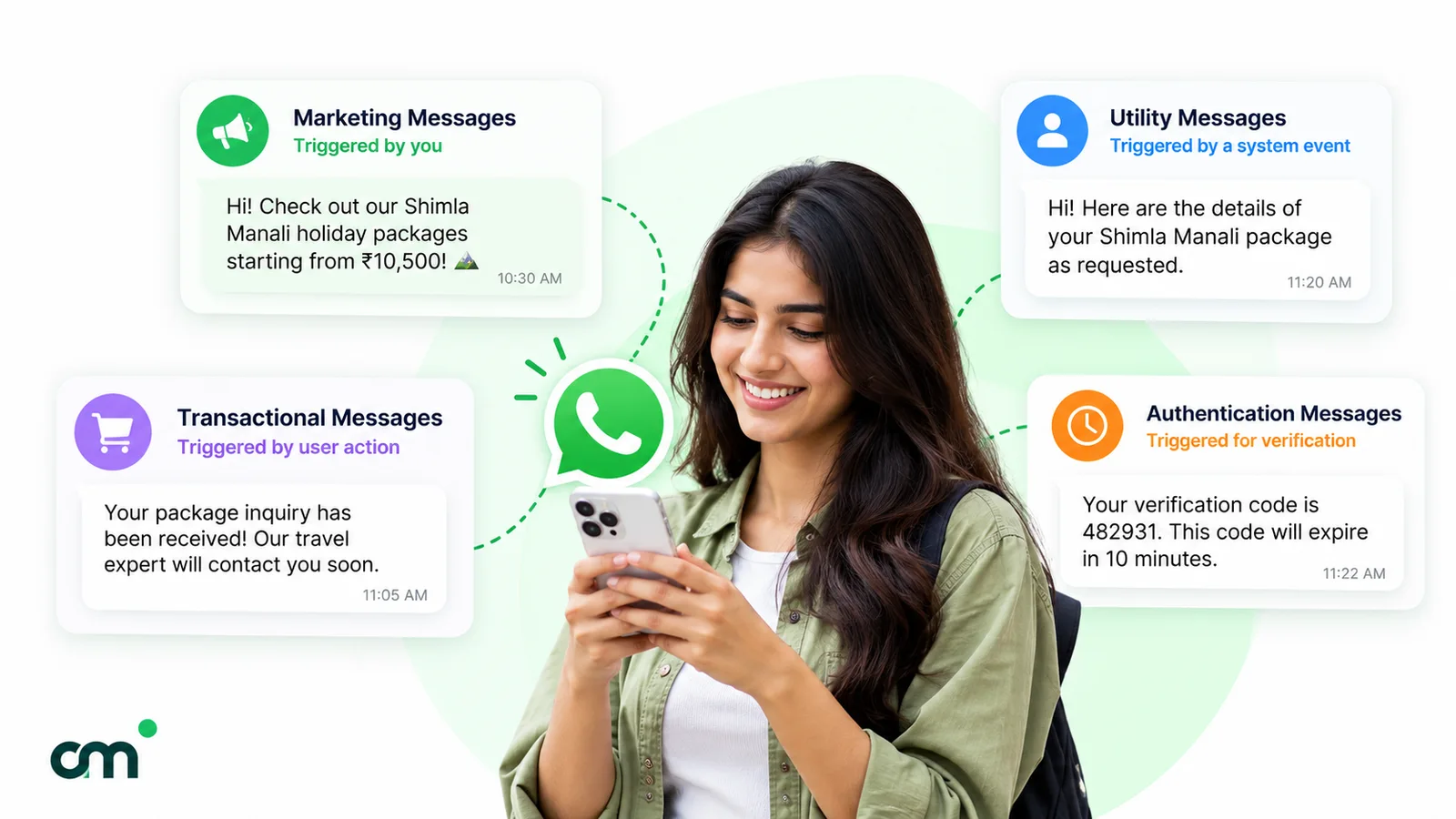
The easiest way to tell the types apart is to ask what starts the message.
1. WhatsApp Business app tools
Four tools in the free app’s Tools tab matter here, and two of them send messages without you:
- Greeting message. Sent automatically “when they first message you”, and again when customers message “after 14 days of inactivity”, per WhatsApp’s greeting messages page. You can send it to everyone, to people not in your address book, or to a chosen group.
- Away message. Sent always, on a custom schedule, or “outside of business hours” if you’ve set hours in your business profile (away messages page).
- Quick replies. Saved shortcuts you insert by typing ”/”. Useful, but you still press send. The app stores up to 50 (quick replies page).
- Labels, now being renamed lists. Up to 20, for sorting chats (labels page).
The app also lets you send paid marketing messages, called business broadcasts in some countries, and schedule them for a date and time. WhatsApp’s guide to marketing messages notes that Meta reviews them and that your phone must be online when a scheduled one sends, and the feature is “currently available in limited countries” (about marketing messages).
Fits: a sole trader or a two-person shop. Outgrow it when several people answer chats, or you need replies that depend on what the customer wrote. For wording that works, see our away message examples.
2. Keyword auto-replies
A rule watches incoming messages for words you choose and sends a fixed answer: “price” gets the price list, “location” gets the map pin. Tools offer match types such as exact, starts-with, contains or regular expressions, and the choice matters. A loose “contains” rule on “price” also fires on “the price was wrong on my bill”, which is a complaint, not a question.
Fits: the ten questions you answer every day. Watch for: rules that fire on complaints, and reply loops where two automated numbers answer each other. Our WhatsApp auto-reply examples have ready wording for the common ones.
3. Welcome and away messages on the Platform
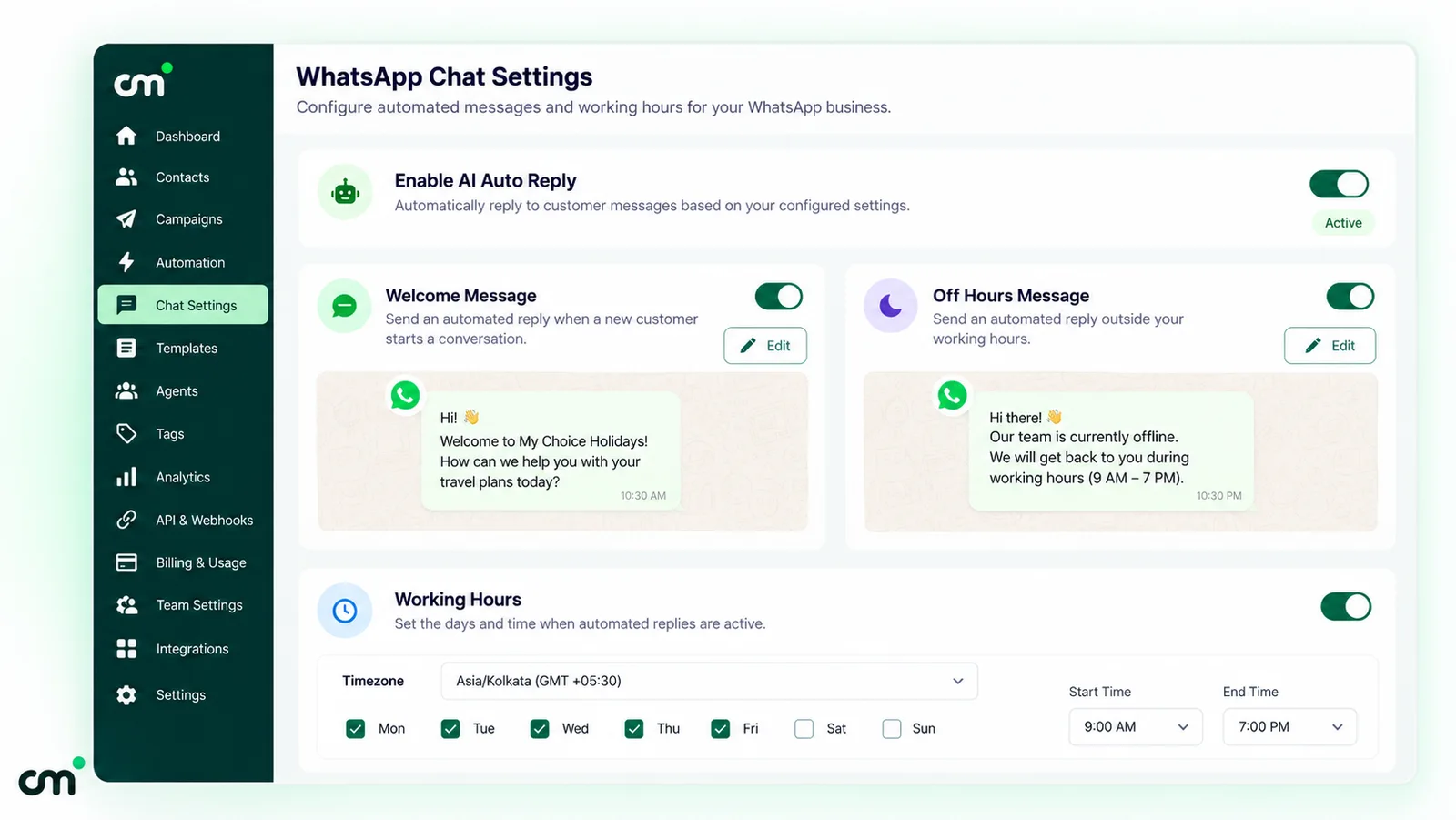
These do the same job as the app’s greeting and away messages, but for a shared number that a whole team answers from software. A welcome message greets a contact’s first message; an away message covers the hours when nobody is online. Because they answer the customer, they usually go out inside the 24-hour window as service messages rather than templates.
Fits: any team inbox. Watch for: away messages that fire on every message a customer sends. Five messages at 11 p.m. shouldn’t earn five identical replies, and since 1 October 2026 each extra reply draws on your paid service quota.
4. AI agents and chatbots
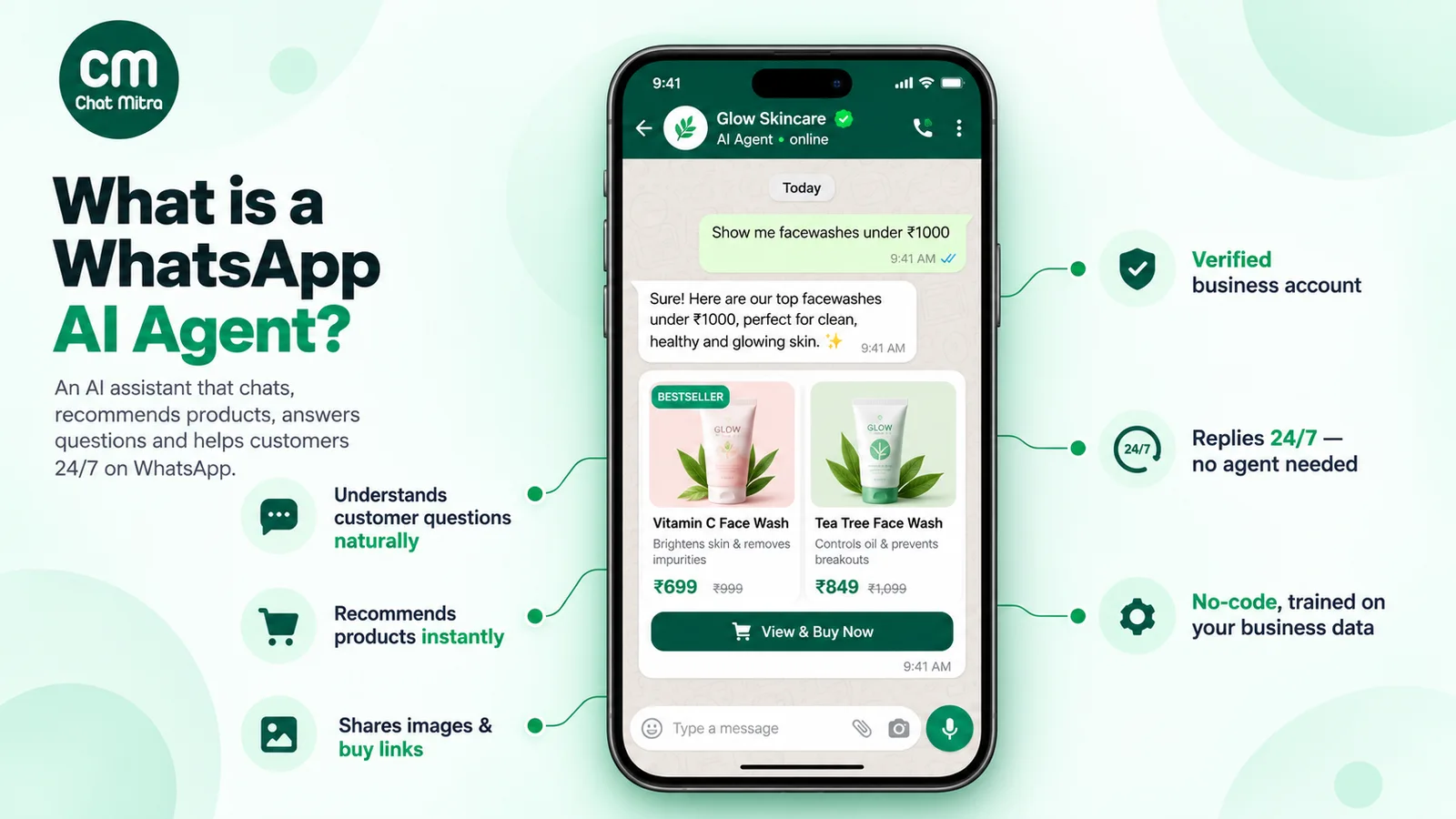
An AI agent reads the conversation and writes its own reply, grounded in your documents or systems. It handles questions nobody wrote a rule for, which is also its risk: it can be confidently wrong.
Two rules shape AI on WhatsApp. First, Meta’s Business Platform terms (clause 4.7) restrict “AI Providers” whose AI is the “primary (rather than incidental or ancillary) functionality”. Meta’s AI Providers page dates the rule from 15 January 2026. A shop, clinic or school using AI to answer its own customers is not the target. A company offering a general-purpose AI assistant over WhatsApp is. Second, the WhatsApp Business Messaging Policy says you may use automation in the 24-hour window “but must also have available prompt, clear, and direct escalation paths”, such as an in-chat human agent, a phone number, email or a support form.
Fits: varied questions with answers in your own documents. The full guide, including Meta’s own Business Agent, costs and guardrails, is our article on WhatsApp AI agents.
5. Event-triggered notifications
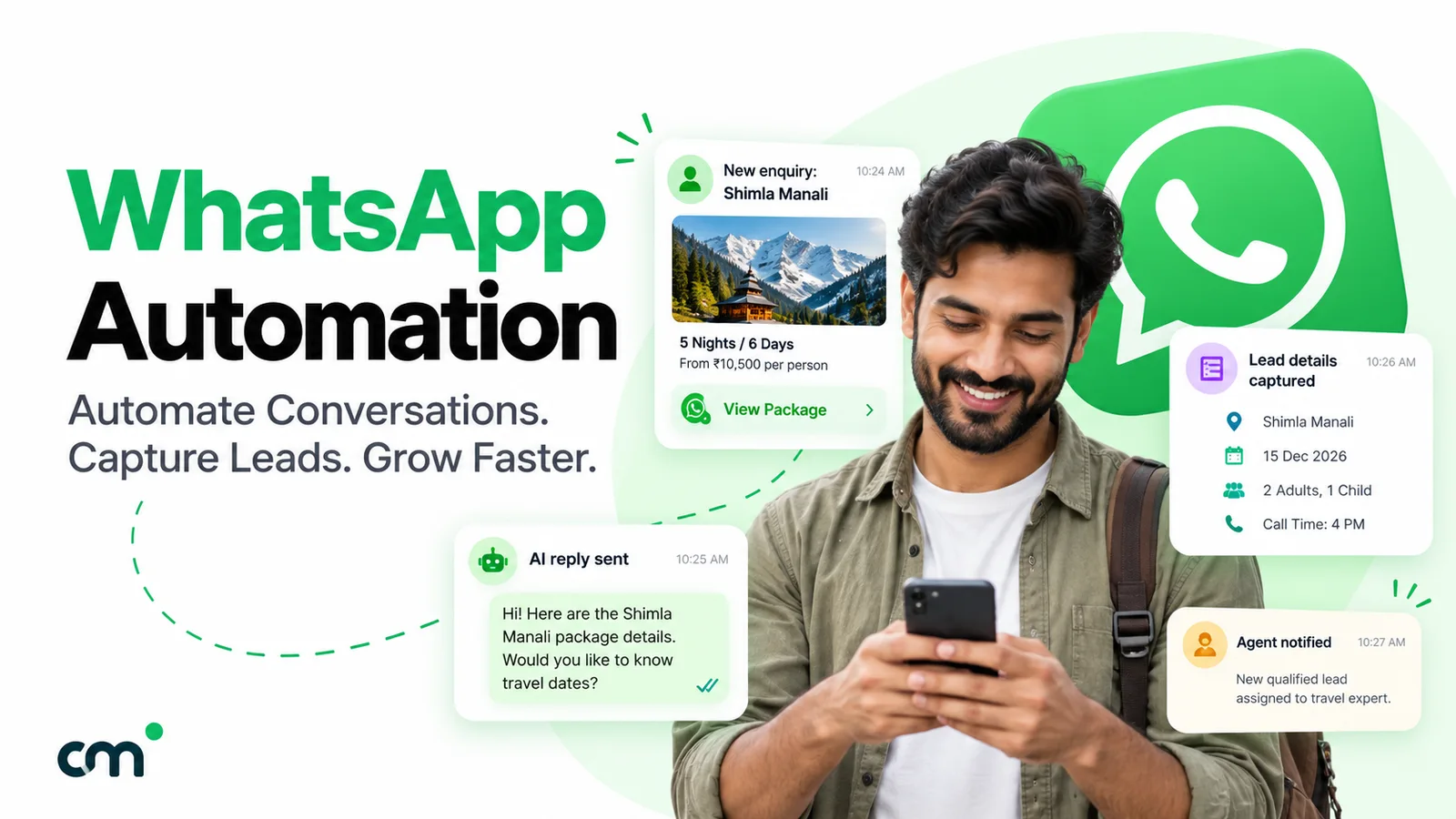
Something happens in another system and WhatsApp sends a message: an order is placed, a payment fails, an appointment is booked, a row is added to a spreadsheet, a lead fills in a website form. The connection is made through a ready integration (Shopify is the common one), a spreadsheet tool, or your own system calling the provider’s API. In the other direction, Meta’s webhooks report incoming messages and the status of outgoing ones, which is how a CRM or order system learns what happened. Our explainer on webhooks and message status covers the mechanics.
These are usually business-initiated, so they need an approved template. Order confirmations and shipping updates are normally utility templates. An abandoned-cart nudge is marketing: Meta’s template categorisation guidelines list a cart reminder among their marketing examples, and treat “an order update with a promo” as marketing too.
Fits: stores, clinics, coaching institutes, anyone with a system of record. Store-specific flows (COD confirmation, delivery, returns) are in our guide to WhatsApp for ecommerce; form-to-WhatsApp setups are in WhatsApp integration with your website.
6. Scheduled broadcasts
You write one template, choose a segment and pick a send time: a festive offer, a fee reminder, a new-batch announcement. Promotional broadcasts are marketing templates and must only go to people who opted in.
Fits: planned campaigns and announcements. Watch for: scheduling a campaign weeks ahead and forgetting to remove people who opted out in the meantime.
7. Multi-step flows and sequences
Two different things share this label:
- Conversation flows: a menu of buttons or list options that walks the customer through choices (“Track order” → “Enter order number” → status). These are usually built on a visual canvas.
- Sequences (drips): timed follow-ups after one trigger, such as a welcome template today, a tips message in two days and an offer in a week.
Both go wrong quietly. A menu without “talk to a person” traps customers, and a sequence that keeps sending after a purchase, complaint or opt-out looks careless. Decide what ends it before you build it.
Which automation fits which job?
Use this table to match the job to the automation and the message it sends. Rupee figures are Meta’s India rates per delivered message, from Meta’s pricing page and its INR rate card; they apply whichever tool you use. For other markets, check the same page’s rate cards.
| Job | Automation type | Message it sends | Meta charge (India) | What you need |
|---|---|---|---|---|
| Greet a first-time enquiry | Greeting (app) or welcome message (Platform) | Service reply in the 24-hour window | App: none. Platform: free up to 1,000 service messages per number per month, then ₹0.1150 | App, or a Platform tool with a welcome message |
| Reply out of hours | Away message | Service reply | As above | Business hours set, and a rule that doesn't reply to every message |
| Answer "price", "timing", "location" | Keyword auto-reply | Service reply | As above | A Platform tool with keyword rules |
| Answer varied product or policy questions | AI agent | Service reply | As above, plus your AI model's own usage fees | Knowledge documents, a handover path, testing |
| Confirm an order or booking | Event trigger (store, sheet or API) | Utility template | ₹0.1150 | Approved utility template and an integration |
| Shipping or appointment reminder | Event or date trigger | Utility template | ₹0.1150 | Non-promotional wording, customer-specific details |
| Recover an abandoned cart | Event trigger with a delay | Marketing template | ₹0.8631 | Store integration, opt-in, a stop rule once they buy |
| Birthday or anniversary offer | Date trigger | Marketing template | ₹0.8631 | A date field per contact, opt-in |
| Festive offer or announcement | Scheduled broadcast | Marketing template | ₹0.8631 | Segment, opt-in, a schedule |
| Login or verification code | API call from your system | Authentication template | ₹0.1150 (international authentication rates can apply) | Developer work on your side |
| Nurture a new lead over a week | Sequence | Templates once the window closes | ₹0.8631 each if promotional | Delays and an exit rule |
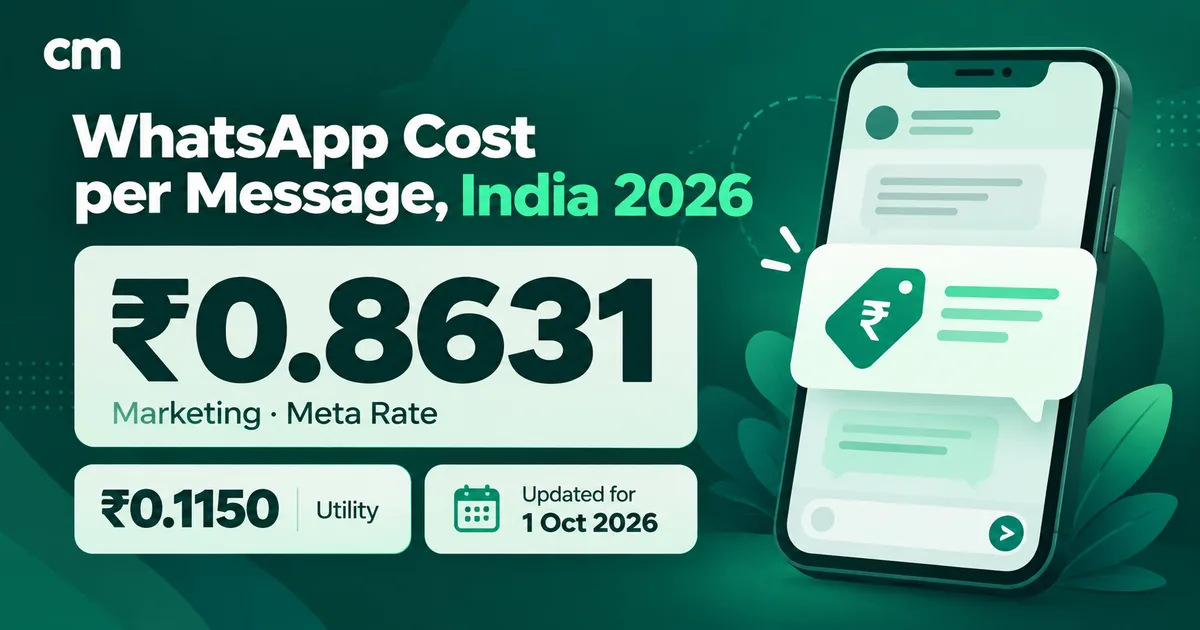
Replies to customers are cheap, and anything promotional costs about seven and a half times a utility message in India. That is where money leaks: “Your order has shipped! Use code SAVE10 on your next order” is marketing, not utility, because Meta treats mixed content as marketing.
How do you send automated messages on WhatsApp?
The steps depend on where the automation runs.
On the WhatsApp Business app
- Open Tools and tap Greeting message. Turn on Send greeting message, write the message and choose recipients.
- Go back to Tools, tap Away message and turn on Send away message. Under Schedule, pick always, a custom schedule, or outside business hours (set your hours in the business profile first).
- Add quick replies for the answers you type most, so a person can send them with ”/”.
- Keep the phone online: WhatsApp’s help pages say these messages need an active internet connection to send.
One catch: connecting Meta’s Business Agent switches greeting messages off, and the app’s automatic events feature can affect greeting and away messages.
On the WhatsApp Business Platform
- Get Platform access. Connect a number through a provider’s signup flow or directly with Meta.
- List your triggers: each job, what starts it and who receives it (use the table above).
- Create and submit templates for anything you send first. Meta says “It can take up to 24 hours for an approval decision” (template review). Our template guide explains the parts of a template.
- Build the replies first: welcome, away and keyword rules. They’re the cheapest automations and show you what customers actually ask.
- Connect events (store, spreadsheet, form or your own system) one flow at a time.
- Test with real phones: send trigger words, place a test order, reply “stop”, ask for a human. Then watch delivery, blocks, template quality and handovers for two weeks.
What does an automated WhatsApp message cost?
Meta charges per delivered message, and the category decides the price. The main rules on Meta’s pricing page:
- Marketing templates are always charged. “All marketing template messages are charged.”
- Service messages are charged since 1 October 2026. “Effective October 1, 2026 – Meta will charge on a per-message basis for service messages”, at the same rates as utility and authentication. “Each business phone number has one shared free tier of 1,000 delivered service messages per month”, and unused ones “do not roll over.”
- Utility templates inside an open window are now charged too. From 1 October 2026, Meta charges “for utility messages sent in an open 24-hour customer service window”.
- Customers’ messages to you are free. “Messages sent from a WhatsApp user to a business are not charged.”
- Ad-driven chats get a free period. When a customer messages you from a click-to-WhatsApp ad or a Facebook Page call-to-action button on WhatsApp’s Android or iOS app, and you reply within 24 hours, “All messages, including template messages, are free for 72 hours” from your reply. Chats started on WhatsApp Web or desktop don’t qualify, and free-form messages still need the 24-hour window to be open.
A worked month for a small online store in India
Say a store handles 1,200 orders a month, sends two festive broadcasts to 3,000 opted-in customers, and its bot and away message send 2,500 automated replies.
| Automation | Messages | Category | Rate | Meta charge |
|---|---|---|---|---|
| Order confirmation + shipping update | 2,400 | Utility | ₹0.1150 | ₹276.00 |
| Abandoned-cart reminders | 500 | Marketing | ₹0.8631 | ₹431.55 |
| Two broadcasts × 3,000 contacts | 6,000 | Marketing | ₹0.8631 | ₹5,178.60 |
| Welcome, away, keyword and AI replies | 2,500 (1,000 free) | Service | ₹0.1150 on 1,500 | ₹172.50 |
| Total Meta charges | 11,400 | ₹6,058.65 |
The broadcasts are about 85% of the bill; the automated replies are under 3%. Automation that answers customers is cheap; automation that starts conversations is where the money goes. The figures assume one phone number, full delivery and no other service messages; replies your team types draw on the same 1,000 free messages. They exclude your AI model’s own usage fees.
Your provider’s fee comes on top, and models vary: flat subscriptions, per-seat pricing or a small fee per conversation. On ChatMitra’s Starter and Pro plans, for example, a ₹0.20 platform fee applies once per contact per 24-hour conversation, so a marketing message to someone with no open conversation costs about ₹1.06 all-in; the Enterprise plan (₹2,499/month) charges Meta’s rate only. For per-category detail see our breakdown of WhatsApp Business cost per message, or model your own month with the WhatsApp pricing calculator.
The rules every automation must follow
Automation follows the same rules as a person typing. It just breaks them faster.
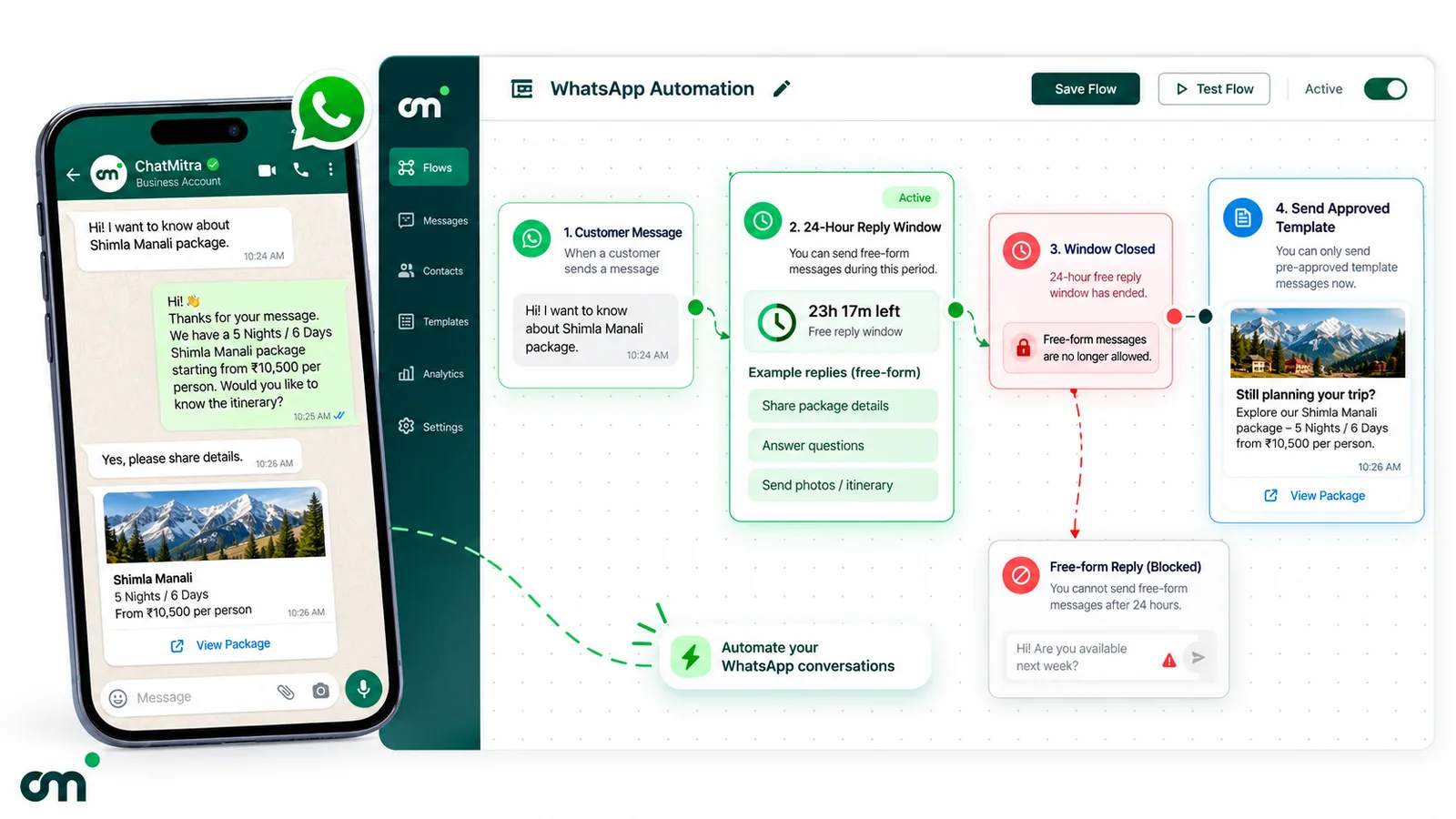
The 24-hour window. “When a WhatsApp user messages you or calls you, a 24-hour timer called a customer service window starts,” and each new message resets it. “When the window closes, you can only send pre-approved template messages” (Meta, sending messages). A follow-up automation that fires 30 hours later needs a template.
Template categories. Utility templates must be non-promotional and either tied to the user’s own order, account or request, or essential to them (a safety alert, for example). Content that mixes utility and promotion, or whose meaning is unclear, is treated as marketing. Categories are explained in our guide to WhatsApp message categories.
Opt-in and opt-out. The policy is explicit: you may only contact people who gave you their number and “you have received opt-in permission from the recipient”, and you “must respect all requests (either on or off WhatsApp)” to opt out (Business Messaging Policy). In India, the Digital Personal Data Protection Act, 2023 also governs how you collect and use that consent. Our WhatsApp opt-in guide covers wording and record-keeping.
Quality and limits. Every template carries a quality rating from user feedback and read rates; a template that keeps getting negative feedback can be paused (template quality). Business-initiated messages are also capped: new portfolios can reach 250 unique users outside the window in a moving 24 hours, rising to 2,000 once you complete a scaling path such as business verification, then higher automatically if quality stays high and you use at least half your limit (messaging limits). And the policy warns that “users can block or report businesses”, and Meta “may limit the amount of messages a business can send” based on that feedback. Our explainer on quality rating and account health shows what to watch.
Is WhatsApp automation legal?
Yes, through official channels. Meta built the Business Platform for software to send and receive messages, and the Business app has its own automations. What isn’t allowed is scripting the apps by other means (the Terms of Service line on “auto-messaging”), messaging people without opt-in, or ignoring opt-outs.
What automation should not do
- Don’t automate complaints, refunds or disputes. Route words like “refund”, “cancel”, “complaint” or “not received” straight to a person, and tag the chat.
- Don’t message anyone without consent. Buying a list or importing every number from your phone breaks the opt-in rule and invites blocks and reports, which can get your sending limited.
- Don’t ask for sensitive data in a bot. The policy says not to “share or ask people to share full length individual payment card numbers, financial account numbers, personal ID card numbers, or other sensitive identifiers.”
- Don’t let AI promise what you can’t deliver. Prices, discounts, delivery dates and medical or legal answers should come from your systems or a person, not from a model’s best guess.
- Don’t reply to every message. An away reply to each line of a five-line message is noise. Use a cooldown or once-per-conversation rule where your tool has one.
- Don’t let a sequence outlive its reason. Stop cart reminders after purchase, and nurture messages after a reply or an opt-out.
When a person must take over
Hand the chat to a person when the customer asks for one, repeats a question the bot has already answered, mentions money lost or a safety issue, sends a complaint word, or when the bot's answer would commit you to a price, date or policy exception. Then pause the automation for that contact so the bot doesn't talk over your agent.
How to choose a WhatsApp automation tool
“Best WhatsApp automation tool” depends on your jobs, so judge tools against a checklist rather than a ranking. Ask for a demo of each point on your own use case.
| Criterion | Why it matters | Question to ask the vendor |
|---|---|---|
| Official Business Platform access | Unofficial tools risk the number | Do you connect through Meta's Cloud API? |
| The triggers you need | Keyword, welcome/away, store events, dates, schedule, webhook | Show me my top three jobs working end to end. |
| Keyword match control | Loose matching fires on complaints | Which match types and cooldowns exist? |
| Flow builder or sequences | Needed for button menus and drips | How does a flow or sequence stop when the customer replies or opts out? |
| Human handover | Required escalation path, better service | How does an agent take over, and does the bot pause by itself? |
| Opt-out handling | A policy requirement | What happens when a customer writes "stop"? Are they excluded from broadcasts automatically? |
| Template management | Approval, categories and quality in one place | Can I see each template's category and quality rating? |
| AI model and data | Cost, accuracy and data control | Whose AI account is billed? What does the bot read from? |
| API, webhooks and integrations | Connect your store, CRM or own systems | Which events do you send out, and which ready integrations exist? |
| Pricing model | Seats, conversations or flat fees change the bill | What would my worked month above cost on your plan? |
If most of your contact is replies, favour keyword, welcome and AI features with a clean handover. If it’s notifications and campaigns, favour integrations, template management and segmentation. If your team lives in a CRM, check that CRM’s own WhatsApp integration first; our guide to WhatsApp CRM software covers that choice.
Where ChatMitra fits, and where it doesn’t
ChatMitra runs on the official WhatsApp Business Platform. Here is what it automates today, verified against the product, including the gaps.
| Automation | In ChatMitra | Details |
|---|---|---|
| Keyword auto-replies | Yes | Exact, starts-with and regex matching; up to 10 keywords per rule; replies can be text, templates, media or interactive messages; can add a tag. See auto-reply. |
| Welcome and away messages | Yes, with a limit | Welcome on a contact's first message, with an optional re-welcome after a set number of days. Away runs in one daily time window per project timezone and currently replies to every message inside that window; keyword rules don't run while it's active. |
| AI chatbot | Yes | Your own key from 18 LLM providers; instructions, business details and tone you write; API actions to your own endpoints with a confirm step before write actions. See AI chatbot. |
| Event and date workflows | Yes | Google Sheets automation: triggers for sheet rows, schedules, birthdays, anniversaries, dates, incoming webhooks and received WhatsApp messages (keywords matched exactly, by start, by "contains" or by regex); steps include send template or text, add tag, condition checks and delays of up to seven days, so timed sequences work. |
| Store notifications | Yes | Shopify: order confirmed, COD confirmation, cancelled, fulfilled, feedback and up to three abandoned-cart reminders, each with the template and delay you choose. |
| API and webhooks | Yes | REST API for template sends; outbound webhooks for received, sent and status events. See webhook and API integration. |
| Scheduled broadcasts | Yes, one-off | Schedule a broadcast for a future date and time, then retarget by sent, delivered, read or failed. No repeating daily or weekly broadcasts. |
| Human handover | Partial | An agent pauses automation for a contact (30 minutes up to permanently). The pause isn't automatic when an agent replies, it doesn't stop the welcome message or workflows, and there's no built-in "talk to a human" keyword. |
| Opt-out handling | Partial | No automatic STOP handling. Tag opt-outs yourself with a workflow on the "WhatsApp Message Received" trigger (it also runs during away hours, when keyword auto-replies don't), and exclude that tag from every broadcast. |
| Visual chatbot flow builder | No | No drag-and-drop button-menu flows. Use keyword rules with interactive replies, or the AI chatbot. |
| Zapier, Make, Pabbly, HubSpot, Zoho | No | Use the API and webhooks, or the incoming-webhook trigger. |
| Chat assignment to agents | No | The inbox is shared; chats aren't assigned. |
On ChatMitra’s pricing page, Auto Reply, the AI Chatbot, API access and webhooks come with the Pro plan (₹999/month); the free Starter plan includes broadcasting and the campaign scheduler. If you need branching button menus, CRM connectors or assignment rules, a tool with those features will serve you better, and it’s worth asking the checklist questions above of any vendor, us included.
A 30-day plan to automate without annoying anyone
- Week 1: listen, then reply. Tag a week of chats to find the ten most common questions. Turn on a welcome and a sensible away message, and add keyword rules for the top five, each ending with how to reach a person.
- Week 2: templates and one event flow. Submit non-promotional utility templates for confirmations and reminders early, since review can take up to a day. Connect the one system that matters most (store, sheet or form) and automate one notification.
- Week 3: the risky ones. Add an opt-out keyword and tag, then marketing automations such as cart reminders, each with a stop rule. Add AI only if you need it, given instructions and facts you’d be happy to see quoted.
- Week 4: review. Check template quality, blocks, service messages used against your 1,000 free, and every chat where a customer asked for a person. Fix the rule behind each one.
Start with the replies, then add triggers
The cheapest automations usually pay back first: a welcome, an honest away message and keyword answers to questions you already answer daily. Add order and booking notifications next, then marketing automations once opt-in is solid, and keep a person within reach at every step.
If ChatMitra’s mix of keyword rules, AI on your own key, Sheets workflows and Shopify flows fits your jobs, you can compare ChatMitra’s plans and start on the free Starter plan.
Sources: WhatsApp Help Center pages on greeting messages, away messages, quick replies, labels, automatic events and marketing messages; Meta for Developers pages on sending messages, pricing, AI Providers, template review, template categorisation, template quality, messaging limits and webhooks; the WhatsApp Business Messaging Policy; Meta Terms for WhatsApp Business Platform; WhatsApp Terms of Service. Facts checked against Meta's and WhatsApp's documentation on 25 September 2026.