Blog · Guide · 15 min read

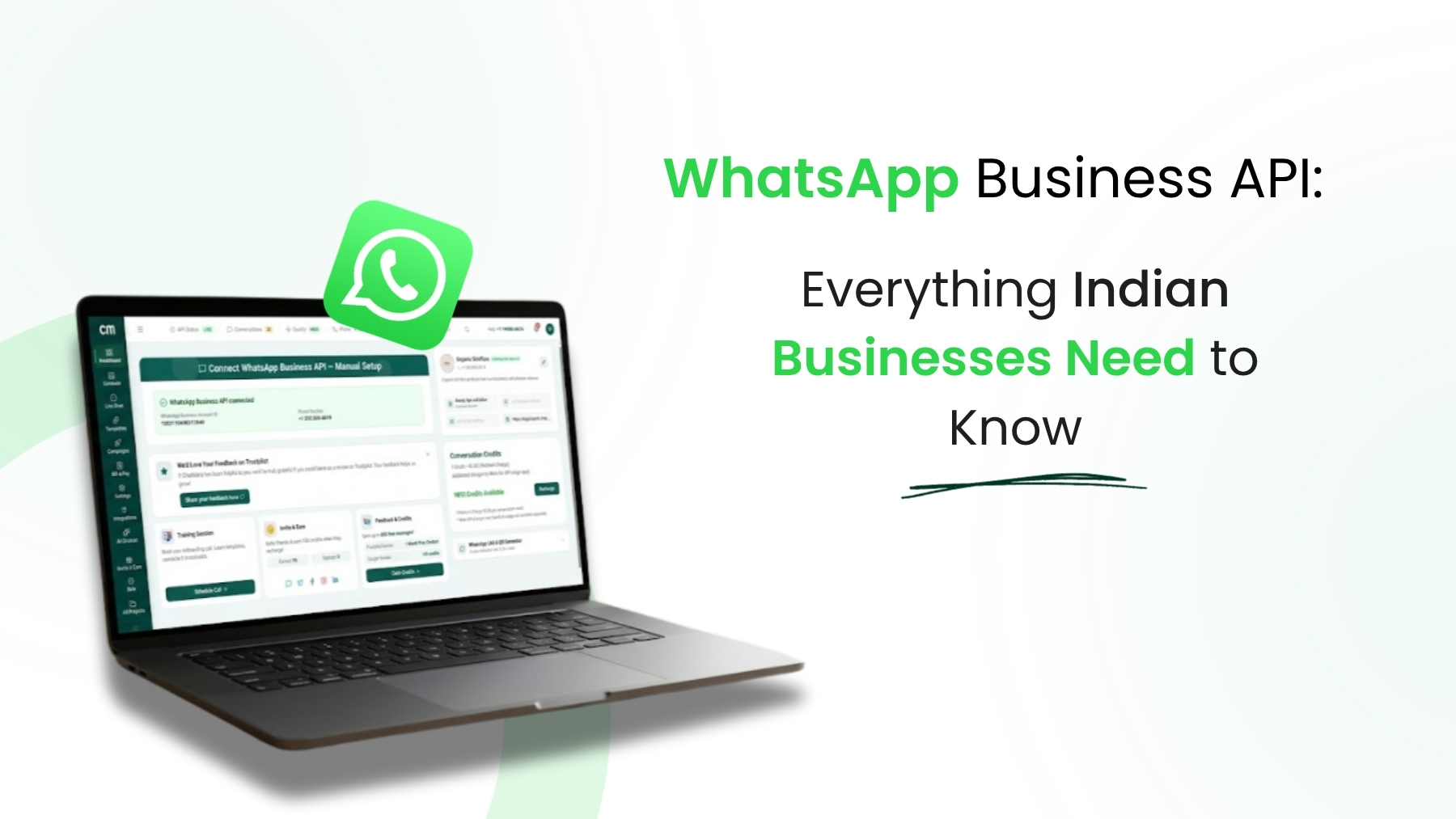
WhatsApp Business API: Complete Guide for Indian Businesses

Everything you need to know about WhatsApp Business API — what it is, how to get it, what it costs, and how to use it to grow your business in India.

ChatMitra Team ·

WhatsApp has over 500 million users in India. If your business communicates with customers, chances are you're already using WhatsApp in some form — maybe the free Business App, maybe even your personal account. But at some point, that setup stops working.

Messages pile up. Customers wait hours for replies. Your team can't share one phone. You want to send a promotion to 5,000 contacts but the app limits you to 256. You need a chatbot but the app doesn't support one.

That's where WhatsApp Business API comes in. This guide explains what it is, who needs it, how to get it, what it costs, and how to actually use it to grow your business — all from an Indian business perspective.

What is WhatsApp Business API?

WhatsApp Business API is a programmatic interface provided by Meta (WhatsApp's parent company) that lets businesses send and receive WhatsApp messages at scale through a software platform.

In plain terms: instead of using the WhatsApp app on your phone, you access WhatsApp through a web-based dashboard that gives you tools for team collaboration, automated messaging, broadcast campaigns, chatbots, and integrations with your existing business tools.

You can't use the API directly — it requires a Business Solution Provider (BSP) like ChatMitra, Wati, AiSensy, or others to provide the platform and tools on top of the API. Think of the BSP as the interface between your business and WhatsApp's infrastructure.

Quick Comparison: WhatsApp Business App vs. WhatsApp Business API

FeatureBusiness App (Free)Business API
PriceFreePer-message charges + provider fee
Users / Team members1 phone + up to 4 linked devicesUnlimited team members
Broadcast limit256 contacts per listUnlimited contacts
Chatbot automationBasic auto-replies onlyFull chatbot flows with visual builder
IntegrationsNoneShopify, CRM, Google Sheets, API, Webhooks
AnalyticsBasic message statsCampaign analytics, delivery reports, read rates
Product catalogIn-app catalogFull e-commerce catalog with cart and payments
Business profile & display nameBasic business profileMeta-approved display name, rich profile, analytics

Who Actually Needs WhatsApp Business API?

Not every business needs the API. The free Business App works perfectly fine for many small businesses. You should consider upgrading when you recognize these signs:

You need it if:

  • You receive more than 100 messages per day and one person can't handle them all. The API lets your entire team work from the same WhatsApp number simultaneously.
  • You want to send promotional broadcasts to more than 256 people. The Business App caps broadcast lists at 256 contacts. The API has no such limit.
  • You need automated responses beyond simple auto-replies. Chatbots that guide customers through product selection, order tracking, appointment booking — these require the API.
  • You want to connect WhatsApp to your other tools. Shopify orders syncing to WhatsApp, CRM contacts automatically receiving follow-ups, Google Sheets exporting contact data — all of this requires the API.
  • You manage multiple team members. The API gives each team member their own login, with conversation assignment, internal notes, and performance tracking.
  • You run an agency managing multiple clients. The API (through providers like ChatMitra) supports multi-project architecture — separate WhatsApp numbers, contacts, and billing for each client from one dashboard.

You probably don't need it if:

  • You handle fewer than 50 messages per day
  • Only one person manages customer communication
  • You don't need automated campaigns or chatbots
  • Your customer communication is informal and doesn't require tracking

How to Get WhatsApp Business API in India

Getting started with WhatsApp Business API involves choosing a provider and completing a verification process. Here's the step-by-step process using ChatMitra as an example (the steps are similar with other providers).

Step 1: Create an Account with a BSP

Sign up on ChatMitra (or your chosen provider). This takes about 2 minutes. You'll need a business email and basic company information.

Step 2: Connect Facebook Business Manager

WhatsApp Business API requires a Facebook Business Manager account. If you don't have one, you can create it during the signup process. ChatMitra walks you through connecting your Business Manager account using Meta's embedded signup flow.

Step 3: Verify Your Business

Meta requires business verification to ensure legitimacy. You'll need to provide your business name, address, and a verification document (GST certificate, Udyam registration, or similar). This is a one-time process.

Step 4: Register Your Phone Number

Choose a phone number for your WhatsApp Business API account. This number:

  • Must not be currently registered on WhatsApp or WhatsApp Business App
  • Can be a mobile number or a landline (landlines receive verification via voice call)
  • Can be your existing business number — but it will be disconnected from the app

You'll receive a verification code via SMS or voice call to confirm ownership.

Step 5: Set Your Display Name

Your display name is what customers see when they receive your messages. Meta reviews this name to ensure it matches your business and follows their naming guidelines. Approval usually takes a few minutes to a few hours.

Step 6: Create Message Templates

Before you can send the first business-initiated message, you need at least one approved message template. Templates are pre-written messages that Meta reviews to prevent spam. ChatMitra provides a template creation tool and library of examples to help you get approved quickly.

Step 7: Start Messaging

Once your number is verified and at least one template is approved, you're live. You can start receiving customer messages immediately and send template-based messages to initiate conversations.

The entire process typically takes 10-30 minutes of your time, though Meta's verification steps can occasionally take up to 24 hours.

Key Features of WhatsApp Business API

The API itself is just the pipeline. The features you actually use come from your BSP's platform. Here's what a good platform like ChatMitra provides:

Team Inbox

A shared web-based inbox where your entire team can view and reply to customer conversations from their own computers. No more passing one phone around. You can assign conversations to specific team members, add internal notes, and track who replied to what.

This alone saves significant time. Businesses handling 100+ daily conversations report their team can manage 5x more conversations compared to using the phone app.

Broadcast Campaigns

Send messages to thousands of contacts at once using approved templates. Unlike the Business App's 256-person limit, the API lets you broadcast to your entire contact list. You can schedule broadcasts for optimal timing and segment your audience using tags for more targeted campaigns.

The impact of segmentation is substantial — businesses using targeted broadcasts see 2-3x higher response rates compared to sending the same message to everyone.

No-Code Chatbot Builder

Build automated conversation flows using a visual drag-and-drop builder. No coding required. Common use cases include:

  • Product inquiry bots: Guide customers through your product catalog based on their preferences
  • Order tracking: Let customers check order status by entering their order number
  • FAQ handling: Answer common questions automatically, 24/7
  • Lead qualification: Ask qualifying questions before routing to a sales person

ChatMitra's chatbot builder saves an estimated ₹50,000-₹2,00,000 in custom development costs compared to building a chatbot from scratch. Learn more about chatbot features.

WhatsApp Catalog and E-Commerce

Display your products directly inside WhatsApp conversations. Customers can browse your catalog, add items to a cart, and complete purchases — all without leaving WhatsApp. ChatMitra integrates with Razorpay for payment processing, so you can send payment links and collect payments within the chat.

For Shopify store owners, ChatMitra offers a direct integration that syncs your products, orders, and customer data. It also supports abandoned cart recovery — automatically sending WhatsApp reminders to customers who left items in their cart. With WhatsApp's 90%+ open rate (compared to 10-15% for email), cart recovery messages are significantly more effective. Explore the Shopify integration.

Template Messages

Templates are pre-approved message formats required for business-initiated conversations. They can include text, images, videos, documents, interactive buttons, and dynamic variables (like customer name or order number).

The template approval process takes anywhere from a few minutes to 24 hours. Well-structured templates that follow Meta's guidelines get approved faster. ChatMitra provides a template library with ready-to-use examples across industries.

Contact Management and Segmentation

Import contacts via CSV, add them individually, or collect them through your chatbot. Tag contacts based on interests, purchase history, location, or any custom criteria. When it's time to broadcast, send messages only to the relevant segment instead of your entire list.

This isn't just about relevance — it directly impacts your costs. Sending a marketing message costs ₹0.86-₹1.09 per recipient. If you broadcast to 10,000 contacts but only 3,000 are interested, you've spent ₹6,000+ reaching people who won't respond.

Campaign Analytics

Track delivery rates, read rates, response rates, and button click rates for every broadcast campaign. This data helps you understand what works, improve your messaging, and optimize your spending over time.

Developer API and Webhooks

For businesses with custom needs, ChatMitra provides a developer API and webhook system. You can programmatically send messages, receive real-time delivery updates, and connect WhatsApp to any software your business uses. This is optional — most businesses use the visual dashboard without touching the API. Explore the API documentation.

WhatsApp Business API Pricing Overview

We won't repeat the full pricing breakdown here since we have a dedicated pricing guide, but here's the summary:

  • Marketing messages: ₹0.86 - ₹1.09 per message (promotions, offers, campaigns)
  • Utility messages: ₹0.11 - ₹0.15 per message (order updates, payment receipts)
  • Authentication messages: ₹0.145 per message (OTPs, verification codes)
  • Service messages: Free (replies to customer-initiated conversations within 24 hours)

These are Meta's charges that apply regardless of your provider. On top of this, your provider adds their own fee — either a monthly subscription, per-message markup, or both. ChatMitra uses a credit-based model: the Starter plan has no subscription, and the Pro plan is ₹999/month only if you need Auto Reply, AI Chatbot, API access or Webhooks.

For detailed cost calculations, use our pricing calculator or read the full pricing guide.

Choosing a WhatsApp Business API Provider

There are dozens of WhatsApp API providers serving Indian businesses. Choosing the right one matters because switching providers later means migrating your number, contacts, and workflows — it's doable but disruptive.

Here's what to evaluate:

Pricing Model

Subscription-based providers (Wati, Interakt, Gallabox) charge ₹999-₹16,999/month regardless of usage. ChatMitra takes a hybrid approach: the Starter plan charges per message with no subscription, and the Pro plan is ₹999/month only if you need automation (Auto Reply, AI Chatbot, API, Webhooks). For small and medium businesses, this is usually more cost-effective. See our detailed provider comparisons.

Feature Set

Make a list of what you actually need. Common requirements include:

  • Team inbox with multiple agents
  • Broadcast campaigns with scheduling
  • Chatbot builder (no-code)
  • Shopify or e-commerce integration
  • Contact management with tags
  • Campaign analytics
  • Payment collection (Razorpay)
  • Multi-project support (for agencies)

Check whether these features are included in the base plan or require upgrades. Some providers lock chatbot functionality, analytics, or integrations behind higher-tier plans.

Ease of Onboarding

How quickly can you go from signup to sending your first message? Some providers require sales calls and manual onboarding. Others (like ChatMitra) offer self-serve signup with guided onboarding — you can be live within an hour. Check our onboarding guide.

Support Quality

When something breaks — and it will at some point — responsive support is worth its weight in gold. Check whether the provider offers support via WhatsApp (ironically, many don't), email, or phone. Ask about response times for critical issues.

India-Specific Features

If your business is in India, look for India-specific features: Razorpay integration for payments, GST invoicing, INR pricing, UPI support, and a team that understands Indian business needs. ChatMitra is built India-first with all of these features native to the platform.

Common Use Cases for Indian Businesses

Here are the most popular ways Indian businesses use WhatsApp Business API:

E-Commerce: Abandoned Cart Recovery

The average e-commerce cart abandonment rate in India is around 70%. Sending a WhatsApp reminder within a few hours recovers a meaningful percentage of those lost sales. With WhatsApp's 90%+ open rate vs. email's 10-15%, the recovery rate is dramatically higher.

A Shopify store with ₹5,00,000 in monthly cart abandonment can realistically recover ₹50,000-₹75,000 through WhatsApp automation.

Retail: Promotional Campaigns

Seasonal sales, new arrivals, flash discounts — WhatsApp broadcasts deliver these to customers who actually see them. Unlike SMS (which people ignore) or email (which lands in promotions tab), WhatsApp messages get read within minutes.

Education: Enrollment and Updates

Coaching institutes and schools use the API for enrollment reminders, fee payment links, exam schedules, and parent communication. Chatbots handle routine inquiries (fees, timings, admission process), freeing staff for complex queries.

Healthcare: Appointment Management

Clinics and hospitals use automated appointment reminders, prescription delivery notifications, and follow-up messages. Patients can book or reschedule appointments through a chatbot without calling the front desk.

Real Estate: Lead Qualification

Real estate businesses receive high volumes of inquiries. A chatbot can qualify leads by asking about budget, preferred location, and property type before routing them to the right agent. This saves agents hours of initial screening.

D2C Brands: Post-Purchase Experience

Order confirmation, shipping updates, delivery notification, and feedback collection — all automated through WhatsApp. Customers prefer this over email because they see the updates instantly. It also opens a channel for upselling and cross-selling.

Getting Started with ChatMitra

If you've read this far and decided WhatsApp Business API is right for your business, here's how to get started with ChatMitra specifically:

  1. Sign up for a free trial at app.chatmitra.com. No credit card required. You get 14 days of full platform access.
  2. Complete the onboarding flow. Connect your Facebook Business Manager, verify your business, and register your phone number. The dashboard guides you through each step.
  3. Create your first template. Use the template builder or pick from the template library. Submit it for Meta approval.
  4. Import your contacts. Upload a CSV or add contacts manually. Tag them for segmentation.
  5. Send your first broadcast. Once your template is approved, select your audience and send. Monitor results in the campaign analytics dashboard.
  6. Set up a chatbot (optional). Use the visual builder to create automated flows for common customer inquiries.
  7. Connect your integrations (optional). Link your Shopify store, connect Google Sheets, or set up the developer API for custom workflows.

The entire process — from signup to sending your first message — can be completed in under an hour. Most of the time is spent waiting for Meta to approve your display name and first template.

Messaging Limits and Quality Rating

One important thing to understand before you start: Meta limits how many unique contacts you can message per day. This limit starts at 1,000 and increases based on your messaging quality.

How Limits Work

  • Starting limit: 1,000 unique contacts per 24-hour period
  • Tier 2: 10,000 unique contacts per day (auto-upgraded based on quality)
  • Tier 3: 100,000 unique contacts per day
  • Unlimited: No daily cap

Meta automatically upgrades your tier when you consistently send messages with good quality ratings and sufficient volume. The process typically takes 1-4 weeks of regular messaging.

Quality Rating

Meta assigns a quality rating to your phone number based on how recipients interact with your messages. If many people block your number or report your messages as spam, your quality rating drops. A low quality rating can reduce your messaging limit or even restrict your account.

The best way to maintain a high quality rating:

  • Only message contacts who have opted in to receive your messages
  • Segment your audience — don't send irrelevant promotions to everyone
  • Keep message frequency reasonable (don't bombard people daily)
  • Provide clear opt-out instructions in your marketing messages
  • Monitor your quality rating in the ChatMitra dashboard and adjust if it drops

For a deeper dive into quality ratings and messaging limits, check our quality rating guide and messaging limit guide.

What's Next After Getting Started?

Once you're up and running, here are the next steps to get the most value from WhatsApp Business API:

  1. Build your contact list. Add a WhatsApp chat link to your website. Generate a WhatsApp QR code for your physical store or business card. Collect opt-ins through your checkout process.
  2. Create templates for your top use cases. Start with order confirmations, shipping updates, and one promotional template. Expand from there based on what your business needs.
  3. Set up basic automation. Even a simple welcome message chatbot that greets new customers and offers common options saves significant manual effort.
  4. Run your first targeted campaign. Pick your most engaged segment and send a relevant offer. Track the results, learn, and iterate.
  5. Review analytics weekly. Check which messages get opened, which get responses, and which get ignored. Use this data to continuously improve.

Wrapping Up

WhatsApp Business API isn't a magic wand — it's a tool. Like any tool, its value depends on how you use it. The businesses that get the most from it are the ones that treat WhatsApp as a genuine communication channel rather than just another spam pipe.

Send messages people actually want to receive. Respond quickly when customers reach out. Use automation to scale your responsiveness, not to replace genuine engagement. And choose a provider that gives you the features you need without charging for things you don't.

If you're ready to explore, start your free trial with ChatMitra. If you want to understand costs first, read our pricing guide. And if you want to compare providers, check our comparison pages.

Frequently Asked Questions

What is WhatsApp Business API?

WhatsApp Business API is an interface provided by Meta that lets businesses send and receive WhatsApp messages at scale through a software platform. Unlike the free WhatsApp Business App (which runs on your phone), the API connects to platforms like ChatMitra that provide a web dashboard, automation tools, broadcast campaigns, chatbots, and integrations with e-commerce and CRM tools.

Who can get WhatsApp Business API in India?

Any registered business in India can apply for WhatsApp Business API. You need a Facebook Business Manager account, a verified business, and a phone number not already registered on WhatsApp. There's no minimum company size requirement — small businesses, startups, and large enterprises all qualify. The process takes 10-30 minutes through a provider like ChatMitra.

How much does WhatsApp Business API cost in India?

You pay Meta's per-message charges (Marketing ₹0.86-₹1.09, Utility ₹0.11-₹0.15, Authentication ₹0.145, Service free) plus your provider's platform fee. ChatMitra uses credit-based pricing: Starter is free forever with no subscription, and Pro is ₹999/month when you need Auto Reply, AI Chatbot, API access and Webhooks. Other providers charge ₹999-₹16,999/month. Read our detailed pricing guide for full cost breakdowns.

Can I use my existing WhatsApp number for the API?

Yes, but with a catch. If your number is currently registered on WhatsApp or the WhatsApp Business App, it will be disconnected from the app when you migrate to the API. You won't lose your number, but you can no longer use it on the phone app. Many businesses prefer to use a new number for the API and keep their personal WhatsApp separate.

What is the difference between WhatsApp Business App and WhatsApp Business API?

The Business App is a free phone application for small businesses handling messages manually — limited to one device (plus web), one user, and 256-person broadcast lists. The Business API is a platform-based solution for growing businesses — it supports unlimited team members, automated broadcasts to unlimited contacts, chatbot automation, CRM integrations, and detailed analytics. The API requires a provider like ChatMitra and has per-message costs.

How long does it take to set up WhatsApp Business API?

With ChatMitra, you can complete the setup in 10-30 minutes. The process involves creating a ChatMitra account, connecting your Facebook Business Manager, verifying your business, registering your WhatsApp phone number, and getting your display name approved by Meta. Most businesses are up and running within an hour, though Meta's display name verification can occasionally take up to 24 hours.

Do I need technical skills to use WhatsApp Business API?

No. Platforms like ChatMitra provide a visual dashboard that handles all the technical complexity. You can send broadcasts, build chatbots, manage contacts, and view analytics without writing any code. If you do want custom integrations, ChatMitra also offers a developer API and webhooks — but these are optional and only needed for advanced use cases.

Can I send bulk messages on WhatsApp Business API?

Yes — this is one of the main reasons businesses upgrade to the API. You can send broadcast campaigns to unlimited contacts (not limited to 256 like the Business App). However, all broadcast messages must use Meta-approved templates, and you start with a daily messaging limit of 1,000 unique contacts. This limit increases automatically as you maintain good message quality. ChatMitra provides audience segmentation and scheduling tools to optimize your broadcasts.