If you're considering WhatsApp Business API for your business in India, the first question is always the same: how much will it actually cost?
The answer isn't as simple as a single number. WhatsApp API pricing has two distinct layers: Meta's official per-message charges and what your platform provider (BSP) charges on top. Understanding both is the key to avoiding unexpected surprise bills that eat up your marketing margins.
Key Takeaways at a Glance
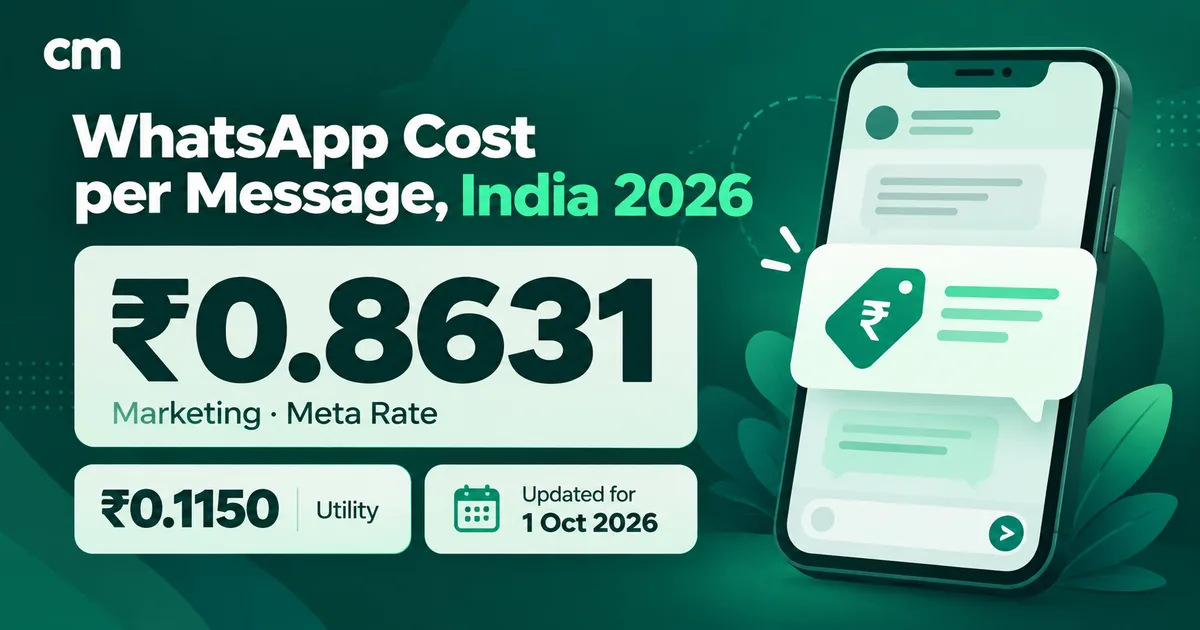
- Official Meta Charges in India: Marketing (₹0.86–₹1.09), Utility (₹0.11–₹0.15), Authentication (₹0.11), and Service messages (first 1,000 a month free inside the 24-hour service window, then ₹0.115 each).
- The Subscription Fee Trap: Many providers charge ₹999 to ₹16,999 per month before you send a single message, plus hidden message markups and per-agent seat charges.
- ChatMitra Transparent Pay-As-You-Go: ChatMitra Starter plan has ₹0 monthly subscription fee with a transparent flat ₹0.20 per conversation platform fee + Meta rates. For high-volume teams, the Enterprise plan waives the platform fee completely (0% platform charge).
- Cost Optimization Rule: Always segment audiences before broadcasts and categorize transactional order updates under Utility to slash message expenses by up to 85%.
How WhatsApp Business API Pricing Works
Unlike the free WhatsApp Business App on your mobile, the API follows a per-message pricing framework regulated by Meta. Every business in the world using the API pays these rates — they are uniform and mandatory regardless of which platform provider you choose.
On top of Meta's charges, your Business Solution Provider (BSP) — the web software you use to manage contacts, launch broadcasts, and build chatbots — adds their pricing. This can take the form of an expensive recurring monthly subscription, a per-message markup, or both.
The Universal Cost Equation
Total Monthly Cost = (Meta Official Message Charges) + (Platform Provider Subscription & Markups)
Meta's Per-Message Rates for India (2026)
Meta categorizes every outgoing WhatsApp API message into one of four distinct conversation categories. India benefits from localized pricing tiers designed for emerging digital commerce:
| Category | Cost Per Message | Approval Type | Standard Use Cases |
|---|---|---|---|
| Marketing | ₹0.86 – ₹1.09 | Pre-approved template | Promotional offers, flash discounts, festival broadcasts, abandoned cart recovery |
| Utility | ₹0.11 – ₹0.15 | Pre-approved template | Order confirmations, shipment tracking updates, appointment alerts, payment receipts |
| Authentication | ₹0.11 | Pre-approved template | One-Time Passwords (OTPs), 2FA verification codes, secure login alerts |
| Service | First 1,000/month free, then ₹0.115 | Free-form text / media | Direct 1-on-1 customer service replies within the open 24-hour service window |
Understanding Each Message Category
Marketing messages carry the highest cost because they are proactive, revenue-generating broadcasts. Whether you're announcing a Diwali sale, launching a new clothing line, or recovering an abandoned shopping cart, Meta bills these at ₹0.86–₹1.09 per recipient in India. Because of this, sending blind blasts to unsegmented contact lists will rapidly drain your balance.
Utility messages are transactional messages triggered by an existing customer action. Because they represent critical order information rather than unsolicited promotions, Meta prices them at just ₹0.11–₹0.15. This is 6 to 8 times cheaper than marketing messages.
Here is what an automated utility notification looks like when connected to your e-commerce store:
Order Confirmed! 📦
Hi Priya, thank you for your order #IND-9482. We are packing your items and will dispatch them within 24 hours.
Authentication messages are strictly reserved for account security, OTP delivery, and password recovery. At a flat ₹0.11 per message, they deliver faster open and delivery rates than legacy SMS gateways in India with near-zero spoofing risk.
Service messages are the replies you send within a 24-hour customer service window. Since 1 October 2026, Meta gives the first 1,000 service messages every month free; after that, each one costs ₹0.115 in Meta charges. Fast, responsive customer support is still the most cost-effective messaging on WhatsApp.
Platform Provider Fees: Where the Real Differences Are
While Meta's rates are identical for every provider, the software fees charged by Business Solution Providers (BSPs) differ dramatically across India. Most platforms lock you into one of three pricing models:
- Monthly Subscription + Message Markups: Platforms charge ₹999 to ₹16,999/month just for dashboard access, plus an extra ₹0.10–₹0.50 markup added on top of every single Meta message.
- Transparent Pay-As-You-Go: ChatMitra's Starter plan charges ₹0 monthly subscription fee. You simply recharge wallet credits via UPI/Razorpay and pay strictly for what you use: official Meta rates plus a transparent flat platform fee of just ₹0.20 per conversation (with 0 platform fee on the Enterprise plan).
- Enterprise Tier Custom Contracts: Enterprise players like Gupshup or Infobip enforce annual minimum commitments and custom onboarding fees (₹15,000–₹50,000).
Head-to-Head Provider Comparison (India 2026)
| Provider | Monthly Subscription | Platform Markup / Fee | Agent Seat Limits | No-Code Chatbot |
|---|---|---|---|---|
| ChatMitra | ₹0 Starter / ₹999 Pro | Flat ₹0.20/conv (₹0 on Enterprise) | Unlimited Agents | Included in Pro & Enterprise |
| Wati | ₹2,499+/month | Hidden in bundle limits | 5 seats max (₹1,000/extra) | Higher plans only |
| AiSensy | ₹999+/month | Markups on low tiers | Limited team seats | Basic flows only |
| Interakt | ₹999+/month | Message markup applied | Limited team seats | Add-on charge |
| Gallabox | ₹2,999+/month | Markups apply | 3-5 seats | Extra cost |
Watch Out for Hidden BSP Costs
Many providers advertise a low ₹999/month starting price, but charge ₹500–₹1,500/month for every additional agent seat, restrict chatbot flow builders to ₹4,999+ plans, and tack on ₹0.20 extra per broadcast message. Always calculate your total landed bill, not just the front-page subscription price.
Real Cost Calculations: What You'll Actually Pay
To see how these numbers add up in practice, let's look at three typical Indian business scenarios assuming an average monthly mix of 60% marketing messages, 30% utility notifications, and 10% customer service replies:
Scenario 1: Small Business (100 Conversations / Month)
Ideal for local retail boutiques, clinics, or solo consultants launching their first WhatsApp workflows:
~₹78 / month
- • Platform Subscription: ₹0 (Free Forever)
- • 60 Marketing Msgs (@ ₹0.90): ₹54.00
- • 30 Utility Msgs (@ ₹0.13): ₹3.90
- • 10 Service Replies (within the free 1,000/month): ₹0.00
- • ChatMitra Platform Fee (100 convs × ₹0.20): ₹20.00
~₹1,800 – ₹2,600 / month
- • Platform Subscription: ₹999 – ₹2,499 (Fixed)
- • 60 Marketing Msgs: ₹54.00
- • 30 Utility Msgs: ₹3.90
- • Per-Message Markup: ₹15 – ₹30
- • You pay 23x more just for platform access
Scenario 2: Growing Brand (1,000 Conversations / Month)
Ideal for established D2C brands, regional e-commerce stores, and coaching institutes running regular weekly campaigns:
| Cost Component | ChatMitra (Starter / Pro) | Subscription Competitors |
|---|---|---|
| Monthly Platform Fee | ₹0 (Starter) or ₹999 (Pro Automation) | ₹2,499 – ₹4,999 |
| 600 Marketing Messages (@ ₹0.90 avg) | ₹540 | ₹540 |
| 300 Utility Messages (@ ₹0.13 avg) | ₹39 | ₹39 |
| 100 Service Replies (within the free 1,000/month) | ₹0 | ₹0 |
| ChatMitra Fee / Platform Markup | Starter: ₹200 (1,000 × ₹0.20) | Pro: ₹0 (1,000 Free Credits Included!) | ₹150 – ₹300 extra markups |
| Estimated Landed Monthly Total | ~₹779 (Starter) / ~₹1,578 (Pro with Automation & 1,000 Credits) | ~₹3,200 – ₹5,800 |
Want an Exact Estimate for Your Exact Volume?
Input your projected marketing, utility, and support volumes into our interactive WhatsApp Pricing Calculator to see exact monthly costs in INR.
Open WhatsApp Pricing Calculator5 Proven Strategies to Cut Your WhatsApp Bill in Half
Every rupee you spend on WhatsApp messaging should drive measurable conversions. Here are 5 battle-tested strategies used by top-performing ChatMitra merchants:
1. Reclassify Transactional Alerts as Utility
A shipping notification sent as a Marketing template costs ~₹0.90. The exact same notification approved under Meta's Utility category costs ~₹0.13. That simple category choice yields an instant 85% cost reduction on every single order alert.
2. Segment Your Audience Before Every Broadcast
Broadcasting a seasonal discount to your entire unsegmented database of 10,000 contacts costs nearly ₹10,000 in Meta charges. By filtering contacts who purchased in the last 90 days or engaged with your previous messages, you might only need to send 2,500 messages (saving ₹7,500) while generating higher conversion rates.
3. Maximize Resolution Inside the 24-Hour Window
When a customer reaches out with a product question or support issue, your replies within 24 hours are free for the first 1,000 each month, then ₹0.115 each. Connect ChatMitra's no-code chatbot to immediately resolve FAQs and capture intent without needing outbound paid marketing templates.
4. Prevent Failed Message Resends with Clean Lists
Review contact quality and bounce rates. Resending campaigns to dead numbers or contacts who blocked your number hurts your Meta Quality Rating and wastes message credits.
5. Avoid Fixed Subscription Overhead When Starting Out
If you're sending under 1,000 messages a month, paying a ₹2,500 monthly platform fee means you are paying ₹2.50 in software overhead per message before Meta charges. Starting with a credit-based pay-as-you-go model ensures you only pay for actual business growth.
Summary & Next Steps
WhatsApp Business API pricing in India comes down to two numbers: Meta's official per-message charges (which are fixed) and your provider's software subscription and markup fees (which vary wildly).
Before locking your business into expensive annual contracts, verify whether your provider charges hidden markups, restricts team seats, or gates essential features like chatbot builders. ChatMitra gives you complete transparency: ₹0 Starter plan with pay-as-you-go pricing (flat ₹0.20 per conversation), Pro at ₹999/month with 1,000 free messaging credits and advanced automation, and Enterprise with 0 platform fees. Compare the plans side by side on the ChatMitra pricing page.
Ready to start? Create your free ChatMitra account today and launch your first WhatsApp campaign in under 15 minutes.