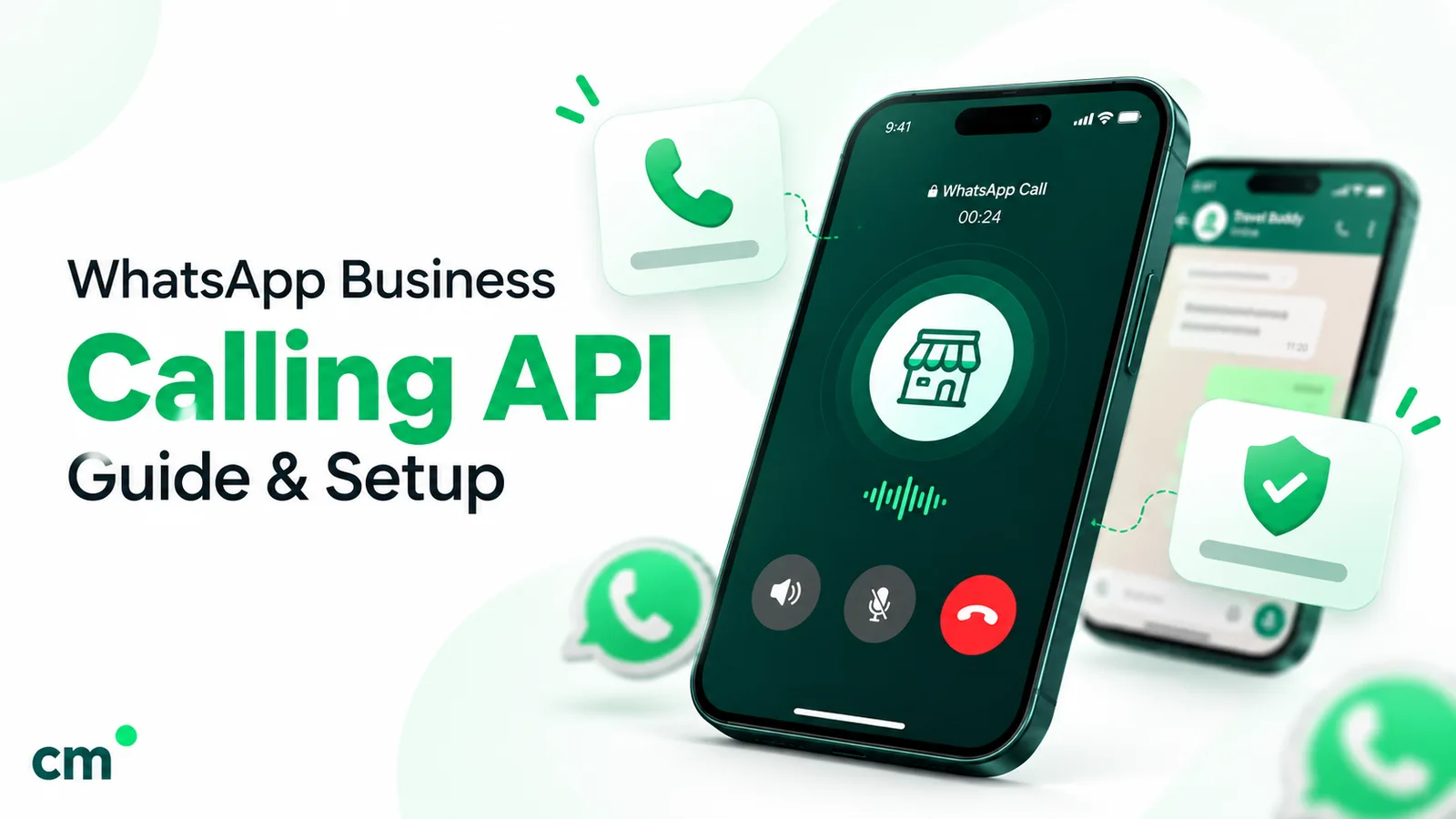
The WhatsApp Business Calling API is Meta’s Cloud API feature for WhatsApp voice calls between a business and its customers, on the same number it uses for messages. Customers call you free of charge; you can call customers who have given permission, paying per minute. Calls connect through Meta’s Graph API with WebRTC, or through SIP.
This guide covers the two call directions, permissions, availability (including India), pricing with rupee examples, the technical choices and a setup checklist. One disclosure first: ChatMitra doesn’t offer WhatsApp calling. It is a messaging platform. Customers ask us about calling, so here is a straight answer; the last sections cover what to look for in a provider that supports it.
Key takeaways
- Calls a customer makes to you cost nothing. You pay only for calls you place, per six-second pulse, by the country of the number you call.
- Outbound calls need the customer's permission first, and Meta enforces tight limits on asking.
- Calling is a voice channel you run yourself, with agents, call hours and a media server, not a switch you flip in a messaging tool.
Facts checked against Meta's and WhatsApp's documentation on 25 September 2026. Rupee figures are Meta's India rates and exclude tax.
What is the WhatsApp Business Calling API?
Meta describes it plainly: “The WhatsApp Business Calling API enables you to initiate and receive calls with WhatsApp users using Voice over Internet Protocol (VoIP)” (Meta, Cloud API Calling). Meta’s developer changelog lists “WhatsApp Business Calling API now available” on 15 July 2025.
Three points shape everything else:
- It rides on your messaging number. The call and the chat share one thread, and Meta confirms the Messages API “can be used while a call is in progress”, so an agent can send a link or document mid-call.
- It is voice only today. Meta’s overview marks video and screen sharing with an asterisk: “Feature planned or in development.”
- Meta supplies the call, not the call centre. Meta’s FAQ says it “only provides the raw media stream”. Routing, agent screens, queues and IVR menus come from your own system or your provider. Meta also doesn’t transfer calls between agents: “Meta doesn’t have any native support” for that. The transfer happens on your side.
Meta’s FAQ says there is no call duration limit.
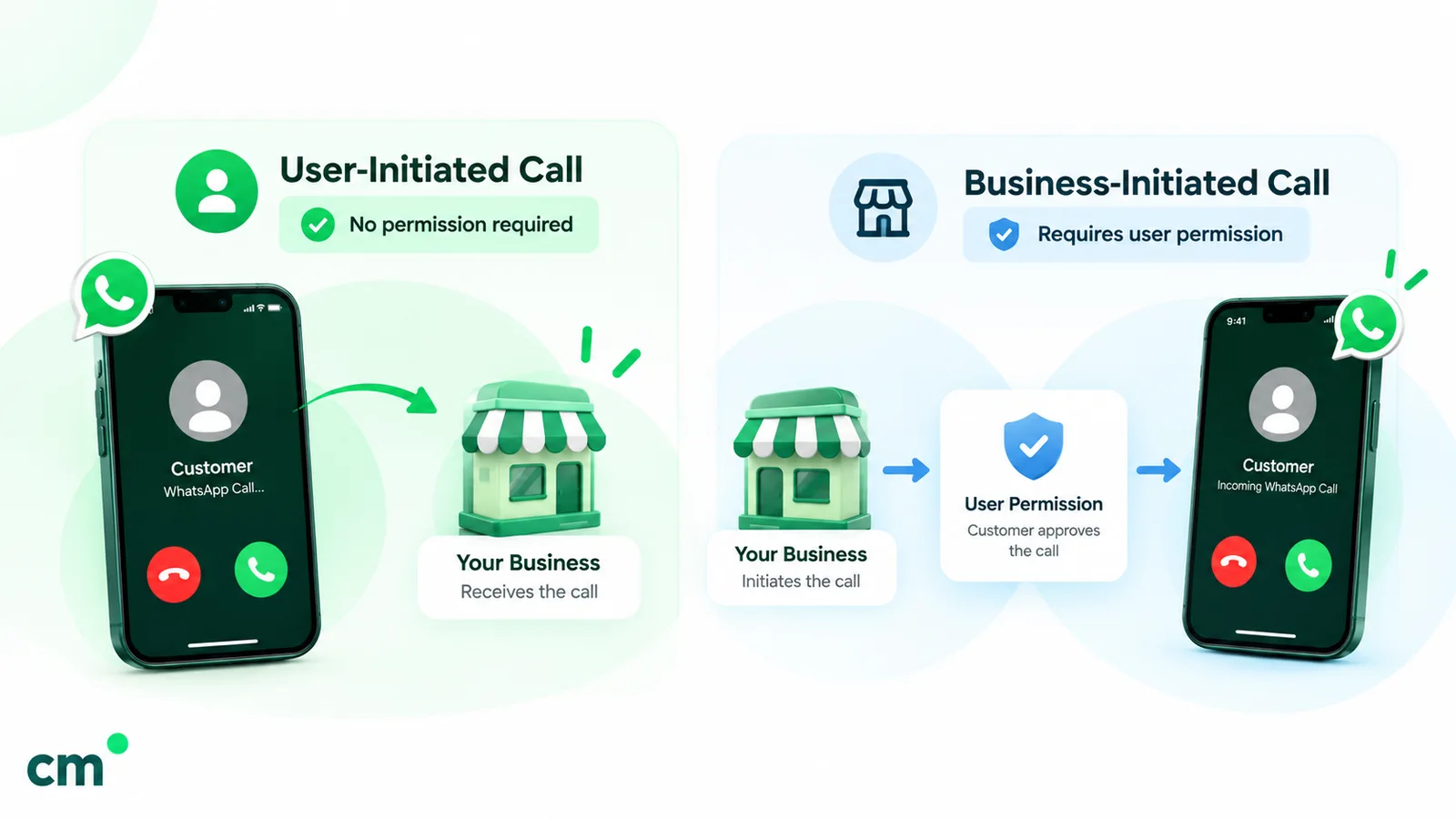
User-initiated vs business-initiated calls
Cloud API Calling has two call directions, and they differ on cost, consent and availability.
| User-initiated (customer calls you) | Business-initiated (you call the customer) | |
|---|---|---|
| How it starts | The call icon in your chat or profile, a call button you sent, or a wa.me/call/ link | Your system sends a connect request to Meta for a customer who has granted permission |
| Consent needed | None beyond the customer choosing to call | Call permission from the customer, temporary (7 days) or permanent |
| Meta charge | "All user-initiated calls are free." | Per minute, in six-second pulses, by the called number's country code |
| Where available | "Every location Cloud API is available" | Same, except for business numbers in the US, Canada, Egypt, Vietnam and Nigeria |
| Your controls | Call hours, holiday schedule, hiding the call icon, callback requests, voicemail | Permission requests, call limits per customer, feedback restrictions |
| Answer time | About 30 to 60 seconds to accept before the customer sees "Not Answered" | The customer's phone rings; you get RINGING, ACCEPTED or REJECTED status |
Sources: Meta’s user-initiated calls and business-initiated calls guides.
Meta says the API accepts calls from a customer’s “primary and companion iPhone or Android phones”. It doesn’t cover WhatsApp Web: Meta’s FAQ says “WhatsApp Web does not support consumer-v-consumer or business calls” and desktop apps “support only consumer-v-consumer calls at this point.” Business-initiated calls need WhatsApp 2.24.14.x or later on Android or iOS.
Is WhatsApp business calling available in India?
Yes, in both directions. Meta doesn’t name India on its availability list. It lists only the exceptions, and India isn’t one of them. The Cloud API Calling overview says:
- User-initiated calling: “User-initiated calling is available in every location Cloud API is available.”
- Business-initiated calling: “Business-initiated calling is available in every location Cloud API is available, except the following countries”, followed by five: United States, Canada, Egypt, Vietnam and Nigeria.
- Whose country counts: “The business phone number’s country code must be in this supported list. The consumer phone number can be from any country where Cloud API is available.”
Meta’s calling rate cards back this up with an India row. On the INR card effective 1 October 2026, calls to Indian numbers are listed at ₹0.3885 a minute for the first 50,000 minutes a month.
What this means in practice:
- A business with a +91 number can receive calls and, with permission, place them.
- A business with a +1 (US or Canada) number can receive calls but can’t place them. Meta returns error 138013, “Business-initiated calling is not available”, if it tries.
- An Indian business number can call a customer whose number is from the US or elsewhere, because the exclusion applies to the business number. The call is billed at the called country’s rate.
How much does the WhatsApp Calling API cost?
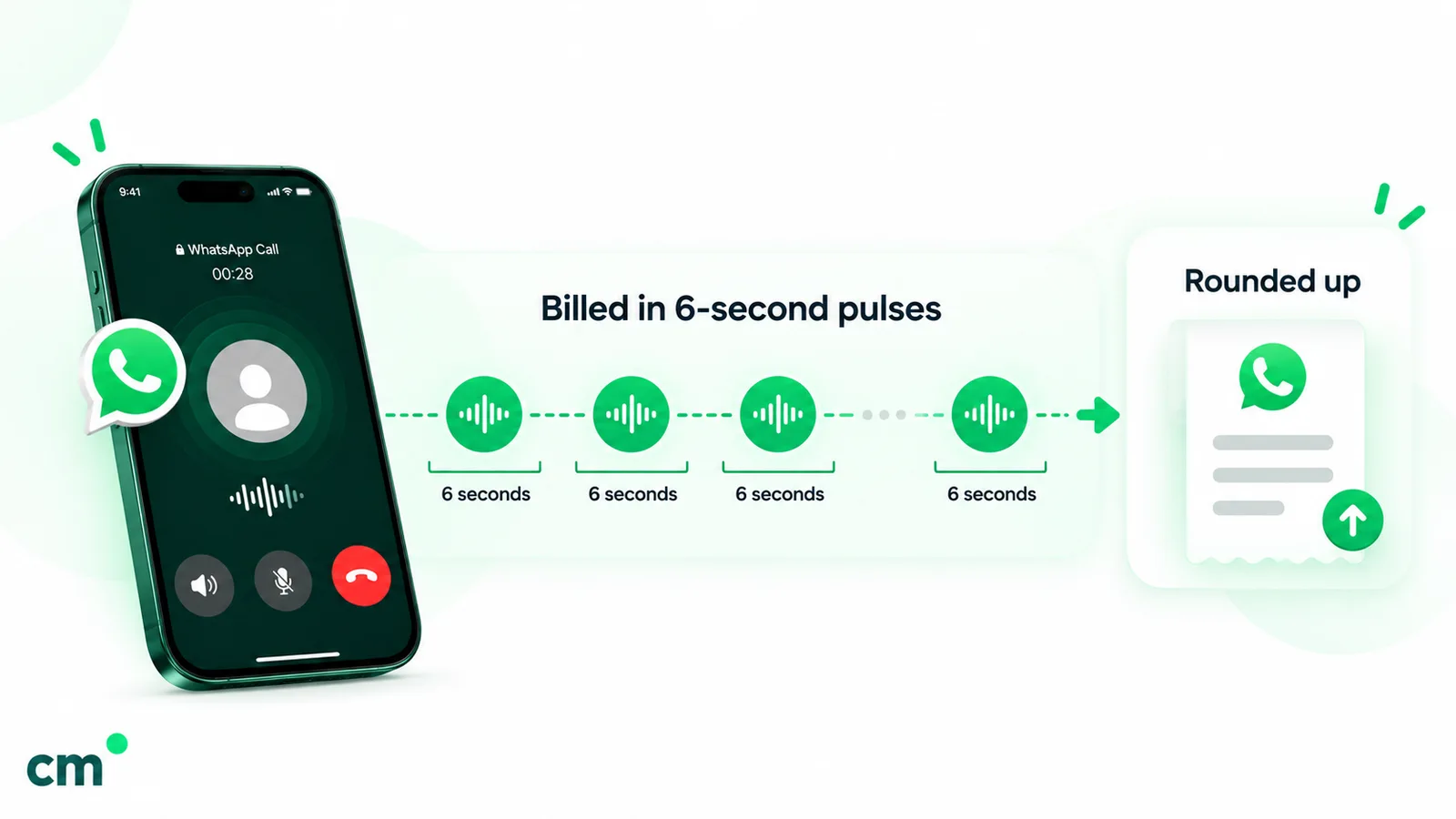
Meta’s Calling API pricing page opens with the most important line: “All user-initiated calls are free.” For calls you place, Meta charges on three things:
- Duration, “calculated in six-second pulses”. Part of a pulse counts as a whole one: Meta’s example is “a 56-second call (9.33 pulses) would be counted as 10 pulses.”
- The “country code of the phone number being called”.
- Volume tier, “based on minutes called within the calendar month”. Meta’s tier webhook reports tiers per WhatsApp-user country or region, so minutes are tracked by destination market. When a call crosses a tier boundary, “the entire call is priced at the lower rate”.
Around this:
- “A valid payment method is required to place calls.” Meta’s FAQ adds that the account needs an attached credit line.
- Call permission request messages are charged as normal messages.
- Call recording and transcription “are currently free”, and Meta says it will give notice before charging for them.
- Meta says calling rates don’t change on 1 October 2026. The only change that day is that nine markets, including Bangladesh, Nepal and Sri Lanka, become standalone on the rate cards at their old regional rates.
India per-minute rates (Meta’s INR card effective 1 October 2026)
| Business-initiated minutes to Indian numbers in a month | Rate per minute | Per six-second pulse |
|---|---|---|
| Up to 50,000 (list rate) | ₹0.3885 | ₹0.03885 |
| 50,001 to 250,000 | ₹0.2785 | ₹0.02785 |
| 250,001 to 1,000,000 | ₹0.1759 | ₹0.01759 |
| 1,000,001 to 2,500,000 | ₹0.1319 | ₹0.01319 |
| 2,500,001 to 5,000,000 | ₹0.0880 | ₹0.00880 |
| Over 5,000,000 | ₹0.0586 | ₹0.00586 |
The same card lists first-tier rates of ₹0.7257 a minute to the United Kingdom, ₹0.8869 to North America and ₹0.9309 to the United Arab Emirates. On the USD card, India’s list rate is $0.0053.
Worked examples
- One short call. A 56-second call to an Indian customer is 10 pulses: 10 × ₹0.03885 = ₹0.3885.
- One longer call. A 2 minute 31 second call is 151 seconds, or 25.17 pulses, billed as 26: 26 × ₹0.03885 = ₹1.0101.
- A month of callbacks. A clinic places 1,000 calls to Indian patients, each lasting exactly 3 minutes: 3,000 minutes, all in the first tier, costs 3,000 × ₹0.3885 = ₹1,165.50 in Meta call charges. If it asked for permission with 1,000 utility templates, add 1,000 × ₹0.1150 = ₹115. If the request template is marketing, that becomes ₹863.10 at ₹0.8631 each.
Template rates are from Meta’s messaging rate card effective 1 October 2026; our WhatsApp Business cost per message guide explains them. Providers add their own fees, so ask for them in writing.
Calls and the 24-hour window
Meta says the customer service window “now also starts or refreshes for calls”: “When a WhatsApp user calls you, regardless of if you accept the call or not” and “When a WhatsApp user accepts your call”. After a missed inbound call, you can reply with a free-form message (“Sorry we missed you, can we call you back at 4?”). Since 1 October 2026 those free-form service messages are free for the first 1,000 a month per business number and then charged at the utility rate, ₹0.1150 in India (Meta, pricing). An outbound call that the customer doesn’t accept opens nothing.
Call permissions: the rules for calling customers
You can’t cold-call on WhatsApp. Meta’s call permissions guide says “your business must receive user permission first”, and “only the user can grant or revoke it, at any time.”
Three ways to get permission
- Send a call permission request. It can be a free-form interactive message (
call_permission_request) inside the service window, or a template outside it. In a template, the text body is required and a header and footer are allowed; in a free-form request, the body is optional and headers and footers aren’t supported. Meta’s template example uses the MARKETING or UTILITY category. - Turn on callback permission. With
callback_permission_statusenabled, a customer who calls you is prompted to let you call back. Meta records this as an automatic temporary permission. - The customer grants it from your business profile. Permanent permission has been available since 3 November 2025, and customers can grant it there too.
How long it lasts, and the limits
| Rule | Meta's limit |
|---|---|
| Temporary permission | 7 calendar days (168 hours) from approval |
| Permanent permission | Doesn't expire; the customer can revoke it |
| Permission requests per customer | 1 in 24 hours, 2 within 7 days; reset by any connected call |
| Connected calls per customer | 100 in 24 hours, on the business phone number |
| Unanswered or rejected calls in a row | 2 triggers a prompt asking the customer to reconsider; 4 revokes the permission |
| A request the customer ignores | Expires 7 days after delivery; a newer request from you can replace it sooner |
| New calls started per business number | 10,000 per 24 hours (API rate limit) |
Two practical details. First, “No webhook is sent when a temporary permission expires”, so store the expiration_timestamp from the approval webhook or check the permission endpoint (GET /<PHONE_NUMBER_ID>/call_permissions) before dialling. Second, Meta’s FAQ notes that business-initiated calls “bypass ‘Silence Unknown Callers’ settings” because the call “can only happen after explicit permission provided by the user”.
Our guide to WhatsApp interactive messages shows how the permission request and the call button sit alongside reply buttons and lists.
Call buttons and calling deep links
You can make inbound calling easy to find in three ways (Meta, call button messages and deep links):
- A free-form call button message (
interactive.type: “voice_call”), sent during a customer service window. The button label is up to 20 characters (default “Call Now”). The button stays live forttl_minutes: 7 days by default, anything from 1 minute to 30 days. - A template with a
voice_callbutton, for customers outside the window. Its default time-to-live at creation must be between 1 day and 30 days, and you can override it when you send. Meta’s example pairs it with a URL button. - A calling deep link in the format
wa.me/call/<BUSINESS_PHONE_NUMBER>, for your website, app or a QR code. Meta notes “Deep links are not supported on WhatsApp desktop clients.”
A button can carry a tracking payload of up to 512 characters, and a deep link can carry one in a biz_payload parameter. It comes back in the connect and terminate webhooks, which tells you which campaign or page produced the call. Meta says payloads work on WhatsApp clients from version 2.25.27.
Don’t confuse the call button with a phone number button. Meta’s template components page separates them: voice call buttons “make a WhatsApp call to the business”, while phone number buttons “call the specified business phone number”. A phone number button works without Cloud API Calling, and a template can have only one.
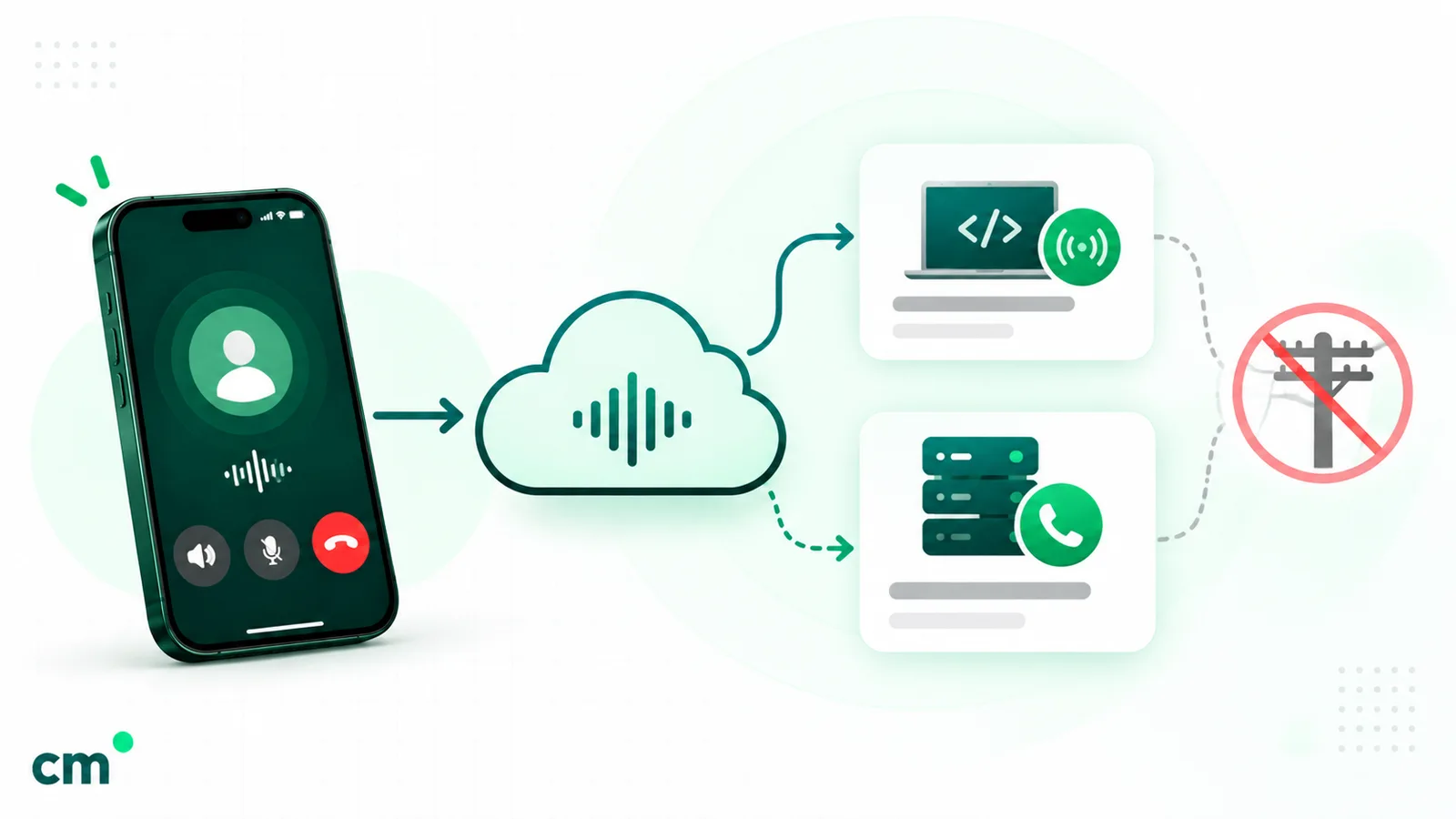
How WhatsApp business calls connect: Graph API and WebRTC, or SIP
Meta supports three signalling and media setups:
| Default (after enabling calling) | SIP with WebRTC media | SIP with SDES media | |
|---|---|---|---|
| Signalling | Graph API + webhooks over HTTPS | SIP over TLS (needs explicit enablement) | SIP over TLS (needs explicit enablement) |
| Media | WebRTC (ICE + DTLS + SRTP) | WebRTC (ICE + DTLS + SRTP) | SDES SRTP (needs explicit enablement) |
| Audio codec | Opus | Opus | Opus |
Graph API with WebRTC. For an inbound call, Meta sends a Call Connect webhook with an SDP offer. Your server “pre-accepts” with an SDP answer, which Meta recommends because it “facilitates faster connection times and avoids audio clipping”, then accepts, and the audio flows over WebRTC. For an outbound call, you POST a connect action with your SDP offer to /<PHONE_NUMBER_ID>/calls, and Meta returns the answer in a webhook. Meta doesn’t provide STUN or TURN servers. Its side uses ICE-lite, so your stack should take the ICE controlling role.
SIP. If you already run a PBX, contact-centre platform or session border controller, you can point Meta at your SIP server instead (Meta, SIP configuration). TLS is mandatory, Meta’s SIP domain is wa.meta.vc, and outbound INVITEs are challenged with digest authentication using a password Meta generates per number and app. With SIP enabled, “you cannot use calling-related Graph API endpoints”. Webhooks for SIP calls are off by default and can be switched on. Meta’s FAQ says there is “functional parity” between SIP and the Graph API option.
Codecs. Opus is always on. You can add G.711 (PCMA or PCMU) for older telephony, but Meta warns that it “requires transcoding” and “can add latency”, with lower audio quality.
No PSTN. Meta’s integration guide is firm: “Our terms disallow use of PSTN on any leg of the WhatsApp call in the overall call flow.” You can bridge a WhatsApp call into SIP, but it must stay on VoIP. In other words, you can’t forward a WhatsApp call to an agent’s ordinary mobile number over the phone network.
Call settings: hours, icon visibility, callbacks and voicemail
Calling is off by default on every number. You switch it on and shape it with POST /<PHONE_NUMBER_ID>/settings, or in WhatsApp Manager under Account tools > Phone numbers > the gear icon > Calls (Meta, configure call settings). Our guide to WhatsApp Manager covers the rest of that tool.
- Call hours and holidays. You set a time zone, up to two opening slots per weekday and up to 20 holiday overrides. Outside those hours, customers are offered a chat instead, or a callback request if callbacks are on.
- Call icon visibility.
DISABLE_ALLhides the call icon, and customers can’t place unsolicited calls. Meta’s FAQ adds a caveat: people can still call from saved contacts, call logs, call buttons you sent and earlier call bubbles, so filter on your side too. You can also limit the icon to customers with numbers from certain countries. - Callback permission. This prompts callers to allow you to call them back.
- Voicemail. Meta answers a rejected or unanswered call (after up to 30 seconds), plays your announcement and sends the recording to your messages webhook as an audio message. Meta made it generally available on 25 June 2026. Collection is best-effort.
Changes can take a while to reach phones: “WhatsApp users may take up to 7 days to reflect those changes”.
Which webhooks does WhatsApp calling send?
Subscribe your app to the calls webhook field (and keep messages). The events you will handle:
| Event | Field | What it tells you |
|---|---|---|
| Call connect | calls | An inbound call with an SDP offer, or the SDP answer for your outbound call |
| Call status | calls (a statuses entry) | RINGING, ACCEPTED or REJECTED for business-initiated calls |
| Call terminate | calls | COMPLETED or FAILED, with start, end and duration when the call was answered, plus any tracking string you passed |
| Permission reply | messages | The customer accepted or rejected, whether it's permanent, and when it expires |
| Recording or transcript ready | calls | A media ID to download within 7 days |
| Voicemail | messages | An inbound audio message whose ID is the call ID |
| Quality warnings and restrictions | account_update | Negative-feedback warnings, low pickup rate, or a calling pause |
Meta’s FAQ says webhooks can arrive twice (“Be prepared to handle duplicate webhooks”) and out of order (“the terminate webhook can arrive before the connect webhook”). The pattern from our WhatsApp API with Python tutorial applies: verify, deduplicate, then act.
Prerequisites and limits: what you need before you start
- A Cloud API number. Meta requires that “Your business number is in use with Cloud API (not the WhatsApp Business app).” Meta’s calling pages don’t say how this applies to a number that uses both (coexistence), so ask your provider.
- A messaging limit of 2,000 or more. “To enable calling, you must have a messaging limit of 2000 or above.” New business portfolios start at 250. To qualify for 2,000, verify your business (or have your partner verify it) or deliver 2,000 template messages to unique customers within 30 days with high-quality templates; Meta then reviews your message quality before raising the limit (Meta, messaging limits). Our guide to getting the WhatsApp API explains the scaling paths.
- Business verification isn’t itself required. Meta’s FAQ: “Business verification is not a requirement for calling”. It is simply one route to the 2,000 limit.
- A payment method or credit line on the account that pays for calls.
- An app subscribed to the
callswebhook with messaging permission for the number, or a configured SIP server. - Graph API v17.0 or later.
Limits and enforcement to plan for:
- Feedback restrictions. If customers block or report your calls, Meta can pause business-initiated calling, user-initiated calling or both “for a period of 7 days”. Meta sends an early warning by email and an
account_updatewebhook. - Low pickup. If too many inbound calls go unanswered, Meta can hide your call button. Staff your hours or narrow them.
- Concurrency. Meta’s documents disagree: the error reference and one FAQ answer give a maximum of 1,000 concurrent calls per number, while another FAQ answer says 5,000. Plan for the lower figure unless Meta confirms otherwise.
Use cases: when a call beats a message, and when it doesn’t
Calls cost agent time even when Meta’s charge is small. Use them where a voice conversation resolves something a thread can’t.
| Situation | Better as | Why |
|---|---|---|
| A confused customer three messages into a support thread | Call (customer-initiated, from a call button) | A short call can settle what a long thread can't, and the chat history stays in the same thread |
| High-value sale: loan, insurance, property, admissions counselling | Call, after permission | Objections and trust are easier by voice; the thread keeps documents and quotes |
| Clinic or salon appointment changes | Message first, call if unresolved | Most reschedules fit in two taps; call only when they don't |
| Delivery issue, wrong address, failed COD | Message with a call button | The customer picks the moment; a missed call still opens the service window |
| Order confirmations, OTPs, receipts, reminders | Message | Customers want a record, not a ring |
| Promotions and offers | Message | Unexpected promotional calls invite blocks and reports, which can get your calling restricted |
| Customers on WhatsApp Web or desktop | Message | They can't take business calls there |
If your team mostly answers routine questions, a good message inbox is the better investment. Our WhatsApp customer service guide covers that side, and WhatsApp for sales covers moving a lead from first message to payment.
Consent and etiquette for WhatsApp business calls
Meta’s permission system is the floor. WhatsApp’s Business Messaging Policy sets the standard above it. It says you may contact people only if “you have received opt-in permission from the recipient confirming that they wish to receive subsequent messages or calls from you”. Its best practices say “Users should expect the messages and calls they receive” and recommend “Obtaining a separate opt-in to initiate a call to a user”. The policy also warns that WhatsApp’s “systems may limit the amount of messages a business can send or calls a business can initiate” based on blocks and reports.
House rules that keep calls welcome:
- Ask for permission in context. “Can we call you about order 4417 to fix the address?” tells the customer why the call is coming.
- Call inside the window the customer expects, ideally soon after they grant permission and during business hours in their time zone.
- Say who you are and why, at once, linking the call to the chat.
- Stop after a miss or two. Send a message instead. Remember that 4 unanswered calls in a row revoke the permission.
- Record only with a reason. Meta plays an announcement to both sides before recording or transcription, and “a participant who does not consent can decline by terminating the call”. Decide who can access recordings and how long you keep them, since Meta deletes its copy after 7 days.
- Honour “don’t call me” on any channel. The policy requires respecting opt-outs “either on or off WhatsApp”.
For consent records and wording, see our WhatsApp opt-in guide. Local rules on recording and marketing calls still apply.
How to enable WhatsApp calling: a setup checklist
- Decide the use: inbound only, callbacks, or outbound calls. It drives staffing and budget.
- Confirm availability for your business number’s country code on Meta’s availability list.
- Check your number: on Cloud API, messaging limit of 2,000 or more, quality rating healthy.
- Choose your route: a messaging provider that also does calling, a separate calling partner on the same number, or your own build on the Graph API or SIP.
- Attach a payment method to the account that will be billed for calls.
- Subscribe to the
callswebhook field (keepmessages), or configure SIP. - Enable calling in the settings API or WhatsApp Manager, and set call hours, holidays, icon visibility, callback permission and voicemail.
- Test. Public test numbers have relaxed permission limits (25 requests a day and 100 a week per customer); Meta’s sandbox accounts are for Tech Partners only.
- Write the scripts: the permission request wording, a missed-call follow-up message and a voicemail announcement (Ogg Opus audio under 60 seconds).
- Launch gradually. Start with call buttons in support threads, watch pickup rate and feedback webhooks, then add outbound calls.
Meta’s new account model, generally available from 23 September 2026, lets one phone number be shared with “multiple partners, with separate billing for each partner” (Meta, updates to WhatsApp Business accounts). Meta’s integration guide recommends this setup for a messaging partner plus a calling partner. Meta says the rollout reaches all businesses by mid-October 2026, so confirm your account has moved and that both providers support sharing before you plan around it.
What to look for in a WhatsApp calling provider
Get these answers in writing:
- Which calling directions do you support today? Inbound, outbound with permission requests, or both.
- Where do calls land? A browser console, a mobile app or your contact-centre software over SIP? Can agents see and use the chat during the call?
- How do you route calls: queues, skills, IVR, call hours, overflow to voicemail?
- Do you handle permissions for us? Tracking expiry, respecting the 1-a-day and 2-a-week request limits, stopping after unanswered calls.
- Recording and transcription: do you use Meta’s features or your own, where are files stored, and for how long?
- Pricing: Meta’s per-minute rate passed through at cost, or marked up? Any per-agent or platform fee?
- Reporting: answered and missed calls, pickup rate, average duration and cost per call.
- Quality alerts: will you tell us about Meta’s feedback and pickup-rate warnings before a restriction?
- Our number: can you work alongside our current messaging provider on the same number, or must everything move to you?
Where ChatMitra fits
ChatMitra is a WhatsApp Business Platform tool for messaging. It does not support WhatsApp calling today.
| Need | In ChatMitra? | Detail |
|---|---|---|
| Receive or place WhatsApp calls | No | Use a provider that supports Cloud API Calling |
| Build call buttons or call permission requests | No | No builder for voice_call or call_permission_request messages in the inbox, templates or automation |
| Call webhooks, recordings, call logs | No | ChatMitra doesn't process the calls webhook field |
| Phone number button in templates | Yes | One button per template that calls a number you choose (not a WhatsApp call) |
| Shared inbox, templates, broadcasts, automation | Yes | The messaging side of customer conversations on one number |
If messaging is what you need, you can compare ChatMitra’s plans. If calling is central to your plans, choose a provider that supports it, and use the checklist above to compare them.
Sources: Meta for Developers: Cloud API Calling overview, user-initiated and business-initiated calls, user call permissions, call button messages and deep links, call settings, SIP configuration, integration patterns, call recording, call transcription, troubleshooting, sandbox, Calling FAQ, Calling API pricing and the INR and USD calling rate cards effective 1 October 2026, messaging pricing and the INR rate card, messaging limits, template components, updates to WhatsApp Business accounts, and the developer changelog; WhatsApp Business Messaging Policy. ChatMitra behaviour verified in ChatMitra’s code on 25 September 2026.
Facts checked against Meta's and WhatsApp's documentation on 25 September 2026.