Disclosure
ChatMitra is a WhatsApp Business API platform. Each example says how to build it in ChatMitra, and says plainly where ChatMitra can't do part of it. The brand examples are taken from the companies' and Meta's own announcements, and the platform limits and prices were checked against Meta's documentation on 15 October 2026.
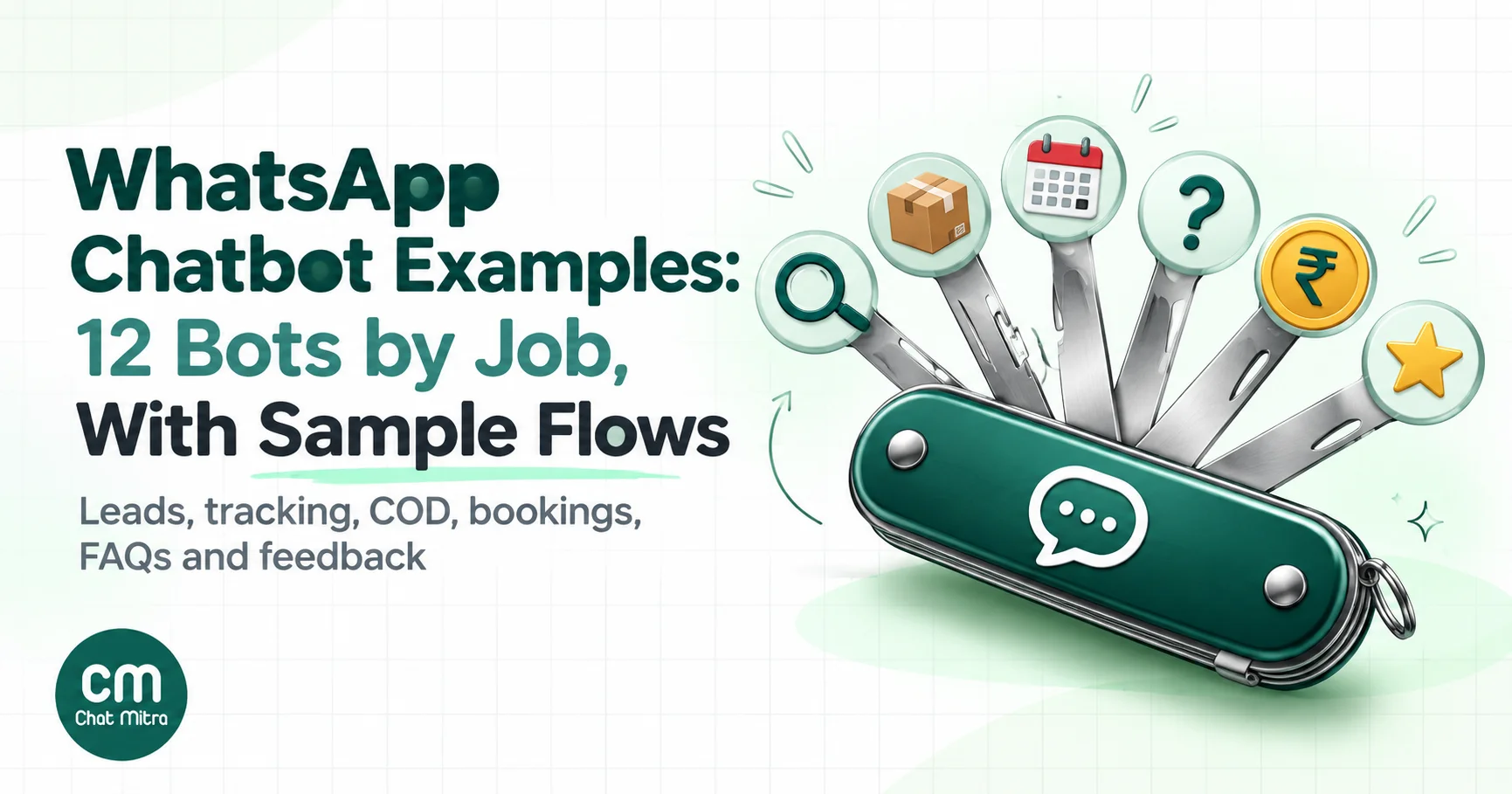
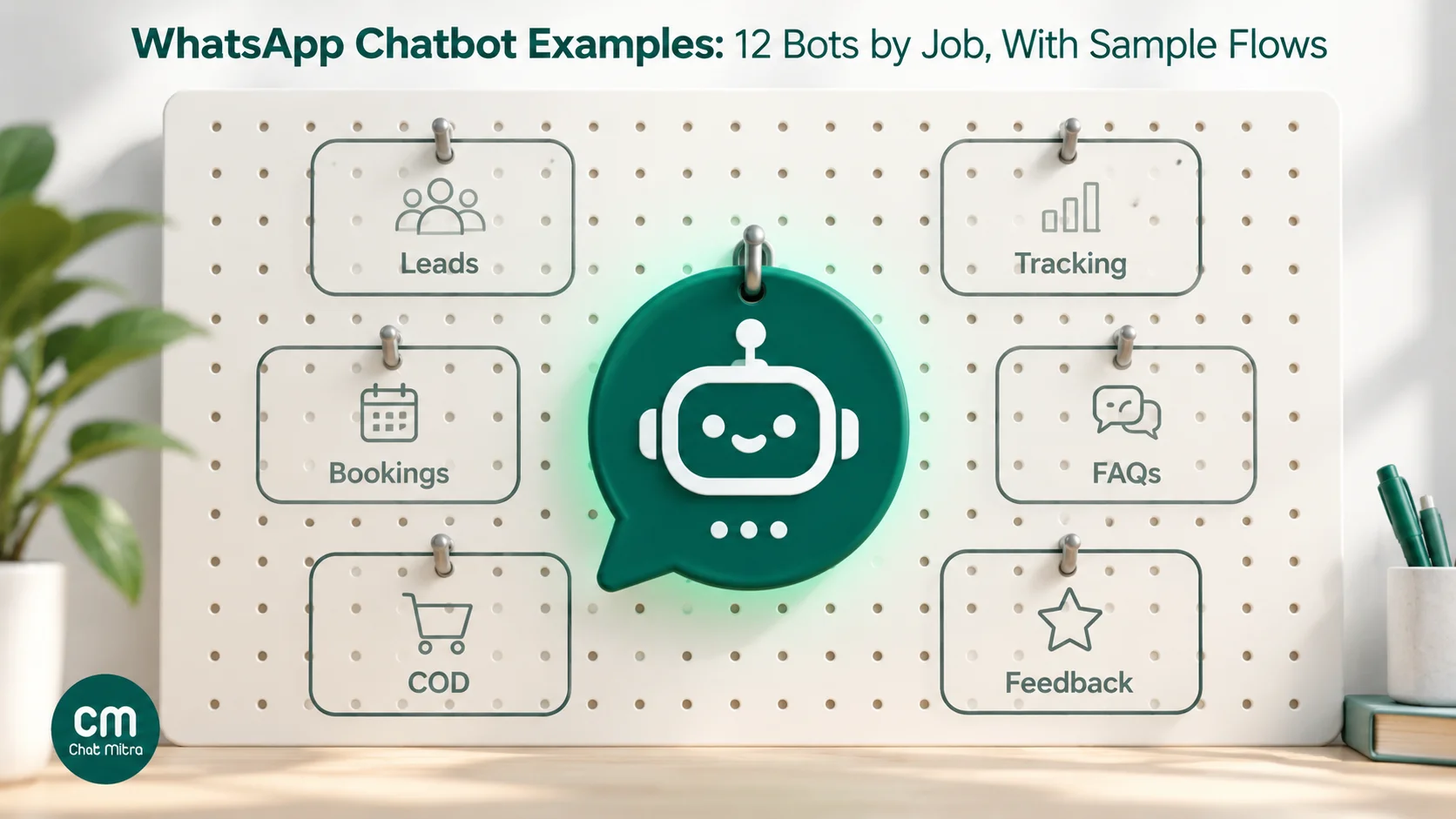
The best WhatsApp chatbot examples aren’t clever AI assistants. They’re small bots that each do one job well: capture a lead, find an order, confirm a cash-on-delivery order, book an appointment, answer common questions or collect feedback. Most use a short menu of reply buttons or a list, look up data where they need it, and hand the chat to a person when they can’t help. Below are 12 examples organised by job, each with a sample flow, the message types it uses, what it costs in India and how to build it. After them come four real bots from JioMart, Delhi Metro, MyGov and Uber that you can study.
Key takeaways
- Pick your first bot from your most common question, not from a list of features.
- Menus beat free text for most jobs: 3 buttons or a 10-row list get customers to an answer in one or two taps.
- Every bot needs a visible way to reach a person. WhatsApp's policy requires an escalation path whenever you automate.
- Replies inside the 24-hour window are cheap or free; messages the bot sends first need approved templates and cost more.
- Keep AI for typed questions your menu can't predict, and make it answer only from your own business information.
What the best WhatsApp chatbots have in common
Before the examples, here’s the anatomy they share. If you design these five parts, the bot almost builds itself.
- A trigger. What starts the bot: the customer’s first message, a keyword such as “track” or “price”, a tap on a template button, or an event in your system such as an order being placed.
- A short menu. Three reply buttons, or a list of up to 10 options. Every option should lead somewhere useful in one or two taps.
- Data, where needed. Order status, appointment slots and account details live in your systems. The bot either looks them up through an API or collects details for a person to answer.
- A hand-over. A “Talk to us” option on every screen, plus clear expectations (“We reply within 2 hours, 10 am to 7 pm”).
- An exit. The bot ends cleanly, offering the main menu again, and doesn’t keep pushing messages.
The 12 examples at a glance
| # | Bot | Best for | Who starts it | Message types | Meta charge in India |
|---|---|---|---|---|---|
| 1 | Welcome menu | Any business | Customer | List or buttons | Service (free tier, then ₹0.115) |
| 2 | Lead capture and qualification | Coaching, real estate, B2B | Customer, often from an ad | Buttons, list, text | Free inside an ad's free entry window; otherwise service |
| 3 | Order tracking lookup | Online stores | Customer | Text, API lookup, buttons | Service |
| 4 | Proactive shipping updates | Online stores | Business | Utility template | ₹0.115 per message |
| 5 | Cash-on-delivery confirmation | Online stores in India | Business | Utility template with buttons | ₹0.115 per message |
| 6 | Abandoned cart reminder | Online stores | Business | Marketing template | ₹0.8631 per message |
| 7 | Product finder | Retail, D2C | Customer | List, product messages | Service |
| 8 | Appointment request | Clinics, salons, services | Customer | List, buttons | Service |
| 9 | FAQ and policy answers | Any business | Customer | Text (AI or keyword) | Service |
| 10 | After-hours reply | Any business | Customer | Text, buttons | Service |
| 11 | Document delivery | Education, finance, services | Customer | Document message | Service |
| 12 | Feedback and reviews | Any business | Business | Utility template with buttons | ₹0.115 per message |
Rates are Meta’s India card from 1 October 2026; your platform adds its own fee. More on costs below.
Customer-service and sales bots
1. The welcome menu bot
Best for: any business that gets the same five questions every day.
The flow:
- Customer sends anything: “Hi”, “price?”, a photo.
- Bot: “Hi Priya! This is the automated assistant for Sharma Opticals. What can we help with?” plus a list: Book an eye test · Frame prices · Order status · Store timings · Talk to us.
- Each choice leads to a short answer with two buttons: Main menu and Talk to us.
Why it works: it greets people by name and admits it’s automated. It also puts the answers to most first messages behind one tap, and the person is always one tap away too.
Build it in ChatMitra: a Welcome Message (available on every plan) sends up to 20 messages to a customer’s first message, such as a greeting and then your list, and can tag the contact. Auto Reply rules then answer each list choice, because a tap on a list row or button arrives as that option’s text and fires the rule with the same keyword. Auto Reply is on the Pro plan.
2. The lead capture and qualification bot
Best for: coaching institutes, real estate, travel agencies, B2B suppliers: anyone whose sales team calls enquiries back.
The flow:
- A prospect taps a Click-to-WhatsApp ad or a “Chat with us” link that pre-fills “I’m interested in the weekend batch”.
- Bot: “Thanks for your interest! Which course are you looking at?” with a list: JEE · NEET · Foundation (Class 8–10) · Not sure yet.
- Bot: “Which batch suits you?” with buttons: Weekday · Weekend · Online.
- Bot: “Great. A counsellor will call you today between 11 am and 6 pm. Prefer a WhatsApp reply instead?” with buttons: Call me · WhatsApp me.
- The lead lands in a sheet or CRM with course, batch, preference and phone number, tagged for the team.
Why it works: three taps give sales everything they need to prioritise a call, and the prospect knows exactly what happens next. When the lead comes from a Click-to-WhatsApp ad and you reply within 24 hours, Meta opens a free entry point window of up to 7 days, during which it doesn’t charge for your messages to that person.
Build it in ChatMitra: chain Auto Reply rules from the pre-filled keyword, and tag each answer. To log the lead, a Google Sheets automation in ChatMitra can start on a WhatsApp keyword and add a sheet row. See our guides to WhatsApp lead generation and Google Sheets automation.
3. The order-tracking lookup bot
Best for: online stores with more than a few dozen orders a week.
The flow:
- Customer: “Where is my order?” or taps Order status in the welcome menu.
- Bot: “Please send your order number. It starts with # and is in your confirmation message.”
- Customer: “#40518”.
- Bot looks the number up in the store’s system and replies: “Order #40518 shipped on 12 Oct with BlueDart. Expected delivery: 15 Oct. Track it here: [link]”, with buttons Main menu · Talk to us.
- If the number isn’t found: “We couldn’t find that order. Check the number, or tap Talk to us.”
Why it works: “where is my order” is often the single largest share of chats for an online store, and a lookup answers it in seconds at any hour.
Build it in ChatMitra: an Auto Reply rule can match the order-number pattern with a regular expression, call your store’s or shipping partner’s API with the customer’s message or phone number, and insert fields from the response into the reply. Each rule can make up to two API calls, before or after its messages. Auto Reply and API calls are on Pro.
4. The proactive shipping-update bot
Best for: stores that want fewer “where is my order” chats in the first place.
The flow:
- Order shipped: the bot sends a utility template: “Hi Rahul, your order #40518 is on its way. Track it here: [link].”
- Out for delivery or delayed: another short template.
- A reply such as “can I change the address?” lands in the team inbox, inside a fresh 24-hour window.
Why it works: customers who already know where their parcel is don’t need to ask. One utility template costs ₹0.115 in India, often less than the agent time a single “where is it” chat takes.
Build it in ChatMitra: the Shopify integration sends order-confirmed, fulfilled and cancelled templates automatically, and can include the tracking number and URL.
5. The cash-on-delivery confirmation bot
Best for: Indian online stores where cash on delivery (COD) orders are refused at the door.
The flow:
- A COD order is placed. The bot sends a utility template: “Hi Anjali, please confirm your cash on delivery order #7781 for ₹1,249.” with buttons Confirm order · Cancel order.
- Confirm: “Thank you! Your order will ship within 24 hours.”
- Cancel: “Your order has been cancelled. Need help? Tap Talk to us.”
- No reply after a few hours: the team calls, or holds the order.
Why it works: a refused COD parcel costs the shipping both ways. Confirming first filters out impulse and fake orders before you pay to ship them.
Build it in ChatMitra: the Shopify integration’s COD confirmation flow sends the template, and an Auto Reply rule can answer each button tap and tag the customer. A tap doesn’t update the Shopify order by itself, so your team (or your own webhook integration) acts on the tag. Our guide to converting COD orders to prepaid goes further.
6. The abandoned-cart reminder bot
Best for: online stores with real checkout traffic.
The flow:
- Shopper reaches checkout, enters a phone number, leaves.
- An hour later: “You left something behind! Your cart is saved: [link].”
- A day later, an optional second reminder; a third, perhaps with an offer.
Why it works: the shopper already chose the products. A short, well-timed reminder is often all they need. These are marketing templates (₹0.8631 each in India), so don’t send more reminders than your margin can carry.
Build it in ChatMitra: the Shopify integration has up to three abandoned-cart reminders with delays you set. The full playbook is in our abandoned cart recovery guide.
7. The product finder bot
Best for: stores with too many products for one menu, such as fashion, electronics and home goods.
The flow:
- Customer taps Shop or types “sarees”.
- Bot sends a list: Silk · Cotton · Party wear · Under ₹2,000.
- Customer picks Under ₹2,000. Bot sends a multi-product message showing matching items from the catalogue, which the customer can open, add to a cart and send back as an order.
- The team confirms stock, delivery and payment in the chat.
Why it works: customers browse inside WhatsApp instead of switching to a website. A multi-product message can show up to 30 products from your Meta catalogue, in sections.
Build it in ChatMitra: Auto Reply rules can send lists, single-product and multi-product messages, once your WhatsApp catalogue is connected to your account in Meta Commerce Manager.
Service and operations bots
8. The appointment request bot
Best for: clinics, diagnostic labs, salons, repair services.
The flow:
- Customer: “Appointment” or taps Book.
- Bot: “Which service?” with a list: General check-up · Dental cleaning · Eye test · Something else.
- Bot: “When suits you?” with buttons: Morning · Afternoon · Evening.
- Bot: “Thanks! We’ll confirm your exact time within an hour (9 am–7 pm).” Or, if you use an online booking page, it sends the link with the service pre-selected.
- Day before: a utility template reminder with buttons Confirm · Reschedule.
Why it works: most of the back-and-forth of booking is collected in three taps. The reminder cuts no-shows.
Build it in ChatMitra: chained Auto Reply rules with lists and buttons, tags for the service and time, and a reminder template. ChatMitra doesn’t connect to a booking calendar, so either your team confirms the exact time or the bot links to your booking page. A rule’s API call can also post the request to your booking system.
9. The FAQ and policy bot
Best for: any business whose team repeats the same answers: delivery areas, return policy, fees, eligibility.
The flow:
- Customer types a question: “Do you deliver to Kharghar?” or “Can I return sale items?”
- Bot answers in two or three sentences, from your own information.
- If it isn’t sure: “I’m not certain about that. Let me get someone from our team,” and a person takes over.
Why it works: customers don’t have to find the right menu option, and the team stops answering the same question 30 times a day. The risk is a confident wrong answer, so the bot must stay inside your information and hand over when unsure.
Build it in ChatMitra: two ways.
- Keyword rules: set up Auto Reply rules for predictable phrasings such as “return”, “refund” and “delivery”.
- The AI chatbot: answers free-typed questions using a model provider and API key you choose, with your business description and tone, and can call your own APIs.
If both are on, a typed message can get two replies, so decide which one owns typed questions. Agents can pause automation for a customer from the inbox, for 30 minutes up to permanently. Our AI prompts for WhatsApp chatbots help keep answers grounded.
10. The after-hours bot
Best for: businesses that get messages at night or on Sundays.
The flow:
- At 10:40 pm a customer asks: “Is the 2BHK on Baner Road still available?”
- Bot: “Thanks for your message! Our team is back at 10 am. Meanwhile:” with buttons See listings · Book a site visit · Leave your number.
- The chat is waiting in the inbox at 10 am, with the customer’s choice already recorded.
Why it works: the customer gets an instant response and something useful to do. Your team starts the morning with context instead of a cold “hi”.
Build it in ChatMitra: an Away message on a schedule you set, with your time zone, plus Auto Reply rules for the buttons. Away messages are on Pro. See more auto-reply examples.
11. The document delivery bot
Best for: schools and coaching institutes (timetables, hall tickets), insurance agents (policy copies), service companies (invoices, warranty cards).
The flow:
- Customer: “Timetable” or taps Documents.
- Bot: list of documents: Class timetable · Fee receipt · Syllabus · Holiday list.
- Bot sends the PDF, with a line of context: “Here’s the October timetable for Batch B.”
Why it works: people keep and forward documents in WhatsApp, and nobody has to search their email. WhatsApp documents can be up to 100 MB.
Build it in ChatMitra: an Auto Reply rule can send a document as one of its messages. For documents unique to each customer, such as their own receipt, a rule’s API call can fetch the file link from your system using the customer’s phone number. The public example to study is the MyGov Helpdesk’s DigiLocker service, described below.
12. The feedback and review bot
Best for: any business that wants more reviews and early warning of unhappy customers.
The flow:
- A day after delivery or a visit, a template: “How was your experience with Glow Salon today?” with buttons Loved it · It was OK · Not happy.
- Loved it: “Thank you! If you have a minute, you can review us on Google: [review link].”
- It was OK or Not happy: “Thanks for telling us. What could we do better? Our manager will read this today.” The chat is tagged for the manager, and the same review link follows: “You’re also welcome to share your experience on Google: [review link].”
Why it works: unhappy customers reach a person quickly, and every customer gets the same chance to post a public review. That second part matters: Google’s contribution policy doesn’t allow merchants to “selectively solicit positive reviews from customers”, so never send the review link only to people who tapped Loved it.
Build it in ChatMitra: the Shopify integration has a feedback flow for orders, and for other businesses a template sent from a campaign or Sheets automation works. Auto Reply rules answer each button and tag the response. Our guides on asking customers for feedback and asking for Google reviews have the wording.
Real WhatsApp chatbots you can study
These four are well documented by the organisations behind them. Their numbers and features may have changed since launch, so check the official source before you message them.
| Bot | Launched | What it does | Job |
|---|---|---|---|
| JioMart on WhatsApp | August 2022 | Send "Hi" to browse the grocery catalogue, add items to a cart and pay, all within WhatsApp. Meta called it its first end-to-end shopping experience on WhatsApp. | Commerce, payments |
| Delhi Metro QR tickets | May 2023 (Airport Line pilot) | A chatbot sells QR tickets: choose a language, the source and destination stations, and the number of tickets, then pay by card or UPI. DMRC's 2024–25 annual report lists WhatsApp among its ticket channels. | Booking, payments |
| MyGov Helpdesk with DigiLocker | March 2020; DigiLocker added May 2022 | Send "Namaste", "Hi" or "Digilocker" to +91 9013151515 to create or authenticate a DigiLocker account and download documents such as a PAN card or driving licence. | Document delivery |
| Uber on WhatsApp | December 2021 (Lucknow pilot), later Delhi NCR | Send "Hi" to +91 7292000002, share pickup and drop-off, see the fare and driver's arrival time, and ride without the app, in English or Hindi. | Booking |
What they share is worth copying. Each starts from one word (“Hi”), each finishes a real job end to end, and each is narrow: groceries, tickets, documents, rides. None tries to be a general assistant.
The building blocks: WhatsApp’s message types and limits
Every example above is built from a handful of message types. These limits come from Meta’s documentation.
| Message type | What it does | Key limits |
|---|---|---|
| Reply buttons | Up to three tap-to-answer options | 3 buttons; labels up to 20 characters, each unique |
| List message | A menu that opens in a sheet | Up to 10 rows across up to 10 sections; row titles up to 24 characters, descriptions up to 72; button label up to 20 |
| Call-to-action URL button | Opens a link from a button | Button text up to 20 characters |
| Template quick replies | Buttons on a message the business sends first | Up to 10 buttons in total; quick-reply labels up to 25 characters. Templates with 4 or more buttons can't be viewed on WhatsApp desktop. |
| Product messages | One product, or up to 30 in sections, from your catalogue | Needs a Meta catalogue linked to your account |
| Carousel template | Swipeable cards with media and buttons | 2 to 10 cards; up to two buttons per card; marketing templates only |
| WhatsApp Flows | Multi-screen forms inside the chat | Can be static, or connected to an endpoint for live data |
| Typing indicator | Shows the customer a reply is coming | Disappears when you reply or after 25 seconds |
Two practical rules follow. Keep your menus to the space you have: if you need more than 10 options, split them into two levels. And write button labels in plain words of 20 characters or fewer, because they get cut off, not wrapped.
ChatMitra supports reply buttons, lists and product messages in Auto Reply and Welcome messages, and URL, call and copy-code buttons in templates. It doesn’t support carousel templates or WhatsApp Flows. If your bot needs a multi-screen form, see our WhatsApp Flows and webviews explainer to decide whether you need one.
Menus or AI? Choosing the brain of your bot
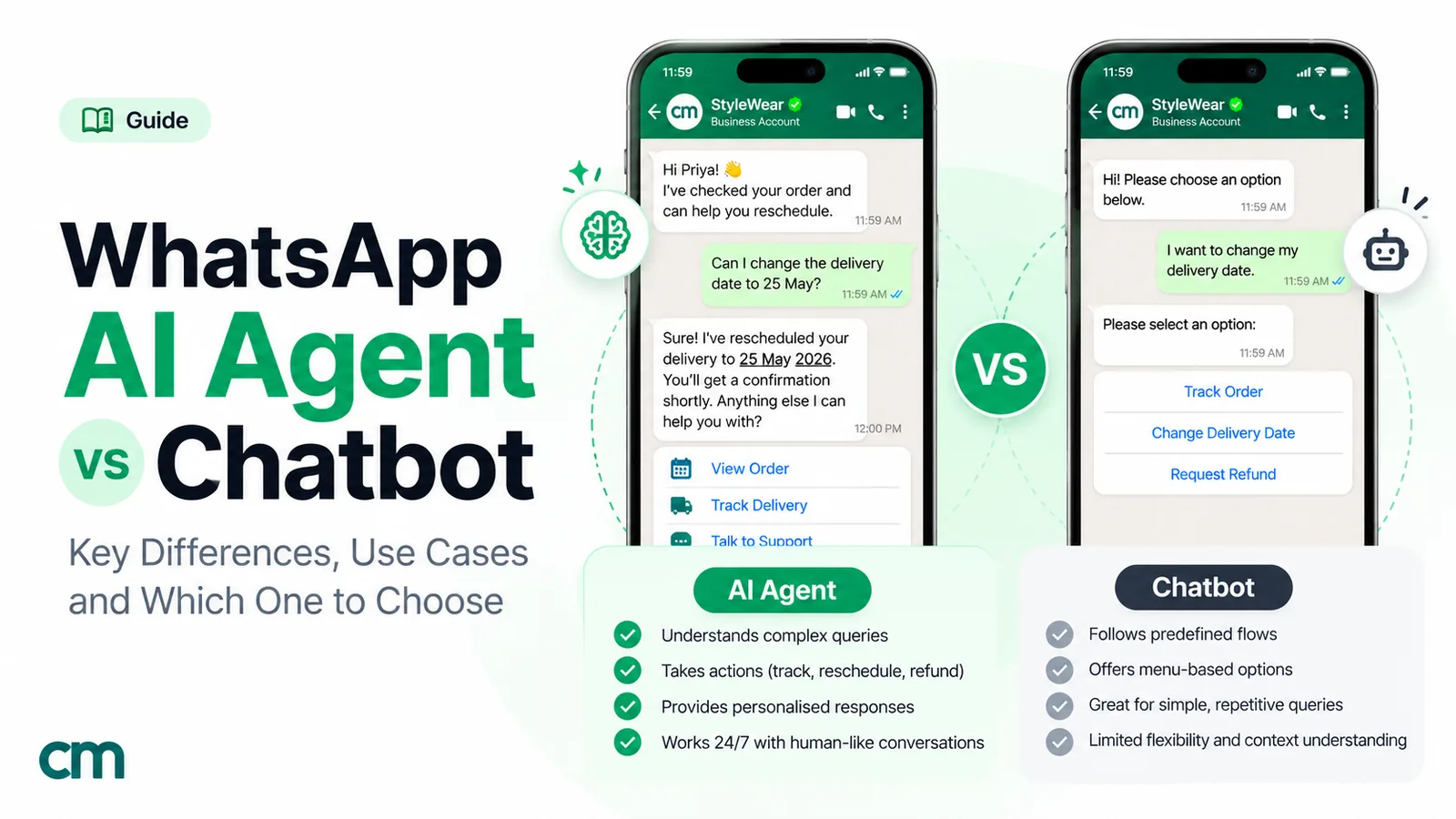
Every example here can be built two ways: as a menu with rules, or as an AI that reads typed questions. Most good bots use both, each where it’s strongest.
| Menu with rules | AI chatbot | |
|---|---|---|
| Best for | Predictable jobs: tracking, bookings, COD, documents | Unpredictable typed questions: product details, policies, "does this work for…" |
| Accuracy | Exactly what you wrote | Usually right; can be confidently wrong without guardrails |
| Set-up | An afternoon per flow | Business information, tone and rules, then weeks of review |
| Running cost | Only Meta's and your platform's charges | Plus model charges from your AI provider |
| Customer effort | Taps | Typing |
One rule applies to all AI bots on WhatsApp. Since January 2026, Meta’s terms prohibit general-purpose AI assistants on the WhatsApp Business Platform where AI is the primary function, rather than incidental to a business’s own service, except where Meta is legally required to permit them. A bot that answers questions about your business is fine; a public “ask me anything” chatbot is not. For more on the trade-off, read AI agent vs chatbot.
What these bots cost to run in India
Meta charges per message, by category and by the recipient’s country. These are the India rates from 1 October 2026:
- Replies inside the 24-hour customer service window are service messages. The first 1,000 per business number each month are free; after that, ₹0.115 each. Most of examples 1, 3, 7, 8, 9, 10 and 11 fall here, because the customer starts the chat.
- Messages the bot sends first need an approved template: utility templates such as shipping updates, COD confirmations and reminders cost ₹0.115; marketing templates such as cart reminders and offers cost ₹0.8631. A utility template sent inside an open window is now charged too.
- Chats from Click-to-WhatsApp ads open a free entry point window of up to 7 days, during which Meta doesn’t charge for your messages to that customer.
A worked example. A store’s bot handles 3,000 customer-started chats a month with about four replies each: 12,000 service messages. The first 1,000 are free; the other 11,000 cost 11,000 × ₹0.115 = ₹1,265. It also sends 2,000 shipping updates (2,000 × ₹0.115 = ₹230) and 800 cart reminders (800 × ₹0.8631 = ₹690.48). Meta’s total is about ₹2,185 for the month.
Your platform adds its own fee. ChatMitra’s Starter plan is free and Pro costs ₹999 a month; both charge ₹0.20 per conversation, once per customer per 24 hours, and Pro includes 1,000 free conversation credits a month. Enterprise (₹2,499 a month) has no per-conversation fee. Auto Reply, Away messages and the AI chatbot are on Pro and above. See pricing and the pricing calculator.
The rules every WhatsApp chatbot must follow
- Offer a way to reach a person. WhatsApp’s Business Messaging Policy says you may use automation in the 24-hour window “but must also have available prompt, clear, and direct escalation paths”, such as an in-chat transfer to a human agent, a phone number, an email address or web support.
- Get opt-in before messaging first. Proactive bots (examples 4, 5, 6 and 12) need the customer’s permission to receive messages from you. Our opt-in guide covers how to collect and record it.
- Respect stop requests. The policy requires you to honour any request, on or off WhatsApp, to stop messaging someone. Give people an easy way to opt out of each type of message.
- Use templates outside the window. A bot can’t send free-form messages more than 24 hours after the customer’s last message; it must use an approved template.
- Be honest that it’s a bot. Say it in the first message. Customers forgive a bot that admits its limits much faster than one that pretends to be a person.
Common chatbot mistakes, with fixes
- Too many options. Nine buttons in a row is a form, not a menu. Fix: three to five top-level choices, with a list for more.
- No way out. A customer stuck in a loop blocks your number. Fix: Talk to us and Main menu on every reply.
- Asking what you already know. Don’t ask for a phone number on WhatsApp. Fix: use the number the message came from.
- Letting the bot and a person answer at once. Fix: pause automation for that customer when an agent takes over, and resume it after.
- Pretending AI knows everything. Fix: limit it to your information and have it say “Let me get someone” when unsure.
- Building everything at once. Fix: launch one bot, read 50 real conversations, adjust the wording, then add the next.
- Marketing from a support bot. A customer asking for a refund doesn’t want a discount code. Fix: keep promotions in separate, opted-in campaigns.
How to choose your first bot
- Read your last 100 WhatsApp chats and sort the first messages into groups.
- Take the biggest group, often order status, prices or bookings, and match it to one of the 12 examples.
- Write the flow on paper: trigger, menu, data needed, hand-over, exit.
- Build it with a Talk to us option on every step.
- Test it with five colleagues on their own phones, using real questions.
- Launch it, read the conversations every day for two weeks, and fix the wording that confuses people.
- Add the second most common job.
For the build steps themselves, our WhatsApp auto-reply examples and WhatsApp for customer service guides are a good next read.
Sources: Meta for Developers: reply buttons, list messages, CTA URL messages, template components, product messages, carousel templates, WhatsApp Flows, typing indicators, pricing (India rate card effective 1 October 2026), AI providers, payments in India; WhatsApp: Business Messaging Policy; Meta: Terms for WhatsApp Business Platform, JioMart on WhatsApp; Delhi Metro Rail Corporation: WhatsApp ticketing on the Airport Line, Annual Report 2024–25; PIB: DigiLocker on MyGov Helpdesk; Uber: booking an Uber on WhatsApp; Google: prohibited and restricted content (review solicitation). All checked 15 October 2026.