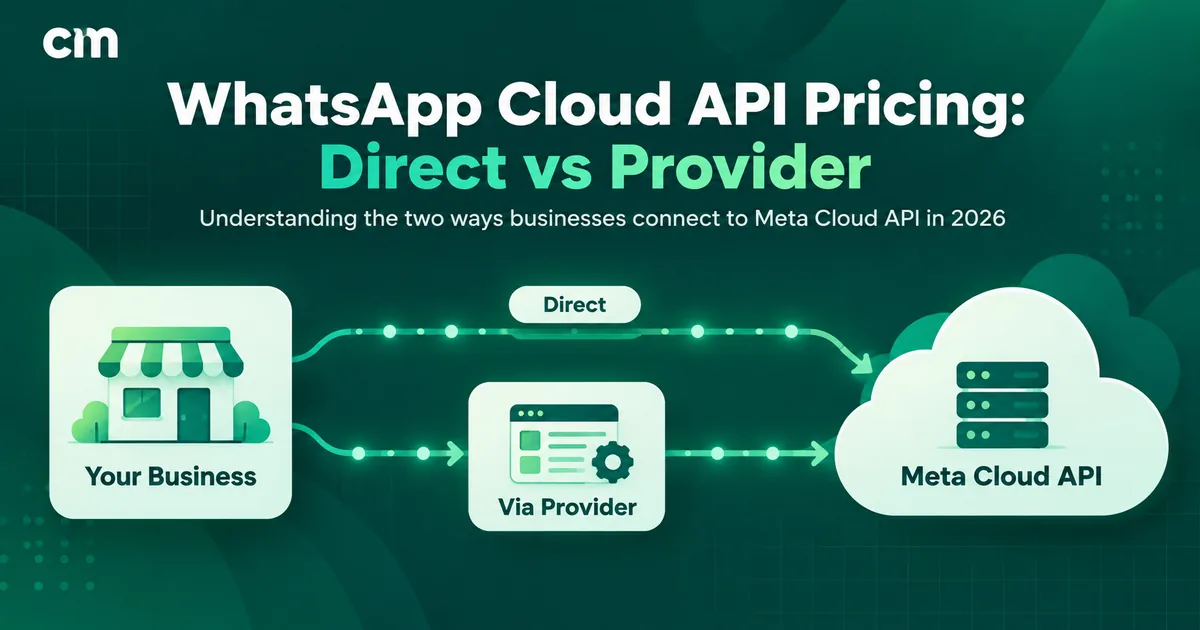
Meta doesn’t charge you for access to the WhatsApp Cloud API. It charges for messages. Every delivered template message is billed by category and by the recipient’s country. For India, Meta’s INR rate card lists ₹0.8631 per marketing message and ₹0.1150 per utility or authentication message. From 1 October 2026, service replies also cost ₹0.1150 once a phone number uses its 1,000 free service messages for the month. Those charges are identical whether you connect to Meta directly or through a provider. What differs is everything around them: the provider’s fee on one side, and your own engineering and hosting on the other.
This guide is written for developers, technical founders and anyone deciding between building on the Cloud API themselves or using a platform. It lays out what’s free, what’s charged, what going direct really involves, and a worked monthly bill for both routes.
Key takeaways
- Access is free, messages are not. Meta hosts the Cloud API and bills per delivered message.
- India rates: marketing ₹0.8631, utility and authentication ₹0.1150, authentication-international ₹2.4971.
- From 1 Oct 2026: service replies cost ₹0.1150 after 1,000 free per number per month, and utility templates inside the 24-hour window are charged.
- Same Meta rates on every route. Direct saves the provider fee but costs engineering time; a provider costs a fee but saves the build.
- Cloud API is the only option now. Meta's On-Premises API client expired on 23 October 2025.
What is the WhatsApp Cloud API?
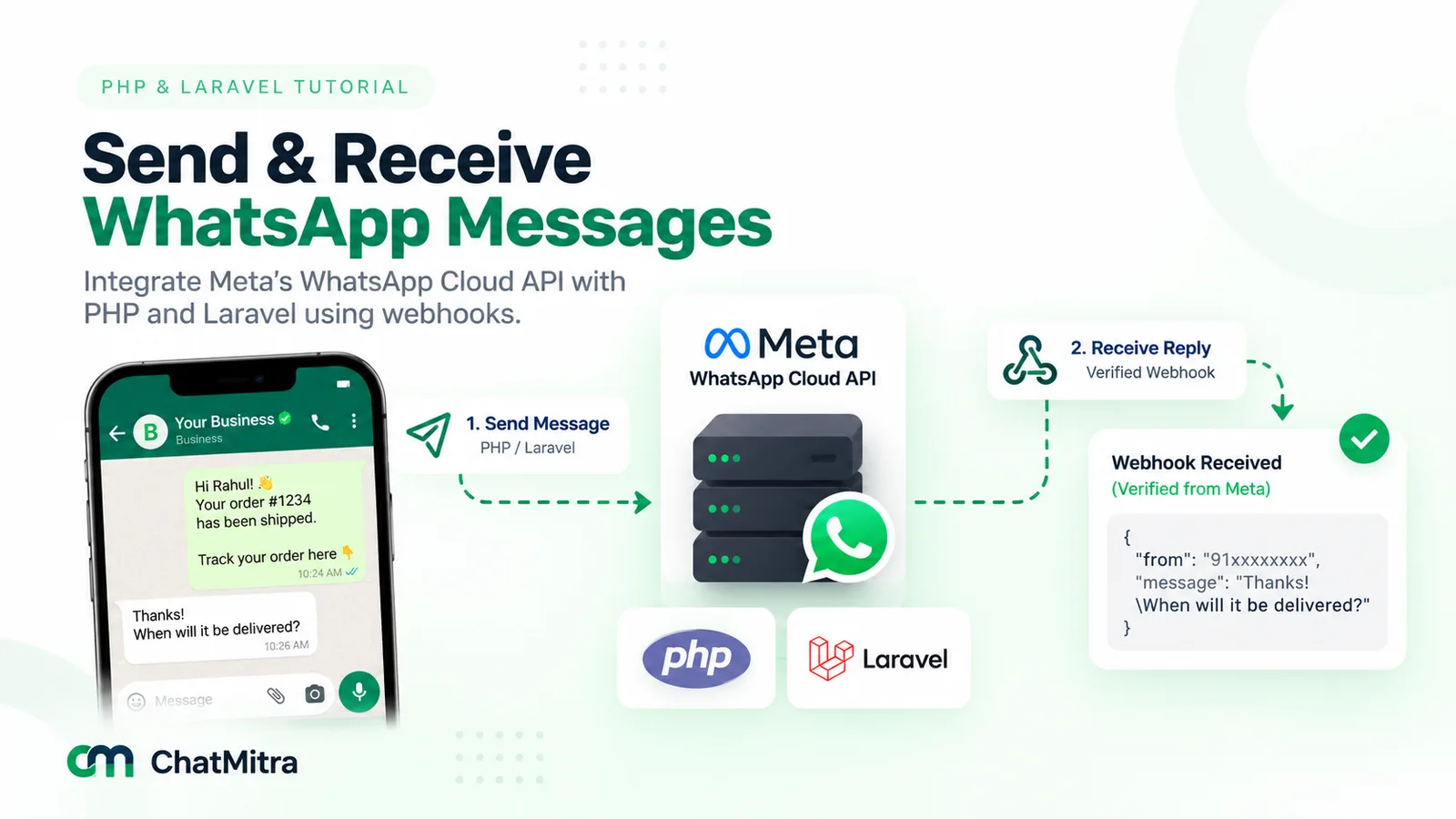
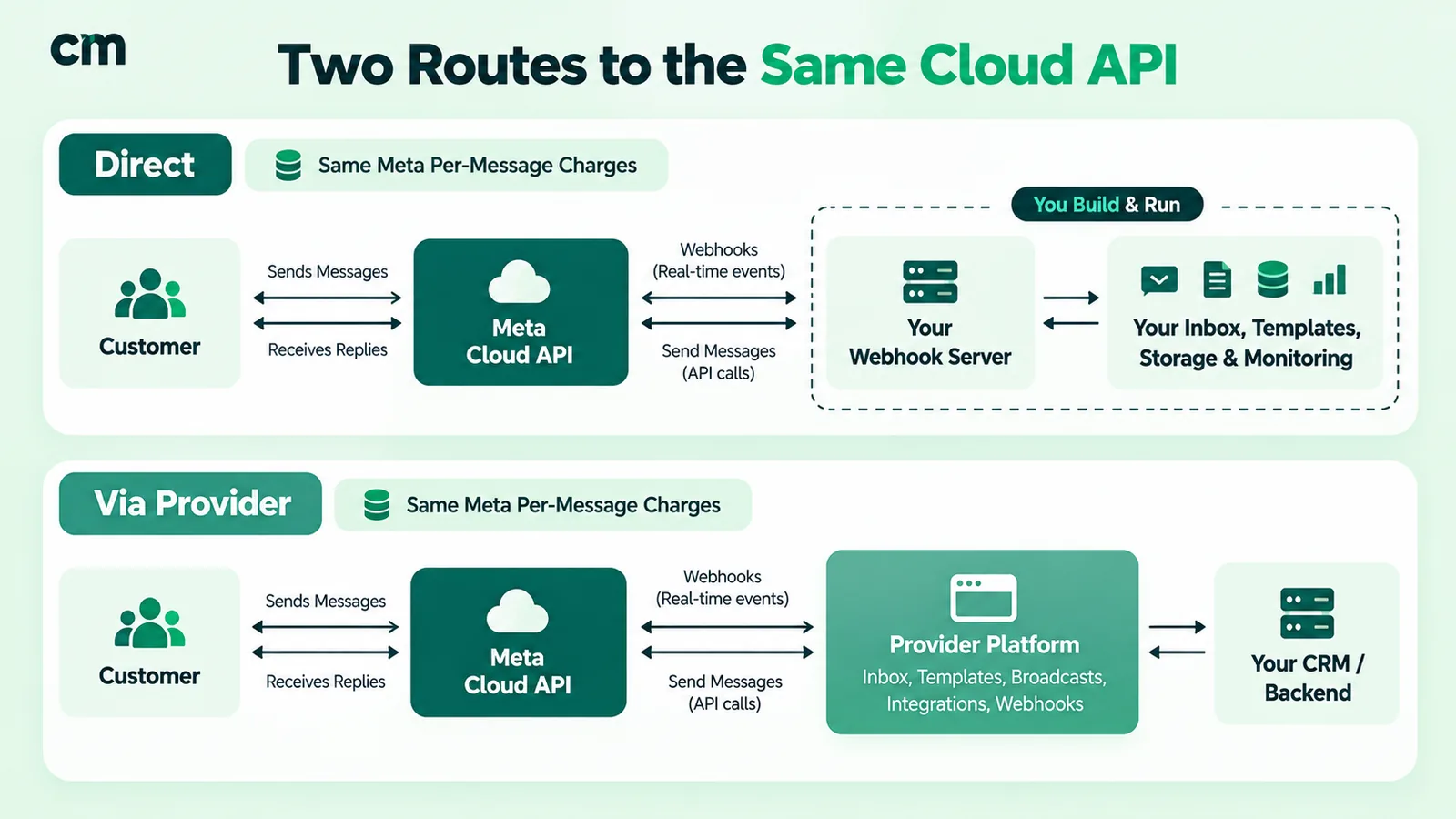
The WhatsApp Cloud API is Meta’s hosted interface for sending and receiving WhatsApp messages programmatically. Meta runs the servers; your system (or your provider’s) sends messages through Meta’s Graph API and receives replies and delivery updates on a webhook. It is part of the WhatsApp Business Platform, the umbrella most people call the “WhatsApp Business API”.
The main pieces, and who owns each:
| Entity | What it is | Who owns / runs it |
|---|---|---|
| Business portfolio | Your company's container in Meta Business Manager. Meta says you must have one to use the platform | You |
| WhatsApp Business Account (WABA) | Holds your phone numbers, templates and billing settings | You (a provider may help create it) |
| Business phone number | The number customers see and message | You |
| Cloud API | Meta-hosted endpoints for messages, media and templates | Meta |
| Webhook endpoint | Your HTTPS server that receives incoming messages and status updates | You, or your provider |
| Provider (BSP / Meta partner) | A company that builds dashboards, inboxes and automation on top of the Cloud API | Optional third party |
If you’ve read older guides comparing “Cloud API vs On-Premises API”, that choice no longer exists. Meta states that the final supported version of the On-Premises API client expired on 23 October 2025, and it points businesses to the Cloud API instead.
WhatsApp Cloud API pricing in India
Meta charges on a per-message basis (it has since 1 July 2025). You pay only when a template is delivered, at the rate for its category and the recipient’s country code.
| Category | India rate (INR) | Charged when |
|---|---|---|
| Marketing | ₹0.8631 | Every delivered marketing template |
| Utility | ₹0.1150 | Delivered outside the 24-hour window; from 1 Oct 2026 also inside it |
| Authentication | ₹0.1150 | Every delivered OTP or login template |
| Authentication-international | ₹2.4971 | OTPs to Indian users from eligible businesses based outside India |
| Service | ₹0.1150 from 1 Oct 2026 | Free-form replies in the window, after 1,000 free per number per month |
| Incoming messages | Free | Never charged |
Source: Meta INR rate cards effective 1 July 2026 and 1 October 2026, developers.facebook.com/docs/whatsapp/pricing, verified 24 September 2026. Volume discounts of up to 30% apply to utility and authentication at very high volumes (from 2.5 crore utility or 7.5 lakh authentication messages a month). Marketing has no volume tiers.
For the full message-by-message arithmetic and a customer journey, see WhatsApp Business cost per message in India.
Is the WhatsApp Cloud API free?
Partly. Here’s the split.
Free:
- Access to the Cloud API itself. Meta publishes no hosting, licence or access fee.
- Every message customers send you.
- A test WhatsApp Business account and test phone number for development. Meta says test accounts have relaxed messaging limits and don’t require a payment method on file.
- Everything you send inside a 72-hour free entry point window, which opens when a customer arrives from a Click-to-WhatsApp ad or a Facebook Page call-to-action and you reply.
- Service replies inside the 24-hour window: fully free until 30 September 2026, and from 1 October 2026 the first 1,000 per business phone number each month.
Charged:
- Delivered marketing, utility and authentication templates.
- Service replies beyond the first 1,000 free each month (from 1 October 2026).
- Your side of the stack: servers, storage and developer time if you go direct, or the provider’s fee if you don’t.
In short: you can build and test for free, but talking to real customers at scale costs money per message.
Meta direct vs a provider: the full cost comparison
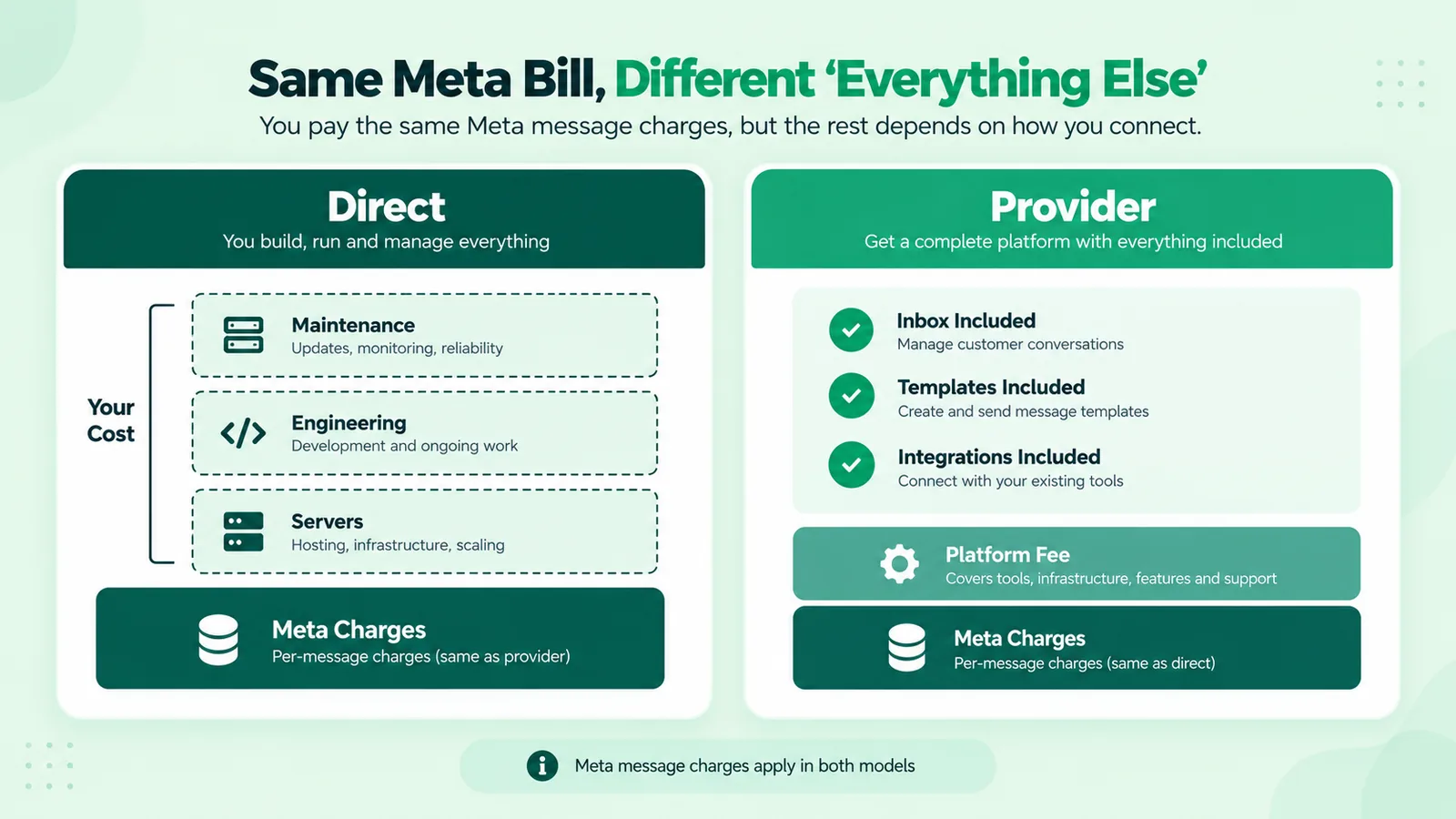
This is the decision most technical teams actually face. Meta’s message charges are the same on both routes. Here’s what differs:
| Cost / capability | Direct to Meta Cloud API | Through a provider (e.g. ChatMitra) |
|---|---|---|
| Meta message charges | Meta's rate card | Meta's rate card (passed through at cost by ChatMitra) |
| Platform fee | None | Varies by provider. ChatMitra: ₹0.20 per conversation on Starter/Pro, none on Enterprise (₹2,499/month) |
| Webhook server (HTTPS, verification, retries) | You build and host it | Included |
| Message and contact storage | You build it | Included |
| Template creation and approval tracking | Through Meta's tools or your own UI | Dashboard |
| Team inbox for agents | You build it | Included |
| Broadcasts, scheduling, segmentation | You build them | Included |
| Quality rating and messaging limit visibility | Through Meta's tools or your own monitoring | Shown in the dashboard |
| Integrations (Shopify, WooCommerce, Razorpay, Google Sheets) | You build them | Included on ChatMitra |
| Billing | Meta invoices you (INR for India Sold-To accounts) | Provider invoices you, usually in INR |
| Support | Meta developer support channels | The provider's support team, usually in your time zone |
| Time to first message | A test send once your app and test number are set up; production depends on your build | Depends on Meta's approvals; nothing to build |
What “going direct” really involves
Teams that choose the direct route usually underestimate the list below. None of it is hard on its own, but together it’s a product, not a script.
- A public HTTPS webhook that verifies Meta’s challenge, processes incoming messages and status callbacks, and stays up. If it’s down, you miss customer messages.
- Throughput handling. Meta allows up to 80 messages per second per number by default, plus a pair rate limit of one message every six seconds to the same user. Your sender needs queuing and back-off.
- Messaging limits. A new business portfolio can reach 250 unique customers outside the service window per rolling 24 hours. It moves to 2,000 after business verification (or enough high-quality sends), then scales automatically to 10,000, 100,000 and unlimited as quality holds.
- Template lifecycle. Creating, submitting, tracking approval and handling rejections and recategorisation.
- Media handling. Uploading, storing and expiring images, PDFs and videos.
- Opt-in and opt-out records. WhatsApp’s Business Messaging Policy requires opt-in and requires you to honour opt-outs.
- An inbox humans can use, with assignment, notes and handover. This is where most direct builds stall.
- Monitoring and billing reconciliation. Quality rating, template status and per-category spend.
If your use case is a single automated flow (for example, OTPs from your app, or order updates from your backend), going direct is reasonable and saves the provider fee. If your team needs to talk to customers, broadcast and integrate with commerce tools, the provider’s fee usually costs less than building and maintaining all of the above.
Worked example: the same month on both routes
A D2C brand in India sends, in one month, from one phone number: 50,000 marketing templates, 50,000 utility templates (outside the window) and 5,000 service replies.
| Line item | Direct to Meta | ChatMitra Enterprise |
|---|---|---|
| Marketing: 50,000 × ₹0.8631 | ₹43,155.00 | ₹43,155.00 |
| Utility: 50,000 × ₹0.1150 | ₹5,750.00 | ₹5,750.00 |
| Service: (5,000 − 1,000 free) × ₹0.1150 (from 1 Oct 2026) | ₹460.00 | ₹460.00 |
| Meta subtotal | ₹49,365.00 | ₹49,365.00 |
| Platform | ₹0 | ₹2,499.00 plan (no per-conversation fee) |
| Your servers, storage, monitoring | Your cost (not estimated here) | Included |
| Engineering to build and maintain inbox, broadcasts, integrations | Your cost (not estimated here) | Included |
| Known total | ₹49,365 + your build and run costs | ₹51,864 |
In this example the provider route costs ₹2,499 a month more in known fees. That’s about 5% of the message bill. Direct wins only if your own build and run costs come in below that.
How to get started on the WhatsApp Cloud API
The first five steps are the same on both routes; a provider handles most of them through an embedded sign-up flow.
- Create or confirm your Meta business portfolio.
- Add a WhatsApp Business Account and a phone number. Use a number that isn’t already on WhatsApp, or keep your existing WhatsApp Business app number through coexistence.
- Set a display name that matches your business. Meta reviews it.
- Complete business verification to move beyond the 250-customer starting limit. See our business verification guide.
- Add a payment method, or have your provider bill you. From 1 October 2026 this matters for service messages too: without one, Meta stops delivering service messages after the free 1,000.
- Create your templates and wait for approval (Meta says review can take up to 24 hours).
- Connect webhooks. Build your own endpoint (direct route) or use your provider’s webhooks and API to feed your CRM or backend.
- Send a test, then go live gradually, so your quality rating builds before large broadcasts.
ChatMitra’s WhatsApp Business API documentation and getting-started guides cover these steps in more detail.
Which route should you choose?
- Go direct to Meta if you have in-house developers, need one or two automated flows (OTPs, order notifications), have no need for a human inbox, and want to avoid any platform fee.
- Use a provider if your team replies to customers, runs broadcasts, needs Shopify or Razorpay flows, or wants to launch this week, not this quarter.
- Use both: some businesses send OTPs directly from their backend and run marketing and support through a provider on a separate number. Meta’s volume tiers aggregate across the business portfolio either way.
Common mistakes with Cloud API pricing
- Thinking “free API” means free messaging. Access is free; delivered templates are not.
- Quoting provider prices as Meta prices. Search results and AI answers quote India marketing figures from ₹0.88 to ₹1.09. Meta’s INR card says ₹0.8631.
- Ignoring the 1 October 2026 changes when forecasting support costs.
- Comparing a provider’s fee against ₹0 for “direct” without counting your own build and hosting.
- Launching broadcasts on a new, unverified portfolio and hitting the 250 limit on day one.
- Forgetting authentication-international if your company is registered abroad and sends OTPs to +91 numbers.
Summary
The WhatsApp Cloud API is free to access and priced per delivered message. In India that’s ₹0.8631 for marketing and ₹0.1150 for utility and authentication, and from 1 October 2026 service replies beyond 1,000 a month per number cost the same ₹0.1150. Meta’s charges don’t change with the route you choose. Going direct removes the provider fee but makes you build and run the webhook, inbox, templates and compliance yourself. A provider charges a fee but hands you all of that on day one.
Build on the Cloud API without building everything
ChatMitra runs on the official WhatsApp Cloud API as a Meta Business Partner and gives you onboarding, templates, broadcasts, a shared team inbox, webhooks and API access, and Shopify, WooCommerce and Razorpay integrations, with Meta's rates passed through at cost. Compare plans or estimate your monthly bill.