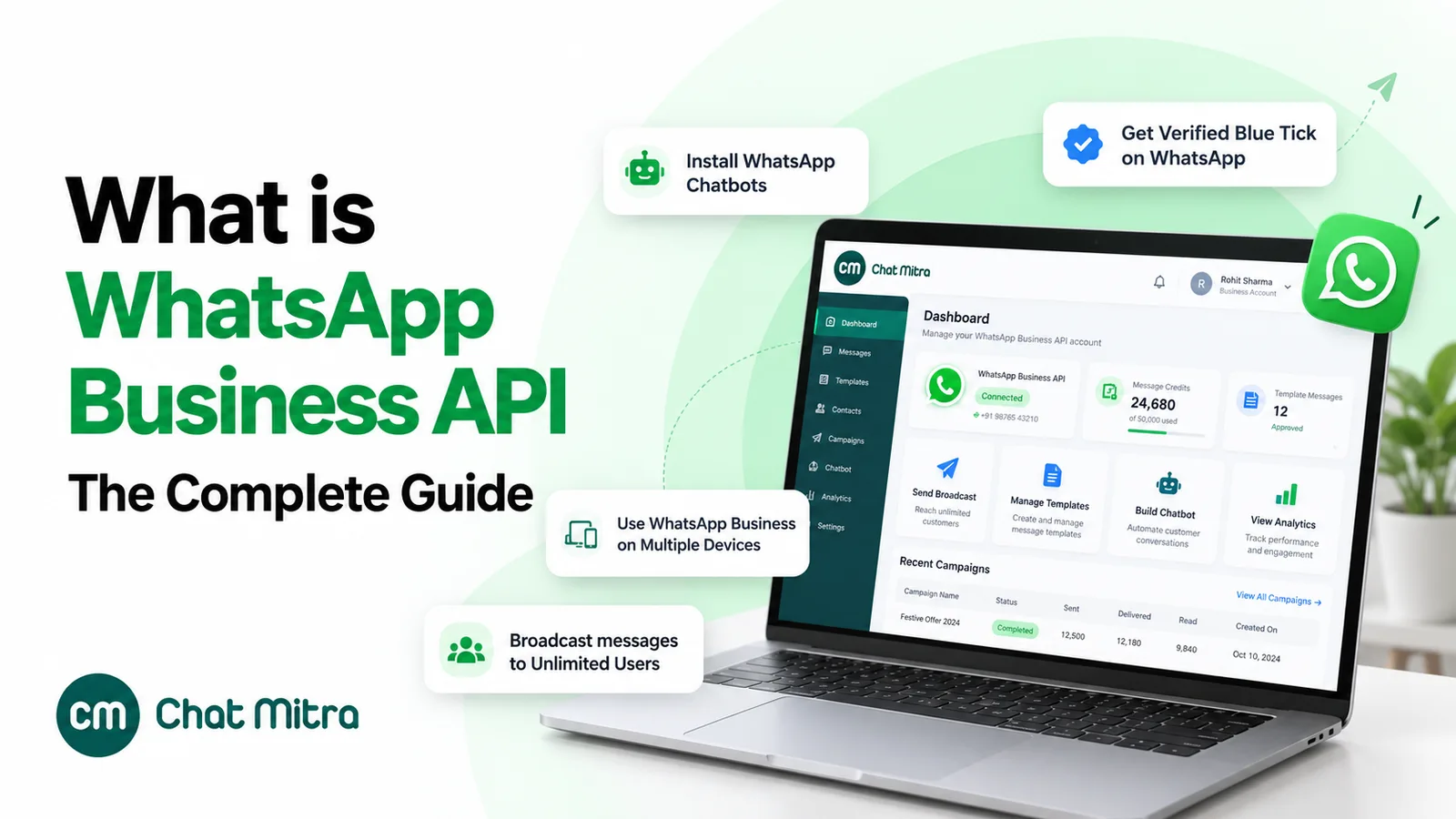
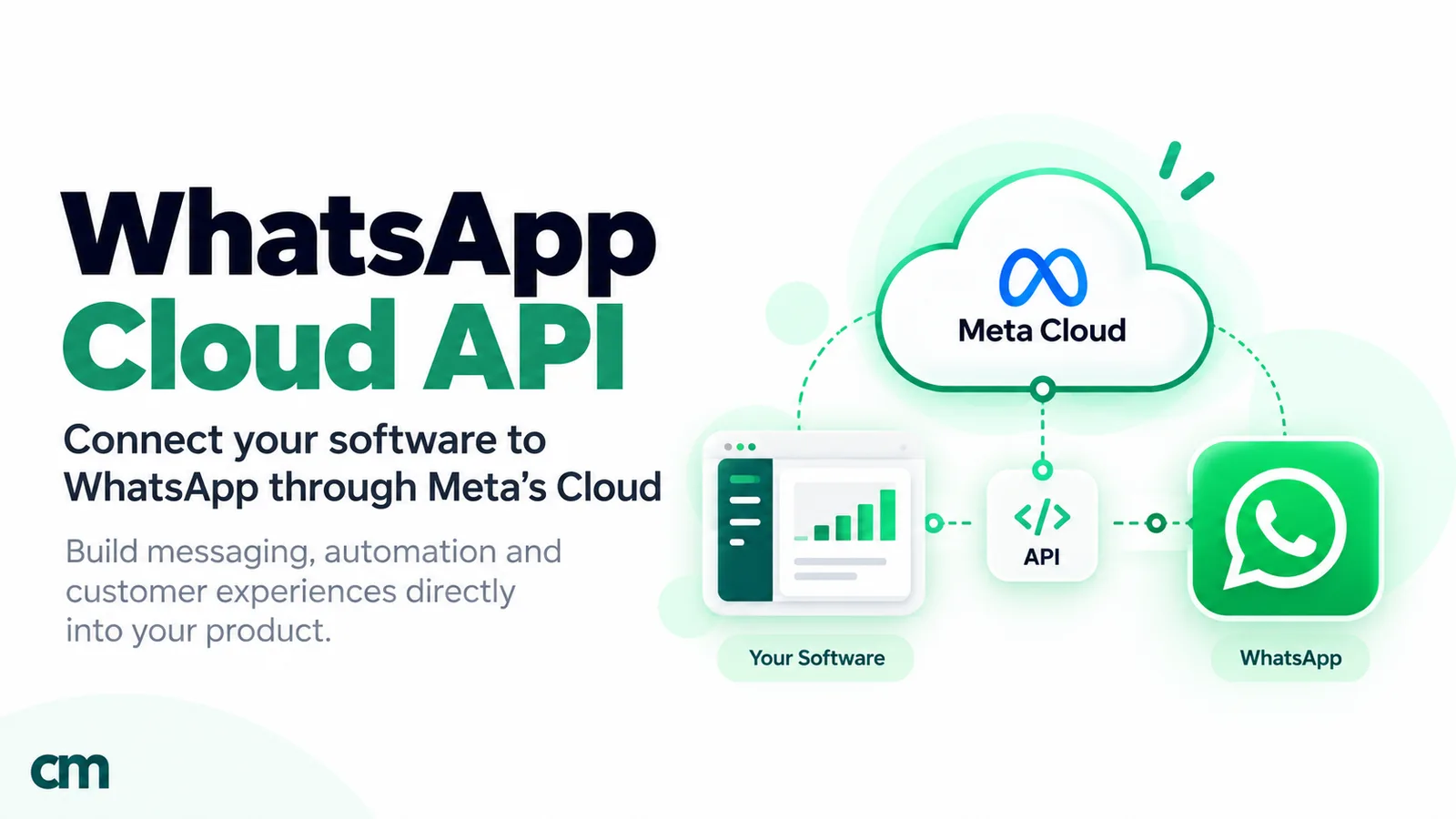
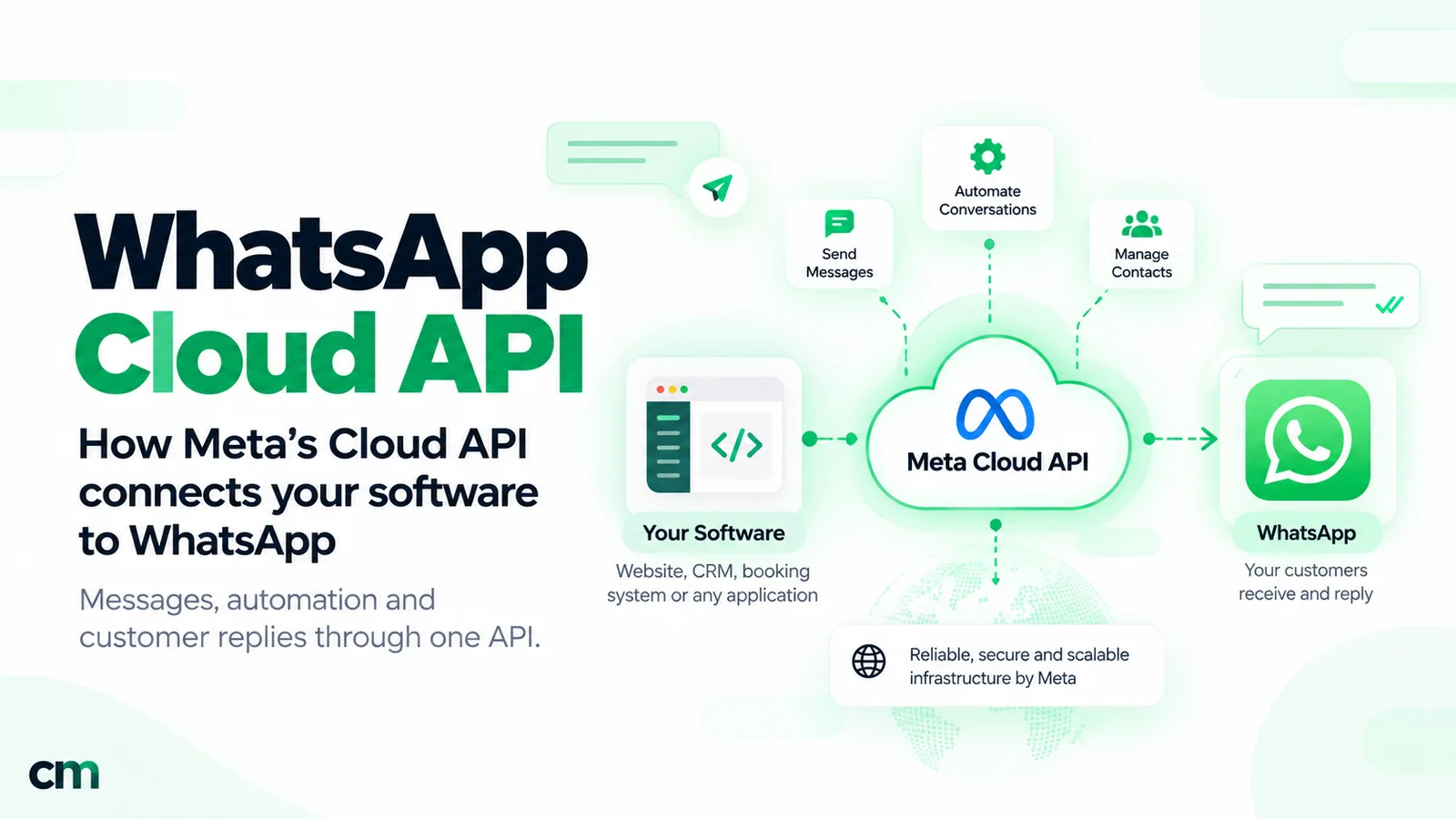
The WhatsApp Cloud API is the Meta-hosted API that lets your own software send and receive WhatsApp messages. Your server calls Meta’s Graph API with an access token and a phone number ID; Meta delivers the message and reports replies and delivery statuses back to your webhook. It is the only way to run the WhatsApp Business Platform today.
This guide explains the Cloud API as a system: the accounts and credentials it needs, what it sends, the limits that shape an integration, how Meta handles security and data storage (including in India), and when to build on it yourself. Pricing, onboarding and code have their own guides, linked where they come up.
Key takeaways
- "WhatsApp Business API" and "WhatsApp Cloud API" now describe the same thing in practice. The self-hosted alternative was retired in October 2025.
- Speed (messages per second) is rarely the constraint. Reach is: a new business portfolio can message 250 people a day outside the service window.
- The Cloud API is plumbing. The inbox, contact list, campaigns and reporting are yours to build or buy.
Facts checked against Meta's WhatsApp Business Platform and Graph API documentation on 25 September 2026. Rupee figures are Meta's India rates and exclude tax.
What is the WhatsApp Cloud API?
The Cloud API is the messaging part of Meta’s WhatsApp Business Platform. Meta’s platform overview says it “enables you to programmatically message and call on WhatsApp” and lists three capability areas: messaging, calling and groups.
Three things define it:
- Meta hosts it. There is no WhatsApp server for you to install or patch. You send HTTPS requests to
graph.facebook.com. - It is built on Graph API. Requests use paths, JSON bodies and a Bearer access token, and normally name a Graph API version such as
v26.0in the path. - It is event-driven. Meta says “the contents of any message sent from a WhatsApp user to your business phone number is communicated via webhook”, and so is every delivery status. Without a webhook you can send, but you can’t hear anything back.
Two related APIs sit beside it. The Business Management API manages accounts, phone numbers, templates and analytics. The Marketing Messages API for WhatsApp is a separate send path for marketing templates, with features Meta says are “not available on Cloud API”, such as conversion metrics.
Cloud API vs “WhatsApp Business API” vs the Business app
The names cause most of the confusion, so here they are side by side.
| Name | What it is | Who runs it | Status in 2026 |
|---|---|---|---|
| WhatsApp Business app | A free phone app for small businesses, used by hand | You, on your phone | Current; can share a number with the Cloud API (coexistence) |
| WhatsApp Business Platform ("WhatsApp Business API") | Meta's umbrella for programmatic business messaging | Meta | Current |
| Cloud API | The platform's messaging and calling API, hosted by Meta | Meta | The only way to register and message |
| On-Premises API | The older self-hosted client that businesses or providers ran on their own servers | Formerly you or your provider | Retired |
What happened to the On-Premises API?
Meta’s On-Premises sunset page sets out three dates:
- 9 January 2024: new features began shipping only to the Cloud API. On-Premises received bug fixes and security patches only.
- 1 July 2024: business phone numbers could be registered only for the Cloud API. Trying On-Premises returns error 1005.
- 23 October 2025: the final On-Premises version (v2.63) expired. “Messages sent to or from business numbers still registered for use with On-Premises API will not be delivered.”
Any guide that still offers you a choice of hosting models predates October 2025. The choice that remains is different: call the Cloud API yourself, or through a provider’s software.
How the Cloud API works: one message, end to end
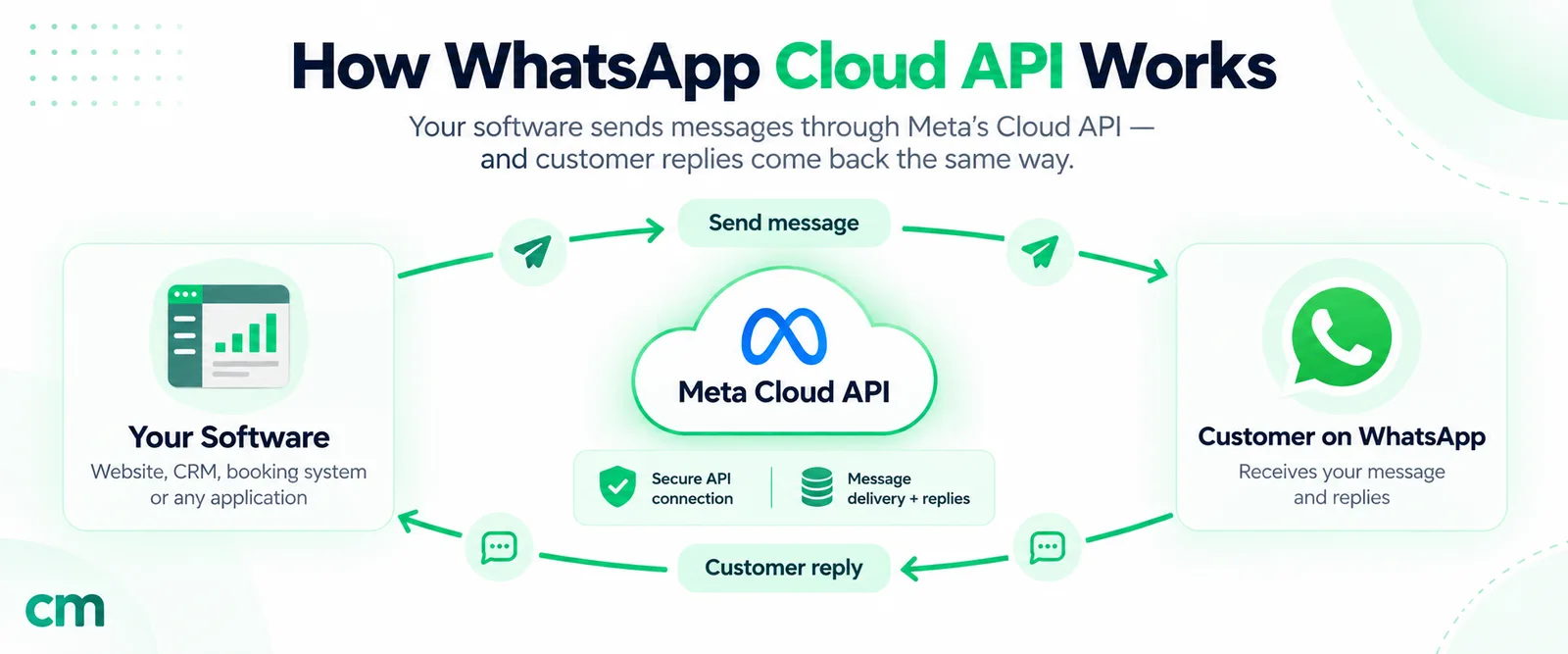
Follow a single order update through the system:
- Your server sends a request to
POST /<PHONE_NUMBER_ID>/messageswith an access token. Outside a 24-hour customer service window it must be an approved template. - Meta accepts it and returns a message ID. Meta is explicit that this response “only indicates that the API successfully accepted your request — it does not indicate successful delivery” (Meta, send messages).
- The Cloud API encrypts the message with the Signal protocol and delivers it over WhatsApp to the customer’s phone.
- Status webhooks arrive at your endpoint as the message is sent, delivered and read, or fails.
- The customer replies. Their message reaches your webhook, and a new 24-hour window opens in which you can send free-form messages.
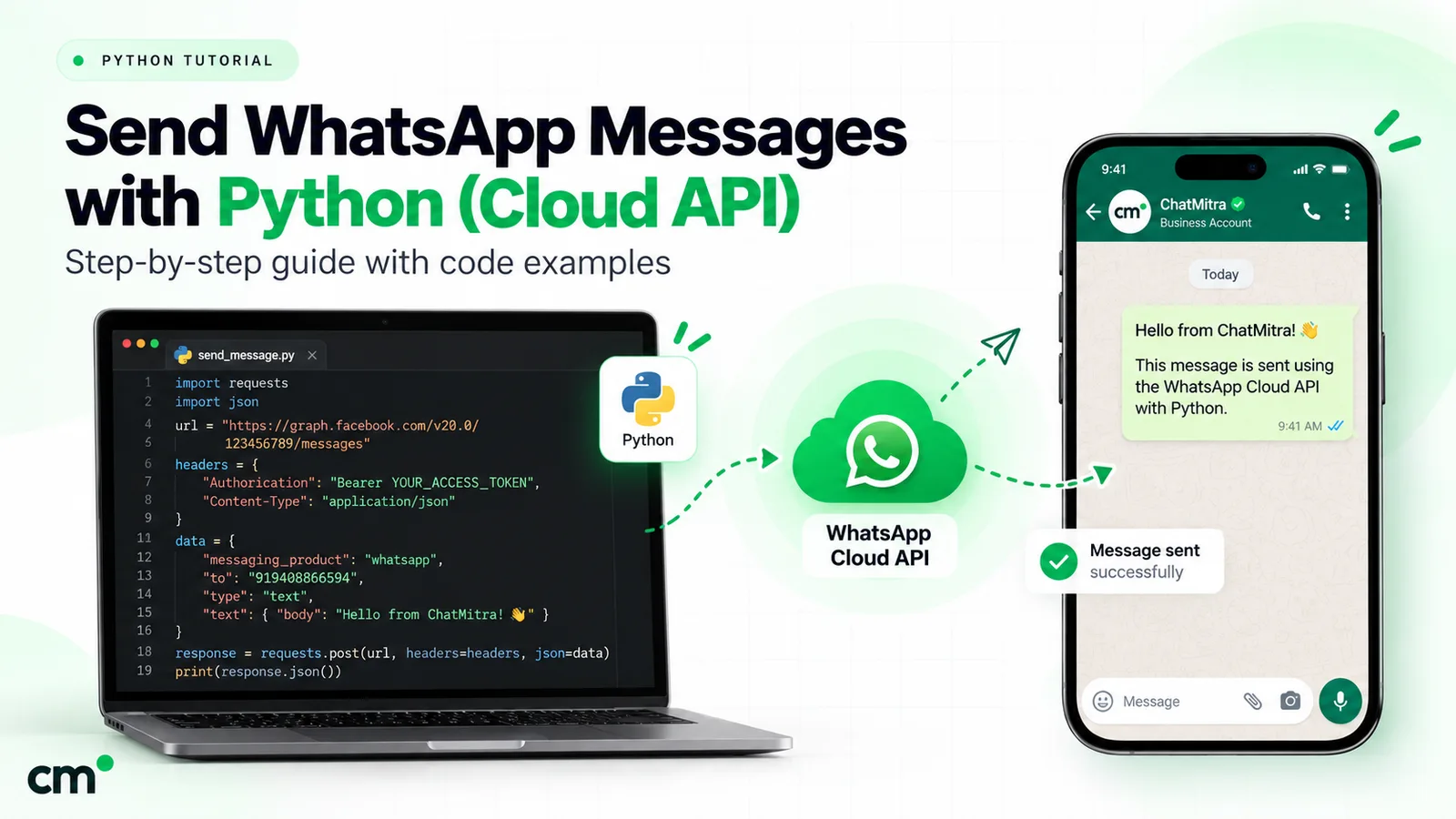
A minimal text send looks like this. The version in the path matters, and the IDs are placeholders:
curl 'https://graph.facebook.com/v26.0/<PHONE_NUMBER_ID>/messages' \
  -H 'Authorization: Bearer <SYSTEM_USER_TOKEN>' \
  -H 'Content-Type: application/json' \
  -d '{"messaging_product":"whatsapp","to":"<CUSTOMER_NUMBER>","type":"text","text":{"body":"Your order has shipped."}}'
For working Python code, including a webhook that checks Meta’s signature, see the WhatsApp API in Python guide.
The building blocks you need
Every Cloud API integration, direct or through a provider, rests on the same set of Meta assets.
| Building block | What it holds or does | Where you see it |
|---|---|---|
| Business portfolio | The container for your WhatsApp and Messaging accounts. Meta says its verification status factors into higher throughput and Official Business Account status | Meta Business Suite |
| WhatsApp account (WAAC) | One business phone number, its display name, business profile and catalogues | Meta Business Suite, WhatsApp Manager |
| Messaging account (the old WABA ID) | Message templates, payment method, analytics and webhook subscriptions | WhatsApp Manager |
| Business phone number and its ID | The number customers see. API calls use its phone number ID, not the number itself | App Dashboard, API Setup |
| Meta app | Created with the "Connect with customers through WhatsApp" use case; holds webhook settings and the app secret | App Dashboard |
| Access token | Authorises each request (types below) | Business settings, System users |
| Webhook endpoint | Your HTTPS server that receives messages, statuses and account events | App Dashboard, Configuration |
When you start, Meta creates a test WhatsApp account, a test Messaging account and a test phone number for you. Meta says the test resources have “relaxed messaging limits” and can send templates with no payment method attached, which is enough to build and test before a real number is involved.
The WABA is now two accounts
Older guides describe a single WhatsApp Business Account (WABA) that held everything. Meta’s account model update splits it: a WhatsApp account holds one phone number, and a Messaging account holds templates, billing and webhook subscriptions and keeps your old WABA ID. Meta’s schedule had the migration starting on 23 September 2026 and “reaching all businesses by mid-October 2026”, with existing IDs, endpoints and tokens working throughout.
What matters for an integration:
- Nothing breaks now. The
POST /<PHONE_NUMBER_ID>/messagesendpoint and template endpoints are unchanged. - One number can have several partners. A business can share its WhatsApp account with more than one provider, each with its own Messaging account and billing. Meta says moving a number from one Solution Partner to another “is not supported in the new account model”; you share the account instead.
- Plan for 2028. Meta’s timeline introduces WhatsApp account IDs in a new Graph API version in the first half of 2027. In the first half of 2028, APIs that take a phone number ID in the path must use the WhatsApp account ID instead. Keep IDs in configuration, not hard-coded.
The WhatsApp Manager guide shows where each asset now appears in Meta’s screens.
Access tokens: which one?
Meta’s access token guide names three types:
- User access tokens come from the API Setup panel and, Meta says, “expire quickly”, so they suit a first test only.
- System user access tokens are long-lived and meant for servers; direct developers should use them. They need the
business_management,whatsapp_business_managementandwhatsapp_business_messagingpermissions, and the system user needs access to both the WhatsApp account and the Messaging account, or requests fail with error code 200. - Business Integration System User tokens come from Embedded Signup, are scoped to one onboarded customer, and are what Tech Providers and partners use.
Treat tokens as opaque secrets: Meta says their length and format can change.
Graph API versions
Requests normally name a version in the path. Meta’s Graph API changelog listed v26.0 as the latest on 25 September 2026, introduced on 29 July 2026. A few dates from the same table:
| Version | Introduced | Available until |
|---|---|---|
| v26.0 | 29 July 2026 | To be announced |
| v25.0 | 18 February 2026 | 29 July 2028 |
| v21.0 | 2 October 2024 | 21 January 2027 |
| v20.0 | 21 May 2024 | 24 September 2026 |
Meta’s versioning guide guarantees each version for at least two years and says calls to a version that is no longer usable “will be defaulted to the next oldest, usable version”. Old code keeps running, but on behaviour you never tested, so keep one version setting for the whole codebase.
What can you send and receive?
Two rules decide what you can send: the 24-hour customer service window and templates. When a customer messages you, a 24-hour window opens and resets with each new message. Inside it you can send free-form service messages. Outside it, Meta says, “you can only send pre-approved template messages”.
| Message family | Examples | When you can send it |
|---|---|---|
| Templates | Marketing, utility and authentication templates, with text, media headers and buttons | Any time, once approved; the only option outside the window |
| Basic service messages | Text with link preview, image, video, audio, document, sticker, location, contacts | Inside the window |
| Interactive messages | Reply buttons (up to three), lists, CTA URL button, location request, address request, WhatsApp Flows, voice call button | Inside the window |
| Reactions | An emoji reaction to a message the customer sent you | Inside the window |
| Group messages | Text, media and text- or media-based templates to a group | Through the Groups API (limits below) |
Webhooks carry the customer’s messages of every type, including button taps, plus statuses and account events. Each interactive type has its own limits and reply format; the guide to WhatsApp interactive messages covers them one by one. The Cloud API can also place and receive voice calls, which the WhatsApp Business Calling API guide explains.
Cloud API limits: throughput, reach, pair rate and media
| Limit | Measured per | Default | What raises it | Error code Meta lists |
|---|---|---|---|---|
| Throughput | Business phone number | 80 messages per second | Automatic upgrade to 1,000 | 130429 |
| Messaging limit | Business portfolio, per moving 24 hours | 250 unique customers outside the window | Verification or volume, then automatic scaling | Not listed on the limits page |
| Pair rate | One number to one customer | 1 message every 6 seconds | Not raised; short bursts are borrowed | 131056 |
| Management API requests | App and Messaging account, per hour | 200; 5,000 once a number is registered | Registering a number | Not listed on the overview |
| Registered numbers | Business portfolio | 2 | Verification or a 2,000 messaging limit (cap rises to 20) | Not listed |
Throughput: how fast one number can send
Meta’s throughput page sets 80 messages per second (mps) per registered number by default and says throughput “is inclusive of inbound and outbound messages and all message types”. A number moves to 1,000 mps automatically, at no charge, when three conditions hold: its portfolio has an unlimited messaging limit, it has messaged 100,000 or more unique users outside a service window in a moving 24 hours, and its quality rating is Medium or better. The upgrade can make the number unusable for up to a minute (error 131057). Numbers shared with the WhatsApp Business app are fixed at 20 mps.
At 80 mps, a campaign to 50,000 people takes about ten minutes. Speed is seldom the bottleneck; reach is.
Messaging limits: how many people you can reach
A messaging limit is the number of unique customers you can deliver messages to outside a service window in a moving 24 hours. Meta’s messaging limits page sets it at the portfolio level, shared by every number, so one busy number can use it all.
- Start: 250 for a new portfolio.
- To 2,000: complete business verification (yourself, or through the partner that onboarded you), or get 2,000 messages delivered to distinct customers outside service windows over 30 days, using high-quality templates. Meta then reviews your message quality before approving the increase.
- Then automatic: 10,000, 100,000 and unlimited. Meta raises the limit one level within 6 hours when your messages are high quality and you used at least half the current limit in the last 7 days.
Replies inside an open window don’t count.
Pair rate: messages to the same person
The platform overview allows one message every 6 seconds from a number to the same customer, “about 10 messages per minute or 600 per hour”. You can burst up to 45 messages in 6 seconds, but that borrows from future quota, and error 131056 follows if you exceed it. Meta’s suggested retry is to wait 4^X seconds, increasing X after each failure. This limit bites chatbots that split one answer into many bubbles.
Media: file types and sizes
Meta’s media reference lists what the Cloud API accepts:
| Type | Formats | Maximum size |
|---|---|---|
| Image | JPEG, PNG (8-bit, RGB or RGBA) | 5 MB |
| Video | MP4, 3GPP (H.264 video, AAC audio) | 16 MB |
| Audio | AAC, AMR, MP3, M4A, OGG (Opus) | 16 MB |
| Document | PDF, TXT, Word, Excel, PowerPoint | 100 MB |
| Sticker | WebP | 100 KB static, 500 KB animated |
Uploaded media IDs last 30 days; media IDs in incoming webhooks last 7 days, and download URLs expire after 5 minutes, so store incoming files promptly. For high-volume sends, Meta recommends uploading media once and sending by media ID rather than by URL.
Webhooks: what your server has to handle
The webhook is the half people underestimate. Meta’s webhooks overview and endpoint guide set these requirements:
- A verification handshake. Meta sends a GET request with
hub.verify_tokenandhub.challenge; your endpoint returns the challenge if the token matches. - Signature checks. Every POST carries an
X-Hub-Signature-256header, an HMAC-SHA256 of the body keyed with your app secret. Reject anything that doesn’t match. - Retries and duplicates. If your endpoint returns anything other than HTTP 200, Meta retries “with decreasing frequency until the request succeeds, for up to 7 days”, and warns that retries can produce duplicates. Store message IDs and ignore repeats.
- Capacity. Meta asks for servers that handle three times your outgoing message rate in status webhooks plus your incoming rate, with median latency no higher than 250 ms and fewer than 1% of requests over one second. Payloads can be up to 3 MB.
- mTLS, optionally, instead of allowlisting Meta’s IP addresses, which change.
The usual pattern: return 200 at once, queue the payload, process it elsewhere. ChatMitra’s plain-language guide to webhooks and message status explains what each tick means.
Security, privacy and where data is stored
Meta’s data privacy and security page describes the message path precisely. A customer’s message “travels encrypted via WhatsApp between the user and Cloud API”. The Cloud API then decrypts it and forwards it to your business; for replies, it encrypts with the Signal protocol before delivery. Graph API calls and webhooks run over HTTPS with TLS.
So encryption ends at Meta’s Cloud API, acting for your business, not at your own server. Meta’s terms for that role:
- Role: where the law recognises the concept, Meta “acts as a data processor/service provider on behalf of the business”.
- Retention: messages are kept for at most 30 days to provide the service, for example for retransmissions, and encrypted at rest.
- Keys: the Cloud API “manages the encryption/decryption keys on behalf of the business”.
- Ads: the Cloud API “will not automatically use WhatsApp messages to inform the ads that a person sees”.
- Assurance: Meta says it has obtained SOC 2 Type II and ISO 27001 reports.
Once a message reaches your webhook, its storage in your CRM or a provider’s inbox is your responsibility and your provider’s.
Local storage: keeping data at rest in India
Regulated businesses can pin message data at rest to one country with Cloud API local storage. It is set per phone number and covers text, media and template content.
- India is supported. The registration reference lists India (IN) with Australia, Indonesia, Japan, Singapore, South Korea, Germany, Switzerland, the United Kingdom, Brazil, Bahrain, South Africa, the UAE and Canada.
- Processing can still happen elsewhere. On the Cloud API, message content may sit in Meta data centres outside the country for up to 60 minutes while in use. After that it is deleted outside the chosen region and kept only inside it.
- It needs re-registration. You can enable it only on an unregistered number, so a live number is deregistered and registered again. Meta says downtime is typically under five minutes and no re-verification is needed.
- Media stays with the number. Files uploaded by a number with local storage can’t be shared with your other numbers.
Local storage covers Meta’s side only; your servers and your provider’s decide where your copy lives.
What the Cloud API does not give you
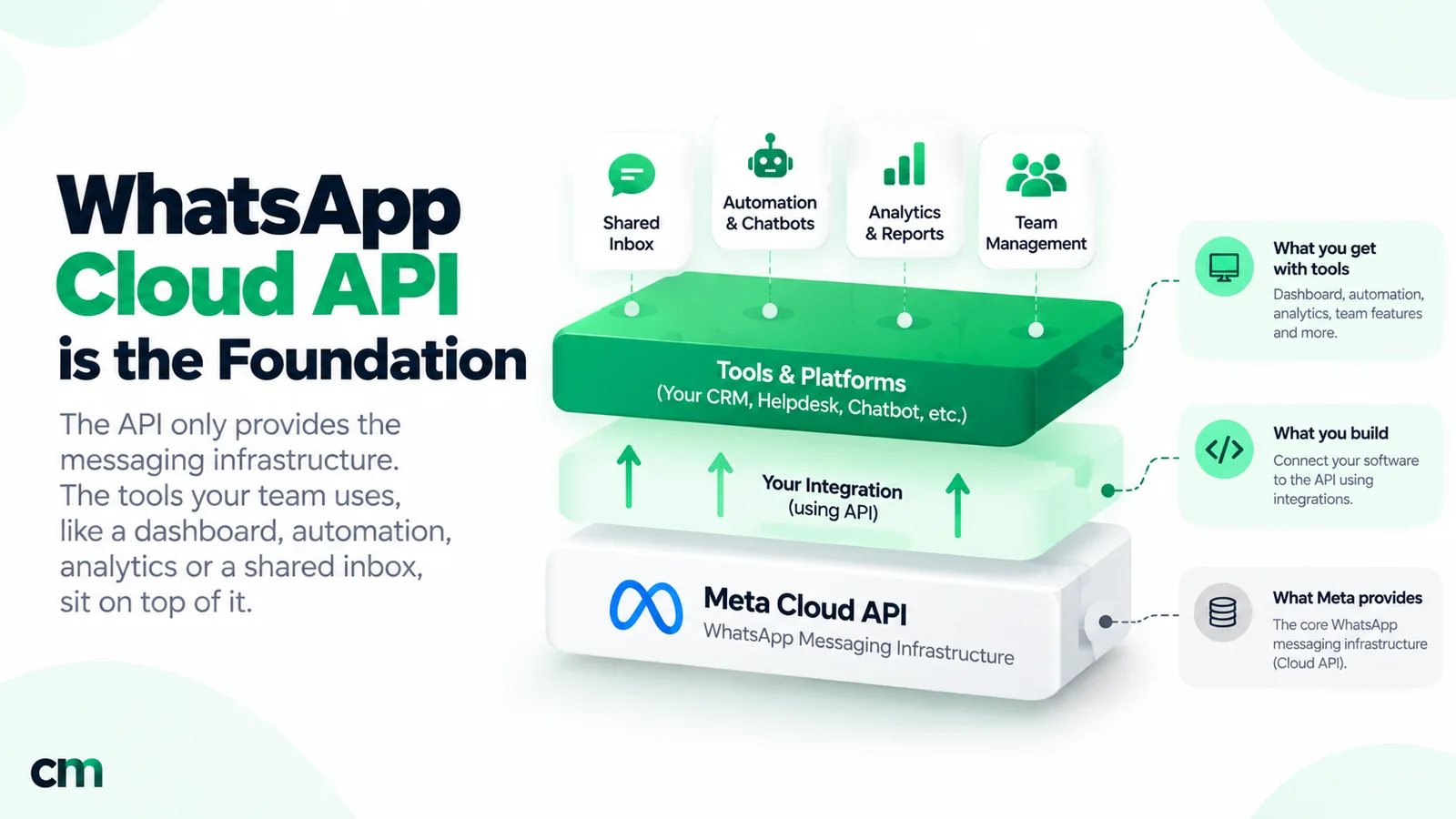
The Cloud API sends and receives. It has no screens for your team. Meta’s own tool, WhatsApp Manager, handles numbers, templates, limits, billing and analytics, but not conversations.
| You need | From Meta | What you build or buy |
|---|---|---|
| Somewhere agents read and reply | Nothing | A shared inbox with logins, permissions and history |
| A customer list | Nothing; Meta deletes user identifiers within 30 days of the last status | A contact store with tags, fields and opt-in records |
| Campaigns | A send endpoint, messaging limits and template approval | Audience selection, scheduling, queueing within throughput and pair limits |
| Reporting | Message, pricing and template analytics in WhatsApp Manager and the API | Per-campaign and per-agent views joined to your own data |
| Automation | Webhooks | Keyword replies, chatbots and handover logic |
| Opt-out handling | A policy requirement | A way to record opt-outs and exclude those contacts |
What the Cloud API does not support
Some limits are about the product, not rates. Meta documents these:
- Status. Meta’s coexistence documentation marks the Business app’s Status tool, and Channels, as not supported on the Cloud API. There is no Status message type to send. The WhatsApp Status marketing guide covers what to do instead.
- Ordinary groups. The Groups API is open only to Official Business Accounts, with up to 8 participants and 10,000 groups per number, joined by invite link. Interactive, authentication, commerce and calling messages aren’t supported in groups, and groups aren’t available on numbers shared with the Business app. The guide to WhatsApp groups for business compares the options.
- Some app features on coexistence numbers. When a WhatsApp Business app number is also connected to the Cloud API, Meta turns off disappearing messages, view-once and live location in 1:1 chats and makes broadcast lists read-only.
- Numbers already on WhatsApp, and short codes. A number in use on WhatsApp must be deleted there before registration, unless you onboard it through coexistence. Short codes aren’t supported.
WhatsApp Cloud API pricing, in brief
Meta charges per delivered message, based on the category and the recipient’s country code. It has worked this way since 1 July 2025. Since 1 October 2026 two things changed: service replies are charged once a business phone number has used its free tier of 1,000 delivered service messages for the month, and utility templates delivered while a service window is open are charged too. On Meta’s INR rate card effective 1 October 2026, India costs ₹0.8631 for each marketing message and ₹0.1150 for each utility, authentication or service message (Meta pricing).
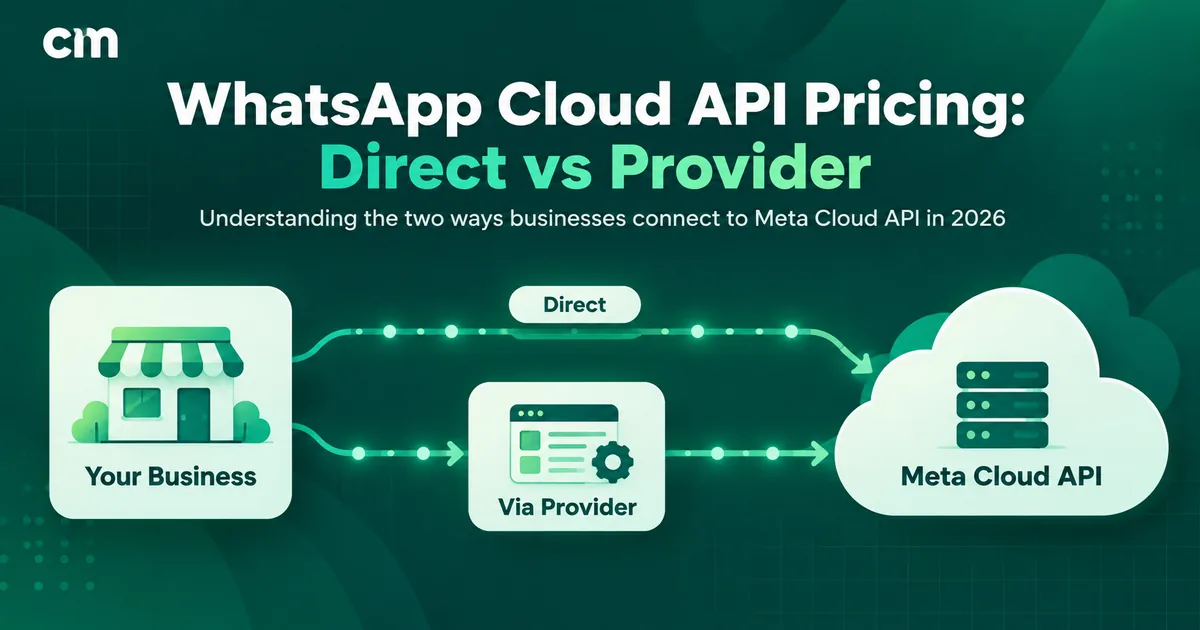
The rates don’t change between the direct route and a provider, though a provider adds its own fee. A month-long worked example is in the full guide to WhatsApp Cloud API pricing.
Getting access: the short version
There are two doors to the same API:
- Direct: sign up for a Meta developer account, make an app using the WhatsApp use case, send a test from the auto-created test number, set up your webhook, create a system user token, then add, verify and register your real number and attach a payment method. Meta’s Get Started guide walks through the dashboard.
- Through a provider: the provider launches Meta’s Embedded Signup, a Meta pop-up in which you choose your portfolio, verify your number and set a display name. The provider then exchanges the returned code for a token, registers the number and subscribes to its webhooks.
Requirements, number choices, display names and verification are covered step by step in how to get the WhatsApp API.
Direct with Meta or through a provider?
Meta’s charges don’t change with the route, so the decision is about who builds and runs everything above the API.
- Will people reply to customers? Then you need an inbox, and a reliable multi-agent inbox is a product in itself.
- Is the use case one automated flow? Login codes from an app or shipping alerts from an order system need a sender, a webhook and error handling, which suits going direct.
- Who owns it after launch? Tokens, version upgrades, webhook uptime and the 2028 account-ID change need an owner.
- Do you need data residency? Local storage is set when a number is registered, so on the provider route the provider has to support it. Ask, and ask where it stores its own copy.
- Do you need both? Under the new account model, one number can serve a direct integration and a provider at the same time, each with its own Messaging account and billing. Throughput and messaging limits are then shared between them.
| Situation | Usual fit |
|---|---|
| App sends OTPs or transactional alerts; no human replies | Direct |
| Sales or support team answering customers on one number | Provider |
| Marketing broadcasts to segmented, opted-in lists | Provider, unless you already run a campaign system |
| Your own SaaS product offering WhatsApp to your customers | Direct, as a Tech Provider with Embedded Signup |
| Backend alerts plus a support inbox | Both, on one number or two |
To compare providers, the comparison of WhatsApp API providers in India lists the questions to ask.
Where ChatMitra fits
ChatMitra runs on the Cloud API. By default you connect a number manually: you add ChatMitra as a partner and enter your WABA ID and phone number ID. ChatMitra can also enable Meta’s Embedded Signup for an account. Either way it registers the number for Cloud API use, subscribes to its webhooks and sends messages through Meta’s Graph API. Above the API it supplies the layers from the build-or-buy table: a shared team inbox with role-based permissions, tagged contacts, templates, broadcasts with delivery and read reports, keyword auto-replies and an AI chatbot.
For developers, the Pro plan adds API access and webhooks, per ChatMitra’s pricing page:
- A REST API (
POST /developer/api/send_messagewith a Bearer API key) for templates and interactive button or list messages. - Outbound webhooks for
message.received,message.sentandmessage.status.updated, each signed with an HMAC-SHA256 signature so your server can verify it, and retried if delivery fails.
ChatMitra does not offer WhatsApp groups, calling, Status posting, a Flow builder or a local-storage setting. You pay Meta’s rates to Meta directly, with your own payment method, and ChatMitra charges a ₹0.20 fee per 24-hour conversation on the Starter and Pro plans. Compare ChatMitra’s plans.
Sources: Meta for Developers (WhatsApp Business Platform overview, On-Premises sunset, account model update, access tokens, send messages, throughput, messaging limits, media, webhooks, data privacy and security, local storage, business phone numbers and registration, groups, coexistence, pricing and the INR rate card effective 1 October 2026, Get Started, Embedded Signup); Graph API changelog and versioning guide. ChatMitra behaviour verified in ChatMitra’s code on 25 September 2026.
Facts checked against Meta's WhatsApp Business Platform and Graph API documentation on 25 September 2026.