WhatsApp customer retention means using WhatsApp to get people who have already bought from you to buy again. In practice it covers the first weeks after an order, a reminder when the product is likely to run out, early access for your best customers and a nudge for those who have drifted away. It is not sending the same offer to your whole contact list every Friday.
Most retention advice stops at “send personalised messages”. This guide is more specific. It shows you how to find the day each product is likely to be reordered, which retention messages Meta prices as cheaper utility messages and which as marketing, what a full month of retention messages costs a store doing 1,500 orders, and how to prove the messages caused the repeat orders instead of just being read by people who were going to buy anyway. The examples are from Indian D2C and Shopify stores, but the method works for any store with repeat purchases.
Using ChatMitra? The Shopify app already sends order, shipping and feedback messages and tags each customer by event. For reorder reminders, VIP and win-back campaigns, you import a Shopify customer segment with a tag and send to that tag, or use Automation’s “after date” trigger on a last-order-date field. ChatMitra’s fee is ₹0.20 per conversation, not per message. Jump to Retention on ChatMitra.
What retention on WhatsApp is, and what it isn’t
A store’s revenue comes from two places: new customers and customers who come back. Retention work is everything that raises the second number. WhatsApp is one channel for it, next to email, SMS, the website and the product itself.
What WhatsApp does well is timing and conversation. A message arrives on the phone the customer uses all day, it can carry a button that opens the exact product, and the customer can reply with a question (“is the 100 ml back in stock?”) instead of searching your site. What it can’t do is fix a weak product or a slow delivery. If people don’t reorder because the serum didn’t work, no reminder will change that.
Three ideas run through this guide:
- Retention is a timing problem. A reminder sent on day 10 for a product that lasts 45 days is just noise. Sent on day 40, it’s useful.
- Retention messages are mostly marketing messages. That affects cost, Meta’s limits and consent, so plan for it.
- Retention is measured in orders, not reads. The only honest test is comparing people who got the message with similar people who didn’t.
Start with your numbers
Before writing a single template, pull two numbers from your store data.
Repeat purchase rate, by cohort
Take every customer whose first order was in one month (a “cohort”), and count how many placed at least one more order within a fixed window, say 90 days. Divide by the cohort size.
Repeat purchase rate (90 days) = customers in the cohort with a second order within 90 days ÷ customers in the cohort
Example: 1,000 customers placed their first order in March. By the end of June, 180 of them had ordered again. The 90-day repeat rate for the March cohort is 18%.
Why cohorts? If you divide all repeat customers by all customers in a period, people who bought last week drag the number down because they haven’t had time to return. Analytics vendors also disagree on the formula (some divide by orders, not customers), so write your definition down and keep it fixed. Once WhatsApp messages start, compare cohorts from before and after under the same definition.
Days to second order
For customers who did order twice, calculate the days between the first and second order and take the median. Use the median rather than the average, because a few customers who come back after a year will drag the average far out.
This number is the backbone of your retention calendar. If the median is 34 days, a reminder around day 28 to 30 reaches people just before they would naturally think about reordering.
Where to find this in Shopify
Shopify’s customer segment editor lets you filter by number_of_orders, last_order_date and amount_spent, and dates can use offsets such as -4w. A few queries worth saving:
| Segment | Example filter in Shopify | Use it for |
|---|---|---|
| One-time buyers | number_of_orders = 1 | Second-order nudge |
| Repeat buyers | number_of_orders >= 2 | Measuring the base you keep |
| Lapsed one-time buyers | number_of_orders = 1 AND last_order_date < -8w | Win-back |
| High spenders | amount_spent >= 10000 | VIP early access |
| Shopify’s RFM groups | rfm_group = 'AT_RISK' or 'LOYAL' | Ready-made recency/frequency segments |
Shopify’s customer export also includes Total Spent, Total Orders and an “Accepts WhatsApp Marketing” column, which you need for the consent check later. If you’re not on Shopify, the same numbers come from an order export in a spreadsheet: one row per order, then a pivot by customer.
Find the reorder window for each product
The median days to second order is a store-wide number. Different products run out at different speeds, so work out a window per product or category.
For consumables, use arithmetic. Divide the pack size by typical daily use. That gives the day the product runs out, and the reminder should land a few days before.
| Product | Pack | Typical use | Runs out around | First reminder |
|---|---|---|---|---|
| Supplement capsules | 60 capsules | 2 a day | Day 30 | Day 24 to 26 |
| Face serum | 30 ml | about 0.5 ml twice a day | Day 30 | Day 24 to 26 |
| Ground coffee | 250 g | about 15 g a day | Day 16 to 17 | Day 12 to 13 |
| Dry dog food | 3 kg | 150 g a day (small dog) | Day 20 | Day 15 to 16 |
| Shampoo | 300 ml | 10 ml, 3 times a week | About 10 weeks | Week 8 |
These are worked examples, not industry figures. Use the dosage on your own label and adjust after the first two cycles, because real usage is rarely exactly what the label says.
For non-consumables, use your data. Fashion, home goods and gadget accessories don’t “run out”. Their second order is driven by new collections, seasons, gifting and occasions. Here the median days to second order per category is your best guide, and the message should be about something new (a matching item, the new season, a size restock), not “time to buy again”.
Stop rules matter as much as start dates. If the customer reorders before the reminder date, cancel the reminder. A reminder for a product someone bought yesterday tells them you aren’t paying attention.
The retention message map: utility or marketing?
Meta charges for WhatsApp messages by category, and the category is decided by the content, not by what you select. In India a delivered utility template costs ₹0.115 and a marketing template ₹0.8631, so the difference is more than seven times per message. Meta’s template categorization guidelines set the line:
- Utility covers order management (confirm, update or cancel a specific order), account alerts about purchased products, and feedback requests about a specific order or interaction. These must not promote, recommend, upsell or cross-sell, or include offers.
- Marketing covers offers, product recommendations, renewals and relationship messages such as thank-you notes and birthday wishes. Meta says retargeting messages are marketing “even if requested by users”, and a template that mixes an order update with a promotion is marketing.
- Since 9 April 2025, if you submit a template as utility and Meta decides it is marketing, it is approved as marketing rather than rejected.
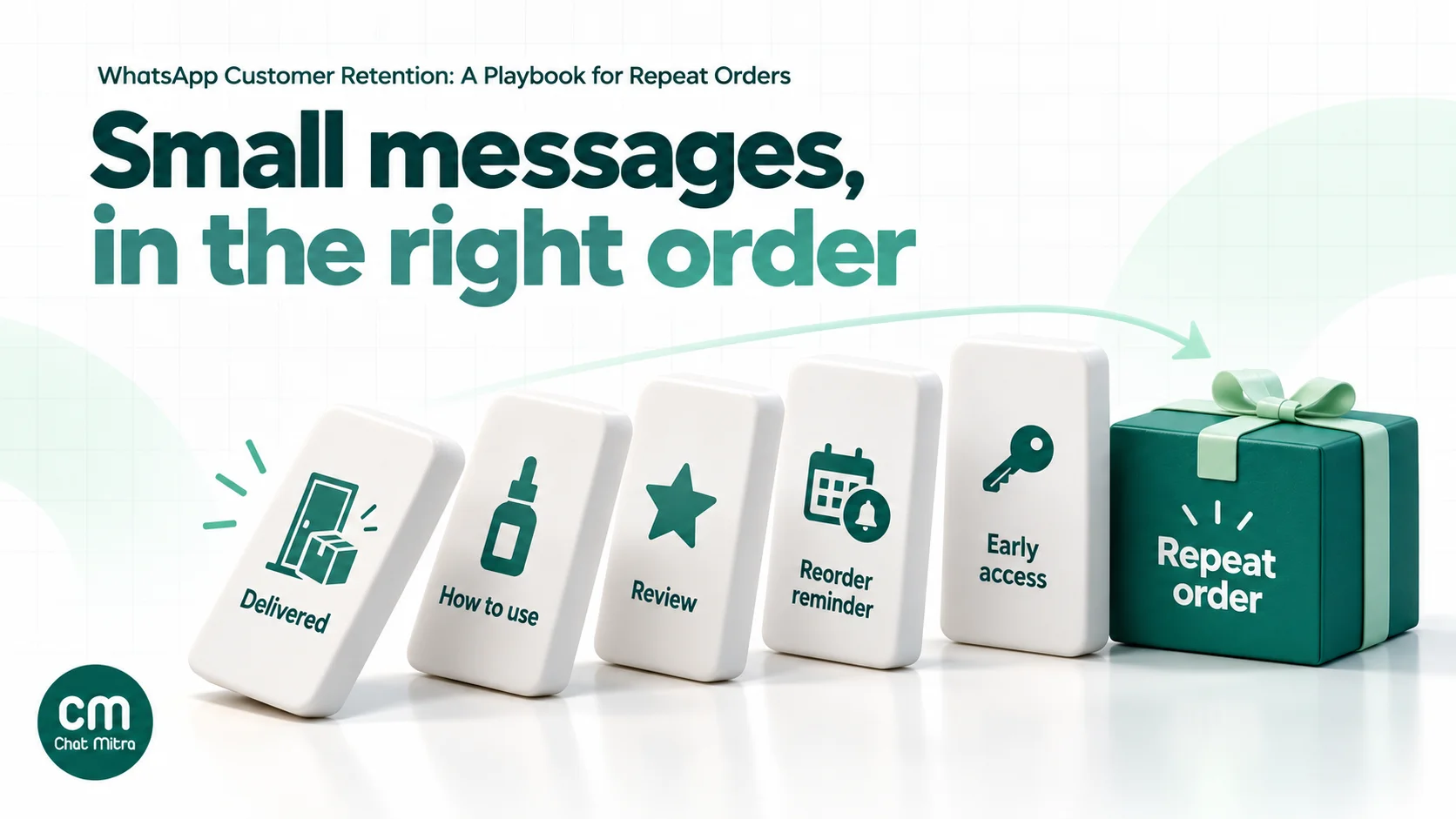
Here’s how a typical retention sequence falls:
| Message | When | Likely category | Why |
|---|---|---|---|
| Order confirmed / shipped | Order and dispatch | Utility | Specific order, no offer |
| ”Your order was delivered. Any problem? Reply here.” | 1–2 days after delivery | Utility | Feedback about a specific order |
| How to use what they bought | 2–5 days after delivery | Utility if purely instructions | Information about a purchased product; any recommendation makes it marketing |
| Review request about the order | 7–14 days after delivery | Utility if it only asks about the order | Add points or a discount and it becomes marketing |
| Reorder reminder | Before the product runs out | Marketing | Recommends a purchase |
| Second-order nudge with a code | 3–6 weeks after first order | Marketing | Offer |
| VIP early access | Before a launch or sale | Marketing | Promotion |
| Win-back | After the reorder window passes | Marketing | Offer or recommendation |
Two practical points come out of this table. First, the post-purchase help messages are cheap, so don’t skip them. They also create the trust that makes the later marketing messages work. Second, budget for the marketing ones, and send them only to people likely to act, because each one costs about ₹0.86 before your platform fee.
For wording that keeps a template in utility, see our WhatsApp utility templates guide.
Five retention plays, with sample messages
Each play below lists the audience, timing, a sample message and the rule for when to stop. Copy the structure, not the words; your brand voice should sound like you.
1. The first-30-days play
Who: every first-time buyer. When: delivery day, then 2–5 days later. Goal: make sure the first experience is good, because a bad first order is the biggest reason customers don’t return.
Hi Ananya, your order #4821 was delivered today. If anything arrived damaged or isn’t what you expected, just reply to this message and we’ll sort it out.
A few days later, a usage message:
Hi Ananya, a quick tip for your Vitamin C serum (order #4821): use 3–4 drops on dry skin in the morning, before moisturiser and sunscreen. Questions? Reply here.
Stop rule: if the customer reports a problem, pause every marketing message to them until it’s resolved.
Our guide to asking customers for feedback covers how to word and follow up on these check-ins.
2. The replenishment reminder
Who: opted-in customers who bought a consumable and haven’t reordered. When: a few days before the product’s run-out date (see the table above).
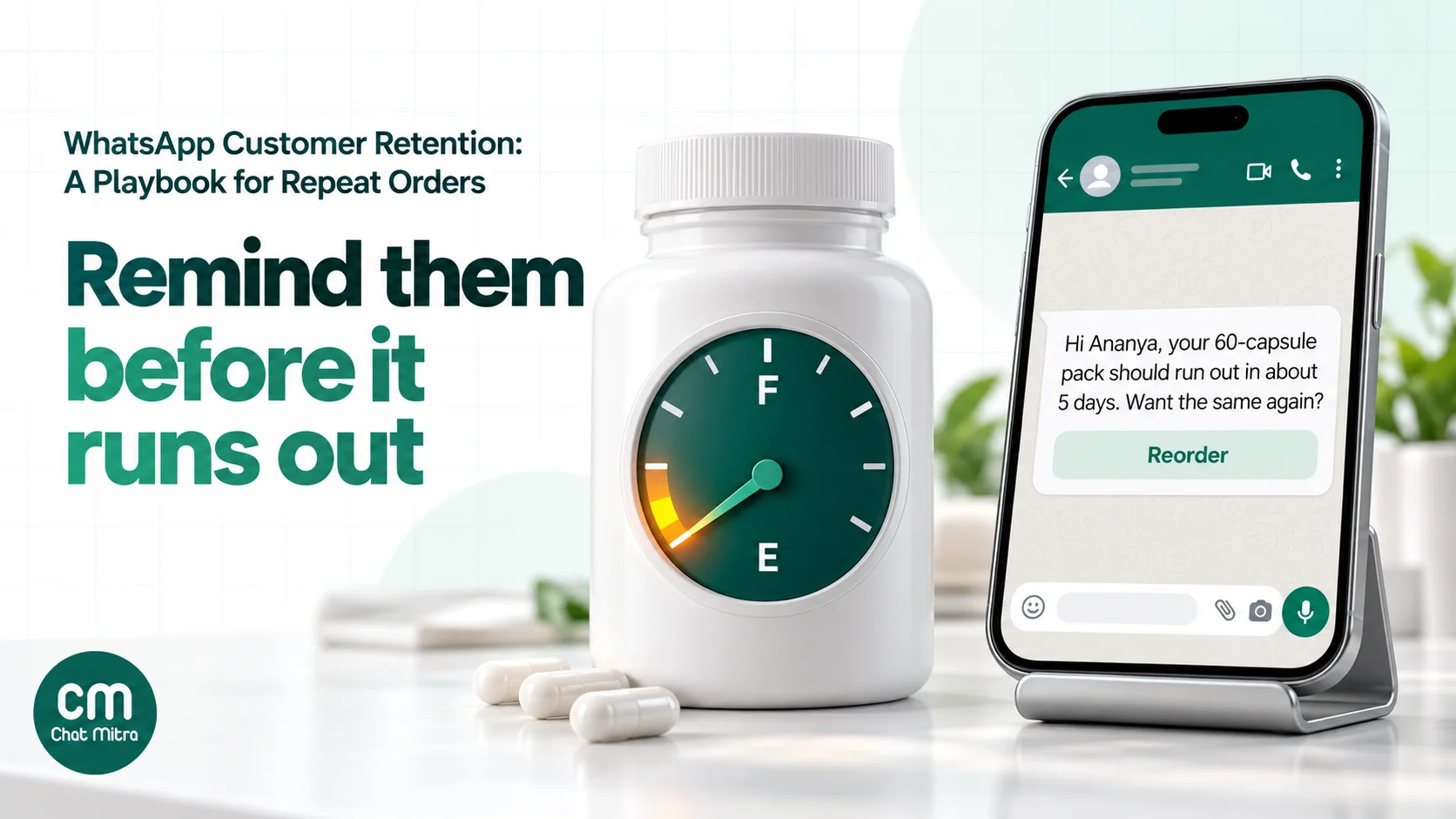
Hi Ananya, your 30 ml Vitamin C serum from 14 March should last until around mid-April. Want the same again? Tap below to reorder in one step. [Reorder]
Keep it factual. The customer should feel that you’re helping them avoid running out, not that you’re pushing a sale. A one-tap link to a prefilled cart works better than a link to the home page.
Stop rules: cancel if they reorder first; send one reminder and at most one follow-up a few days later; don’t repeat the cycle for people who ignored the last two.
3. The second-order nudge
Who: one-time buyers whose product doesn’t run out on a schedule. When: around your store’s median days to second order. Goal: the jump from one order to two is where most customers are lost, so this is usually the most valuable message in the programme.
Hi Rohan, thanks again for your first order with us. The linen shirt you picked now comes in two new colours, olive and sand. Here’s 10% off your next order, valid till Sunday: use the code below. [Copy code: LINEN10]
An offer is optional. Test the message with and without a discount; many brands find the reminder alone does most of the work, and discounting every second order trains customers to wait for codes.
4. Early access for your best customers
Who: customers with two or more orders, or high lifetime spend. When: 24–48 hours before a launch or sale opens to everyone.
Hi Meera, you’re one of our regular customers, so you get first look: the winter collection opens to you today, a day before everyone else. Sizes go fast. [See the collection]
Early access costs you nothing in margin and makes good customers feel recognised. It also gives you a clean test: compare the conversion of VIPs who got early access with a holdout of VIPs who didn’t.
If you run a points programme, our WhatsApp loyalty program guide covers points, tiers and expiry reminders in detail.
5. The win-back
Who: customers past their reorder window, typically one and a half to two times the median days to second order. When: once, with at most one follow-up.
Hi Kabir, it’s been a while since your last coffee order. We’ve added a single-origin from Chikmagalur that our regulars rate highly. Want to try a 250 g pack? [Show me]
Win-backs have the lowest response rate of the five plays and the highest risk of blocks, because the customer has already shown less interest. Send to a smaller, recently active part of the lapsed list first, and stop if blocks or “stop” replies rise.
Our WhatsApp win-back campaigns guide covers lapse windows, offer ladders and win-back message examples in depth.
Segments to build first
You don’t need dozens of segments. Six cover most stores:
| Segment | Definition | What they get |
|---|---|---|
| New buyers | First order in the last 30 days | Play 1 (help and usage) |
| Due to reorder | Bought a consumable; run-out date within the next 7 days; no reorder yet | Play 2 |
| One-and-done | One order, past the first 30 days, not yet lapsed | Play 3 |
| Regulars / VIP | 2+ orders or top spend | Play 4 |
| Lapsed | Past 1.5–2× the median days to second order | Play 5 |
| No marketing | Opted out of marketing, or asked to stop | Utility messages about their own orders only |
The last row matters as much as the others. A customer who has asked to stop promotions should still get the delivery update for an order they placed, because that’s a utility message about their order, not marketing.
Consent, frequency and quality rules
Retention messages mostly go to people who already know you, which makes it tempting to skip consent. Don’t.
Opt-in. Meta’s policy requires opt-in before a business messages someone on WhatsApp. The opt-in must make clear the person is agreeing to messages from your business and name the business. Meta also recommends collecting opt-in that covers the kinds of messages you’ll send (order updates, offers, recommendations), or separate opt-ins per category, and honouring opt-out requests. For Shopify stores, the “Accepts WhatsApp Marketing” field on the customer record is a good place to store this. Our WhatsApp opt-in guide covers checkout checkboxes and wording.
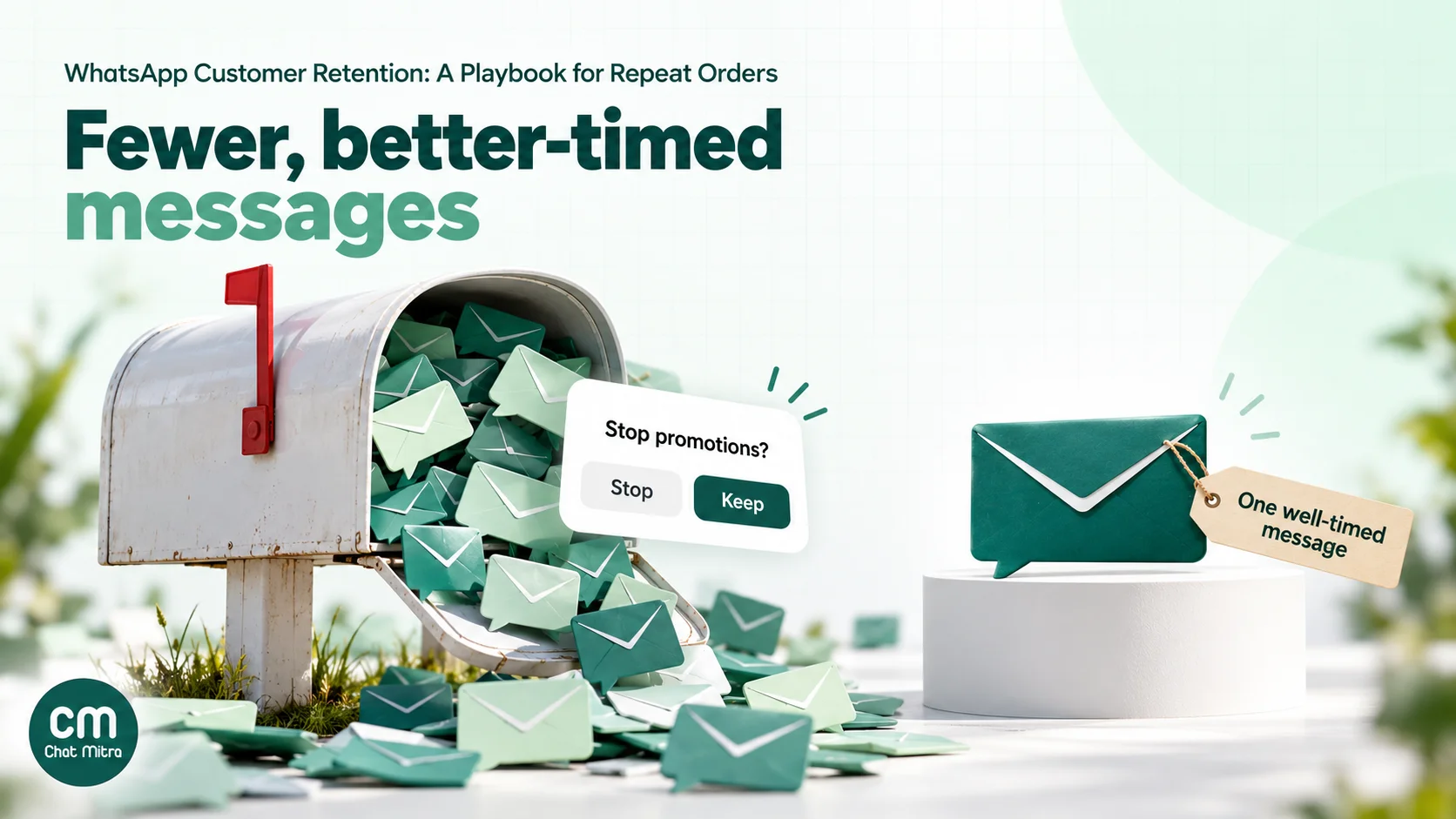
Per-user marketing limits. Meta may limit how many marketing templates one person receives from all businesses, based on how that person engages with marketing messages. A message held back this way fails with error code 131049, and Meta asks you to wait at least 24 hours before trying again. There’s no fixed number to plan around, so the practical rule is: send fewer, better-timed marketing messages, and don’t retry failed ones in a loop. If a customer replies, a 24-hour customer service window opens, and marketing messages sent inside that window don’t count towards the limit.
Frequency. Set a store-wide cap, for example no more than two marketing messages per customer per week across all campaigns and automations combined. Retention automations stack up quickly: a reorder reminder, a sale broadcast and a win-back can land on the same person in the same week if nobody is checking.
Quality. Blocks and reports lower your phone number’s quality rating, and a low rating can restrict how many people you can message. Watch block and “stop” replies per campaign, and pause any message that triggers more than your usual rate.
Markets. If you sell internationally, note that WhatsApp currently doesn’t deliver marketing templates to users with United States phone numbers, so US customers need other retention channels.
What a retention programme costs: a worked example
Here’s a month for a skincare brand doing 1,500 orders, using Meta’s India rates (₹0.8631 per marketing template, ₹0.115 per utility template) and ChatMitra Pro. All numbers are illustrative; swap in your own volumes.
| Message | Category | Sent | Meta cost |
|---|---|---|---|
| Delivery check (order-specific) | Utility | 1,500 | ₹172.50 |
| Replenishment reminders | Marketing | 900 | ₹776.79 |
| Second-order nudges | Marketing | 600 | ₹517.86 |
| VIP early access | Marketing | 250 | ₹215.78 |
| Win-back | Marketing | 1,200 | ₹1,035.72 |
| Total | 4,450 | ₹2,718.65 |
Order confirmations and shipping updates are left out because the store sends them anyway; they aren’t extra retention cost. Customer replies inside the 24-hour window are service messages, and the first 1,000 a month per number are free (₹0.115 each after that).
Platform fee. ChatMitra charges ₹0.20 per conversation, meaning once per customer per 24 hours, however many messages go back and forth. If each of the 4,450 messages reaches a different customer on a different day, that’s 4,450 conversations. Pro costs ₹999 a month including 1,000 conversations, so the fee is ₹999 + 3,450 × ₹0.20 = ₹1,689.
Total: ₹2,718.65 + ₹1,689 = ₹4,407.65 a month, about ₹0.99 per message sent.
Break-even. Say the average order is ₹800 and, after product cost, shipping and payment fees, ₹280 is left as contribution. The programme pays for itself at ₹4,407.65 ÷ ₹280 = 15.7, so 16 extra orders a month. “Extra” is the key word: orders the customer would have placed anyway don’t count. That’s why the next section matters.
Above about 8,500 conversations a month, Enterprise (₹2,499 a month, no per-conversation fee) costs less than Pro. For more on per-message costs, see our WhatsApp cost per message guide.
How to measure retention honestly
Retention messages go to people who have already bought from you. Many of them would have bought again without the message. If you count every order from a messaged customer as “WhatsApp revenue”, you will overstate the effect, sometimes by a lot.
Use a holdout group
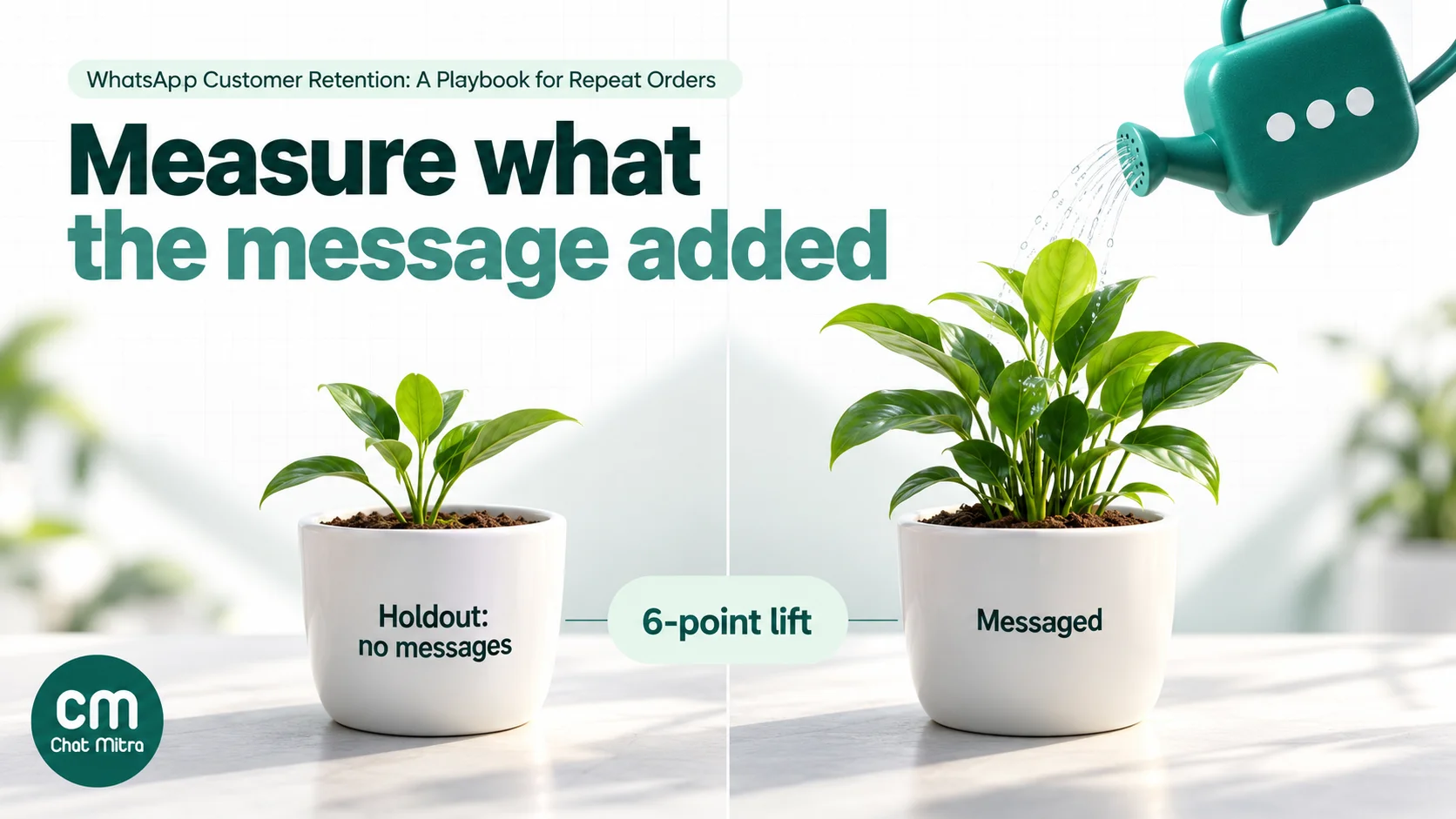
For each automated play, randomly set aside a share of the eligible customers, for example 10%, and send them nothing. After a fixed window, compare the order rate of the two groups.
An illustrative example for replenishment reminders:
| Group | Customers | Reordered within 21 days | Rate |
|---|---|---|---|
| Messaged | 900 | 135 | 15.0% |
| Holdout | 100 | 9 | 9.0% |
The lift is 15.0% − 9.0% = 6 percentage points. Across 900 messaged customers, that’s about 54 incremental orders, not 135. With small groups the result is noisy, so keep the holdout running across several monthly cycles before deciding, and keep the holdout out of your other campaigns for the test period too.
Metrics worth tracking
| Metric | What it tells you | Watch out for |
|---|---|---|
| Cohort repeat rate (60 or 90 days) | Whether retention is improving overall | Changes in products, prices or ads also move it |
| Median days to second order | Whether customers come back sooner | Seasonal swings |
| Incremental orders per play (vs holdout) | Whether each message earns its cost | Small holdouts give noisy results |
| Cost per incremental order | Programme efficiency | Include the platform fee, not just Meta’s charge |
| Blocks and “stop” replies per campaign | Annoyance | Rising numbers hurt your quality rating |
| Delivered and read | Whether messages reach people | A read is not an order; don’t report it as success |
Read rates are a delivery health check, not a result. A message that is read and ignored has cost you the same as one that sold.
Examples by store type
- Supplements and wellness: run-out reminders by pack size are the core play. Offer a “same again” button, and send dosage and usage tips in the first week as utility messages.
- Skincare and beauty: usage guidance after delivery reduces “it didn’t work” churn. Reminders work for daily-use products; for occasional products (masks, treatments), use the second-order nudge instead.
- Coffee, tea and pantry: short reorder cycles mean frequent reminders, so the frequency cap matters most here. Customers who reorder on their own every cycle may not need reminders at all; test it.
- Pet food and supplies: pack size and pet size predict run-out well. Ask the pet’s weight at the first order (as a contact field) to time reminders better.
- Fashion: no run-out date. Use new arrivals in the customer’s size or style, early access for regulars, and seasonal moments. Keep win-backs to the store’s natural season cycles.
- Electronics accessories: low repeat frequency; focus on the first-30-days play, warranty and care information, and complementary items timed to the original purchase.
Common mistakes
- Messaging everyone on the same day. A Friday broadcast to the full list ignores every customer’s own buying cycle and uses up their tolerance for marketing.
- Reminding customers who already reordered. Always check for a newer order before sending.
- Wrapping offers in utility templates. Meta reclassifies them as marketing, and a template that keeps getting flagged wastes review time.
- Discounting every second order. Test the reminder without a code first.
- Counting all repeat orders as WhatsApp revenue. Without a holdout you can’t tell what the message added.
- Skipping the consent field. Retention lists are built from past orders, but an order is not WhatsApp marketing consent unless the customer agreed to it.
- Ignoring opt-outs from other channels. If someone asked you to stop promotions by email or phone, honour it on WhatsApp as well.
- Letting automations stack. Three well-meant flows can add up to five messages in a week. Set one cap across all of them.
Retention on ChatMitra
ChatMitra runs on the official WhatsApp Business API and has a Shopify app. Here’s what it gives a retention programme, and where you’ll need your store data.
| ChatMitra advantage | What it means for retention | How it compares |
|---|---|---|
| ₹0.20 per conversation, never per message | A customer who replies to a reorder reminder and chats about sizes counts once for 24 hours | Per-message platform fees grow with every reply |
| Shopify order, shipping, COD and feedback flows | Post-purchase utility messages run on their own, with delays of up to 40 days on each flow | No separate post-purchase app needed |
| Event tags on every Shopify customer | Contacts are tagged order_confirmed, order_fulfilled, feedback and so on, so you can include or exclude them in broadcasts | Segments without manual tagging |
| CSV import with tags and custom fields | Import a Shopify customer segment as a tag (for example “due-reorder-apr”), with extra columns such as a last order date as contact fields | Works with any store platform’s export |
| Automation “after date” trigger | Sends a template a set number of days after a date stored on the contact, such as last_order_date | Hands-off reminders once the field is kept up to date |
| Copy-code coupon button | One-tap discount codes in marketing templates | Code typed correctly every time |
| Meta’s rates passed through at cost | You pay Meta’s India rates above, nothing added | Check whether a provider marks up Meta’s price |
| Unlimited team members | Everyone who answers replies works from one inbox | Per-seat pricing gets expensive as support grows |
How to set it up:
- Connect Shopify. Install the ChatMitra Shopify app and turn on the order confirmation, fulfilment and feedback flows. Set the feedback delay to a few days after typical delivery time, and keep the feedback template free of offers so it can be approved as utility.
- Build segments in Shopify. Use the filters in the table near the top of this guide. Export each segment as a CSV.
- Prepare the CSV. Rename Shopify’s phone column to Mobile (digits with country code, no ”+” or spaces, for example 919876543210), keep a Name column, and add a Tags column with the segment name. Only include customers who agreed to WhatsApp marketing. Any other column you keep becomes a contact field.
- Import and broadcast. Import the CSV, then create a broadcast with your reorder, VIP or win-back template, include the segment’s tag and exclude a “no-offers” tag. Schedule it for a time your customers usually reply.
- Automate reminders (optional). If you keep a last_order_date field current on each contact, through regular imports or an Incoming Webhook with an Update Contact Field step, an Automation with the “after date” trigger can send the reorder reminder N days after that date.
- Handle “stop”. Create an Automation with a keyword trigger (for example STOP) that adds the “no-offers” tag, and exclude that tag from every marketing broadcast.
- Keep a holdout. Leave a random 10% of each segment out of the import, and compare their orders in Shopify after the window.
Good to know:
- ChatMitra’s Shopify app reacts to order created, fulfilled and cancelled events and to checkouts. It has no “delivered” event and no built-in reorder flow, and it doesn’t sync order counts or total spend; that’s why the segments come from Shopify.
- Broadcast audiences are chosen by tags (include and exclude) or by selecting contacts, not by filtering on contact field values.
- Campaign reports show sent, delivered, read and failed. They don’t track link clicks or revenue, so measure orders in Shopify against your holdout.
- When a customer turns off marketing messages in WhatsApp, ChatMitra records the preference on the contact and you can filter contacts by it, but broadcasts don’t exclude them automatically; Meta then refuses the send. Tag those contacts and exclude the tag.
- Carousel templates aren’t supported; use one product per message, or a button that opens a collection page.
- Automation, Auto Reply and API access depend on your plan; check the pricing page. For more on connecting your store, see the Shopify integration page.
Where to start
You don’t need all five plays in week one. A sensible order:
- Week 1: pull the cohort repeat rate and median days to second order. Turn on delivery and feedback messages.
- Week 2: build the “due to reorder” segment for your top consumable and send the first reminders, with a 10% holdout.
- Weeks 3–4: add the second-order nudge for one-time buyers, again with a holdout.
- Month 2: read the results against the holdouts, keep what earned more than it cost, and add VIP early access and the win-back.
For cart recovery before the first order, see our abandoned cart recovery guide; for follow-ups after enquiries, our WhatsApp follow-up message guide.
Sources
- Meta for Developers: Template categorization, Pricing on the WhatsApp Business Platform, Per-user marketing template message limits, Get opt-in for WhatsApp. All read on 22 October 2026.
- Shopify Help Center: Shopify-based customer segment filters, Importing and exporting customer lists (read 22 October 2026).
- Metabase: Repeat purchase rate (cohort method).