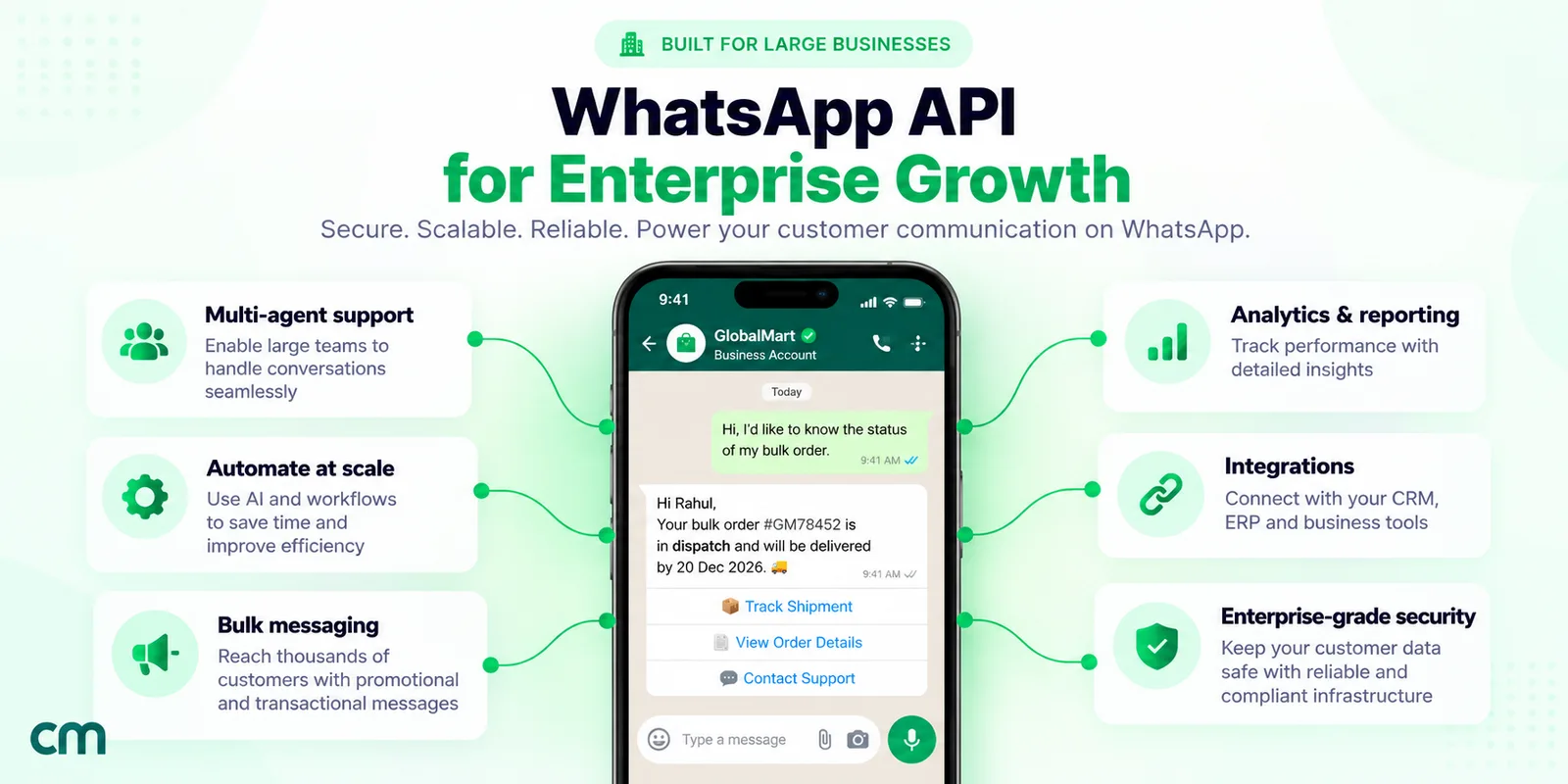
A WhatsApp enterprise solution is the WhatsApp Business Platform (Meta’s Cloud API) set up for scale, not a separate product. It combines a verified business portfolio, a planned set of numbers and accounts, messaging limits and throughput sized to your volume, security and data controls, and a provider or in-house stack wired into your CRM.
This guide is for the IT, CX, security and procurement people at larger companies who have to decide how to run WhatsApp: what “enterprise” means on Meta’s platform, the real limits, verification and data residency, direct versus provider, and what to ask vendors.
Key takeaways
- Every business on the WhatsApp Business Platform, from a corner shop to a bank, uses the same Cloud API. The enterprise work is structure, scale, governance and integration.
- Decide who owns the business portfolio and phone numbers before you pick a vendor. Ownership is hard to fix later.
- Get written answers on data location, access control and support response times. Meta publishes its own terms; your vendor's are separate.
Facts checked against Meta's WhatsApp Business Platform documentation, WhatsApp's Help Center and India's DPDP Rules, 2025 on 26 September 2026. Rupee figures are Meta's published India rates.
What is a WhatsApp enterprise solution?
The phrase is older than most products that use it. When WhatsApp first opened business messaging to large companies, the early pilots went by the name “WhatsApp Enterprise Solution”. In April 2018, Express Computer reported that IndusInd Bank would pilot it so the bank could appear as “a Verified account” and send transaction alerts. Today the same kind of access is called the WhatsApp Business API or, in Meta’s current documentation, the WhatsApp Business Platform.
Today there is only one way in. Meta’s final On-Premises API client “expired on October 23, 2025” (Meta), so a retailer with one number and a bank with forty both use the Cloud API, hosted by Meta, with the same endpoints and pricing. What changes with size is everything around it:
- Headroom: limits and throughput that survive a festive-season campaign.
- Structure: how many portfolios, numbers and accounts you run, and who owns them.
- Governance: tokens, roles, partner access and data location.
- Integration: CRM, order systems and helpdesks reading and writing WhatsApp events.
- Support: who you call when sending stops.
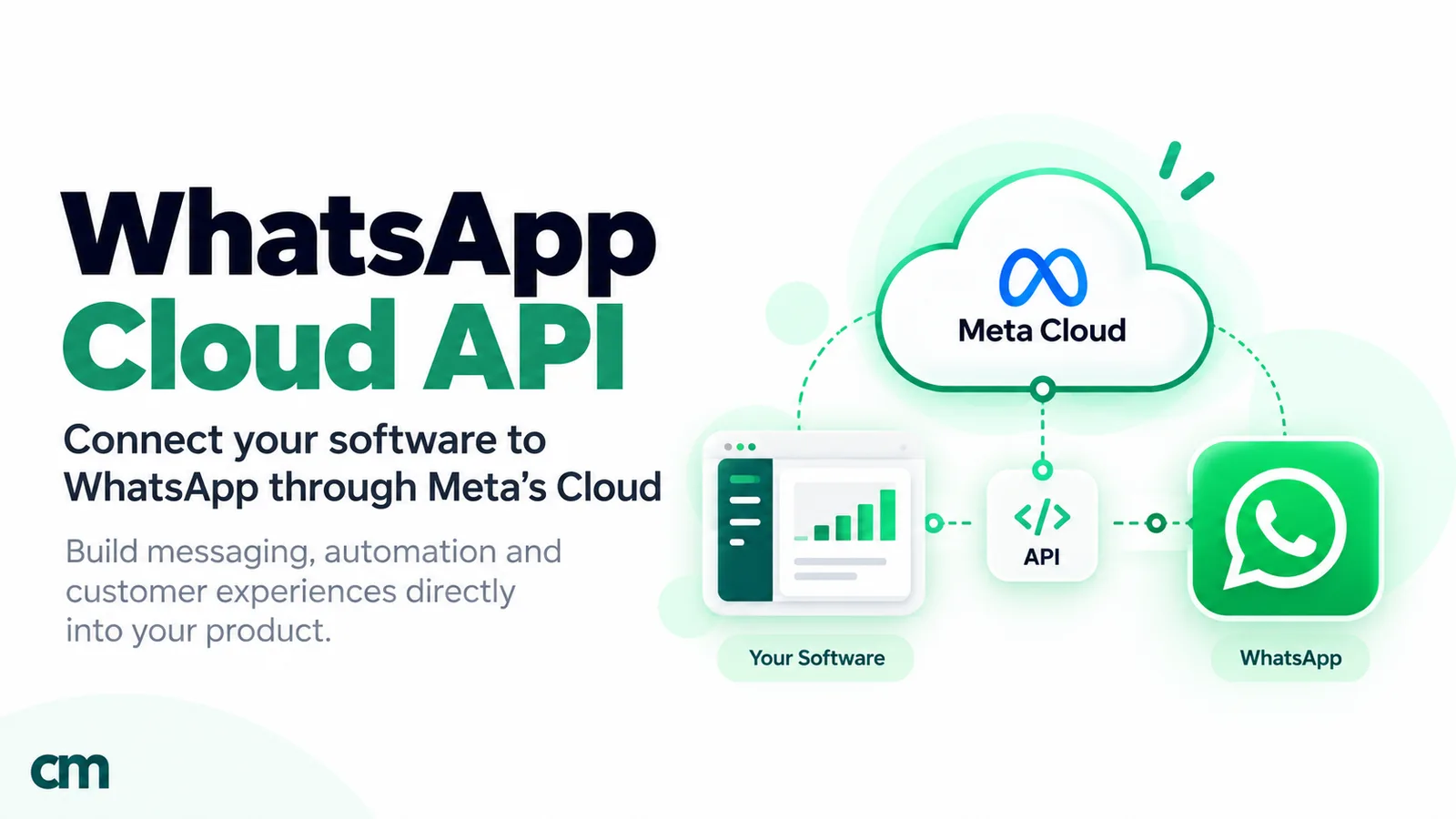
For the mechanics of the API itself (templates, the 24-hour window, webhooks), see our guide to the WhatsApp Cloud API.
Is there an enterprise version of the WhatsApp Business app?
No. WhatsApp pitches the free Business app at small businesses working “from a single device” (WhatsApp Help Center). WhatsApp’s paid Meta Verified plans are bought inside the WhatsApp Business app and add things like a verified badge, impersonation protection and more linked devices (WhatsApp Help Center), but they don’t add an API, automation at scale or system integration. When a vendor calls a plan “Enterprise”, that is the vendor’s pricing tier, not a Meta product.
How should an enterprise structure its WhatsApp accounts?
Account structure is the decision people rush and regret. In September 2026 Meta began splitting the old WhatsApp Business account in two: a WhatsApp account that holds the phone number, and a Messaging account that holds templates and billing. The new model “becomes generally available on September 23, 2026, and reaches all businesses by mid-October 2026”, and existing IDs and tokens keep working (Meta, account model).
| Layer | What it holds | The enterprise decision |
|---|---|---|
| Business portfolio | Your verified business identity. Messaging limits and volume pricing tiers are calculated here. | One portfolio per legal entity is the usual pattern. It must be owned by your company, not an agency. |
| WhatsApp account (WAAC) | One business phone number, its profile and (later) a business username. Always owned by the business. | How many numbers, and which partners get access. Up to five Solution Partners can be given access. |
| Messaging account (the old WABA ID) | Templates, billing and payment method, webhook subscriptions. | One per partner or integration, so templates, billing and metrics stay separate. At most two partners can share one. |
Hard limits shape the design. New portfolios can register two phone numbers, and Meta raises the cap to 20 once the business is verified or reaches a 2,000 messaging limit (Meta, phone numbers). A Messaging account in an unverified portfolio can hold 250 templates; once the portfolio is verified and a number has an approved display name, it can hold up to 6,000 (Meta, accounts).
How many numbers do you need?
Fewer than you think. Meta’s reason for the new model is that extra numbers make a brand appear “as multiple contacts in a WhatsApp user’s chat list”. A good default is one number per customer-facing identity, meaning per brand and per country where local presence matters, with sales, support and alerts sharing it. A separate number earns its place when a flow carries a different risk, such as a high-volume promotions line whose quality problems you don’t want near your service number.
Keep ownership in-house
Ask one question before anything else: whose business portfolio will own the number? Meta states that a WhatsApp or Messaging account “must belong to only one business portfolio” and that a Messaging account cannot be moved to another business. Under the new model, number migration between Solution Partners “is not supported”; you give the incoming partner access to your WhatsApp account instead. That only works smoothly if the account is yours. Our WhatsApp Manager guide shows where these settings live.
How far can WhatsApp scale? Limits, throughput and quality
Three separate controls decide how much you can send.
Messaging limits cap how many different customers your business can reach with messages sent outside a customer service window, counted over a rolling 24 hours. They are “calculated and set at the business portfolio level and are shared by all business phone numbers within a portfolio” (Meta, messaging limits). New portfolios start at 250. Completing a scaling path, such as verifying the business or delivering high-quality templates to 2,000 unique customers in 30 days, leads to a quality review and, if approved, a limit of 2,000. After that the limit rises to 10,000, 100,000 and unlimited automatically when quality is high and you have used at least half your limit in the last seven days. Replies inside an open customer service window don’t count.
Throughput is per number: “up to 80 messages per second (mps) by default, and up to 1,000 mps by automatic upgrade”, counting inbound and outbound together (Meta, throughput). The free upgrade needs an unlimited messaging limit, at least 100,000 unique users messaged outside the service window in 24 hours, and a Medium quality rating or better. Numbers that also run the WhatsApp Business app (coexistence) stay at a fixed 20 mps.
Per-customer limits apply on top. A number can send one message every six seconds to the same person, and WhatsApp may hold back marketing templates for people who have been reading few of them lately. WhatsApp also “does not currently deliver marketing template messages” to US numbers (Meta, per-user limits).
| Control | Set at | Starting point | Ceiling | What happens when you hit it |
|---|---|---|---|---|
| Messaging limit | Business portfolio (shared by all numbers) | 250 unique customers per 24 h | Unlimited | No capacity for more new customers until the moving 24-hour window frees some |
| Throughput | Phone number | 80 messages per second | 1,000 per second (20 for coexistence numbers) | Error 130429 until you slow down |
| Pair rate | Number to one customer | 1 message per 6 seconds | Short bursts only | Error 131056 |
| Per-user marketing limit | Each customer, set by WhatsApp | Adaptive | Not published | Failed status with error 131049 |
Worked example: a one-day campaign to 3 lakh customers
Say a retailer wants to announce a sale to 300,000 opted-in customers in India in one day.
- Messaging limit. 300,000 unique customers in 24 hours is above the 100,000 level, so the portfolio needs the unlimited limit, and that limit is shared with every other number in the portfolio that day.
- Time to send. At 80 messages per second, 300,000 messages take 3,750 seconds, or 62.5 minutes. At 1,000 per second, five minutes. On a coexistence number at 20 per second, about four hours and ten minutes.
- Webhook load. Meta asks for servers that handle “3x the capacity of outgoing message traffic and 1x the capacity of expected incoming message traffic”. At 80 per second with, say, one in five customers replying, that is about 240 status events plus 16 incoming messages a second.
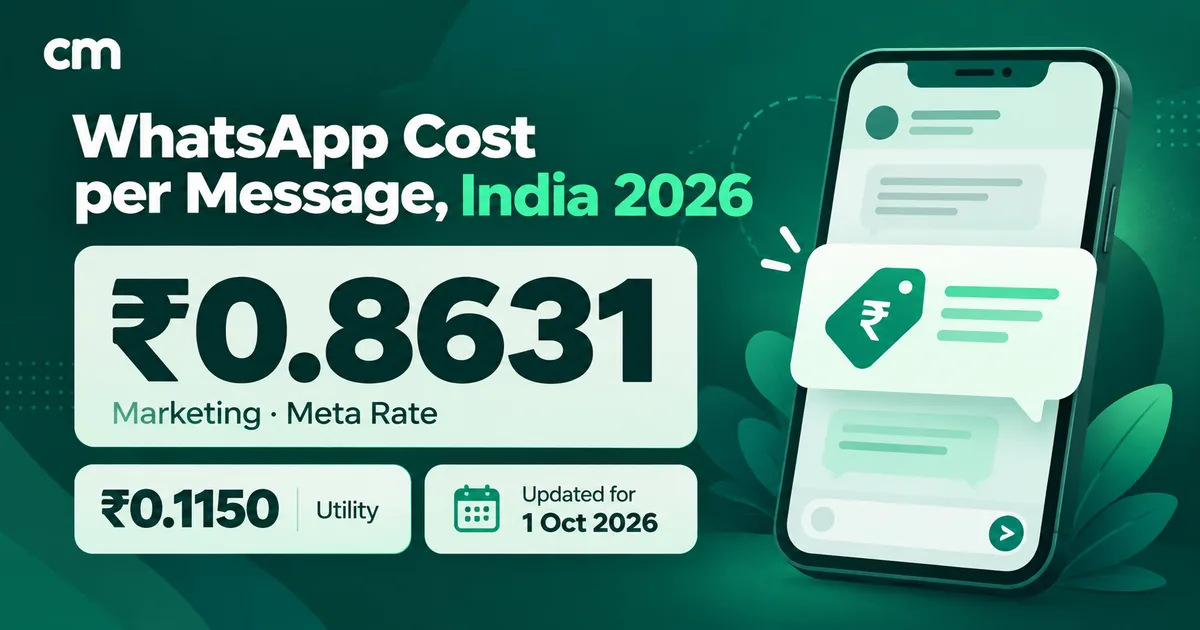
- Cost. Meta charges only for delivered templates. If all 300,000 marketing messages were delivered, Meta’s charge would be 300,000 × ₹0.8631 = ₹2,58,930. Per-user marketing limits mean some won’t be delivered, so the real figure is usually lower.
Quality is the real ceiling
Sending can also be taken away. For repeated policy violations, Meta’s enforcement ladder runs from warnings to “1 or 3 day” template blocks, then “5, 7, or 30 day” blocks on all messages, then an account lock and, eventually, removal from the platform (Meta, policy enforcement). See our explainer on WABA health and quality rating.
Verification, display names and the blue checkmark
These are separate things, and vendors often blur them.
| What | Applies to | What it unlocks | How you get it |
|---|---|---|---|
| Business verification | Business portfolio | 2,000 messaging limit path, 20-number cap, up to 6,000 templates per Messaging account, eligibility for Official Business Account | Submit business documents to Meta, or through your partner |
| Display name approval | Each phone number | Your name shown in chats; needed for OBA | Reviewed automatically as the number reaches higher limits; up to 10 changes per 30 days |
| Official Business Account (OBA) | Each phone number | A blue checkmark beside the name in contacts; better discoverability in WhatsApp search | Request in WhatsApp Manager or by API once eligible |
| Meta Verified for Business | WhatsApp Business app accounts | Paid plans with a badge option, support and impersonation protection | Monthly subscription in the app; a badge isn't guaranteed |
For platform numbers, the blue checkmark comes from OBA status. Meta’s eligibility list is specific: comply with the WhatsApp Business Messaging Policy, be “registered on the WhatsApp Business Platform for at least 30 days”, have a verified portfolio, enable two-step verification and have an approved display name. A rejected request can be resubmitted after 30 days, and Meta does not grant OBA to employees, test accounts or WhatsApp Business app numbers (Meta, OBA). One detail matters for discoverability: a number without OBA “will not appear in search results” inside WhatsApp unless the customer has saved it.
Meta is also deprecating the six-digit two-step PIN for eligible Cloud API numbers as the new account model rolls out, so ask your provider how it handles OBA applications for numbers where the PIN tab has disappeared. For the verification paperwork, see our guide to Meta business verification.
Security, data residency and compliance
What Meta does with message data
On the Cloud API, messages travel encrypted between the customer and Meta’s servers; then “Cloud API decrypts the message and forwards it to the business” (Meta, data privacy and security). Meta says it “acts as a data processor/service provider on behalf of the business”, that messages at rest are encrypted, that messages “have a maximum retention period of 30 days”, and that Cloud API “will not automatically use WhatsApp messages to inform the ads that a person sees”. Meta also states: “We have obtained SOC 2 Type II and ISO 27001 reports.”
So end-to-end encryption, in the strict sense, ends at Meta’s Cloud API. Your provider’s servers, your CRM and your agents’ screens are your responsibility and your vendor’s.
Keeping data in India or another region
Meta’s local storage option lets a number keep message data at rest in one country. India is a supported region, alongside places such as Singapore, Germany, the UK, Brazil, the UAE and Canada (Meta, registration). The details matter (Meta, local storage):
- It is a per-number setting, and can only be switched on or off while the number is unregistered. Meta says the re-registration downtime is “typically less than five minutes”.
- Content may sit in Meta data centres elsewhere during processing: “the data-in-use period is up to 60 minutes” for Cloud API.
- Media uploaded by a local-storage number can’t be shared with the business’s other numbers.
The part many teams miss: Meta’s setting covers Meta’s copy. A provider that shows you an inbox keeps its own copy of messages and contacts, so ask where that database is hosted and how you delete it.
India’s DPDP Rules, 2025
India’s Digital Personal Data Protection Rules, 2025 were published on 13 November 2025. Most operational duties, including rules 3, 5 to 16, 22 and 23, “come into force eighteen months after the date of publication”, which lands in May 2027. For a WhatsApp programme, two rules deserve attention now:
- Rule 6, security safeguards. The business must protect personal data handled by its processors too, with measures that include encryption or masking, access control, “appropriate logs, monitoring and review”, backups, keeping those logs for a year, and “appropriate provision in the contract” with each processor.
- Rule 7, breaches. Affected customers must be told “without delay”, and the Data Protection Board must get a detailed report “within seventy-two hours” of the business becoming aware.
Your WhatsApp vendor is almost certainly a Data Processor here, so the contract, access logs and breach process belong in procurement, not after go-live. For consent, our WhatsApp opt-in guide covers what to record. This is a practical summary, not legal advice.
Access control
Meta’s guidance for direct integrations is to use a system user token, because “user access tokens expire quickly, so you have to keep generating a new one every few hours” (Meta, access tokens). Partners need business asset access on both the WhatsApp account and the Messaging account; review that list when an agency relationship ends. Inside your provider’s product, look for named users, role-based permissions, single sign-on if your policy needs it, two-factor login and an audit trail.
Integrations: CRM, webhooks and your data flow
Most enterprise value comes from connecting WhatsApp to systems you already run:
- Transactional alerts from order, banking or logistics systems.
- Contact and consent sync with a CRM, so campaigns reach only opted-in people.
- Service handoff from a bot to human agents, visible in the CRM or helpdesk.
- Reporting of delivery, read and failure events into a warehouse.
All four depend on webhooks (Meta, webhooks): failed deliveries are retried for “up to 7 days”, retries “can result in duplicate webhook notifications”, and payloads can reach 3 MB. Mutual TLS is supported. Every request carries an X-Hub-Signature-256 HMAC that your endpoint should check against your app secret (Meta). Meta also asks for a median response under 250 ms, with less than 1% of calls over one second.
If a provider sits in the middle, ask whether its own webhooks are signed and retried. Our guide to WhatsApp CRM software compares native connectors with API-based sync.
Direct Cloud API, a BSP or a Multi-Partner Solution?
Meta recognises three kinds of partner (Meta, solution providers). Solution Partners are Meta Business Partners with credit lines, so they can bill you for WhatsApp usage themselves. Tech Providers offer the same services without a credit line, so Meta bills you and the provider bills for its software. Tech Partners are Tech Providers that are in, or eligible for, Meta’s partner programme.
A Multi-Partner Solution lets two partners jointly manage your assets, for example a Tech Provider’s software with a Solution Partner’s credit line. When you onboard through that joint flow, you grant access to both, and you “share the credit line of the Solution Partner” (Meta, Multi-Partner Solutions).
The September 2026 account model adds a fourth option: several partners on one number. Each gets its own Messaging account and invoice, and “Messages sent by other partners on the same phone number do not appear on their invoice” (Meta, pricing). The catch is that they share the number’s throughput and the portfolio’s messaging limit, so someone has to schedule the big sends.
| Enterprise scenario | A sensible setup |
|---|---|
| Fintech with an engineering team sending OTPs and account alerts | Direct Cloud API for the alerts; add a provider on the same number if a service team will reply |
| Retail brand whose agency runs campaigns while an in-house team handles support | One number shared: the agency's Messaging account for marketing, a support tool's for service |
| Group with several brands or country businesses | One number per brand or country; one portfolio per legal entity |
| Company that wants a single invoice covering Meta's charges | A Solution Partner, or a Multi-Partner Solution that includes one |
| Company that wants Meta to bill it directly | Direct integration or a Tech Provider |
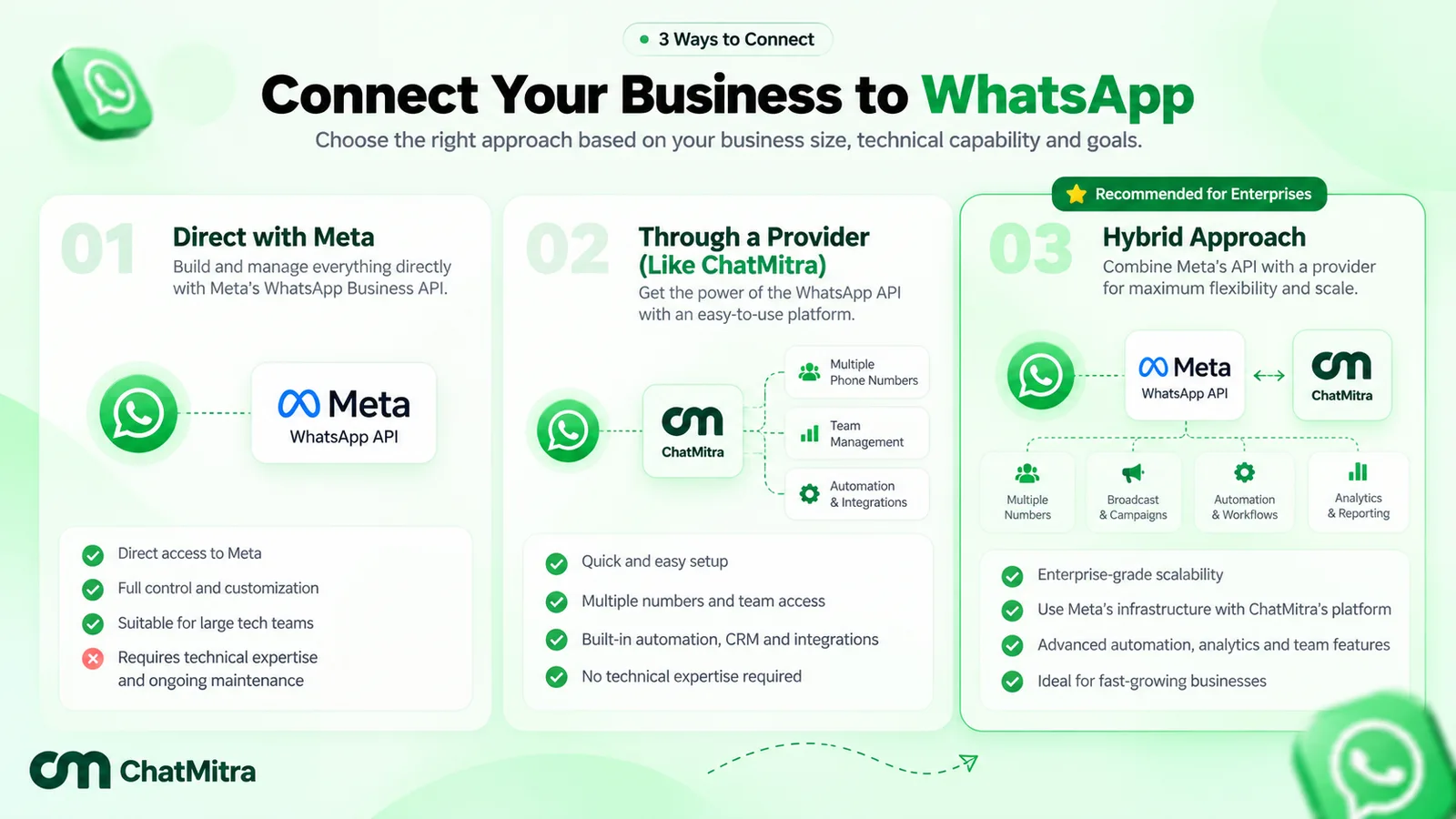
For named options in India, see our comparison of WhatsApp API providers in India; this guide doesn’t rank vendors.
Support and SLAs: what Meta commits to, and what to ask for
Partners and enterprise developers can open a Direct Support ticket, and “We do our best to provide an initial response to your ticket within 24 hours on business days” (Meta, support). Tickets are graded as 1 Critical (you cannot send any messages), 2 Urgent (most sends fail) or 3 Standard. If you are the end client of a Solution Partner, Meta says to contact that partner directly. Meta also runs a WhatsApp Business API status page with an RSS feed, and a health status API that reports whether a number, template or account can send.
Meta offers no uptime SLA: “We do not currently offer commercially available product service level agreements for uptime and/or latency.” Its status page records availability (99.97% for August 2026), but a record is not a commitment, so your vendor’s written terms matter more. A useful SLA separates what the vendor controls from what depends on Meta, and states:
- target availability for its own services, and how it’s measured;
- response times per severity, including out of hours;
- how fast it escalates to Meta;
- what happens to queued campaigns and webhooks during an outage.
What does an enterprise WhatsApp setup cost?
Meta’s side is per message. It charges for delivered templates by category and “the recipient WhatsApp phone number’s country calling code” (Meta, pricing). For Indian numbers, Meta’s October 2026 card sets marketing at ₹0.8631 and utility or authentication at ₹0.1150 a message. Since the same date, service messages are billed at the utility rate after a free tier of “1,000 delivered service messages per month” per number, and utility templates sent inside an open service window are charged too.
Volume matters at enterprise scale. Utility and authentication rates fall as monthly volume grows, and “volume tiers are calculated at the business portfolio level across all Messaging accounts the portfolio owns”. Meta’s India tiers from 1 October 2026 step down from the list rate in five discounts, reaching 30% off at the top:
| Monthly utility messages | Utility rate | Monthly authentication messages | Authentication rate |
|---|---|---|---|
| Up to 25 million | ₹0.1150 | Up to 7.5 lakh | ₹0.1150 |
| 25–50 million | ₹0.1081 | 7.5 lakh–15 million | ₹0.1081 |
| 50–100 million | ₹0.1012 | 15–20 million | ₹0.1012 |
| 100–200 million | ₹0.0943 | 20–50 million | ₹0.0943 |
| 200–300 million | ₹0.0874 | 50–100 million | ₹0.0874 |
| Above 300 million | ₹0.0805 | Above 100 million | ₹0.0805 |
Meta also limits when prices move: only on 1 January, 1 April, 1 July or 1 October, with at least one month’s notice for a rate change and at least six months for a change to the pricing model.
The vendor’s side varies more: a subscription per workspace or number, a fee per message or conversation, seats, AI usage, setup work and support tiers. Ask for Meta’s and the vendor’s charges as separate lines. For worked monthly budgets, see our guide to WhatsApp Business cost per message.
Questions to ask any WhatsApp vendor before you sign
Use these in an RFP or demo. Good vendors answer in writing.
Ownership and accounts
- Will the business portfolio, WhatsApp accounts and numbers be owned by our portfolio?
- Are you a Solution Partner or a Tech Provider, and who will Meta bill for our messages?
- Can you work on a number we share with another partner under Meta’s new account model?
- If we leave, how do we remove your access, and what do we keep?
Scale 5. How do you pace campaigns against our messaging limit and each number’s throughput? 6. How do you handle error 130429 and per-user limit failures: retry, report, or both?
Security and data 7. Where is your database hosted, and can you keep our data in India? 8. Do you support Meta’s local storage setting, and how long do you retain our data? 9. Do you support SSO, two-factor login and role-based permissions? 10. Is there an audit log of user actions, exports and deletions that we can see? 11. Will you sign a data processing agreement that covers the DPDP Rules’ security and breach duties?
Integration 12. Which systems do you connect to natively, and which need the API? 13. Are your webhooks signed and retried, and do events carry an ID for de-duplication? 14. What are your API rate limits and error codes?
Support and commercials 15. What are your response times by severity, and do you publish an uptime target? 16. How do you escalate to Meta, and who owns the ticket? 17. Which of your charges are per message, per conversation, per seat or per number? 18. How do you pass on Meta’s quarterly price changes and volume tier discounts?
Where ChatMitra fits for larger teams
ChatMitra is a WhatsApp Business Platform tool with a shared inbox, broadcasts, templates, automation and API access, including several numbers under one account. It suits mid-sized companies and growing teams, but not every item on an enterprise security review. The honest version, checked against ChatMitra’s code:
| Requirement | In ChatMitra? | Detail |
|---|---|---|
| Several WhatsApp numbers | Yes | Each number is its own project under one account, with its own plan |
| Roles and permissions | Yes | Per project and per section, with view, edit, create and delete rights; an agent can be given access to several projects. |
| REST API and webhooks | Yes (Pro and Enterprise, per the pricing page) | Up to 10 API keys per project with optional expiry; outbound webhooks for received, sent and status events, signed with an HMAC signature |
| Who pays Meta | You, directly | Meta bills your own payment method; ChatMitra charges its subscription and, on Starter and Pro, ₹0.20 per 24-hour conversation |
| Native integrations | Shopify and Google Sheets | No native HubSpot, Salesforce or Zoho connectors; use the API and webhooks |
| Conversation assignment to agents | No | The inbox is shared per number; there is no assignee field |
| SSO or two-factor login | No | Not in the product today |
| Customer-visible audit log | No | Not in the product today |
| Meta local storage setting | No | ChatMitra has no option to turn on Meta's local storage for a number |
| Published uptime SLA | No | Ask the team for current support terms |
ChatMitra’s pricing page lists an Enterprise plan at ₹2,499 a month that removes the ₹0.20 per-conversation fee and includes a dedicated account manager; Meta’s message charges still apply. If that shape fits your team, compare ChatMitra’s plans, read the API documentation, or see how role management works. If your review requires SSO, audit logs or a contractual uptime figure today, shortlist a vendor that offers them, and use the checklist above to test it.
Sources: Meta for Developers (account model, accounts, phone numbers, messaging limits, throughput, per-user limits, enforcement, OBA, data privacy, local storage, tokens, webhooks, partners, support, pricing and the INR rate card and tiers effective 1 October 2026); WhatsApp Help Center (Meta Verified for Business, verified business accounts); Digital Personal Data Protection Rules, 2025 (G.S.R. 846(E), MeitY); Express Computer (April 2018). ChatMitra behaviour verified in ChatMitra’s code on 26 September 2026.
Facts checked against Meta's WhatsApp Business Platform documentation, WhatsApp's Help Center and India's DPDP Rules, 2025 on 26 September 2026.