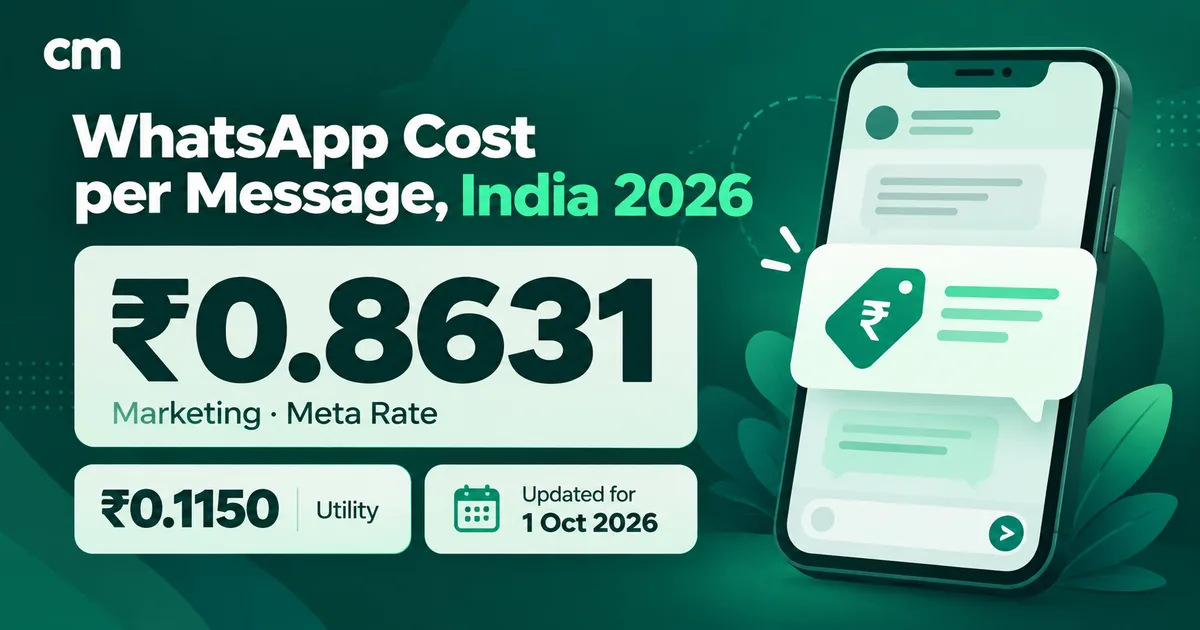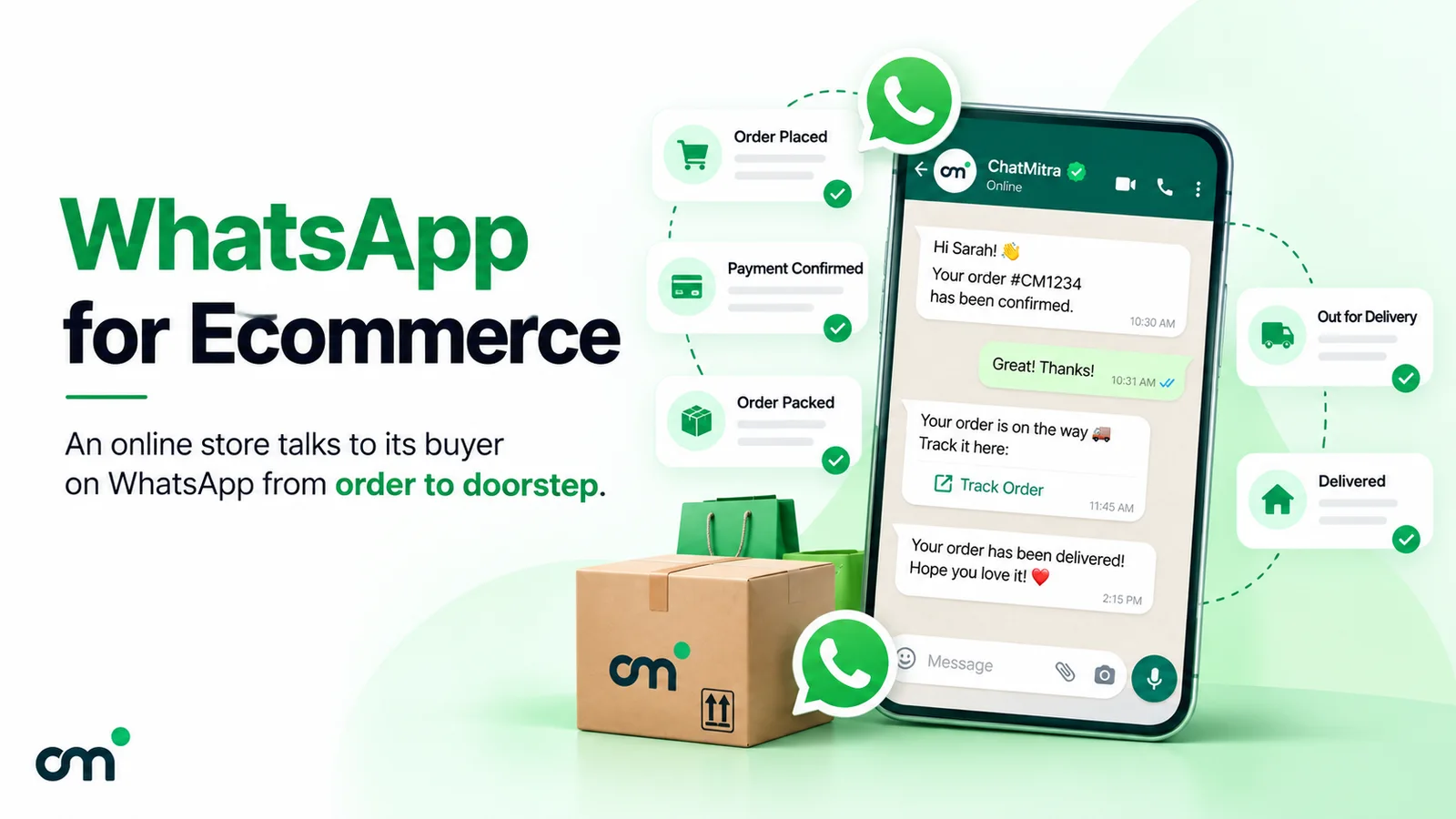
WhatsApp for ecommerce means using WhatsApp across the buying journey: ads and site buttons, catalogues, cart reminders, order and cash-on-delivery confirmations, shipping updates, support, reviews and reorders. Each message has a Meta pricing category. In India, one order’s transactional messages usually cost well under a rupee in Meta charges, and each marketing message costs ₹0.8631.
The details decide whether it pays off: which messages are marketing and which are utility, what changed on 1 October 2026, what the shopping features actually do in India, and how much of the work your store platform and WhatsApp tool automate.
Key takeaways
- Map every message to a journey stage and a Meta category before you write it. The category sets both the price and the rules.
- If you take cash on delivery, set up COD confirmation first. It stays a utility message as long as it carries no offer.
- Check whether your tool writes button replies back to your store. Some don't, ChatMitra included, and that decides how much manual work remains.
Facts checked against Meta's and WhatsApp's documentation on 25 September 2026. Rupee figures are Meta's India rates and exclude tax.
What is WhatsApp commerce?
WhatsApp commerce is selling and serving customers through WhatsApp conversations. It has two layers that are often mixed up:
- Shopping inside the chat. Customers browse a catalogue, open product messages, add items to a cart and send it as an order. In some markets they can also pay without leaving WhatsApp.
- Messaging around your store. Your website or marketplace still takes the order, and WhatsApp carries the conversation: order and COD confirmations, delivery updates, abandoned-cart reminders, support, review requests and offers.
The first layer is what many “WhatsApp store” articles describe. The second is where a store with its own website sends most of its WhatsApp messages, because checkout, stock, invoices and courier bookings already live in their store platform. This guide covers both, stage by stage, and flags which features depend on the WhatsApp Business Platform rather than the free app.
Do you need the WhatsApp Business app or the Platform?
WhatsApp gives businesses two routes, and an online store’s choice usually comes down to one question: do messages need to go out automatically when something happens in your store?
| Need | WhatsApp Business app | WhatsApp Business Platform (Cloud API via a provider) |
|---|---|---|
| Product catalogue | Yes, on your business profile | Yes, via a Meta catalogue connected to your account |
| Order, COD and shipping messages sent automatically from your store | No | Yes, as approved template messages |
| Abandoned-cart reminders | No | Yes, with a store or checkout integration |
| Several agents answering one number | One phone plus up to four linked devices | Set by your software |
| Meta-approved message templates | Not used; you type messages by hand | Required to message a customer outside the 24-hour customer service window |
| Cost | Free app | Meta's per-message rates plus your provider's fees |
A seller taking a few dozen orders a week by hand can run on the app and its catalogue. Once orders arrive from a website, with COD, courier tracking and returns, the Platform is the practical choice, because a person can’t copy every order event into a phone. Our guide to getting the WhatsApp Business API walks through the setup.
The WhatsApp ecommerce journey, stage by stage
Here is the whole journey in one table. The rates are Meta’s India rates on its pricing page, unchanged on the card effective 1 October 2026. Categories follow Meta’s template category guidelines.
| Stage | Typical message | Who starts it | Meta category | Meta charge in India |
|---|---|---|---|---|
| 1. Discovery | Reply to a chat from an ad or site button | Customer | Service (or free entry point) | Free for 72 hours from your reply if the chat came from a Click-to-WhatsApp ad or Page button on WhatsApp's mobile app and you replied within 24 hours; otherwise first 1,000 service messages a month free, then ₹0.1150 |
| 2. Browsing | Catalogue, product or multi-product message | Either | Service inside an open window; catalogue and multi-product templates are marketing | As service, or ₹0.8631 as a template |
| 3. Cart recovery | "You left items in your cart" | Business | Marketing | ₹0.8631 |
| 4. Checkout and payment | Payment request for an order already placed | Business | Utility, if it carries no offer | ₹0.1150 |
| 5. Order and COD confirmation | "Order #1043 placed. Confirm cash on delivery?" | Business | Utility | ₹0.1150 |
| 6. Shipping and delivery | Shipped with tracking link, out for delivery | Business | Utility | ₹0.1150 |
| 7. Returns and support | Replies to questions; refund processed | Customer, then business | Service replies; utility template | First 1,000 service a month free, then ₹0.1150; template ₹0.1150 |
| 8. Reviews and reorders | Order-specific feedback; reorder offer | Business | Utility (feedback); marketing (offer) | ₹0.1150; ₹0.8631 |
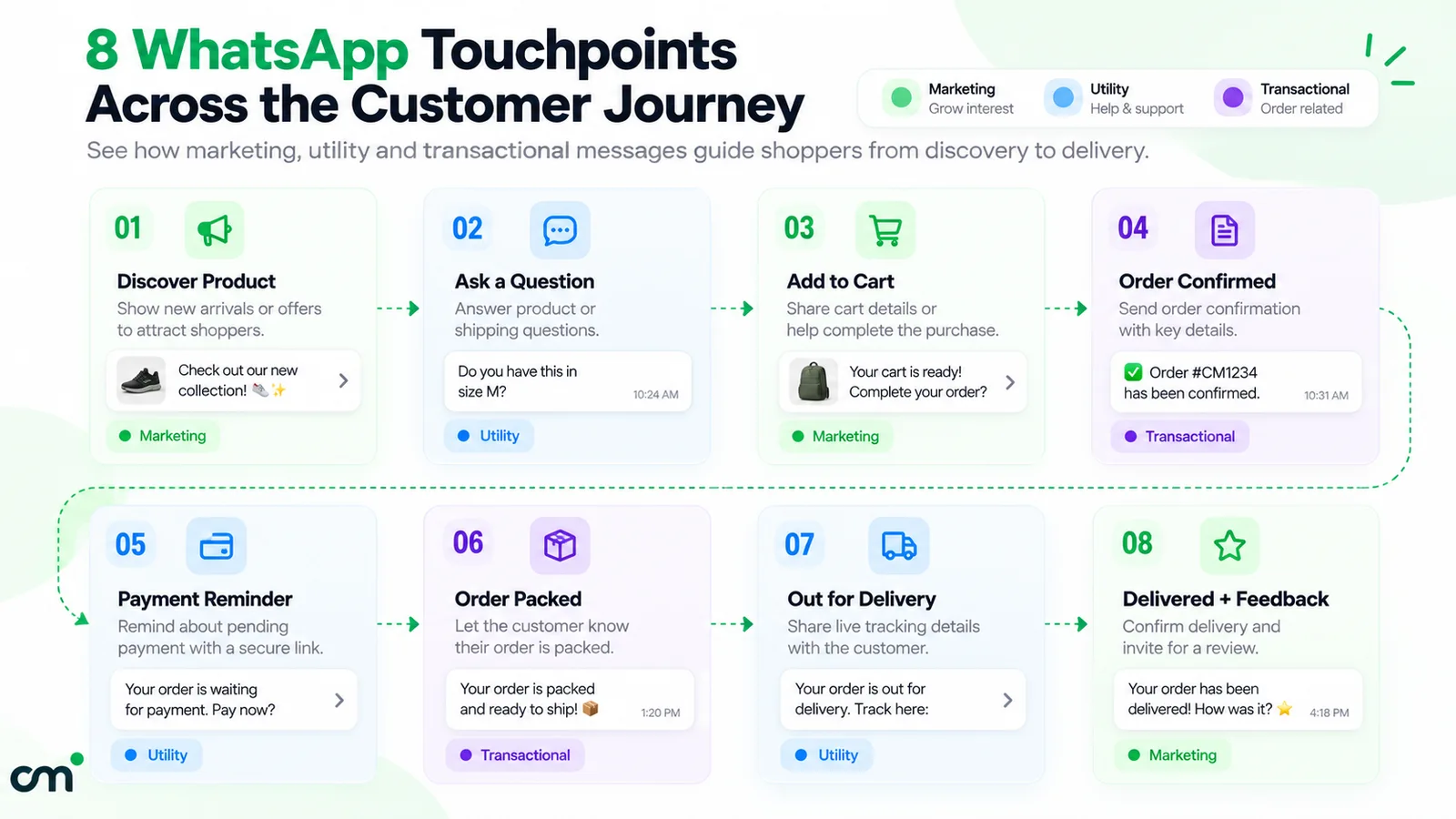
Other countries pay different rates for the same categories. Meta publishes a rate card per market on the same pricing page, and rates can change only at the start of a quarter.
1. Discovery: ads, site buttons and links
Customers usually reach a store’s WhatsApp number from one of three places:
- Click-to-WhatsApp ads on Facebook or Instagram.
- A WhatsApp button or link on product pages and the order-tracking page.
- A QR code on packaging or inserts.
The ad route has a pricing advantage. When someone messages you from a Click-to-WhatsApp ad or a Facebook Page call-to-action button using WhatsApp’s Android or iOS app (desktop and web don’t count), and you reply within 24 hours, Meta opens a free entry point window that starts when you reply: “FEP windows remain open for 72 hours. While open, you can send any type of message to the user at no charge,” according to Meta’s pricing documentation. That covers marketing, utility and authentication templates as well as service replies, and the page’s volume-tier notes confirm that utility templates delivered in this window are not charged. So if that customer orders within 72 hours of your reply, an order confirmation sent to the same WhatsApp number costs nothing. Free-form replies still need the 24-hour customer service window to be open.
Our learn page on Click-to-WhatsApp ads covers ad setup. For buttons, links and QR codes on your site, see WhatsApp integration with your website.
2. Browsing: catalogues and product messages
This is where “shopping on WhatsApp” happens. What’s available depends on the route:
- WhatsApp Business app. You can build a catalogue shown on your business profile. Each item needs “a unique title, at least one image displaying the product or service, and the country of origin”, and WhatsApp notes that “the ability to add prices to a catalog is only available in certain countries” (WhatsApp Help Center). Every item is reviewed before customers can see it.
- WhatsApp Business Platform. You upload products to a Meta catalogue through Commerce Manager or the Commerce API, then share them as catalogue messages, single-product messages, multi-product messages of “up to 30 products organized into sections”, or product carousels (Meta’s catalogs overview).
With the cart switched on, customers can add up to 99 units of each item and send the cart to you as one order. The same Meta page notes that you cannot send carts to customers, that a sent cart can’t be edited, and that “Businesses based in India must comply with all online selling laws.”
Two practical notes. A product message sent inside an open conversation is priced as a service message. Catalogue and multi-product templates, which you use to start a conversation, are marketing templates in Meta’s catalogue template and multi-product template documentation. And the in-chat cart gives you an order, not a payment or a shipment: something else still has to collect the money and book the courier. The multi-product message guide shows the format in detail.
3. Cart recovery: reminders are marketing
Abandoned-cart reminders are easy to put in the wrong category. Meta’s guidelines list “You left {{items}} in your cart! Don’t worry, we saved them. Checkout now below.” as a retargeting example and say retargeting messages “are marketing even if requested by users” (template categorization). So each reminder is billed at the marketing rate, ₹0.8631 in India, and should go only to customers who agreed to promotional messages.
That price shapes the playbook:
- Send at most two or three reminders, spaced out. The first one soon after the cart is left, the last within a day or two.
- Stop the sequence as soon as the order is placed. A reminder for a cart that was already paid for looks careless.
- Put the discount, if any, in the last reminder, not the first, so full-price buyers aren’t trained to wait.
- Link straight to the saved checkout, not the home page.
To capture the phone number early enough to send a reminder, the checkout has to ask for it before payment. Some one-click checkout apps ask for it at the first step, which is one reason WhatsApp tools connect to those checkouts as well as to the store platform.
4. Checkout and payments: what works in India
For most stores, checkout stays on the website. WhatsApp sends the customer back to a checkout link, and the store’s payment gateway collects the money.
WhatsApp does have native payments in India. Meta’s Payments API — India lets a business “send invoice (order_details) messages” that customers can pay “through all UPI apps installed on their devices and other payment methods such as cards, NetBanking, and wallets.” It has two integration models:
- UPI Intent mode, usable “with any payment gateway that supports UPI Intent generation”.
- Payment Gateway Deep Integration mode, “currently supported for Razorpay, PayU, Billdesk, and Zaakpay only”.
Only deep integration shows cards, NetBanking and wallets natively, sends payment status in WhatsApp webhooks and supports refunds from WhatsApp’s APIs; in UPI Intent mode, Meta suggests payment links for other methods. Either way, you need a payment configuration linked to your WhatsApp account.
On the customer’s side, WhatsApp’s Help Center describes paying a merchant after receiving a payment request: tap “Pay with UPI > Review and pay”, confirm and enter the UPI PIN (WhatsApp Help Center).
In practice this is a gateway-plus-provider project, not a switch you turn on. Before you plan around it, ask your WhatsApp provider and your payment gateway whether they support the Payments API. Outside India, Meta documents separate payment setups for Brazil and for other markets.
A payment reminder about a specific order, with no offer, fits Meta’s utility definition. Add “pay now and get 5% off” and it becomes marketing.
5. Order and COD confirmation
The order confirmation is the message customers expect most, and in India it has a second job: confirming cash-on-delivery (COD) orders before they ship.
RTO (return to origin) is a parcel the courier brings back undelivered, for example because the buyer refuses a COD package, isn’t reachable, or gave a wrong address. On a returned COD order the store has paid to ship the parcel out, may be charged again for the return leg depending on its courier contract, and collects nothing.
A COD confirmation message asks the buyer to confirm the order before dispatch, usually with two quick-reply buttons. Meta’s utility examples include “Thank you! Your order {{order_number}} is confirmed” and say order-management messages “should not promote, recommend, upsell, or cross-sell products; include offers”. Keep the COD message to the order, the amount and the two buttons, and it stays at the ₹0.1150 utility rate.
We don’t quote an RTO reduction figure here. The honest measurement is your own: compare the share of COD orders returned to origin for a month before and after you start confirming them. The COD workflow below covers the steps.
6. Shipping and delivery updates
“Hooray! Your package from order {{order_number}} is on its way. Your tracking number is {{tracking_ID}}…” is one of Meta’s own utility examples. Useful updates for an Indian store:
- Shipped, with the courier tracking link.
- Out for delivery, so a COD buyer keeps the cash ready and answers the courier’s call.
- Delivery failed or rescheduled, with a way to reply and fix the address.
Each is a ₹0.1150 utility template in India, and since 1 October 2026 that applies inside an open conversation too. The exception is a free entry point window from an ad or Page-button chat, as described under discovery above. Three updates per order is usually plenty. If your courier or shipping aggregator already sends WhatsApp updates, don’t duplicate them from your own number.
7. Returns, refunds and support
Customer questions (“where is my order?”, “can I exchange the size?”) are service conversations. The customer’s message opens a 24-hour customer service window, and your replies inside it are service messages.
This is what changed on 1 October 2026. Meta now charges for service messages at the same rate as utility, “Each business phone number has one shared free tier of 1,000 delivered service messages per month”, and “Unused service messages in the free tier do not roll over” (Meta pricing). Meta also now charges for utility templates sent inside an open window, which were free from July 2025 to 30 September 2026.
For a store, that means:
- A support team that sends a few thousand replies a month now has a support bill. In India it’s ₹0.1150 per reply beyond the first 1,000 on each number.
- Short, complete answers are cheaper than several one-line messages.
- A refund confirmation (“Your refund for order {{order_number}} has been processed”) is a utility template in Meta’s examples.
For repetitive questions, an AI agent connected to your order system can answer inside the window. Our guide to WhatsApp AI agents covers what they can and can’t safely do.
8. Reviews and reorders
After delivery, two different messages often get merged, and they are priced differently:
- An order-specific feedback request (“We have delivered your order {{order_number}}! Please let us know if there was any issue”) is a utility example in Meta’s guidelines. Meta adds that “a general/generic survey or request for feedback will not be approved as utility.”
- A reorder nudge or loyalty offer (“As a thank you for your last order, please enjoy {{15}}% off your next order”) is marketing, at ₹0.8631.
Time reorder reminders to how long the product actually lasts, not to a fixed calendar. Birthday offers are marketing too; Meta’s own birthday example sits in the marketing list.
What does WhatsApp cost per order? A worked example
Here is a monthly bill for a hypothetical Indian D2C store. Every number below is an assumption chosen for illustration, except Meta’s rates.
Assumptions:
- 1,000 orders a month, all customers opted in.
- Each order gets three utility templates: order or COD confirmation, shipped update, and an order-specific feedback request.
- The support team sends 2,000 free-form replies inside open conversations, on one business number.
- 400 abandoned checkouts, each getting two reminders.
- One promotional broadcast to 3,000 opted-in customers.
- No free entry point windows (none of these customers came from Click-to-WhatsApp ads or Facebook Page buttons).
| Line | Messages | Category | Rate | Meta charge |
|---|---|---|---|---|
| Order, shipping and feedback templates | 3,000 | Utility | ₹0.1150 | ₹345.00 |
| Support replies (first 1,000 free) | 2,000 | Service | ₹0.1150 on 1,000 | ₹115.00 |
| Cart reminders | 800 | Marketing | ₹0.8631 | ₹690.48 |
| Promotional broadcast | 3,000 | Marketing | ₹0.8631 | ₹2,589.30 |
| Total | 8,800 | ₹3,739.78 |
What the example shows:
- Order-related messages are cheap. Templates plus support come to ₹460, or ₹0.46 per order.
- Marketing is most of the bill. Cart reminders and the broadcast make up ₹3,279.78 of the ₹3,739.78, about 88%.
- The all-in Meta cost is about ₹3.74 per order, and most of that is a choice you control.
Provider fees come on top. They vary by vendor: a monthly plan, a per-message markup, a per-conversation fee, or a mix. On ChatMitra’s Starter and Pro plans, a ₹0.20 platform fee applies once per contact per 24-hour conversation. In this example that is at most ₹1,760 (8,800 messages × ₹0.20), and less in practice, because messages to the same customer within 24 hours share one fee. The Enterprise plan is ₹2,499 a month with no per-conversation fee. See ChatMitra’s pricing for current plans.
To model your own numbers, use the WhatsApp pricing calculator. Our guide to WhatsApp Business cost per message explains every category and the volume discounts on utility messages.
How to set up COD confirmation on WhatsApp
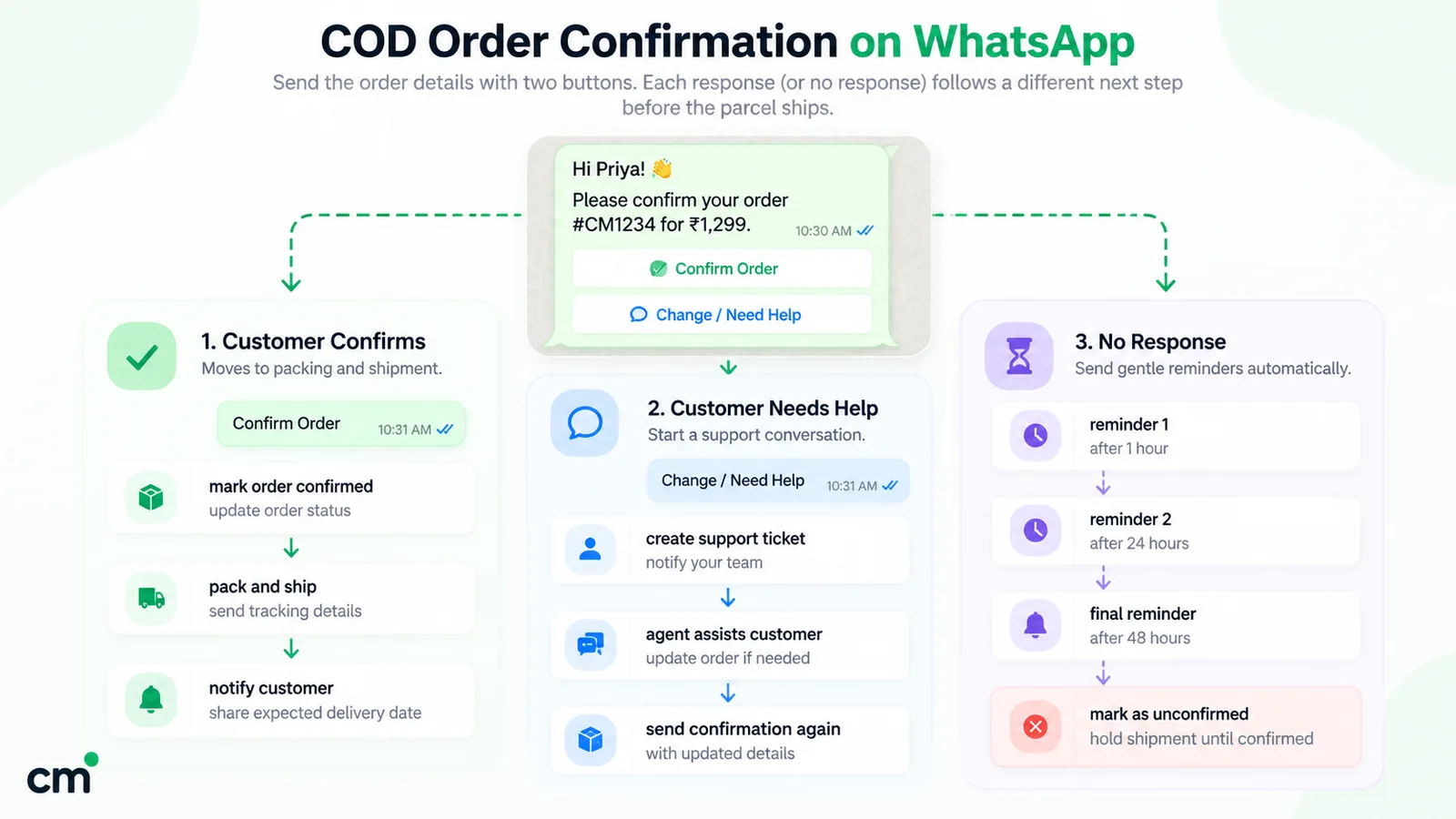
COD confirmation is where WhatsApp most directly affects an Indian store’s margins. A workable set-up:
- Collect opt-in at checkout. Add a clear line or checkbox saying you’ll send order updates on WhatsApp, and keep a record. The details are in our WhatsApp opt-in guide.
- Write a utility template for COD orders only. Include the order number, the amount payable on delivery, the delivery city, and two quick-reply buttons such as “Confirm order” and “Cancel order”. No discount, no product recommendations.
- Trigger it when a COD order is created, not in a daily batch. The buyer’s intent is freshest in the first minutes.
- Decide what each reply does before you go live:
- Confirm: the order moves to packing. Tag it in your store so the warehouse knows.
- Cancel: cancel it before a label is printed. The customer’s message opened a service window, so a short free-form acknowledgement is a service message.
- No reply: pick a rule, such as one follow-up or a phone call before dispatch, and apply it consistently.
- Hand off questions to a person. Some buyers reply with “can I change the address?” rather than tapping a button. Those need an agent in a shared inbox, not a bot loop.
- Measure. Track the confirmation rate, cancellation rate and, above all, the RTO rate of COD orders against the month before.
The step most set-ups skip
Step 4 needs your store to change: a tag, a hold or a cancellation. Ask whether your WhatsApp tool writes the reply back to the store or only shows it in an inbox, as ChatMitra does. Know which you have before you promise the warehouse that unconfirmed orders won't ship.
A COD-to-prepaid nudge (“Pay online now and get free shipping”) can work alongside this, but it is a promotion, so Meta treats it as marketing. Send it as a separate template if you use it, and keep the confirmation itself clean.
What tools does a WhatsApp ecommerce setup need?
| Component | Why you need it | Question to ask a vendor |
|---|---|---|
| WhatsApp Business Platform account through a provider | Sending templates from store events | Is the connection Meta's official Cloud API? |
| Store integration | Turns order, cancel and fulfilment events into messages | Which events trigger messages, and can I choose the template for each? |
| Checkout integration | Cart reminders need the phone number from the checkout step | Which checkouts are supported: the platform's own, or third-party one-click checkouts too? |
| Write-back to the store | COD replies should update the order | When a buyer taps Confirm or Cancel, what changes in my store? |
| Shipping updates | Shipped, out-for-delivery and failed-delivery messages | Do updates come from the store's fulfilment event or from courier tracking? |
| Shared inbox | Support and the replies automation can't handle | How many agents, and how are permissions set? |
| Template management | Every business-started message needs approval | Can I submit and track templates, and see their category? |
| Catalogue and payments (optional) | In-chat shopping, UPI payment requests | Do you sync my products to a Meta catalogue? Do you support the Payments API — India? |
| Reporting | Measuring cost and outcomes | Can I see sent, delivered, read and failed per campaign and per flow? |
The write-back and shipping rows separate tools the most, and feature pages rarely answer them clearly. Ask for a demo with a real test order and watch what happens in the store admin.
For a broader view of which store jobs to automate first, see our WhatsApp automation guide. How ecommerce fits alongside broadcasts and ads is covered in our WhatsApp marketing strategy guide. Ready-to-adapt wording for each stage is in the ecommerce template library.
Where ChatMitra fits, and where it doesn’t
ChatMitra connects to Shopify and sends approved templates on order events. Here is what the integration does today, checked against the product itself rather than feature pages:
| Capability | ChatMitra | Detail |
|---|---|---|
| COD confirmation on new COD orders | Yes | Sent when the order's Shopify payment method is "Cash on Delivery (COD)", using your approved template, for example with Confirm and Cancel quick replies |
| Order confirmation for prepaid orders | Yes | Sent when a paid or authorised order is created |
| Order cancelled and order fulfilled messages | Yes | The fulfilled message can carry the tracking link Shopify holds for the order |
| Feedback request | Yes | Scheduled 2 to 40 days after fulfilment |
| Abandoned-cart reminders | Yes | Up to three, each with its own delay, from Shopify's checkout, Razorpay Magic Checkout or Shiprocket checkout (one source per store); skipped once the order is placed |
| Template variables from Shopify | Yes | Name, order number, amount, tracking link, checkout link and more |
| Shopify customers as tagged contacts | Yes | Tagged by event, for segmented broadcasts |
| COD reply updates the Shopify order | No | Replies land in the shared inbox; your team updates the order |
| Out-for-delivery, delivered, return and refund messages | No | Only the fulfilment event triggers a shipping message |
| COD-to-prepaid payment requests, WhatsApp Payments | No | Use your checkout or gateway's own tools |
| Meta catalogue sync from Shopify | No | Manage the catalogue in Commerce Manager |
| WooCommerce | No | Shopify is the supported store platform |
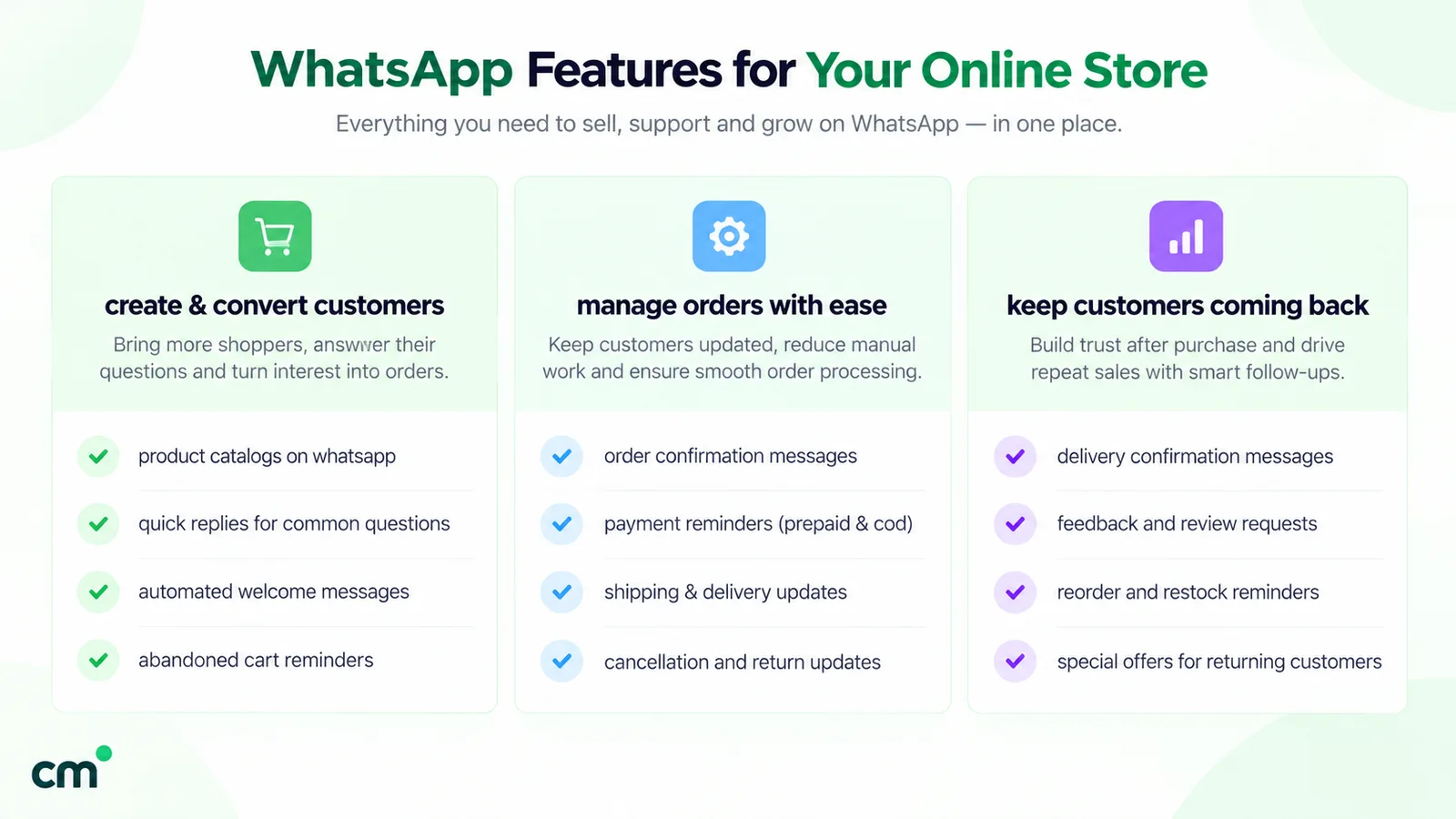
If you run Shopify, want order, COD, fulfilment and cart messages from one tool with a shared inbox for the replies, and can live with updating COD orders by hand, ChatMitra covers that. See the Shopify integration page. If you need automatic write-back of COD replies, courier-level delivery tracking, WhatsApp Payments or WooCommerce, pick a tool that documents those features and test them with a real order.
Opt-in and compliance for online stores
Three rules apply to every stage above:
- Opt-in. WhatsApp’s Business Messaging Policy says you may contact people only if “they have given you their mobile phone number” and “you have received opt-in permission from the recipient confirming that they wish to receive subsequent messages or calls from you.” A phone number typed at checkout is not, on its own, consent to marketing. Ask clearly and keep the record.
- Opt-out. The same policy says you “must respect all requests (either on or off WhatsApp) by a person to block, discontinue, or otherwise opt out of communications from you”. Exclude those customers from every broadcast and cart sequence. Blocks and reports can lead WhatsApp to limit how many messages you can send.
- What you sell. If you use catalogues or other commerce features, the policy requires compliance with the Meta Commerce Policy. In India the Digital Personal Data Protection Act, 2023 also applies to the customer data you collect, so take legal advice on your consent wording.
There is also a volume ceiling. Meta’s messaging limits cap how many unique customers you can deliver messages to outside an open customer service window in a moving 24-hour period. New business portfolios start at 250, rising through 2,000, 10,000 and 100,000 to unlimited, and the limit is shared by every number in the portfolio. A festive broadcast to your whole customer list may need a higher tier first. Order and COD templates count too when the customer has no open conversation with you.
Common mistakes stores make on WhatsApp
- Putting an offer in an order update. A discount line turns a ₹0.1150 utility message into a ₹0.8631 marketing one. Meta can also move an approved template to marketing if its messages don’t meet the utility rules.
- Treating every checkout phone number as consent to marketing. Ask for promotional messages explicitly, not only for order updates.
- Five-step cart sequences. Each step is a paid marketing message and a chance to be blocked.
- Letting COD replies pile up unread. A Cancel tap nobody acts on still ships and still comes back.
- Duplicating the courier’s messages. Two tracking messages from two numbers confuse buyers.
- Ignoring the 1 October 2026 change. Support replies used to be free. Now each number gets 1,000 free a month and pays for the rest.
- Using unofficial bulk-sending tools. WhatsApp’s Terms of Service forbid “illegal or impermissible communications such as bulk messaging, auto-messaging, auto-dialing, and the like”, and a banned number takes your order updates down with it.
Getting started
Start with the messages customers already expect: COD confirmation, order confirmation and a shipped update with tracking. Add support in a shared inbox, then cart reminders, and only then broadcasts, measuring the cost and the effect of each before moving on. If your store runs on Shopify, ChatMitra’s pricing page lists the Shopify integration in the free Starter plan, so you can compare ChatMitra’s plans and test the flows with a real order before you commit.
Sources: Meta for Developers: Pricing, Template categorization, Catalogs overview, Catalog templates, MPM templates, Payments API — India, Payments onboarding APIs, Messaging limits. WhatsApp: About catalog, Creating a catalog, Linked devices, Paying merchants on WhatsApp, Business Messaging Policy, Terms of Service. Facts checked against Meta's and WhatsApp's documentation on 25 September 2026.