WhatsApp works for Indian lawyers when it carries the routine of existing client work: the next date after every hearing, a reminder the day before, document checklists, fee notes and copies of orders. It becomes a problem when it’s used to win new clients, which Bar Council of India Rule 36 forbids, or when a client’s matter leaks into a family group or a lost phone.
Your clients already message you on WhatsApp, often at night and usually on your personal number. This guide is for advocates and law firms in India who want to run that properly: which messages fit, which rules apply, how secure WhatsApp really is, what it costs and how to set it up on the official WhatsApp Business Platform.
Using ChatMitra? You can send next-date updates and hearing reminders as approved templates with each client’s case details filled in, share one official number between advocates and clerks, and reply from a shared inbox on the web or the Android app. Starter is free; you pay Meta’s rates at cost plus ₹0.20 per conversation. Jump to setting it up in ChatMitra.
Where WhatsApp fits in a legal practice
The test for every message is simple: is it for a client about their matter, or is it trying to win work? The first is client service. The second is where Rule 36 begins.
| Job | Fits WhatsApp? | How |
|---|---|---|
| Next date and purpose after each hearing | Yes | A template the clerk sends the same day |
| Reminder before a hearing or a deadline | Yes | Automated, the day before |
| Document checklists and collection | Yes, with care | A checklist message; documents saved to the file and deleted from phones |
| Fee notes and invoices | Yes | A template with the amount and a payment link from your gateway |
| Copies of orders and judgments | Yes | A PDF, sent one-to-one |
| Answering a prospective client who wrote to you | Yes | Availability, conflict check and next step; no advice in chat |
| Broadcasting to people who aren’t clients | No | That’s solicitation |
| ”Case won!” posts, testimonials, success rates | No | Advertising, and banned as bait |
| Advice to a client’s relatives in a group | No | Confidentiality and Rule 19 problems |
The rules that apply on WhatsApp
No Bar Council rule mentions WhatsApp by name. But the conduct rules on soliciting, confidentiality and instructions reach every message you send, and the BCI’s 2026 circular on social media applies them to digital platforms directly.
Rule 36: no soliciting, on WhatsApp either
Rule 36 of the Bar Council of India Rules says: “An advocate shall not solicit work or advertise, either directly or indirectly, whether by circulars, advertisements, touts, personal communications, interviews not warranted by personal relations…” (BCI Rules, Part VI). A 2008 proviso allows advocates to publish website information “as prescribed in the Schedule”: name, address, telephone numbers, email, enrolment details, Bar Association, qualifications and areas of practice. Anything more, the proviso warns, “will be deemed to be violation of Rule 36”.
The BCI has enforced this online. In July 2024, after a Madras High Court judgment, it “directed all State Bar Councils to take stringent disciplinary actions against advocates found advertising or seeking work through online portals” (BCI press release, 8 July 2024). Its circular of 17 July 2026 on social media goes further: “The test is not merely whether the post expressly says ‘hire me’ or ‘contact me’.” It singles out bait claims “such as guaranteed bail, divorce in a few days, sure acquittal” (BCI circular BCI:D:4657/2026). A petition asking the Supreme Court for a digital ethics code for advocates was pending when the circular issued.
Applied to WhatsApp:
- Your business profile can carry Schedule information: name, office address, phone, email, enrolment number and areas of practice. Leave out taglines such as “Best divorce lawyer in Pune”, client logos and results.
- Replying isn’t soliciting. When someone messages you first, answer them. What you can’t do is message people who haven’t approached you to offer your services.
- No broadcasts to prospects. Don’t import a bought list, a society’s member directory or numbers from a seminar sign-up sheet and send them your services.
- Be careful with paid lead sources. Click-to-WhatsApp ads, directory listings and lead-generation portals all route prospects to you on WhatsApp. The BCI’s 2024 action was aimed at exactly these portals. Take your State Bar Council’s advice before paying for any of them.
- Status updates and Channels count too. A Status celebrating a judgment you won, with the client’s name, is advertising and may disclose a confidence.
Confidentiality and privilege
Rule 17 of the BCI Rules bars any breach of the statutory privilege for client communications, and Rule 24 bars abusing the client’s confidence. Since 1 July 2024 the statute is the Bharatiya Sakshya Adhiniyam, 2023. Section 132 says: “No advocate, shall at any time be permitted, unless with his client’s express consent, to disclose any communication made to him in the course and for the purpose of his service as such advocate”, and the duty “continues after the professional service has ceased” (BSA, Gazette text). Section 134 protects the client from being compelled to disclose those communications.
Privilege attaches to the communication, not the channel. A WhatsApp message to your client is protected like a letter. The risks come from how the chat is used:
- A third party in the chat. Adding the client’s brother, accountant or business partner to a group means you’re no longer communicating only with your client.
- Forwarding. Anything you send can be forwarded in one tap. Write every message as if the opposite party might one day read it.
- Shared phones. A clerk’s personal phone with client chats on it is a confidentiality risk when the clerk leaves.
Who can instruct you
Rule 19 says: “An advocate shall not act on the instructions of any person other than his client or his authorised agent.” Family matters, property disputes and criminal cases often come with relatives who message you more than the client does. Agree at the start, in writing, who is authorised to instruct you, and send matter updates only to that person.
Meta’s own rules
WhatsApp’s Business Messaging Policy has no rule against legal services, but three parts touch a practice (WhatsApp Business Messaging Policy):
- Opt-in. You may only contact people who “have given you their mobile phone number” and from whom “you have received opt-in permission”.
- No debt collection. The policy’s prohibited list includes “debt collection, and bail bonds”. A recovery practice can’t use the WhatsApp Business Platform to chase debtors.
- No ID numbers in chat. It says not to ask people to share “personal ID card numbers, or other sensitive identifiers”. Ask for documents through a secure upload, not as numbers typed into chat.
Data protection
A law firm that decides how client and prospect data is used is a data fiduciary under the Digital Personal Data Protection Act, 2023. Processing that is “necessary for enforcing any legal right or claim” is exempt from most of the Act’s consent and notice duties under section 17(1)(a), but the duty to keep “reasonable security safeguards” still applies (DPDP Act). The exemption won’t cover newsletters or marketing to former clients. For those, the Act’s consent rules apply from 13 May 2027.
Is WhatsApp secure enough for client work?
It depends on which WhatsApp you mean, and most articles get this wrong.
The consumer app and the WhatsApp Business app use end-to-end encryption: only the phones in the chat can read messages.
The WhatsApp Business Platform works differently. Meta’s documentation says that when a user messages a business on the Cloud API, “the message travels encrypted via WhatsApp between the user and Cloud API. Once Cloud API receives the message, Cloud API decrypts the message and forwards it to the business.” It adds that the Cloud API “manages the encryption/decryption keys on behalf of the business” and that messages have “a maximum retention period of 30 days” (Meta: Cloud API data privacy and security). Your provider’s inbox, ChatMitra included, then stores the conversation for your team to read.
So a shared API inbox is encrypted in transit and protected by the provider’s own security, but it isn’t end-to-end encrypted to your desk. Any vendor that tells you otherwise is wrong. In practice:
- Use WhatsApp for logistics, not for strategy. Next dates, checklists and copies of orders are fine. A detailed note on your trial strategy or a client’s admissions belongs in a call, a meeting or encrypted email.
- Keep the file outside WhatsApp. Save documents and important messages to the case file the same day.
- Lock the phones. Screen locks, two-step verification on every WhatsApp number your office uses, and no client chats on personal phones.
- Write a one-page WhatsApp policy for your office: which number to use, what not to send, how long chats stay on phones and who has inbox access.
Business app or the WhatsApp Business Platform?
| WhatsApp Business app | WhatsApp Business Platform (through a provider) | |
|---|---|---|
| Who answers | One phone plus up to 4 linked devices | Any number of advocates and clerks in a shared inbox |
| Messages first sent by you | Typed by hand, or broadcast lists of up to 256 contacts who saved your number | Approved templates with each client’s details filled in |
| Automation | Greeting and away messages, quick replies | Reminders from your case list, keyword replies, integrations |
| Encryption | End-to-end between devices | Encrypted in transit; decrypted at Meta’s Cloud API for your provider |
| Cost | Free | Meta’s per-message rates, plus the provider’s fee |
| Best for | A sole practitioner with a few dozen active matters | A chamber or firm with clerks and hundreds of matters |
Our guide to the WhatsApp Business app vs API compares them in detail, and how to get the WhatsApp API covers the setup.
Client journeys that belong on WhatsApp
Answering a new enquiry without soliciting
A prospective client finds your number on your website or a referral and writes: “I need help with a cheque bounce case.” This is where WhatsApp is most useful and where Rule 36 makes the edges matter.
- Reply promptly and plainly. Say whether you handle this kind of matter and how a first consultation works, including your consultation fee if you charge one.
- Run a conflict check before details. Ask only for the client’s name, the opposite party’s name and the city. Don’t invite the full story in chat before you know you can act.
- Move the substance to a meeting or call. Advice before an engagement, in a chat that can be forwarded, helps nobody.
- Confirm the engagement in writing, with who may instruct you and how you’ll communicate.
An automated greeting can handle the first step out of hours: an acknowledgement, your office hours and a promise of a reply. It shouldn’t try to qualify the case or give legal information.
The next date after every hearing
Most client calls to a law office are some version of “What happened today?” and “When is the next date?”. Answer it before they ask: a message the same evening with the next date and its purpose.
Clients can also track their own cases. The eCourts Services app is free on Android and iOS, and anyone can get case status by SMS: “SMS ECOURTS
A reminder the day before a hearing where the client must attend is the second message. It’s a utility message: it’s specific to the client’s matter and promotes nothing. Meta defines utility messages as “non-promotional” and “specific to or requested by the user”, which hearing updates are (Meta: template categorization). Our guide to WhatsApp reminder messages has more wording ideas.
Collecting documents
Clients send documents on WhatsApp because it’s easy. The problem is what happens next: a property file split across forty photos in three chats, half of them blurred, all of them sitting on someone’s phone.
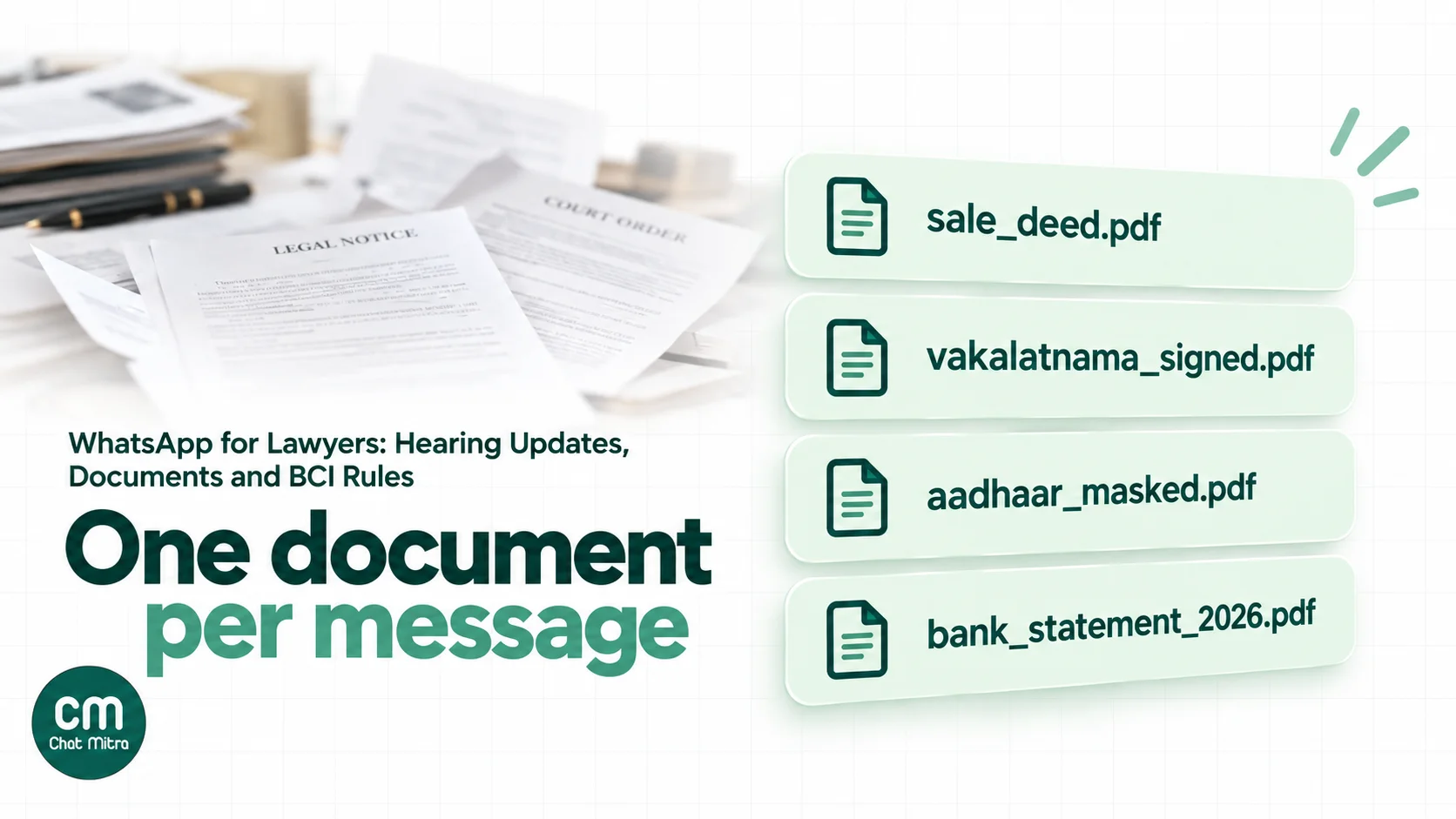
- Send a numbered checklist for the matter type, and ask for one document per message with a clear caption.
- Ask for PDFs over photos where clients can scan; WhatsApp accepts documents up to 100 MB.
- Don’t ask for ID numbers in chat. Meta’s policy says not to ask for “personal ID card numbers”. For identity, ask for a masked Aadhaar as a document.
- Save and delete. Move each document into the case file the same day, and clear it from office phones.
- Originals stay originals. A photo of a sale deed is a working copy. Tell the client when you need the original or a certified copy.
Fees and invoices
Fee notes and invoices are routine utility messages: the amount, what it covers and a payment link from your payment gateway. Two rules apply. Rule 20 bars a fee “contingent on the results of litigation”, so a WhatsApp message offering “pay only if we win” is out. And because fees are a common point of dispute, confirm any fee arrangement by email or in your engagement letter, not only in chat. Our WhatsApp payment link guide explains how links reach clients.
Copies of orders and judgments
Sending the client a PDF of the order the day it’s uploaded is the most appreciated message in a practice. Send it one-to-one, with one line on what it means and what happens next. Avoid forwarding a court’s message or an order photo from a court WhatsApp group, which can carry other parties’ details.
A WhatsApp chatbot for a law firm: what to automate
A chatbot on a law firm’s number sounds risky, and a badly scoped one is. Scoped well, it takes the repetitive questions off your clerks and leaves the judgement to advocates.
| Let the bot handle | Keep with an advocate |
|---|---|
| Office hours, address, directions and parking | Whether the client has a case |
| How a first consultation works, and its fee | Anything about the merits, chances or strategy |
| The document checklist for a matter type | Explaining what an order means for this client |
| How to check case status with a CNR number | Settlement offers and negotiations |
| Collecting a name and the opposite party’s name for a conflict check | Fee arrangements beyond the standard consultation |
| Booking requests, passed to a person who confirms | Anything from someone in custody or in distress |
A few design rules keep a bot on the right side of the conduct rules:
- Say it’s automated in the first message, and offer a person at every step.
- Answer only from your own approved text. A menu bot with fixed replies is safer than an AI model. If you use AI, limit it to your office information and checklists, and tell it to hand over anything that asks “can I”, “should I” or “will I win”.
- Don’t let it promote. No “Ask about our 95% success rate”, no service pitches to people who wrote in about something else. The BCI’s bait-claims list applies to automated replies too.
- Hand over fast. A keyword such as LAWYER, or any message the bot can’t match, should reach a person during office hours and get an honest out-of-hours reply otherwise.
For how keyword bots and AI bots differ, see our guide to WhatsApp chatbots.
A one-page WhatsApp policy for your office
Write it down once and give it to every advocate, clerk and intern who touches client chats. It should answer:
- Which number clients use, and that no one uses a personal number for client work.
- What never goes on WhatsApp: strategy notes, admissions, settlement positions and full ID numbers.
- Who may instruct us on each matter, and that updates go only to them.
- Where documents go the same day, and when they’re deleted from phones.
- Who has inbox access, and what happens to it when someone leaves.
- What we tell clients about scams: how we’ll contact them and what we’ll never ask.
- What we don’t post: no results, client names or courtroom photos on Status or Channels.
Review it when the Bar Council issues new guidance. The 2026 circular is unlikely to be the last word.
Court notices on WhatsApp: what’s valid and what isn’t
Courts and police increasingly use electronic communication, and the law is moving. The position as of 2026:
- The BNSS allows electronic summons. Section 63 allows a summons “in an encrypted or any other form of electronic communication” bearing the court’s seal or digital signature, and section 70(3) treats summons served electronically under its sections as “duly served” (BNSS, Gazette text). The manner of service depends on rules each State Government makes.
- Police notices under section 35 of the BNSS can’t be served on WhatsApp. In Satender Kumar Antil v. CBI (16 July 2025), the Supreme Court said it was “unable to convince ourselves that electronic communication is a valid mode of service of notice under Section 35 of the BNSS, 2023” (Supreme Court judgment). If a client receives such a notice on WhatsApp, it isn’t valid service.
- Case updates come through official channels. The eCourts SMS service, the eCourts app and court websites are the reliable sources for dates and orders.
The practical advice for your clients: if they receive anything that claims to be from a court or the police on WhatsApp, they should send it to you before acting on it.
Fake summons and “digital arrest” scams
Fraudsters impersonate courts, police and lawyers on WhatsApp. In October 2025 the Supreme Court took up the issue on its own motion, recording that “fraudsters displayed forged orders of the Supreme Court through WhatsApp and video conferencing” and that “the fabrication of judicial orders bearing forged signatures of Judges strikes at the very foundation of public trust in the judicial system” (Supreme Court order, 17 October 2025). By March 2025 the Ministry of Home Affairs had blocked “83,668 Whatsapp accounts” used for digital arrest scams (PIB).
Your clients are targets twice over: they’re already anxious about a case, and a message that names their court or their lawyer is easy to believe. Protect them, and your name:
- Tell every client how you’ll contact them, from which number, and what you’ll never do: ask for money to stop an arrest, hold a “hearing” on a video call, or share an order from an unknown number.
- Use one official number and put it on your letterhead, website and engagement letter. A verified business behind it helps clients recognise you.
- Ask clients to forward anything suspicious to you before they reply, pay or click.
- Point them to the helpline. Fraud can be reported on 1930 or at cybercrime.gov.in.
What it costs
Take a six-advocate practice with about 350 hearings a month. Meta charges per delivered template, by category, at its India rates from 1 October 2026.
| Messages in the month | Count | Category | Meta charge |
|---|---|---|---|
| Next-date updates after hearings | 350 | Utility (₹0.115) | ₹40.25 |
| Reminders the day before | 350 | Utility (₹0.115) | ₹40.25 |
| Document checklists | 120 | Utility (₹0.115) | ₹13.80 |
| Fee notes and invoices | 80 | Utility (₹0.115) | ₹9.20 |
| Replies to clients within 24 hours | 1,800 | Service: 1,000 free, then ₹0.115 | ₹92.00 |
| Total | ₹195.50 |
There’s no marketing line, and that’s the point: a practice that follows Rule 36 sends almost nothing that Meta prices as marketing (₹0.8631 a message). A copy of an order sent as a normal reply within 24 hours of the client’s last message is a service message, inside the free tier; sent as a template, it’s a ₹0.115 utility message.
On ChatMitra’s Starter and Pro plans, ChatMitra adds ₹0.20 per conversation: once per client per 24 hours, however many messages you exchange. Here that’s at most about 1,500 conversations (900 updates plus about 600 client-started chats), or ₹300 a month on the free Starter plan. Pro, at ₹999 a month, includes 1,000 credits a month toward that fee and adds keyword replies, webhooks and the API. Enterprise, at ₹2,499 a month, has no per-conversation fee. Try your own numbers in the WhatsApp pricing calculator.
Templates for law firms
Every template below is a utility message about an existing matter. Replace the bracketed parts with template variables and submit each to Meta for approval. Keep your enrolment details in your business profile, not in every message.
| Purpose | Template text | Likely category |
|---|---|---|
| Engagement confirmation | ”Hello {{1}}, thank you for appointing {{2}} in {{3}}. Your case number is {{4}}. Updates will come from this number, and we will never ask you for money on a video call.” | Utility |
| Next date | ”Hello {{1}}, in {{2}} today the court {{3}}. The next date is {{4}} for {{5}}.” | Utility |
| Hearing reminder | ”Hello {{1}}, a reminder that {{2}} is listed on {{3}} at {{4}}. Please be present by {{5}} and bring {{6}}.” | Utility |
| Document checklist | ”Hello {{1}}, for {{2}} we need: {{3}}. Please send one document per message, or bring the originals on {{4}}.” | Utility |
| Signature needed | ”Hello {{1}}, the {{2}} for {{3}} is ready for your signature. Please visit our office on {{4}} or tell us a convenient time.” | Utility |
| Order copy (PDF attached) | “Hello {{1}}, the order dated {{2}} in {{3}} is attached. In short: {{4}}. We will call you to discuss next steps.” | Utility |
| Fee note | ”Hello {{1}}, our fee note for {{2}} is ₹{{3}}, due by {{4}}. You can pay here: {{5}}.” | Utility |
| Office closure | ”Hello {{1}}, our office is closed on {{2}}. For anything urgent about a listed matter, call {{3}}.” | Utility |
What you won’t find here: festival greetings with your practice areas, “new service” announcements or results. They’re marketing messages to Meta and advertising to the Bar Council.
Setting it up in ChatMitra
- Connect one office number to the WhatsApp Business Platform, with your name or your firm’s as the display name and Schedule information in the profile.
- Import clients from a CSV, tagged by advocate, matter type and court. Add the case number and CNR as custom fields so templates can use them. A CSV import takes up to 10,000 rows.
- Keep a “next dates” Google Sheet with one row per matter. With Google Sheets Automation, a workflow sends the reminder template a set number of days before the date in the next-date column. The sheet trigger matches day and month only, so overwrite the date after each hearing and remove closed matters, or a past date will fire again a year later.
- Send next-date updates the same evening, as templates from the inbox or as a small campaign to the day’s clients.
- Connect your practice software if you use one. An automation with an Incoming Webhook trigger can send a template, with the order PDF as the document, when your system posts an update. On Pro, the developer API does the same.
- Add advocates and clerks as team members with permissions per section, so a clerk can use the inbox without seeing settings or exports.
- Set a welcome message, and on Pro an away message, for out-of-hours enquiries: office hours, what the number is for, and when you’ll reply.
ChatMitra’s advantages for law practices:
| Advantage | What it means |
|---|---|
| Starter is free | Next-date updates and reminders from an official number with no subscription |
| Meta’s rates at cost | A hearing reminder costs Meta’s ₹0.115 utility rate, plus ₹0.20 per conversation on Starter and Pro |
| Unlimited team members on one number | Every advocate and clerk answers from the same inbox, so client chats don’t leave with a junior’s phone |
| Permissions by section | Clerks get the inbox; partners keep settings, exports and templates |
| Date-based reminders from a sheet | The day-before reminder goes out without anyone remembering to send it |
Good to know: ChatMitra has no chat assignment, so agree which advocate’s clients each person answers, using tags. It has no self-serve export of chat transcripts, and login is by password without two-step verification, so use strong passwords and save anything that matters to the case file. Files clients send aren’t copied into ChatMitra’s storage; the inbox fetches them from Meta when you open them, so don’t treat the inbox as your file. Meta’s Cloud API decrypts messages for ChatMitra, as it does for every provider.
What to measure
| Metric | Why it matters |
|---|---|
| ”What’s the next date?” calls per week | Should fall once same-day updates go out |
| Client no-shows at hearings | The clearest sign reminders work |
| Days to complete a document checklist | Shows whether clients understand what you need |
| Fee notes paid by the due date | Payment links in chat help |
| Client chats still on personal phones | Should be zero |
Common mistakes
- Running client work from a personal number. When an associate leaves, the client relationships leave with them.
- Broadcasting to people who aren’t clients. Festival greetings with your practice areas, sent to a contact list, are solicitation.
- Posting results on Status. It’s advertising, and it can disclose a client’s matter.
- Family groups for a client’s matter. You end up taking instructions from people who aren’t your client.
- Strategy in chat. Keep detailed advice for calls and meetings.
- Believing a vendor that calls its inbox end-to-end encrypted. On the Business Platform, Meta decrypts messages for the provider.
- Accepting WhatsApp as service of a police notice. The Supreme Court has said it isn’t valid under section 35 of the BNSS.
- Leaving documents on phones. Save them to the file and delete them.