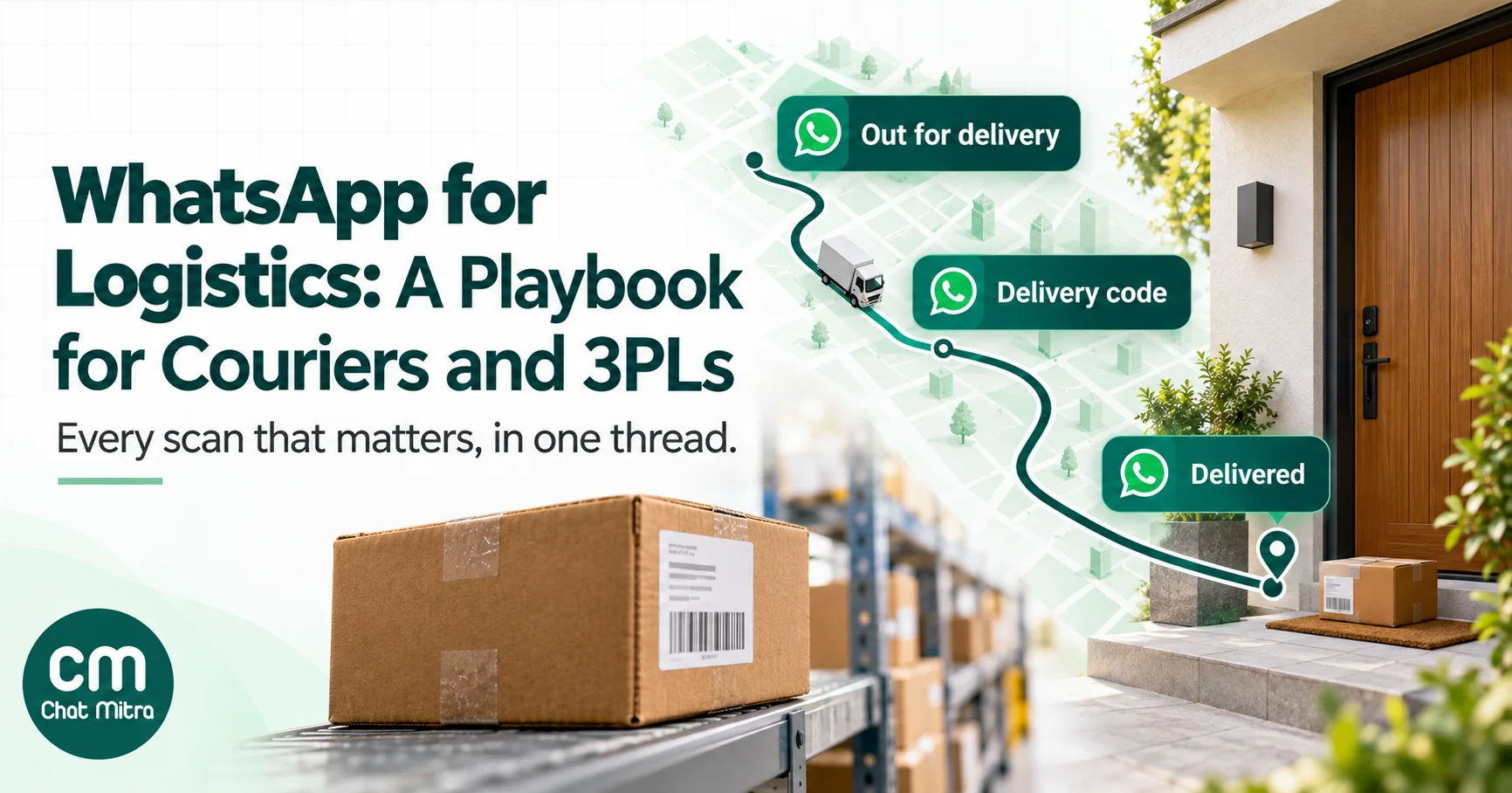
WhatsApp works for a logistics business when it carries the few messages that change what happens to a parcel: out for delivery, a delivery code, a failed attempt with a way to fix it, and proof of delivery. Add the business side, meaning pickup confirmations, COD remittance notices and weight disputes for the shippers you serve, and most “where is my parcel?” calls disappear without anyone typing a reply.
Most WhatsApp delivery advice, including our own guide to order tracking notifications, is written for online stores. This guide is for the other side of the parcel: couriers, last-mile companies, 3PLs and transporters, who answer to two customers at once, the shipper who pays the bill and the receiver who never chose the courier. It covers what to send at each scan, failed attempts, shippers, riders, freight, fake delivery messages, costs and set-up on the official WhatsApp Business Platform.
Using ChatMitra? You can send out-for-delivery, delivery-code and failed-attempt messages as approved templates the moment your system records a scan, receive the replies in one shared inbox, and, on Pro and Enterprise, pass them back to your system by webhook. Starter is free; high-volume senders usually belong on Enterprise, which has no per-conversation fee. Jump to setting it up in ChatMitra.
Four conversations a logistics business has on WhatsApp
A delivery company talks to more people than a store does, and each group needs different messages, a different tone and, sometimes, a different number.
| Who | What they need from you | Who usually starts | Typical message types |
|---|---|---|---|
| Receivers (consignees) | When it’s coming, a code for the door, a way to fix a failed attempt | You, at a scan | Utility templates, authentication codes, replies within 24 hours |
| Shippers (your B2B customers) | Pickup confirmations, exceptions that need a decision, COD remittances, invoices, weight disputes | Both | Utility templates, replies, documents |
| Riders and drivers | Route changes, customer instructions, payouts | You | Mostly your rider app; WhatsApp only for exceptions |
| Partners (franchisees, hubs, line-haul transporters) | Vehicle placement, documents, delays | Both | Replies, documents, a few utility templates |
The receiver conversation scales to thousands of messages a day; the shipper conversation is smaller but decides whether you keep the account.
First decision: whose name is on the message?
When a parcel from an online store is out for delivery, someone has to tell the receiver. In practice there are three set-ups.
- The carrier sends, under its own name. “Your parcel from {{store}} is out for delivery with [Carrier].” The receiver sees the courier’s verified business name. This works when your brand is known to receivers, as it is for large national couriers, and when you also own the conversation that follows, including reschedules.
- The shipper sends, using your scan events. You push events to the shipper by webhook or API, and the shipper’s own WhatsApp number tells its buyer. The buyer hears from the brand they bought from, and your name appears only as the courier in the text. Large D2C brands increasingly prefer this.
- Both, split by event. The shipper sends “shipped” and “delivered”; you send the time-critical ones (out for delivery, the delivery code and the failed-attempt message), because only you know when the rider is minutes away.
Whichever you choose, two rules from Meta apply.
Opt-in has to name you. Meta’s opt-in guidance says businesses “must clearly state the business’s name that a person is opting in to receive messages from” (Meta: getting opt-in). A buyer who ticked “send me updates on WhatsApp” at a store’s checkout agreed to hear from the store. If you, the carrier, will message them from your own number, the store’s opt-in wording should say that delivery updates may come from its delivery partner, or the store should send them itself. Agree this in your shipper contract, not after the first complaint.
Never send the same event twice. If the store and the courier both send “out for delivery”, the receiver gets two messages from two numbers in the same minute, and the second one looks like a scam. Write down which party owns which event.
The receiver’s journey, scan by scan
Not every scan deserves a message. A parcel can pass through six or more scans between pickup and delivery, and most of them (“arrived at hub”, “bagged”, “in transit”) mean nothing to the person waiting for it. Message only when the receiver can do something, or when silence would make them call.
| Event in your system | Send? | What the message says | Meta category | Buttons |
|---|---|---|---|---|
| Booked / picked up | Only if the shipper isn’t already sending “shipped” | Who it’s from, the tracking number, expected delivery date | Utility | Track |
| In transit / hub scans | No | — | — | — |
| Delayed past the promised date | Yes, once | New expected date, honest reason in a few words | Utility | — |
| Out for delivery | Yes | Today, a time window if you have one, COD amount if any | Utility | Reschedule, Delivery instructions |
| Delivery code needed | Yes, for high-value or COD parcels | The code, and when to share it | Authentication | Copy code |
| Delivered | Yes | Delivered at time, to whom, photo or signature link | Utility | Report a problem |
| Delivery attempt failed | Yes, within minutes | What happened, the reason as recorded, options | Utility | Tomorrow, Change address, Call me |
| Held at branch / ready for pickup | Yes | Branch address, hours, last day before return | Utility | Directions |
| Return to origin started | Yes | That it’s going back, and who to contact (usually the seller) | Utility | — |
Meta prices and approves each template by category. Order updates are utility messages as long as they “should not promote, recommend, upsell, or cross-sell products”; Meta’s own utility example is a package that “is on its way” with a tracking number and an expected delivery date (Meta: template categorization). Meta gives no example of a failed-attempt message, but one that names the receiver’s parcel and offers only delivery choices fits the same description. A one-time code is different: Meta says “only authentication templates can be used to send a one-time passcode”, and its authentication category covers new or existing orders and transactions, so a delivery code goes out as an authentication template. Templates with “mixed content”, such as an order update with a promotion, are treated as marketing, which in India costs about seven times as much and needs the receiver’s consent to marketing. Keep promotions out of delivery messages entirely. Our guide to utility templates has the category rules in more detail.
Out for delivery: the message that does most of the work
If you send only one message, send this one. It reaches the receiver on the morning the parcel actually moves, which is when they can still arrange to be home, leave instructions or ask a neighbour to accept it.
A good out-for-delivery message has five parts:
- What and from whom: “Your parcel from {{store}}”. Receivers don’t know AWB numbers; they know what they ordered.
- When: “today”, plus a time window if your route planning gives one. Don’t promise a window you can’t keep; a missed “between 2 and 4 pm” annoys more than “today”.
- What to have ready: the exact COD amount, or “keep your delivery code handy”.
- Who is coming: the rider’s first name, if your policy allows, but never the rider’s personal number.
- What they can do now: buttons for “Reschedule” and “Delivery instructions”. Every problem solved before the rider leaves the hub is a failed attempt you don’t pay for.
Send it when the parcel is on the vehicle, not when the run sheet is printed, or receivers learn to ignore it.
Delivery codes and proof of delivery
A delivery code (often called an OTP at the door) proves that the parcel reached the person who controls the phone number. It protects you in “I never received it” disputes, which is why many carriers use it for high-value and COD parcels.
On WhatsApp, an authentication template carries the code with a copy-code button. It’s deliberately bare: Meta doesn’t allow links, media or emojis in authentication templates, and limits parameters to 15 characters, so the parcel details and the COD amount belong in the out-for-delivery message, not here. Its wording is Meta’s preset, and the optional line “For your security, do not share this code” contradicts what you want here, so turn it off and use the out-for-delivery message to say: share the code only with the rider, and only once you have the parcel. Send the code with the out-for-delivery message or just before the attempt, not at booking, so it doesn’t get lost among days of messages.
After delivery, send proof: the time, who accepted it (“received by: security desk”) and a link to the photo or signature, which lets you control access to the image. A “Report a problem” tap should reach a person the same day; a damage complaint is the start of a claim, and the receiver’s photo is evidence.
When the receiver writes first
Receivers will still message “where is my parcel?”, pasting an order number, a tracking number or just “hello”. A tracking lookup answers most: your system replies with the latest meaningful status in one line. If you can’t match what they sent, ask for the tracking number once, then hand over to a person. Replies to a receiver who wrote to you are service messages, and the first 1,000 each month are free.
Failed attempts, from the carrier’s side
For a carrier, a failed delivery costs twice: the wasted trip, and, if the parcel goes back, a return your shipper will question on the next invoice. Our guide to RTO in ecommerce covers the seller’s view; the carrier’s job differs in three ways.
1. Reach the receiver before the shipper has to
In India the failed-attempt record is called an NDR (non-delivery report), and the shipper usually has a short window to say what you should do next. A message from you within minutes of the failed scan, with three buttons, often settles it before the shipper’s team even opens its NDR panel.
| Reason recorded by the rider | What to ask the receiver | Action that follows |
|---|---|---|
| Receiver not available / door locked | ”Which day works?” plus “Can someone else accept it?” | Reattempt on the chosen date, or deliver to the named person |
| Phone not reachable | ”Is this the best number for our delivery partner?” | Update the contact number on the shipment |
| Address incomplete / not found | Ask for the missing piece: flat number, building, landmark, or a location pin | Correct the address on the shipment the same day |
| COD cash not ready | Restate the exact amount and ask for a date | Reattempt; if the shipper allows prepaid conversion, pass the request to the shipper |
| Receiver refused | One neutral question with options | Record the answer; let the shipper decide |
| Outside delivery area | Offer collection from the nearest branch | Hold at branch, or return |
For address problems, a location pin beats a typed landmark. Any receiver can share their location from WhatsApp’s attachment menu, and your rider can navigate to it. The WhatsApp Business Platform also offers a location request message, which shows body text and a “Send location” button, and, for businesses based in India messaging Indian customers, an address message that collects a structured address with a six-digit PIN code (Meta: location request messages; address messages). Whether you can use them depends on your provider. Either way, correct the address on the shipment, not just in the chat.
2. Check the attempt was real
“Receiver not available” is the easiest reason for a rider to record, and shippers know it. When a receiver replies “I was home all day and nobody called”, that message is the most useful quality data your operations team will get. Tag these replies as disputed attempts, and review them each week by rider, route and pincode. A pattern in one area is a training or incentive problem you can fix before the shipper spots it and moves volume. You can also ask directly: add “Did our delivery partner call you before the visit? Yes / No” to the failed-attempt message, and track the answers.
3. Close the loop with the shipper
A receiver’s answer that stays in your WhatsApp inbox changes nothing. It has to reach two places: your own system, so the reattempt gets scheduled for the right date and address, and the shipper’s NDR record, so they don’t send a conflicting instruction an hour later. The cleanest set-up is a webhook from your WhatsApp platform into your delivery management system, where the reply becomes an action on the shipment. Until then, a small team updating shipments from the inbox works, if someone owns it seven days a week.
The shipper side: keeping B2B accounts on one thread
Many shippers already deal with you on WhatsApp, through your key-account manager’s personal phone. It works until that manager leaves. One official number, answered by a team, keeps the account with the company.
The messages that matter to shippers:
- Pickup confirmations and misses. “Pickup scheduled for today, 2–6 pm, 14 parcels” and, when a pickup slips, a message before the seller notices. A missed pickup with no warning is one of the fastest ways to lose a small shipper.
- Exceptions that need a decision. NDRs the receiver didn’t answer, parcels damaged in transit, address problems you can’t resolve. Send one daily summary rather than a message per parcel, with a link to act on them.
- COD remittances. The amount, the period and the reference number, on the day you pay.
- Weight disputes. When your scale and the seller’s declared weight disagree, send the scan photo with the reading in the same message. A dispute with a photo settles in minutes; one without becomes an email chain.
- Invoices and statements. A PDF as a document, which WhatsApp accepts up to 100 MB.
- Rate-card changes and service updates. Careful: announcing a new service or a festive discount is marketing in Meta’s eyes, even to business customers. When in doubt, send it by email.
Riders and drivers: keep WhatsApp for exceptions
Running riders on WhatsApp groups is tempting, and it breaks as the fleet grows. Every member of a WhatsApp group can see every other member’s phone number, customer details posted in a group stay on a dozen personal phones, and nothing in a group updates the shipment.
A better split:
- The rider app or run sheet is the system of record. Scans, attempts, codes, photos and cash collected go there.
- WhatsApp carries exceptions. A changed address, a receiver’s instruction (“leave with the guard”), a route change. Send these one-to-one from the operations number.
- Customer instructions travel with the shipment. When a receiver replies “please call before coming”, that reply should appear on the rider’s screen, not only in a WhatsApp chat the rider never sees.
On the WhatsApp Business Platform, riders are contacts like any other: they must have opted in, and outside the 24 hours after a rider’s last message you can send only approved templates. Record their agreement in the onboarding paperwork. Meta’s Groups API, which lets a business run small groups from the platform, is limited to eight participants, so it suits a single hub team, not a whole fleet.
The same care applies to what riders collect at the door. Delivery photos, signatures, addresses and phone numbers are personal data. India’s Digital Personal Data Protection Rules, notified in November 2025, bring most consent and notice duties into force in May 2027, and require logs of processing to be kept for at least a year (MeitY: DPDP Rules 2025). Decide now how long you keep proof-of-delivery photos and who can see them.
Freight, part-load and transport operators
Truck operators and freight forwarders have fewer, larger shipments, more documents and business customers. Much of this already happens on WhatsApp informally. The official version:
- Vehicle placement: the vehicle number, driver name and expected reporting time at the loading point, sent when the truck is assigned.
- Documents on dispatch: the lorry receipt (LR) or consignment note and the invoice copy as PDFs, sent once to the customer’s operations contact.
- Exception alerts: a breakdown, a delay at a checkpoint, a change in expected arrival. One message when it happens is worth more than a dozen tracking links.
- Proof of delivery: the signed POD scan, sent the day it’s received, because billing usually waits for it.
- Expiry alerts from your own system: if your transport management system tracks an e-way bill’s validity, alert the supervisor and customer before it lapses on a delayed trip.
- Detention: a timestamped message when the vehicle reports at the dock, and when unloading starts, gives both sides the same record of waiting time.
For freight customers, a shared inbox matters more than automation. The same customer may message about five trucks in a day, and whoever answers needs to see the whole history.
What a logistics chatbot should and shouldn’t do
A courier chatbot handles a narrow set of repetitive questions well, and everything else badly. FedEx’s WhatsApp chatbot for customers in Indonesia, launched in April 2026, is a useful reference for scope: it lets customers schedule pickups, track shipments, change delivery preferences, report shipment issues, see billing information, get answers to common questions, and connect to a live agent (FedEx newsroom).
| Automate | Hand to a person |
|---|---|
| Tracking status by tracking number | Damaged, opened or wrong parcels |
| Reschedule a delivery from a list of dates | Claims and compensation |
| Change of address within the same city, before dispatch from the last hub | Disputed attempts (“nobody came”) |
| Branch address and hours | Anything a shipper raises about money: COD, invoices, weight |
| Pickup booking for regular shippers | Customs and international shipments |
| Delivery instructions (“leave with guard”) | Angry or repeated messages |
The hand-over isn’t optional. WhatsApp’s Business Messaging Policy lets you use automation inside the 24-hour window but says you “must also have available prompt, clear, and direct escalation paths”, such as a transfer to a human agent, a phone number, email or a support form (WhatsApp Business Messaging Policy). The same policy bars asking people to share full payment card numbers or personal ID card numbers in chat, so never ask a receiver to type their Aadhaar number to “verify” a parcel.
If complaints need tracking through to closure, see our guide to a WhatsApp ticketing system. Two design rules matter. Answer with the status, not a link to a status page. And offer languages: approve each template in every language your receivers use, and let them switch. Our guide to multilingual WhatsApp chatbots covers how.
Sending at courier volume
A national courier can need to send more out-for-delivery messages between 7 and 10 am than a store sends in a month. Three platform limits decide whether that works.
Messaging limits. Meta limits how many people a business can start conversations with in a rolling 24 hours. A new business number starts at 250. It moves to 2,000 after business verification, and then to 10,000, 100,000 and unlimited automatically as you send good-quality messages at volume. A courier launching WhatsApp updates for a large shipper on day one will hit the 250 cap by breakfast. Verify your business and build volume over a few weeks before you promise a shipper full coverage.
Throughput. Meta’s Cloud API sends “up to 80 messages per second (mps) by default, and up to 1,000 mps by automatic upgrade”, once a number has an unlimited messaging limit, messages 100,000 or more unique users outside a service window in 24 hours and keeps a medium or better quality rating. A number shared with the WhatsApp Business app is fixed at 20 mps (Meta: throughput). At 80 a second, 45,000 messages take under ten minutes, so the messaging limit, not throughput, usually binds first. Ask whether your provider paces sends below Meta’s ceiling.
Quality. If receivers block or report your messages, Meta can pause a template or lower your quality rating. Accurate, expected updates rarely get blocked; duplicates, unrecognised parcels and promotions do. Keep a second approved version of each critical template, so a pause doesn’t stop out-for-delivery messages in festive week.
Fake delivery messages: protect your brand and your receivers
Delivery messages are a favourite disguise for fraud because everyone expects one. In January 2026 the Press Information Bureau’s Fact Check Unit called out a text message asking people to update their address with India Post, and said that India Post “never sends such messages asking recipients to update their addresses for delivering articles” (Akashvani News, 20 Jan 2026). The same trick arrives on WhatsApp under the names of private couriers, usually with a small “redelivery fee” and a link.
You can’t stop fraudsters copying your name, but you can make genuine messages easy to recognise:
- Message from one official number, with your verified business name as the display name, and publish that number on your website and tracking page.
- Never ask for money to “release” or “redeliver” a parcel by link. If your business model really needs a payment (customs duty, for example), say so on your website and send receivers to your own domain.
- Never ask for card details, OTPs from banks, or personal ID numbers in chat. Meta’s own policy forbids asking for full payment card numbers and personal ID numbers over WhatsApp.
- Say what you’ll never do in your first message to a new receiver, or on your tracking page: “We will never ask you to pay to update your address.”
In India, anyone who has lost money to such a message can report it on the national cybercrime helpline, 1930, or at cybercrime.gov.in.
What it costs
Meta charges per delivered template message, by category and by the receiver’s country. In India, from 1 October 2026, a utility message costs ₹0.115, an authentication message ₹0.115 and a marketing message ₹0.8631. Replies to someone who messaged you within the previous 24 hours are service messages: the first 1,000 a month are free, then ₹0.115 each. Since 1 October 2026, utility templates sent inside an open 24-hour window are charged too.
Here’s a worked month for a hypothetical regional courier delivering 45,000 parcels a month (about 1,500 a day) to Indian receivers.
| Messages in the month | Count | Category | Meta charge |
|---|---|---|---|
| Out for delivery | 45,000 | Utility (₹0.115) | ₹5,175.00 |
| Delivery codes for COD and high-value parcels (40%) | 18,000 | Authentication (₹0.115) | ₹2,070.00 |
| Delivered, with proof link | 42,000 | Utility (₹0.115) | ₹4,830.00 |
| Failed-attempt messages (7% of parcels) | 3,150 | Utility (₹0.115) | ₹362.25 |
| Shipper messages (pickups, remittances, summaries) | 4,000 | Utility (₹0.115) | ₹460.00 |
| Replies to receivers and shippers who wrote in | 9,000 | Service: 1,000 free, then ₹0.115 | ₹920.00 |
| Total | ₹13,817.25 |
That’s about ₹0.31 per parcel in Meta charges for a full set of updates. The failed-attempt rate, the share of COD parcels and the number of replies are assumptions; change them to yours in the WhatsApp pricing calculator. Compare it with what a failed attempt costs you in fuel, rider time and, if it becomes a return, the reverse leg. If one in ten failed-attempt messages saves a return, that’s 315 returns a month, and each would need to be worth about ₹44 to cover the entire Meta bill.
Your provider adds its own fee, and at courier volumes its structure matters. On ChatMitra’s Starter and Pro plans, ChatMitra adds ₹0.20 per conversation, charged once per contact per 24 hours however many messages you exchange. At 45,000 receivers a month, that’s at least ₹9,000 more, two-thirds of Meta’s own charge. ChatMitra Enterprise, at ₹2,499 a month, has no per-conversation fee, so a courier at this volume pays Meta’s ₹13,817.25 plus ₹2,499. Whichever provider you compare, ask for the total cost per parcel at your volume, not the plan price.
Templates for couriers and 3PLs
Replace the numbered placeholders with template variables and submit each to Meta for approval. Keep them short; receivers read them on the doorstep.
| Purpose | Template text | Likely category |
|---|---|---|
| Out for delivery | ”Hello {{1}}, your parcel from {{2}} is out for delivery today. Tracking number {{3}}. {{4}}” (where {{4}} is the COD amount line or “No payment due”) | Utility |
| Delivery code | Meta’s preset authentication text (“{{1}} is your verification code.”) with a copy-code button and the security line turned off. Put “share it with the delivery partner only after you receive your parcel” in the out-for-delivery message | Authentication |
| Delivered | ”Your parcel {{1}} from {{2}} was delivered at {{3}} and received by {{4}}. Proof of delivery: {{5}}“ | Utility |
| Failed attempt | ”Hello {{1}}, we couldn’t deliver your parcel from {{2}} today. Reason recorded: {{3}}. Choose what we should do next.” | Utility |
| Held at branch | ”Your parcel {{1}} is at our {{2}} branch, open {{3}}. Please collect it by {{4}}, after which it will be returned to the sender.” | Utility |
| Pickup confirmed (shipper) | “Pickup for {{1}} is scheduled on {{2}} between {{3}}. Expected parcels: {{4}}.” | Utility |
| COD remittance (shipper) | “COD remittance of ₹{{1}} for {{2}} has been paid to your account. Reference: {{3}}.” | Utility |
| Weight dispute (shipper) | “Parcel {{1}} weighed {{2}} kg at our hub against {{3}} kg declared. Scan photo attached. Reply by {{4}} to dispute.” | Utility |
| Vehicle placed (freight) | “Vehicle {{1}} with driver {{2}} will report at {{3}} by {{4}} for your load {{5}}.” | Utility |
What you won’t find here: “rate us 5 stars and win”, seasonal offers to receivers, or new-service announcements. Those are marketing messages, and receivers didn’t ask for them from their courier.
Setting it up in ChatMitra
ChatMitra has no ready-made courier integration, so the set-up connects your own delivery or transport management system, where the scans already live.
- Connect one business number per audience (our guide on how to get the WhatsApp API covers verification). A ChatMitra project holds one WhatsApp number. Most carriers start with one number for receivers and shippers. If you want a separate operations number for riders or partners, create a second project; each has its own credits and plan.
- Create your templates from the table above: utility for scan updates, and an authentication template with a copy-code button for delivery codes (turn off the “do not share” line). Submit each language you need.
- Send scan events from your system. On Pro and above, your system can call ChatMitra’s developer API to send the matching template when a scan happens, with the tracking number, COD amount and proof link as variables. The API paces sends for each number and queues short bursts, so a 7 am out-for-delivery run goes out steadily instead of failing. If you’d rather not write code, an automation with an Incoming Webhook trigger can receive your system’s event and send the template.
- Bring replies back. When a receiver taps “Tomorrow” or “Change address”, ChatMitra’s webhook sends the tap to your system as a received message, with the button text and the ID of the template message it answers. A shared location pin arrives with its latitude and longitude, and a photo of a damaged parcel arrives with a link to the file. Your system can turn each of these into an action on the shipment.
- Answer the rest in the shared inbox. Unlimited team members can reply from one number on the web or the Android app, and an Auto Reply keyword rule can answer common button taps or words such as “track” instantly.
- Use contact fields for shippers. Import your shippers from a CSV (up to 10,000 rows per file), tagged by city and account manager, with fields such as the pickup slot or the remittance cycle. Campaign variables can fill in from those fields for a pickup-slot change or a remittance notice to many shippers at once.
- Tag what needs follow-up. Tag disputed attempts, damage reports and claims so your team can filter the inbox each morning.
ChatMitra’s advantages for couriers and 3PLs:
| Advantage | What it means |
|---|---|
| Meta’s rates at cost | An out-for-delivery message costs Meta’s ₹0.115 utility rate, with no markup |
| No per-conversation fee on Enterprise | At courier volumes, ₹2,499 a month replaces the ₹0.20-per-conversation fee of Starter and Pro |
| Button taps, locations and photos reach your system | Replies become actions on the shipment, not messages someone has to read and retype |
| Unlimited team members on one number | Operations, key-account managers and support answer from one inbox |
| Paced sending through the API | Morning runs queue per number instead of failing at the first burst |
Good to know: ChatMitra doesn’t send location-request messages, so ask receivers to share a pin through WhatsApp’s attachment menu instead. It doesn’t handle “STOP” automatically, so add a keyword rule that tags the contact and exclude that tag from campaigns. It has no chat assignment, so split work by tags. The developer API and webhooks are on Pro and Enterprise, not Starter. The API currently paces sends at up to 2,400 a minute per number, below Meta’s 80-a-second default but still more than 140,000 an hour.
What to measure
| Metric | What it tells you |
|---|---|
| ”Where is my parcel?” calls per 1,000 parcels | Should fall within weeks of out-for-delivery messages going live |
| First-attempt delivery rate | The number every shipper watches |
| Reply rate to failed-attempt messages | Whether the message reaches people in time and gives them easy choices |
| Reattempts delivered after a WhatsApp reply | The direct saving from the channel |
| Disputed attempts per rider and pincode | Where “not available” isn’t true |
| Template blocks and pauses | Early warning before quality affects your limits |
| Opt-in coverage by shipper | Which accounts you can’t yet message, and why |
Common mistakes
- Messaging every scan. Receivers stop reading after the third “arrived at hub”.
- Saying “out for delivery” before the parcel leaves. It trains receivers to ignore the one message that matters.
- Both store and courier sending the same event. Two messages from two numbers looks like fraud.
- Replies that never reach the shipment. A reschedule that sits in an inbox is a failed attempt tomorrow.
- Promotions in delivery messages. They change the category, the price and the receiver’s trust.
- Rider groups with customer details. Every member sees every number, and the data stays on personal phones.
- Launching on a new number at full volume. The 250-receiver starting limit will stop you before 9 am.
- No plan for fake messages. If you don’t tell receivers what you’ll never ask, the fraudsters will tell them first.