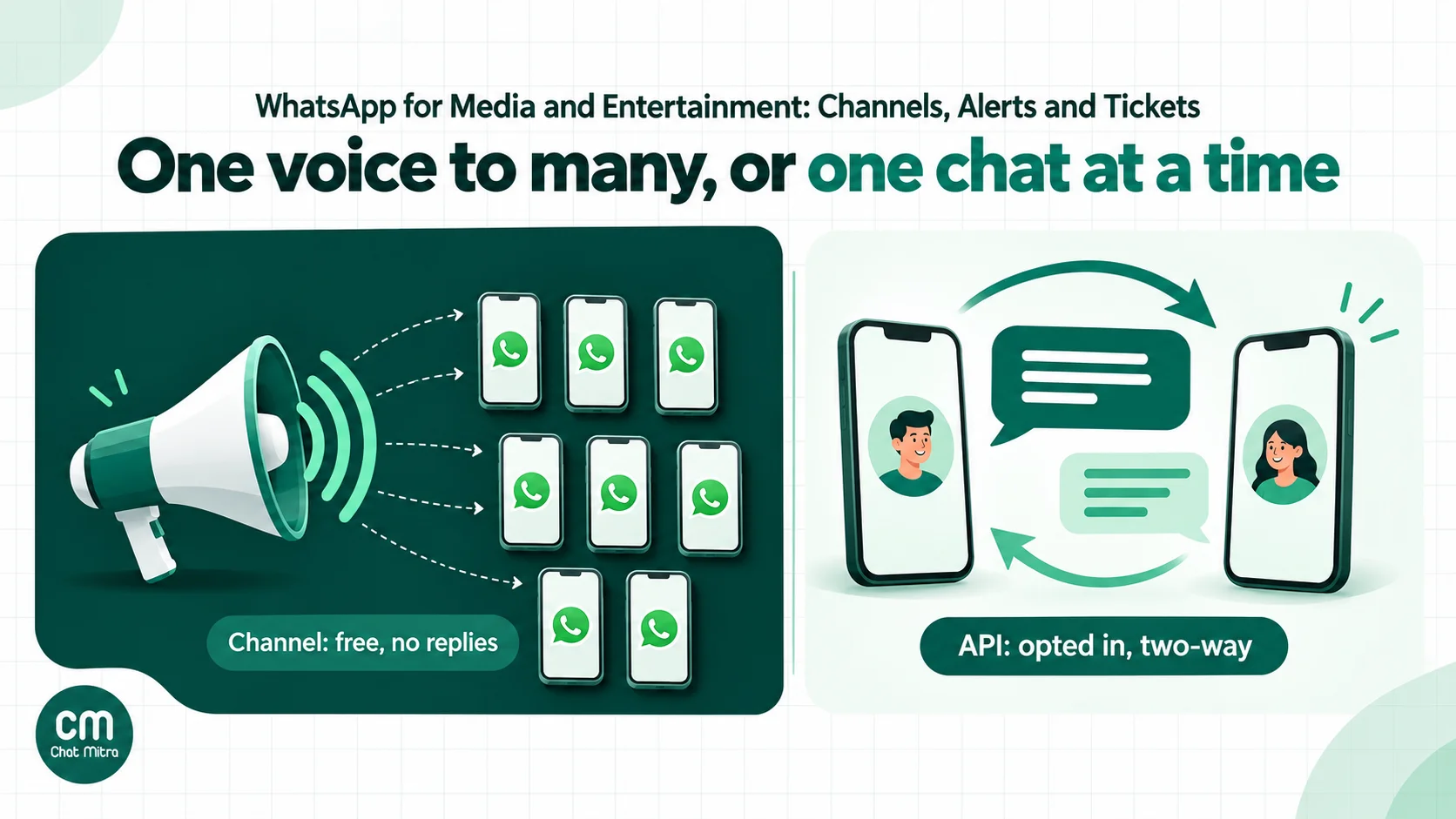
WhatsApp helps media and entertainment businesses in two ways. A WhatsApp Channel gives a publisher, studio or venue free, one-way reach to anyone who follows it. The WhatsApp Business Platform (the API) carries personal, two-way messages to people who opted in, such as tickets, renewal notices, subscriber alerts and support. The skill is putting each message in the right one, because Meta charges for every API template it delivers, and promotional content costs about 7.5 times as much as a transactional update.
Readers, viewers and fans already live in WhatsApp. In the Reuters Institute’s Digital News Report 2026, 56% of its Indian respondents said they used WhatsApp for news each week, up 10 points on the year before and second only to YouTube (58%). The sample is mainly English-speaking online news users, so treat it as a signal about that audience rather than the whole country. This guide covers news publishers, OTT and streaming services, cinemas, live-event promoters, music labels and podcasters: what to send, which tool to use, what it costs in India, and the rules that apply.
Using ChatMitra? You can send booking confirmations with each buyer’s ticket attached, plain renewal notices and opted-in subscriber alerts as approved templates, and answer readers and fans from one shared inbox. Starter is free; you pay Meta’s rates at cost plus ₹0.20 per conversation. ChatMitra doesn’t manage WhatsApp Channels (no provider can, since there’s no Channels API), so you run your Channel in the WhatsApp app alongside it. Jump to setting it up in ChatMitra.
Where WhatsApp fits in media and entertainment
“Media and entertainment” covers businesses with very different jobs. A newsroom wants reach and speed. A streaming service wants fewer failed renewals. A cinema wants fewer calls asking whether the 9:30 show is still on. Start from the job, then pick the tool.
| Business | Jobs WhatsApp does well | Usually the right tool |
|---|---|---|
| News publishers and digital media | Headlines and explainers to a large audience; reader tips; subscriber account notices; corrections and grievances | Channel for reach; API for subscribers, tips and grievances |
| OTT and streaming services | Billing notices, failed-payment recovery, plan changes, support; new-season announcements to opted-in fans | API (mostly utility); Channel for teasers |
| Cinemas and multiplexes | Ticket delivery, showtime changes, food and beverage pre-orders; the weekly line-up | API for bookings; Channel for the line-up |
| Concerts, comedy, theatre and sports events | Tickets, gate and parking details, venue or time changes, waitlists, post-event feedback | API, plus a Channel for announcements |
| Music labels, artists and podcasters | Release-day posts, polls, behind-the-scenes audio; paid community or membership updates | Channel first; API for paying members and merch orders |
| Magazines and paid newsletters | Issue delivery to subscribers, renewal notices, back-issue requests | API, with a Channel as a free top-of-funnel |
Two patterns run through every row. Anything that goes to everyone and needs no reply is a Channel job. Anything specific to one person (their ticket, their plan, their question) is an API job.
WhatsApp Channels vs the WhatsApp Business API
These are separate products that happen to live in the same app. Most of the confusion in this space, including on vendor sites, comes from treating them as one.
| WhatsApp Channel | WhatsApp Business Platform (API) | |
|---|---|---|
| Direction | One-to-many, one way | One-to-one, two way |
| Who receives it | Anyone who follows; followers find you through a link, QR code or the in-app directory | Only people who gave you their number and agreed to hear from you |
| Can people reply? | No. They can react with an emoji or vote in a poll | Yes, and replies open a 24-hour window for free-form answers |
| What you see about the audience | Profile names (and sometimes photos) next to reactions or votes, never phone numbers | Each contact’s number and the fields you store |
| Cost | Free | Meta charges per delivered template; your provider may add a fee |
| How you post | An admin posts in the WhatsApp or WhatsApp Business app | Your platform sends templates, campaigns and automated messages |
| Automation | No official API for posting | Full API, webhooks and automations |
| Personalisation | None; everyone sees the same update | Names, ticket files, plan details per person |
| Notifications | Muted by default; followers must turn them on | Arrive like any chat message |
| History | Followers see updates from up to 30 days before they followed | Normal chat history |
A few details from WhatsApp’s help pages are worth knowing before you build a strategy on Channels:
- All channels are public. “It’s not possible to create a private channel”, so paid-only content needs the API or a different product (WhatsApp Help Center, admin safety).
- Up to 16 additional admins can post, which suits a newsroom with editors on shifts (create a channel).
- Insights start at 100 followers and “may be delayed by about a week” (channel insights). There are no link-click numbers, so tag every link with UTM parameters and read the traffic in your own analytics.
- Channel verification “isn’t publicly available yet”, according to the same help page. Don’t promise your audience a verified badge.
- Channels aren’t end-to-end encrypted by default, as WhatsApp said when it launched them. That rarely matters for public posts, but it matters if someone suggests using a Channel for “exclusive” or embargoed material.
- Money features are still arriving. Meta announced paid channel subscriptions, promoted channels and ads in Status in June 2025. In October 2026 its help pages still describe them as rolling out gradually to select channels and regions, and we couldn’t confirm availability in India.
Using both
The two tools work best as a funnel. Your Channel is the free, public front door. Every few posts, invite followers to “get your tickets and alerts on WhatsApp” with a link that opens a chat with your business number. Someone who taps it and sends a message has started a conversation; ask for consent there, and they join your API list. Our guide to growing a WhatsApp subscriber list has more ways to build that list. Indian publishers already work this way at scale. On 15 October 2026, The Hindu’s official Channel, linked from its homepage, showed 3.3 million followers, CNN-News18’s showed 2.2 million and Mint’s 392,000.
If your plan is a recurring editorial product (a daily briefing, a weekly roundup), read our WhatsApp newsletter guide. It walks through the Channel-or-API decision for newsletters in detail, with setup steps for each.
How Meta prices what you send
On the API, Meta bills each delivered template by its category and the recipient’s country. Category is the biggest cost lever a media business has, so understand it before you write a single template.
Marketing, utility and service
Meta’s template categorisation rules define three paid categories:
- Utility messages “must be non-promotional” and “specific to or requested by the user (clearly related to their order, account, services, or transactions)”. Booking confirmations, account alerts and billing notices belong here; our utility templates guide has more examples.
- Marketing covers everything promotional, including messages that “generate awareness of your business, products, or services among customers who have subscribed to receive messages”. A new-release alert is exactly that.
- Authentication is for one-time passcodes.
Replies you send within 24 hours of a customer’s last message are service messages. Each business phone number gets 1,000 free service messages a month, then pays per message.
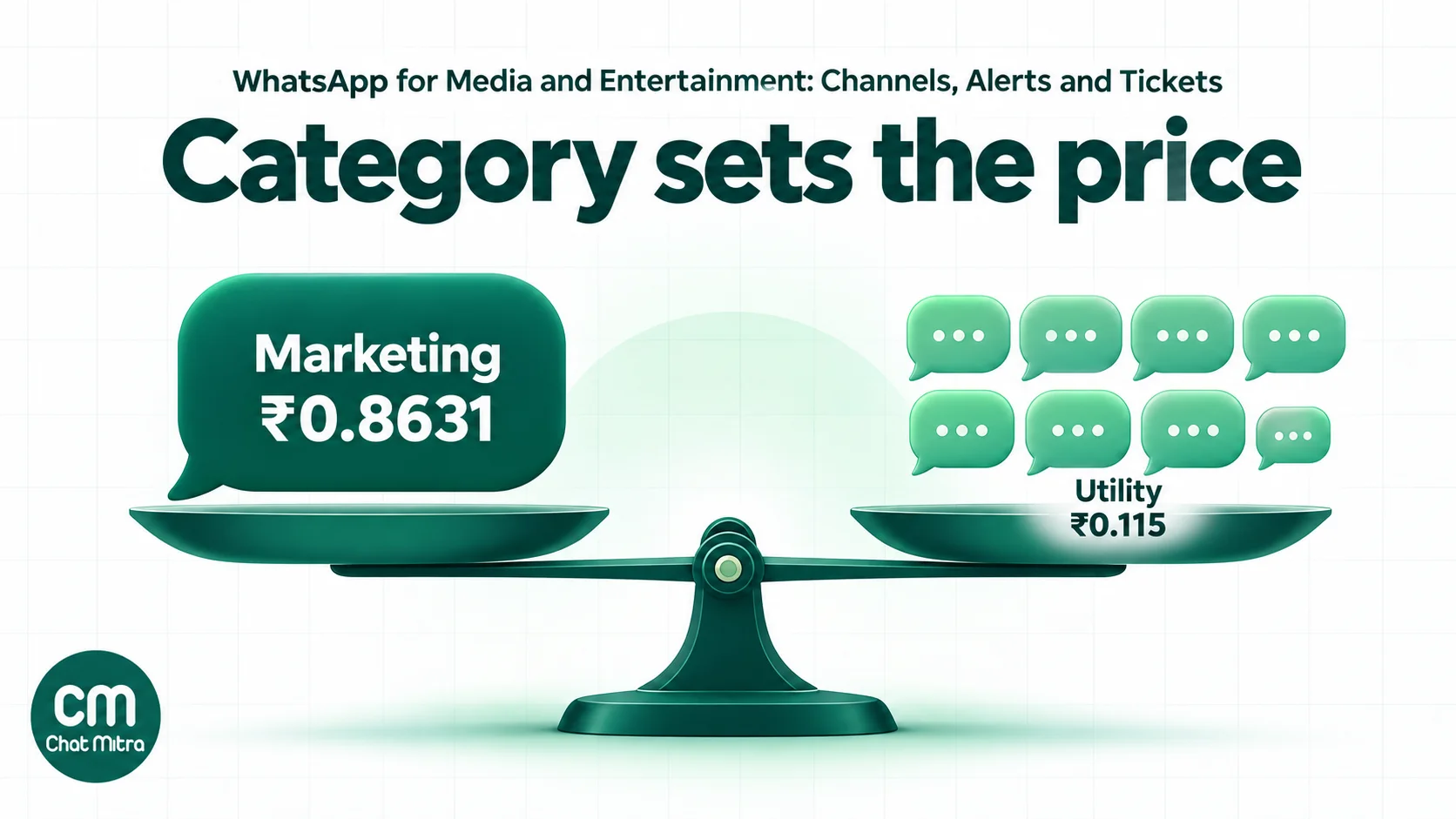
Meta’s India rates from 1 October 2026 (pricing):
| Category | Per delivered message (India) |
|---|---|
| Marketing | ₹0.8631 |
| Utility | ₹0.115 |
| Authentication | ₹0.115 |
| Service | First 1,000 a month free, then ₹0.115 |
One change from 2025 trips people up: since 1 October 2026, utility templates sent inside an open 24-hour window are charged too. Earlier guides that call them free are out of date.
Where media messages usually land
Meta doesn’t publish a “news alert” example, so the categories below come from applying its rules. It’s Meta’s review of each template that decides, and Meta can recategorise a template later if its content drifts.
| Message | Likely category | Why |
|---|---|---|
| Booking confirmation with ticket | Utility | Confirms a specific transaction; Meta’s own utility sample confirms a reservation |
| Showtime, venue or date change | Utility | A time-sensitive update about something the customer bought |
| Gate, parking and entry details for a booked event | Utility | Information about the customer’s booking |
| Plain billing notice (“₹199 will be charged on 5 Nov”) | Utility | Meta’s utility sample includes a monthly payment reminder |
| Failed payment, card expiring | Utility | About the customer’s account |
| Renewal reminder with a discount | Marketing | Meta: renewal attempts are marketing “even if requested by users” |
| New episode, new season or new release alert | Marketing | Awareness of content you want consumed |
| Daily news digest or headlines | Marketing | Same reasoning; no transaction behind it |
| ”Tickets now on sale” or an event invitation | Marketing | Meta’s own marketing example is an event invitation |
The practical rule: if the message would still make sense to someone who never paid you, it’s marketing.
Per-user limits on marketing
WhatsApp also limits how many marketing templates one person receives from all businesses combined. When it holds yours back, the send fails with error 131049, and Meta advises waiting at least 24 hours before resending (per-user limits). Marketing sent inside an open 24-hour window doesn’t count toward the limit. For a media business that blasts daily, this means some of your audience simply won’t get every alert, however much you’re willing to pay. That’s another reason to keep high-frequency content on a Channel.
The 2027 change to marketing on the Cloud API
Meta announced on 13 October 2026 that the Cloud API “will stop supporting marketing messages on October 13, 2027”, with marketing moving to its Marketing Messages API. Accounts created on or after 13 April 2027 can’t send marketing through the Cloud API at all (Meta, marketing messages overview). If you send release alerts or promotions through your own integration, plan the move now. Our Marketing Messages Lite API explainer covers what changes.
Playbooks by business type
News publishers and digital media
Reach and speed come from the Channel. Post the three or four stories that matter, not every update, because notifications are muted by default and followers who turn them on will turn them off again if you flood them. Use audio for a 60-second morning briefing and polls to ask readers what they want covered. Tag every link with UTM parameters so your analytics can separate Channel traffic from other WhatsApp shares.
The API handles what the Channel can’t:
- Reader tips and story leads. A tip line needs replies. Publish a WhatsApp number on story pages and in Channel posts, and answer within the 24-hour window, where your replies are service messages. Tell tipsters plainly what you’ll do with their name and number.
- Subscriber account notices. Paywall subscribers can get utility messages about their own account: renewal dates, failed payments, a password reset (authentication), or a missed e-paper delivery.
- Opted-in alerts for a niche. A business title might offer “results-day alerts for listed companies” to readers who ask for them. These are still marketing to Meta, so keep the list small, opted in and valuable.
- Corrections and grievances. In India, publishers of news and current-affairs content fall under Part III of the IT Rules, 2021. Rule 10 requires a publisher to acknowledge a grievance within 24 hours and decide it within 15 days. If you invite complaints on WhatsApp, log them in the same system and run them on the same clocks.
What not to do: don’t run your breaking-news feed as API marketing templates to your whole subscriber list. At ₹0.8631 a message, a daily alert to 20,000 people costs about ₹5.2 lakh a month in Meta charges alone, and per-user limits would still block some of them.
OTT and streaming services
A streaming service’s WhatsApp value is mostly in billing and retention, and most of it is utility-priced.
- Before the charge. If a subscriber pays by card or UPI AutoPay, their bank or card issuer must send a pre-transaction notification at least 24 hours before each debit under RBI’s E-mandate Framework, 2026. Your own WhatsApp notice is optional, but a plain one (“Your Premium plan renews on 5 November for ₹499”) cuts surprise cancellations and support calls. Keep it free of offers and it stays utility.
- When a payment fails. Send the reason in plain words and a link to update the payment method. This is the message with the clearest return, because the subscriber already wants the service.
- Plan changes and downgrades. Confirm what changes and when. Confirmations are utility; a “stay on Premium and save 20%” counter-offer is marketing.
- Support. Login problems, device limits and playback errors are better solved in a chat than an email thread. Replies inside the window are service messages.
- New seasons and releases. These are marketing. Send them only to people who asked for them, ideally by show or genre. Post general announcements on your Channel.
The cost gap is easiest to see at scale. A plain billing notice to 50,000 subscribers a month costs ₹5,750 in Meta charges (utility). Add a discount line to the same message and it becomes marketing at ₹43,155. For the full lifecycle, including win-back and pause flows, see our WhatsApp subscription management guide.
Cinemas and multiplexes
Cinemas were early to WhatsApp ticketing in India. In 2017, BookMyShow made WhatsApp its default channel for ticket confirmations, including an M-ticket QR code, according to an IANS report. In 2024 PVR INOX launched “Movie Jockey”, an AI assistant on WhatsApp that helps people discover films and book tickets with payment completed in the chat, as Deccan Chronicle reported.
A single-screen or regional chain doesn’t need an AI assistant to get most of the benefit. Start with four messages:
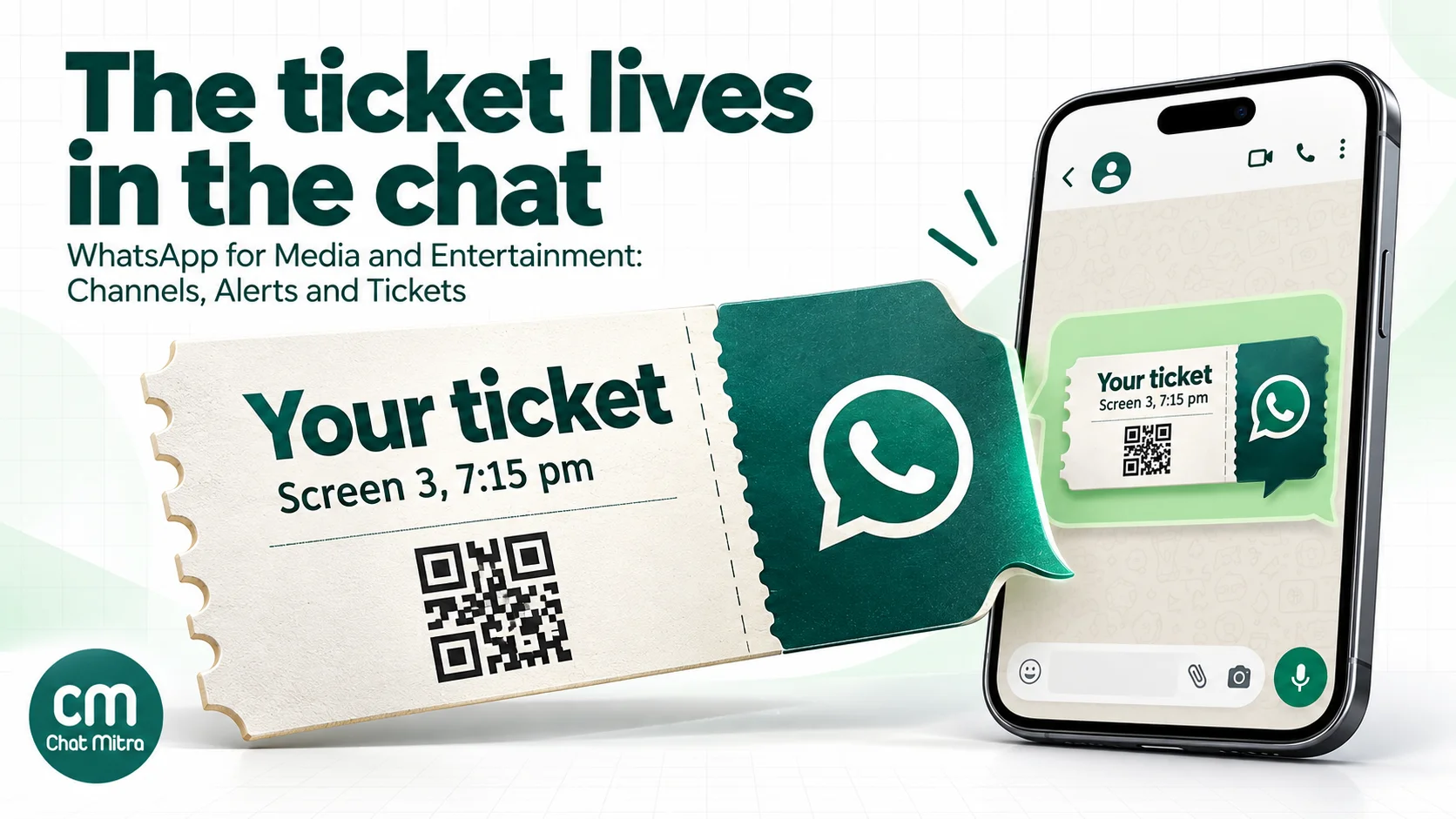
- Booking confirmation with the ticket. Attach the ticket as a PDF or image header. Meta allows documents up to 100 MB and images up to 5 MB (media limits). A ticket PDF is a few hundred kilobytes.
- A reminder before the show, with screen number, show time and food-counter pickup instructions.
- Showtime changes and cancellations, sent the moment programming changes, with the refund or exchange route.
- Food and beverage pre-orders, if your counter supports them, as a link to your ordering page. A link to your own checkout or a payment link works with any provider; see WhatsApp payment links.
Then keep the weekly line-up off the API. Post it to your Channel on the day new releases open, and send an opted-in “members” message only when there’s something personal to offer.
Live events, concerts and sports
Events add urgency and logistics. The ticket is the same as at a cinema, but the questions are different: where’s the gate, can I bring a bag, has the start time moved, is there parking? Every one of those is a utility message to a ticket holder, or a service reply if they ask first.
Useful sequences for a promoter or venue:
- Purchase: confirmation with the ticket file and the date, venue and gate.
- A week before: entry rules, bag policy and transport options.
- The day before: start time, gate opening time, weather or route changes.
- On the day: gate changes or delays, sent only when something changes.
- Afterwards: a short feedback request about the event the person attended.
Waitlists are a strong use case. When a seat frees up, the first person on the list gets a message with a booking link and a deadline. Announcing a new show to past buyers, on the other hand, is marketing, and it needs their consent to promotional messages, not just their ticket purchase.
For registration-led events such as conferences and webinars, our events and webinars page and the event template library have ready-made flows.
Music labels, artists and podcasters
For artists and creators, the Channel is the main tool. It supports text, images, videos, stickers, links, audio and polls, which covers release-day posts, studio clips, audio messages and “which song should we play live?” votes. Fans can follow without sharing their number with you, and that matters to many of them.
Use the API when there’s a transaction or a membership:
- Merch orders: order confirmations, dispatch updates and delivery questions (utility and service).
- Paid memberships or fan clubs: renewal notices (utility), and member-only drops sent to members who agreed to them (marketing).
- Tour tickets: the event flows above.
If you want fans to talk to each other, that’s neither a Channel nor the API. It’s a WhatsApp Community or group, which comes with its own privacy trade-offs; see our WhatsApp Community guide. And keep rights in mind: WhatsApp’s Business Messaging Policy incorporates its Intellectual Property Policy, so share clips and snippets you own or are licensed to share, not full tracks or episodes.
A worked month for a multiplex
Take a five-screen multiplex in Pune with 12,000 online bookings a month and an opted-in members’ list of 5,000. Rates are Meta’s India rates from 1 October 2026.
| Messages in the month | Count | Category | Meta charge |
|---|---|---|---|
| Booking confirmations with ticket | 12,000 | Utility (₹0.115) | ₹1,380.00 |
| Reminders before the show | 12,000 | Utility (₹0.115) | ₹1,380.00 |
| Showtime changes and cancellations | 400 | Utility (₹0.115) | ₹46.00 |
| Replies to customers within 24 hours | 2,500 | Service: 1,000 free, then ₹0.115 | ₹172.50 |
| Weekly “this Friday’s releases” to members | 20,000 | Marketing (₹0.8631) | ₹17,262.00 |
| Total | ₹20,240.50 |
The weekly release message is 85% of the bill. Now move the line-up to the cinema’s Channel, where it’s free, and send members one personal offer a month instead of four:
| Change | Meta charge |
|---|---|
| Same utility and service messages | ₹2,978.50 |
| One monthly members’ offer (5,000 × ₹0.8631) | ₹4,315.50 |
| New total | ₹7,294.00 |
That’s ₹12,946.50 a month saved without losing a single ticket message.
ChatMitra’s fee sits on top: ₹0.20 per conversation, meaning once per customer per 24 hours, however many messages are exchanged. A confirmation and a same-day reminder to one buyer usually fall in one conversation. In the first version of this month that’s up to about 32,400 conversations (₹6,480 on Starter). In the second it’s about 17,400 (₹3,480). Enterprise, at ₹2,499 a month, has no per-conversation fee (ChatMitra pricing) and becomes cheaper than Starter above 12,495 conversations a month. Try your own numbers in the WhatsApp pricing calculator.
Templates for media and entertainment
Replace the variables with your fields and submit each template to Meta for review. The category column is our recommendation; Meta’s review decides.
| Purpose | Template text | Likely category |
|---|---|---|
| Ticket confirmation (PDF or image header) | “Hi {{1}}, your booking for {{2}} on {{3}} at {{4}} is confirmed. Seats: {{5}}. Your ticket is attached; show it at the entrance.” | Utility |
| Show reminder | ”Hi {{1}}, {{2}} starts at {{3}} today in {{4}}. Please arrive 15 minutes early. Food pre-orders can be collected at counter {{5}}.” | Utility |
| Show or event change | ”Hi {{1}}, the {{2}} show on {{3}} has moved to {{4}}. Your seats are unchanged. If the new time doesn’t suit you, reply REFUND or tap the link: {{5}}“ | Utility |
| Event-day logistics | ”Hi {{1}}, gates for {{2}} open at {{3}}. Use gate {{4}}. Bags larger than {{5}} aren’t allowed. Parking: {{6}}“ | Utility |
| Renewal notice (no offer) | “Hi {{1}}, your {{2}} plan renews on {{3}} for ₹{{4}}. To change or cancel, visit {{5}}.” | Utility |
| Failed payment | ”Hi {{1}}, we couldn’t collect ₹{{2}} for your {{3}} plan. Update your payment method by {{4}} to keep watching: {{5}}“ | Utility |
| New season alert (opted-in) | “Hi {{1}}, {{2}} season {{3}} is out now. You asked us to tell you when it arrived. Watch here: {{4}}. Reply STOP to turn off release alerts.” | Marketing |
| Members’ offer | ”Hi {{1}}, members get {{2}} on {{3}} tickets this week. Book by {{4}}: {{5}}. Reply STOP to unsubscribe.” | Marketing |
Two writing tips. First, never slip a promotion into a utility template, for example “your booking is confirmed, and here’s 20% off popcorn”. It usually gets the template recategorised as marketing, and sometimes rejected. Second, keep STOP instructions in marketing templates, and make sure someone actually acts on them (see below).
Rules to check before you send
Consent. Every API recipient must have agreed to hear from you on WhatsApp. A ticket purchase supports transactional messages about that booking. It doesn’t automatically cover promotions. Ask separately, with a tick box or a WhatsApp opt-in message, and record when and how; see our WhatsApp opt-in guide. India’s DPDP Rules bring the consent and notice duties into force in May 2027, and section 6(4) of the Act says withdrawing consent must be as easy as giving it.
Opt-outs. A reply of STOP, or a user turning off marketing in WhatsApp, has to reach your list. Excluding those people protects your number’s quality rating and keeps you on the right side of consent rules.
Prohibited content. WhatsApp’s Business Messaging Policy (updated 23 September 2026) prohibits real-money gambling and gaming, defining it to include “fantasy sports” and “skill game tournaments”, regardless of licences. India isn’t among the few countries where gambling messaging can be allowed. India’s online gaming law also bans online money games and their advertising, and its rules came into force on 1 May 2026. Adult products and services and dating services are prohibited too. Alcohol is a regulated vertical, and India isn’t on the allowed list, which matters for bar-and-gig venues.
Age ratings. OTT platforms in India classify content as U, U/A 7+, U/A 13+, U/A 16+ or A under the IT Rules. A teaser for an A-rated series sent to a general opted-in list can reach minors. Segment by declared age, or keep teasers for adult content off WhatsApp.
Rights. Share only clips, art and audio you own or are licensed to distribute on messaging platforms, and check your distribution agreements before sending trailers and stills.
Setting it up in ChatMitra
- Connect your business number to the WhatsApp Business Platform, with your brand as the display name. Use a different number from your Channel’s admin phone if you want the two kept apart.
- Import your audience from a CSV, tagged by what each person agreed to: “tickets only”, “release alerts”, “members”. Imports take up to 10,000 rows per file. Columns other than the standard ones become custom fields (such as plan, renewal date or city) that templates can use.
- Create your templates in the template builder: utility for confirmations and notices, marketing for alerts and offers. Headers can be text, an image, a video (up to 16 MB, H.264) or a document, with buttons: up to two URL buttons, one phone button, one copy-code button and quick replies, ten buttons in all.
- Send tickets per buyer through an automation. Use an Incoming Webhook trigger from your booking system and a “send template” action whose document header points at that buyer’s ticket, for example
https://tickets.example.com/{{TicketID}}.pdf. On Pro, the developer API can do the same. Campaigns send one shared file to everyone, so they’re for announcements, not tickets. - Automate reminders from dates. Store the show date or renewal date as a contact field and use the “N days before a date” trigger. Runs happen at a time you choose in IST (default 9 am). If you drive reminders from a Google Sheet instead, the sheet date trigger matches day and month only, so clear past rows or they’ll fire again next year.
- Schedule announcements as campaigns to tagged audiences, up to two months ahead. Each campaign sends once; repeat weekly content by scheduling each edition, or better, post it to your Channel.
- Handle STOP. On Pro, an Auto Reply rule for the keyword STOP can add an “opted_out” tag. Exclude that tag in every marketing campaign.
- Answer from the shared inbox on the web or the Android app, with saved replies for common questions such as refunds, parking and login help. On Pro, the AI chatbot can answer FAQs from a document you upload, using your own AI provider key.
ChatMitra’s advantages for media and entertainment teams:
| Advantage | What it means |
|---|---|
| Starter is free | Ticket confirmations and renewal notices from an official number with no subscription |
| Meta’s rates at cost | A ticket confirmation costs Meta’s ₹0.115 utility rate, plus ₹0.20 per conversation on Starter and Pro |
| Marketing already on Meta’s Marketing Messages API | ChatMitra routes marketing templates through it, so the 2027 Cloud API change needs no work from you |
| Unlimited team members on one number | Box office, support and editorial staff answer from the same inbox |
| Per-buyer ticket files | Webhook automations attach each buyer’s own ticket PDF or image |
| Date-based reminders | Show and renewal reminders go out without anyone remembering to send them |
| Retargeting by campaign status | Resend to people whose earlier message wasn’t delivered or read |
Good to know: ChatMitra doesn’t manage WhatsApp Channels, because Meta offers no Channels API; run your Channel in the WhatsApp app. Campaign reports show sent, delivered, read and failed counts, not link clicks, so use UTM-tagged links. Campaigns schedule once and don’t repeat, and each date-trigger run handles up to 2,000 contacts, so a large renewal list needs its dates spread out. Broadcasts don’t yet exclude people who turned off marketing in WhatsApp automatically, so keep your “opted_out” tag up to date and exclude it. There’s no chat assignment or payment collection inside the chat; use tags to split the inbox and send payment links from your gateway. The template builder doesn’t offer carousel, limited-time-offer or WhatsApp Flows templates.
What to measure
| Metric | What it tells you |
|---|---|
| Channel followers and reach (from 100 followers) | Whether your free top-of-funnel is growing |
| Channel → API opt-ins per month | Whether followers are turning into reachable customers |
| Read rate on utility templates | Whether confirmations and notices are landing |
| Failed-payment recovery rate | The clearest revenue result for subscription businesses |
| ”Is my show on?” and “where’s my ticket?” calls | Should fall once confirmations and changes go out on WhatsApp |
| Marketing share of Meta spend | If it’s above half, look for content to move to the Channel |
| 131049 errors and opt-outs per campaign | Whether you’re sending more marketing than people want |
Common mistakes
- Treating a Channel like a list you own. You can’t message followers individually, export them or reach them if they mute you. Convert the engaged ones into API opt-ins.
- Sending daily content as API marketing. It’s the most expensive way to deliver something a Channel delivers for free, and per-user limits cap it anyway.
- Hiding offers in utility templates. “Booking confirmed, plus 20% off your next film” gets recategorised as marketing.
- Assuming a ticket buyer opted in to promotions. A purchase covers messages about that booking, not your next show.
- Promising “exclusive, encrypted” content on a Channel. Channels are public and not end-to-end encrypted by default.
- Marketing fantasy or real-money games. WhatsApp prohibits it and Indian law bans online money games and their advertising.
- Ignoring STOP. Unhandled opt-outs lower your quality rating and break consent rules.
- Copying another brand’s Channel strategy without its scale. A news brand with millions of followers can post hourly. A cinema with 3,000 followers should post the line-up and the occasional big release.