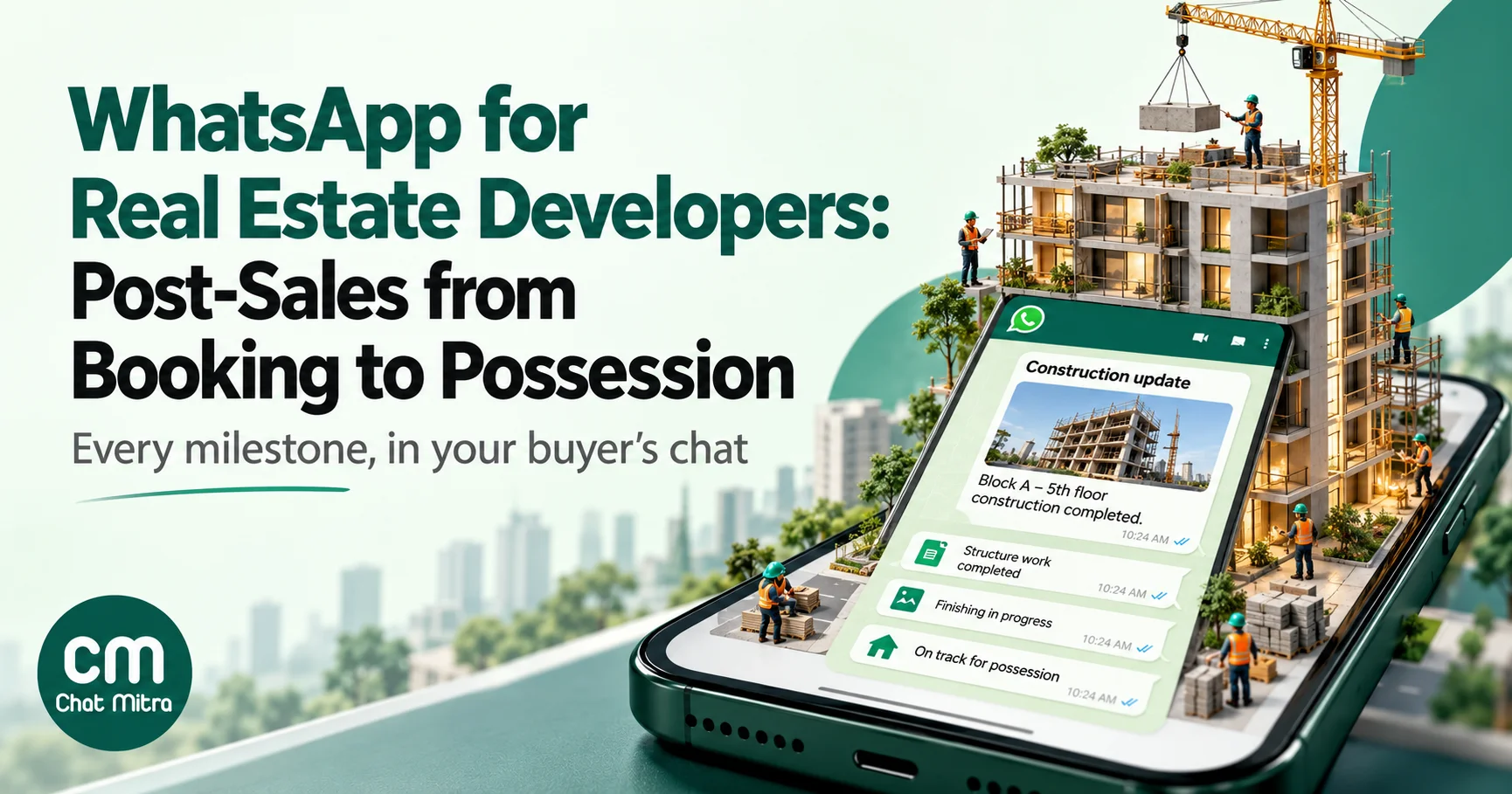
A real estate developer’s WhatsApp work doesn’t end at the booking. For an under-construction home it starts there: two or three years of demand notes, payment reminders, construction updates, document requests and finally the possession offer, sent to buyers who have already paid lakhs and want to know what happens next. WhatsApp suits this stretch because nearly every message is a utility template tied to one buyer’s unit, which keeps the cost per message low and the tone factual. This guide walks through the six post-sales stages, the RERA and WhatsApp rules that shape each message, sample templates, the cost per buyer and how to run it in ChatMitra.
Using ChatMitra?
Import your buyers from a CSV with columns such as unit, tower and payment plan (each extra column becomes a custom attribute), tag them by tower or wing, and send utility templates whose variables fill from those attributes. Construction updates go out as one scheduled campaign per tower with the site photo as the header. Per-buyer demand letters with their own PDF go through the developer API on Pro. The full setup is further down.
Key takeaways
- Post-sales is mostly utility messaging. Keep offers, upgrades and referral asks out of these templates, or the whole template is billed as marketing.
- RERA sets the clock. Payments follow the agreement for sale, late payments carry interest, possession is due within two months of the occupancy certificate, and defects can be reported for five years.
- One message, one job. A demand note, a reminder and a receipt are three templates, not one.
- Never collect ID numbers or payment details in chat. Send links to your secure portal and payment page instead.
- The cost is small. About ₹17 per buyer over a three-year build in our worked example, against the cost of one missed payment.
What post-sales means for a developer
In Indian real estate, “post-sales” is everything that happens between a buyer paying the booking amount and receiving the keys, plus the defect liability period after that. A sales team hands the buyer to a CRM (customer relationship) team, which issues demand letters, tracks collections, answers questions, coordinates with home-loan banks and eventually runs the possession process. In a construction-linked payment plan, that relationship can last as long as the build itself.
It’s also where most buyer anxiety lives. People who have paid for a flat they can’t see yet want three things repeatedly: how much they owe and when, whether the building is actually progressing, and when they’ll get possession. Email gets buried, phone calls go unanswered during working hours, and printed letters arrive days late. A WhatsApp message with the unit number, amount and date in the first line gets read.
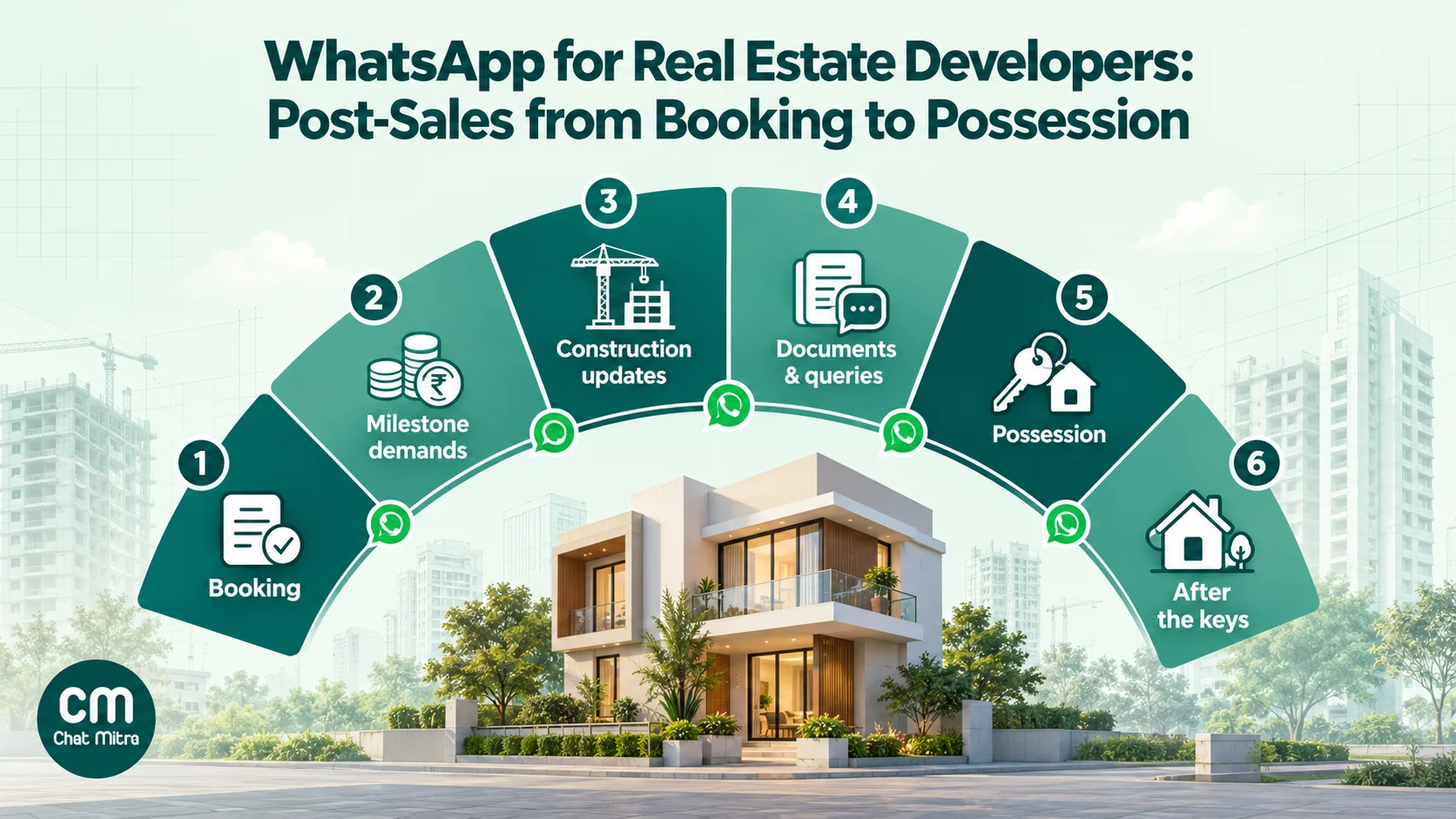
| Stage | What the buyer needs | Typical WhatsApp message | Template category |
|---|---|---|---|
| 1. Booking | Proof of payment, the payment schedule, next steps | Booking receipt, schedule summary, document checklist link | Utility |
| 2. Milestone demands | Amount, due date, how to pay | Demand note, reminder, overdue notice, receipt | Utility |
| 3. Construction updates | Evidence the building is progressing | Milestone update with a site photo or short video | Utility (if non-promotional) |
| 4. Documents and queries | Answers, forms, loan paperwork | Replies inside the open chat, portal links | Service replies, utility |
| 5. Possession | OC status, final dues, inspection and handover dates | Possession offer, slot booking, handover-day details | Utility |
| 6. After the keys | Somewhere to report defects, association updates | Complaint intake with buttons, status updates | Utility |
Lead capture and site visits come before all of this and are a different job. Our real estate industry page covers that side, and the guide to qualifying WhatsApp leads with an AI agent covers pre-sales qualification.
The rules that shape every post-sales message
Two sets of rules decide what you can send and how: India’s Real Estate (Regulation and Development) Act, 2016 (RERA), and WhatsApp’s own policies.
What RERA requires
RERA doesn’t regulate WhatsApp, but it defines the obligations your messages are reporting on. The sections that matter most for post-sales communication:
- Advance before agreement (Section 13(1)). A promoter can’t take more than 10% of the unit’s cost as an advance or application fee without first entering into, and registering, a written agreement for sale. Your booking-stage messages should reflect where the buyer is in that sequence.
- The stage-wise schedule (Sections 11(3) and 19(2)). At booking, the promoter must give the buyer the stage-wise time schedule of completion, and the buyer is entitled to know it. Your payment schedule and construction updates should match the schedule the buyer was given.
- Quarterly project status (Section 11(1)). Promoters must keep their RERA project web page updated quarterly, including the status of the project and the list of approvals taken and pending. Your WhatsApp updates shouldn’t say anything that contradicts it.
- Payment duty and interest (Sections 19(6) and 19(7)). Buyers must pay “in the manner and within the time as specified” in the agreement for sale, and are liable to pay interest at the prescribed rate for delays. The rate comes from your state’s RERA rules, so quote it from your agreement rather than from memory.
- Withdrawals follow certified progress (Section 4(2)(l)(D)). Seventy per cent of the amounts collected from buyers go into a separate account and can be withdrawn only in proportion to completion, certified by an engineer, an architect and a chartered accountant. That’s one reason demand notes should be tied to completed milestones, and why buyers respond better when the demand comes with evidence.
- Possession within two months (Section 19(10)). Buyers must take physical possession within two months of the occupancy certificate. Possession messages start that clock, so they need to be clear and dated.
- Five years of defect liability (Section 14(3)). Structural defects, and defects in workmanship, quality or services, reported within five years of possession must be rectified free of charge within 30 days. Your complaint intake on WhatsApp is part of meeting that duty.
State rules add details such as the interest rate and agreement formats. If your legal team has standard wording for demand letters, keep WhatsApp templates consistent with it and let the formal letter carry the legal detail.
What WhatsApp requires
- Opt-in first. WhatsApp’s Business Messaging Policy allows you to contact people only if they gave you their number and you received their opt-in to receive messages from you. Add a WhatsApp consent line to the booking form, and see our WhatsApp opt-in guide for wording.
- No sensitive identifiers. The policy says not to share or ask people to share full payment card numbers, financial account numbers, personal ID card numbers or other sensitive identifiers. That rules out asking for PAN, Aadhaar or bank account numbers in chat.
- Respect opt-outs. You must honour requests to stop messages, made on or off WhatsApp. For a buyer who opts out, send demand letters by email or post as the agreement allows.
- Template categories. Meta classes a template as utility only if it is non-promotional and specific to the user’s order, account or transaction, or essential to them. Its own utility examples include a payment reminder. Mix in promotional content and the template is treated as marketing. Our guide to WhatsApp utility templates explains how approval and recategorisation work.
India’s Digital Personal Data Protection Act, 2023 also applies to the buyer data you hold, so limit who in the CRM team can see contact details and keep only what the relationship needs.
Stage 1: Booking and the agreement for sale
The first post-sales message should arrive within hours of the booking payment, not after the agreement is drafted. Its job is reassurance: the money reached the right place and someone is responsible for what happens next.
Send three templates in the first week:
- Booking receipt. Unit, project, amount received, date and a reference number. If the receipt PDF is ready, attach it as a document header.
- Payment schedule summary. Not the full cost sheet, which belongs in the formal documents, but the next two payments, what triggers them (for example, “on completion of the 4th slab”) and the name of the CRM executive handling the account.
- Document checklist. A short list of what the agreement for sale needs and a link to your secure upload portal. Not a request to send ID cards on WhatsApp.
Follow with the agreement registration appointment once the draft is ready. A quick-reply button (“Confirm slot”, “Need another date”) turns a scheduling call into a tap.
Sample booking receipt (utility):
Hello {{1}}, thank you for booking unit {{2}} at {{3}}. We have received ₹{{4}} on {{5}}, reference {{6}}. Your CRM executive is {{7}}, who will share the agreement for sale and your payment schedule. Reply here with any question about your booking.
Every variable is about this buyer’s transaction, and there’s no offer or upsell, which is what keeps it in the utility category.
Stage 2: Milestone demands and payment reminders
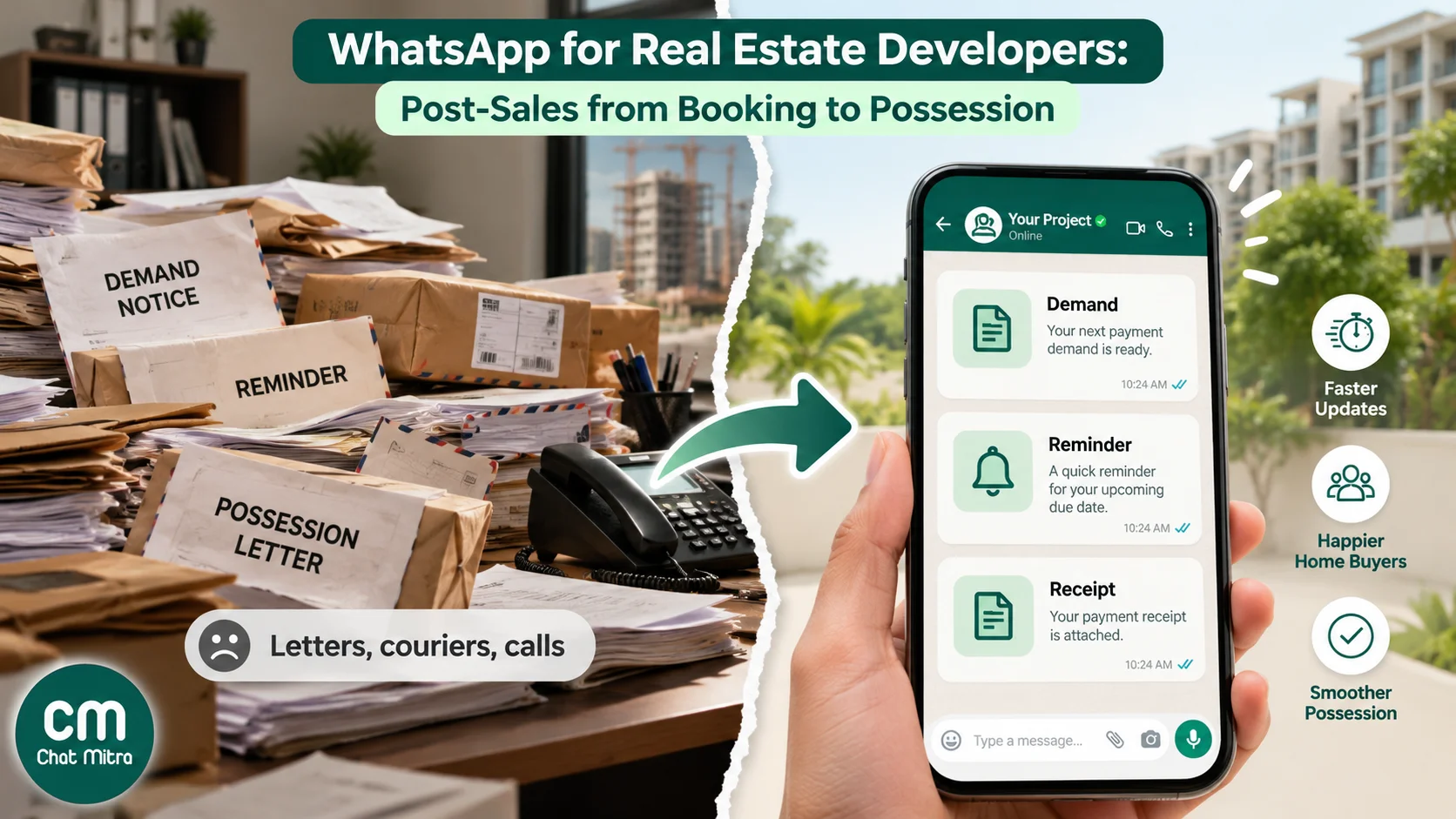
This is where WhatsApp earns its keep. In a construction-linked plan, each completed milestone triggers a demand, and each demand needs follow-up until it’s paid. The usual mistake is to cram the demand, the reminder and the receipt into one message, or to send nothing between the demand letter and an overdue notice.
A demand cadence that works
| When | Message | Purpose | Buttons |
|---|---|---|---|
| Demand issued (day 0) | Demand note: milestone completed, amount, due date | Inform and give evidence | Pay (URL), Talk to CRM |
| 7 days before due | Reminder: amount, due date | Prompt planning, especially for loan buyers | Pay (URL), Already paid |
| Due date | Short reminder | Last nudge before interest applies | Pay (URL) |
| 3 days after due | Overdue notice: amount, that interest applies as per the agreement | Factual, not threatening | Talk to CRM |
| On receipt | Receipt: amount, date, reference | Close the loop | None |
Adjust the gaps to your agreement’s payment window. If the agreement gives 15 days from the demand, a 7-day reminder lands mid-window; with a 30-day window, add a second reminder.
The “Already paid” quick reply matters more than it looks. Payments by cheque or bank transfer can take days to reconcile, and a buyer who has paid and keeps receiving reminders will lose trust fast. Route that reply to the accounts team and pause the buyer’s reminders until it’s checked.
A demand-note template that stays utility
Hello {{1}}, the {{2}} milestone for unit {{3}} at {{4}} is complete. As per your payment schedule, ₹{{5}} is due by {{6}}. The demand letter has been sent to your registered email. Tap below to pay, or reply here with any question about this demand.
Pair it with a URL button whose dynamic suffix is the buyer’s payment-link ID from your gateway or ERP. Our guide to sending payment links on WhatsApp covers the link formats and security habits, including never asking for card numbers, CVVs or UPI PINs in chat.
What to keep out: “Pay early and get a free modular kitchen upgrade” or “Refer a friend for ₹50,000 off”. Either line turns the template into marketing.
Per-buyer demand letters as PDFs
Many developers want the formal demand letter itself in WhatsApp. That works as a document header on a utility template, but each buyer’s file is different, so it can’t go out as a single broadcast with one attachment. You have three practical options:
- Text on WhatsApp, letter by email. The template carries the unit, amount and due date, and the formal letter goes by email. This is the simplest and still the most common.
- A link to the letter. The template has a URL button that opens the buyer’s letter in your customer portal, behind its login.
- A per-buyer PDF through an API. Your CRM or ERP generates the letter and sends each buyer a template with their own document link. This needs API access, not a broadcast.
Home-loan buyers need one extra step
For buyers paying through a home loan, the demand usually has to reach the bank too, and the buyer often has to request the disbursement. A reminder that only says “₹8,40,000 due on 15 March” doesn’t help them. Add a loan-specific variant: the same facts, plus a line asking the buyer to share the demand letter with their lender, and a quick reply such as “Loan disbursement requested”. Tag loan buyers at booking so they get this variant automatically.
Stage 3: Construction progress updates
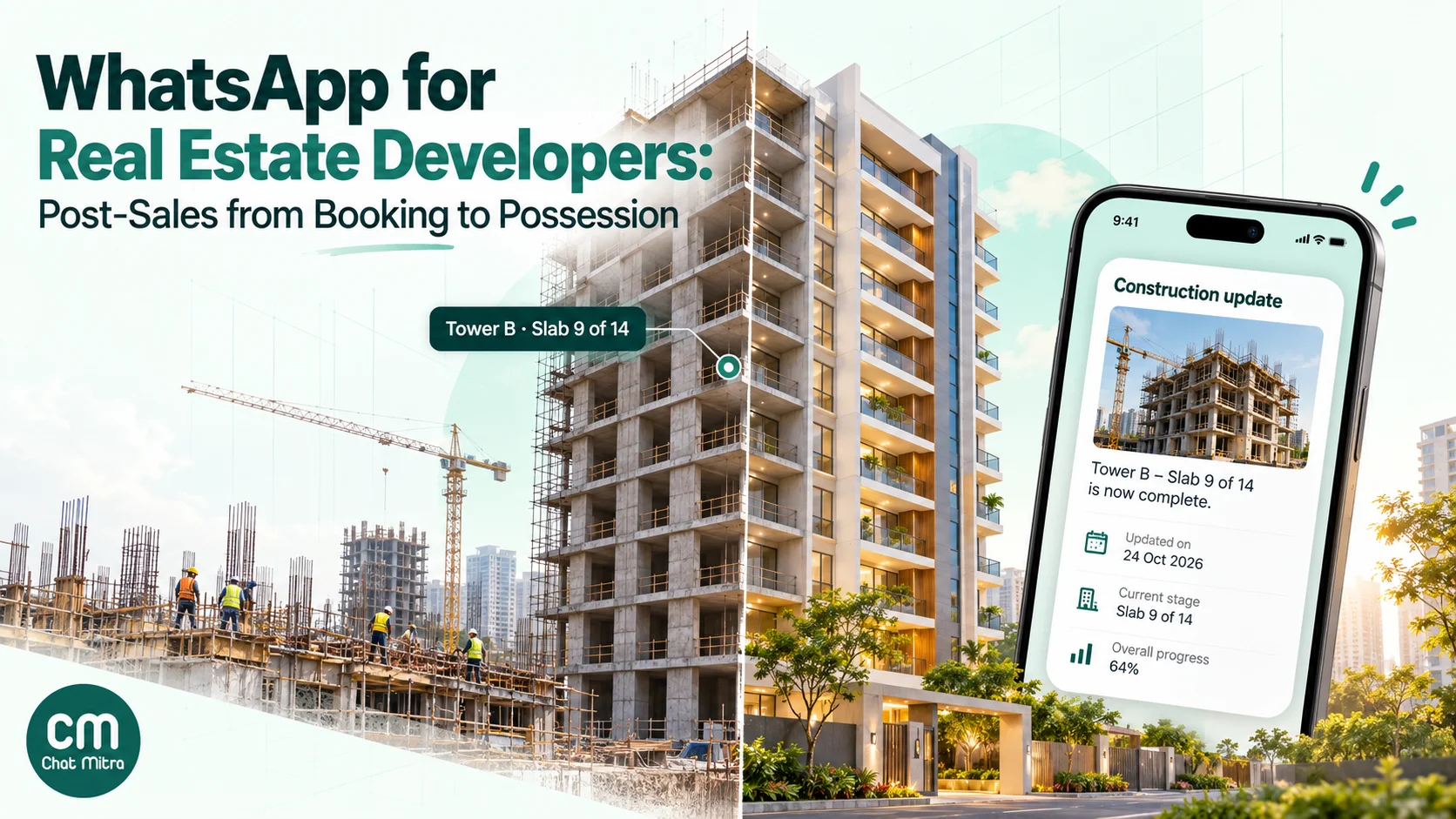
Construction updates are the cheapest trust you can buy. A buyer who sees a photo of their tower’s 9th slab every few weeks rarely needs to call and ask whether work is happening. Updates also make demands easier to accept, because the buyer has already seen the milestone being reached.
How to run them well:
- Segment by tower or wing. Buyers in Tower A don’t need Tower C’s slab news. Tag each buyer with their tower at import.
- Send on milestones, with a quarterly floor. A message when a slab, the brickwork, MEP (mechanical, electrical, plumbing) or finishing completes, and at least one update a quarter, which lines up with the quarterly status already filed on your RERA project page.
- Use real, recent media. One site photo or a short video as the template header. Old or staged photos are noticed, and they cost more trust than they buy.
- State the next milestone, not a promise. “Next planned milestone: 10th slab” is safer than a date the site team hasn’t committed to. If a date slips, say so before the buyer finds out.
- Stay non-promotional. A construction update about the buyer’s own unit is information about their transaction. Adding “Only 12 units left in Tower B, refer now” makes it marketing.
Sample construction update (utility, image header):
Construction update for {{1}}, {{2}}: {{3}} is complete. Next planned milestone: {{4}}. The full quarterly project status is on the RERA website under registration number {{5}}. Reply here if you have a question about your unit.
Stage 4: Documents and queries in between
Between milestones, the WhatsApp thread becomes the buyer’s help desk. Expect questions about the cost sheet, changes to the floor plan, adding a co-applicant, the NOC for a home loan, a transfer or resale, and TDS on the purchase. Most of these arrive as messages from the buyer, so your replies are free-form messages inside the open 24-hour customer service window, not templates.
Three habits keep it manageable:
- Saved replies for the repeat questions. The answers on how to request a loan NOC, who signs a co-applicant addition, or where to find the RERA registration number should be written once, reviewed by legal, and reused.
- One owner per buyer. Assign each buyer to a named CRM executive and put the name in the booking message. A buyer who has to explain their unit to three people will escalate.
- Documents through a secure channel. When a buyer needs to submit KYC or bank documents, send a link to your portal or document management system. If a buyer sends a document in chat anyway, download it to your records the same day, because the chat is not a document archive, and don’t repeat ID or account numbers back in your reply.
Some requests are commercial rather than transactional: an upgrade package, a parking slot for sale, a referral programme. Send those only as marketing templates to buyers who agreed to receive offers, and keep them out of your payment and progress templates.
Stage 5: Possession and handover
Possession is the stage buyers remember. It’s also time-bound: once the occupancy certificate is issued, Section 19(10) of RERA gives the buyer two months to take physical possession, so every message in this stage should carry dates.
A typical sequence:
- Occupancy certificate and possession offer. The OC date, a line saying the possession letter and final statement have been emailed, and the final dues.
- Final demand and reminders. The same cadence as Stage 2, covering the last instalment and charges such as maintenance deposits and registration, as your agreement lists them.
- Unit inspection booking. A template with quick-reply buttons for preferred days, or a link to your booking page. Inspections run better when they’re spread across weeks instead of everyone arriving on the first Saturday.
- Snag list follow-up. After the inspection, a message listing what was recorded and the expected fix date.
- Handover day. Time, place, what to bring (identity proof, payment receipts, the possession letter) and who will meet them.
Sample possession offer (utility, document header optional):
Hello {{1}}, the occupancy certificate for {{2}} was issued on {{3}}. Your possession letter and final statement for unit {{4}} have been emailed to you. The balance due is ₹{{5}}. Tap below to choose a date for your unit inspection.
Keep the celebration for the handover day itself. A handover photo of the buyer at their front door is something many buyers share on their own, but ask permission before you use it anywhere.
Stage 6: After the keys
Handing over the keys starts the defect liability period. Under Section 14(3), defects reported within five years of possession must be fixed without charge within 30 days. WhatsApp makes reporting easy, and that’s the point: a complaint you hear about early is cheaper than one that reaches the regulator.
Set up a simple intake: a keyword or a “Report an issue” button that asks the buyer to choose a category (plumbing, electrical, civil, other), describe the problem and attach a photo. Log it in your complaint system, reply with a reference number, and send status updates as the fix progresses.
This is also the stage to help form the association of allottees, which buyers are required to participate in under Section 19(9), and to hand over maintenance communication to the association or facility manager when that happens.
Feedback requests are fine as utility templates if they are purely about the handover experience. A survey that ends with “Refer a friend and earn a reward” is marketing.
What it costs per buyer
WhatsApp charges are per delivered template in India, and post-sales is almost all utility. Here’s a worked example for one buyer on a construction-linked plan over a three-year build:
| Messages | Count | Meta charge at ₹0.1150 |
|---|---|---|
| Booking stage (receipt, schedule, checklist, registration slot) | 4 | ₹0.46 |
| 8 milestone demands × 3 (demand, reminder, receipt) | 24 | ₹2.76 |
| Construction updates (about one a quarter) | 12 | ₹1.38 |
| Possession stage (offer, final demand, inspection, handover, snag follow-up) | 5 | ₹0.58 |
| Total templates | 45 | ₹5.18 |
Add ChatMitra’s fee on Starter or Pro: ₹0.20 per conversation, charged once per buyer per 24-hour window however many messages are exchanged. If each of the 45 templates opens its own conversation and the buyer starts about 15 more with questions, that’s 60 conversations, or ₹12.00. Your replies to the buyer’s questions are service messages: since 1 October 2026 the first 1,000 a month on each business phone number are free, then ₹0.115 each, so a single project’s number usually stays inside the free allowance.
Total: about ₹17.18 per buyer over three years, or roughly ₹5,150 for a 300-unit project. Pro’s ₹999 a month includes 12,000 ChatMitra messaging credits a year, which covers that project’s ₹0.20 fees with room to spare. Enterprise (₹2,499 a month) removes the ₹0.20 fee entirely, but that only pays off above about 12,500 conversations a month, so it suits a developer running many projects at once.
The number that should worry you is the other one: if Meta recategorises your templates as marketing because of an offer line, the same 45 messages cost ₹38.84 per buyer in Meta charges at ₹0.8631, more than seven times as much. Rates here are Meta’s India card as of October 2026. Check our notes on the October 2026 pricing change and the pricing page for current figures.
Run post-sales on WhatsApp with ChatMitra
ChatMitra handles the messaging layer: templates, campaigns, the shared inbox and the API. Your CRM or ERP stays the system of record for cost sheets, demands and receipts. Here’s how the pieces fit.
- Import buyers with their unit details. Upload a CSV of buyers. Name, mobile and email map to the contact, tags can be added in a column (separated with
|), and any other column (unit, tower, plan type, loan bank) becomes a custom attribute. Starter allows 10 custom attributes and 10 tags, Pro 20 and 100, and Enterprise is unlimited, so plan your columns. - Tag by tower, stage and payment mode. Tags such as
tower-b,possession-2027andhome-loanlet you aim each campaign. Campaigns can include or exclude tags. - Create utility templates with variables. Build the demand, reminder, receipt, construction-update and possession templates in the template builder, with image, video or document headers where they help. Variables fill from each contact’s attributes at send time, with a fallback value if one is missing.
- Schedule construction updates per tower. Create one campaign per tower with the site photo or video as the header and schedule it, up to two months ahead. ChatMitra’s uploader accepts images up to 5 MB, video up to 16 MB and documents up to 100 MB.
- Send per-buyer demands from your CRM. For a different amount, date or PDF for each buyer, call the developer API (
POST /developer/api/send_message, on Pro and above) from your CRM, which can attach each buyer’s own document link. On the same plans, webhooks report message events (received, sent and status updates) back to your system. - Follow up from the reports. Each campaign report shows who was sent, delivered, read or failed, and you can retarget any of those groups, for example a second reminder to buyers who haven’t read the first.
- Answer queries with saved replies. Store the standard answers as saved replies with a
/shortcut, so every executive gives the same reviewed wording.
Good to know: ChatMitra doesn’t generate payment links, track payments or reconcile receipts, and it has no recurring campaigns, so each reminder round is its own scheduled campaign or an API call from your CRM. Media that buyers send can be viewed and downloaded in the inbox but isn’t archived by ChatMitra, so move documents to your own records. If you’d rather not write code for date-based reminders, ChatMitra’s sister product, WorkflowMitra, can run a daily schedule that reads a Google Sheet of due dates, checks which fall in the next seven days and sends the matching ChatMitra template. It’s a separate subscription and needs a ChatMitra API key, so test the workflow on a few internal numbers first.
Common mistakes
- Putting offers in transactional templates. One upgrade or referral line turns a ₹0.1150 template into a ₹0.8631 one, and blurs the message the buyer most needs to read.
- Asking for ID or bank details in chat. It breaks WhatsApp policy and puts sensitive data where it doesn’t belong. Use your portal.
- Reminding buyers who have already paid. Give them an “Already paid” button and pause reminders until accounts confirms.
- Promising dates the site team hasn’t committed to. A missed date you announced on WhatsApp is screenshotted. Say “next planned milestone” instead.
- Sending every tower’s news to every buyer. It trains buyers to ignore you. Segment by tower or wing.
- Letting the chat become the archive. Demand letters, receipts and documents belong in your CRM and document system, with WhatsApp as the delivery channel.
- No named owner. Buyers who don’t know who handles their account call the sales team, the site office and the director.
Where to start
Start with the two templates that remove the most calls: the demand note with its reminder, and a quarterly construction update for one tower. Get them approved as utility, send them to a pilot group of buyers who opted in at booking, and watch how many “when is the next payment?” and “is work happening?” calls disappear. Then add the possession sequence before your first occupancy certificate arrives, because that’s the stage buyers remember. When you’re ready to set it up, compare ChatMitra’s plans, or browse ready wording in the real estate template library.
If you build outside India, replace the RERA references with your regulator’s rules. The message design, the utility-versus-marketing line and the cost logic stay the same.