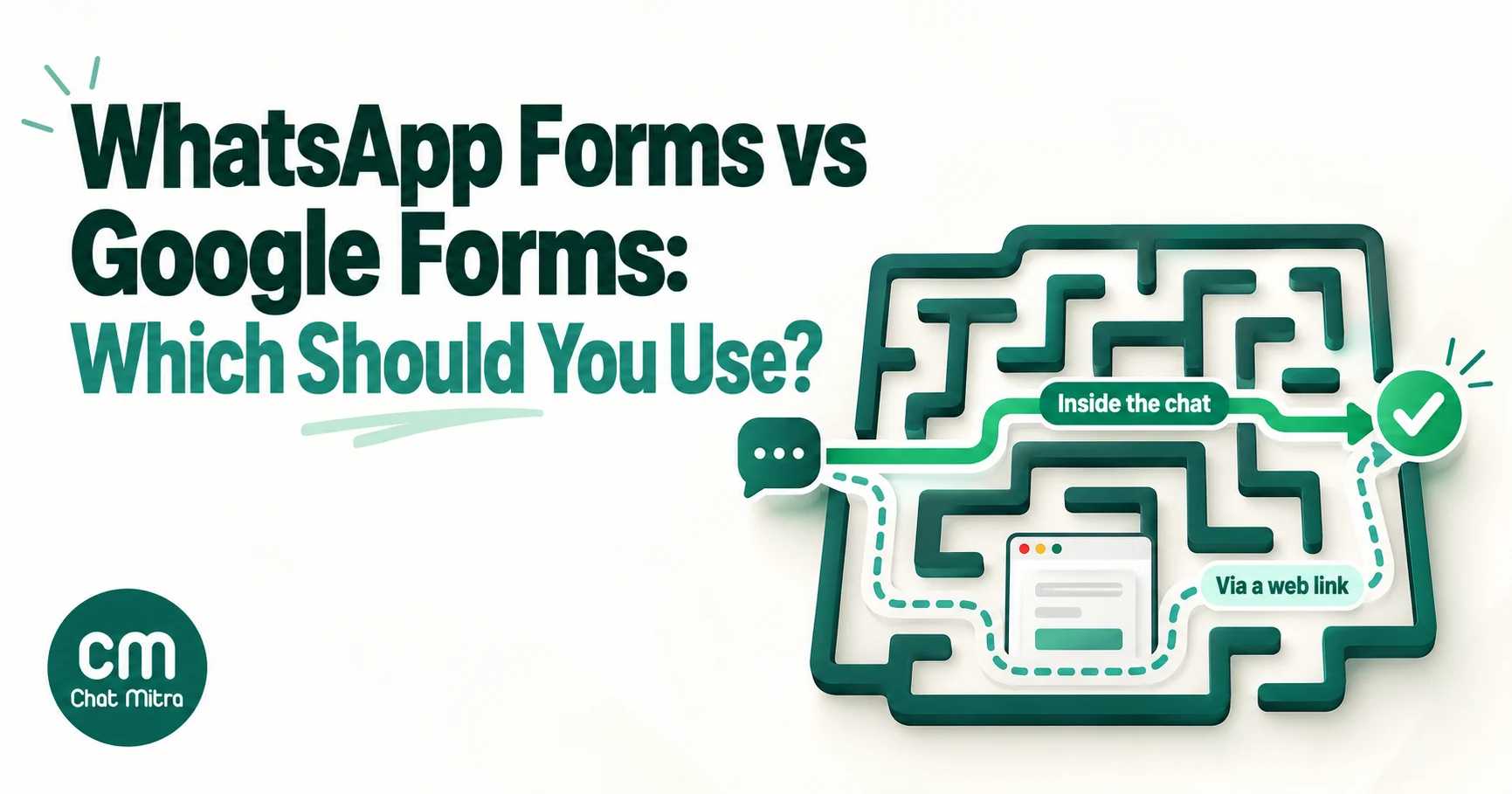
WhatsApp Forms vs Google Forms comes down to where the form opens and who you’re asking. A WhatsApp Form (Meta calls the feature WhatsApp Flows) opens inside a chat, takes a few structured answers and returns them to your WhatsApp API. A Google Form opens in a browser, can be as long as you like and costs nothing to run. Use a WhatsApp Form when the person is already talking to you on WhatsApp and you need a handful of answers before you can help them: a lead from an ad, a booking, a delivery address. Use Google Forms for long surveys, anonymous feedback, staff and HR forms, file-heavy applications and anyone you can’t message on WhatsApp.
Most comparisons on this topic declare WhatsApp the winner and quote a completion-rate figure with no source. This one compares the two on what you can check: what each costs per response in India, how long each takes to build, where the data goes, and what’s actually been measured about completion. It also covers the hybrid that most small businesses can set up this week: a Google Form for the answers and WhatsApp for the link and the follow-up.
Key takeaways
- WhatsApp Forms are Meta's WhatsApp Flows. They need WhatsApp Business Platform (API) access through Meta directly or a provider that supports Flows.
- You pay per message, not per form. In India a Flow in a marketing template costs ₹0.8631 per delivered message from Meta; a Flow sent as a reply in an open chat counts against 1,000 free service messages a month.
- Google Forms is free, handles long and anonymous forms, file uploads and quizzes, and since September 2026 accepts up to 500,000 responses per form.
- No independent study shows either converts better. Meta's own case studies are encouraging but bundle Flows with ads and incentives. Test on your own traffic.
- The practical middle route: send a pre-filled Google Form link on WhatsApp, then confirm each submission with an automatic WhatsApp message.
What “WhatsApp Forms” actually are
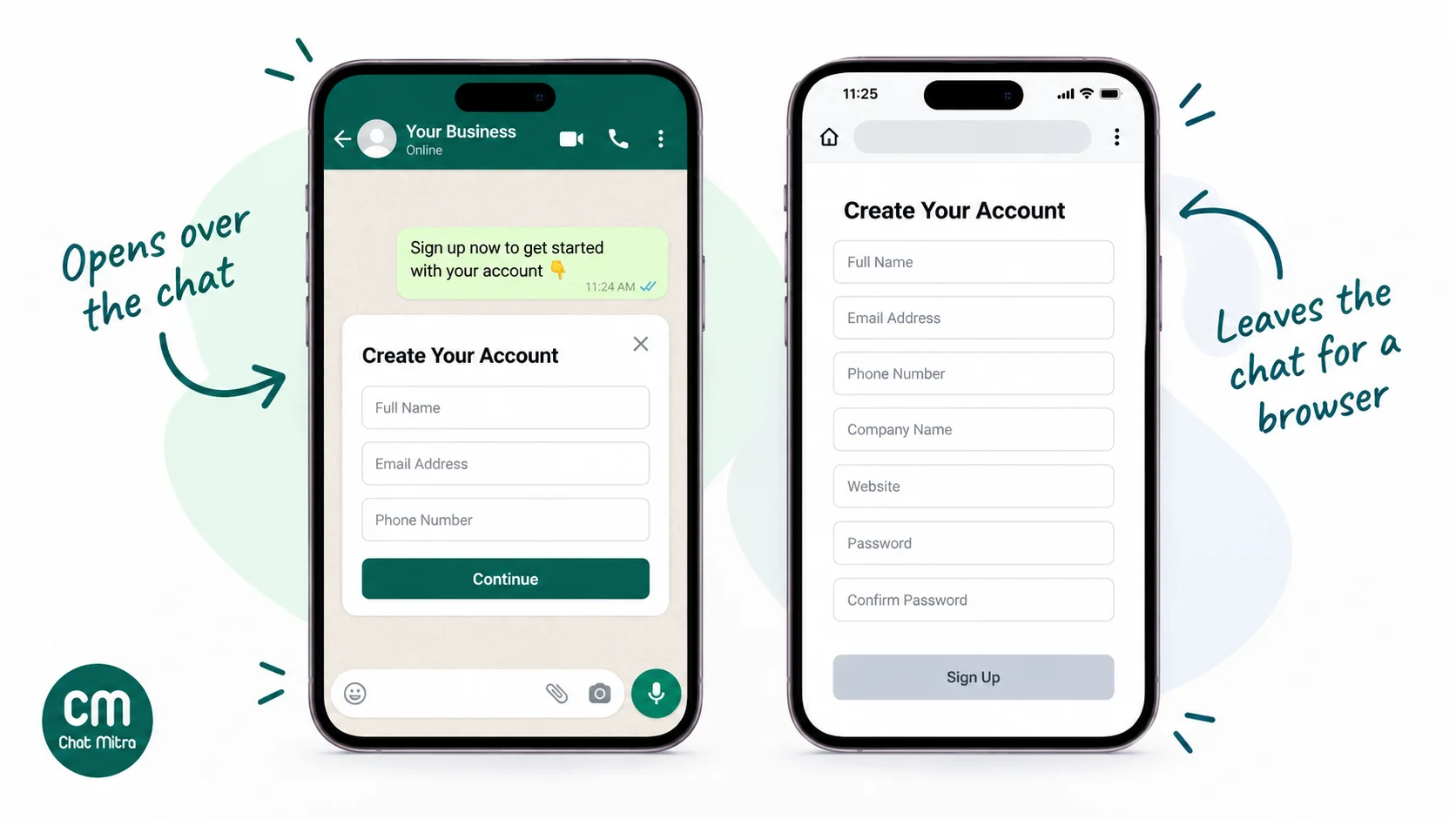
“WhatsApp Forms” isn’t an official product name. It’s what most people call WhatsApp Flows, a feature Meta launched for the WhatsApp Business Platform in 2023. A Flow is a short sequence of screens that slides up over the chat when the customer taps a button. Each screen can hold text, input fields and choices, and when the customer taps the final button the answers go back to the business as a single message.
You can send a Flow in two ways:
- Inside a message template, with a Flow button. This is how you start a conversation, for example a “Book your service” template sent to past customers. Like any template, it needs Meta’s approval first.
- As an interactive message during an open customer service window, the 24 hours after a customer last messaged you. This is how you reply to someone who just asked “Do you have slots on Saturday?”.
Flows come in two kinds:
- Static Flows contain everything up front: the questions, the dropdown options, the confirmation screen. They need no server of your own and suit lead forms, surveys and registrations. Meta lets you create simple ones from templates in WhatsApp Manager, or design more advanced screens in its Flow Builder.
- Endpoint (data exchange) Flows call your server between screens to fetch live data, such as available appointment slots, a price quote or stock levels. Your endpoint must accept encrypted requests (Meta uses an RSA key pair you register for each phone number), answer health checks and respond quickly: Meta times requests out after 10 seconds and recommends responding in under one.
The components cover most form needs: short and long text inputs, dropdowns (up to 200 options), radio buttons and checkboxes (up to 20 options each), date and calendar pickers, an opt-in checkbox, and photo and document pickers that accept files of up to 25 MB each. A screen can hold up to 50 components, though Meta’s own best-practice guide suggests keeping each task to about three screens.
When the customer submits, your WhatsApp API receives an nfm_reply message on your webhook with the answers as JSON. What happens next depends on your provider or your own code: the answers might be saved to the contact, sent to a CRM or written to a sheet.
Flows work in WhatsApp on Android (version 6.0 and newer) and iOS, and Meta’s changelog announced support for WhatsApp Web from early December 2025. For examples by use case, see our WhatsApp Flows examples guide.
What Google Forms does well
Google Forms is a web form builder that’s included with Google’s free consumer apps and with Google Workspace. You build the form in a browser, share a link, and every response lands in the form’s Responses tab and, if you link it, a Google Sheet.
Its strengths are easy to underrate when you’re excited about in-chat forms:
- Twelve question types: short answer, paragraph, multiple choice, checkboxes, dropdown, file upload, linear scale, rating, multiple-choice and checkbox grids, date and time.
- Branching: “Go to section based on answer” sends people down different paths, for multiple-choice and dropdown questions.
- Response validation: number ranges, text length, email format and regular expressions. A regex can insist on a 10-digit mobile number, for example.
- Scale: from September 2026 a form can hold up to 500,000 responses and 1 GB of data, not counting uploaded files. Past 100,000 responses the linked Sheet stops syncing, so very large forms need a plan.
- Pre-filled links: the “Pre-fill form” option produces a link with some answers already filled in, which is handy when you send a form to a known customer.
- No phone number needed: anyone with a link can answer, from a laptop or a phone, without WhatsApp and without identifying themselves unless you ask them to.
- Ecosystem: email alerts for new responses, linked Sheets, Apps Script triggers and the Forms API for developers.
It has real limits too. File uploads only work when respondents sign in to a Google Account, and files go to the owner’s Google Drive. “Limit to 1 response” also needs sign-in. And the form always opens outside the chat, so someone who found you on WhatsApp has to leave the conversation to answer.
WhatsApp Forms vs Google Forms: side-by-side comparison
| What you're comparing | WhatsApp Form (Flow) | Google Form |
|---|---|---|
| Where it opens | Inside the WhatsApp chat, as an overlay | In a web browser, from a link |
| What you need | WhatsApp Business Platform (API) access with Flow support | A Google Account |
| Cost of the tool | No separate Flow fee from Meta; your provider may charge | Free with a personal Google Account; included in Workspace |
| Cost per response | The message that carries the Flow (see the next section) | Nothing, unless you send the link on WhatsApp |
| Who can receive it | People with WhatsApp who've opted in or messaged you | Anyone with the link |
| Approval | Flow must pass Meta's publishing checks; templates need approval | None |
| Build effort | Template or Flow Builder for static Flows; a developer for endpoint Flows | Minutes, in a browser |
| Best length | Short: a few screens, a handful of fields | Short to very long |
| Identity | Arrives tied to the customer's WhatsApp number | Anonymous unless you ask or require sign-in |
| File upload | Photo and document pickers, up to 25 MB per file | Yes, but respondents must sign in to Google |
| Live data (slots, prices) | Yes, with an endpoint Flow | No (static options only) |
| Where answers go | Your WhatsApp API webhook, then your provider or CRM | The Responses tab and a linked Google Sheet |
| Follow-up | Reply in the same chat straight away | Needs a separate email, call or WhatsApp message |
| Desktop | WhatsApp Web, from December 2025 per Meta | Any browser |
The table shows the trade-off clearly. A Flow wins on context: the customer never leaves the conversation, you know who answered, and your reply arrives where the next message will happen. Google Forms wins on reach, length, cost and effort.
What each option costs in India
Meta doesn’t charge for a Flow itself. It charges for the WhatsApp message that delivers the Flow, the same as any other message, and only when that message is delivered. That’s the part most comparisons skip, and it decides whether a Flow is cheap or not.
These are Meta’s India charges on the rate card effective 1 October 2026:
| How the form reaches the customer | What Meta charges |
|---|---|
| Flow in a marketing template (lead forms, offers, re-engagement) | ₹0.8631 per delivered message |
| Flow sent as a reply in an open customer service window | A service message: 1,000 free per business number each month, then charged at ₹0.115 |
| Flow sent while a click-to-WhatsApp ad's free entry point window is open | Free for as long as the window lasts, up to 7 days |
| Google Form link in a marketing template | ₹0.8631 per delivered message |
| Google Form link shared on your website, email or QR code | Nothing from Meta |
Two changes from 1 October 2026 matter here. Meta resumed charging for service messages beyond the 1,000-a-month free tier, and it started charging for utility messages sent inside an open customer service window, which used to be free. So “replies are free” is no longer true at volume.
On top of Meta’s charge comes your provider’s fee, which varies: some charge per message, some per conversation, some a monthly plan. ChatMitra, for example, adds ₹0.20 per conversation (once per customer per 24 hours) on its Starter and Pro plans and nothing on Enterprise. Endpoint Flows add hosting and developer time, which usually costs more than the messages.
Here’s an illustrative month for a business collecting 1,000 enquiries a month. The figures are Meta’s charges only, plus ChatMitra’s fee in the hybrid row:
| Approach | How it works | Message cost for 1,000 responses |
|---|---|---|
| Google Form only | Form linked from website and Instagram bio, no WhatsApp | ₹0 |
| Google Form + WhatsApp confirmation | Each submission triggers a utility confirmation template | ₹115 (Meta) + ₹200 (ChatMitra fee) = ₹315 |
| Flow inside chats customers start | Customers message first; you reply with a Flow | ₹0, if your number stays within 1,000 service messages that month |
| Flow from click-to-WhatsApp ads | Flow sent in the free entry point window | ₹0 in Meta message charges; you pay for the ads |
| Flow in a marketing template | Sent to 1,000 opted-in contacts who all complete it | ₹863.10, and more in practice, because not everyone completes it |
The last row hides the biggest cost driver. You pay for every delivered template, not every completed form. If 1,000 people receive a marketing template with a Flow and 250 complete it, each completion has cost about ₹3.45 in Meta charges. For a quick estimate with your own volumes, use our WhatsApp pricing calculator, or see the cost per message guide for how each category is charged.
Does a WhatsApp Form really convert better?
Probably, for short forms aimed at people already chatting with you. But “probably” is as far as the evidence goes.
The statistic you’ll see most often, that in-chat forms get “2–3x higher completion” than links, comes without a study, a sample size or a link. We couldn’t find a source for it. The published evidence is Meta’s own customer stories, which are self-reported:
- Coca-Cola Brazil ran a six-question survey as a WhatsApp Flow, promoted through ads that click to WhatsApp and with a discount for taking part, from August to October 2025. Meta reports an “89% higher completion rate than email surveys”.
- Learnwise, an education company in Kerala, used Flows inside ads that click to WhatsApp to screen leads. Meta reports four times as many qualified leads, 60% less time spent qualifying and a 31% lower cost per qualified lead.
Both are useful, and neither isolates the form. Each bundled the Flow with ads, an audience already on WhatsApp and, for Coca-Cola, an incentive, and the comparison is against email, not against a Google Form sent in the same chat.
There are sound reasons to expect a Flow to do better on short forms:
- No context switch. The form opens over the chat, so there’s no browser, no loading page and no second app.
- Less typing. Pickers, dropdowns and buttons replace typed answers, and you already have the customer’s phone number.
- Immediate follow-up. The next message arrives in the same thread while the customer is still there.
And there are reasons it might not:
- Length still hurts. A twelve-screen Flow is as tiring as a twelve-section web form, on a smaller screen.
- It needs an opening. You can only send a Flow to someone who messaged you or opted in to your templates, so it can’t capture strangers from a blog post or a printed flyer.
- Edge cases. Older Android versions aren’t supported, and some customers will open WhatsApp on a laptop where a long form is easier in a browser anyway.
How to test it on your own traffic
You don’t need a vendor’s number when you can measure your own. Split one source of leads, such as an ad set or a broadcast list, randomly into two halves. Send half a Flow and half a pre-filled Google Form link in the same message wording. Then compare:
- Start rate: how many opened the form, out of messages delivered.
- Completion rate: how many submitted, out of messages delivered.
- Time to complete: the gap between the message and the submission.
- Qualified rate: how many submissions were genuine leads or bookings.
- Cost per qualified response: total message cost divided by qualified submissions.
Run it until each half has at least a few hundred deliveries, so a handful of responses doesn’t decide the outcome. Our guide to A/B testing WhatsApp campaigns covers splitting and sample sizes in more detail.
When a WhatsApp Form is the better choice
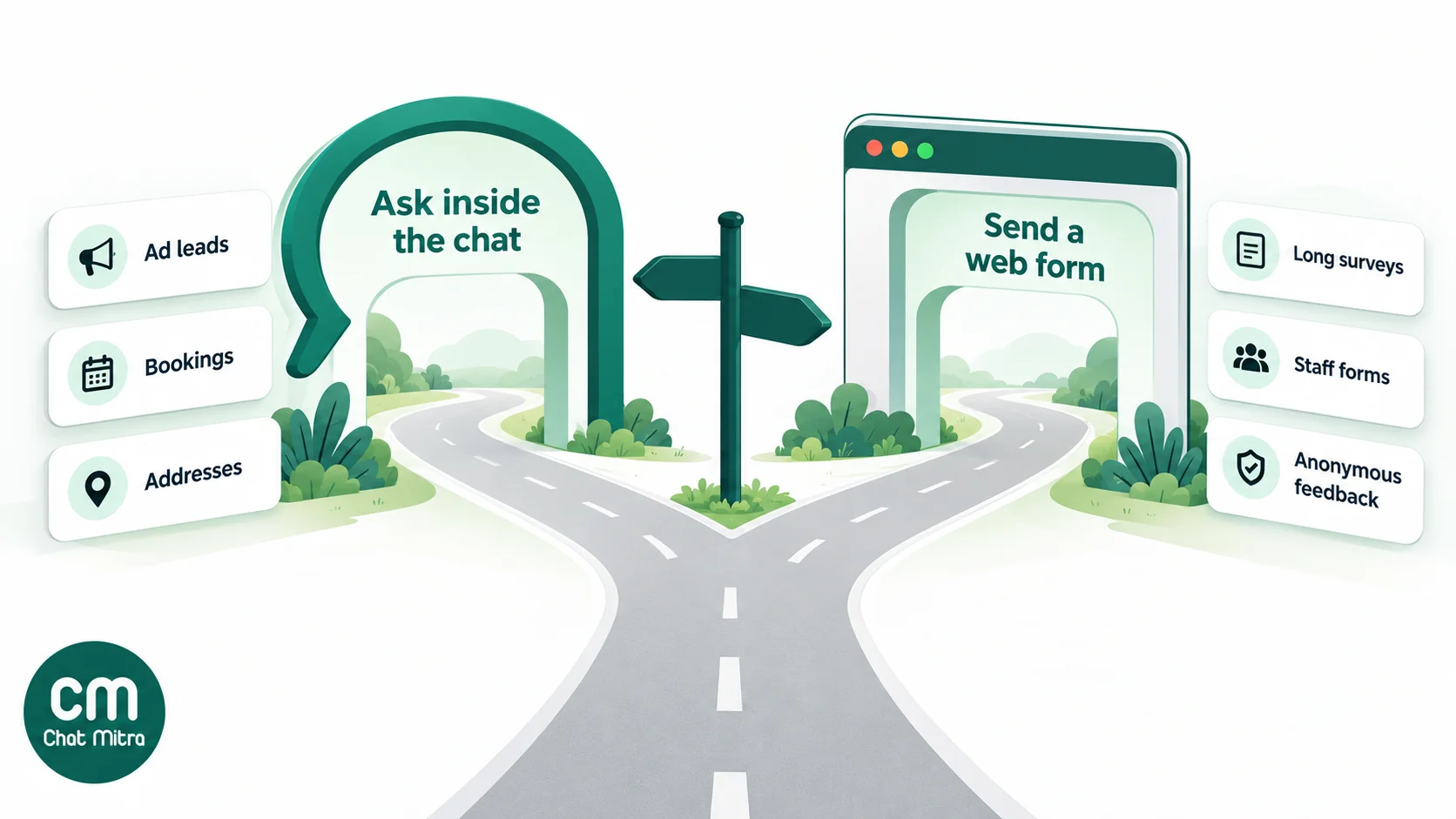
A Flow earns its setup cost when four things are true: the customer is already on WhatsApp with you, you need fewer than about ten answers, the answers decide your next message, and speed matters. Typical cases:
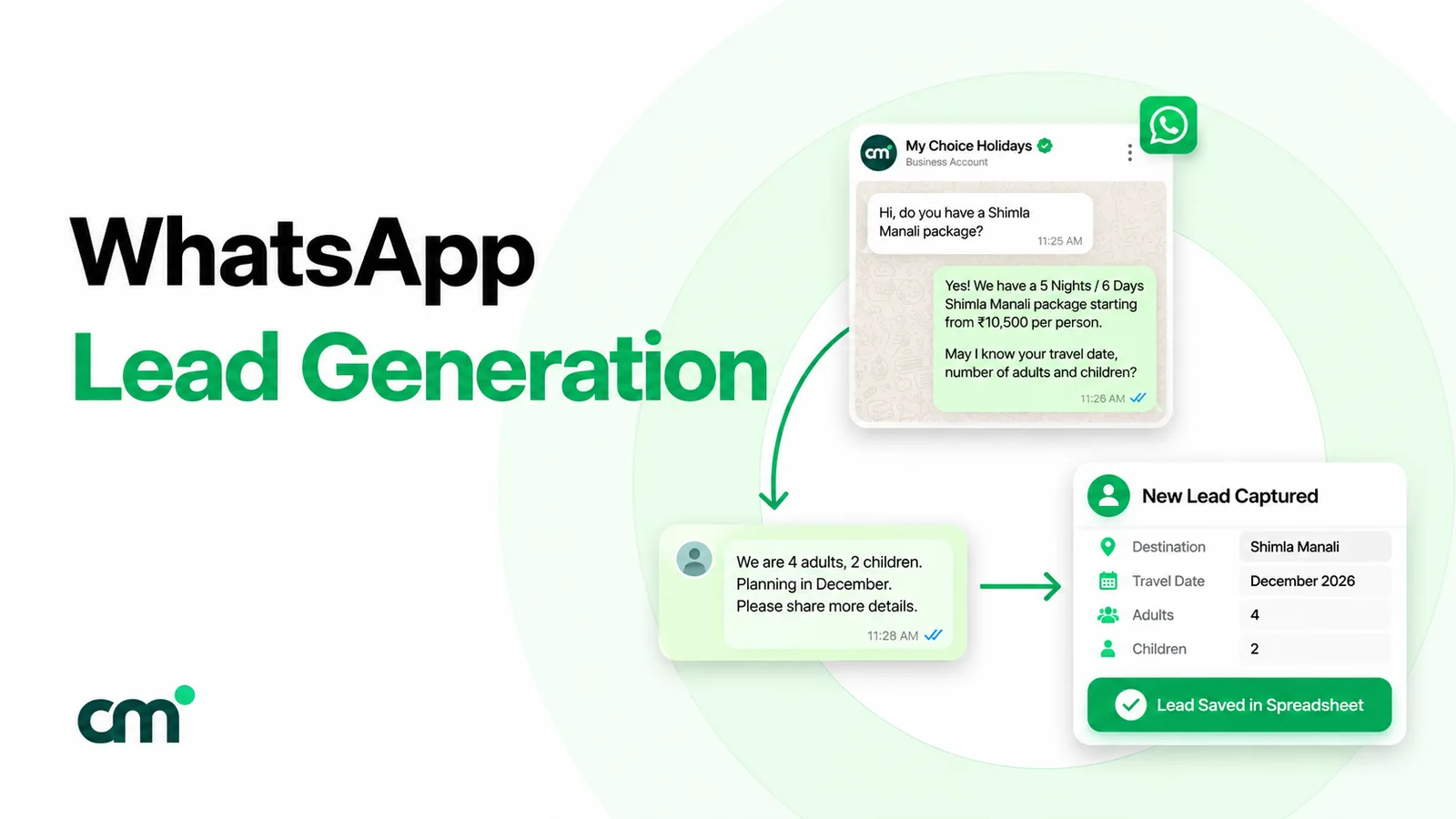
- Qualifying leads from click-to-WhatsApp ads. Someone taps your ad and says “Hi”. A Flow asks budget, location and timeline in three taps, and your team only calls the leads that fit. Because it runs inside the free entry point window, Meta doesn’t charge for the messages.
- Booking appointments with live slots. An endpoint Flow can show a calendar of real availability and confirm the booking in one go, which a static Google Form can’t do. Pair it with appointment booking templates for the confirmations and reminders.
- Collecting a delivery address or order details. Fields for pin code, house number and landmark are faster to fill than a free-text reply, and the answer arrives already structured.
- Short feedback right after a service. Three questions with a rating scale, sent in the same chat as the delivery update, while the experience is fresh.
- Event and webinar registrations from existing contacts. Name, company and session choice, with an opt-in checkbox for reminders.
- Simple document collection. A document picker for an ID or invoice photo, where the customer would otherwise send a blurry image with no context.
When Google Forms is the better choice
Google Forms is the better tool more often than vendor blogs admit:
- Long surveys. Anything over a dozen questions, especially with grids and scales, is easier to answer on a full web page.
- Anonymous feedback. Staff surveys and honest customer feedback work better when the respondent isn’t tied to a phone number.
- Internal and HR forms. Leave requests, onboarding checklists, training quizzes and expense claims don’t need WhatsApp at all.
- People who aren’t on WhatsApp with you yet. Website visitors, email subscribers, event walk-ins scanning a QR code: anyone you can’t message first.
- Education and quizzes. Google Forms has a quiz mode with answer keys, point values and automatic grading, which Flows don’t offer.
- Heavy file collection. Applications with several large documents are simpler in Forms if your respondents have Google Accounts.
- No API account yet. If you’re on the free WhatsApp Business app, Google Forms is what you can use today. Our WhatsApp Business app vs API comparison explains when moving to the API is worth it.
The hybrid that works for most small businesses
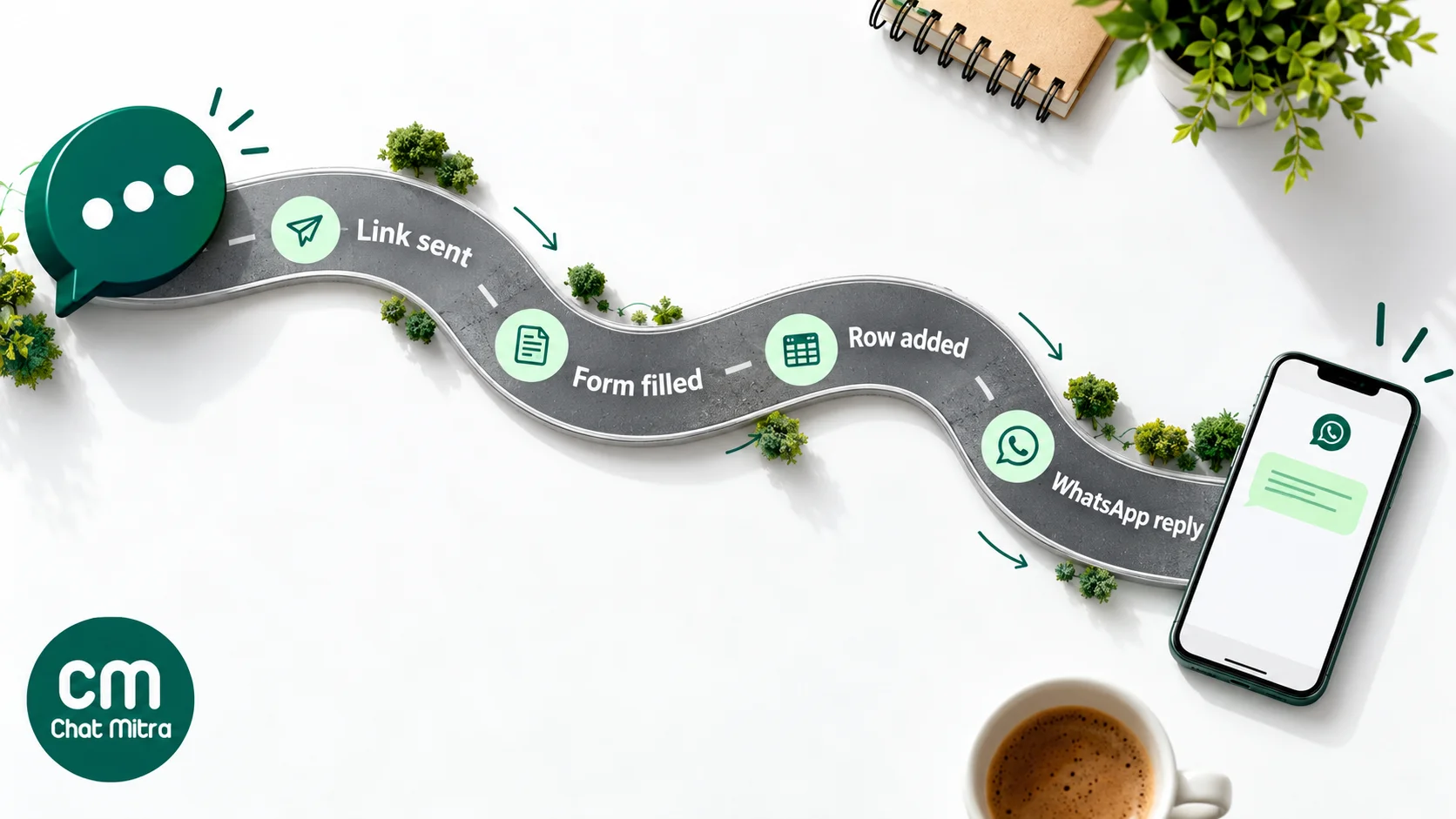
You don’t have to pick one. Many businesses get most of the benefit of both with a Google Form for the answers and WhatsApp for everything around it. There are two halves to set up.
1. Send a pre-filled Google Form link on WhatsApp
- In Google Forms, open the three-dot menu and choose Pre-fill form.
- Fill in a sample answer for the fields you already know, such as phone number, then click Get link and copy it.
- In your WhatsApp template, add a URL button. Put the start of the copied link in the button, ending just before the sample phone number, and use the button’s variable for the customer’s number. WhatsApp allows one variable, added to the end of the URL.
- Send the template to opted-in contacts. Each customer opens a form that already knows their number, so their answer can be matched back to their chat.
You pay for the template, so the cost is the same as sending any message. The trade-off is that the customer leaves the chat. Keep the form short, mobile-friendly and clearly titled, so the switch feels like a small step.
2. Confirm every submission on WhatsApp
When someone fills in your form, from WhatsApp, your website or a QR code, a WhatsApp reply within a few minutes makes the form feel like a conversation. To set it up:
- In the form’s Responses tab, link it to a Google Sheet.
- Add a phone number question with response validation, and an opt-in checkbox such as “Send my confirmation and updates on WhatsApp”.
- In ChatMitra’s Google Sheets Automation, create a workflow with the Sheet Row Added trigger on that sheet.
- Add a Send Template action that uses the phone column and an approved utility template, for example “Thanks, {{1}}. We’ve received your enquiry and will call you within one working day.”
- Optionally, add Add Tag or Update Contact Field actions so your team can filter these leads later.
A few behaviours to know. The automation checks the sheet on a schedule, every minute at the fastest, so the reply comes within minutes, not seconds. When you first switch it on, rows already in the sheet are recorded and skipped, so old respondents don’t get messaged. And send only to people who ticked the opt-in, which keeps you within WhatsApp’s opt-in rules.
If you already use WorkflowMitra for other automations, the same pattern works there with a Google Sheets “row added” trigger and a WhatsApp step. Our Google Forms to WhatsApp guide walks through it.
Collecting form-style answers in ChatMitra today
ChatMitra doesn’t support WhatsApp Flows today. Its template builder offers quick-reply, URL, phone and copy-code buttons but no Flow button, and Flow submissions aren’t recorded in the ChatMitra inbox. Here’s what you can do instead:
- The hybrid above. A pre-filled Google Form link in a URL button, plus automatic confirmation of every submission through Google Sheets Automation. This covers most lead, booking-request and feedback forms.
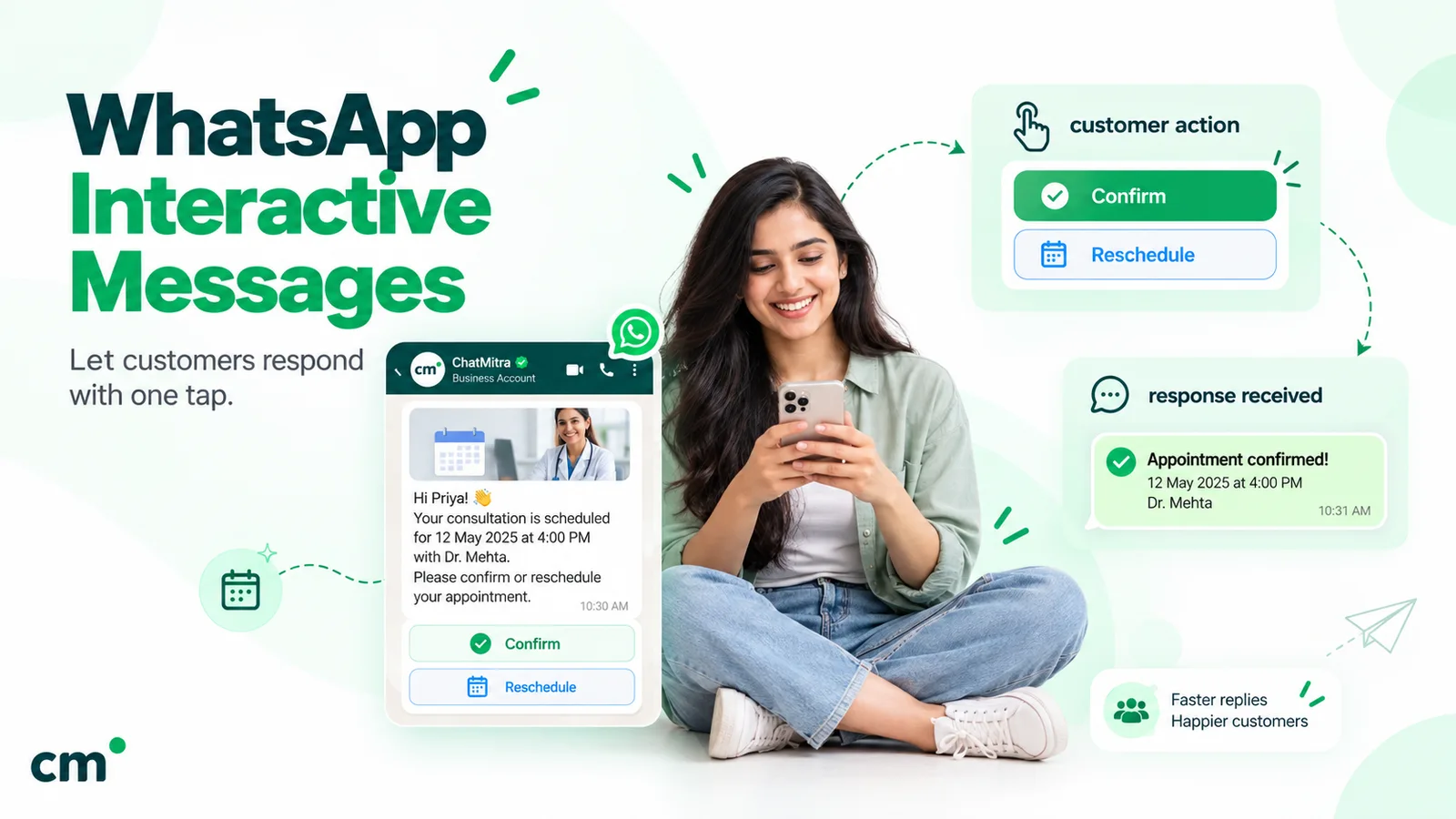
- One-question answers with buttons. A template can carry up to ten quick-reply buttons, which work well for single choices such as “Morning / Afternoon / Evening” or a rating. See our guide to WhatsApp interactive messages for button and list formats.
- Logging replies to a sheet. Google Sheets Automation has a WhatsApp Message Received trigger with keyword matching. It can add a row with the customer’s number and message, update a contact field or add a tag. It handles one answer per message, not a multi-field form.
ChatMitra’s AI chatbot can route a conversation by button choice, but it doesn’t store a customer’s typed answers as contact fields, so don’t use it as a form. If multi-screen in-chat forms are central to your plan, use a provider with a Flow builder. For most small businesses starting out, though, the Google Form hybrid is quicker to launch and costs less.
A build checklist if you choose WhatsApp Forms
If a Flow is the right answer for you, these choices make the difference between a form people finish and one they abandon:
- Start static. Only build an endpoint Flow when you genuinely need live data such as slots or prices. Static Flows need no server and fewer things can go wrong.
- Keep each task short. Aim for one to three screens and only the questions that change your next action. Move nice-to-know questions to a later message.
- Use pickers over typing. Dropdowns, radio buttons and date pickers are quicker on a phone and give you clean data.
- Add consent inside the form. The opt-in component holds up to 120 characters of consent text. Use it for marketing permission, separate from the form’s main purpose.
- Mark sensitive fields. Flow JSON lets you hide chosen fields from the summary customers see after submitting. Don’t collect passwords or full card numbers in a Flow.
- Test where your customers are. Try it on Android, iPhone and WhatsApp Web before sending it to a list.
- Decide where answers land before launch. Check that your provider stores the
nfm_replydata somewhere your team will see it, such as the contact record, a CRM or a sheet, not just a webhook log. - Watch the Flow’s health. Meta throttles Flows with high error rates to 10 messages an hour and can block them, so monitor errors and endpoint latency after launch.
Data protection: what changes between the two
Both routes collect personal data, so in India both fall under the Digital Personal Data Protection Act, 2023. The DPDP Rules were notified on 14 November 2025 with an eighteen-month phase-in, and the core duties are already clear: a notice that explains the specific purpose in plain language, consent that’s freely given, and a way to withdraw it.
Where the data sits differs:
- Google Forms: responses are stored in the form owner’s Google account and the linked Sheet. Uploaded files go to the owner’s Google Drive. Control who can edit the form and the Sheet.
- WhatsApp Flows: answers arrive at your WhatsApp API webhook as a message. On the Cloud API, Meta acts as a data processor and stores message content for up to 30 days, and files uploaded through a Flow stay on WhatsApp’s media servers for up to 20 days. After that, the data lives wherever your provider or your own system keeps it.
In practice, the steps are the same for both: ask only for what you need, add a short notice (“We use your number to confirm your booking and send updates”), add an opt-in checkbox, and delete what you no longer need.
Common mistakes to avoid
- Choosing a Flow before you have API access. Flows need the WhatsApp Business Platform. If you’re still on the app, start with Google Forms and the hybrid.
- Comparing completion against delivered messages for one option and form opens for the other. Use the same denominator, messages delivered, for both.
- Sending a marketing-template Flow to a cold list. You pay for every delivered message and get few completions. Flows do best with people who just messaged you or clicked an ad.
- Copying a long paper form into a Flow. Fifteen questions on six screens will be abandoned. Cut it down, or use Google Forms.
- Sending a bare Google Form link. A plain docs.google.com link with no context looks suspicious. Explain what the form is for and how long it takes, and use a pre-filled link.
- Forgetting the follow-up. A form that disappears into a sheet nobody checks wastes the lead. Confirm on WhatsApp and assign the next step.
Which one should you choose?
| If you need to… | Use |
|---|---|
| Qualify leads from click-to-WhatsApp ads in a few taps | WhatsApp Form (Flow) |
| Show live appointment slots or prices inside the chat | WhatsApp Form (endpoint Flow) |
| Run a long survey, quiz or anonymous feedback form | Google Forms |
| Collect forms from website visitors, email or QR codes | Google Forms, with WhatsApp confirmation |
| Collect staff or HR information | Google Forms |
| Get started this week on a small budget | Pre-filled Google Form link on WhatsApp + automatic confirmation |
WhatsApp Forms and Google Forms solve different problems. Flows are the better experience for short, structured questions in a conversation that’s already happening, and they’re worth the API setup when that conversation is your main sales or booking channel. Google Forms is free, flexible and reaches people outside WhatsApp, and it handles everything long, anonymous or internal. For most small businesses the best first step is both: a Google Form for the answers and WhatsApp for the link and the reply. Measure it, and move your highest-volume form into a Flow once you know it pays.
To set up the hybrid, connect your sheet with ChatMitra’s Google Sheets Automation, or start free with ChatMitra.
Sources: Meta, WhatsApp Flows overview, sending a Flow, Flow components, Flows best practices, Flow health monitoring, Flows changelog, pricing (updates effective 1 October 2026) and Cloud API data privacy and security; WhatsApp Business customer stories for Coca-Cola and Learnwise; Google Docs Editors Help on question types, sections and branching, response validation, managing responses and limits, sharing and pre-filled links and quizzes; Press Information Bureau, DPDP Rules, 2025 backgrounder. ChatMitra product behaviour as verified in ChatMitra's code (October 2026).