Disclosure
ChatMitra is a WhatsApp Business API platform. It has no native Google Analytics connector, and this guide says so wherever it matters. The GA4 and Meta details below were checked against Google's and Meta's own documentation on 15 October 2026.
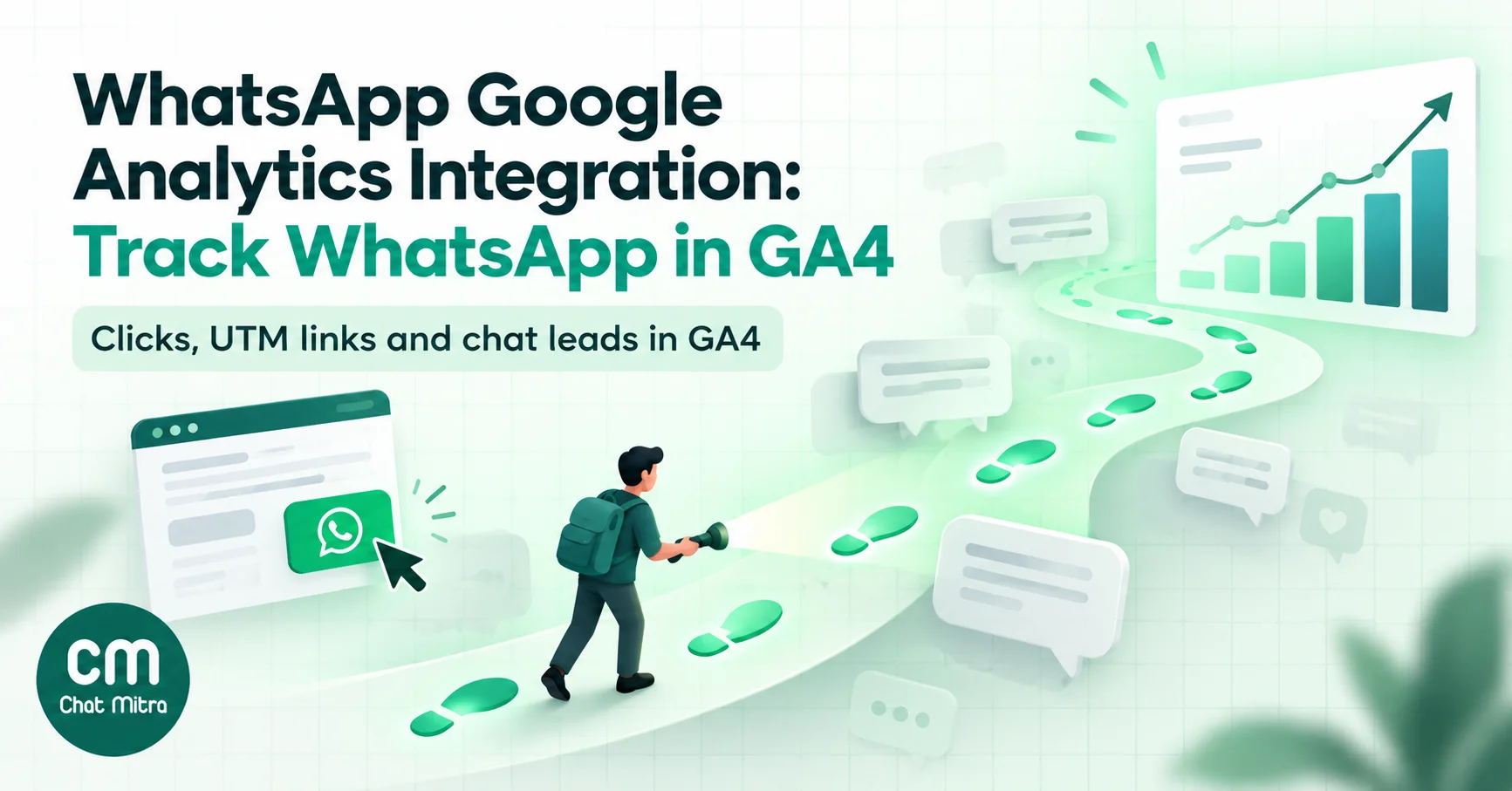
A WhatsApp Google Analytics integration isn’t a plug-in you switch on. Neither WhatsApp nor GA4 offers a connector that moves chat data into analytics. Instead, you measure WhatsApp at the three points where it meets your website: the click from your page into WhatsApp, the visit back to your site from a link in a chat, and an outcome your server reports after the conversation. GA4 handles the first one almost by itself. The second needs UTM tags on every link you send. The third needs the Measurement Protocol, plus a way to match the chat to the visitor who started it.
Key takeaways
- GA4's enhanced measurement already logs clicks on normal wa.me links as a
clickevent, and Link URL is a built-in dimension. Many guides skip this and rebuild it in Tag Manager. - Tag every link you send in WhatsApp with lowercase UTM parameters. Without them, those visits usually show up as Direct.
- A click isn't a conversation. Count chats that actually start, and leads that come out of them, as separate events sent from your server.
- Click-to-WhatsApp ads never touch your website. Measure them in Ads Manager and through the ad referral data in your webhooks, not in GA4.
- Never send phone numbers or names to GA4. Pass an anonymous reference and keep the mapping on your own server.
What a WhatsApp and GA4 setup can and can’t measure
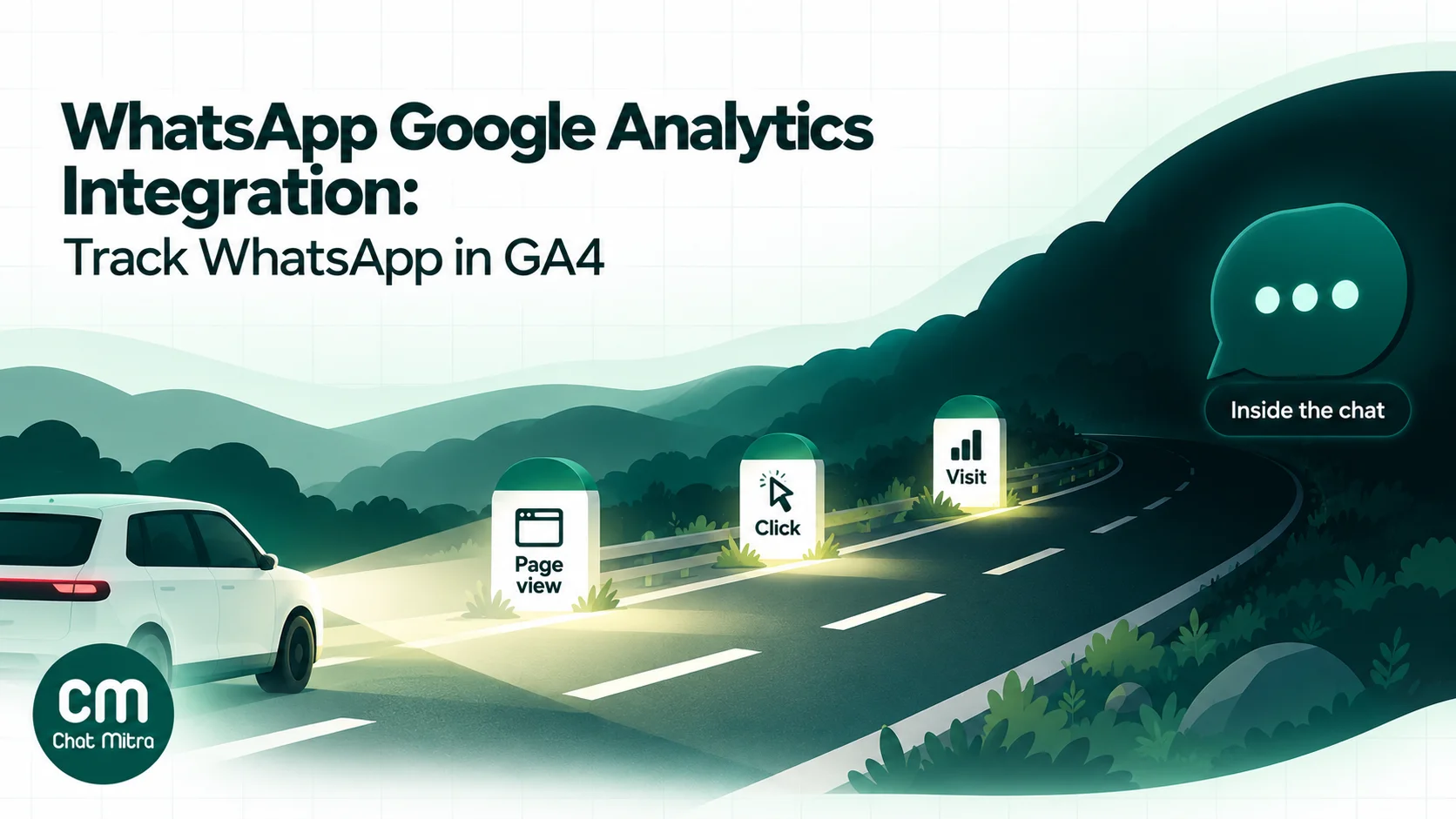
Google Analytics measures what happens in a browser or app that loads its tag. WhatsApp is a separate app with end-to-end encrypted chats, so nothing typed in a conversation can carry a Google tag. Every working setup therefore measures the edges of the conversation, not the conversation itself.
Picture a customer’s journey through three handoffs:
- Site → WhatsApp. A visitor on your pricing page taps “Chat on WhatsApp”. The click happens on your page, so GA4 can record it.
- WhatsApp → site. Your team, a broadcast or a chatbot sends a link, and the customer taps it. The visit lands on your site, so GA4 records it. It only knows the visit came from WhatsApp if the link says so.
- Chat → outcome. The customer books, orders or qualifies as a lead inside the chat. No page loads, so GA4 sees nothing unless your server tells it.
| Handoff | What GA4 can see | How you capture it | Effort |
|---|---|---|---|
| Click from your site into WhatsApp | The click, the page, the button address | Enhanced measurement, Tag Manager or a gtag event | Low |
| Visit from a link sent in WhatsApp | The session, its campaign, everything the visitor does next | UTM parameters on every link | Low, but needs discipline |
| Lead or sale agreed in the chat | Only what your server reports | Measurement Protocol from your backend | Medium, needs a developer |
| Chat started from a Click-to-WhatsApp ad | Nothing; the visitor never loads your site | Ads Manager, webhook referral data, Meta's Conversions API | Medium |
| Message read, replies, chat content | Nothing | Your WhatsApp platform's reports | None (already there) |
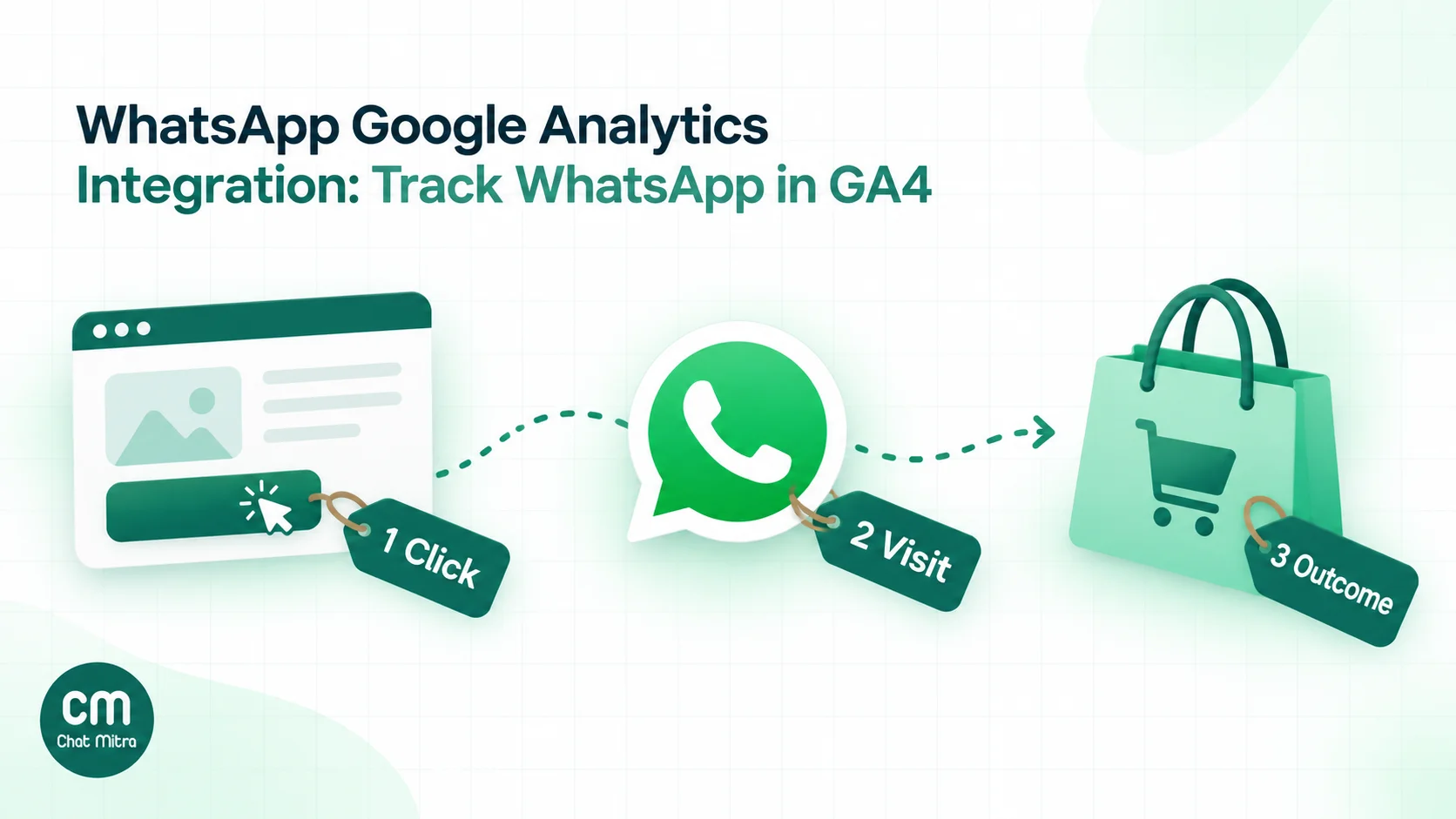
Work through the handoffs in that order. The first takes minutes, the second is a habit, and the third is a small development project that’s only worth doing once the first two are in place.
Handoff 1: track clicks from your website to WhatsApp
Start with what GA4 already collects
Turn on enhanced measurement in your web data stream (Admin → Data streams → your stream → Enhanced measurement) and check that Outbound clicks is enabled. GA4 then records an event called click “each time a user clicks a link that leads away from the current domain and to another website”, with parameters including link_url, link_domain and outbound (Google Analytics Help, enhanced measurement).
A normal link to https://wa.me/919876543210 points to another domain, so it’s an outbound click. You don’t need a custom dimension to report on it either. Link URL and Link domain are built-in dimensions that GA4 fills from those parameters automatically (Google Analytics Help, dimensions and metrics).
To see your WhatsApp clicks:
- Open Explore and start a free-form exploration.
- Add the dimensions Event name, Link URL and Page path and screen class, and the metric Event count.
- Filter Event name exactly matches
clickand Link URL containswa.me(addapi.whatsapp.comif any of your buttons use that address). - Put Page path in rows. You now have WhatsApp clicks by page, with no code.
Enhanced measurement has three blind spots worth testing for:
- Buttons that aren’t links. It describes clicks on links. A widget that opens WhatsApp with JavaScript (
window.open) instead of an<a href>element may never fire the event. Forum threads for several popular chat widgets report exactly this. whatsapp://links. These app links aren’t covered by Google’s description of outbound clicks. Usehttps://wa.me/addresses instead; they open the app on phones anyway.- Cross-domain settings. “Links to domains configured for cross-domain measurement will not trigger outbound click events.” You’d never add wa.me there, but check if your clicks vanish.
Use Tag Manager when you need to tell buttons apart
The built-in event can’t tell your floating button from the one under a product photo if both point to the same number. Google Tag Manager can.
- In GTM, open Variables → Configure and enable the built-in Click URL and Click Classes variables. Click variables only fill in when they’re enabled.
- Create a trigger: Click – Just Links, which “track[s] clicks only on HTML links that use the <a> element” (Tag Manager Help, click triggers). Set it to fire on Some link clicks where Click URL contains
wa.me. - Leave Wait for Tags off unless the event is getting lost. On a link that opens another app, waiting only delays the customer.
- Create a Google Analytics: GA4 Event tag named
whatsapp_click, with event parameters such asbutton_location(from a data attribute or Click Classes) andpage_type. - Test in Preview mode, click each button, and confirm the event in GA4’s DebugView.
If you send a custom whatsapp_click event, you’ll also still get the built-in click event for the same tap. That’s fine, but report on one of them, not both added together.
Or send the event with gtag
Sites without Tag Manager can send the same event from a few lines of JavaScript. Our guide to adding WhatsApp to your website has a ready snippet that sends a whatsapp_click event with a button_location parameter. Use event names in lowercase with underscores, and register any custom parameter you want in standard reports as a custom dimension. Custom parameters, unlike Link URL, aren’t reported until you do.
Decide what the click is worth
GA4 now calls important events key events; Google renamed “conversions” to key events, and uses “conversion” only for Google Ads goals built from them (Google Analytics Help, key events). Many tutorials still say “mark as conversion”. It’s the same switch under a new name.
Mark whatsapp_click as a key event if it’s the best signal you have, but don’t call it a lead. Google’s recommended generate_lead event “measures when a lead has been generated” (GA4 recommended events reference). A tap on a WhatsApp button isn’t that yet: plenty of people open the chat, look at the pre-filled text and close it. Some popular chat plugins send generate_lead on every click, which inflates lead counts. Save generate_lead for the moment your team, or your server, knows a real enquiry arrived. Handoff 3 shows how.
Handoff 2: tag every link you send in WhatsApp
Why WhatsApp visits show up as “Direct”
When someone taps a link inside the WhatsApp phone app, the visit typically arrives with no referrer, so GA4 files it under Direct. Google and Meta don’t document this, but analytics and link-shortening vendors report it consistently; Short.io, for example, says that for links shared in messaging apps “no referrer can be tracked”. WhatsApp Web on a desktop may behave differently, so don’t rely on either.
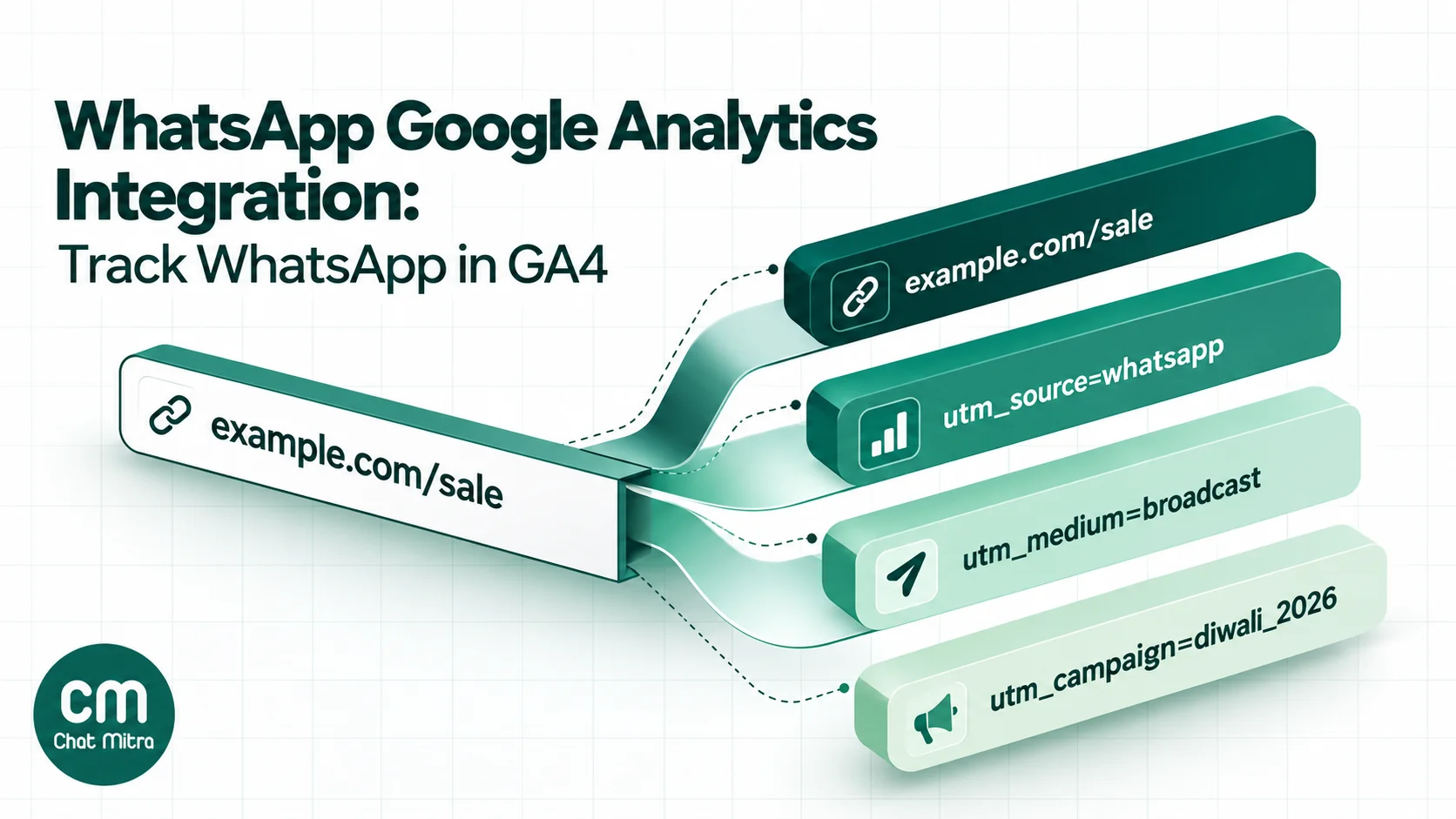
UTM parameters solve it, because they travel inside the link itself. GA4 reads utm_source, utm_medium, utm_campaign, utm_id, utm_term, utm_content and utm_source_platform. It accepts two more, utm_creative_format and utm_marketing_tactic, but doesn’t report them yet. Parameter values are case sensitive (Google Analytics Help, URL builders). Google’s Campaign URL Builder assembles them for you.
A naming convention that sorts itself into the right channel
GA4 assigns every session to a channel using fixed rules. Google’s list of social sources includes whatsapp and whatsapp.com, and Organic Social matches when the “source matches a regex list of social sites” (Google Analytics Help, default channel group). So utm_source=whatsapp puts your WhatsApp visits next to Facebook and Instagram, unless the medium says otherwise.
| What you're sending | Suggested UTMs | Default channel in GA4 |
|---|---|---|
| Broadcast or campaign template | utm_source=whatsapp&utm_medium=broadcast&utm_campaign=diwali_2026 | Organic Social |
| Link an agent pastes in a chat | utm_source=whatsapp&utm_medium=chat&utm_campaign=support | Organic Social |
| Chatbot or auto-reply link | utm_source=whatsapp&utm_medium=chatbot&utm_campaign=order_status | Organic Social |
| Status update or Channel post | utm_source=whatsapp&utm_medium=status&utm_campaign=new_arrivals | Organic Social |
| A link from a paid message campaign you want counted as paid | utm_source=whatsapp&utm_medium=paid_message | Paid Social (medium starts with "paid") |
Three rules keep this clean:
- Lowercase, always.
WhatsApp,whatsappandWhatsappbecome three rows in your reports, and only the lowercase one matches Google’s social list. At least one well-known guide recommendsutm_source=WhatsAppwith a capital W; don’t copy it. - Don’t use
smsas the medium. GA4 has an SMS channel (“source exactly matches sms OR medium exactly matches sms”), and Google doesn’t say which rule wins when the source is also a social site. Keep WhatsApp out of that ambiguity. - Want WhatsApp as its own channel? Create a custom channel group with a “WhatsApp” channel where source exactly matches
whatsapp, placed above Organic Social. It applies to your historical data too, so you don’t lose anything by doing it later.
Where UTM links go in WhatsApp messages
You can put a tagged link in the body text of any message or template, but a long query string looks untidy in a chat. Buttons hide it. A WhatsApp template can carry up to two URL buttons, and a URL button “supports 1 variable, appended to the end of the URL string”, up to 2,000 characters (Meta, template components).
That variable is what makes campaign tagging practical. Two patterns work:
- Campaign name as the variable. Register the button URL as
https://example.com/sale?utm_source=whatsapp&utm_medium=broadcast&utm_campaign={{1}}, then fill{{1}}withdiwali_2026for one send andmonsoon_2026for the next. One approved template serves every campaign. - A short code on your own redirect. Register
https://example.com/go/{{1}}and let your server map each code to the full tagged URL. This keeps buttons short and lets you change a destination after the template is approved. Our guide to sending links on WhatsApp covers the trade-offs of each link type.
Never add UTMs to a wa.me link to measure clicks into WhatsApp. A wa.me address is WhatsApp’s domain, not yours, so those parameters never reach your GA4 property. Measure that handoff with click events, as in Handoff 1.
How this works in ChatMitra
When a template has a dynamic URL button, ChatMitra’s campaign wizard shows a URL Parameter field for {{1}}, so you type the campaign value once per broadcast. The same field appears for single sends and API sends. ChatMitra also swaps $attribute tokens in that field for each contact’s own value. A field value of $ref_code, for example, gives every recipient their own link, using a code you imported with your contact list (custom attributes accept any value; Starter allows 10 per contact, Pro 20). In Google Sheets automation, a URL button value can be {{Column}}, so each row gets its own link.
Meta’s click counts won’t match GA4
Meta counts button taps itself. Its template analytics report clicked totals for URL buttons, but “only available for templates categorized as MARKETING or UTILITY”, and read and click data is kept “for up to 7 days from the date the message is sent” (Meta, WhatsApp analytics). Expect Meta’s taps to run higher than GA4’s sessions. Some people tap and leave before the page loads, some decline analytics cookies, and GA4 only counts a session once its tag runs. Use Meta’s number for “did the message work” and GA4’s for “what did people do on the site”. ChatMitra’s own campaign reports show sent, delivered, read and failed counts, not clicks, so GA4 and Meta are where click data lives.
Handoff 3: send chat outcomes to GA4 with the Measurement Protocol
The hardest question is also the most useful one: which pages, campaigns and ads produce WhatsApp chats that turn into revenue? The click is on your site, but the lead happens in the chat. The Measurement Protocol bridges that gap by letting your server send events to GA4 directly.
What Google’s Measurement Protocol needs
You send a POST request to https://www.google-analytics.com/mp/collect with your stream’s measurement_id and an api_secret (created under the data stream’s settings). For a website, the body must include the visitor’s client_id. “Up to 25 events can be sent per request”, and “events can be backdated up to 72 hours” (Measurement Protocol reference).
Two limits shape the whole design:
- It’s a companion, not a tracker. Google states that “the intent of the Measurement Protocol is to augment automatic collection through gtag, Tag Manager, and Google Analytics for Firebase, not to replace it” (Measurement Protocol overview).
- Attribution needs the original session. Server events pick up the source, medium and campaign of a web session only if you include that session’s
session_idand send within 24 hours of the session starting (sending events). Send a day later, or without the ID, and the event still counts but loses its campaign.
So the real job is matching a WhatsApp chat back to the browser that started it.
Carry a reference from the click into the chat
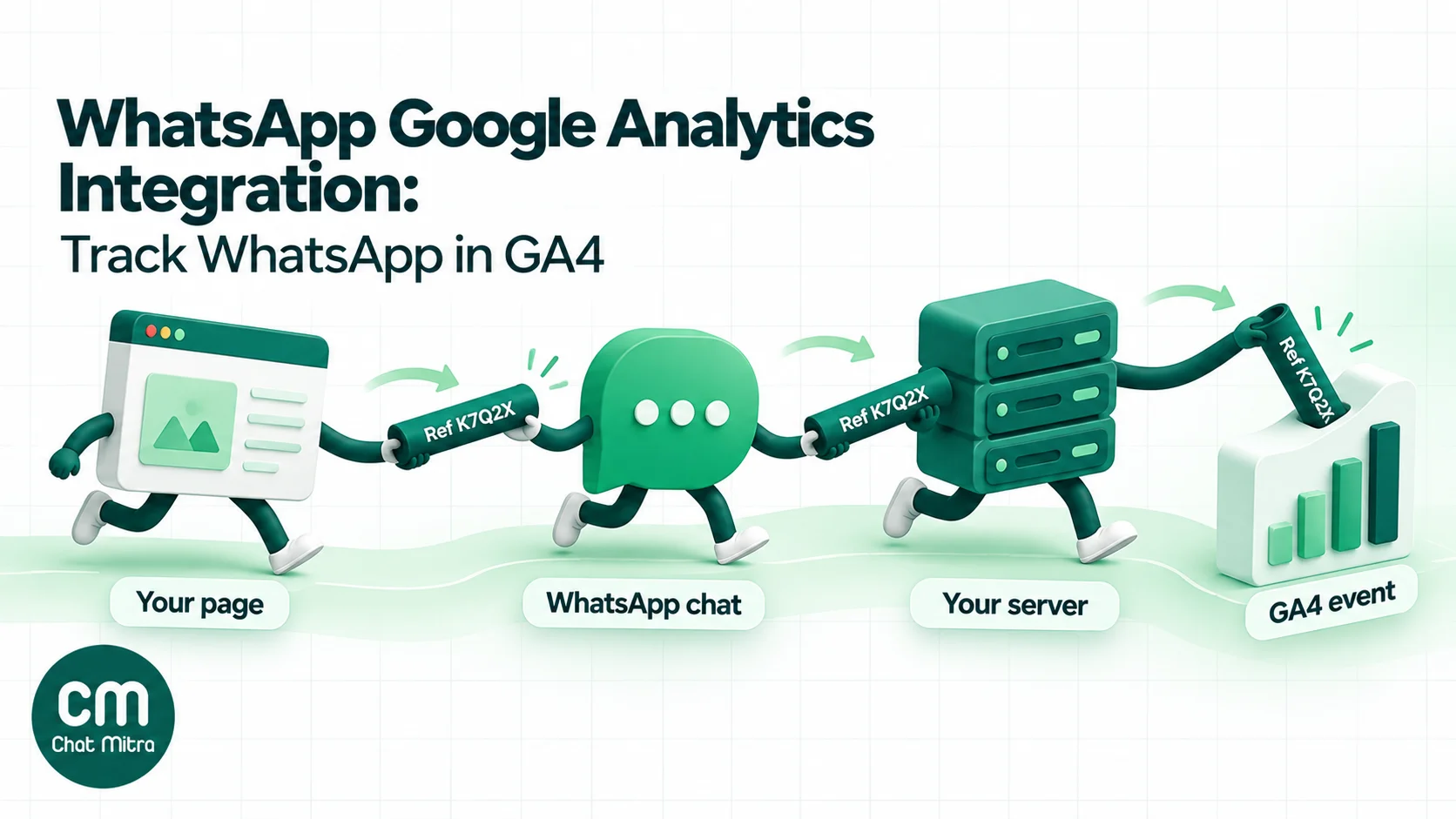
The pre-filled message in a wa.me link is the only thing that travels from your page into the chat. Add a short reference code to it, and store which GA4 visitor that code belongs to:
// Runs after your Google tag. Replace G-XXXXXXXXXX with your measurement ID.
const GA_ID = 'G-XXXXXXXXXX';
const ref = Math.random().toString(36).slice(2, 7).toUpperCase(); // e.g. "K7Q2X"
const ids = {};
gtag('get', GA_ID, 'client_id', (v) => { ids.client_id = v; });
gtag('get', GA_ID, 'session_id', (v) => { ids.session_id = v; });

document.querySelectorAll('a[href^="https://wa.me/"]').forEach((link) => {
  const base = link.href.split('?')[0];
  const text = new URL(link.href).searchParams.get('text') || 'Hi';
  link.href = base + '?text=' + encodeURIComponent(text + ' (Ref ' + ref + ')');
  link.addEventListener('click', () => {
    navigator.sendBeacon('/wa-ref', JSON.stringify({ ref, ...ids }));
  });
});
gtag('get', …) returns the client_id and session_id GA4 is using for this visitor (gtag.js reference). The beacon saves ref → client_id, session_id on your server at the moment of the click. The customer sees “Hi, I’d like to know about the Pro plan (Ref K7Q2X)” and sends it.
When that first message reaches your WhatsApp number, your backend reads the code, looks up the IDs and reports the event:
curl -X POST "https://www.google-analytics.com/mp/collect?measurement_id=G-XXXXXXXXXX&api_secret=YOUR_API_SECRET" \
  -H "Content-Type: application/json" \
  -d '{
    "client_id": "1234567890.1712345678",
    "events": [{
      "name": "whatsapp_chat_started",
      "params": {
        "session_id": "1712345678",
        "engagement_time_msec": 100,
        "chat_ref": "K7Q2X"
      }
    }]
  }'
Later, when your team marks the chat as a qualified lead or an order is placed, send generate_lead or purchase the same way, with value and currency. Test first against the validation endpoint, /debug/mp/collect; Google notes that “events sent to the validation server don’t show up in reports” (validating events).
Be realistic about the gaps. Customers can delete the reference before sending, and anyone who saved your number and writes later won’t have one. Treat matched chats as a sample that shows which pages and campaigns work, not a complete count.
Keep personal data out of GA4
“Google policies mandate that no data be passed to Google that Google could use or recognize as personally identifiable information” (Google Analytics Help, avoiding PII). Phone numbers, names and message text never go into an event parameter. The reference code and GA’s own client ID are enough; the link between the code and the customer’s number stays in your database. If you have visitors in the European Economic Area, Google also requires consent signals for measurement and ads features there, so respect your consent banner’s choice before you store or send anything (Tag Manager Help, consent mode).
Doing this with ChatMitra
ChatMitra doesn’t send events to GA4 for you, but it gives you the pieces:
- Outbound webhooks (Pro plan). The
message.receivedevent includes the sender’s number, profile name and the message text, signed with a webhook signature, and retried if your endpoint fails. Point it at your server, read the(Ref …)code from the text, and call the Measurement Protocol. Event names and payloads are in the webhooks documentation. - WorkflowMitra. If you’d rather not host code, a WorkflowMitra workflow can start from an “On webhook call” trigger that receives ChatMitra’s webhook, and an HTTP Request step can make the Measurement Protocol call. You still need somewhere to store the code-to-visitor mapping.
- Keyword triggers. Google Sheets automation has a “WhatsApp Message Received” trigger that matches text (exact, starts with, contains or regex) and can add a tag, update a contact field such as
utm_source, or call an external API. That’s handy for a lighter version: give each landing page its own pre-filled message (“…from the summer sale page”) and save the source on the contact, even if you never send it to GA4.
Click-to-WhatsApp ads: measure them outside GA4
Click-to-WhatsApp ads send people from Facebook or Instagram straight into a chat. They never load your website, so GA4 has nothing to record. If your ads run this way, GA4 will understate them no matter how well it’s set up.
Measure them where the data actually exists:
- Ads Manager reports messaging conversations started and the cost per conversation.
- The first message carries the ad. In the Cloud API webhook, a message that came from a Click-to-WhatsApp ad includes a
referralobject withsource_id,source_url,headline,bodyand a click ID,ctwa_clid. Meta notes that “the ctwa_clid property is omitted entirely for messages originating from an ad in WhatsApp Status” (Meta, messages webhook reference). - Results go back to Meta, not Google. Meta’s Conversions API for Business Messaging takes events with
action_sourceset tobusiness_messaging,messaging_channelset towhatsapp, and thectwa_clid, “a required field for sending events”. Supported events includeLeadSubmitted,QualifiedLeadandPurchase, and Meta says they “should only represent customer interactions that occur in the messaging thread” (Meta, Conversions API for Business Messaging).
You can still log ad-started chats in GA4 for a combined dashboard by sending a Measurement Protocol event with the ad’s source_id as a parameter. Without a website visit there’s no real client_id, so the event has no campaign attribution. Report it from the ad ID parameter in Explore, and keep Ads Manager as the source of truth for ad performance.
ChatMitra stores the referral details on each incoming ad message and includes them in the message.received webhook, ctwa_clid included, so your server or workflow can forward them. ChatMitra doesn’t upload conversions to Meta itself, and the referral isn’t shown in the inbox. Our WhatsApp ads guide covers setting up the ads themselves.
Build a WhatsApp report in GA4
Once the events flow, three views answer most questions:
- Which pages send people to WhatsApp? A free-form exploration with Page path in rows, filtered to your WhatsApp click event, sorted by event count. Add Sessions as a metric and you get a rough click rate per page.
- Which WhatsApp messages bring people back? Reports → Acquisition → Traffic acquisition, with the primary dimension set to Session source / medium and a filter for source
whatsapp, then Session campaign as a secondary dimension. Compare engaged sessions and key events per campaign. - Where does the journey drop? A funnel exploration with the steps
page_view→whatsapp_click→whatsapp_chat_started→generate_lead. The gap between the second and third step is the share of people who opened WhatsApp but never sent the message, a number no other tool gives you.
GA4 applies thresholds to some reports with small numbers, so a new setup may show little detail for a few weeks. Judge trends over a month, not a day.
What GA4 will never see
Even a careful setup leaves gaps. Knowing them stops you from drawing the wrong conclusions:
- Chats that didn’t start on your site. Customers who saved your number, scanned a QR code on a printed flyer or replied to a broadcast without tapping a link.
- What happens in the conversation. Whether a message was delivered or read, how long your team took to reply, what was said. Your WhatsApp platform reports these. ChatMitra shows sent, delivered, read and failed counts for each campaign.
- People who declined analytics cookies. Depending on your consent setup, their clicks and visits may be missing or modelled.
- Click-to-WhatsApp ad chats, covered above.
- Taps on links in messages that were never tagged. These join Direct traffic and can’t be recovered later.
The sensible approach is two dashboards that agree on direction rather than numbers: GA4 for what people do on your site, and your WhatsApp platform plus Meta’s reports for what happens in the chat.
Common mistakes
- Following Universal Analytics tutorials. Code with
event_category,event_action,event_labelor aUA-property ID is from the old product, which stopped processing data in 2023. Forum answers from that era still rank. - Rebuilding what enhanced measurement already does. Check for the built-in
clickevent before you add a GTM tag, then decide whether you need button-level detail. - Counting every click as a lead. It makes WhatsApp look better than it is and breaks your cost-per-lead maths.
- Mixed-case UTMs.
WhatsAppandwhatsappsplit your data, and only one matches Google’s social list. - UTMs on wa.me links. They go to WhatsApp, not to your property.
- JavaScript widgets that never fire. Test every button in GTM Preview or DebugView after installing any chat widget.
- Sending personal data. Phone numbers in event parameters break Google’s policy and put your property at risk.
- Comparing Meta clicks with GA4 sessions as if they should match. They measure different moments.
Setup checklist
- Enhanced measurement on, with outbound clicks enabled. Confirm
clickevents with Link URL containingwa.me. - If you need button-level detail, add a
whatsapp_clickevent through GTM or gtag, and register its custom parameters as custom dimensions. - Decide whether
whatsapp_clickis a key event, and keepgenerate_leadfor real enquiries. - Write a UTM convention (lowercase
whatsappsource, a medium per message type, a campaign per send) and share it with everyone who sends links. - Rebuild your main templates with a dynamic URL button so the campaign value changes per send.
- Optionally, create a custom channel group with WhatsApp as its own channel.
- If chats matter more than clicks, add a reference code to your pre-filled messages and report
whatsapp_chat_startedandgenerate_leadthrough the Measurement Protocol, within 24 hours of the session. - If you run Click-to-WhatsApp ads, capture the referral data from your webhooks and send results to Meta’s Conversions API.
- Build the three explorations above and review them monthly next to your WhatsApp campaign reports.
If you’re testing which message or button drives more visits, our guide to A/B testing WhatsApp campaigns shows how to set up a fair comparison once your UTM tags are in place.
Sources: Google Analytics Help: enhanced measurement, dimensions and metrics, key events, URL builders, default channel group, custom channel groups, avoiding PII; Google developer docs: recommended events, Measurement Protocol, gtag.js reference; Tag Manager Help: click triggers, consent mode; Meta for Developers: template components, WhatsApp analytics, messages webhook, Conversions API for Business Messaging; WhatsApp Help Center: click to chat. All checked 15 October 2026.