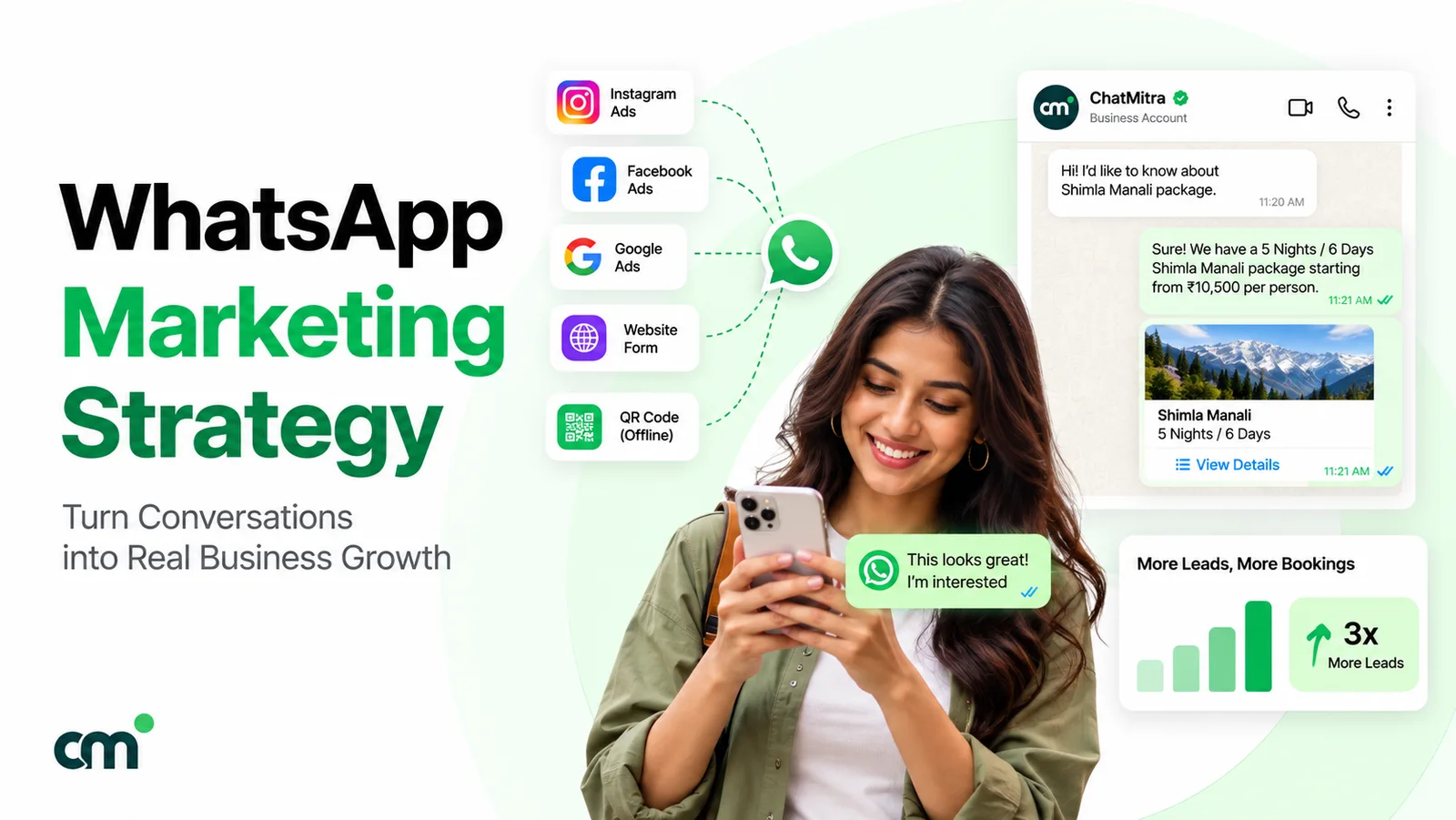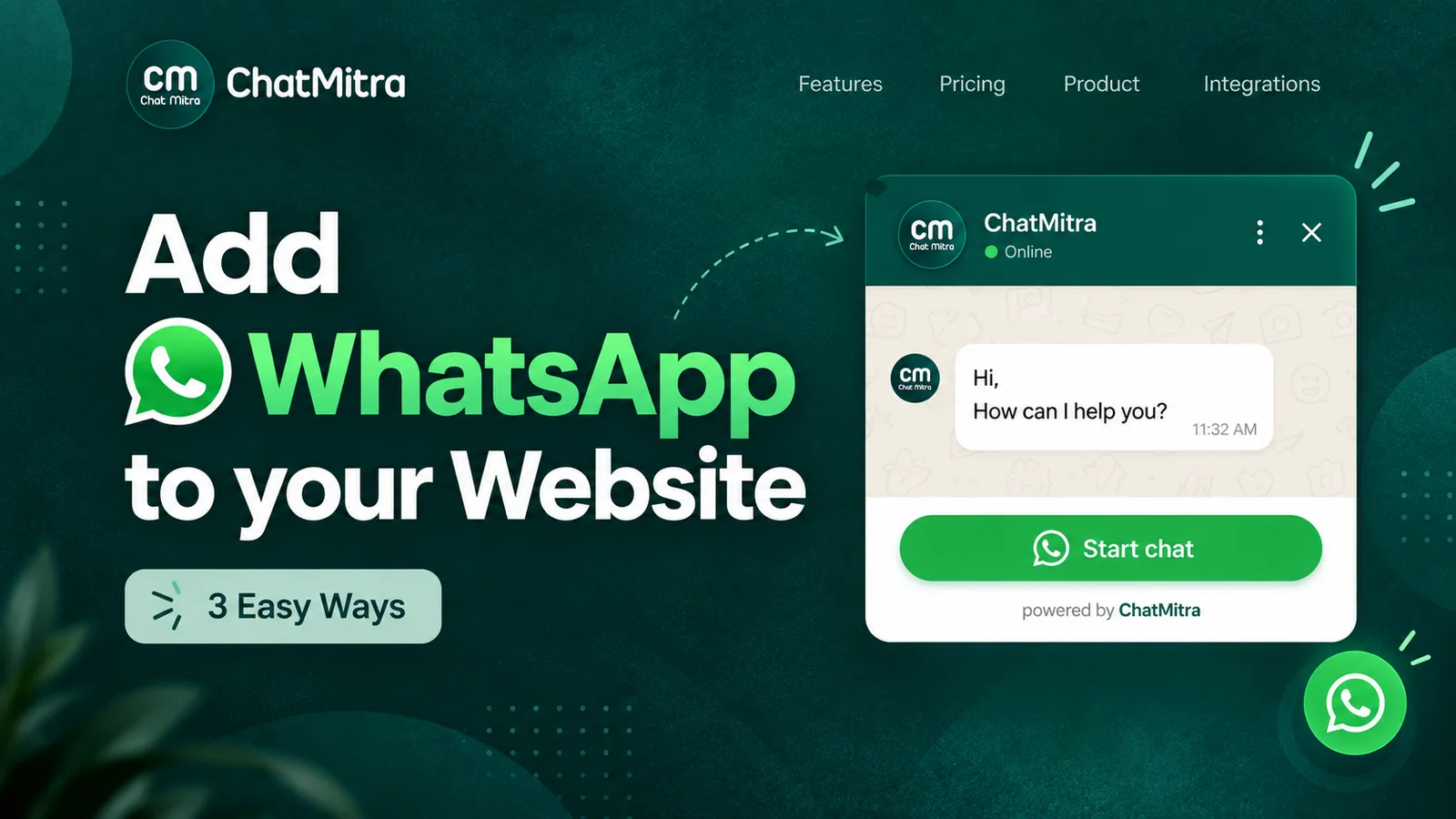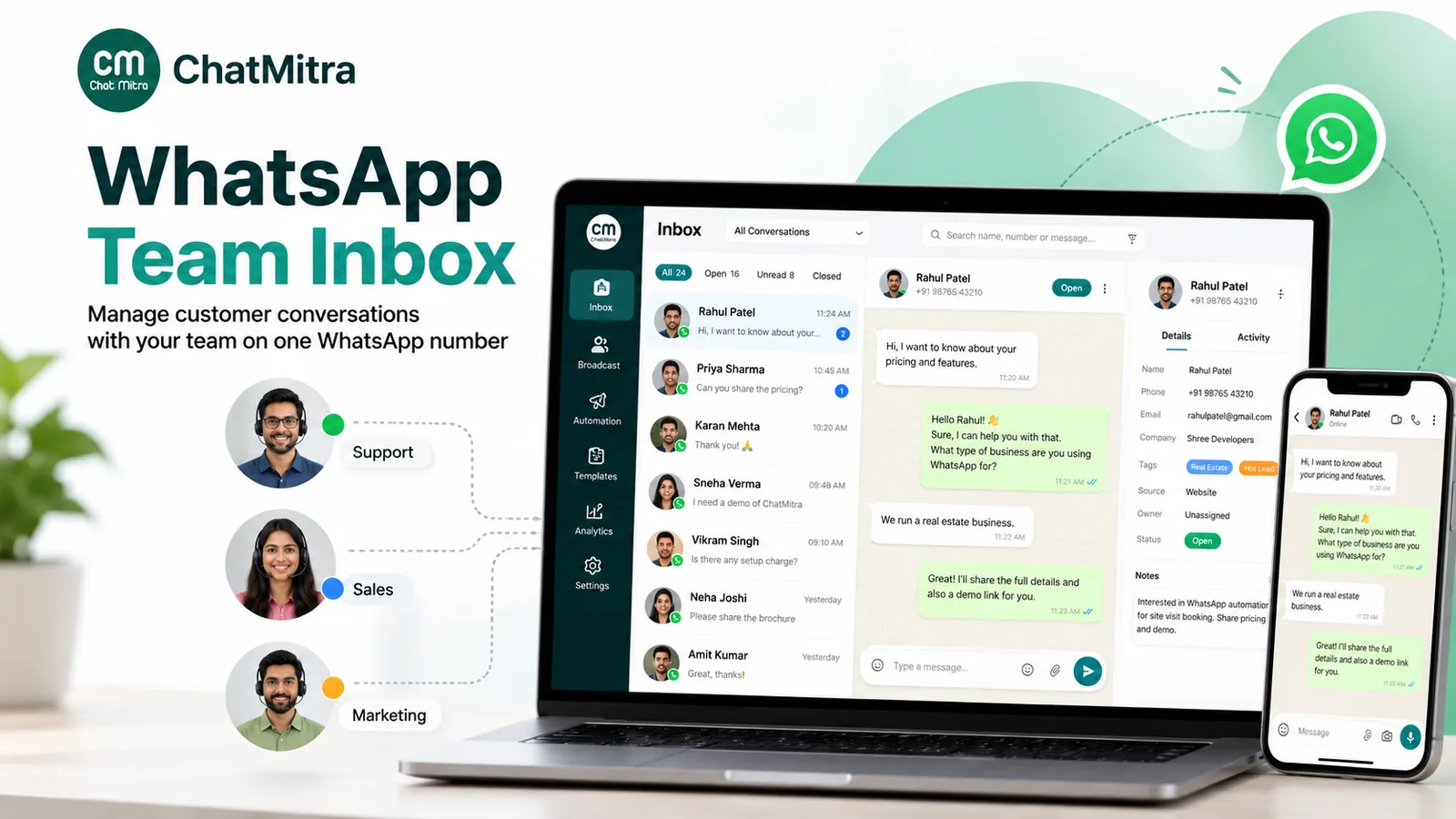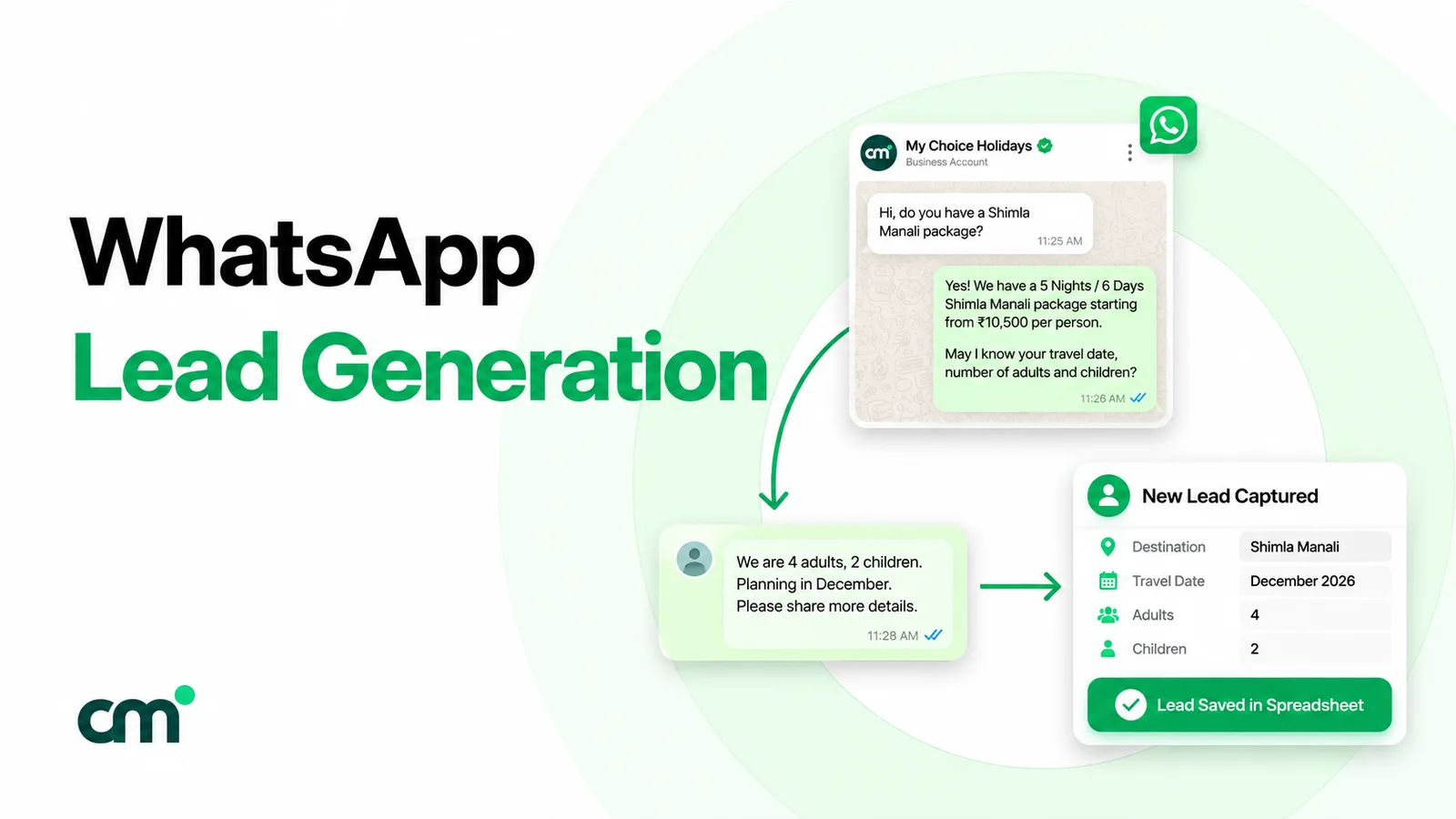
WhatsApp lead generation means getting potential customers to start a chat with your business, then qualifying and following them up in that chat. Most leads arrive through click-to-WhatsApp ads, website links, QR codes and forms. The work that decides results is replying fast, asking a few qualifying questions, tagging each lead’s source and following up inside Meta’s messaging windows.
This guide takes one lead from first tap to handover: where leads come from, how to tell the sources apart, what to ask, when follow-ups are free or charged, and what the whole thing costs in rupees since Meta’s 1 October 2026 pricing change.
Key takeaways
- The chat is the form. Three or four short questions in WhatsApp replace a long landing-page form.
- Tag every lead's source from day one, or you won't know which ad, link or poster is working.
- Leads from click-to-WhatsApp ads on the WhatsApp mobile app can be messaged free for 72 hours if you reply within 24 hours.
Facts checked against Meta's and WhatsApp's documentation on 25 September 2026. Rupee figures are Meta's India rates and exclude tax.
What is WhatsApp lead generation?
A lead is not the same as a chat. Meta’s own guide for small businesses defines a lead as “someone who shares meaningful information with your business after starting a conversation from an ad that clicks to WhatsApp” (WhatsApp Business, lead generation strategies). The definition is written for ads, but the principle holds for every source: a “hi” is a conversation, and a “hi, I need a 2BHK under ₹60 lakh near the station” is a lead.
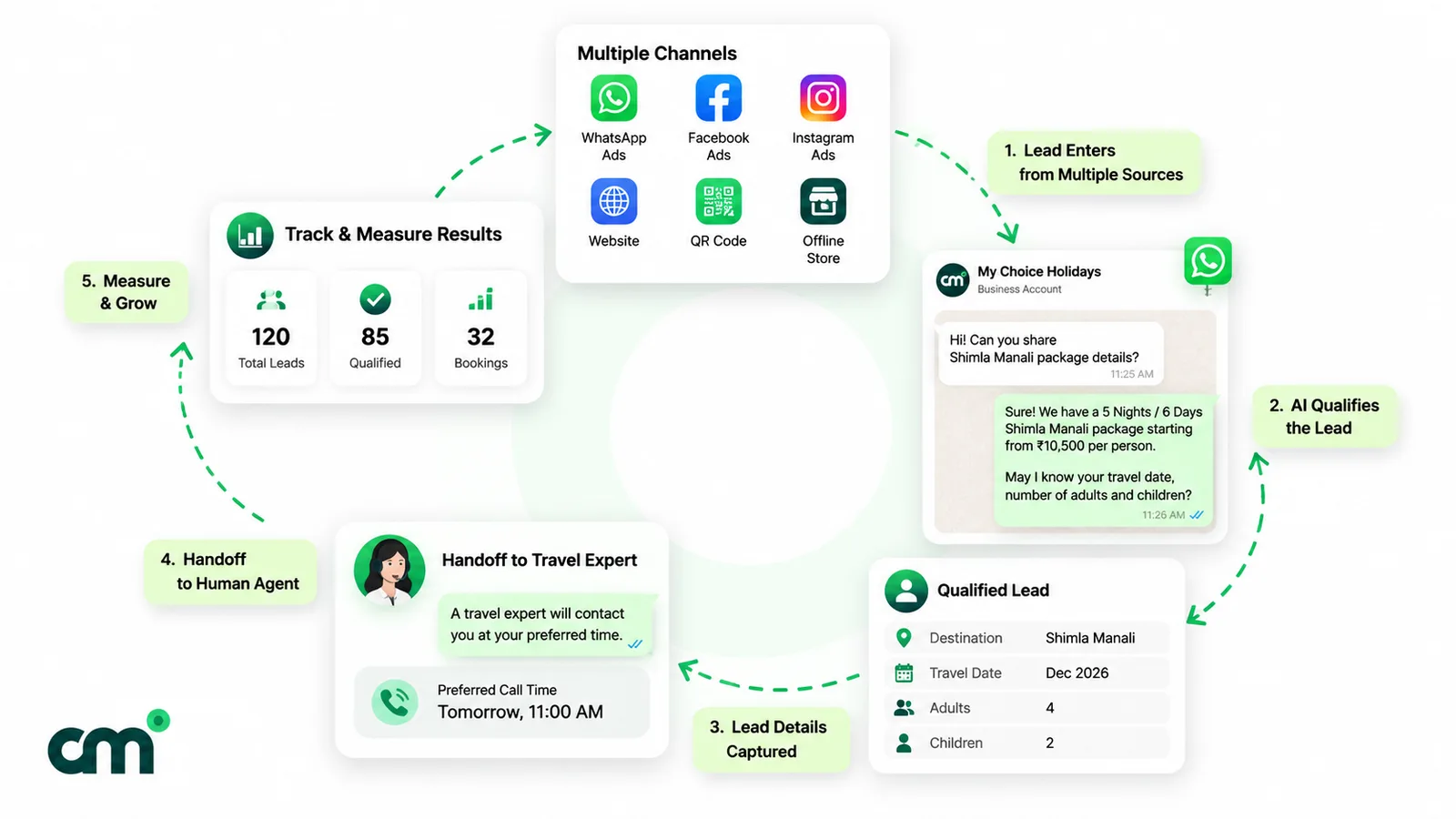
So WhatsApp lead generation has five parts, and each one needs its own setup:
- Entry. Something prompts the person to message you: an ad, a link, a QR code, a form.
- Capture. The first message arrives with enough context to know what they want and where they came from.
- Qualification. You ask a few questions to separate ready buyers from browsers.
- Handover and follow-up. A person picks up the qualified chat, and follow-ups go out at the right time and in the right message type.
- Measurement. You count leads by source and see which ones turn into customers.
Many guides stop at step 1. Steps 2 to 5 are where leads get lost.
Do you need the WhatsApp Business API to generate leads?
Not on day one. The free WhatsApp Business app already covers the basics for a founder answering chats alone: click-to-chat links, up to 20 labels for sorting chats (WhatsApp Help Center; labels are being renamed to lists), and quick replies and greeting messages for fast first answers, which Meta’s own lead-generation guide recommends.
The app starts to hurt when:
- Several people must answer one number. The app allows “up to four linked devices and one phone at a time” (WhatsApp Help Center, linked devices).
- Forms should trigger WhatsApp messages automatically. That needs templates sent through the WhatsApp Business Platform (Cloud API).
- You want automation. Keyword triggers, tagging rules, a CRM sync or an AI agent on a model you choose all run through the Platform.
The Platform is reached through a provider (a “business solution provider”) or your own developers. Our WhatsApp CRM software guide explains the app-versus-Platform choice in detail.
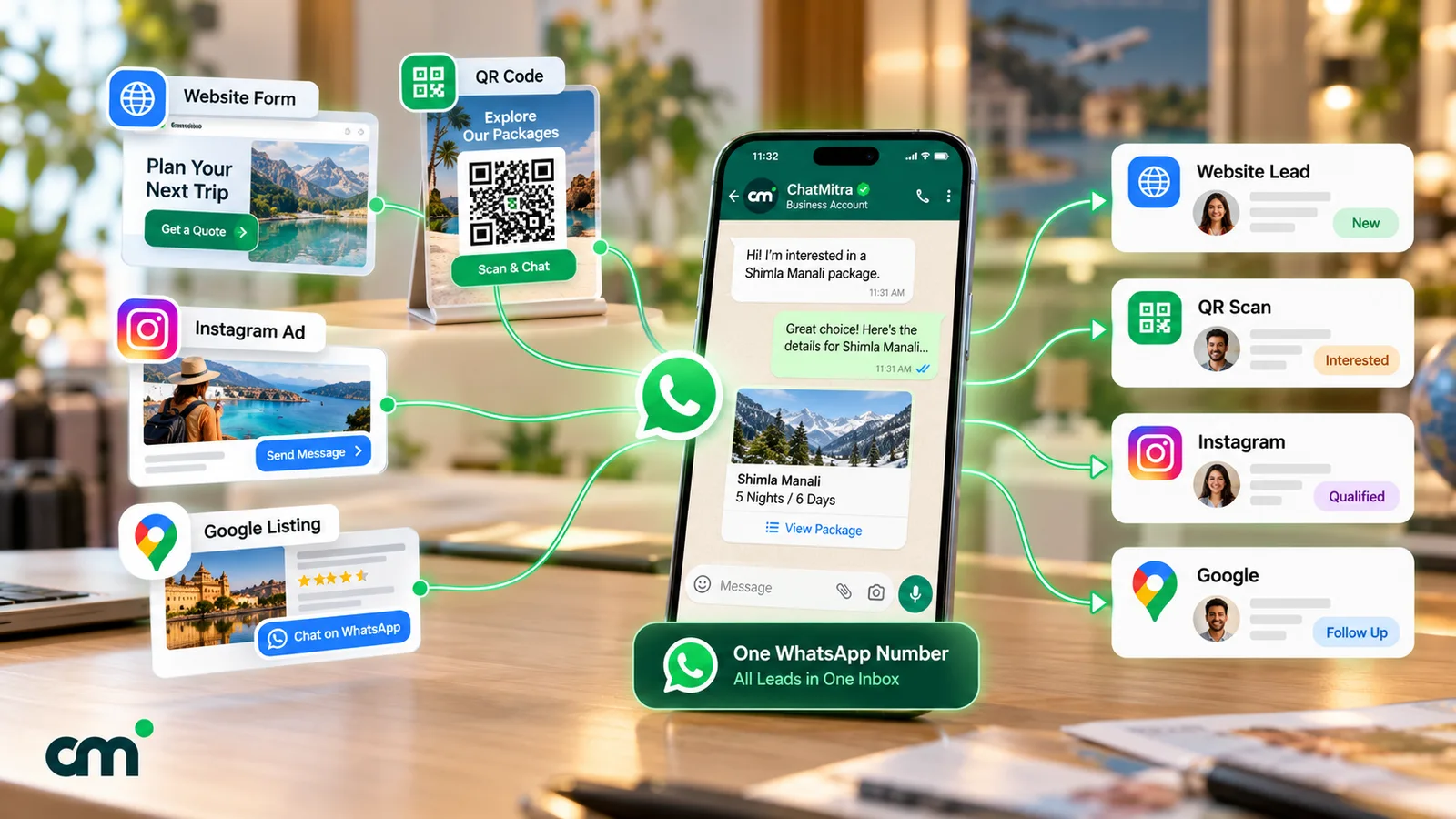
How to generate leads on WhatsApp: six entry points
Every entry point below ends the same way: the person lands in a chat with your number. What differs is the context they bring, what you pay, and how easy it is to track.
| Entry point | Best for | Who sends first | How you track it |
|---|---|---|---|
| Click-to-WhatsApp ads (Facebook, Instagram) and the Facebook Page button | New demand, paid reach, people already on your Page | The lead | Ad data in the webhook, plus a pre-filled code |
| Website button or wa.me link | Visitors ready to ask | The lead | Pre-filled code per page, click events |
| QR codes on print, shopfronts, events | Offline footfall | The lead | One QR per location, each with its own code |
| Social bios, email signatures, SMS | Existing followers and customers | The lead | Pre-filled code per channel |
| Web or ad lead forms that trigger a template | People who prefer to fill a form | You (template) | Form source field |
| WhatsApp Flows (forms inside the chat) | Structured data like loan or insurance details | Either | Flow responses |
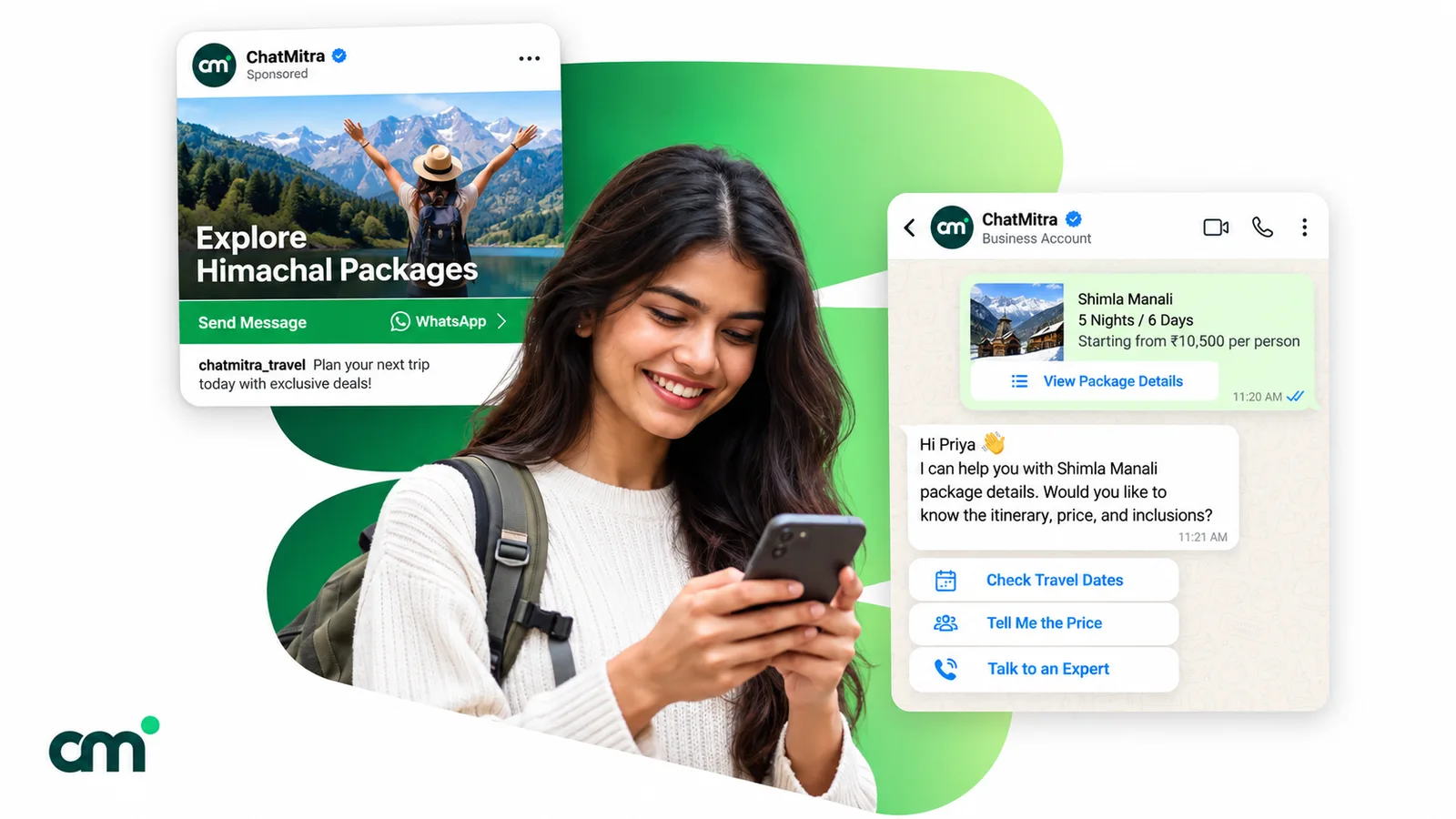
1. Click-to-WhatsApp ads and Page buttons
These are Facebook or Instagram ads whose button opens a chat with your business. In Meta Ads Manager you create a campaign, choose Messaging Apps as the conversion location and pick WhatsApp (WhatsApp Business setup steps). Meta’s step list recommends running the ad for at least seven days.
Two details matter for lead generation:
- Optimise for leads, not conversations. Under the Engagement objective you can set Leads as the performance goal. Meta reports that, on average, click-to-WhatsApp ads optimising for leads “drove 24% lower cost per lead compared to ads optimizing for conversations”. Its stated basis is an experiment of 116,000 campaigns across 43,000 businesses between 4 and 10 November 2024. The option is not available in the EU, UK, Japan or South Korea (WhatsApp Business).
- The free entry point window. If someone messages you from a click-to-WhatsApp ad or a Facebook Page call-to-action button on the WhatsApp Android or iOS app, and you reply within 24 hours, Meta opens a 72-hour window in which “you can send any type of message to the user at no charge” (Meta pricing documentation). Chats started from WhatsApp’s desktop or web apps don’t qualify.
Our learn page on click-to-WhatsApp ads covers ad formats and setup.
2. Website buttons and wa.me links
A click-to-chat link has the form https://wa.me/<number>?text=<message>. WhatsApp’s help page says to use the full number in international format and omit “any zeroes, brackets, or dashes” (WhatsApp Help Center, click to chat). The pre-filled text appears in the person’s message box, ready to send.
Put the link where intent is highest: pricing pages, product pages, the contact page. Our free WhatsApp chat link generator builds the link from a number and a message. For buttons, floating icons and form-to-WhatsApp on WordPress or Shopify, see WhatsApp integration with your website.
3. QR codes offline
QR codes carry the same wa.me link into the physical world: brochures, standees at a property site visit, clinic reception desks, packaging, event banners. Our free WhatsApp QR code generator outputs a PNG or SVG with your number and message built in.
There is a second kind of QR code. Meta’s own QR codes and short links, created in Meta Business Manager or through the API, can carry a pre-filled message “containing up to 140 characters of text”, and a single number can have up to 2,000 of them (Meta QR codes and message links). Their advantage is that you can edit or delete the pre-filled message later without reprinting. The trade-off, in Meta’s words: “Analytics are not available for QR Codes and Short Links.” Either way, your tracking has to come from the message text.
4. Social profiles, email signatures and existing customers
The cheapest leads often come from people who already know you: Instagram bio links, a line in your email signature, an SMS to past enquirers who opted in. The same pre-filled-code rule applies, so you can tell an Instagram lead from a newsletter lead.
5. Forms that trigger a WhatsApp template
Some people prefer filling a form. A website form, or a lead form from an ad platform, can hand the details to your WhatsApp software, which sends an approved template: “Thanks, Priya. We’ve received your enquiry about the weekend batch. Reply here with any questions.”
Three rules apply:
- The form must collect opt-in. Meta requires businesses to “clearly state that a person is opting in to receive communication from the business” and to state the business’s name (Meta, get opt-in for WhatsApp). A pre-ticked box hidden under the submit button is a poor record of consent.
- Your first message is a template. The person hasn’t messaged you, so no customer service window is open.
- Category decides the price. A non-promotional confirmation of the person’s own request may pass as utility. Add an offer and it becomes marketing. Meta makes the final call.
Once the lead replies, the 24-hour window opens and the conversation continues normally.
6. WhatsApp Flows
Flows are structured, multi-screen forms that open inside the chat. Meta says businesses can use them “to generate leads, recommend products, get new sales leads”, and publishes templates for pre-approved loan leads, insurance quotes and purchase-intent capture (Meta, WhatsApp Flows). They suit leads where you need clean structured data, such as loan amount, tenure and city. Meta provides guides, a playground and the Flow JSON reference, but you still need a provider or developer that supports sending Flows, and Meta’s Flows getting-started guide says that to send them you must verify your business and maintain high message quality.
How to track which source each lead came from
If every entry point sends “Hi”, you can’t tell a ₹20,000 ad campaign from a free poster. The fix is simple: give each source its own pre-filled message, ending in a short visible code.
| Source | Pre-filled message | Tag to apply |
|---|---|---|
| Instagram ad, NEET batch | Hi, I'd like details of the NEET weekend batch (IG-NEET) | src-ig-ad, course-neet |
| Pricing page button | Hi, I have a question about fees (WEB-FEES) | src-website |
| Standee at site office | Hi, I visited the Riverside site today (QR-SITE) | src-site-visit |
| Brochure at a trade fair | Hi, I picked up your brochure at the expo (QR-EXPO) | src-expo |
Keep codes short and readable. People see the text before they send it, and a friendly sentence with a code at the end looks normal. A random string does not.
Know the limits:
- Senders can edit the text. Some will delete your code and type their own question. Treat source counts as close estimates, and ask “Where did you hear about us?” when the code is missing.
- Ads carry extra data, but only through the API. When someone messages from a click-to-WhatsApp ad, Meta’s webhook includes a
referralobject with the ad’s ID, headline and URL, plus a click ID (ctwa_clid) that is omitted for ads shown in WhatsApp Status (Meta webhook reference). You only get this if your software stores it. Ask your provider before you rely on it. - Website clicks can be counted separately. An analytics event on the WhatsApp button tells you how many people tapped it, and the code tells you how many actually sent a message. The gap between the two is useful to watch.
How to qualify WhatsApp leads
Qualifying is about deciding who gets a salesperson’s time first. Meta’s own advice is to use the first few messages to understand the need, “like asking about their budget, timeline, or service interest” (WhatsApp Business). In practice, three or four questions are enough. Each extra question is another point where a lead can drop off.
| Business | Qualifying questions | Qualified when | Next step |
|---|---|---|---|
| Coaching institute | Which exam and year? Online or classroom? Which city or centre? | Exam and mode match a running batch | Book a free demo class |
| Real estate broker | Buy or rent? Budget range? Preferred areas? When do you plan to move? | Budget and area match live listings, move within months, not years | Schedule a site visit |
| Loan agent (DSA) | Loan type? Salaried or self-employed? Approximate amount? City? | Profile fits a lender's basic criteria | Call to collect documents through a secure channel |
| Clinic | Which treatment or doctor? New or returning patient? Preferred day? | Service offered, slot available | Confirm appointment |
Keep sensitive data out of the first chat. A loan lead doesn’t need to send identity or bank documents to be qualified. Ask for them later, through a channel you’ve set up for them.
You can run qualification at three levels of automation:
- A person with saved replies. Your team types a short ”/” shortcut and the question appears. This is the most flexible option, and it works until the queue grows faster than people can answer.
- Keyword replies and buttons. A rule replies when the message matches a keyword such as “fees”, “price” or “site visit”, and asks the first question. It’s predictable and cheap, but rigid when people write in their own words.
- An AI agent. A language model reads free text and asks the questions in order. Depending on the model, it can cope with mixed-language messages such as Hinglish, but it needs a clear script and firm limits.
Should an AI agent qualify your leads?
It can, if you keep it on a short leash. WhatsApp’s Business Messaging Policy says: “You may use automation when responding during the 24-hour window, but must also have available prompt, clear, and direct escalation paths.” Give the agent three jobs: greet, ask the qualifying questions, and hand over. Don’t let it quote prices it can’t verify or promise loan approvals. Our WhatsApp AI agent guide covers Meta’s rules on AI and the guardrails in detail.
How to hand over and follow up without losing the lead
Most lost leads aren’t rejected. They’re forgotten: nobody replies for six hours, or three people reply at once, or the follow-up goes out a day after the window closed and costs more than it needed to.
Handover: make ownership visible
When a lead is qualified, tag it (for example hot, warm, cold) and add a short note: “2BHK, ₹55–60 lakh, Satellite or Bodakdev, moving by March”. The next person who opens the chat should understand the lead in five seconds.
Decide how chats get an owner. Some tools assign chats to agents automatically or in rotation. If yours doesn’t, agree on a simple rule, such as a tag per salesperson, and check it in a daily review.
Speed matters more than polish. Meta’s lead-generation guide says “Leads that receive a response within minutes are significantly more likely to convert than those left waiting.” An instant greeting that asks the first question buys your team time.
The 24-hour window, the 72-hour window and templates
Three timers decide what you can send and what it costs. The rates below are Meta’s India rates since 1 October 2026 (Meta pricing). Other markets have different rates: check Meta’s rate cards for your country.
| Situation | What you can send | Meta charge in India |
|---|---|---|
| The lead messaged you in the last 24 hours | Any message: free-form text, media, buttons, or templates | Free-form service replies: first 1,000 per number per month free, then ₹0.1150 each. Utility templates: ₹0.1150 (charged inside the window since 1 October 2026). Marketing templates: ₹0.8631 |
| The lead came from a click-to-WhatsApp ad or Page button on mobile, and you replied within 24 hours | Any message while the 24-hour window is open; templates after it closes | Free for 72 hours from your reply |
| More than 24 hours since the lead's last message | Approved templates only | Marketing ₹0.8631, utility ₹0.1150 per delivered template |
| The lead sends you a message | n/a | Never charged |
Meta’s send-messages documentation puts the core rule plainly: “When the window closes, you can only send pre-approved template messages.” Every new message from the lead resets the 24-hour timer.
A follow-up rhythm that respects the lead
- Minute 0: instant greeting plus the first qualifying question.
- Within the hour: a person reviews the answers, sends what was asked for (fees, floor plan, slots) and proposes the next step.
- Same day or next morning, inside the window: one reminder with something new, like a demo slot, a brochure or an answer to a likely objection.
- After the window closes: at most one template that adds value (“Two seats are left in Sunday’s demo class. Want one?”), then stop.
- Later: add the lead to broadcasts only if they opted in to updates, and honour any request to stop.
The 72-hour window changes this rhythm for ad leads. Because templates are free for three days, a well-timed reminder on day two costs nothing in Meta charges.
What does WhatsApp lead generation cost?
There are up to four bills: ad spend (if you run ads), Meta’s message charges, your provider’s fees, and your team’s time. Here is a worked month for a coaching institute in India that gets 400 enquiries from QR codes and website links, with no ads.
| Item | Assumption | Cost |
|---|---|---|
| Replies inside the 24-hour window | 5 service replies per lead = 2,000; first 1,000 free, 1,000 charged at ₹0.1150 | ₹115.00 |
| Follow-up after the window closed | 200 quiet leads get one marketing template at ₹0.8631 | ₹172.62 |
| Meta charges | ₹287.62 | |
| Platform fee (example: ChatMitra Starter) | ₹0.20 per contact per 24-hour conversation: 400 first conversations + 200 follow-ups | ₹120.00 |
| Total | About ₹1.02 per enquiry | ₹407.62 |
The Starter plan fee assumes each lead’s chat fits into one 24-hour conversation. The 1,000 free service messages are shared by everything on the number, including support chats, so a busy support desk uses them up first. ChatMitra’s Pro plan adds ₹999 a month for Auto Reply, the AI Chatbot, API access and webhooks, according to ChatMitra’s pricing page. Other providers price differently, for example per agent seat or per message, so compare the full monthly bill. For the category-by-category detail, see our guide to WhatsApp Business cost per message.
Opt-in, privacy and India’s DPDP Act
Lead generation breaks WhatsApp’s rules the moment a business messages a bought list or a spreadsheet of old enquiries that never opted in. The Business Messaging Policy is explicit: you may only contact people who have given you their number and “opt-in permission from the recipient confirming that they wish to receive subsequent messages or calls from you”. You must also “respect all requests (either on or off WhatsApp) by a person to block, discontinue, or otherwise opt out”.
The policy also says users can block or report businesses, and WhatsApp’s systems “may limit the amount of messages a business can send” based on that feedback. New business portfolios start with a limit of 250 unique people messaged outside the customer service window in a moving 24-hour period (Meta messaging limits). Moving up depends on Meta’s analysis of your message quality, so blocks from cold outreach can keep you stuck there.
In India, personal data collected through forms and chats also falls under the Digital Personal Data Protection Act, 2023. Our WhatsApp opt-in guide covers valid and invalid opt-in examples, proof of consent, opt-out handling and what the DPDP Act adds. Read it before you import any old lead list.
What your WhatsApp lead generation setup needs
You don’t need every feature on day one, but you should know which ones your process depends on. Use this checklist when comparing tools. It also shows, honestly, where ChatMitra fits and where it doesn’t. Plan notes in the ChatMitra column follow ChatMitra’s pricing page.
| Capability | Why it matters | ChatMitra |
|---|---|---|
| Chat links and QR codes | Entry points with pre-filled codes | Yes, free generators |
| Keyword auto-replies | Instant first answer | Yes (exact, starts-with or regex; Pro plan) |
| Tag a lead by the keyword it sent | Source and interest tracking | Yes, with the "WhatsApp Message Received" keyword trigger in the automation builder |
| Form or webhook sends a template | Instant reply to form leads | Yes, through the Google Sheets automation's incoming-webhook trigger |
| AI agent for qualification | Handles free-text answers | Yes, with your own LLM provider key; agents can take over and pause the bot (Pro plan) |
| Shared inbox, tags, notes, saved replies | Handover without losing context | Yes (one internal note per contact) |
| Export leads | Move data into a CRM or spreadsheet | Yes, CSV export, or add a row to a Google Sheet from an automation |
| WhatsApp Flows forms | Structured in-chat forms | No |
| Chat assignment or round-robin routing | Clear ownership in larger teams | No |
| Lead scoring and a deal pipeline | Prioritising and forecasting | No (an automation can update a "lead stage" contact field, but there's no pipeline board) |
| Click-to-WhatsApp ad attribution report | Cost per lead by ad inside the inbox | No. Use Meta Ads Manager for ad results and pre-filled codes in chat |
| Website chat widget, Zapier or HubSpot connectors | Plug-and-play integrations | No |
Here is how a ChatMitra setup looks in practice. One automation watches incoming messages for the code “QR-SITE”, adds the tag src-site-visit, and logs the lead’s number and message in a Google Sheet. A second automation listens for your website form’s webhook and sends a welcome template with the lead’s name. The AI chatbot, running on your own OpenAI, Gemini or other provider key, asks the qualifying questions, and a person takes over from the shared inbox. The Google Sheets automation page walks through the builder and its sheet, schedule, date and webhook triggers.
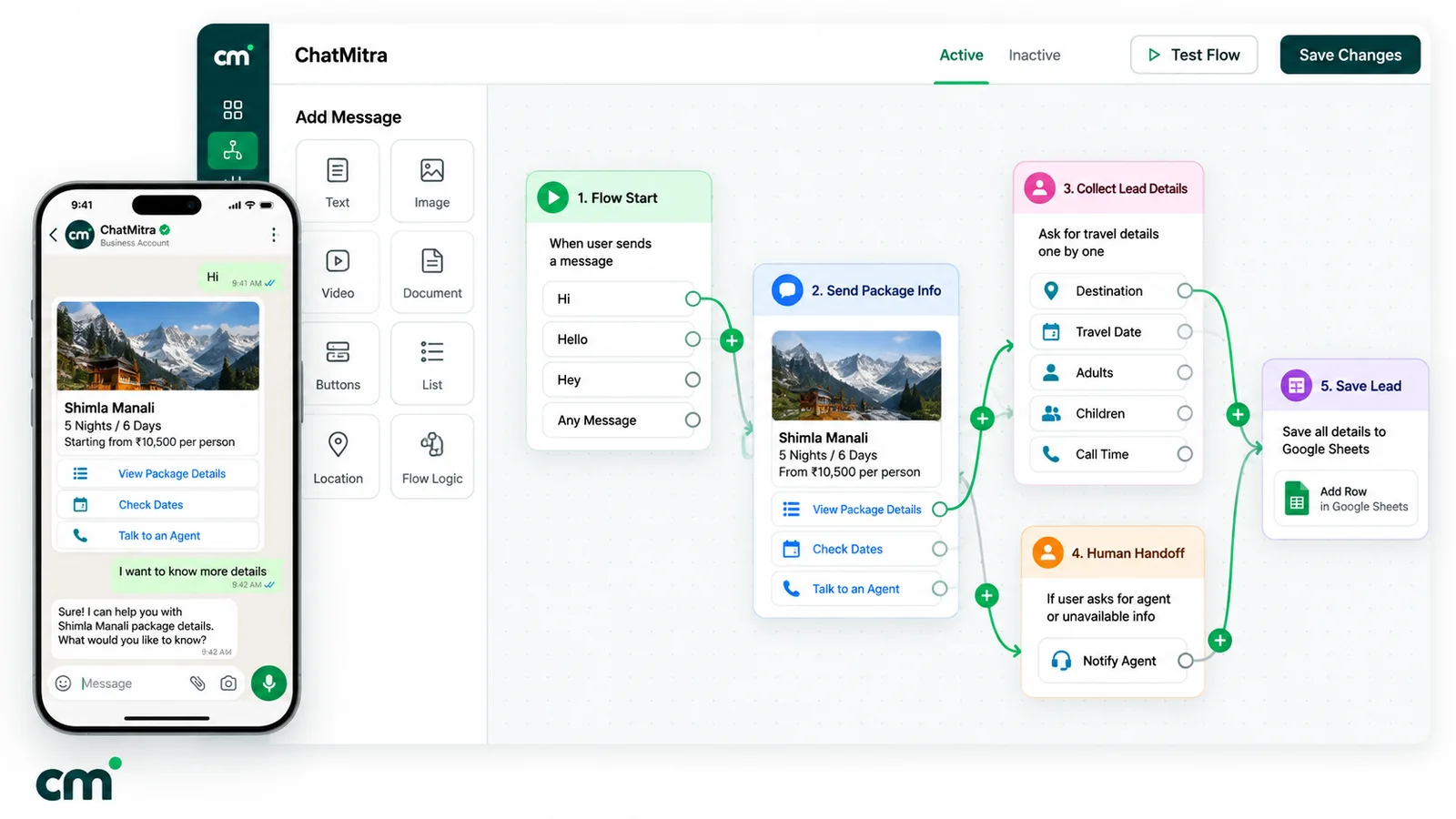
When you need a separate CRM: if several salespeople need leads routed to them automatically, if you score leads, or if deals move through stages over weeks, use a CRM that does those things and connect WhatsApp to it. ChatMitra’s webhooks and API (on the Pro plan, per the pricing page) can feed a CRM through your developers or an in-house endpoint, but there is no ready-made connector.
Four worked setups
Coaching institute. QR codes on admission brochures and a pricing-page button, each with its own code. A keyword reply asks for exam, mode and centre. Leads matching a running batch get a demo slot in the chat, and the rest get a template when the next batch opens, if they opted in to updates.
Real estate broker. A click-to-WhatsApp ad per project, plus a standee at each site office. The first reply shares the floor plan and asks budget, area and timeline. Hot leads get a site-visit time the same day, and the 72-hour window covers the reminders for ad leads.
Loan agent (DSA). A website form with a clear WhatsApp consent line triggers a utility-style acknowledgement. Qualification sticks to loan type, employment and amount, and documents are collected later by phone or in person.
Clinic. A QR code at reception and a link on the clinic’s website and social profiles. An AI agent answers timing questions and offers slots, with a clear path to the front desk for anything medical.
Common WhatsApp lead generation mistakes
- Every source sends “Hi”. You lose all attribution on day one.
- Asking ten questions before helping. Answer the question they asked, then qualify.
- Slow first replies. An instant acknowledgement costs very little. A six-hour silence can lose the lead.
- Following up after the window with free-form text. It won’t send. Plan follow-ups inside the window, or budget for a template.
- Treating every template as utility. Anything promotional is marketing, and Meta will categorise it that way.
- Messaging old spreadsheets. No opt-in means policy risk, blocks, and limits on how many people you can message.
- Letting the bot trap people. Always offer a way to reach a person.
- Never reviewing sources. Count qualified leads by tag every week and cut the entry points that bring only browsers.
Where to start
Pick your two highest-intent entry points, give each a pre-filled code, write your three qualifying questions, and decide who replies within minutes. Run it for two weeks, count qualified leads by tag, then add automation where the manual work hurts most. If you want links, QR codes, keyword tagging, an AI qualifier and a shared inbox on one official number, compare ChatMitra’s plans. For how lead generation fits your wider plan, read our WhatsApp marketing strategy guide.
Sources: Meta for Developers (pricing, send messages, QR codes, WhatsApp Flows, webhooks, opt-in, messaging limits), WhatsApp Business (lead generation strategies, click-to-WhatsApp ad setup), WhatsApp Help Center (click to chat, labels, linked devices) and the WhatsApp Business Messaging Policy. Facts checked against Meta's and WhatsApp's documentation on 25 September 2026.