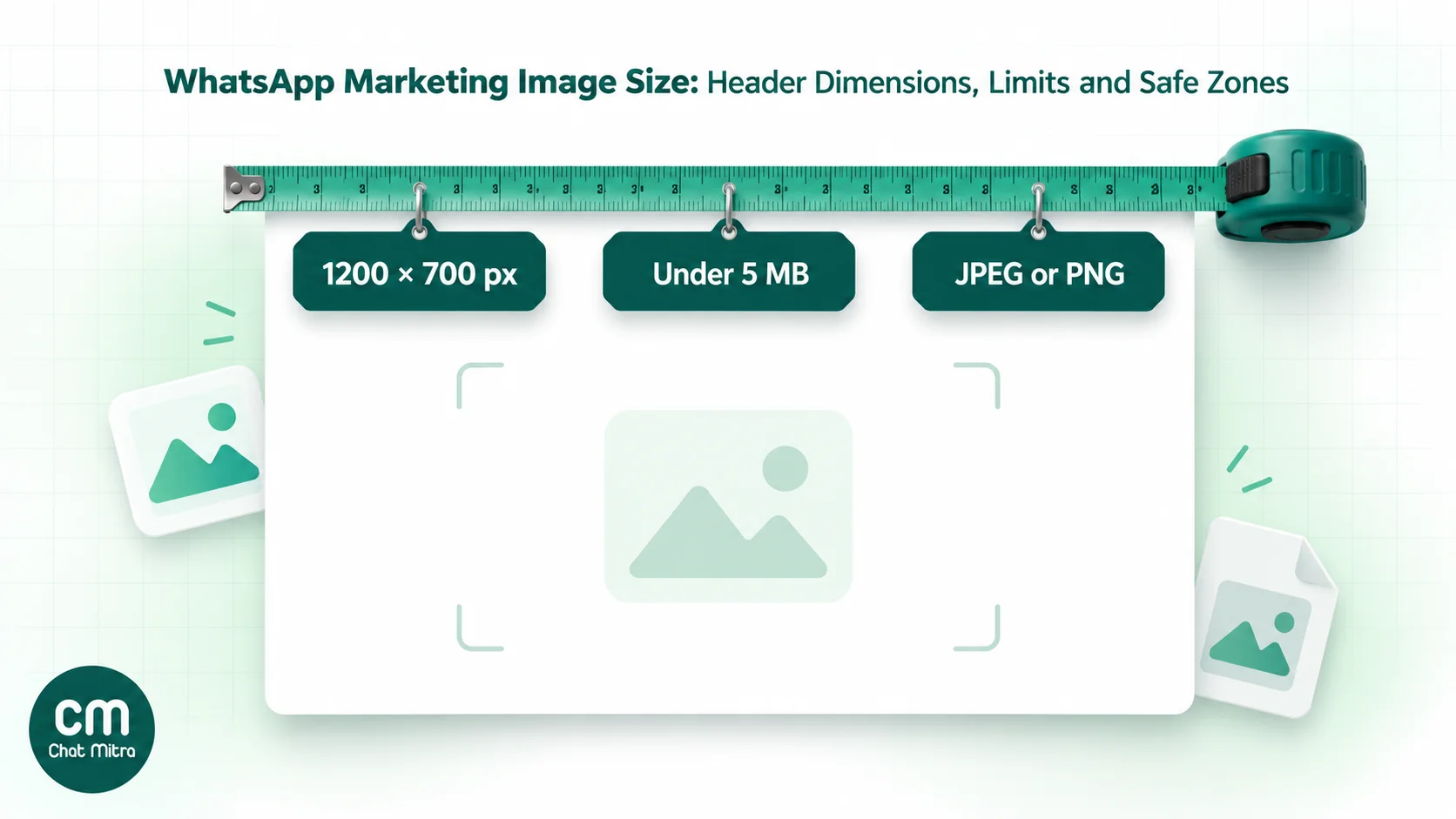
For a WhatsApp marketing template, use a 1200 × 700 px JPEG or PNG of about 150–400 KB. Meta’s hard limits are 5 MB and 8-bit RGB or RGBA, the standard screen-colour format. Meta sets no required pixel size. 1200 × 700 px is our recommended canvas because it matches the 12:7 wide ratio Meta shows in its own marketing guide, and a light file matters because your customer downloads it on mobile data.
Below: what Meta enforces, why five different sizes circulate online, how to keep a crop from cutting your offer, and export settings, plus video, GIF and carousel limits.
Using ChatMitra? You don’t upload a sample image when you create an image-header template in ChatMitra. Instead, you choose the actual image every time you send, from a public HTTPS link or your media storage (PNG or JPEG, up to 5 MB). ChatMitra passes the file to WhatsApp unchanged, so compress it first. Jump to sending an image template from ChatMitra.
WhatsApp marketing image specs at a glance
| Item | What Meta requires | What we recommend |
|---|---|---|
| File type | JPEG or PNG | JPEG for photos, PNG for flat graphics with lots of text |
| File size | Up to 5 MB | About 150–400 KB |
| Colour | 8-bit, RGB or RGBA | 8-bit sRGB, flattened (no transparency) |
| Pixel size | None published | 1200 × 700 px canvas |
| Aspect ratio | None required | 12:7 wide, with text in the middle 1200 × 628 band |
| WebP | Stickers only | Convert to JPEG before sending |
| Same image every time? | No. The creation image is a sample | Swap the header image per campaign |
The left column comes from Meta’s supported media types and image message pages. The right column is our working recommendation, and the rest of this guide explains the reasoning behind each line.
What does Meta require for a WhatsApp image header?
Meta’s rules for an image in a WhatsApp message, template header included, fit in four lines:
- Format: JPEG (
image/jpeg) or PNG (image/png). Nothing else. - Size: 5 MB maximum per image.
- Colour: “Images must be 8-bit, RGB or RGBA.” In plain terms, standard screen colour, not print colour. A 16-bit PNG or a CMYK JPEG from a print designer breaks this rule even when it looks fine on your laptop.
- WebP is for stickers only. A static sticker can be up to 100 KB and an animated one up to 500 KB, but a WebP file in an image header is rejected.
Two more rules matter for templates specifically.
The creation image is a sample. When a template with a media header is submitted, Meta’s template components documentation asks for an uploaded sample file (a “media handle”) so reviewers can see an example. When you send, you supply the header image in the message itself. That’s why one approved “weekly offer” template can carry a different banner every week.
Uploaded media expires. If you send by media ID (a reference to a file uploaded to Meta) rather than by link, Meta says media IDs returned by the API expire after 30 days. A campaign scheduled weeks ahead should reference a fresh upload or a link that will still work on the day.
Notice what Meta’s developer pages don’t say: they set no pixel width, height or aspect ratio for a template header image. You can send a 1:1, 4:5 or 1.91:1 image and it will be delivered. The shape question is about how the image looks, not whether it’s accepted.
Why you’ll find five different “recommended” sizes
Search for a WhatsApp template image size and you’ll meet 800 × 418, 1125 × 600, 1200 × 628, 1080 × 1080 and 1200 × 700 px, often each described as Meta’s recommendation. Here’s where they come from.
| Size | Ratio | Where it comes from |
|---|---|---|
| 800 × 418 px | 1.91:1 | Platform help pages; the classic link-preview and ad ratio |
| 1125 × 600 px | 1.875:1 (close to 1.91:1) | Several WhatsApp platform guides |
| 1200 × 628 px | 1.91:1 | Facebook link and ad image convention |
| 1080 × 1080 px | 1:1 | Square social-post convention |
| 1200 × 700 px | 12:7 | Matches the “Single Image Wide (12:7)” example in Meta’s marketing guide |
The one with a Meta source behind it is 12:7. Meta’s April 2026 Best Practices for Marketing Messages on WhatsApp shows four formats side by side on page 33: text only, Single Image Wide (12:7), Video Portrait (5:7) and Carousel (17:10). Its heading is worth reading closely: “Test different media types to understand optimal formats per audience and message.” Meta presents these as formats to try, not pixel requirements.
So the 1.91:1 sizes aren’t wrong. They’re slightly wider than Meta’s example, and they display fine. Our reason for preferring 12:7 is practical: it’s the shape Meta itself shows for a single marketing image, and the layout below lets one file work well at both ratios.
How do you stop WhatsApp cropping the text in your image?
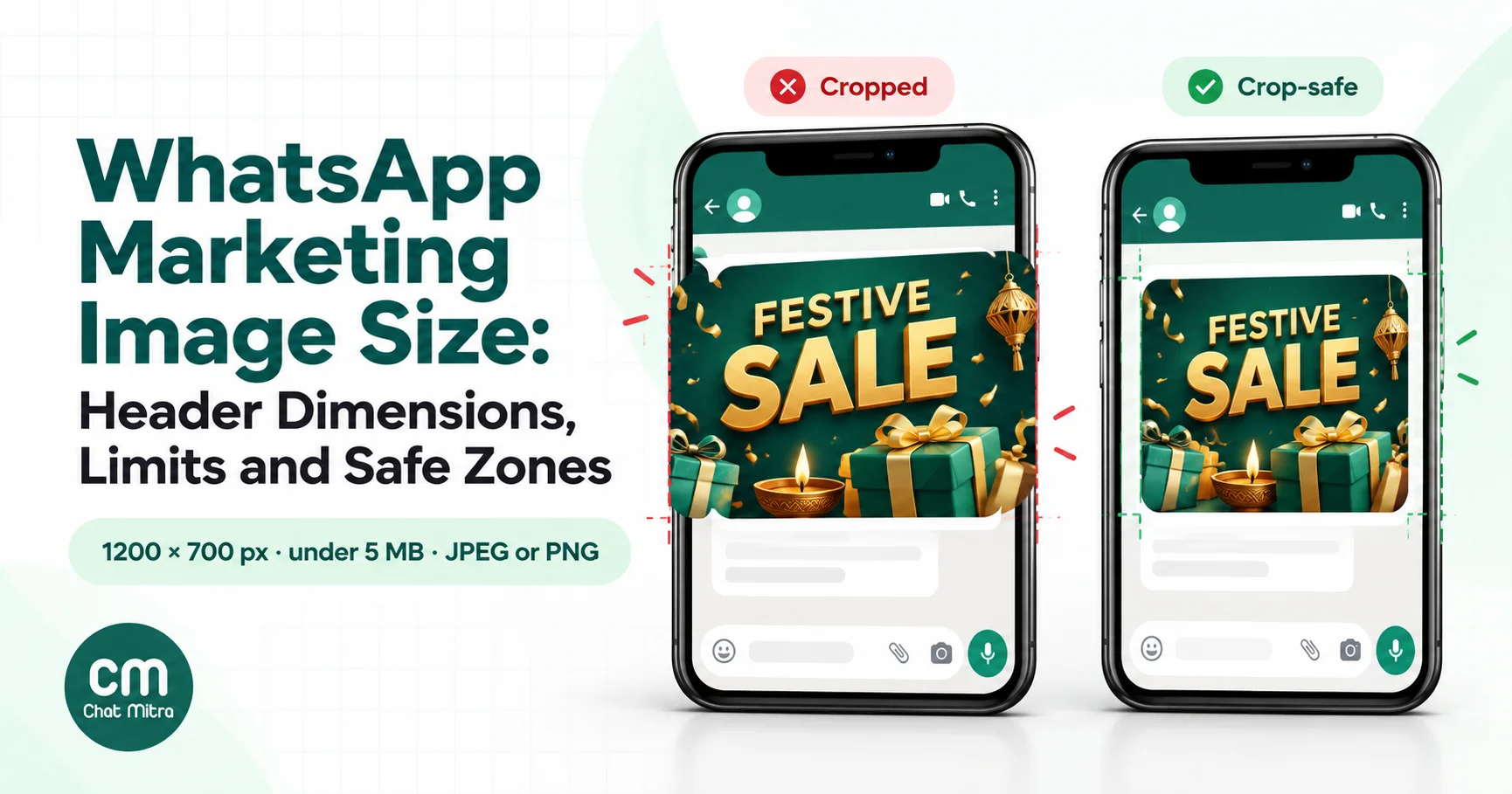
WhatsApp scales your image to fit the chat bubble, and Meta says carousel media is “automatically cropped to a wide ratio based on the WhatsApp user’s device.” Different phones, app versions and the desktop app don’t all frame media identically. Rather than chase each one, design a canvas with a safe band in the middle.
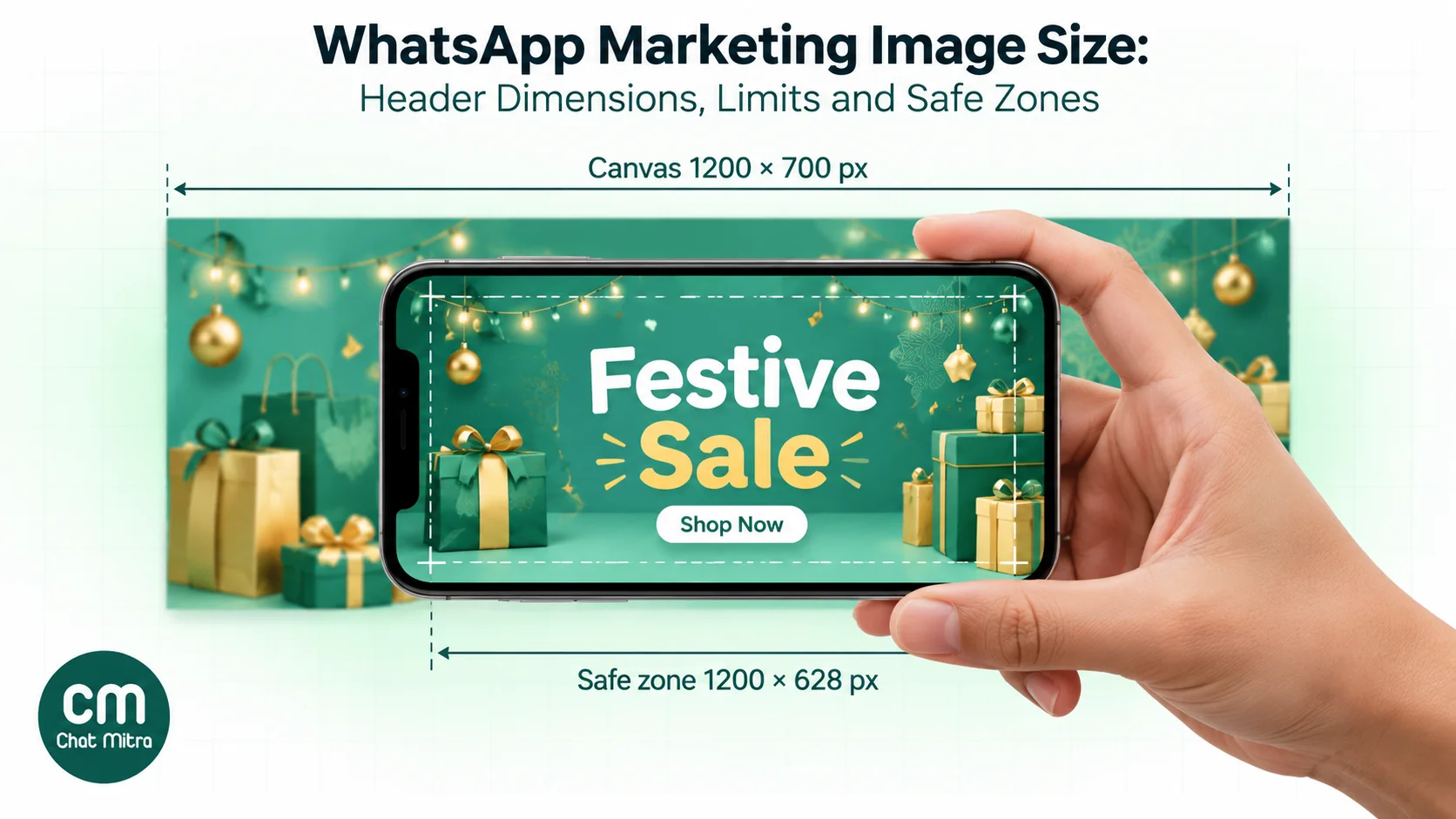
Start with 1200 × 700 px (12:7). Then work out what survives if a device frames it at the wider 1.91:1:
- 1200 ÷ 1.91 = 628 px tall at full width.
- 700 − 628 = 72 px lost, or 36 px from the top and 36 px from the bottom if the crop is centred.
So keep every word, price and logo inside the middle 1200 × 628 px band, and add about 60 px of side margin so nothing touches the left or right edge. Background colour and photography can run to the edges; information can’t.
| Zone | Size on a 1200 × 700 canvas | What goes there |
|---|---|---|
| Full canvas | 1200 × 700 px | Background, photo, texture |
| Safe band | 1200 × 628 px, centred | Everything that must be read |
| Text box | about 1080 × 560 px, centred | Headline, price, logo, offer dates |
How big should the text in the image be?
As a rule of thumb, a 1200 px wide image in a chat bubble on a phone is scaled down to roughly a quarter of its width. Text you set at 48 px on the canvas shows at about 12 px on screen, which is the smallest size most people read comfortably. That gives a simple rule:
- Headline: 72–96 px on the canvas.
- Supporting line or price: at least 48 px.
- Anything smaller: move it to the message body, where WhatsApp renders it as real text.
Three to seven words in the image is plenty. Meta’s guide asks for images that are “self-explanatory and not dependent on text,” and adds that “the text should also be clear even if the media isn’t downloaded.” Your body copy has to carry the offer by itself, because some customers will see it before the image loads, or without it.
Should a WhatsApp marketing image be wide or square?
Wide isn’t the only option. Here’s how the common shapes trade off in a chat.
| Shape | Canvas | Strength | Trade-off |
|---|---|---|---|
| Wide 12:7 | 1200 × 700 px | Leaves the first lines of text and the buttons in view | Less room for tall products such as bottles or kurtas |
| Wide 1.91:1 | 1200 × 628 px | Familiar to designers from ads | Slightly less height for the product |
| Square 1:1 | 1080 × 1080 px | Strong for a single product shot | Pushes body text and buttons down |
| Portrait 4:5 | 1080 × 1350 px | Big visual impact | Takes most of the screen; the message reads like an ad |
Height matters because of the five-line rule. Meta’s guide notes that messages longer than five lines are truncated behind “read more,” so you have five lines to land the offer. A tall image pushes those lines, and your call-to-action buttons, further down the screen. For most offer, launch and reminder campaigns, wide wins. Use square when the product is the whole message, such as a single new arrival.
If you’re unsure, test it. Send the same template to two halves of a segment, one with a wide image and one with a square image, and compare button clicks. Our guide to A/B testing WhatsApp campaigns covers how to split the audience and read the result.
What file size should a WhatsApp marketing image be?
Meta allows 5 MB, but that’s a ceiling, not a target. Two facts make lighter files better.
Weight doesn’t change your bill. Meta charges per delivered template message by category, so an image header costs the same as a text-only template in the same category. A 4 MB banner and a 250 KB banner cost exactly the same to send.
Weight is paid by your customer. Each recipient downloads the image, often on mobile data. WhatsApp lets every user choose whether photos download automatically on mobile data, on Wi-Fi and when roaming (WhatsApp’s auto-download help). If auto-download is off, every image waits for a tap. When it’s on, a heavy file takes longer to appear, and your message sits behind a blurred placeholder in the meantime.
For a 1200 × 700 px image, a well-compressed JPEG usually lands between 150 and 400 KB, and it looks the same on a phone as a 4 MB export. If your file is over 1 MB at that size, it’s almost always saved at maximum quality, carrying a large colour profile or embedded metadata, or still a PNG of a photograph.
Export settings that pass every time
Use these settings in Figma, Canva, Photoshop or any image editor:
- Dimensions: 1200 × 700 px at 1× (actual size). Don’t export at 2× or 3×; the extra pixels add weight, not sharpness, at chat-bubble size.
- Format: JPEG for photos and gradients. PNG only for flat graphics with lots of small text, and only if the PNG stays well under 1 MB.
- Quality: about 75–85% for JPEG. Export once from the original design; re-saving a JPEG compresses it again and blurs the text.
- Colour: sRGB, 8-bit. Convert CMYK files and 16-bit PNGs before you send.
- Transparency: flatten onto a solid background. RGBA is allowed, but a flattened image means you decide what sits behind your design, not the chat theme.
- Metadata: strip it. Camera and editor metadata adds weight and serves no purpose in a message.
- Never WebP or HEIC. Convert both to JPEG. iPhone photos are often HEIC, and many design tools default to WebP for the web.
Video, GIF, document and carousel headers
The same template can have other header types. Their limits are different.
| Header type | File rules (Meta) | Shape guidance | Notes |
|---|---|---|---|
| Image | JPEG or PNG, up to 5 MB, 8-bit RGB/RGBA | 12:7 wide example in Meta’s guide | Covered above |
| Video | MP4 or 3GPP, up to 16 MB, H.264 video and AAC audio only | Meta’s guide shows a 5:7 portrait example | Meta notes H.264 “High” profile with B-frames isn’t supported on Android |
| GIF | An MP4 file up to 3.5 MB | Loops like a GIF | Only through the Marketing Messages API; larger files display as a video |
| Document | Up to 100 MB; PDF is the usual choice for templates | Not applicable | Name the file clearly; customers see the file name |
| Carousel card | Image or video per card; up to 10 cards | Meta’s guide shows 17:10; media is auto-cropped to a wide ratio | Every card must have the same components |
Video. Keep it short and under 16 MB. A 15-second 720p clip usually fits comfortably. If a video won’t play on some Android phones, re-export it with the H.264 “Main” or “Baseline” profile rather than “High”. It’s a setting in most video exporters.
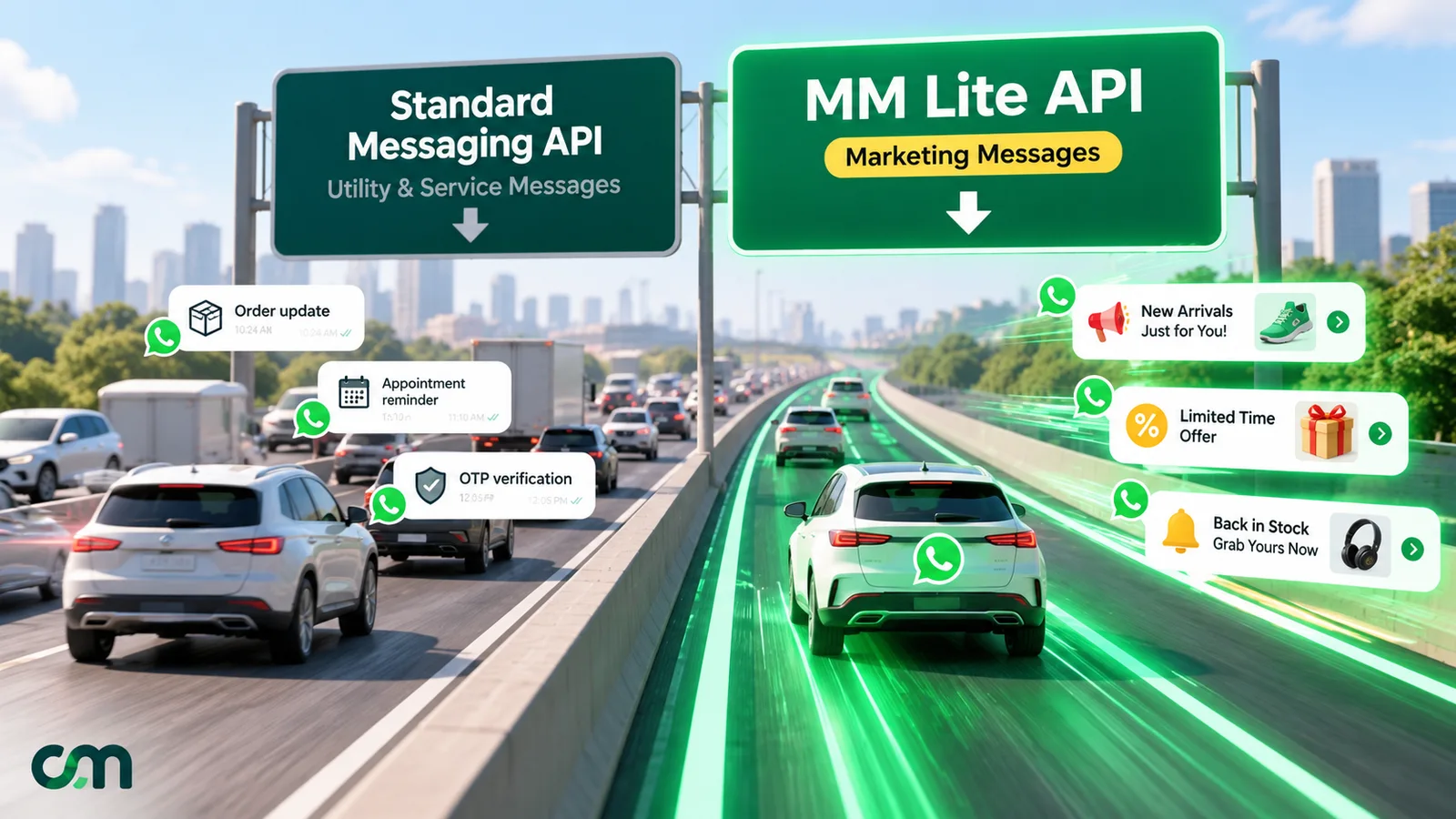
GIF. Meta’s components documentation says GIF headers are available only for the Marketing Messages API, and that they are MP4 files of up to 3.5 MB. You don’t upload a .gif. If you’re new to that API, our MM Lite API guide explains how it differs from the standard Cloud API.
Carousel. Meta’s media card carousel documentation allows up to 10 cards, each with an image or video header, and requires every card to have the same components. Design each card at about 1190 × 700 px (17:10), keep the product centred with generous margins because of the device-based crop, and use the same layout on every card so the swipe feels like one set. For catalog-driven carousels, see product card carousel templates.
How to send an image template from ChatMitra
Here’s the full path, from template to delivered image.
- Create the template with an Image header. In Templates, create a marketing template and choose Image as the header type. You don’t upload a sample here. ChatMitra submits a placeholder sample with the template, and you choose the real image at send time.
- Write the body so it works without the image. Put the offer, the key date and the action in the first lines. The body is limited to 1,024 characters, but the first five lines are what people see.
- Prepare the image. Export it at 1200 × 700 px, JPEG, under 400 KB, using the settings above. ChatMitra doesn’t resize or compress your file before sending, so what you upload is what your customer downloads.
- Attach it in the campaign. In Campaigns, create a campaign with your template, then either paste a Media URL or click Select Media from Storage. The limit shown is “Max 5MB · .png, .jpeg.” A pasted URL must be publicly reachable over HTTPS, without a login.
- Send a test to yourself first. Check it on a phone, in both light and dark mode, and on WhatsApp Web if your customers use desktops. Confirm no text is cut and the image loads quickly on mobile data.
- Send or schedule the campaign. For one customer at a time, the inbox’s template sender works the same way, with a media URL or a file from storage.
From the API. ChatMitra’s send_message endpoint takes a template header image as a link, which must be an https:// URL that WhatsApp can fetch. Captions aren’t allowed on template header media, so the words belong in the body. The API reference has the request format.
Good to know. ChatMitra’s template builder doesn’t create carousel templates yet. It covers text, image, video and document headers with buttons. For a range of products in one message today, use a wide collage image with a single “Shop now” button, or send several single-image templates to different segments.
Plans and fees: broadcasts, scheduling and reports are on every plan, including the free Starter plan. ChatMitra’s fee is ₹0.20 per conversation (once per customer per 24 hours) on Starter and Pro, Enterprise removes it, and Meta’s charges pass through at cost. See pricing for the full table.
Why your WhatsApp image failed or looks wrong
| What you see | Likely cause | Fix |
|---|---|---|
| Error 131053, “Unable to upload the media used in the message” | Unsupported type (often WebP, HEIC or GIF saved as an image), or a file WhatsApp couldn’t fetch | Re-export as JPEG or PNG; check the link opens in a private browser window |
| Error 131053 with a correct JPEG | The link redirects to a login page, needs a cookie, or has expired | Host the file at a permanent public HTTPS URL, or upload it to your media storage |
| ”The file size exceeds the 5 MB limit” when you pick a file in ChatMitra | Over 5 MB | Export at 1200 px wide and about 80% quality |
| Image rejected though it opens on your laptop | CMYK colour or a 16-bit PNG | Convert to 8-bit sRGB and export again |
| Text cut at the top or bottom | Text placed outside the safe band | Keep words inside the middle 1200 × 628 px |
| Image looks blurry | Small source stretched up, or a JPEG compressed twice | Export once from the original at 1200 px wide |
| Colours look dull or shifted | A wide-gamut profile (Display P3, common in Mac and iPhone exports) or CMYK | Convert to sRGB before export |
| Customers see a grey placeholder for a long time | File too heavy for mobile data | Bring it under 400 KB |
| Works for some recipients but not others | Expired media ID, or a link that changed after scheduling | Re-upload close to send time and don’t move the file |
Meta’s error code reference lists 131053 as a media upload error, with “an unsupported media type” as one example reason. For the wider list of send failures and what each means, see our WhatsApp Business API errors guide.
Worked example: a festive sale broadcast
Imagine a home-décor brand in Jaipur sending a festive sale offer to 5,000 opted-in customers.
The image. A 1200 × 700 px canvas with a lamp-lit living room photo running edge to edge. Inside the centred safe band sit three lines: “Festive Sale” (88 px), “Up to 40% off cushions and lamps” (52 px) and the brand logo on the right, each at least 60 px from the side edges. The offer dates and the “use code” line go in the message body, not the image. Exported as JPEG at 80% quality in sRGB, the file comes out at about 240 KB.
The message. Body first line: the offer and the end date. Second line: the code. A single “Shop the sale” URL button. Everything important sits inside the first five lines, so the message works before the image even loads.
What it costs. Assume all 5,000 messages are delivered and each opens a new conversation. Meta’s India marketing rate is ₹0.8631 per delivered template (October 2026), so 5,000 × ₹0.8631 = ₹4,315.50. ChatMitra adds ₹0.20 per conversation on Starter or Pro, so 5,000 × ₹0.20 = ₹1,000. The total is ₹5,315.50.
What it costs your customers. At 240 KB, the whole send moves about 1.2 GB of data across 5,000 phones. The same banner exported carelessly at 3.8 MB would move about 19 GB. That’s roughly 16 times more data for an image that looks the same at chat size. It also reaches people more slowly.
Other WhatsApp image sizes, briefly
This guide is about template headers, but three other images come up in the same projects.
- Business profile photo. ChatMitra’s profile editor asks for a square image between 192 and 640 px, up to 5 MB. Keep your logo centred with padding, because WhatsApp shows profile photos in a circle. See business profile settings.
- Status updates. These are full-screen and vertical, so design them separately from template headers. Our WhatsApp Status marketing guide covers formats and ideas.
- Catalog product images. These follow Meta’s commerce rules, not template rules. See the WhatsApp Business catalog guide.
For sending ordinary photos inside an open 24-hour chat, the same JPEG and PNG limits apply, and the media messages guide covers the rest.
Pre-send checklist
Run through this before every image campaign:
- The file is JPEG or PNG, 8-bit sRGB, not WebP or HEIC.
- A JPEG is under 400 KB (a text-heavy PNG under 1 MB), and nothing is over 5 MB.
- The canvas is 1200 × 700 px, or a deliberate square or carousel size.
- All text and logos are inside the middle 1200 × 628 px band, with about 60 px of side margin.
- The image has no more than seven words, each at least 48 px tall on the canvas.
- The body copy makes sense with no image at all.
- The offer and the action are inside the first five lines.
- The image link opens in a private browser window, over HTTPS.
- A test message looked right on a phone, in light and dark mode.
Getting the image right is a small part of a campaign, but it’s the part customers see first. For the message itself, our broadcast message examples give you copy to pair with the image, and the template elements guide covers every limit on the rest of the template.