WhatsApp marketing ROI is the profit a WhatsApp campaign earns compared with what it costs to run. The formula is ROI = (margin earned − total cost) ÷ total cost × 100. “Margin earned” means the gross profit on the sales the campaign actually caused, not the revenue on every order that followed a message. “Total cost” means Meta’s per-message charges, your platform’s fee, any ad spend, discounts and the team’s time.
The arithmetic is simple. The hard part is being honest about both sides. Most ROI guides multiply an assumed open rate by an assumed click rate and conversion rate, then compare the revenue with the message cost, and the answer is always huge. This guide starts instead from the costs you can know exactly, the margin you actually keep and the sales you can prove the campaign caused. The examples use Indian prices, but the method works in any market.
Key takeaways
- Calculate ROI on gross margin, not revenue. The same campaign can show 2,304% ROI on revenue and 461% on the margin it really caused.
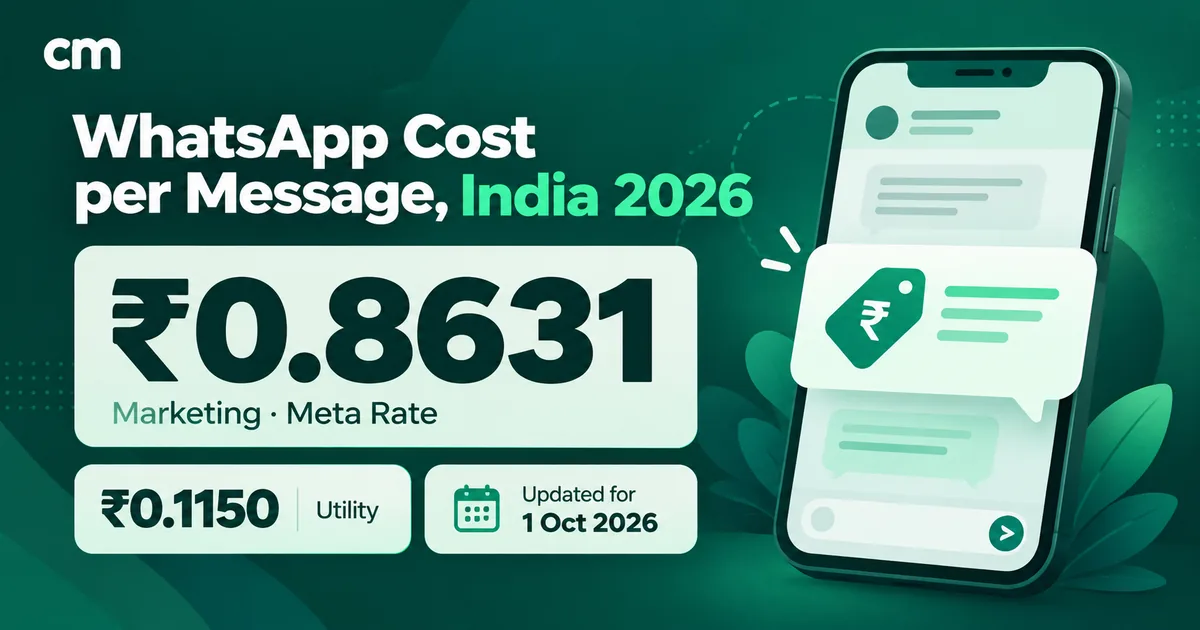
- The cost side is small and exact: ₹0.8631 per delivered marketing message in India (Meta) plus ₹0.20 per conversation on ChatMitra's Starter and Pro plans, about ₹1.06 in all.
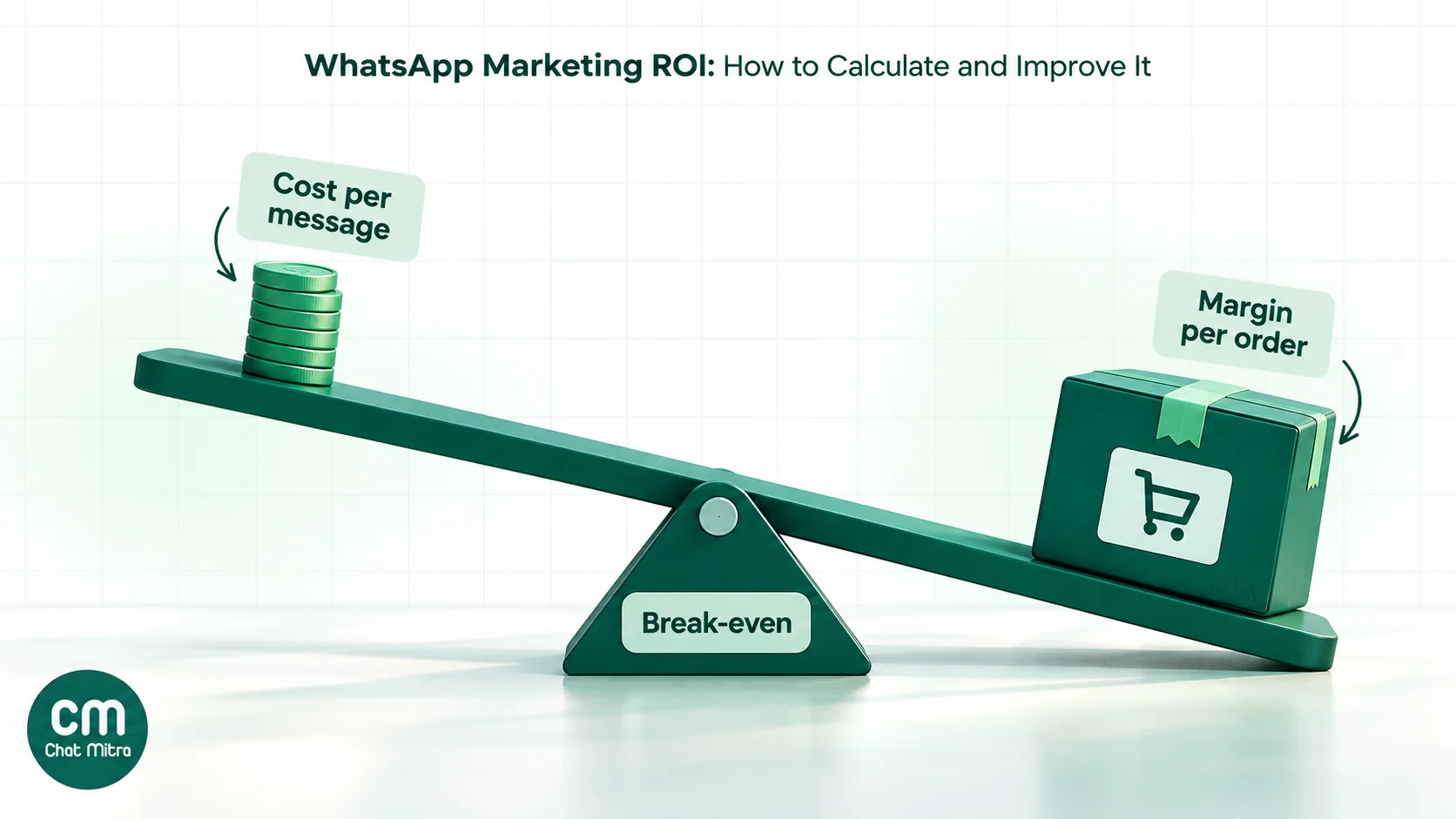
- Break-even conversion rate = cost per delivered message ÷ margin per order. It's usually well under 1%.
- Attribute sales with UTM-tagged buttons, campaign coupon codes and phone-number matching, and use Meta's own conversion reporting where your setup supports it.
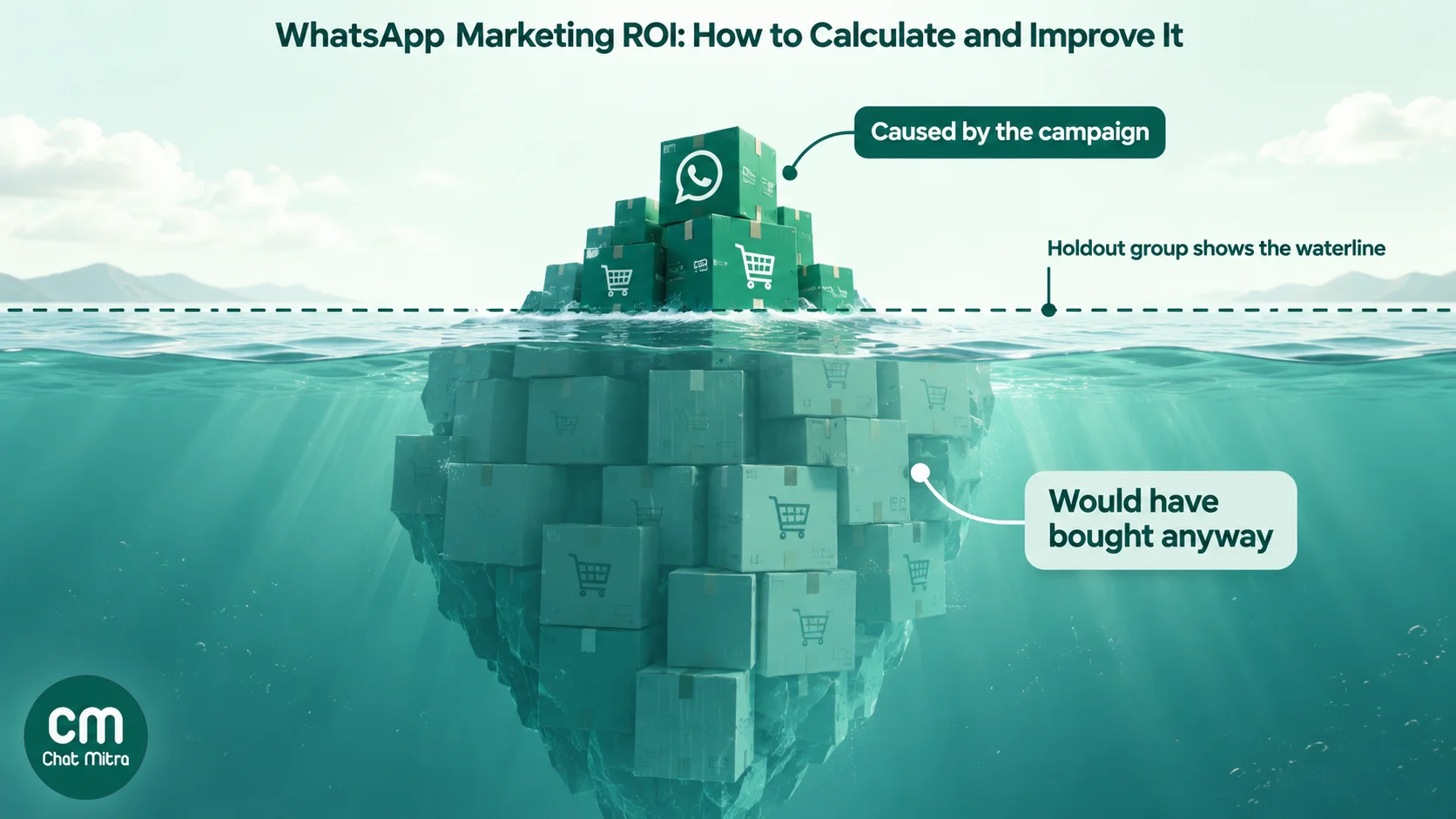
- A random holdout group is the only way to separate sales the campaign caused from sales that would have happened anyway.
What WhatsApp marketing ROI measures (and what it doesn’t)
Return on investment answers one question: for every rupee you put into this campaign, how much profit came back? An ROI of 100% means you got your money back plus the same again. An ROI of 0% means you broke even. A negative ROI means the campaign lost money, even if it produced plenty of orders.
Three related numbers get mixed up with ROI, and it helps to separate them before you calculate anything:
| Metric | Formula | What it tells you | Where it misleads |
|---|---|---|---|
| ROI | (Margin − cost) ÷ cost × 100 | Whether the campaign made a profit after paying for itself | Only as good as your margin and attribution figures |
| ROAS (return on ad spend) | Revenue ÷ cost | How much revenue each rupee of spend produced | Ignores product cost, delivery and discounts, so a low-margin product can have a high ROAS and still lose money |
| Cost per order | Total cost ÷ attributed orders | What it costs to win one sale through WhatsApp | Says nothing about how valuable each order is |
| Cost per lead | Total cost ÷ qualified leads | Useful when the sale happens later, offline or on a call | A cheap lead that never buys is still wasted spend |
ROAS is a fine quick check when you compare two campaigns selling similar products. ROI is the number to use when you decide whether WhatsApp deserves more budget, because it’s the only one of the four that includes what you keep.
Campaign ROI is also narrower than “the value of WhatsApp”. It doesn’t capture the support chat that saved a refund or the delivery update that prevented a failed delivery. Those belong in a separate business case; mixing them into campaign ROI makes every campaign look good and hides which ones work.
Step 1: Add up the full cost of a campaign
Start with cost, because it’s the side you can know exactly. A WhatsApp campaign has up to six cost lines.
| Cost line | How it's charged | India figure to use |
|---|---|---|
| Meta message charge | Per delivered template message, by category and the recipient's country | Marketing ₹0.8631; utility and authentication ₹0.1150 (rate card effective 1 October 2026) |
| Platform fee | Set by your provider: per message, per conversation, a monthly plan, or a mix | ChatMitra: ₹0.20 per conversation on Starter and Pro (once per customer per 24 hours); none on Enterprise |
| Plan subscription | Monthly; share it across the month's campaigns | ChatMitra Starter is free; Pro is ₹999 a month with 1,000 conversation credits included; Enterprise is ₹2,499 a month |
| Ad spend | For click-to-WhatsApp ads, whatever you spend in Ads Manager | Your actual spend |
| Discounts and offers | The margin you give up on orders that use the campaign's offer | Discount value on redeemed orders |
| Team time | Writing, design, approvals, replying to the extra chats | Hours × a fair hourly cost |
A few rules from Meta’s pricing decide what goes into the first line:
- You pay per delivered message. Meta says businesses “are only charged when a message is delivered”, so failed sends cost nothing from Meta. Calculate on delivered messages.
- Category matters more than anything else. A marketing template costs about 7.5 times a utility template in India. Anything that promotes a product, offer or re-engagement is marketing, even if the customer asked for it, so budget for the marketing rate. Our cost per message guide lists every category and what changed on 1 October 2026.
- Replies and service messages are mostly free. Messages customers send you cost nothing, and each business phone number gets 1,000 free service messages a month before Meta charges them at the utility rate.
- Click-to-WhatsApp ads open a free window. When someone messages you from a click-to-WhatsApp ad on Android or iOS and you reply within 24 hours, Meta opens a free entry point window that “may remain open for up to 7 days”, during which it doesn’t charge for your messages. Your cost there is the ad spend, not the messages.
Leave out fixed costs you’d pay anyway, such as a plan you keep for support. Include them only when you measure the whole month’s WhatsApp programme.
Step 2: Work out what each sale is actually worth
This is where most ROI calculations go wrong. Revenue is not return. A ₹1,800 order on which you keep ₹630 after product cost, packaging, shipping and payment fees is worth ₹630 to the ROI calculation, not ₹1,800.
Work out margin per order like this:
- Take your average order value for WhatsApp orders. Use the actual figure from past campaigns if you have one; WhatsApp buyers often buy differently from website visitors.
- Subtract the cost of goods, packaging and shipping.
- Subtract payment gateway fees and marketplace commission if any.
- Subtract the campaign discount if the order used one.
- Adjust for returns. If you sell cash on delivery and 20% of COD orders come back undelivered, an average COD order is worth less than a prepaid one. Our guide to RTO in ecommerce shows how to cost returns properly.
What’s left is the contribution margin per order. Use the same figure in every campaign calculation so results are comparable.
When the first order isn’t the whole return
Welcome series, win-back offers and first-month discounts often lose money on the first order and earn it back later. For these, use margin over a fixed period, such as 90 days, from the customers the campaign brought in. Avoid open-ended lifetime value: it’s easy to inflate, and a campaign doesn’t earn credit for a customer’s next five years.
When the sale happens offline
For real estate enquiries, admissions, B2B quotes or clinic bookings, WhatsApp produces a lead and the sale happens later. Track it as a chain: cost per lead, lead-to-customer rate, then margin per customer, with a CRM or sheet that records each lead’s campaign. The cost per lead example below shows the calculation.
Step 3: Find the break-even point before you send
Once you know the cost of a delivered message and the margin on an order, you can work out how many orders a campaign needs just to pay for itself:
Break-even orders = total campaign cost ÷ margin per order
Or, as a conversion rate on delivered messages:
Break-even conversion rate = cost per delivered message ÷ margin per order
This is the most useful number in the whole guide, because you can calculate it before you send anything. If your break-even rate is 0.2% and past campaigns convert at 1%, you have room to test. If break-even is 3% and you’ve never seen more than 1%, the campaign needs a better offer, a tighter audience or a different product.
Here’s the break-even rate for marketing messages to Indian numbers, counting Meta’s charge and, where it applies, ChatMitra’s fee. It covers message costs only; add ad spend, discounts and time on top.
| Margin per order | Break-even rate on Starter or Pro (₹1.0631 per delivered message) | Break-even rate on Enterprise (₹0.8631 per delivered message) |
|---|---|---|
| ₹100 | 1.06% | 0.86% |
| ₹250 | 0.43% | 0.35% |
| ₹500 | 0.21% | 0.17% |
| ₹1,000 | 0.11% | 0.09% |
Message costs are rarely what sinks a campaign: at ₹500 of margin, about 1 buyer in every 470 recipients covers them. Low-margin products are the risk. At ₹100 of margin you need more than 1 buyer per 100, and a discount shrinks the margin while the message cost stays the same.
Step 4: Attribute sales to the campaign
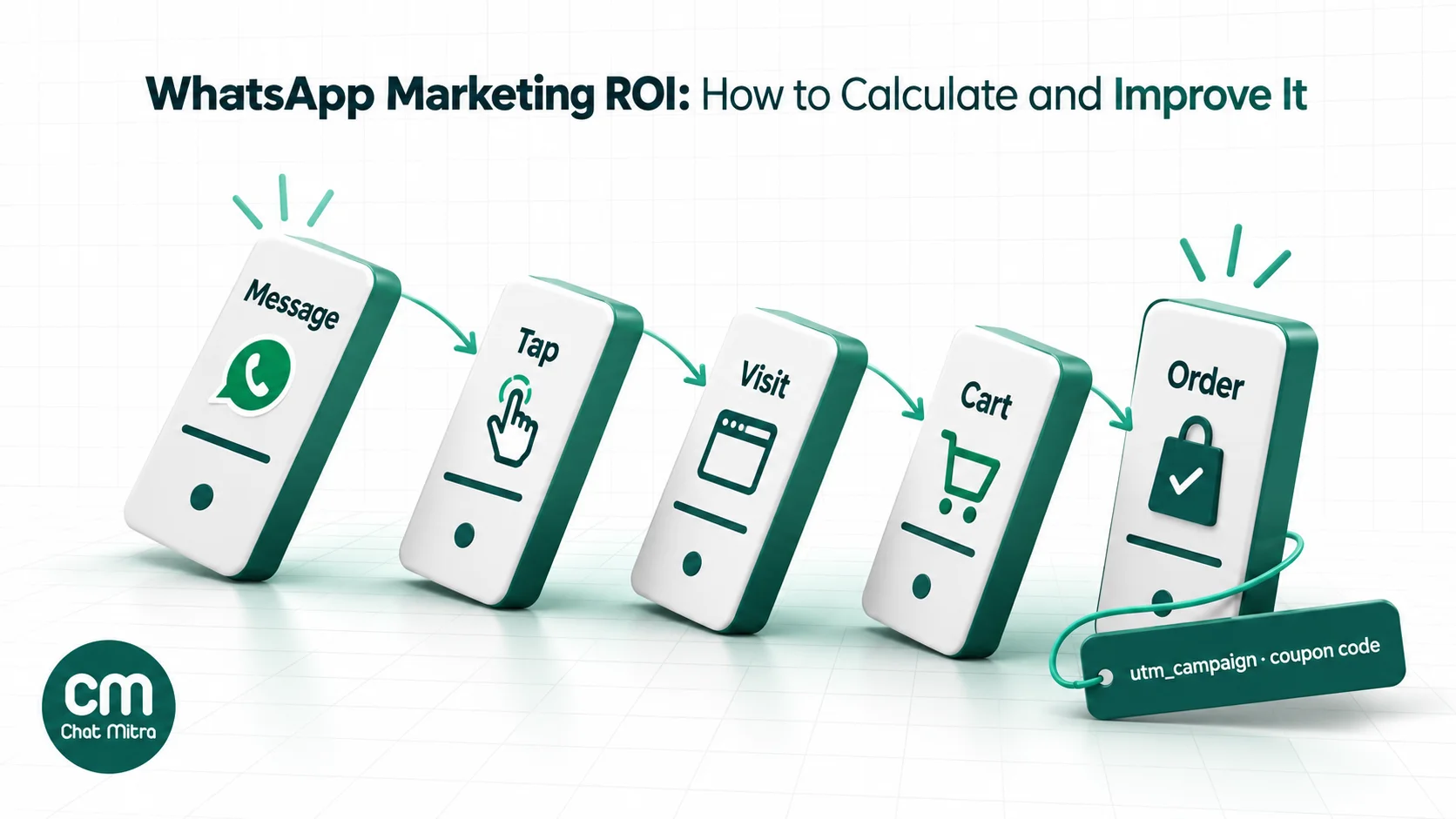
Attribution means deciding which sales a campaign gets credit for. WhatsApp is harder to attribute than email or ads for one simple reason: a lot of what happens after the message happens in a chat, on a phone call or in a shop, not on a tracked web page. Use several methods together and you’ll catch most of it.
| Method | How it works | Catches | Misses |
|---|---|---|---|
| UTM-tagged URL buttons | Add utm_source, utm_medium and utm_campaign to every link in the template | Website and app visits from a tap, reported in Google Analytics | People who buy later without tapping the link |
| Per-campaign coupon code | A code used only in this campaign, such as DIWALI-WA | Orders on any device, even typed in later; works offline and in-store | Buyers who forget the code; codes leaked to coupon sites |
| Phone-number matching | Match order phone numbers against the campaign's recipient list within a window, such as 7 days | Every recipient who bought, however they got there | Doesn't prove the message caused the order (see Step 5) |
| Chat-based orders | Tag conversations that end in an order or payment link inside your inbox | Orders taken in the chat itself | Depends on agents tagging consistently |
| Meta conversion reporting | With the Marketing Messages API and the Meta Pixel or Conversions API, WhatsApp Manager reports purchases and purchase value per template | Web and app purchases after a click, without building your own reports | Requires that setup; Meta credits the last Meta touch (an ad or a message) |
| Click-to-WhatsApp ad tracking | Meta's Conversions API for Business Messaging sends purchases and leads back with the ad's click ID (ctwa_clid) | Sales from ad conversations, so Meta can attribute them to the ad and optimise it | Needs a developer or a provider that supports it |
Tagging WhatsApp links with UTM parameters
Google Analytics recommends always setting three parameters: utm_source, utm_medium and utm_campaign. For WhatsApp, a consistent scheme makes reports readable:
utm_source=whatsapputm_medium=broadcast(orautomationfor flows such as cart reminders,ctwafor ad conversations)utm_campaign=diwali-sale-2026utm_content=offer-awhen you’re testing two versions
A template URL button supports one variable, appended to the end of the URL, and a template can have at most two URL buttons. So put the fixed UTM parameters in the approved URL and use the variable at the end for the part that changes per send, such as the campaign name. For example, an approved button URL of https://example.com/sale?utm_source=whatsapp&utm_medium=broadcast&utm_campaign={{1}} lets you reuse the same template for different campaigns.
A tapped link may open in a browser where the shopper isn’t logged in, and many finish later on another device. Coupon codes and phone-number matching catch the sales the UTM report misses.
Picking an attribution window
Decide how long after a message an order still counts, and keep it the same for every campaign. Seven days suits most broadcasts; a flash sale might use 48 hours and furniture 14 days. A longer window catches more genuine sales, but also more that had nothing to do with the message, which is why the next step matters.
Step 5: Measure incremental lift with a holdout group
Every attribution method in Step 4 shares one flaw: it credits the campaign with every recipient who bought, including people who would have bought anyway. Loyal customers order every month. Some saw an Instagram post. Some were already on your site. If you send a broadcast to your 10,000 best customers, a few hundred of them will order this week whatever you do.
The fix is a holdout group: before sending, randomly pick a slice of the audience, say one in ten, and don’t message them. After the attribution window, compare purchase rates.
- Messaged group purchase rate: 1.5%
- Holdout purchase rate: 0.5%
- Incremental lift: 1.0 percentage point. Only that share of purchases was caused by the campaign.
Three rules make the result trustworthy:
- Random means random. Don’t hold out “everyone in Pune” or “last month’s sign-ups”; those groups behave differently.
- Split after filtering. Apply opt-in, activity and country filters first, then split.
- Use enough people. With a few hundred in the holdout, a handful of orders swings the result. Use bigger, recurring campaigns and repeat before trusting the number.
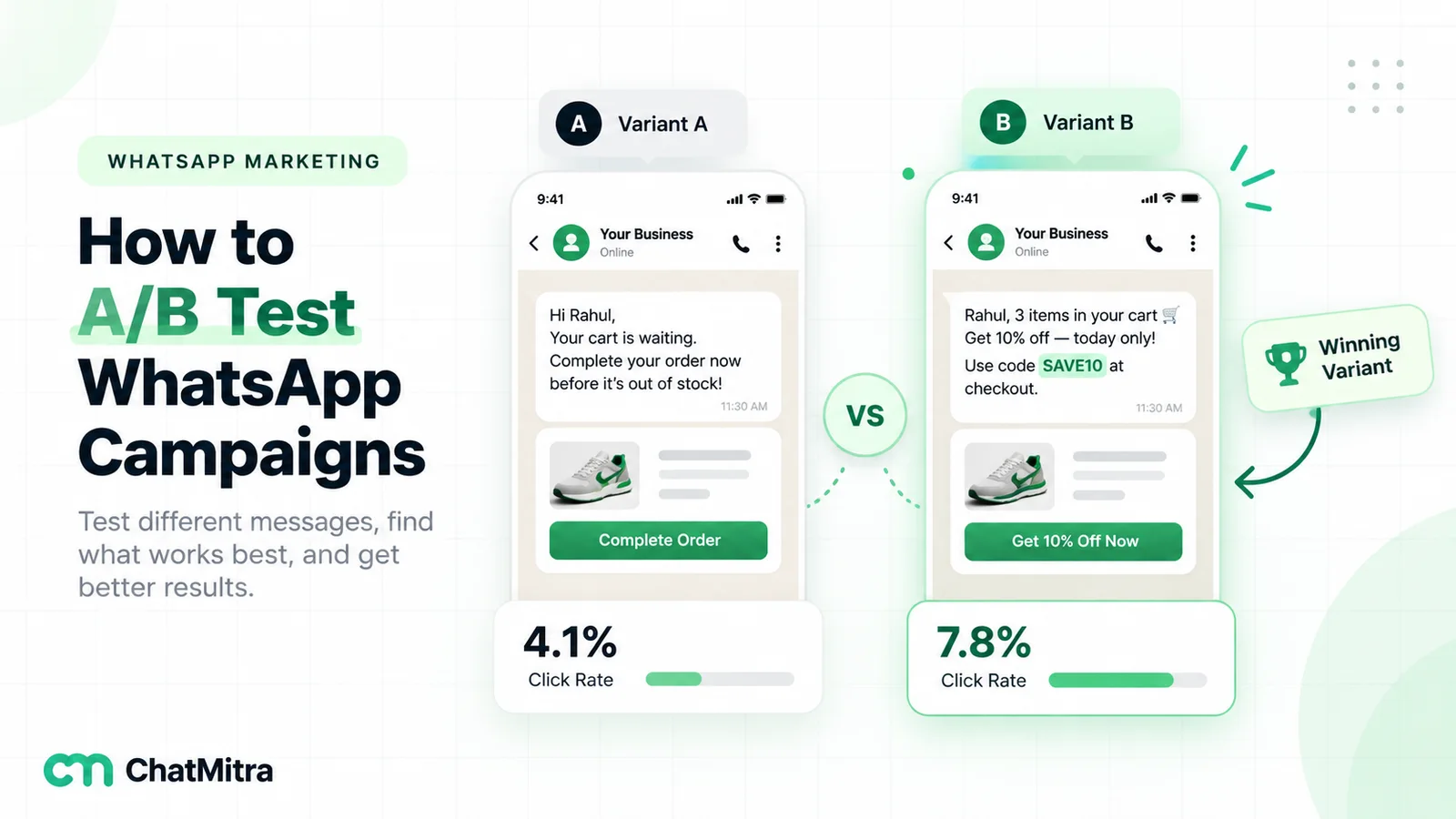
Holdouts matter most for repeat-purchase reminders, because the people who get them are already your most loyal buyers and many would reorder anyway. You don’t have to hold out on every campaign. Running one every month or two on your main campaign type is enough to learn what proportion of attributed sales is truly incremental, and you can apply that proportion to the others. Our guide to A/B testing WhatsApp campaigns explains how to split an audience fairly and how many contacts each group needs.
Worked example 1: a festive sale broadcast
A D2C apparel brand in India sends a festive sale broadcast. The audience size, order value, margin and purchase rates are assumptions for illustration; replace them with your own figures.
- Opted-in contacts who bought or replied in the last 180 days: 12,000.
- Random holdout of 10%: 1,200 contacts get nothing. 10,800 are messaged.
- Delivered marketing messages: 10,000. The rest weren’t on WhatsApp or hit per-user limits.
- Average order value ₹1,800 after the discount; margin after product cost, shipping, fees and discount ₹630.
- Orders from the messaged group within 7 days, matched by phone number: 162 (1.5%).
- Orders from the holdout within the same 7 days: 6 (0.5%).
Cost
| Cost line | Calculation | Amount |
|---|---|---|
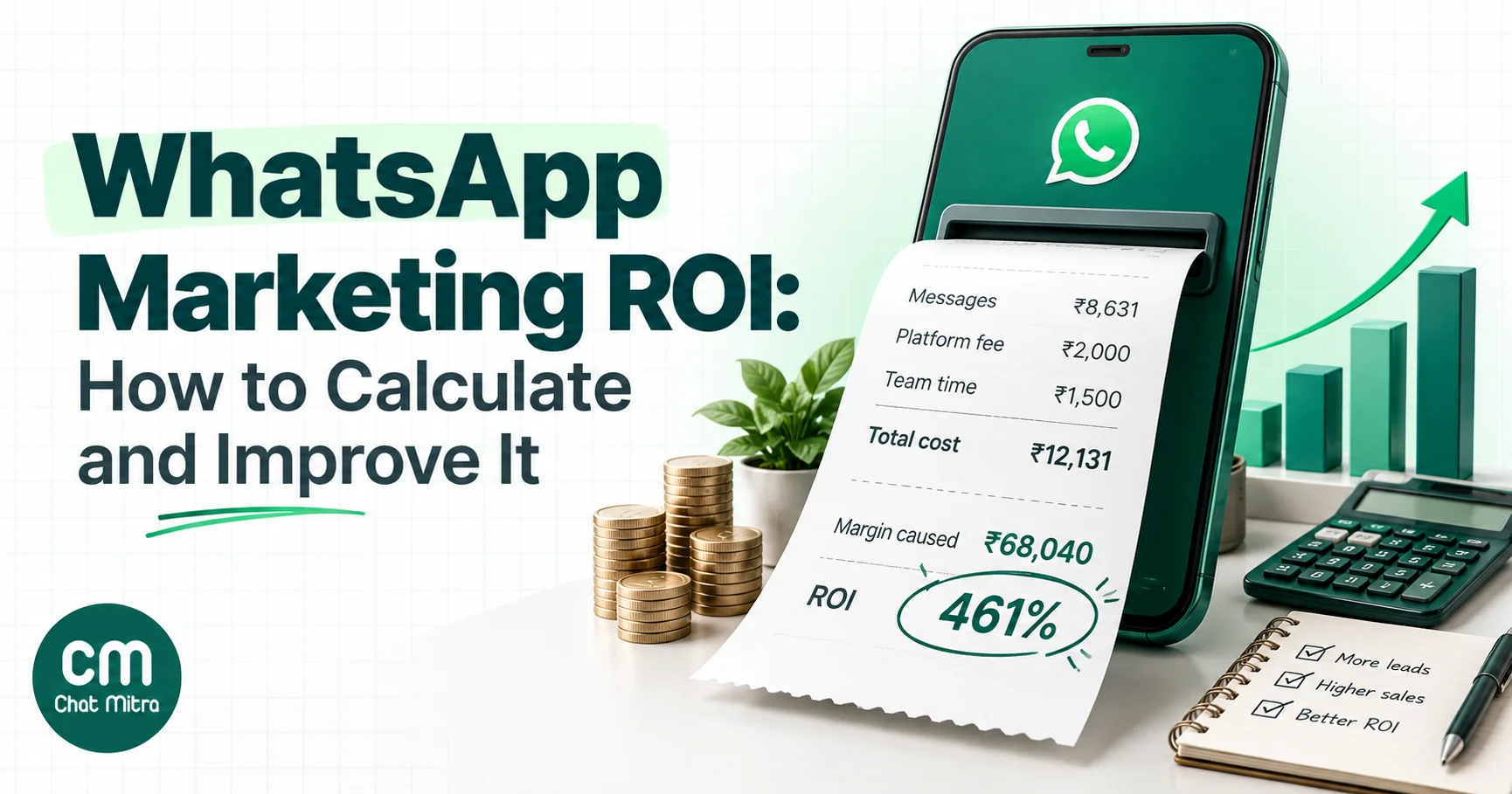
| Meta marketing charge | 10,000 × ₹0.8631 | ₹8,631 |
| ChatMitra fee (Starter or Pro), at most | 10,000 × ₹0.20 | ₹2,000 |
| Creative and approvals | 3 hours × ₹500 | ₹1,500 |
| Total cost | ₹12,131 |
The discount isn’t a separate line here because it’s already taken out of the ₹630 margin. Count it once, in one place.
Three ways to state the return
| Method | Return counted | Result |
|---|---|---|
| ROI on revenue (the common shortcut) | 162 orders × ₹1,800 = ₹2,91,600 | (2,91,600 − 12,131) ÷ 12,131 = 2,304% |
| ROI on margin, all attributed orders | 162 × ₹630 = ₹1,02,060 | (1,02,060 − 12,131) ÷ 12,131 = 741% |
| ROI on incremental margin | Lift of 1.0 point × 10,800 messaged = 108 orders × ₹630 = ₹68,040 | (68,040 − 12,131) ÷ 12,131 = 461% |
The same campaign shows 2,304%, 741% or 461% depending on what you count. The last figure is the one to plan with. It’s still an excellent return, but it’s five times smaller than the shortcut suggests. If you compared WhatsApp with email using the shortcut for one channel and incremental margin for the other, you’d move budget for the wrong reason.
The break-even for this campaign was ₹12,131 ÷ ₹630 ≈ 20 incremental orders. It produced 108.
Worked example 2: click-to-WhatsApp ads for admissions
A coaching institute runs click-to-WhatsApp ads for a ₹40,000 course. Leads chat with a counsellor on WhatsApp, then visit for a demo class. All figures are assumptions for illustration.
- Ad spend in Ads Manager: ₹30,000 for the month.
- Conversations started from the ads: 600. Each person messaged from the Android or iOS app and the counsellor replied within 24 hours, so the replies fall inside Meta’s free entry point window and cost nothing from Meta.
- ChatMitra fee: ₹0.20 per conversation per 24 hours. If an average lead chats on three separate days, that’s 600 × 3 × ₹0.20 = ₹360.
- Counsellor time attributable to these chats: ₹8,000.
- Enrolments from these leads within 30 days: 24. Contribution per enrolment after teaching costs: ₹15,000.
| Metric | Calculation | Result |
|---|---|---|
| Total cost | ₹30,000 + ₹360 + ₹8,000 | ₹38,360 |
| Cost per lead (conversation) | ₹38,360 ÷ 600 | ₹63.93 |
| Cost per enrolment | ₹38,360 ÷ 24 | ₹1,598 |
| Contribution earned | 24 × ₹15,000 | ₹3,60,000 |
| ROI | (3,60,000 − 38,360) ÷ 38,360 | 838% |
Notice where the money goes: 78% of the cost is ad spend, and the WhatsApp messaging itself is under 1%. For ad-led campaigns, ROI depends on ad targeting and how well counsellors convert chats, not on message prices. Track which ad each lead came from and you can cut the ads that bring chats but no enrolments. Our click-to-WhatsApp ads guide covers setting these campaigns up.
The metrics to track, and where to find them
You need numbers from three places: WhatsApp (delivery and engagement), your website or store (sales), and your CRM or order system (offline sales and phone-number matches). Here’s the funnel, top to bottom.
| Metric | Calculation | Where to find it |
|---|---|---|
| Delivery rate | Delivered ÷ sent | ChatMitra campaign report; WhatsApp Manager template analytics |
| Read rate | Read ÷ delivered (only for recipients with read receipts on) | ChatMitra campaign report; WhatsApp Manager |
| Click rate | Button clicks ÷ delivered | WhatsApp Manager template analytics; Google Analytics for UTM visits |
| Reply rate | Contacts who replied ÷ delivered | Your inbox |
| Opt-out and block rate | Opt-outs or blocks ÷ delivered | Opt-out replies in your inbox; quality rating in WhatsApp Manager |
| Cost per delivered message | Message costs ÷ delivered | Your provider's billing; Meta's charges in WhatsApp Manager |
| Conversion rate | Attributed orders ÷ delivered | Store, Google Analytics, phone-number matching |
| Incremental lift | Messaged-group rate − holdout rate | Your own comparison |
| ROI | (Incremental margin − cost) ÷ cost × 100 | Your own calculation |
Read rates are undercounted, because customers who turn off read receipts never show as “read”. And rising opt-outs are a cost even when ROI looks good: per-user limits depend partly on each person’s recent marketing read rate, so a list that stops reading gets fewer messages delivered. Our template analytics guide explains how to read Meta’s per-template figures.
What a good WhatsApp marketing ROI looks like
Search for WhatsApp ROI benchmarks and you’ll find confident figures such as 98% open rates and 5x to 20x ROI. Almost none cite a source, and the rest come from vendors’ chosen case studies.
Better comparisons, in order of usefulness:
- Your own past campaigns. Calculate every campaign the same way, on incremental margin with the same attribution window, and you’ll quickly see what normal looks like for your audience.
- Your other channels. Compare WhatsApp with email, SMS and ads on the same basis. If email ROI is measured on revenue and WhatsApp on incremental margin, the comparison is meaningless.
- Meta’s own benchmarks. For templates sent through the Marketing Messages API, WhatsApp Manager shows how your read and click rates compare with similar businesses over the past 30 days, with suggestions when a template falls below them.
A practical rule: a campaign is worth repeating when its incremental margin comfortably covers its total cost, and worth scaling when its ROI beats your next-best channel on the same method.
Seven ways to improve WhatsApp marketing ROI
Most improvements come from sending fewer, better messages rather than from cheaper ones.
- Cut the list before you cut the price. Contacts who haven’t read a marketing message in months cost the same per delivered message and almost never buy. Segment by recent purchase, reply or click, and send to the people likely to act.
- Get the category right. Order updates, delivery alerts and payment reminders are utility messages at ₹0.1150 in India, not marketing at ₹0.8631, as long as they contain no promotion. Adding “and check out our new range!” to a delivery update makes it marketing. Meta can recategorise templates, so write utility templates that stay utility.
- Use the free windows. Replies inside a 24-hour customer service window don’t count towards per-user marketing limits, and click-to-WhatsApp conversations start a free entry point window of up to 7 days.
- Make one action obvious. One clear button beats three. Test the offer and call to action with an A/B split.
- Send when people buy. Timing changes read and click rates for the same message. See the best time to send a WhatsApp broadcast.
- Retire steps that don’t earn their cost. In multi-step flows such as abandoned cart reminders, measure each step separately. A third reminder that recovers almost nothing still costs a full marketing message per person.
- Match your plan to your volume. On ChatMitra, Pro costs ₹999 a month and includes 1,000 conversation credits, with each further conversation at ₹0.20. Enterprise costs ₹2,499 a month with no per-conversation fee. Pro reaches ₹2,499 at 1,000 + (₹1,500 ÷ ₹0.20) = 8,500 conversations a month, so above that Enterprise is cheaper and every campaign’s ROI improves without changing a single message. Meta’s charges are the same on every plan.
How to calculate campaign ROI with ChatMitra
ChatMitra supplies the WhatsApp side of the calculation; sales come from your store, Google Analytics or CRM. For a broadcast:
- Build the list and the holdout. Filter contacts by tag and opt-in status, randomly tag one in ten as
holdout-diwali, and exclude that tag when you choose the campaign audience. - Tag your links. When you create the marketing template, put the fixed UTM parameters in the URL button and, if you need it, end the URL with the
{{1}}variable. ChatMitra’s campaign wizard fills that variable when you send. - Send and read the report. Each campaign shows recipients, sent, delivered, read and failed, with percentages and a timeline. Failed messages can be retried automatically or by hand.
- Export the recipients. The campaign export is an Excel file emailed to your registered address: a summary, including credits used, and one row per recipient with mobile number, name, tags, status and failure reason.
- Match orders. Compare the exported numbers and the holdout list with orders in your attribution window to get each group’s purchase rate.
- Add up cost. Delivered marketing messages × Meta’s rate gives the Meta charge, which is billed separately from ChatMitra credits. The credits the campaign used are in the export’s summary. At ₹0.20 a credit, that’s your ChatMitra fee (none on Enterprise).
- Tag the buyers, for example
bought-diwali-2026, so you can exclude or target them next time.
Retarget with care. ChatMitra can retarget a campaign’s recipients by delivery status (sent, delivered, read or failed), narrowed by tags. Re-sending to people who read and ignored a message rarely pays; retrying failed sends after 24 hours, or a new offer to readers, usually does.
Be clear about what ChatMitra doesn’t measure. It doesn’t count link clicks or attribute orders and revenue to a campaign, so clicks come from Meta’s template analytics in WhatsApp Manager and from Google Analytics, and sales come from your store. For click-to-WhatsApp ads, ChatMitra captures the ad referral details, including the click ID, on the incoming message and forwards them to your webhook, so a developer can pass them to Meta’s Conversions API or your CRM. They aren’t shown in the inbox.
A copy-paste ROI worksheet
Use this for every campaign so results stay comparable. Fill it in after the attribution window closes.
| Line | Your figure |
|---|---|
| Campaign name and date | |
| Eligible audience (after filters) | |
| Holdout size (random) | |
| Messages delivered | |
| A. Meta charges (delivered × rate) | |
| B. Platform fee | |
| C. Ad spend | |
| D. Team time | |
| Total cost (A + B + C + D) | |
| Margin per order (after product, shipping, fees, discount, returns) | |
| Break-even orders (total cost ÷ margin per order) | |
| Attribution window | |
| Purchase rate, messaged group | |
| Purchase rate, holdout | |
| Incremental orders ((messaged rate − holdout rate) × messaged contacts) | |
| Incremental margin (incremental orders × margin per order) | |
| ROI ((incremental margin − total cost) ÷ total cost × 100) |
If you didn’t run a holdout, fill in the attributed figures and mark the result “attributed, not incremental”, so nobody mistakes it for the real thing later.
Common mistakes in WhatsApp ROI calculations
- Using revenue instead of margin. It inflates ROI several times over and hides campaigns that lose money on low-margin products.
- Counting the discount twice, or not at all. Put it in the margin or in the costs, once.
- Calculating on messages sent. Meta charges per delivered message, and undelivered sends can’t produce sales. Use delivered for both cost and conversion rate.
- Crediting every order from a recipient. Without a holdout, loyal customers’ regular orders get counted as campaign results.
- Changing the attribution window between campaigns, so results can’t be compared.
- Forgetting ad spend in click-to-WhatsApp campaigns. The messages may be free in the entry point window, but the ads that started the chats aren’t.
- Ignoring opt-outs and blocks, which cost reach on every future campaign.
- Quoting unsourced benchmarks instead of your own baseline.
Summary
WhatsApp marketing ROI is (margin earned − total cost) ÷ total cost × 100, and the work is in getting both sides right. Costs are small and precise: in India, about ₹1.06 per delivered marketing message on ChatMitra’s Starter and Pro plans, or Meta’s ₹0.8631 on Enterprise, plus any ads, discounts and time. Returns need care: use margin rather than revenue, tag every link, give campaigns their own codes, match orders by phone number, and run a holdout on your main campaigns so you only count the sales you caused. The number will be smaller than vendors quote, and far more useful.
To see what your messages will cost, check our WhatsApp cost per message guide or the pricing calculator, then start free with ChatMitra.