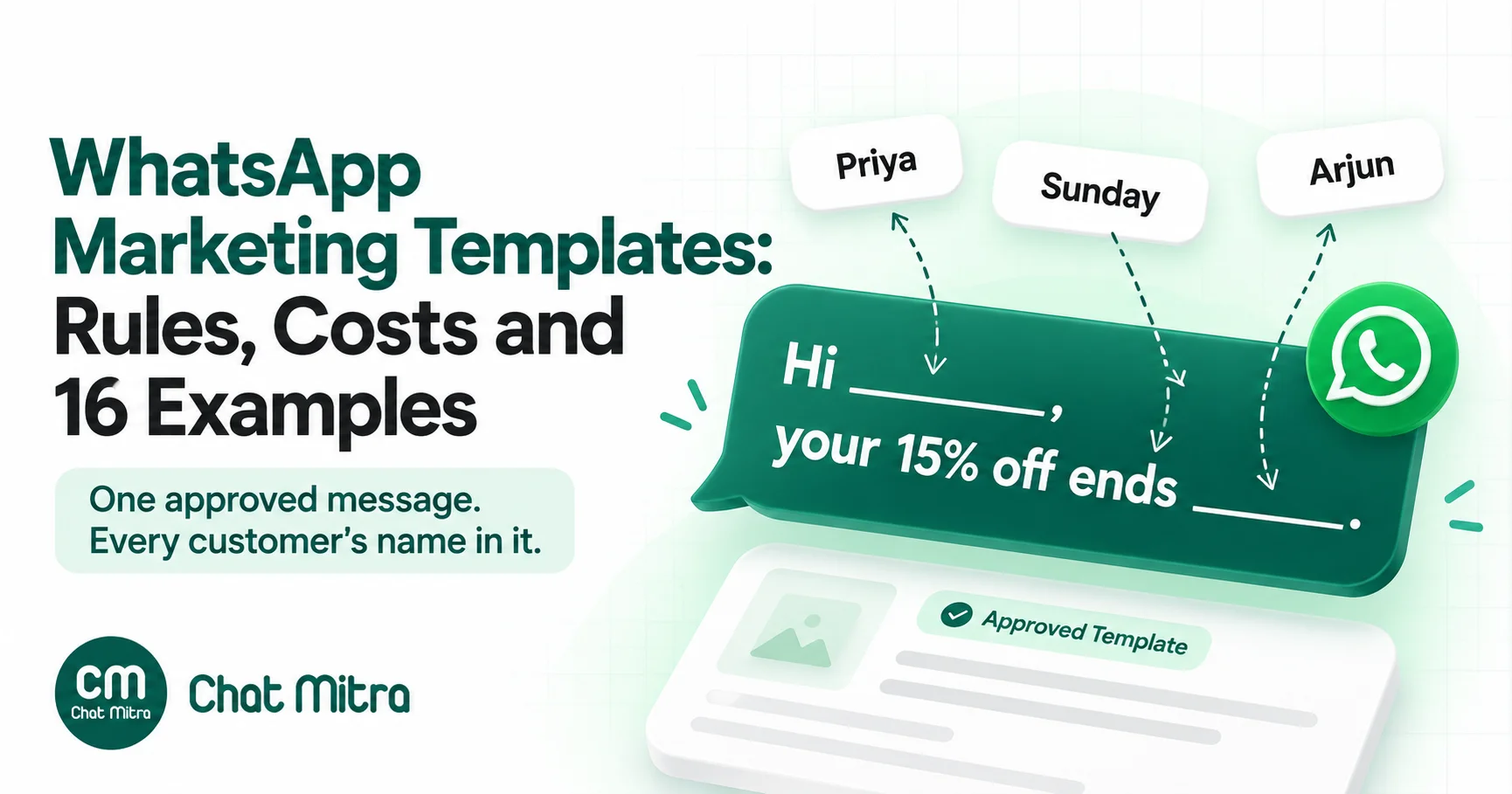
A WhatsApp marketing template is a pre-approved message format for anything that promotes or persuades: an offer, a launch, a cart reminder, a win-back, an event invitation. To get one approved and delivered, write one specific message with one call to action, put the personal details in variables, give Meta realistic samples, send it only to people who opted in, and send it less often than you think you should. In India, every delivered marketing message costs ₹0.8631 in Meta’s charges, so each one has to earn its place.
Marketing templates are where most WhatsApp budgets go and most delivery problems start. Below: what Meta counts as marketing, what a send costs, how to word a template that passes review, 16 annotated examples, and the limits that decide whether it arrives.
Key takeaways
- Anything promotional is marketing, including cart reminders, renewal pushes and birthday wishes. One promo line turns a utility message into marketing.
- India's marketing rate is ₹0.8631 per delivered message (Meta, 1 October 2026). Volume discounts don't apply to marketing.
- WhatsApp limits how many marketing templates each person receives. Error 131049 means "try again in 24 hours or more", not "retry now".
- Customers can stop your marketing messages from inside WhatsApp (error 131050), so relevance protects your reach.
What is a WhatsApp marketing template?
On the WhatsApp Business Platform you can’t send a free-form message to a customer who hasn’t written to you in the last 24 hours. You start the conversation with a template: a message format Meta has reviewed and approved, with variables for the parts that change, such as the customer’s name or a coupon code.
Every template has a category, and Meta’s template categorization guidelines describe marketing as the broadest one. Marketing templates “enable businesses to achieve a wide range of goals, from generating awareness to driving sales and retargeting customers” (Meta, template categorization, updated 15 September 2026). Meta groups those goals into five objectives:
- Awareness: news about your business, a new product line, a new branch, an upcoming event.
- Sales: offers, coupons, sale announcements, upgrades.
- Retargeting: messages to people who browsed, added to cart or bought before. Meta says these “are marketing even if requested by users”, which is why an abandoned-cart reminder is marketing.
- App promotion: asking customers to install or use your app.
- Customer relationships: birthday wishes, thank-you notes, festival greetings.
Two rules catch businesses out. Mixed content is marketing: an order update with a discount line is a marketing template, not a utility template with a bonus. Unclear content is marketing: a template whose body is just “{{1}}” or “Congratulations!” gives Meta nothing to judge, so it’s treated as marketing.
Here’s how marketing compares with the other two categories:
| Marketing | Utility | Authentication | |
|---|---|---|---|
| Purpose | Promote, persuade, re-engage | Follow up on the customer's own order, account or request | One-time passcodes |
| India rate (per delivered message) | ₹0.8631 | ₹0.115 | ₹0.115 |
| Per-user limits | Yes | No | No |
| Customer can stop them in WhatsApp | Yes (Offers and announcements) | No | No |
| Volume discounts | No | Yes | Yes |
If you’re not sure which side of the line a message falls on, our utility template guide walks through Meta’s two-part test and the grey areas, such as back-in-stock alerts and price-change notices.
When you need a marketing template, and when you don’t
You need a marketing template to start any promotional conversation. You don’t always need one when the customer has written first. A customer’s message opens a 24-hour customer service window. Inside it you can reply with ordinary free-form messages, and Meta bills those as service messages: the first 1,000 a month per business phone number are free, then ₹0.115 each in India (Meta, pricing, updated 30 September 2026). If a customer asks “any offers on running shoes?”, an agent can simply answer with the offer.
Two details are worth knowing:
- A marketing template sent inside the window is still charged at the marketing rate. What changes is the per-user limit: Meta says marketing messages “sent within this window do not count towards the limit.”
- Click-to-WhatsApp ads open a free entry point window. When a customer messages you from a click-to-WhatsApp ad on the WhatsApp Android or iOS app and you reply inside the customer service window, your reply is free and opens a window that “may remain open for up to 7 days.” During it, Meta doesn’t charge for marketing, utility, authentication or service messages.
What a marketing template costs
Since 1 July 2025, Meta charges per message, and only “when a message is delivered”. Meta’s rate card effective 1 October 2026 lists these India rates:
| Category | INR per delivered message | USD |
|---|---|---|
| Marketing | ₹0.8631 | $0.0118 |
| Utility | ₹0.115 | $0.0014 |
| Authentication | ₹0.115 | $0.0014 |
| Service (after 1,000 free a month) | ₹0.115 | $0.0014 |
The rate card also notes that “marketing rates apply across Cloud API and Marketing Messages Lite API”, and Meta’s volume tiers are “for utility and authentication messages only”. Sending more marketing doesn’t lower the price.
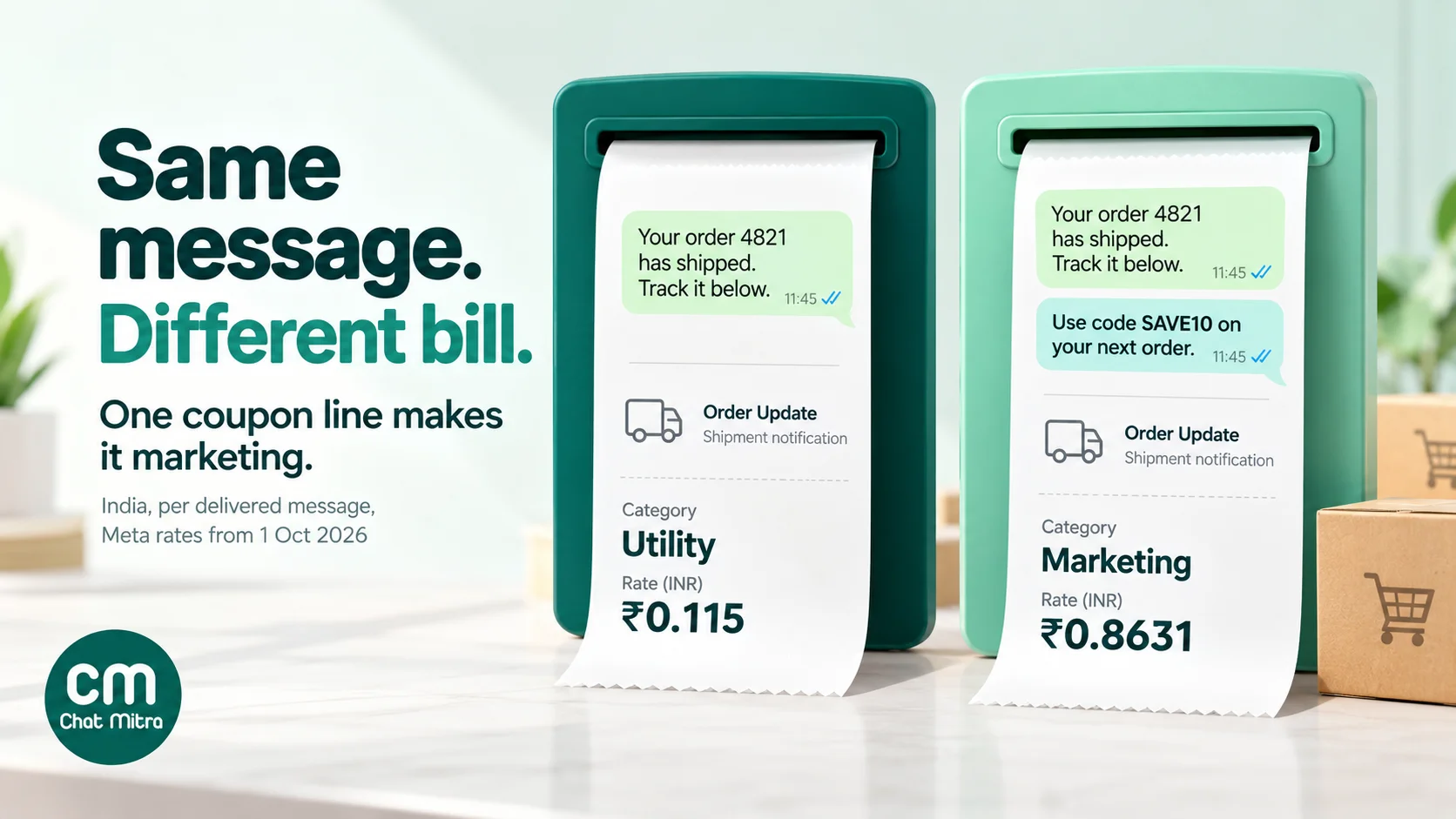
Meta bills the category a template has when you send it, not the one you chose when you created it. Here’s what that means for a store that sends 20,000 messages a month:
| Same 20,000 delivered messages | Rate | Monthly Meta charge |
|---|---|---|
| Shipping updates, approved as utility | ₹0.115 | ₹2,300 |
| The same updates with "use code SAVE10 on your next order" added, now marketing | ₹0.8631 | ₹17,262 |
Then add your platform’s fee. On ChatMitra’s Starter and Pro plans that’s ₹0.20 per conversation, which is one fee per customer per 24 hours however many messages you exchange, and the Enterprise plan has no ChatMitra fee at all (see ChatMitra pricing). Meta’s charges are billed by Meta to the payment method on your WhatsApp account. A campaign of 10,000 delivered marketing messages in India therefore costs ₹8,631 in Meta charges, plus at most ₹2,000 in ChatMitra conversation fees on Starter or Pro.
Rates differ by country. You can compare them in the WhatsApp pricing calculator and our cost-per-message guide. One market is closed altogether: WhatsApp “does not currently deliver marketing template messages to WhatsApp users with United States phone numbers” (Meta, per-user limits, updated 17 June 2026). Remove +1 US numbers from marketing campaigns, or you’ll get a list of errors.
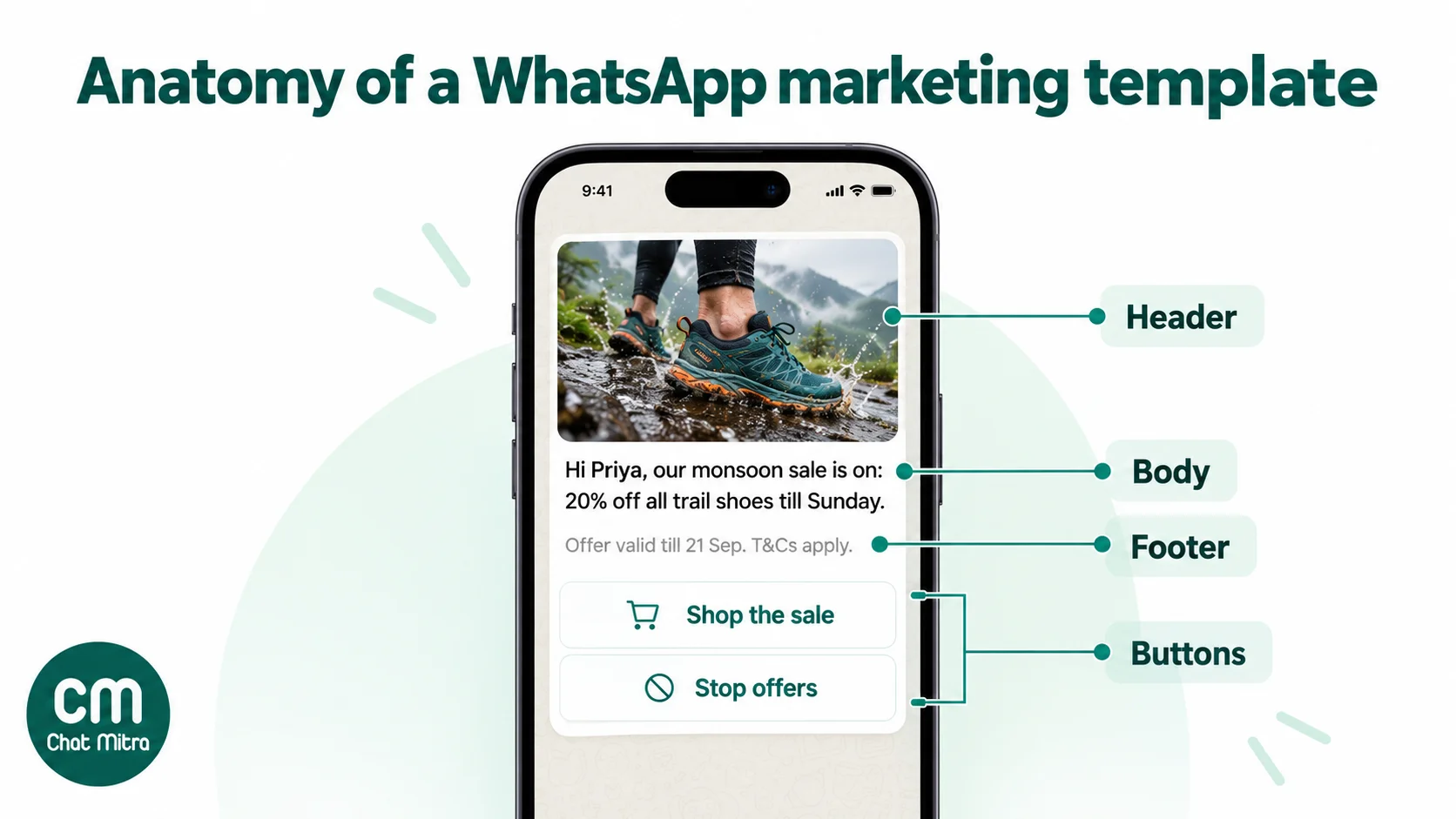
The anatomy of a marketing template
A standard marketing template (Meta calls it a custom marketing template) has up to four parts. These limits come from Meta’s template components reference, updated 24 June 2026:
| Part | Its job in a marketing template | Meta's limit |
|---|---|---|
| Header (optional) | Stop the scroll: a product photo, a short video or a bold text hook | Text: 60 characters, 1 variable. Media: image, video or document. GIF headers only through the Marketing Messages API |
| Body (required) | The offer, why it matters to this customer, and the deadline | 1,024 characters |
| Footer (optional) | Terms, validity or how to stop offers | 60 characters |
| Buttons (optional) | The action: Shop now, Book a slot, Call us, Not interested | Up to 10 in total, at most 2 URL buttons and 1 phone button, labels up to 25 characters |
Three layout facts shape how you write:
- Only the first five lines show. Meta’s Best Practices for Marketing Messages on WhatsApp guide (April 2026, page 32) says “messages with more than 5 lines are automatically truncated” behind “read more”. Put the offer and the deadline at the top.
- Only two buttons show. If a template has more than three buttons, WhatsApp shows two and folds the rest into “See all options”. Templates with four or more buttons, or quick replies mixed with other button types, can’t be viewed on WhatsApp desktop.
- Links belong in buttons. The same Meta guide recommends CTA buttons “rather than including URLs in the message”, and lists multiple URLs in the text and “multiple competing CTAs” as signs of a poorly crafted template (pages 31–32).
For media, Meta’s guide shows 12:7 wide images, 5:7 portrait video and 17:10 carousel cards (page 33). Our template elements guide covers each button type.
Marketing template formats Meta offers
Beyond the standard template, Meta offers several marketing formats (Meta, marketing templates):
| Format | What it does | Good for |
|---|---|---|
| Custom (standard) | Header, body, footer and up to 10 buttons | Almost every campaign |
| Coupon code | A single copy code button that puts a code (up to 20 characters) on the clipboard | Checkout codes. Not supported on WhatsApp Web |
| Limited-time offer | An offer headline, an expiry date and a countdown timer; body up to 600 characters, no footer | Flash sales. Not shown on WhatsApp Web or desktop |
| Media card carousel | 2 to 10 swipeable cards, each with an image or video and up to 2 buttons | Collections, several offers at once |
| Product card carousel, catalog, single- and multi-product | Products from your Meta catalog, browsed and bought inside WhatsApp (multi-product: up to 30 products in up to 10 sections) | Stores with a connected catalog |
| Location | A map pin as the header | Store openings, event venues |
| Call permission request | Asks the customer for permission to call them | High-value sales follow-ups |
Our learn pages explain the setup for coupon code templates, limited-time offer templates and product card carousels. A clear standard template with one strong button often beats a fancy format that desktop users can’t see.
How to write a marketing template, step by step
- Pick one goal. Announce, sell, remind or re-engage. A template that launches a product, offers a discount, asks for a review and pushes your app is four templates.
- Pick the audience before the words. “Customers who bought running shoes in the last 6 months” writes a better message than “everyone”.
- Lead with the offer or the news. “Flat 20% off monsoon jackets till Sunday” beats “Greetings from Trailhead Outdoors!” Your business name already shows at the top of the chat.
- Make it about the customer. Use their name, the category they bought, their city or their points balance. Meta’s best-practice guide notes that starting with a first name “helps build rapport” (page 30).
- State the deadline and the conditions. Validity dates, minimum order and “while stocks last” belong in the body or footer, not on a page the customer has to find.
- Give one call to action, as a button. One URL button (“Shop the sale”) and, if you like, one quick reply. A dynamic URL can carry a variable at the end, which is how you add a campaign code for your website analytics.
- Add an easy way out. A “Stop offers” quick reply tells customers you respect their choice and gives them an alternative to the block button. Make sure someone, or an automation, actually removes those customers from future campaigns.
- Write realistic sample values, then preview it on a phone-sized screen before you submit.
Wording rules that get templates approved
Meta’s review checks format and policy. Its template review page (updated 17 June 2026) lists these common rejection reasons:
- Variables that aren’t sequential. {{1}}, {{2}}, {{4}} is rejected. Number them in order.
- Too many variables for the length. A short body that’s mostly placeholders looks like a free-form message in disguise.
- Dangling variables. A template can’t start or end with a variable. Open with fixed text and close with a full sentence.
- Special characters in variables. Parameters containing #, $ or % are rejected.
- Duplicates. A template with the same body and footer as one you already have is rejected.
Policy rejections are about content. Avoid anything WhatsApp’s commerce policy restricts (alcohol, tobacco, weapons, prescription drugs and similar), never ask for full card or ID numbers, and don’t write anything misleading, such as fake urgency (“Last 2 left!” sent to 50,000 people) or prices you can’t honour.
Style also affects how customers treat your message once it’s live. Meta’s guide flags excessive emojis, dense blocks of text and a promo code buried in the copy (page 31). Two or three emojis, short paragraphs and the code on its own line read better.
Submit more than one version. Meta’s guide recommends refreshing templates “every few weeks to prevent creative fatigue” (page 32). Having two or three approved variants of your main offer template also lets you run a proper A/B test.
Variables: personalise without inviting rejection
Variables are what make one template work for 10,000 different customers. Meta supports two formats: positional ({{1}}, {{2}}, starting from 1) and named ({{first_name}}, lowercase letters and underscores). If you don’t specify a format, a template uses positional (Meta, templates overview).
Good variables in marketing are the customer’s first name (with a fallback such as “there” for contacts without one), what they bought or browsed, a personal number such as loyalty points or days since their last visit, and a unique coupon code, so you can tell who redeemed.
What to keep fixed: the core offer, the deadline wording and your call to action. If the whole offer is a variable, Meta can’t tell what you’ll send, and a reviewer may reject it as too vague.
Give every variable a realistic sample. “Priya”, “Trail Runner 2” and “WELCOME15” help Meta understand the template. “abc” and “test” don’t.
16 marketing template examples, annotated
Each example shows the body, then notes on the header, buttons and why it’s written that way. Variables are numbered as you’d enter them.
Launches and new arrivals
1. Product launch
Hi {{1}}, our new {{2}} range is live, and you get first pick before we announce it publicly. Early access ends on {{3}}.
Header: image of the hero product (12:7). Buttons: URL “See the range”, quick reply “Not interested”. Why: exclusivity and a deadline, in two lines.
2. Back in stock
Good news, {{1}}: the {{2}} you looked at is back in stock in your size. Popular sizes sold out in a week last time.
Buttons: URL “Buy now”. Why: Meta would count this as marketing even though the customer asked to be told, so don’t try to submit it as utility. The second sentence must be true for you to use it.
3. New branch opening
{{1}}, we’ve opened a new store at {{2}}! Visit before {{3}} and get a free gift with any purchase.
Header: location (map pin) or a photo of the storefront. Buttons: phone “Call the store”.
Offers and sales
4. Flash sale
{{1}}, 24-hour flash sale: up to 40% off {{2}}. Ends tomorrow at 11:59 pm.
Buttons: URL “Shop the sale”. Why: the discount and the deadline both fit in the first two lines. “Up to” must be honest: some items really are 40% off.
5. Personal coupon
Hi {{1}}, here’s 15% off your next order, just for you. Use code {{2}} at checkout before {{3}}.
Buttons: URL “Shop now”. Why: the code is its own variable on its own line, so it’s easy to spot. A unique code per customer also lets you measure redemptions.
6. Festival offer
Happy Diwali, {{1}}! Our festive sale is on: free shipping and an extra 10% off on orders above ₹999 till {{2}}.
Header: festive product image. Why: the greeting leads into a clear offer with its condition stated. For greeting copy ideas, see our Diwali and Navratri wishes for customers.
7. Upgrade offer for services
{{1}}, you’ve used your {{2}} plan for 6 months. Upgrade to {{3}} this week and get the first month at the current price.
Buttons: URL “Compare plans”, quick reply “Talk to sales”. Why: this is a renewal or upgrade push, which Meta counts as marketing, so it goes here and not in a billing template.
Cart and browse reminders
8. Abandoned cart
Hi {{1}}, you left {{2}} in your cart. It’s saved for you, and you can complete your order in a tap.
Buttons: dynamic URL “Complete order” with the cart link. Why: helpful in tone, no pressure. Meta lists cart reminders as retargeting, so this is marketing even if the customer opted in to reminders. More in our abandoned cart recovery guide.
9. Cart reminder with an incentive
{{1}}, your cart is still waiting. Complete your order in the next 24 hours and get free delivery with code {{2}}.
Why: make this the second reminder, not the first, or customers learn that abandoning earns a coupon.
10. Browse follow-up
{{1}}, still thinking about {{2}}? Here are answers to the three questions customers ask most before buying.
Buttons: URL “Read the FAQ”, quick reply “Ask a question”. Why: it offers help rather than a discount, and the quick reply starts a conversation an agent can handle.
Win-back and loyalty
11. Win-back
We miss you, {{1}}! It’s been {{2}} days since your last visit. Here’s ₹200 off your next booking, valid till {{3}}.
Why: the personal number makes it believable. Send it to lapsed customers only.
12. Points expiring
{{1}}, you have {{2}} reward points worth ₹{{3}}, and they expire on {{4}}. Use them on anything in store or online.
Why: it’s a real reason to act, and it’s personal. Because it pushes a purchase, it’s marketing.
13. Referral
{{1}}, love your {{2}}? Invite a friend with your code {{3}}. They get ₹250 off their first order and you get ₹250 in credit.
Buttons: URL “Share your code”. Why: both sides of the deal are stated up front.
Events and relationships
14. Webinar or workshop invitation
Hi {{1}}, join our free live session “{{2}}” on {{3}} at {{4}}. Seats are limited to 100.
Buttons: URL “Save my seat”. Why: the title, date and time are variables, so one template works for every session.
15. Birthday wish
Happy birthday, {{1}}! 🎂 Enjoy a free dessert with any main course this week. Just show this message at the counter.
Why: Meta lists birthday wishes under customer relationships, so even a plain greeting is marketing.
16. B2B product update
Hi {{1}}, we’ve added {{2}} to your account’s product list. Book a 15-minute demo to see how it fits your team’s workflow.
Buttons: URL “Book a demo”, quick reply “Send me details”. Why: specific to the customer’s account, and it offers time, not a discount.
For more copy you can adapt, browse the promotional template library and our broadcast message examples.
Per-user limits: why some marketing messages don’t arrive
WhatsApp protects people’s inboxes. Meta says it “may limit the number of marketing template messages a WhatsApp user receives from any business in a given period of time when they are less likely to be receptive”. It decides using “a dynamic view of an individual’s recent marketing message read rate and how many messages they currently have in their inbox from friends, family, and businesses” (Meta, per-user limits).
Three things follow from that:
- The limit counts messages from all businesses, not just yours. A customer who gets ten promotions a day from other brands may not get yours, even if you’ve never messaged them before.
- A failed send comes back as error 131049. Meta’s instruction is clear: “wait at least 24 hours before resending the template message.” Repeated retries within 24 hours can make further attempts to that person “unavailable for up to 24 hours”.
- Replies help. When a customer replies to a marketing message, a 24-hour window opens, and marketing messages sent inside it don’t count towards the limit.
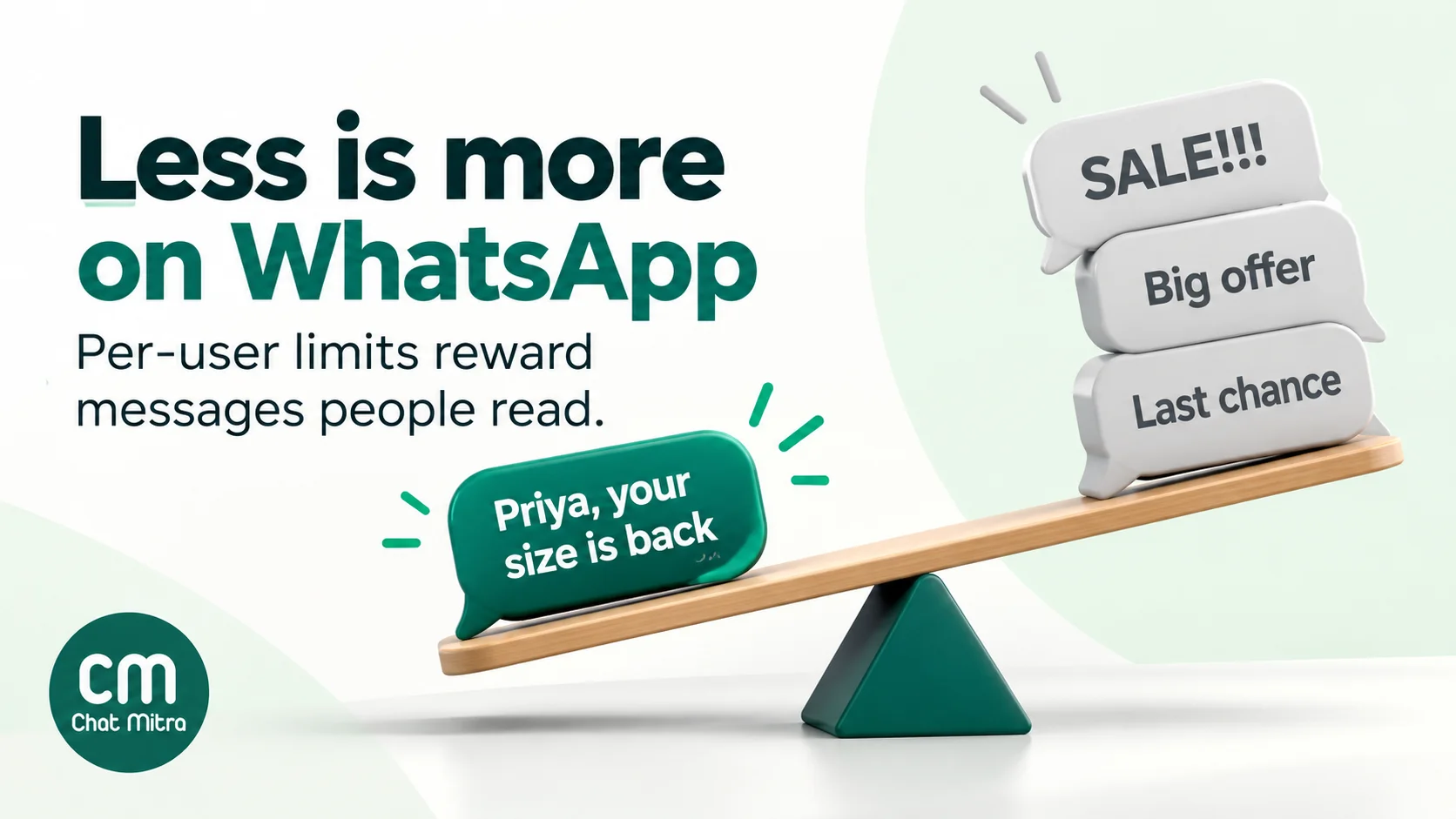
The best defence is fewer, better messages. Meta’s guide suggests cool-downs: “give customers that have stopped engaging with your templates a break” (page 24).
Customers can also switch you off. WhatsApp’s Offers and announcements setting lets people tell you how interested they are in your marketing messages, and stop or resume them entirely. A marketing template sent to someone who has stopped you fails with error 131050: the recipient “has chosen to stop receiving marketing messages on WhatsApp from your business.” Don’t retry it. Our WhatsApp API errors guide and the error code reference cover the rest of the list.
Opt-in, quality and pacing
Opt-in comes first. WhatsApp’s Business Messaging Policy (updated 23 September 2026) says you may only contact people who “have given you their mobile phone number or username” and from whom you’ve “received opt-in permission… confirming that they wish to receive subsequent messages or calls from you”. You “must respect all requests… to block, discontinue, or otherwise opt out”. Meta’s developer docs add that opt-in “can be general and not specifically for WhatsApp”, but it has to be real. Our WhatsApp opt-in guide shows ways to collect it.
Quality decides whether a template keeps working. Meta rates each template GREEN, YELLOW or RED, based on “usage, customer feedback, and engagement”. A template that falls to a low rating is paused: for 3 hours the first time, 6 hours the second, and disabled the third (Meta, template pausing). Blocks and reports are the fastest way down. See WABA health and quality rating for how the ratings work.
New templates may be paced. When you launch a campaign with a new template, Meta may send it normally “until an unspecified threshold is reached” and then hold the rest “to allow enough time for customer feedback” (Meta, template pacing). Held messages show as held_for_quality_assessment. If feedback is good, they go out, and Meta’s stated goal is delivery within an hour for 99% of paced campaign messages. If feedback is bad, they’re dropped. The practical lesson: test a new template on a warm segment before you send it to your whole list.
Marketing Messages API and the Cloud API sunset
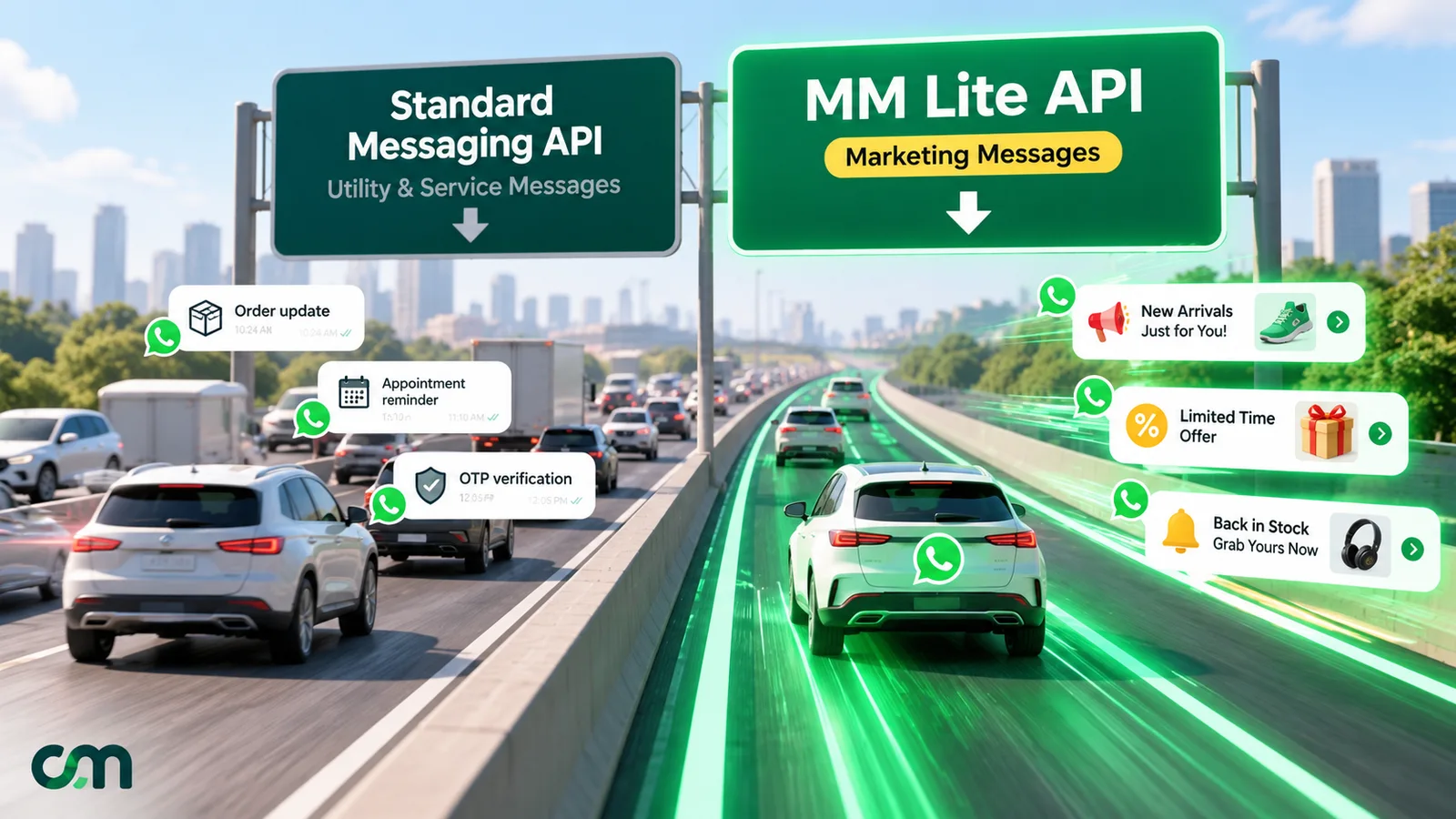
Meta now has a dedicated route for marketing templates, the Marketing Messages API for WhatsApp (formerly Marketing Messages Lite). Meta says it delivers “up to 9% more messages versus Cloud API”, based on its own test in India in January 2025. It also offers features Cloud API doesn’t: GIF headers, a time-to-live of 12 hours to 30 days for marketing messages, and conversion metrics such as add-to-cart and purchase (Meta, Marketing Messages API features). The price is the same: marketing rates apply on both routes.
Meta has also set two dates (Meta, Marketing Messages API overview, updated 13 October 2026):
- 13 April 2027: “Any new Messaging account created on or after this date will not be able to send marketing messages via Cloud API.”
- 13 October 2027: “Cloud API will stop supporting marketing messages.” After that, sending marketing on Cloud API produces an error.
Utility, authentication and service messages stay on Cloud API. If your own code sends marketing templates, plan the switch; our Marketing Messages Lite API guide explains onboarding.
Creating and sending marketing templates in ChatMitra
ChatMitra runs on the official WhatsApp Business Platform, so every template goes through Meta’s review. In ChatMitra you build them under Templates → Create template:
- Category: the dropdown starts on Marketing.
- Name and language: lowercase letters, numbers and underscores, up to 50 characters. Then pick the language you wrote in.
- Header: text (up to 60 characters, no emoji), image, video or document. For media headers you choose the actual image or video each time you send.
- Body: numbered variables such as {{1}} and {{2}}, renumbered automatically as you type. The builder blocks a body that starts or ends with a variable or is only variables. It also flags more than 1,024 characters, more than 20 variables or more than 10 emojis.
- Footer and buttons: a footer of up to 60 characters, quick replies, up to two URL buttons (a dynamic URL takes one variable at the end) and one phone button.
- Samples and submit: fill in a sample for each variable and submit. Rejected templates move to the Rejected tab.
The Example Template tab has dozens of marketing samples. After approval, check the category on the preview, because that’s what Meta bills.
The builder doesn’t create coupon code, limited-time offer, carousel, catalog, product, location or call permission templates, and it uses numbered rather than named variables. If you need those formats, create them in WhatsApp Manager.
To send, create a campaign:
- Audience: pick contacts, or select all with tags to include or exclude.
- Timing: send now, or schedule up to two months ahead (see scheduling). Marketing templates in campaigns are sent through Meta’s Marketing Messages API endpoint.
- Smart Auto-Retry: up to three automatic rounds for failed messages. Because of the per-user limit, set the interval to 24 hours or more. Rounds are timed from when you created the campaign, so if you scheduled it ahead, allow for the gap.
- Retargeting: from a finished campaign, send a follow-up to the contacts whose messages were sent, delivered, read or failed.
- Reports: sent, delivered, read and failed counts, and an Excel export with each contact’s error code.
Two habits matter in ChatMitra specifically:
- Exclude opted-out contacts yourself. The Contacts list shows who has opted out of your marketing in WhatsApp. Leave them out of campaigns, using a tag or by not selecting them, because Meta won’t deliver to them anyway (error 131050).
- Track clicks on your website. ChatMitra’s campaign report doesn’t count button clicks. Add a campaign code to your URL buttons (for example ?utm_campaign=diwali_sale) and read the results in your website analytics.
Pre-submission checklist
- The template has one goal and one main call to action.
- The offer or news is in the first two lines, and the deadline is stated.
- Variables are numbered in order, there aren’t too many for the length, and the body starts and ends with fixed text.
- Every variable has a realistic sample value, and none contains #, $ or %.
- Links are in URL buttons, not in the body.
- There are no more than three buttons, unless you’ve accepted the “See all options” fold.
- Emojis are few, and the promo code sits on its own line.
- Claims are true: real discounts, real stock levels, real deadlines.
- The category is Marketing, and you aren’t trying to pass it off as utility.
- Recipients opted in, opted-out contacts are excluded, and there are no +1 US numbers.
- You’ve planned a retry interval of 24 hours or more, with no retries for 131050 failures.
- You have two or three approved variants, so you can test and refresh the creative.
- You know how you’ll measure clicks or sales.
Marketing templates are your most expensive and most closely watched WhatsApp messages. Send fewer, make each one personal and honest, and send them only to people who want them.