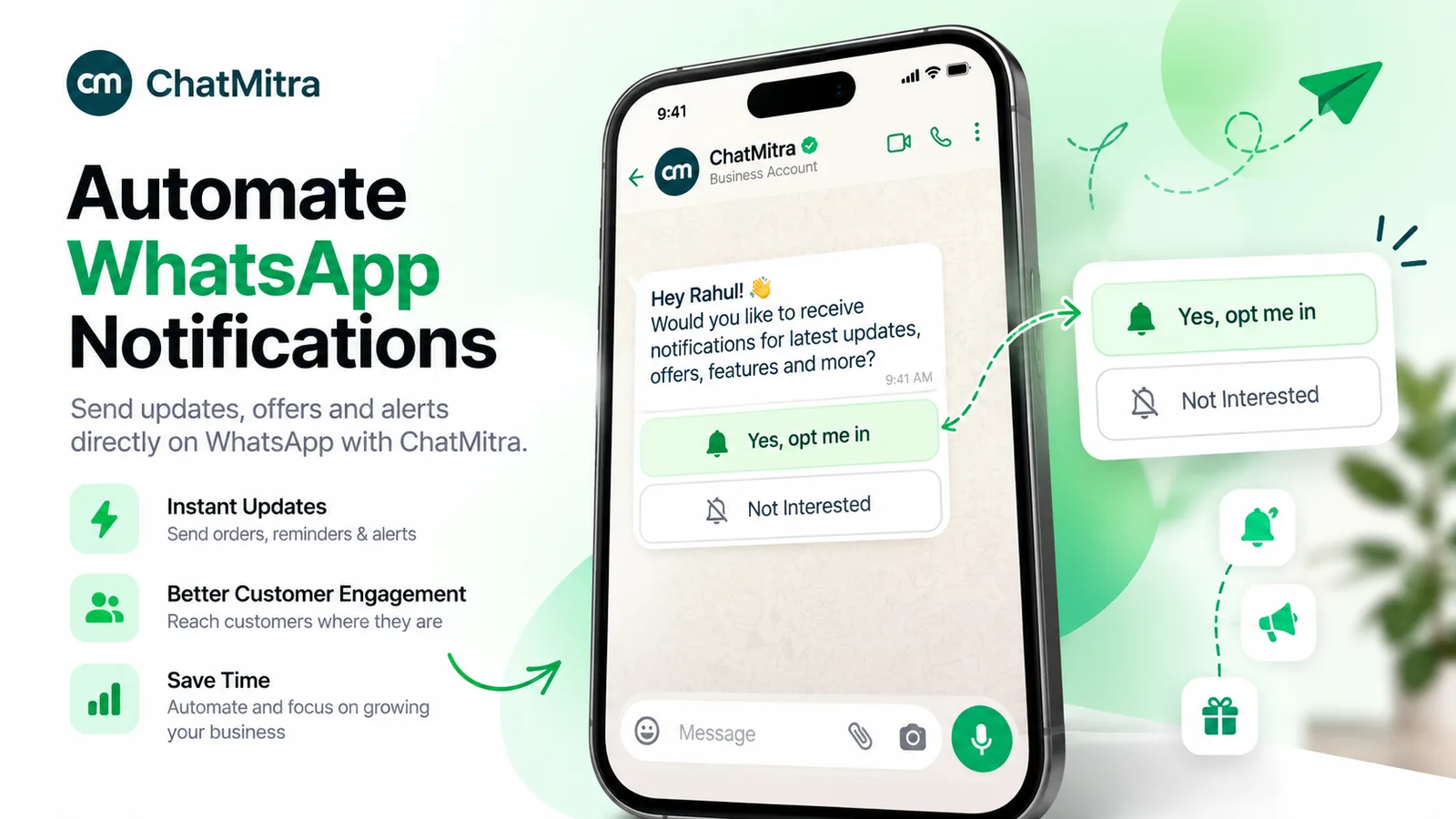
A WhatsApp opt-in is a person’s recorded permission for your business to message them on WhatsApp. Meta’s policy lets you start a conversation only if the person gave you their number and agreed to receive messages from your business, named clearly, in line with local law. In India, that law includes the DPDP Act.
This guide covers what Meta checks, the four ways opt-outs arrive, how to prove consent, and the duties India’s DPDP Act adds from 2027. For where and when to ask people, see our short guide to WhatsApp opt-in best practices.
Facts checked against Meta’s developer documentation, the WhatsApp Business Messaging Policy (last updated 23 September 2026), WhatsApp’s help centre, the DPDP Act, 2023 and the DPDP Rules, 2025 on 25 September 2026. This article is general information, not legal advice.
Key takeaways
- Meta's test has three parts: say it's an opt-in to your messages, name your business, obey local law.
- WhatsApp's Stop button notifies you by webhook. Typed STOP replies, emails and blocks don't.
- Under the DPDP Act, if consent is questioned in a proceeding, the business must prove notice and consent.
- Keep a ten-field consent record, and add to it rather than overwrite it.
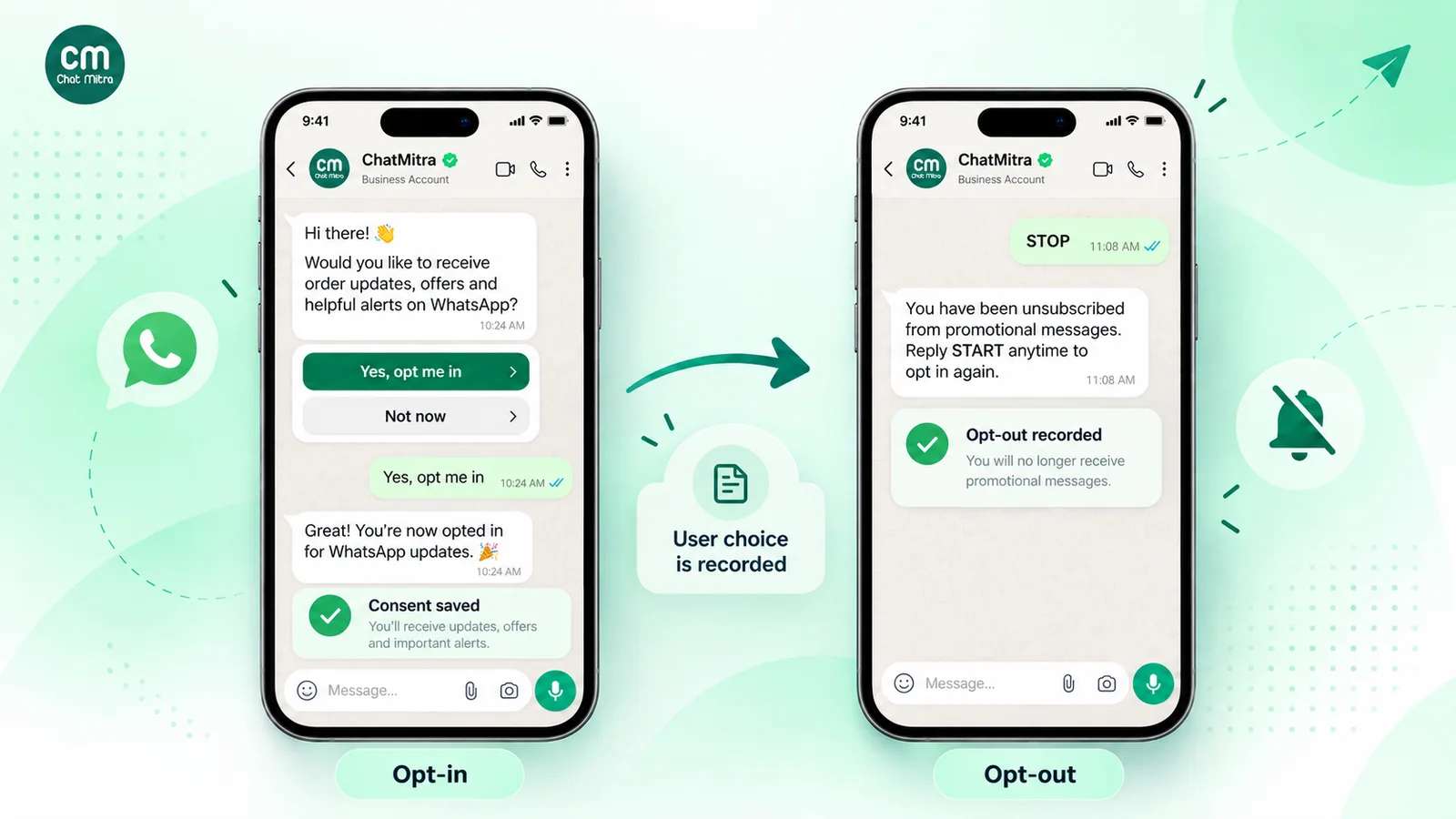
What is a WhatsApp opt-in?
A WhatsApp opt-in is the moment a person agrees that your business may message them on WhatsApp, and the record that shows they did. The WhatsApp Business Messaging Policy says you may only contact people on WhatsApp if “(a) they have given you their mobile phone number or username; and (b) you have received opt-in permission from the recipient confirming that they wish to receive subsequent messages or calls from you.”
So having the number is not enough: a customer who gave it to you for delivery has met condition (a) only. And “subsequent messages” is the key phrase: the person has to agree to hear from you again, not just to finish today’s chat. The policy covers both the WhatsApp Business app and the WhatsApp Business Platform (the API).
Opt-in no longer has to be WhatsApp-specific
Meta’s developer page Get opt-in for WhatsApp says that since the November 2024 policy update, opt-in permission “can be general and not specifically for WhatsApp, as long as businesses comply with all local laws.” A website, SMS or paper consent can cover WhatsApp if it meets the requirements below, though naming WhatsApp remains good practice for legal reasons covered later.
What does Meta require for a valid WhatsApp opt-in?
Meta lists exactly three requirements on its opt-in page:
- “Businesses must clearly state that a person is opting in to receive communication from the business.”
- “Businesses must clearly state the business’s name that a person is opting in to receive messages from.”
- “Businesses must comply with applicable law.”
The method is up to you. Meta names SMS, a website, a phone call using an IVR flow, and in-person or paper sign-up as supported examples, and the policy makes you “solely responsible for determining the method of opt-in,” for getting it lawfully, and for providing any notices the law requires.
The policy also recommends, without requiring, an opt-in that covers each kind of message you’ll send (or one per category), a separate opt-in before calling a user, and clear per-category opt-outs. The reason given: it reduces the risk “that users will block your business because they receive unsolicited messages.”
How Meta enforces it
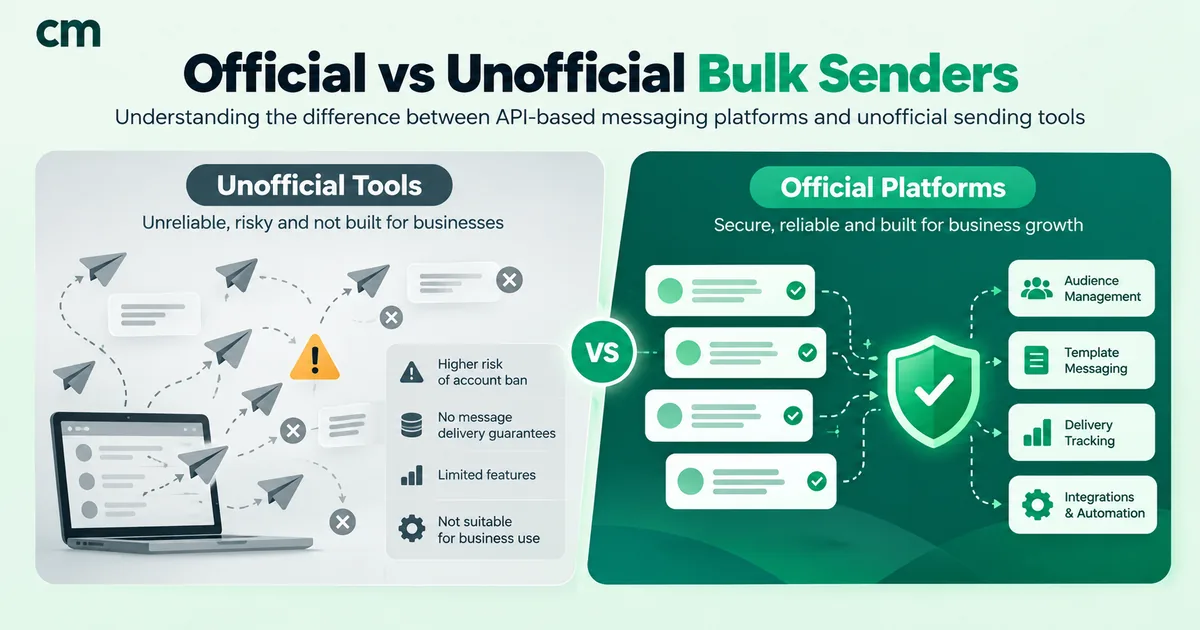
Enforcement is reactive and driven by user signals. Meta’s opt-in page says people can stop marketing messages, block or report a business, and that “our systems will rate limit businesses if the business’s quality is low for a sustained period of time.” The policy adds that Meta “may also reactively evaluate a business’ opt-in flows, including review of user feedback, to flag policy violations.” See WhatsApp quality rating explained for how blocks feed into your standing, and what to do when your WhatsApp number is banned for the appeal path. Unofficial bulk senders bypass all of this and put the number at risk; see official vs unofficial bulk WhatsApp senders.
Valid vs invalid opt-in: 10 common situations
Each situation is tested against Meta’s three requirements and, for India, the DPDP Act’s consent standard (explained below). “Valid” means valid for marketing messages.
| Situation | Valid for marketing? | Why | What to do |
|---|---|---|---|
| Unticked checkout box: "Send me order updates and offers from [Your Brand] on WhatsApp". The customer ticks it. | Yes | Clear action, business named, purposes stated. | Log the tick, timestamp and wording version. |
| The same box, ticked by default | No, under the DPDP standard | DPDP consent needs "a clear affirmative action". | Ship the box unticked. |
| A customer taps your wa.me link and asks "Is this in stock?" | Not yet | This opens a 24-hour service window, not permission for later offers. | Ask in the chat and record a YES. |
| You ask in chat, "Want restock alerts and offers from us here?" The customer replies YES. | Yes | An explicit reply to a question naming what they'll get. | Store the message ID and question text. |
| Last year's SMS sign-up: "Reply Y to get messages from [Your Brand]" | Usually yes for Meta | General opt-in is allowed since November 2024 if it named you. | Check local law; explain the move to WhatsApp in your first message. |
| A signed paper form in a store with clear wording | Yes | Meta lists paper sign-up as supported. | Keep a scan; log the store and staff member. |
| IVR: "Press 1 for delivery updates from us on WhatsApp" | Only for delivery updates | A supported method, scoped to updates. | Don't send offers on the strength of it. |
| A bought list, or numbers copied from directories and social profiles | No | Nobody on it agreed to hear from you. | Don't use it. |
| A partner brand shares its opted-in list | No | The opt-in named the partner, not you. | Run a co-branded opt-in naming you. |
| A past buyer with no consent wording anywhere | No, for offers | A purchase isn't a marketing opt-in. | Order updates may be defensible. Ask before promotions. |
The pattern: permission belongs to a named business, covers stated kinds of messages and is proven by a record.
Does a customer messaging you first count as opt-in?
Not for marketing. When someone messages you from a click-to-chat link or QR code, the policy lets you reply freely “within the 24-hour customer service window, which opens and resets with each user message.” But the person has only asked you something. They haven’t confirmed that they “wish to receive subsequent messages” from you.
So a chat link is a good way to start the opt-in:
- Put a link or QR code where people already want to talk to you: your bill, packaging, store counter or Instagram bio. Our free WhatsApp chat link generator and WhatsApp QR code generator build these with a pre-filled first message, such as “Hi, I’d like restock alerts”.
- Reply inside the 24-hour window with a question that names your business and the kinds of message (wording below).
- Record the YES, with the message ID and timestamp.
For wiring links or forms into your site, see WhatsApp integration with your website.
How do customers opt out of WhatsApp marketing messages?
The policy’s opt-out rule is broad: “You must respect all requests (either on or off WhatsApp) by a person to block, discontinue, or otherwise opt out of communications from you via WhatsApp, including removing that person from your contacts list.” Those requests reach you in four very different ways.
| How the person opts out | What your system receives | What it stops |
|---|---|---|
| Taps Stop in your chat (WhatsApp's built-in control) | A user_preferences webhook with the value stop. Later marketing sends fail with error 131050. | Your marketing messages only |
| Types "STOP", "unsubscribe" or similar | An ordinary inbound message. Nothing is flagged. | Whatever they asked to stop; at least all promotions |
| Asks off WhatsApp: email, phone, in store, social media | Nothing on WhatsApp | Covered by the policy's "on or off WhatsApp" wording |
| Blocks or reports your business | No dedicated event. You may see failed deliveries and a falling quality rating. | A block stops everything. A report feeds Meta's view of your quality. |
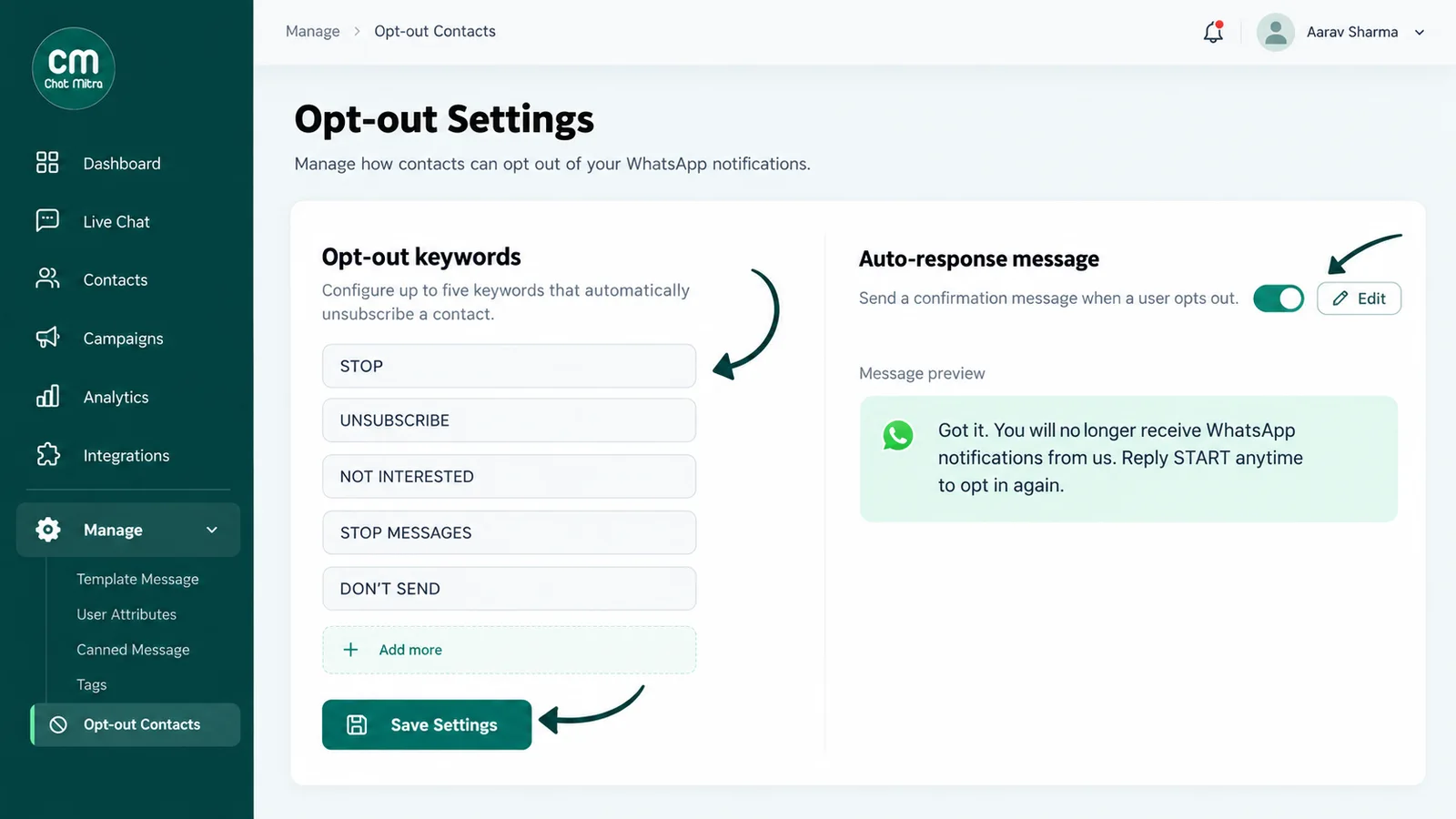
WhatsApp’s own Stop and Resume control
WhatsApp’s help centre article Controls when communicating with businesses tells users to open the business chat and “Tap Stop, then tap Stop again to confirm that you’ll no longer receive offers and announcements”, or “tap Resume” to undo it. Other messages keep flowing: “you’ll still get other messages that you have chosen to receive such as boarding passes, delivery updates, one-time passwords, etc.”
Meta’s user_preferences webhook reference says the event fires when “a WhatsApp user stops marketing messages” or “resumes marketing messages”. The payload carries the category marketing_messages, the value stop or resume, a description and a timestamp. It identifies the user by wa_id, which Meta omits when the person uses a username and their number can’t be shared; a business-scoped user_id is sent if you have those IDs enabled. It does not fire for “Interested” or “Not interested” feedback.
What error 131050 means
A marketing template sent to someone who tapped Stop won’t be delivered. Meta’s error codes reference lists 131050: “Unable to deliver the message. This recipient has chosen to stop receiving marketing messages on WhatsApp from your business.” Meta says not to retry, and to subscribe to user_preferences.
Don’t confuse it with 131049, “This message was not delivered to maintain healthy ecosystem engagement”, which Meta ties to its per-user marketing template limits; if you suspect the limit, Meta says to wait at least 24 hours before resending. A 131049 is not an opt-out.
How to handle opt-outs: a step-by-step procedure
WhatsApp’s Stop control reports only one of the four routes. The rest depend on your own process:
- Capture every route. Subscribe to
user_preferencesevents through your provider, match typed opt-out keywords, and give support staff a way to flag email, phone and in-person requests. - Keep one opt-out status per contact. Whatever the route, set the same tag or field, with the date and route. Separate lists in separate tools drift apart, and a STOP ignored by one integration still produces a block.
- Filter every marketing audience against it: broadcasts, drip campaigns, API sends from other systems and one-off staff sends.
- Confirm once, without selling. A coupon in the goodbye is the very promotion they just declined.
- Keep service conversations open. A marketing opt-out doesn’t stop you answering questions or sending order updates they asked for. If they ask for all messages to stop, stop everything.
- Record the withdrawal: date, route and the exact message or note.
- Allow a way back. A Resume tap, a START keyword or a new opt-in. Log it as a new consent event, rather than erasing the withdrawal.
Plan for edge cases. “Can you stop my delivery?” is about an order, so match short, whole messages. “Stop!!”, “nahi chahiye” and “message mat karo” slip past a single exact keyword, so list the phrases your customers use. And if automation is paused for a contact, a keyword rule won’t fire; staff must catch the request.
How to record proof of WhatsApp opt-in
When a customer complains or a regulator asks, “they agreed” isn’t evidence. A record is. Section 6(10) of the DPDP Act is explicit: where consent is the basis for processing and a question about it arises in a proceeding, the Data Fiduciary (the business) “shall be obliged to prove that a notice was given” and that consent was given in line with the Act and Rules.
A consent-record spec for whoever runs your forms, CRM or database:
| Field | Example | Why it matters |
|---|---|---|
| Who: phone number in international format | +91 98XXXXXX10 | Links consent to the number you'll message |
| When: timestamp with time zone | 2026-10-04 18:22 IST | Shows consent came before the first message |
| Where: source or touchpoint | Checkout page / Store 12 / IVR / in-chat | Lets you retrieve evidence and fix a bad source |
| Exact wording and version ID | "OPT-WA-v3" plus the full text | Proves the business was named and purposes stated |
| Purpose or categories | Order updates; offers | Stops updates-only permission drifting into promotions |
| Channel | WhatsApp (plus SMS, if covered) | Supports specific, informed consent |
| Evidence reference | Form ID / message ID / scan / call ID | The artefact behind the row |
| Notice version and language | Privacy notice v5, Hindi | The DPDP notice must come with or before the request |
| Withdrawal: date, route, note | 2027-01-15, WhatsApp Stop | Proves you stopped, and when |
| Re-consent events | Resume tap, 2027-03-02 | Keeps the history instead of overwriting it |
Four rules:
- Version your wording. New checkbox text gets a new version ID; never edit an old one. Your proof depends on knowing exactly what the person saw.
- Collect only what you need. The Act limits consent to the personal data “necessary for such specified purpose”, so don’t log device details or locations because it’s easy to.
- Keep a summary on the contact (“opt-in: checkout v3, 4 Oct 2026”) and the evidence in your own system.
- Mark withdrawals instead of wiping them on the spot, since that record shows you honoured the request. In India this needs care: section 8(7) requires erasing personal data once consent is withdrawn unless a law requires you to keep it, while Rule 8(3) of the DPDP Rules requires personal data and processing logs to be kept for at least a year. Keep the suppression record minimal and agree a retention period with your lawyer.
What does India’s DPDP Act add to WhatsApp opt-in?
Meta’s third requirement, “comply with applicable law”, brings in India’s Digital Personal Data Protection Act, 2023. Phone numbers and names are personal data, and once section 3 is in force, the Act applies to digital personal data processed in India, including paper records digitised later, and to processing abroad connected with offering goods or services to people in India.
Not legal advice
This section summarises the Act and Rules as published. How they apply to you depends on your facts, your sector and any sector regulator's rules. Have a lawyer review your consent wording and records before the consent and notice duties start.
When the obligations start
Notification G.S.R. 843(E) of 13 November 2025, recorded in the India Code text of the Act, brings the Act into force in stages. The DPDP Rules, 2025 (G.S.R. 846(E)) were published the same day; the PIB release followed on 14 November.
| From | What applies | Relevance to WhatsApp opt-in |
|---|---|---|
| 13 November 2025 | Definitions (s.2), the Data Protection Board (ss.18–26), rule-making and other general provisions (ss.35–43), and Rules 1, 2 and 17–21 | The Board exists. Your duties to customers haven't started. |
| One year from 13 November 2025 (13 November 2026) | Registration of Consent Managers (s.6(9), Rule 4) | Consent Managers can register. Using one is optional. |
| Eighteen months from 13 November 2025 (around 13 May 2027) | Application (s.3), grounds (s.4), notice (s.5), consent (s.6 except 6(9)), legitimate uses (s.7), obligations (s.8), rights (ss.11–14), penalties (s.33), and Rules 3, 5–16, 22 and 23 | Your consent, notice and withdrawal process must meet the Act from here. |
The notification counts these periods “from 13th November, 2025”, and Rule 1 says “eighteen months after the date of publication”. The dates in brackets are our calculation, not dates printed in either text. Press reports in January 2026 said MeitY had discussed shortening the 18-month period with industry, but we found no notified amendment as of 25 September 2026. Check for updates before relying on these dates.
Consent: the five-part test
Section 6(1) says consent “shall be free, specific, informed, unconditional and unambiguous with a clear affirmative action”, limited to the data necessary for the specified purpose. For WhatsApp:
- Free and unconditional: checkout must work with the marketing box left unticked.
- Specific: name what you’ll send, such as offers, restock alerts or order updates.
- Informed: the notice comes with or before the request.
- Unambiguous: a tick, a YES, a signature. Silence, pre-ticked boxes and “continue browsing means you agree” don’t qualify.
The notice that must accompany the request
Section 5 says every consent request must be “accompanied or preceded by a notice” covering what data you’ll process and why, how to withdraw consent and exercise rights, and how to complain to the Data Protection Board. Rule 3 adds that the notice must stand on its own, use “clear and plain language”, include “an itemised description of such personal data” and the specified purpose, and give your website or app link and the means to withdraw consent “with the ease of doing so being comparable to that with which such consent was given”.
Sections 5(3) and 6(3) also require giving the person the option to read the notice and request in English or any Eighth Schedule language, such as Hindi, Gujarati or Tamil. The text doesn’t say how many versions to prepare in advance, so cover your customers’ main languages and ask your lawyer how far to go.
Withdrawal, erasure and existing consent
- Withdrawal comparably easy to consent (s.6(4)): if joining took one tick, leaving shouldn’t need an email to support. A STOP reply you act on, plus WhatsApp’s Stop button, helps meet that.
- Stop within a reasonable time (s.6(6)), and make your processors stop too.
- Erase (s.8(7)) once consent is withdrawn or the purpose is served, unless a law requires retention.
- Consent given before commencement (s.5(2)): send those people a notice “as soon as it is reasonably practicable”; you may keep processing until they withdraw.
Can marketing rely on “legitimate uses” instead of consent?
Section 4 allows processing with consent or for “certain legitimate uses” listed in section 7. The relevant-looking one is 7(a): data a person “voluntarily provided” for a specified purpose, where they haven’t said they don’t consent to that use. The Act’s illustration is a pharmacy texting a payment receipt. On our reading, that may cover a delivery update for an order the person placed, but none of the listed uses is written for marketing. The safe plan for WhatsApp marketing is consent; ask your lawyer to confirm the analysis for utility messages.
Who is responsible, and what are the penalties?
The business deciding which messages to send, and why, is usually the Data Fiduciary (s.2(i)); a platform sending on its instructions is typically a Data Processor (s.2(k)). Notice, consent and proof are the Data Fiduciary’s duties.
The Board can impose a penalty after an inquiry finds a significant breach (s.33(1)). The Schedule caps failures of security safeguards at an amount that “may extend to two hundred and fifty crore rupees”, and breaches of any other provision, the row that appears to cover consent and notice failures, at “fifty crore rupees”. Under s.33(2) the Board weighs factors including the nature, gravity and duration of the breach, repetition and mitigation.
Meta’s rules vs India’s DPDP Act, side by side
| Question | Meta / WhatsApp policy | DPDP Act and Rules (India) |
|---|---|---|
| Who enforces it? | Meta: quality ratings, rate limits, account action | The Data Protection Board of India |
| Applies from | Now | Consent and notice: eighteen months from 13 November 2025 (around 13 May 2027) |
| Form of consent | Any method: web, SMS, IVR, in person, paper | Clear affirmative action; free, specific, informed, unconditional, unambiguous |
| Name your business | Yes, explicitly | Not in those words; the notice must give your website or app link |
| Name WhatsApp | No, since November 2024 | Not stated, but it helps show specific, informed consent |
| Purpose | Recommended (message categories) | Required, plus an itemised list of data |
| Opt-out | Honour any request, on or off WhatsApp | Withdrawal comparably easy; stop within a reasonable time |
| Proof | Not specified; flows reviewed reactively | In a proceeding, the business must prove notice and consent (s.6(10)) |
| Language | Not specified | Option of English or any Eighth Schedule language |
| Consequence | Rate limits, restricted or banned numbers | Monetary penalties after a Board inquiry |
The practical conclusion: design for the DPDP standard and you’ll meet Meta’s. The reverse isn’t true. A Meta-compliant general opt-in with no stated purpose, or a pre-ticked box, can still fall short of the Act.
Messaging people abroad? Check local rules. The UK Information Commissioner’s Office’s guide to electronic mail marketing, for example, says “You must not send marketing emails or texts to individuals without specific consent”, applies that to “direct messages via social media”, and allows a limited “soft opt-in” for previous customers.
Consent wording you can adapt
Replace the bracketed names, link your privacy notice, and give each version an ID.
Checkout or sign-up checkbox (unticked by default)
☐ Send me order updates and occasional offers from [Business Name] on WhatsApp at the number above. I can stop anytime by replying STOP or tapping Stop in the chat. [Privacy notice]
Separate boxes for separate purposes (stronger for DPDP)
☐ Order and delivery updates from [Business Name] on WhatsApp
☐ Offers, new arrivals and restock alerts from [Business Name] on WhatsApp (about [N] a month)
In-chat opt-in, sent inside the 24-hour window
Thanks for reaching out! Would you like [Business Name] to send you restock alerts and offers here on WhatsApp? Reply YES to agree. You can reply STOP anytime. How we use your number: [link]
Hindi version of the checkbox
☐ मैं [Business Name] से WhatsApp पर ऑर्डर अपडेट और ऑफ़र पाना चाहता/चाहती हूँ। मैं कभी भी STOP लिखकर या चैट में Stop दबाकर इन्हें बंद कर सकता/सकती हूँ।
Opt-out confirmation (no offer attached)
You’re unsubscribed from [Business Name] offers on WhatsApp. [If they opted in to order updates:] You’ll still get updates for orders you place. Reply START if you change your mind.
Re-permission for an old list
Hi, this is [Business Name]. Would you like to keep getting offers and restock alerts here? Reply YES to stay subscribed, or ignore this and we won’t send promotions.
Send re-permission only where you already hold a defensible permission, such as an SMS or email opt-in that named you. For formats that don’t feel spammy, see our WhatsApp broadcast message examples.
Setting up opt-in and opt-out handling in ChatMitra
Here is what ChatMitra handles today, and what it doesn’t.
What it does:
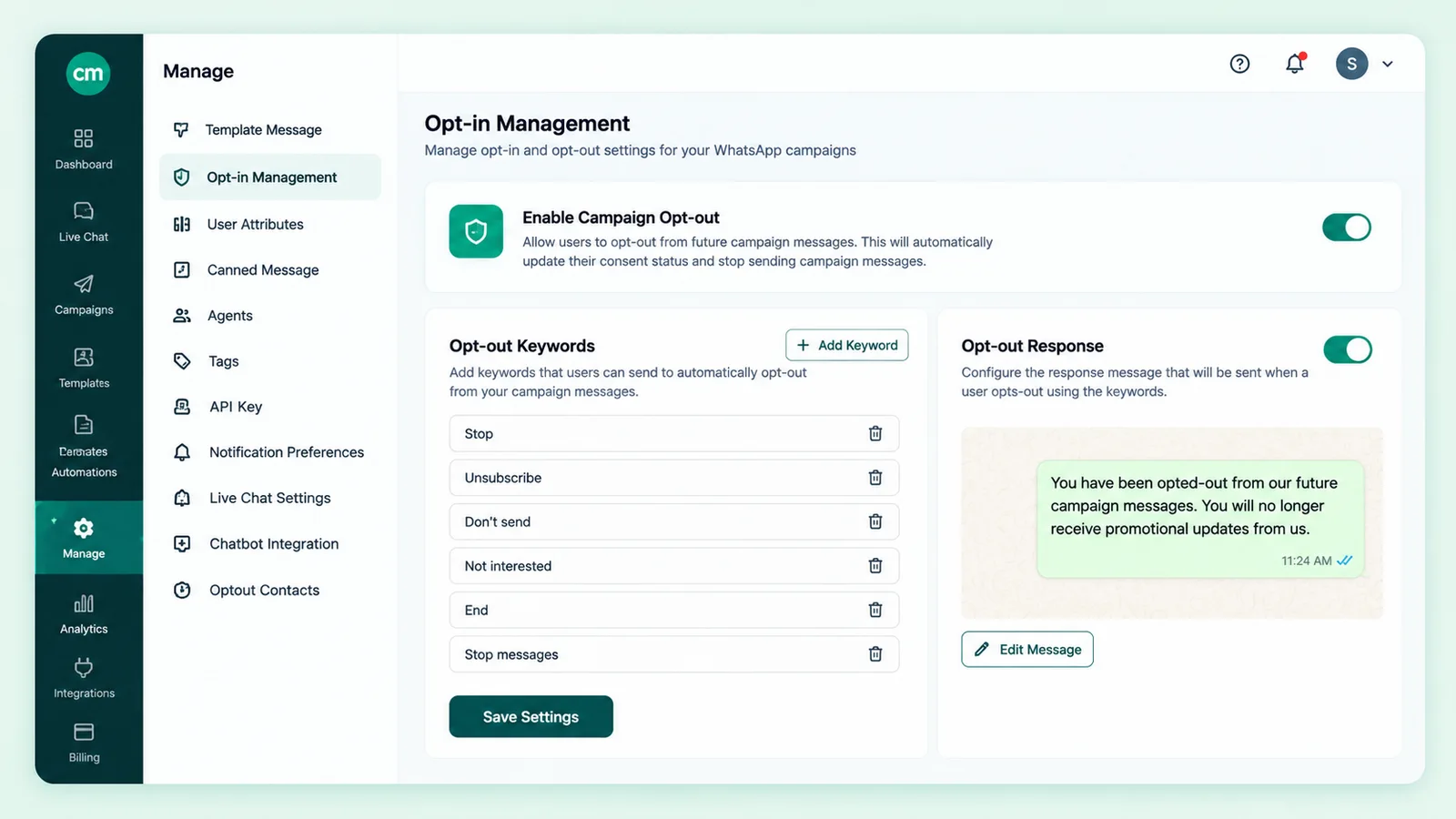
- Records WhatsApp’s Stop and Resume events. ChatMitra stores Meta’s
user_preferencesevent on the contact as OPTED OUT or OPTED IN, and you can filter Contacts by it. OPTED IN means the person resumed after stopping; it isn’t proof of your original opt-in. - Tags filtered contacts in bulk. Filter by OPTED OUT and add a tag such as
opted-outto all of them. - Catches typed STOP with a keyword rule. A keyword auto-reply rule (Auto Reply is on the Pro plan, per ChatMitra’s pricing page) can match up to 10 keywords, exactly, by “starts with” or by pattern, then send your confirmation and add a tag. Exact matching ignores capitals and extra spaces but not punctuation, so add “stop.” or use a pattern. How auto-reply works.
- Excludes tags from broadcasts. When you build a WhatsApp broadcast, exclude
opted-out.
What it doesn’t do:
- There is no automatic STOP unsubscribe; you set up the keyword rule yourself.
- Broadcasts don’t drop opted-out contacts on their own. Meta refuses marketing templates after a Stop tap (131050), but a typed STOP only suppresses someone if you exclude the tag.
- There is no opt-in form, widget or versioned consent log. Keep consent evidence in your website form, checkout or CRM; see our guide to WhatsApp CRM software for a system of record.
10-point WhatsApp opt-in audit checklist
Run this before your next campaign, and again before the DPDP consent and notice duties start:
- Every opt-in point names your business and says the person is agreeing to messages from you.
- Each opt-in states what you’ll send, ideally with separate choices for updates and offers.
- Checkboxes start unticked, and checkout works without them.
- A notice sits with or before each request (data, purpose, how to withdraw, how to complain), in English and your customers’ main language.
- Every consent is logged with who, when, where, wording version, purpose, channel and evidence reference.
- Wording is versioned; old versions are archived, not overwritten.
- WhatsApp Stop and Resume events update the contact automatically.
- Typed STOP replies and off-WhatsApp requests reach the same suppression list within a day.
- Every marketing send, from broadcasts, the API and staff, excludes suppressed contacts.
- Withdrawals and re-consents are logged with dates and kept for a retention period agreed with your lawyer.
Where to start
Fix the opt-in point that brings in most of your contacts first, start logging consent there this week, then work through the rest. For longer-term habits, see how to maintain WABA health.
For Stop and Resume tracking, tag-based suppression and keyword rules in one inbox, you can start on ChatMitra’s free Starter plan and add Auto Reply on Pro when you need it. For the wider policy picture, see ChatMitra’s legal and policies overview.
Sources: WhatsApp Business Messaging Policy (last updated 23 September 2026) · Meta: Get opt-in for WhatsApp · Meta: user_preferences webhook · Meta: WhatsApp error codes · WhatsApp Help Center: controls when communicating with businesses · DPDP Act, 2023 (India Code) · DPDP Rules, 2025 (MeitY, Gazette G.S.R. 846(E)) · PIB: DPDP Rules notified · ICO: electronic mail marketing