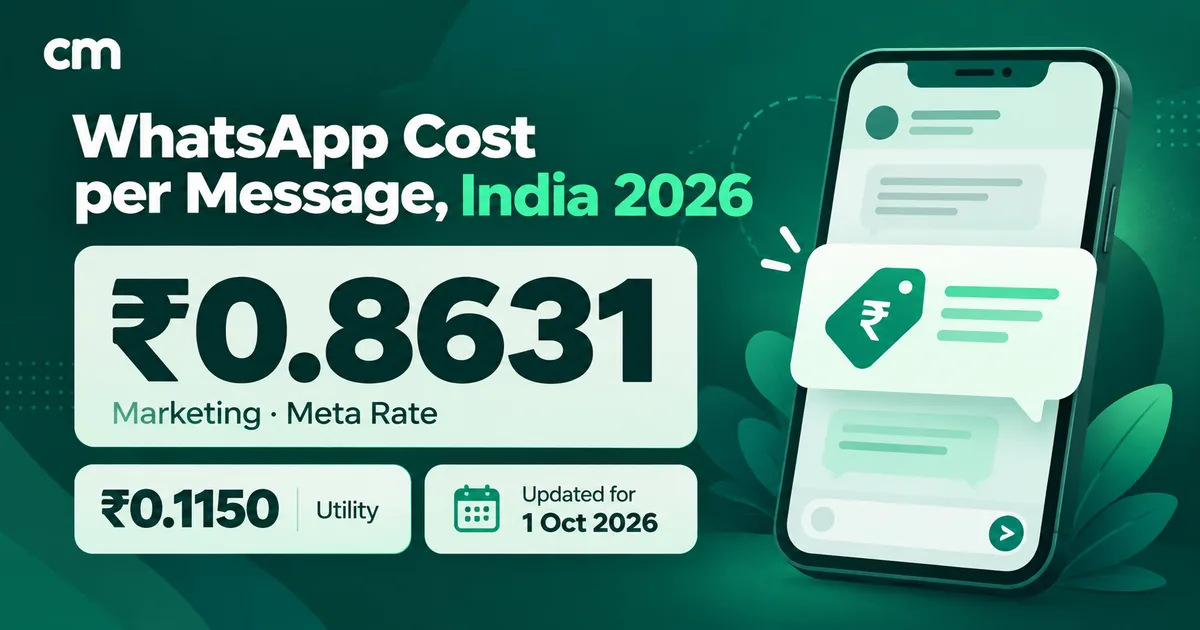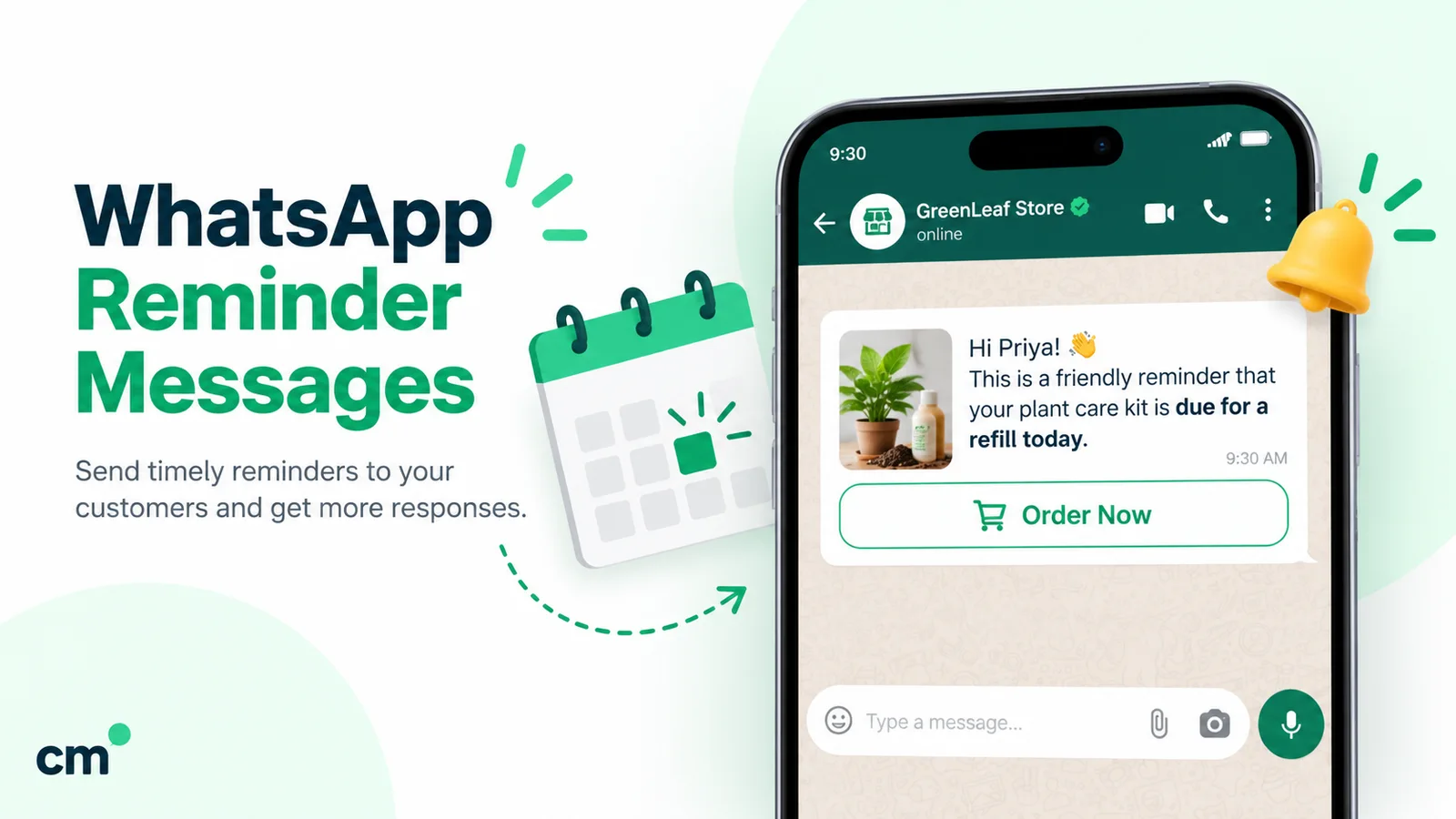
A WhatsApp reminder message is a template a business sends around a date that matters to the customer: a payment due date, an appointment, a fee deadline, a renewal or a delivery. Reminders tied to the customer’s own bill or booking are usually utility templates, ₹0.1150 each in India. Anything promotional is billed as marketing.
This guide is for businesses that remind customers: clinics, schools and coaching centres, gyms, landlords, insurance and loan agents, and suppliers waiting to be paid. It covers what WhatsApp itself offers, how Meta decides whether a reminder is utility or marketing, a schedule that works around a due date, templates you can adapt, the rupee cost, and how to run it all from a spreadsheet.
Key takeaways
- The personal reminder features in WhatsApp remind you. Reminding each customer before their own date needs templates on the WhatsApp Business Platform.
- Keep reminders factual and specific to the customer. One discount line turns a ₹0.1150 message into a ₹0.8631 one.
- Every automated reminder needs a stop rule: check the status before each send.
Facts checked against Meta's and WhatsApp's documentation on 25 September 2026. Rupee figures are Meta's India rates and exclude tax.
Can you set a reminder in WhatsApp itself?
Partly, and only for yourself or your group. Here is what WhatsApp documents today.
- Event reminders in group chats. WhatsApp’s blog announced on 7 January 2026 that when you create and send an event in a group chat, “you can set custom early reminders for your invitees” (WhatsApp blog). The Help Center adds that people who answer Going or Maybe “will receive a notification when the event begins”, and that an event creator can pin the event to the top of the chat (WhatsApp Help Center, events). This suits a workshop, a parents’ meeting or a society AGM run in a group.
- “Remind me” on a single message. MacRumors reported on 18 September 2025 that WhatsApp for iPhone (version 25.25.74) lets you long-press a message and pick “Remind me” for 2, 8 or 24 hours or a custom time (MacRumors, secondary source). We found no WhatsApp Help Center article on it when we searched on 25 September 2026, so availability may vary by device and region. Either way, it notifies you, not the other person.
- Scheduled sends in the WhatsApp Business app. The app can “send or schedule” a paid business broadcast to an audience you pick (WhatsApp Help Center, business broadcasts). That is one message to a chosen audience at a set time, not a reminder that goes to each customer on their own due date.
If you want 300 parents reminded three days before each child’s fee date, you need something else.
| What you want | Where it's handled | Who gets reminded |
|---|---|---|
| Remember to reply to a message | "Remind me" in the message menu, where available | You |
| Remind a group about a meeting or class | An event in the group chat, with early reminders | Group members who respond |
| Remind each customer before their own due date or appointment | Approved templates on the WhatsApp Business Platform, sent by software | Each customer, individually |
Which reminders can a business send on WhatsApp?
Almost any reminder the customer would be annoyed to miss. The table shows the usual ones and the category each normally falls into. Meta decides the final category from the exact wording, so treat the third column as a starting point.
| Reminder | Tied to | Usual category | What pushes it into marketing |
|---|---|---|---|
| Invoice or payment due | A specific bill | Utility | "Pay today and get 5% off", upsells |
| School or coaching fee | The student's fee schedule | Utility | Promoting a new batch or crash course |
| EMI or loan instalment | The customer's loan account | Utility | Pre-approved top-up loan offers |
| Rent due | The tenancy | Utility | Listing other vacant flats |
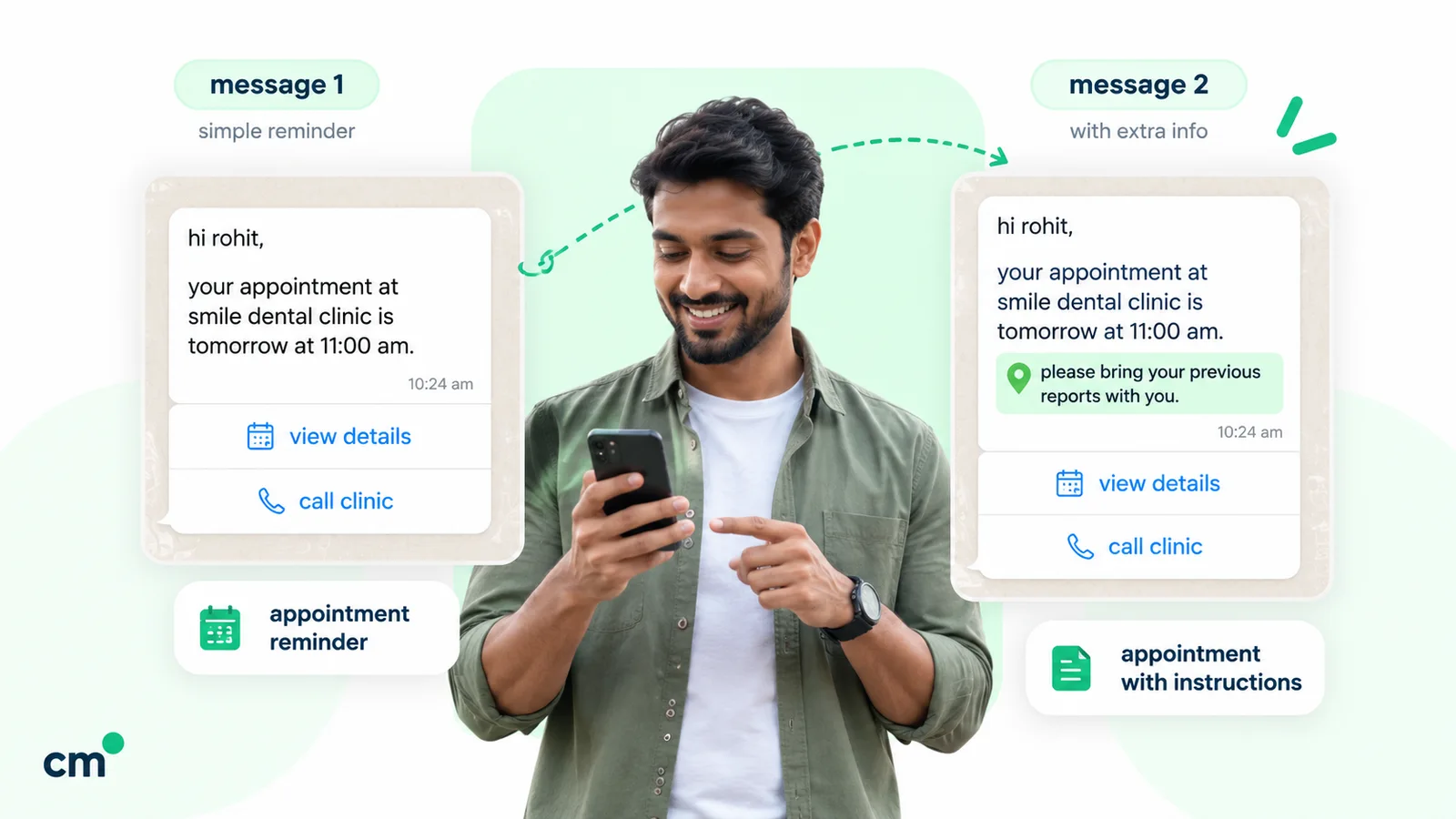
| Appointment or booking | A booked slot | Utility | Recommending an extra treatment |
| Delivery or pickup | An order | Utility | "Add more items before dispatch" |
| Event the customer registered for | A registration | Utility | Promoting a different paid event |
| Subscription, membership or policy renewal | An account | Often marketing | Any attempt to secure the renewal (see below) |
| "We haven't seen you in a while" | Nothing specific | Marketing | It is marketing already |
Utility or marketing? How Meta categorises reminder templates
Meta’s template categorisation guidelines (updated 15 September 2026) set two tests for a utility template. It “must be non-promotional, not containing any promotional or persuasive intent”, and it must “ALSO be either specific to or requested by the user (clearly related to their order, account, services, or transactions) OR essential or critical to the user”.
A payment reminder passes both easily. Meta’s own utility examples include “Reminder: Your monthly payment for {{service}} will be billed on {{date}} to the {{card}} you have saved on file.” Its account-alert examples also include a plan’s remaining minutes running low, with a date to top up by.
Three lines in the same guidelines matter most for reminders:
- Mixed content is marketing. Meta lists “an order update with a promo” as marketing. A fee reminder with one line about next month’s workshop is a marketing template.
- Renewals are singled out. Utility account alerts “should not promote, recommend, upsell, or cross-sell products; include offers; or attempt to secure renewals”. Meta’s retargeting examples, which are marketing, include “Your subscription will expire on {{date}}! Renew today to save {{discount}}.” They add that such messages “are marketing even if requested by users”.
- Vague templates are marketing. A template whose content is only “{{1}}” is treated as marketing because its purpose is unclear.
For renewals, that means: a plain notice that a policy or plan ends on a date sits closer to an account alert, but a message written to get the renewal is marketing by Meta’s own wording. Budget renewal reminders at the marketing rate unless Meta approves your template as utility.
What happens if you pick the wrong category
- Since 9 April 2025, a template you submit as utility that Meta judges to be marketing “is approved as MARKETING”. You can request a review within 60 days.
- A business that keeps mislabelling marketing as utility can face escalating steps: a warning, then a cap on utility volume in a rolling 24-hour window (minimum 7 days), then all its utility templates moved to marketing for 7 days (30 for repeat cases), and, if misuse spans several accounts, the same across the whole business portfolio for 30 days.
A quick test before you submit
Read the template aloud and ask: “If this customer had no bill, booking or order with us, would this message still make sense?” If yes, it is marketing. Then ask: “Does any sentence try to make them buy, upgrade or renew?” If yes, it is marketing. Utility reminders answer only “what is due, when, and how to act on it”. For a plain-language overview of the three categories, see ChatMitra’s marketing, utility and authentication guide.
The rules that decide when a reminder can go out
Category decides the price. Five other rules decide whether the reminder is allowed and whether it arrives.
1. The 24-hour customer service window. Meta’s send-messages guide says that when a user messages or calls you, “a 24-hour timer called a customer service window starts”, and “When the window closes, you can only send pre-approved template messages.” Most reminders go out days after the last chat, so they must be templates. Meta’s pricing page confirms that a utility template can be used “to either reach out to or respond to users”, with or without an open window.
2. Opt-in. WhatsApp’s Business Messaging Policy (updated 23 September 2026) says you may contact people only if “they have given you their mobile phone number or username” and “you have received opt-in permission from the recipient”. Meta’s opt-in guide adds that the opt-in must clearly state the person is opting in and name your business, and suggests making it cover the kinds of message you will send. A booking form or admission form with a WhatsApp reminders checkbox covers both. The WhatsApp opt-in guide covers wording, proof and India’s DPDP Act in detail.
3. Per-user marketing limits. Meta’s per-user limit page says WhatsApp “may limit the number of marketing template messages a WhatsApp user receives from any business”, based partly on that person’s recent marketing read rate. A blocked send fails with error 131049, and Meta asks you to wait at least 24 hours before retrying. The page describes the limit for marketing templates only; it sets out no equivalent cap for utility templates. It also states that WhatsApp “does not currently deliver marketing template messages to WhatsApp users with United States phone numbers”. A renewal nudge approved as marketing will not reach a US customer at all.
4. Pacing and quality. Meta may hold part of a new template’s sends to collect early feedback. Its pacing page says utility templates are paced “only if you have had a utility template paused”. A template rated low quality is paused for 3 hours the first time, 6 hours the second, and disabled the third (template pausing). Spam reports hurt the template and, eventually, the number. ChatMitra’s guide to WhatsApp quality rating explains the signals.
5. Escalation. The same policy lets you automate replies in the 24-hour window but requires “prompt, clear, and direct escalation paths”. A reminder that says “reply here with questions” needs a person reading those replies.
What do WhatsApp reminders cost in India since 1 October 2026?
Meta charges per delivered template. The India rates on Meta’s rate card effective 1 October 2026 (Meta pricing) are:
| Message | Meta charge (India) | Notes for reminders |
|---|---|---|
| Utility template | ₹0.1150 | Charged inside and outside the 24-hour window since 1 October 2026 |
| Marketing template | ₹0.8631 | Subject to per-user marketing limits |
| Service (free-form reply in the window) | ₹0.1150 after 1,000 free per business number per month | Your replies to questions the reminder triggers |
Since 1 October 2026 Meta also charges “for utility messages sent in an open 24-hour customer service window”, so a confirmation template sent right after the customer replies is billable. Service messages are now charged too, but “Each business phone number has one shared free tier of 1,000 delivered service messages per month.”
On ChatMitra’s Starter and Pro plans, a ₹0.20 platform fee is added once per contact per 24-hour conversation, not per message. Enterprise (₹2,499 a month) has no platform fee. A stand-alone utility reminder therefore costs ₹0.1150 + ₹0.20 = ₹0.315, about ₹0.32. See the full breakdown in WhatsApp Business cost per message.
A worked month for a coaching centre
A coaching centre has 300 students with fees due on the 5th. It sends a utility reminder three days before, a second on the due date to those who haven’t paid, and a third three days later. The payment numbers below are assumptions for the arithmetic, not benchmarks.
| Step | Sent to | Meta (utility, ₹0.1150) | ChatMitra fee (₹0.20) |
|---|---|---|---|
| 3 days before (2nd) | 300 | ₹34.50 | ₹60.00 |
| Due date (5th), unpaid only | 180 | ₹20.70 | ₹36.00 |
| 3 days overdue (8th), unpaid only | 60 | ₹6.90 | ₹12.00 |
| Total | 540 reminders | ₹62.10 | ₹108.00 |
- Total on Starter: ₹170.10 for the month, about ₹0.57 per student. On Pro, the fee works the same way, but ChatMitra’s pricing page lists 1,000 free messaging credits a month (one credit is ₹0.20), which would cover these 540 fees if nothing else used them. Each send is at least three days after the last, so each opens a new 24-hour conversation and carries the fee.
- Replies: staff answer 150 parent questions the same day. Those service messages fall inside the 1,000 free per number, assuming the number sends fewer than 1,000 service messages in total that month, and inside the conversation the reminder opened.
- On Enterprise: ₹62.10 in Meta charges, plus the ₹2,499 subscription.
- If the reminders were marketing (say each carried a line about a new crash course): 540 × ₹0.8631 = ₹466.07 in Meta charges, ₹403.97 more for the same month, and some could be held back by per-user limits.
How to design a reminder schedule
A good schedule is short, spaced out, and ends the moment it has done its job. Treat the cadence below as a pattern to adapt, not a proven formula. Test it against your own payment or show-up data.
| Reminder | Before | On the day | After | Stop when |
|---|---|---|---|---|
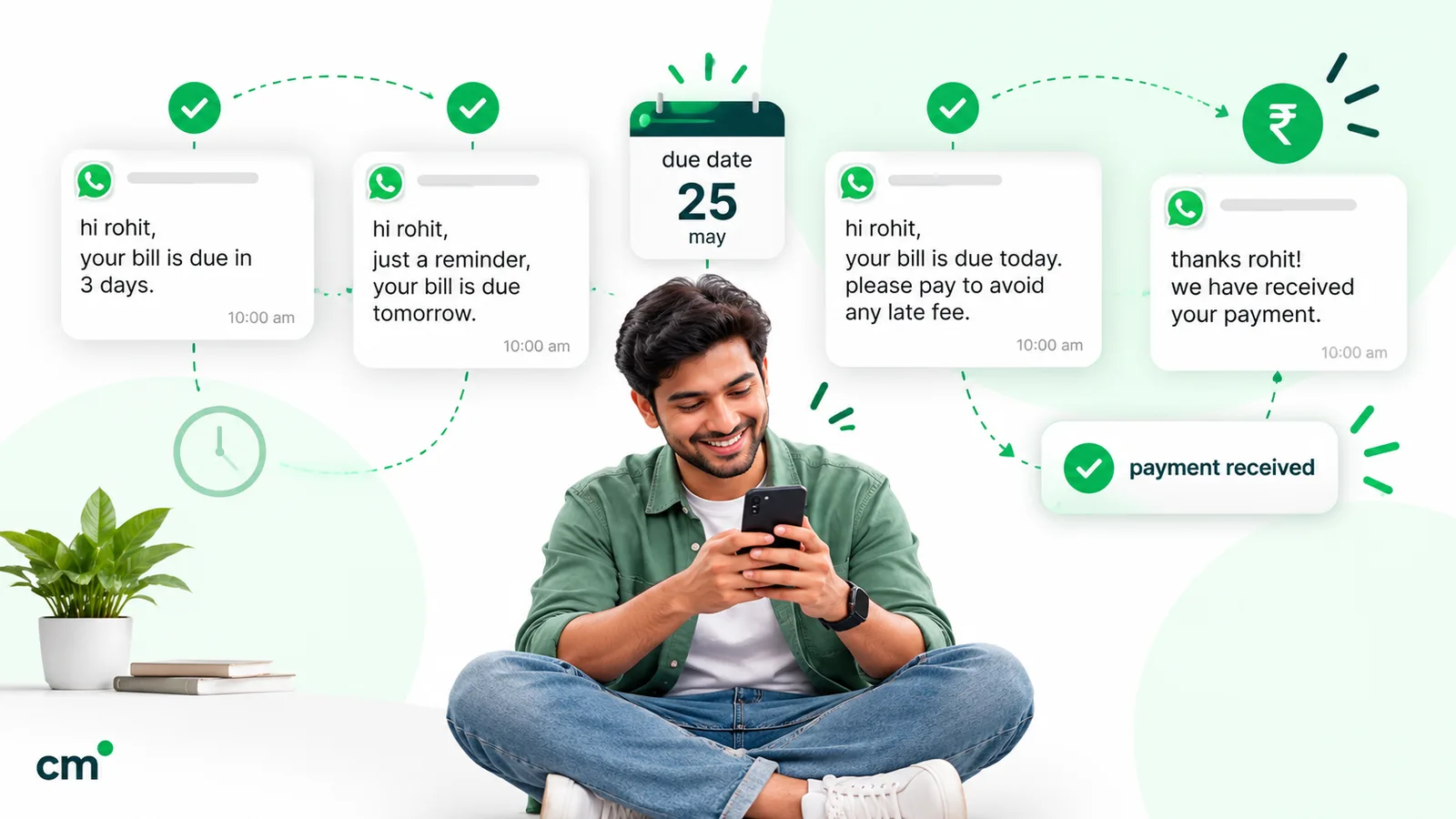
| Invoice, fee, rent, EMI | 3 days before (heads-up with amount) | Due date, morning | 3 and 7 days overdue, then a person calls | Status = Paid |
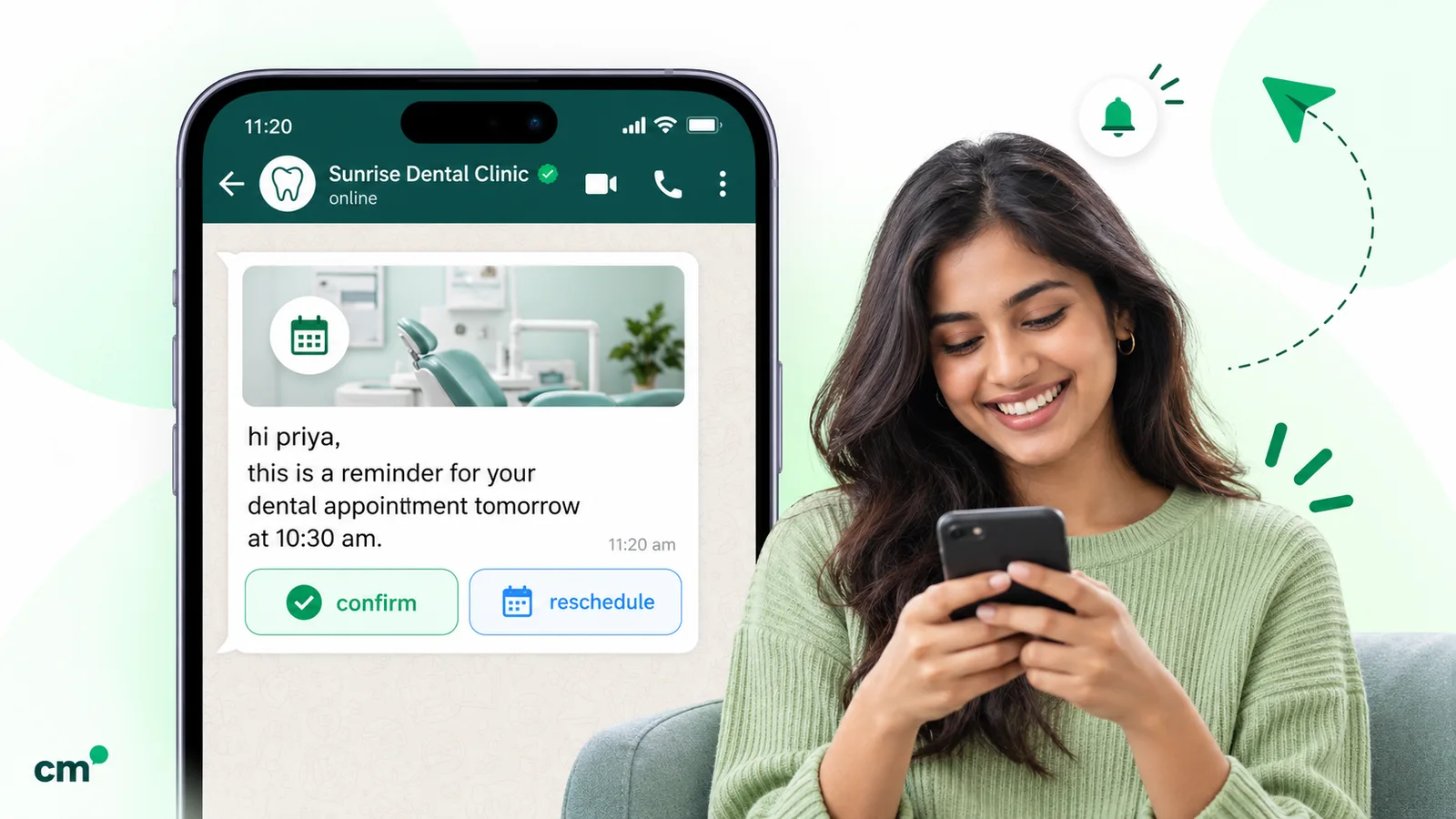
| Appointment | 1 day before, with Confirm and Reschedule buttons | A few hours before, only if confirmed | Missed? One rebooking message | Cancelled, rescheduled or attended |
| Event the customer registered for | 1 day before, with venue or link | 1 hour before, for online events | None (a thank-you is a separate message) | Registration cancelled |
| Delivery or pickup | When dispatched | Out for delivery or ready for pickup | One "still waiting" message for pickups | Delivered or collected |
| Policy or plan expiry | 15 and 3 days before (factual notice) | Expiry day | None | Renewed |
Rules that keep a schedule polite
- Check before every send. Each reminder should look up the current status, not the status on the day the schedule started. Paying on the 3rd and receiving “your fee is due” on the 5th is the fastest way to earn a block.
- Send in working hours, in the customer’s time zone. A 7 a.m. rent reminder reads very differently from an 11 a.m. one. Mid-morning is a reasonable default for most Indian businesses. For customers abroad, send in their local time.
- Cap the total. Four messages about one bill is plenty. After that, a phone call or a formal notice does more than a fifth WhatsApp.
- Change the tone, not the volume. Friendly heads-up, plain due-date message, firmer overdue ones. None should threaten.
- Hand over to a person. Replies such as “I paid yesterday” or “can I pay half?” need a human, so route them to your inbox. The sibling guide on WhatsApp for customer service covers running that inbox.
How to write a WhatsApp reminder template (with examples)
A reminder template has a body with variables, an optional header and footer, and optional buttons. Meta’s template components page sets the limits that matter:
- up to 10 buttons in total;
- up to two URL buttons, each URL supporting one variable “appended to the end of the URL string”;
- one phone number button;
- up to 10 quick reply buttons;
- button labels of 25 characters at most.
A URL button ending in {{1}} can open each customer’s own invoice or payment page. Quick replies suit “Confirm” and “Reschedule”. ChatMitra’s guide to template elements explains each part.
Here are seven reminders written for this guide. Variables are in double braces; replace them with your own fields. Each one sticks to what is due, when, and what to do.
Payment or invoice due (utility)
Hi {{1}}, invoice {{2}} for ₹{{3}} is due on {{4}}. You can view and pay it using the button below. If you have already paid, please ignore this message. Buttons: URL “View invoice” (…/invoice/{{1}}) · Quick reply “Talk to accounts”
School or coaching fee (utility)
Hello {{1}}, the {{2}} fee of ₹{{3}} for {{4}} is due on {{5}}. Pay at the office or online using the button below. Reply here if you need a receipt. Buttons: URL “Pay fee” · Quick reply “Send receipt”
EMI due (utility)
Dear {{1}}, your EMI of ₹{{2}} for loan account ending {{3}} is due on {{4}}. Please keep the amount in your linked account by that date. Buttons: Phone “Call support”
Rent due (utility)
Hi {{1}}, rent of ₹{{2}} for {{3}} is due on {{4}}. The payment details are the same as last month. Reply here once it’s done and we’ll send the receipt.
Appointment (utility)
Hi {{1}}, this is a reminder of your appointment with {{2}} at {{3}} on {{4}} at {{5}}. Please tap Confirm, or Reschedule if the time no longer works. Buttons: Quick reply “Confirm” · Quick reply “Reschedule”
Delivery or pickup (utility)
Hi {{1}}, your order {{2}} is ready for pickup at {{3}} until {{4}}. Please bring the order number with you.
Plan renewal (write it as marketing)
Hi {{1}}, your {{2}} membership ends on {{3}}. Renew before then to keep your slot, and get {{4}} off when you renew this week. Buttons: URL “Renew now”
The last one has an offer and asks for the renewal, so submit it as marketing and budget for it. If you remove the offer and the “renew” request and keep only the end date, you have a notice that may pass as utility. Meta makes that call.
How to send automatic reminders from a Google Sheet or booking system
Good wording can’t rescue a reminder built on messy data, so decide first where the data lives.
- A Google Sheet works for most small businesses: fees, rent rolls, invoices, renewal lists.
- A booking or practice-management system holds the appointments. It needs an API or webhook that can call your WhatsApp tool.
- A CRM or accounting tool holds invoices. Same requirement: an integration or API.
Set up the sheet
Use one row per thing that is due, not per customer. A tidy reminder sheet has these columns:
- Name
- Phone, with the country code (91…), digits only
- Due date, written the same way in every row (for example 15/10/2026)
- Amount or Appointment time
- Status: Pending, Paid, Confirmed or Cancelled, updated by whoever collects the money or takes the call
- Link: the customer’s payment or booking page, if you have one
- Last reminder: filled in by the automation, so you can see what went out
The steps in any tool
- Get the reminder template approved first, with sample values for every variable.
- Create one automation per touch: “3 days before”, “on the day”, “3 days after”.
- In each one, check the Status column before sending, and skip rows that are Paid, Confirmed or Cancelled.
- Map each template variable to a column, and the URL button’s variable to the Link column.
- Pick a send time, then test with your own number before switching it on.
- Write the send back to the sheet, and review failed sends weekly.
How this works in ChatMitra
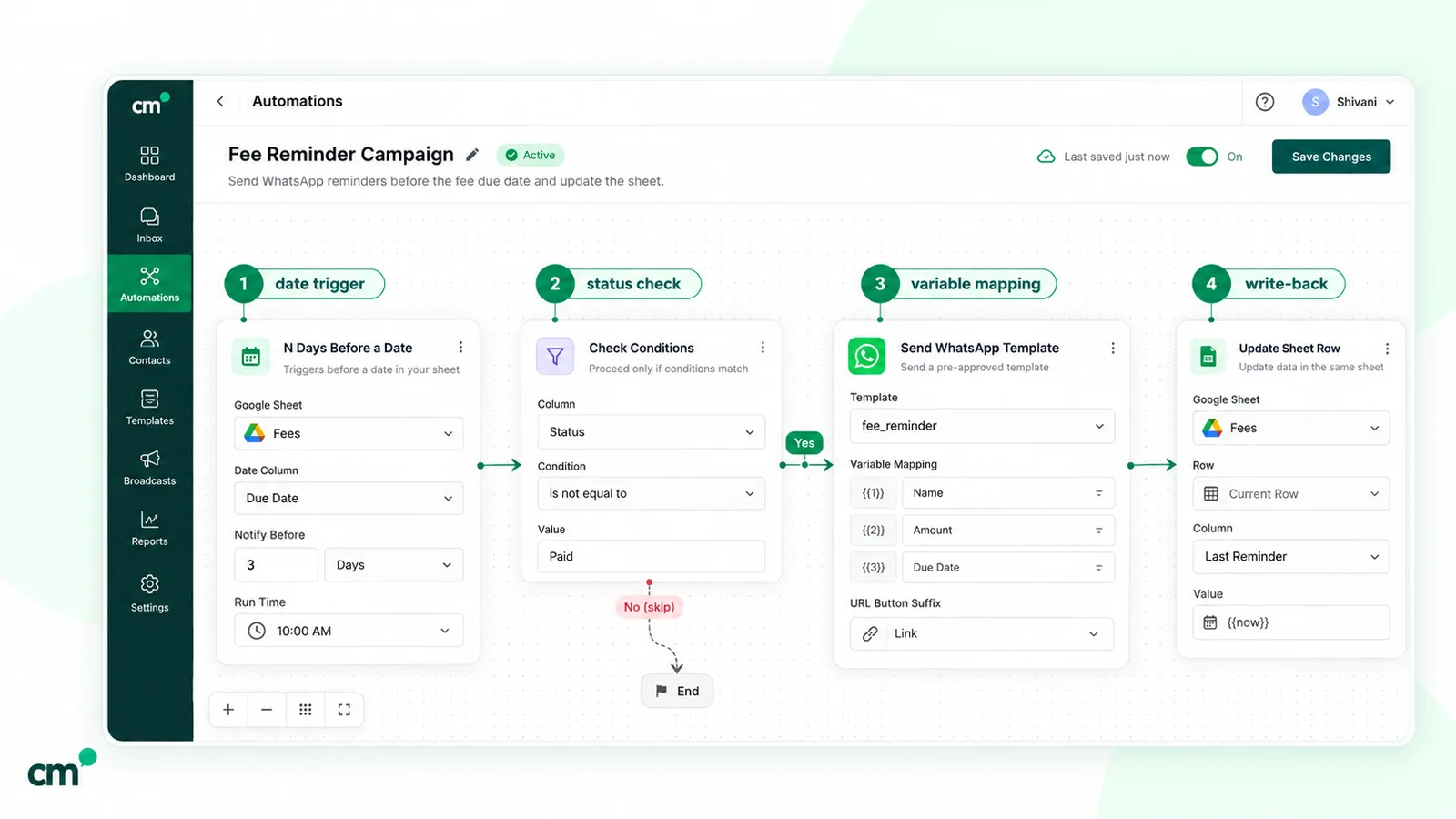
ChatMitra's Google Sheets automation has N Days Before a Date and N Days After a Date triggers. You pick the sheet, choose the date column, set the number of days (0 means on the day) and a Run at time in Indian Standard Time (default 9:00 a.m.). Each day it starts one run per matching row. It reads dates written as 2026-10-15, 15/10/2026 or 15-10-2026 (day first), and skips rows it can't parse.
Add a Check Conditions step (for example, Status does not equal Paid) to stop a run. Then Send WhatsApp Template, with each variable mapped to a column and the URL button's suffix taken from a column. Finish with Update Sheet Row to record the send. A Delay step (presets from 1 minute to 7 days) followed by Get Row from Google Sheet re-reads the row, so a second reminder can check whether the customer has paid in the meantime. An Executions page shows each run, step by step.
Four details from ChatMitra’s code are worth knowing before you build:
- With a sheet, the date trigger compares day and month only. A row due on 15 October 2026 matches again on 15 October 2027, and a row dated 15 October 2025 matches on 15 October 2026. Keep the Status check in every workflow, and move settled rows to another tab.
- “N Days After a Date” fires once, on that day. For reminders at 3 and 7 days overdue, create two workflows.
- Phone numbers are sent as written. ChatMitra doesn’t add a country code, so the sheet must hold full international numbers.
- Date triggers run on Indian Standard Time only, and there is no quiet-hours setting. Choose the Run at time with your customers’ hours in mind.
If your data lives in a booking system instead, ChatMitra’s automation also has an Incoming Webhook trigger that can send a template when your system posts to it. The REST API can send templates directly. Both need someone who can configure your system to call them. The Google Sheets automation page covers setup and example workflows.
Mistakes that get reminders recategorised, paused or blocked
- An offer in the footer. “Use code SAVE10 on your next visit” under an appointment reminder makes the whole template marketing.
- Reminding people who already paid. It’s a quick way to get a reminder reported. Check status before every send.
- Templates that say nothing specific. “Friendly reminder from us!” with no amount, date or reference reads as marketing and gets ignored.
- Sending from a list nobody opted into. An old contact export is not opt-in. Collect it at booking or admission.
- One template for everything. Separate templates for heads-up, due and overdue let you watch each one’s quality, and a pause on one doesn’t stop the others.
- Forgetting the replies. A reminder brings questions. If nobody answers “I paid by cheque”, the next reminder feels hostile.
- Retrying failed marketing sends at once. After error 131049, Meta says to wait at least 24 hours before resending.
Where ChatMitra fits, and where it doesn’t
ChatMitra suits businesses that keep due dates in a Google Sheet or can post them from their own system, and want reminders, replies and the team inbox on one WhatsApp number. It is not a billing or booking system.
| Need | In ChatMitra? | Detail |
|---|---|---|
| Date-based reminders from a sheet | Yes | N days before / after a date, birthday and anniversary triggers; Run at time in IST |
| Skip paid or confirmed rows | Yes | Check Conditions step; Get Row re-reads the sheet after a delay |
| Template variables and URL button suffix from columns | Yes | Mapped per variable in the Send WhatsApp Template action |
| Reminders from your own software | Yes, with setup | Incoming Webhook trigger, or REST API template sends |
| Replies in a shared inbox | Yes | Team inbox, tags, saved replies, Android app |
| Creating payment links (Razorpay, UPI) inside the automation | No | Put your own payment link in a sheet column |
| Calendar or booking-system connector | No | Use a webhook or the API from your booking tool |
| Quiet hours or per-customer time zones | No | One IST Run at time per workflow |
| Automatic STOP unsubscribe | No | Build it with a keyword rule and an opted-out tag |
If you need invoices, payment links and reconciliation in one place, billing or school-fee software with its own WhatsApp reminders fits better, or connect it to ChatMitra through the API. A clinic on a practice-management system should first check whether that system can call a webhook.
Where to start
Pick the one reminder that costs you most when missed: unpaid fees, no-shows or overdue invoices. Put the data in one sheet with a Status column, get one factual utility template approved, and run a single “day before” workflow for a month. Then add the other touches one at a time, watching replies and blocks.
Reminders are one part of a wider automation setup. The WhatsApp automation guide covers greetings, keyword replies, order updates and AI. If your reminders are really sales follow-ups, WhatsApp for sales covers chasing quotes and closing orders. When you’re ready to run reminders from your own number, compare ChatMitra’s plans.
Sources: Meta for Developers: template categorisation, template components, send messages, pricing (India rate card effective 1 October 2026), per-user marketing limits, template pacing, template pausing, getting opt-in. WhatsApp Business Messaging Policy. WhatsApp Help Center: events, business broadcasts. WhatsApp blog (7 January 2026). MacRumors (18 September 2025, secondary). ChatMitra product behaviour verified in ChatMitra’s code on 25 September 2026.
Facts checked against Meta's and WhatsApp's documentation on 25 September 2026.