WhatsApp retargeting is sending a second, better-aimed message to people who already showed interest: they read a campaign but didn’t buy, left a cart, asked a question and went quiet, or haven’t ordered in months. Because every one of those messages is a paid marketing template, and WhatsApp limits how many marketing messages each person receives, the skill isn’t sending more. It’s choosing who gets the follow-up, and who doesn’t.
This guide covers the two things “retargeting” can mean on WhatsApp, the signals you can trust, the Meta rules that quietly shrink a careless follow-up, eight retargeting plays with timing and stop rules, what it costs in India, and how to measure whether it actually earned anything.
Using ChatMitra? Open any finished campaign, pick its Sent, Delivered, Read or Failed group, and send a follow-up template to just those people, or tag them for a later campaign. Jump to retargeting in ChatMitra.
What WhatsApp retargeting means
In advertising, retargeting means showing ads to people who visited your site or used your app. On WhatsApp the word gets used for two different things, and mixing them up is how businesses end up breaking the rules.
1. Message retargeting. You send a WhatsApp message to people who are already your contacts, chosen by what they did before. Everyone in the audience gave you their number and agreed to hear from you. Examples: a follow-up to people who read Monday’s sale message, a reminder about a cart, a “we miss you” note to last year’s customers.
2. Ad retargeting into WhatsApp. You show a Facebook or Instagram ad to people who interacted with your business somewhere else, and the ad’s button opens a WhatsApp chat with you (a Click-to-WhatsApp ad). You aren’t messaging anyone. They choose to message you.
The difference matters because WhatsApp’s Business Messaging Policy only lets you contact people who “have given you their mobile phone number” and from whom you have “received opt-in permission”. A website visitor tracked by a pixel has done neither, so the only legitimate way to retarget them on WhatsApp is an ad that invites them to start the chat.
| Message retargeting | Ad retargeting into WhatsApp | |
|---|---|---|
| Who you reach | Opted-in contacts only | Anyone in a Meta ad audience, opted in or not |
| Who starts the chat | You, with an approved template | The customer, by tapping the ad |
| What you pay | Meta's marketing rate per delivered message, plus your provider's fee | The ad spend; your replies can be free for up to 7 days after they message you |
| Audience built from | Your own data: campaign status, tags, carts, orders | Website visitors (Meta pixel), uploaded customer lists, page and profile engagement |
| Best for | People who know you and have been quiet for days or weeks | Browsers and cold leads who never gave consent to be messaged |
Most of this guide is about message retargeting, because that’s where the money and the mistakes are. The ad side gets its own section further down.
Why retargeting on WhatsApp is different from retargeting with ads
A display ad that follows someone around costs you only when it’s shown or clicked, and an ignored ad doesn’t stop the next one from appearing. WhatsApp works differently in four ways.
Every retargeting message is a paid marketing template. Meta’s template categorisation guidelines say marketing templates exist for goals “from generating awareness to driving sales and retargeting customers”, and list retargeting as a named marketing use case: offers or calls to action sent “to users who might have visited your website, used your app or engaged with you. These are marketing even if requested by users.” Meta’s own examples include “You left {{items}} in your cart!” and “Your subscription will expire on {{date}}! Renew today”. You can’t dress a retargeting message up as a utility update.
Ignored messages cost you reach, not just money. WhatsApp may limit the marketing templates a person receives “when they are less likely to be receptive”, judged partly by “a dynamic view of an individual’s recent marketing message read rate” (per-user marketing limits). The limit applies across all businesses, and every marketing template delivered counts towards it. A follow-up nobody wanted uses up space your next, better message needed.
People can switch you off in one tap. WhatsApp’s “Offers and announcements” setting lets users “stop or resume delivery of marketing messages from your business entirely” (marketing templates). Once they do, your sends fail with error 131050. Retargeting the same person too often is the quickest way to lose them for good.
It’s personal space. A WhatsApp message lands next to family chats. The same follow-up that would be fine as a banner ad feels like a stranger tapping your shoulder when it arrives on a phone’s lock screen.
The upshot: on WhatsApp, the audience you leave out of a retargeting campaign matters as much as the message itself.
The signals you can retarget on, and how far to trust them
Every retargeting audience starts with a signal. Some WhatsApp signals are solid; others look precise but aren’t.
| Signal | Where it comes from | How reliable it is |
|---|---|---|
| Delivered | Meta's status webhook: the message reached the person's device | Solid. Also the point where Meta charges you |
| Read | Meta's status webhook: the message "was displayed in an open chat thread", the business version of two blue ticks | Good for "opened the chat", not "considered the offer". A missing read status isn't proof someone never saw it |
| Failed | Meta's status webhook, with an error code | Solid, but the error code decides what to do next (see play 3) |
| Replied | An inbound message, or a quick-reply button tap | The strongest interest signal WhatsApp gives you. It also opens a 24-hour window where you can talk normally |
| Clicked a link | Your own tracking: UTM tags in analytics, a short-link service or a coupon code | Only as good as your setup. WhatsApp's status webhook doesn't report link clicks |
| Cart, order, booking | Your store, booking system or CRM | Solid, and the most valuable: it's real buying behaviour |
| Stopped buying | Order history: last purchase date | Solid, if your customer records are clean |
Meta defines the statuses in its status webhook reference. Two practical points follow from it. First, “read” only tells you the chat was opened, so a read with no reply and no order is a weak yes, not a strong one. Second, treat the “not read” group as “no read signal received”, not “never saw it”. Building a campaign on the assumption that those people definitely missed your message is how businesses justify a full resend.
The rules every WhatsApp retargeting campaign must follow
Opt-in comes before everything
You can retarget only people who opted in to messages from you. WhatsApp’s policy puts the burden on you: you are “solely responsible for determining the method of opt-in” and for complying with local law. Meta’s opt-in guidance says businesses “must clearly state that a person is opting in to receive communication from the business” and must name the business. If your contact list came from a purchase without that consent, retargeting it is a policy risk, whatever your tool allows. Our opt-in guide covers how to collect it properly.
In India, the Digital Personal Data Protection Act, 2023 adds that when consent is the basis for processing, people can withdraw it “at any time, with the ease of doing so being comparable to the ease with which such consent was given” (section 6(4)). A retargeting message should make stopping as easy as starting was.
Retargeting is always marketing
As quoted above, Meta treats retargeting as marketing even when the customer asked for it. Plan your budget at the marketing rate, and don’t try to slip an offer into an order update. Meta says mixed content, such as “an order update with a promo”, is marketing too.
Per-user marketing limits and error 131049
When a person reaches their per-user marketing limit, your message fails with error 131049. Meta’s per-user limits page (updated 17 June 2026) says three things that shape retargeting:
- Wait before resending. “Wait at least 24 hours before attempting to resend a marketing template message to a user that has reached their limit.”
- Don’t hammer. If you retry “multiple times within a 24-hour period”, further attempts “may be unavailable for up to 24 hours”.
- Replies reset the clock. If someone replies to a marketing message, a 24-hour customer service window opens, and marketing messages sent inside it “do not count towards the limit”.
The page also says WhatsApp “does not currently deliver marketing template messages” to users with United States phone numbers. Strip US numbers out of retargeting audiences before you pay for failures.
Respect the stop button
When someone turns off your offers, your sends fail with error 131050 (“This recipient has chosen to stop receiving marketing messages on WhatsApp from your business”). Meta’s error code reference says: “Do not retry sending messages to this user as they will not be received.” WhatsApp’s policy also says you “must respect all requests (either on or off WhatsApp)” to opt out. Keep a suppression list, and check it before every retargeting send.
The “resend to everyone who didn’t read” trap
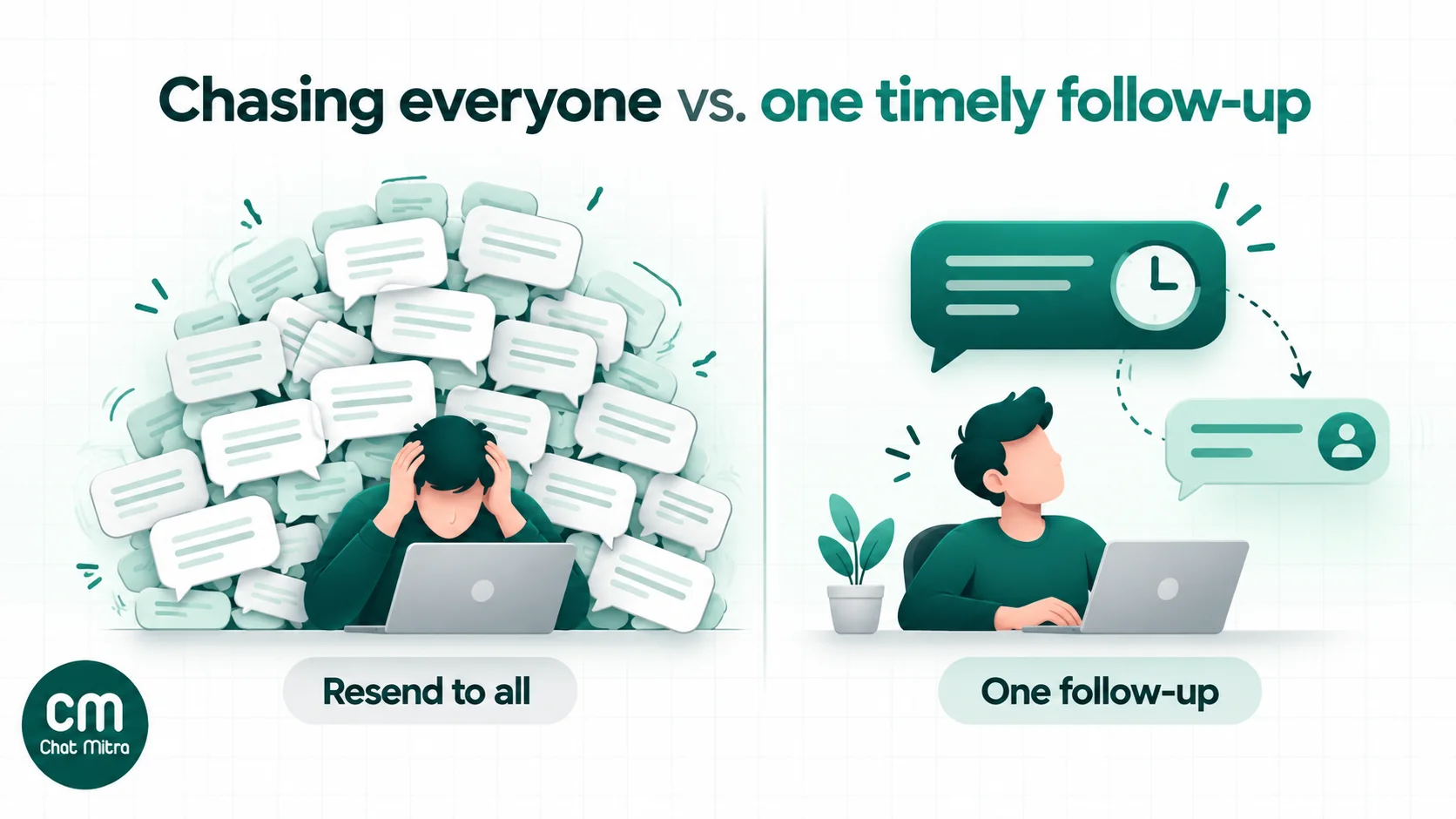
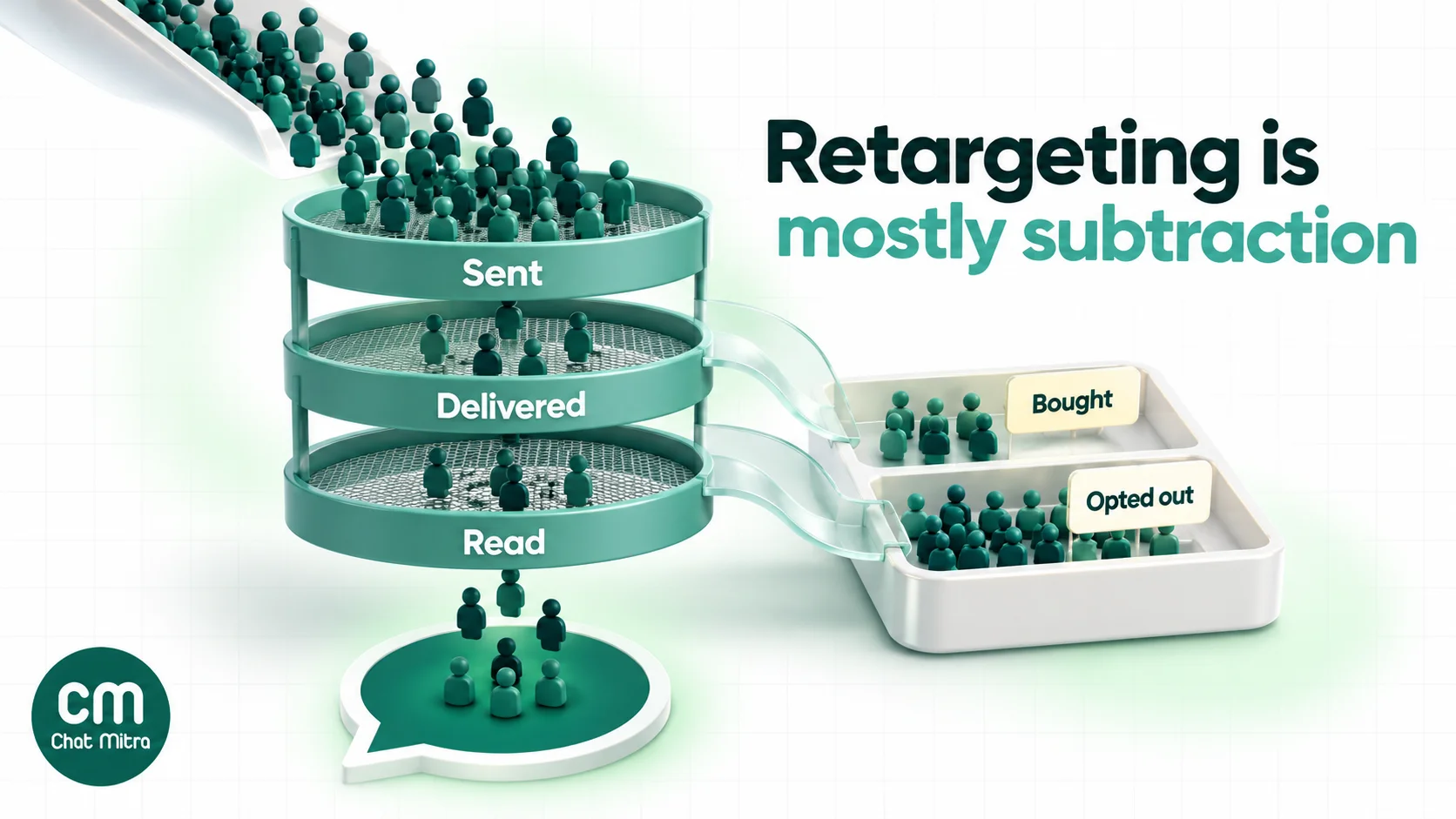
Every WhatsApp campaign report invites the same idea: half the list didn’t read the message, so send it again. On WhatsApp this is usually the weakest retargeting play you can run, for three reasons that stack up.
- It targets the people WhatsApp is most likely to cap. The per-user limit is driven partly by each person’s recent marketing read rate. People who don’t read your messages are, by definition, the ones with low read rates. A resend to them is the campaign most likely to come back full of 131049 failures.
- The group isn’t what it looks like. “Not read” mixes people who saw the notification and swiped it away, people who opened WhatsApp days later, and people whose read status simply never came back. A message designed for “people who missed it” will annoy many who didn’t.
- It spends the same budget on the least interested people. Every delivered resend costs the full marketing rate, and the cost lands on the group least likely to convert.
If you want a second go at non-readers, do it differently: wait several days, change the hook and the first line (that’s what shows on the lock screen), send at a different time of day, or reach them through another channel. And cap it at one attempt.
Spend the retargeting budget on the people who showed interest instead: they read and didn’t act, tapped a button, replied, or left a cart. That’s where retargeting earns its name.
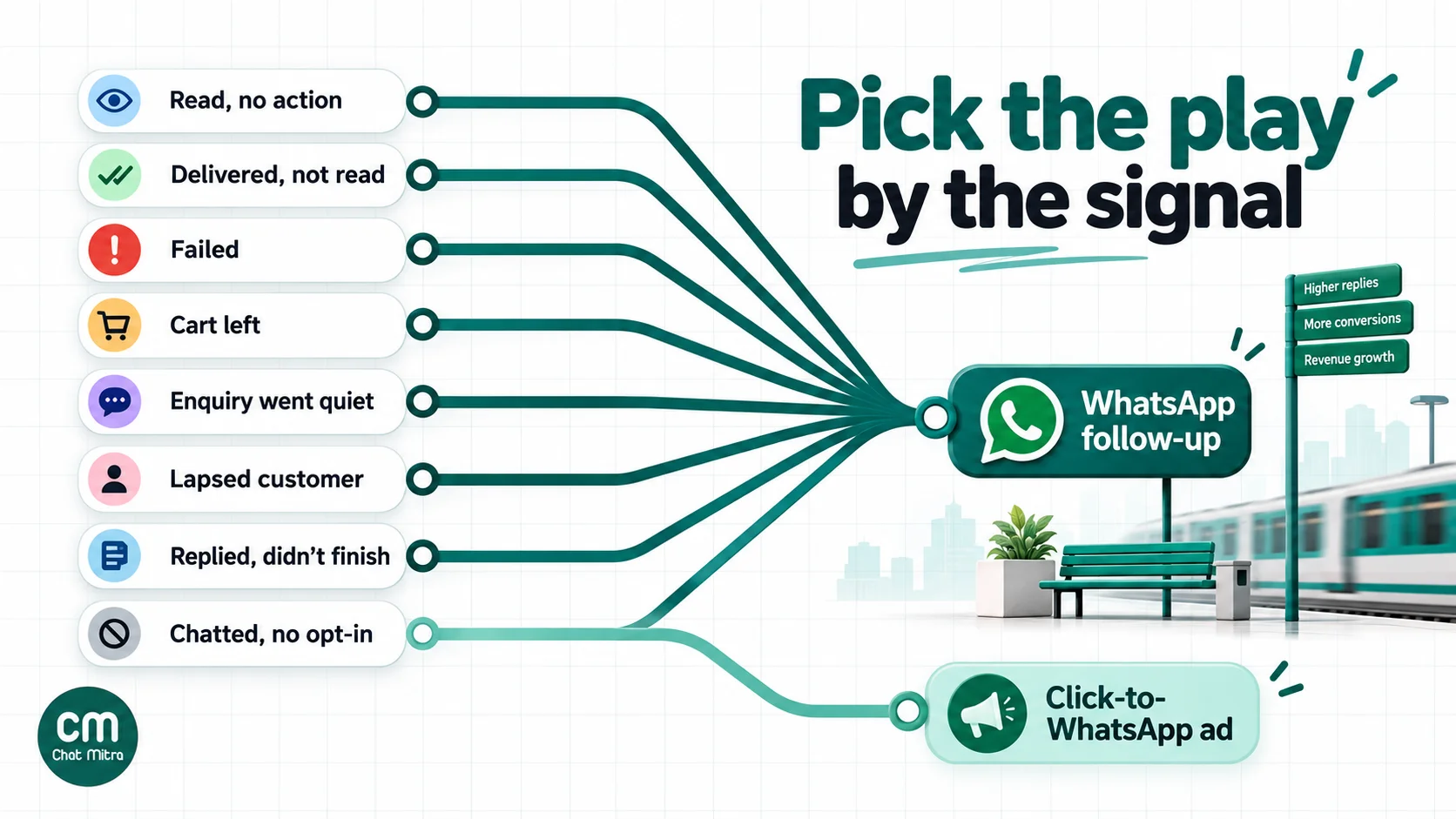
Eight WhatsApp retargeting plays
Each play below lists the signal, the timing, what to leave out and a sample message. Timings are starting points to test, not benchmarks.
1. Read the campaign, didn’t act
- Signal: delivered and read, no order, booking or reply.
- Timing: 24 to 72 hours after the first send. Long enough not to feel like a chase; short enough that they remember it.
- Leave out: anyone who bought, replied or opted out since.
- Angle: don’t repeat the first message. Add the missing reason to act: a closing date, a size that’s back, a review, an answer to the obvious objection.
- Example: “Hi {{1}}, the monsoon range you looked at closes on Friday. Sizes M and L are still in stock, and delivery is free until then.”
2. Delivered, no read signal
- Signal: delivered but not read.
- Timing: if at all, several days later, at a different time of day.
- Leave out: anyone who got a 131049 failure in the last campaign.
- Angle: treat it as a new message, not a reminder. Rewrite the first line, which is all a busy person sees. Or skip WhatsApp for this group and use email or an ad.
- Rule: one attempt only. If they don’t read the second message either, stop marketing to them on WhatsApp until they interact again.
3. Failed sends: retry, fix or drop
The error code decides what to do.
| Failure | What it means | What to do |
|---|---|---|
| 131049 | Per-user marketing limit reached | Retry once, no sooner than 24 hours later. If it fails again, drop them from this campaign |
| 131050 | They turned off your offers | Never retry. Add them to your suppression list |
| Number not on WhatsApp | The number can't receive WhatsApp messages | Remove or correct it; ask for another number at the next contact |
| Template or account errors | A problem with your template, payment or setup | Fix the cause, then resend to the whole failed group |
Meta doesn’t charge for messages that weren’t delivered, so failures cost you reach rather than money, unless you keep retrying the wrong ones.
4. Abandoned cart or checkout
- Signal: a checkout started with the customer’s phone number and marketing consent, no order.
- Timing: the first reminder within the hour; a second within a day. Stop the moment an order arrives.
- Leave out: anyone who ordered by another route (COD, a different device, a call).
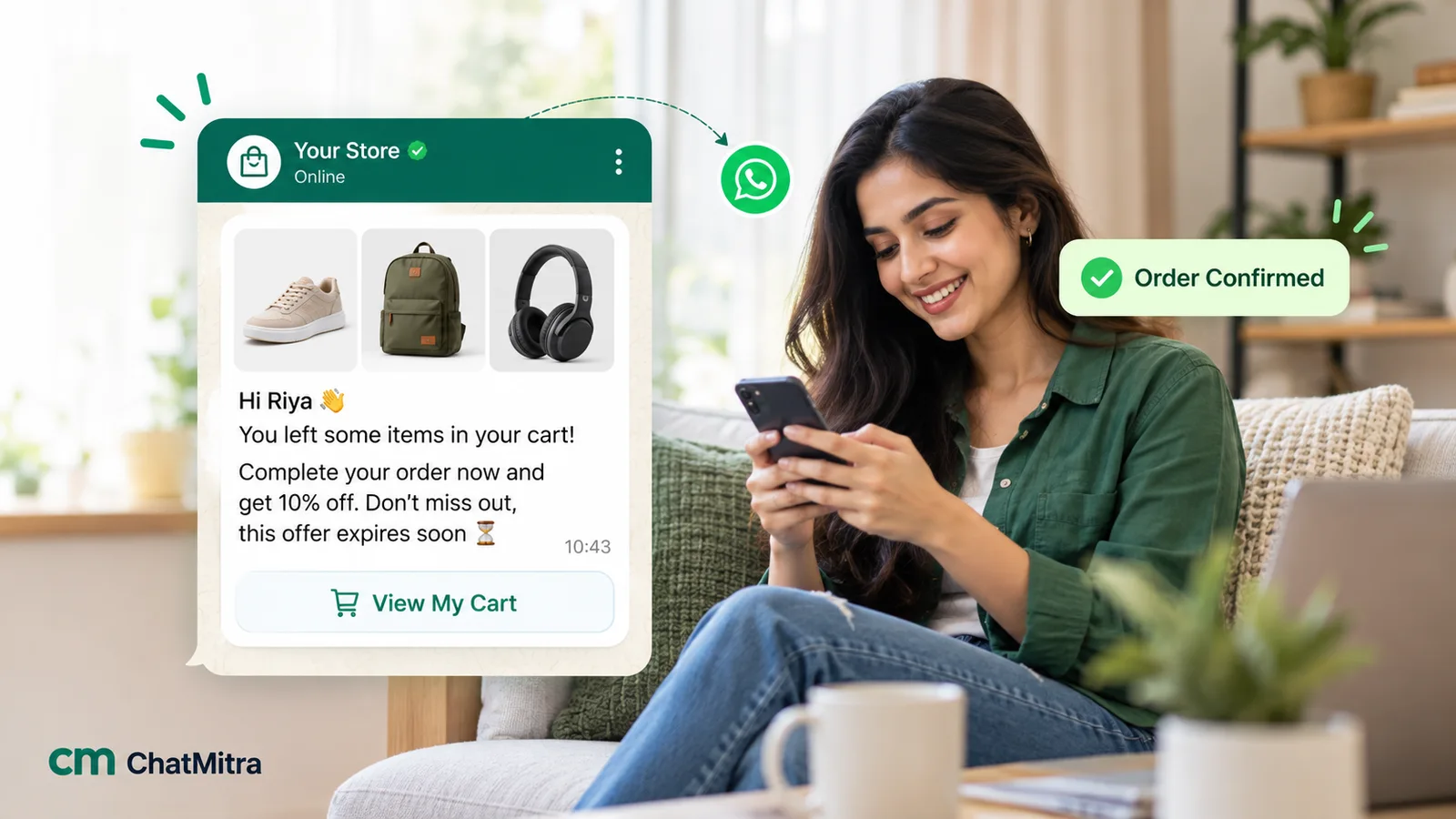
- Angle: remind first, discount last, if at all. Meta’s own example of a retargeting template is a cart reminder, so it’s billed as marketing.
- Our abandoned cart recovery guide covers the full sequence and wording.
5. Enquired, then went quiet
- Signal: the customer messaged you (from your website button, a QR code or an ad) and didn’t buy or book.
- Timing: inside the 24-hour customer service window you can reply in normal messages, which Meta bills as free-form service messages rather than templates. After the window closes, a follow-up needs a template, and a sales nudge is marketing.
- Leave out: people who never agreed to marketing messages. Answering their question doesn’t give you consent to send them offers.
- Angle: pick up where the conversation stopped, with the one thing they needed: the price in writing, a slot, a photo, a delivery date.
- For ready-made wording, see our follow-up message guide.
6. Lapsed customers
- Signal: last order older than your normal repeat cycle (for example 60 days for a monthly consumable, a year for an annual service).
- Timing: just after they’d normally have bought again.
- Leave out: customers with an open complaint or refund.
- Angle: relevance before discount: what’s new since their last order, a refill of what they bought, a change they asked for.
- Example: “Hi {{1}}, it’s been about two months since your last coffee order. The Chikmagalur beans you liked are back from the new harvest. Reply YES and we’ll hold a bag for you.”
7. Replied or tapped, but didn’t finish
- Signal: they tapped a quick-reply button such as “Show me” or asked a question in reply to a campaign, then stopped.
- Timing: right away, inside the 24-hour window that their reply opened.
- Angle: a human or a bot answer that completes the step: a payment link, the exact product, a booking slot. This is retargeting at its cheapest, because you’re in a live conversation and, per Meta, marketing messages inside the window don’t count towards the per-user limit.
8. Chatted once, never opted in to offers
- Signal: a person who messaged you, for example after a Click-to-WhatsApp ad, but never agreed to marketing messages.
- Approach: don’t message them. Show them an ad instead, as described in the next section, so they can choose to come back.
Retargeting people who never messaged you
Website visitors, app users and social followers who haven’t given you their number and consent can’t be messaged on WhatsApp. You can still bring them to WhatsApp with a Click-to-WhatsApp ad, using Meta’s ad audiences.
- Website custom audiences. With the Meta pixel on your site, you can build an audience of visitors, and Meta’s help centre gives the example of retargeting “people who have visited your website in the last 30 days but haven’t converted yet” (website custom audiences).
- Customer list custom audiences. You can upload identifiers such as phone numbers and emails. Meta says it hashes this information before use and matches it to profiles, so you can advertise on Facebook, Instagram and Audience Network (customer list audiences). Before uploading WhatsApp contacts, check that your privacy notice covers sharing data with advertising platforms.
- Engagement audiences. Meta’s help centre lists engagement sources such as video viewers, Instagram accounts, Facebook Pages and lead forms. When we checked on 15 October 2026, it listed no source built from WhatsApp conversations, so a “messaged us on WhatsApp” audience has to come from your own data, uploaded as a customer list.
When someone taps a Click-to-WhatsApp ad and you reply within the customer service window, Meta’s pricing page says a free entry point window opens that “may remain open for up to 7 days”, during which Meta doesn’t charge for marketing, utility, authentication or service messages. That makes ad retargeting into WhatsApp cheap to follow up, as long as your team replies quickly.
This guide doesn’t repeat the Ads Manager steps. Our WhatsApp ads guide explains ad formats and setup, and Click-to-WhatsApp ads for ecommerce shows how stores use them.
What WhatsApp retargeting costs
Meta charges per delivered message, by category and the recipient’s country. On the India rate card effective 1 October 2026, a marketing template costs ₹0.8631 and a utility template ₹0.115 (see our cost per message guide). On ChatMitra’s Starter and Pro plans you also pay ₹0.20 once per customer per 24-hour conversation; Enterprise has no per-conversation fee.
A retargeting message usually goes out a day or more after the first campaign, so it starts a new conversation and carries the ₹0.20 fee again. That makes about ₹1.06 per delivered retargeting message on Starter or Pro.
Here’s a worked example. The campaign numbers are illustrative, not benchmarks.
First campaign: 10,000 opted-in contacts. 9,400 delivered, 5,600 read, 260 orders.
| Follow-up audience | People | Meta (₹0.8631 each) | ChatMitra fee (₹0.20 each) | Total if all delivered |
|---|---|---|---|---|
| Everyone delivered, minus buyers | 9,140 | ₹7,889 | ₹1,828 | ₹9,717 |
| Read, minus buyers (play 1) | 5,340 | ₹4,609 | ₹1,068 | ₹5,677 |
| Delivered, not read (play 2) | 3,800 | ₹3,280 | ₹760 | ₹4,040 |
Three things stand out:
- Leaving out buyers is free money. Re-messaging the 260 people who already bought would add ₹276 and some irritation.
- The “read” audience costs 42% less than a full resend and contains everyone who showed any sign of interest.
- The “not read” group isn’t cheap just because it’s smaller. It’s the group most exposed to 131049 failures, and you’d pay full price for every message that does get through to people unlikely to act.
To judge whether a play pays, work out the break-even. If your average gross margin per order is ₹300, the ₹5,677 “read” follow-up needs 19 extra orders to break even. Note extra: orders that wouldn’t have happened without it. That’s the next section.
How to measure whether retargeting worked
Retargeting audiences are full of people who were going to buy anyway. If you count every order from the retargeted group as a win, retargeting will always look brilliant.
Use a holdout group. Before sending, randomly set aside a slice of the audience, say 10%, and don’t message them. After a set period (a week works for most offers), compare the order rate in the messaged group with the holdout. The difference is what retargeting earned.
A simple worksheet:
- Messaged group: 4,806 people, 154 orders → 3.2% order rate.
- Holdout group: 534 people, 9 orders → 1.7% order rate.
- Lift: 3.2% − 1.7% = 1.5 percentage points → about 72 extra orders from the 4,806 messaged.
- Compare 72 extra orders × your margin with the cost of the send.
(Again, illustrative numbers.) Small holdouts are noisy, so judge a play over several campaigns rather than one.
Track the click, not just the read. Put UTM parameters on every link in a retargeting template, for example utm_source=whatsapp&utm_medium=retargeting&utm_campaign=monsoon-read-followup, so your analytics separates retargeting from first sends. A unique coupon code per play does the same job for offline or COD orders. Our guides to WhatsApp marketing ROI and GA4 tracking for WhatsApp go further, and A/B testing WhatsApp campaigns explains how to test two follow-up messages fairly.
Watch the cost of reach, too. Track 131049 and 131050 failures per campaign. If either rises after a retargeting push, your audiences are too broad or your follow-ups too frequent.
Frequency and timing rules worth adopting
Meta doesn’t publish a fixed cap, because the per-user limit adapts to each person. These house rules keep you well inside it:
| Rule | Why |
|---|---|
| One follow-up per campaign | A second follow-up mostly reaches people who already decided |
| At least 24 hours between a send and its follow-up | Meta's own minimum after a 131049 failure; shorter gaps feel like chasing |
| Exclude buyers, opt-outs and recent complainers every time | The three groups most likely to block or report you |
| A weekly ceiling on marketing messages per person, set by you | Several teams running campaigns can pile up on the same customer |
| Change the first line in every follow-up | It's what shows on the lock screen and in the chat list |
| Stop marketing to anyone who ignores two campaigns in a row | They're the people most likely to be capped, and they cost the most per result |
For send times, our guide to the best time to send a WhatsApp broadcast covers how to test them on your own list.
How to run WhatsApp retargeting in ChatMitra
Here’s what ChatMitra offers for retargeting, checked against the product in October 2026.
| Need | ChatMitra feature |
|---|---|
| Follow up on an earlier campaign | Campaigns → your campaign → Customers: switch between the Sent, Delivered, Read and Failed tabs, optionally narrow it with include and exclude tags, select the people (one page or all), and click Broadcast to send a new approved template to them |
| Save a group for later | Manage Tags on the same page tags everyone in the selected group, for example "read-monsoon-sale", so later campaigns can include or exclude them |
| Retry failures automatically | Optional automatic retries for failed messages: up to 3 rounds, each 1 to 168 hours apart |
| Target by behaviour you track yourself | Campaigns with include and exclude tags, for example include "customer", exclude "bought-oct" and "no-offers" |
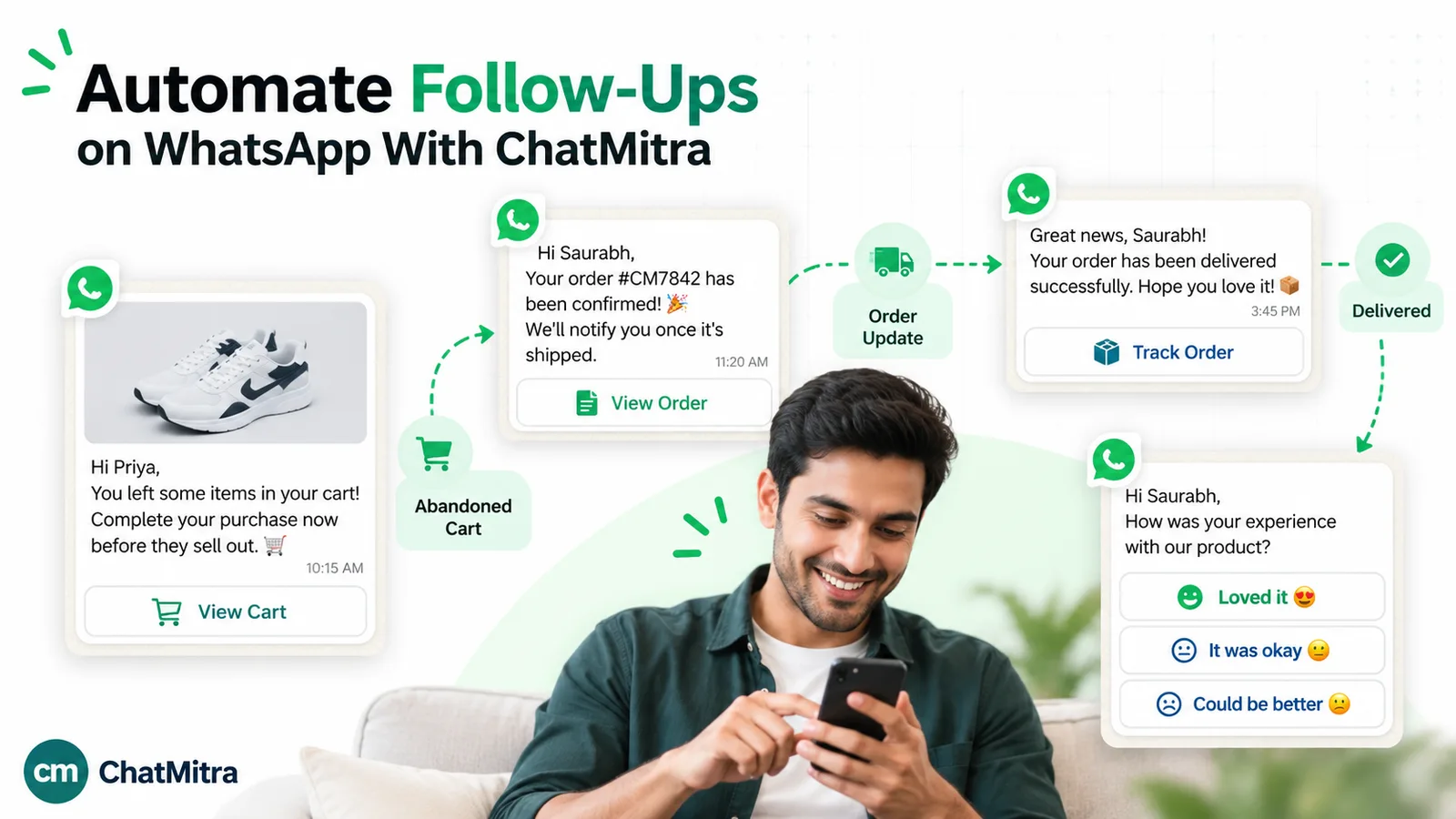
| Cart reminders for Shopify | Up to three abandoned-cart reminders, each with its own template and delay (1 minute to 24 hours after checkout), cancelled when the order is placed |
| Follow up enquiries in the window | The shared inbox, for normal replies inside the 24-hour window |
Step by step: follow up with readers who didn’t buy
- Wait at least a day after the first campaign, then open Campaigns and the campaign you want to follow up.
- On the Customers page, open the Read tab.
- Select all, and use Manage Tags to add a tag such as “read-monsoon-sale”. Do the same on the other tabs if you want to keep those groups.
- Tag your buyers (“bought-monsoon”) from your order export, and make sure anyone who asked to stop has your opt-out tag.
- Create a new campaign with an approved marketing template. Include “read-monsoon-sale” and exclude “bought-monsoon” and your opt-out tag.
- Put a UTM-tagged link or a unique coupon in the template, and hold back a random 10% of the group if you want to measure lift.
- Schedule it, then check the new campaign’s Failed tab two days later for 131049 and 131050.
The same trick gives you “delivered but not read”. The Delivered tab includes people who read the message. Tag the Read tab first (“read-x”), tag the Delivered tab (“delivered-x”), then run a campaign that includes “delivered-x” and excludes “read-x”.
Good to know:
- No reply or click filters. Campaign groups are based on WhatsApp’s sent, delivered, read and failed statuses. ChatMitra doesn’t track link clicks, and “replied” isn’t a campaign filter, so use UTM links or coupons for clicks, and tag people from the inbox when they reply.
- Opted-out customers aren’t skipped automatically. When someone asks to stop or taps a “Stop offers” button, tag them and exclude that tag from every campaign, including retargeting ones.
- Set retries to 24 hours or more. Automatic retries can be set as short as 1 hour, which breaks Meta’s advice for 131049 failures, and a retry won’t help a 131050 opt-out.
- No ad-audience sync. ChatMitra doesn’t send audiences to Meta Ads. For Click-to-WhatsApp retargeting, export your contacts and upload them in Ads Manager as a customer list. Ad referral details for chats that start from a Click-to-WhatsApp ad are included in ChatMitra’s message webhook for developers, but aren’t shown in the inbox.
- Exports: the Sent and Failed groups can be exported as a spreadsheet, up to three exports per campaign.
- Plan availability: retargeting is part of the Campaigns feature. Check what your plan includes on the pricing page.
Why businesses run WhatsApp retargeting in ChatMitra
| ChatMitra advantage | What it means for retargeting | How it compares |
|---|---|---|
| Meta’s rates with no markup, plus ₹0.20 per 24-hour conversation | A follow-up costs about ₹1.06 per delivered message in India, with the Meta part at cost | Check whether a provider adds a margin to every marketing template |
| Follow-up straight from any campaign’s status groups | No exports or spreadsheets to rebuild the audience | Some tools put campaign retargeting on higher plans only |
| Tags from campaign groups, plus include and exclude in every campaign | Build “read but didn’t buy” and “delivered but not read” audiences yourself | Check whether exclusions are available on the plan you’d buy |
| Shopify cart reminders that cancel on order | No reminder reaches a customer who already paid | Check whether cart flows stop automatically elsewhere |
| Free Starter plan; Pro at ₹999 a month with a 15-day free trial; Enterprise at ₹2,499 removes the ₹0.20 fee | Test retargeting on real campaigns before you commit | Compare the total monthly cost, not just the plan price |
For more campaign ideas built on the same tools, see our WhatsApp marketing campaign ideas and the broadcasting feature page.
Common WhatsApp retargeting mistakes
- Resending the same message to everyone who didn’t buy. It’s the most expensive audience and the one most likely to hit the per-user limit.
- Retargeting buyers. Nothing burns goodwill faster than an offer for something the customer paid for yesterday, sometimes at a higher price.
- Treating chat enquiries as marketing consent. Answering someone’s question doesn’t mean they agreed to promotions.
- Disguising a cart reminder as a utility update. Meta classes it as marketing, and mis-categorised templates get re-categorised or rejected.
- Retrying 131049 failures within hours. Meta says wait 24 hours; retrying sooner can block delivery to that person for up to a day.
- Ignoring 131050. These people switched you off. Suppress them permanently.
- Counting every order as a retargeting win. Without a holdout group, you can’t tell retargeting results from orders that would have happened anyway.
- Running WhatsApp retargeting alongside a separate drip and a broadcast to the same person in one week. Each team’s plan looks reasonable; the customer sees three messages. If you run timed sequences too, see our guide to WhatsApp drip marketing for exit rules.
A checklist before you send a retargeting campaign
- Everyone in the audience opted in to messages from you.
- The audience is based on a clear signal: read, replied, cart, order history.
- Buyers, opt-outs, open complaints and US numbers are excluded.
- It’s at least 24 hours since the first send.
- The template is approved as marketing, with a new first line and one clear call to action.
- Links carry UTM tags, or the offer uses a unique code.
- A holdout group is set aside if you want to measure lift.
- Automatic retries, if used, are 24 hours or more apart.
- You know the break-even: cost of the send ÷ margin per order.
- Someone will watch the replies, because a good retargeting message starts conversations.
Where to start
If you’ve never retargeted on WhatsApp, start with play 1: next time you run a campaign, wait two days, tag the people who read it, remove anyone who bought, and send one follow-up that adds a reason to act. Hold back 10% to see what it really earned. Once that works, add cart reminders and a lapsed-customer play, and keep the people who didn’t read the first message out of it.