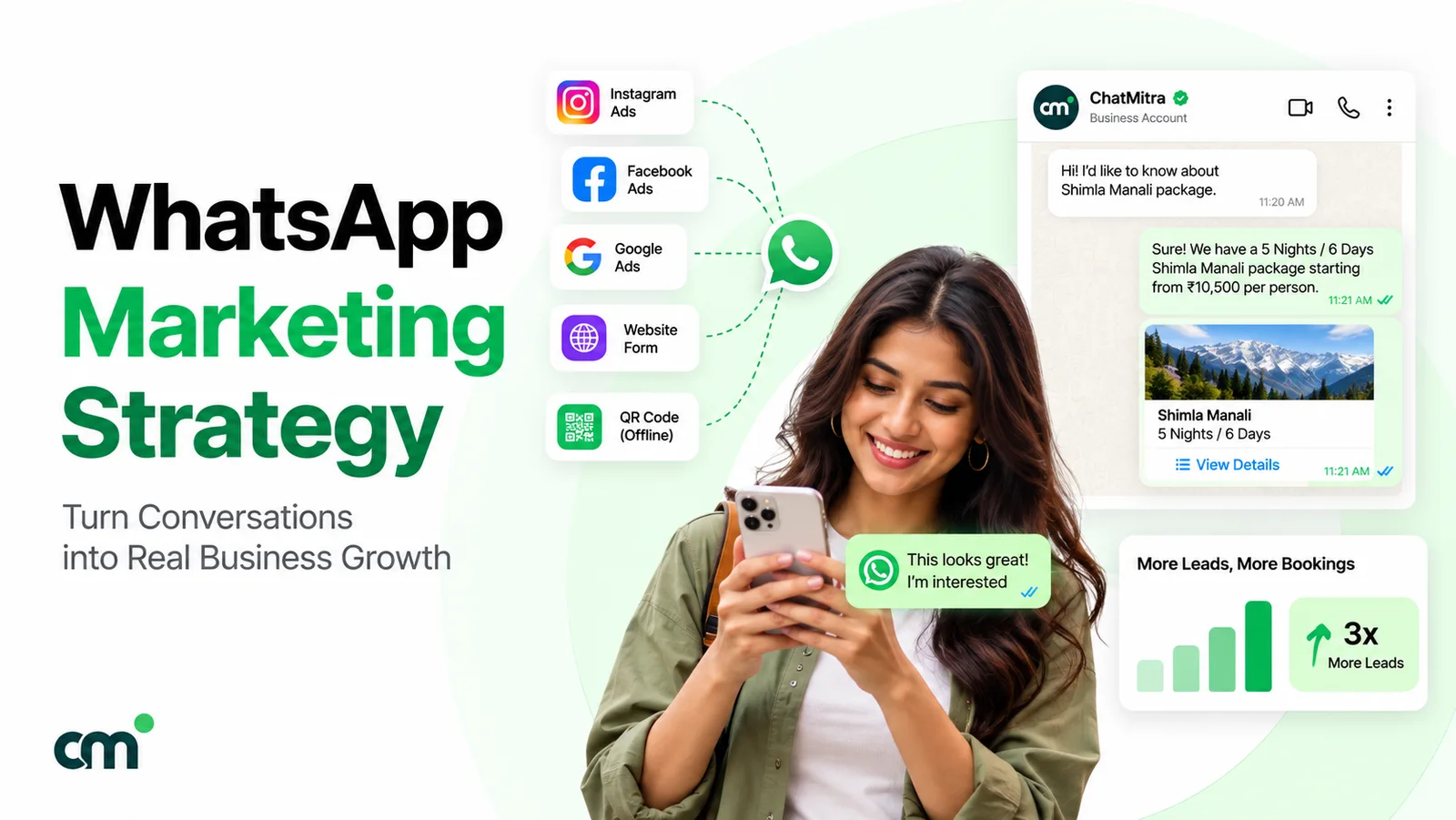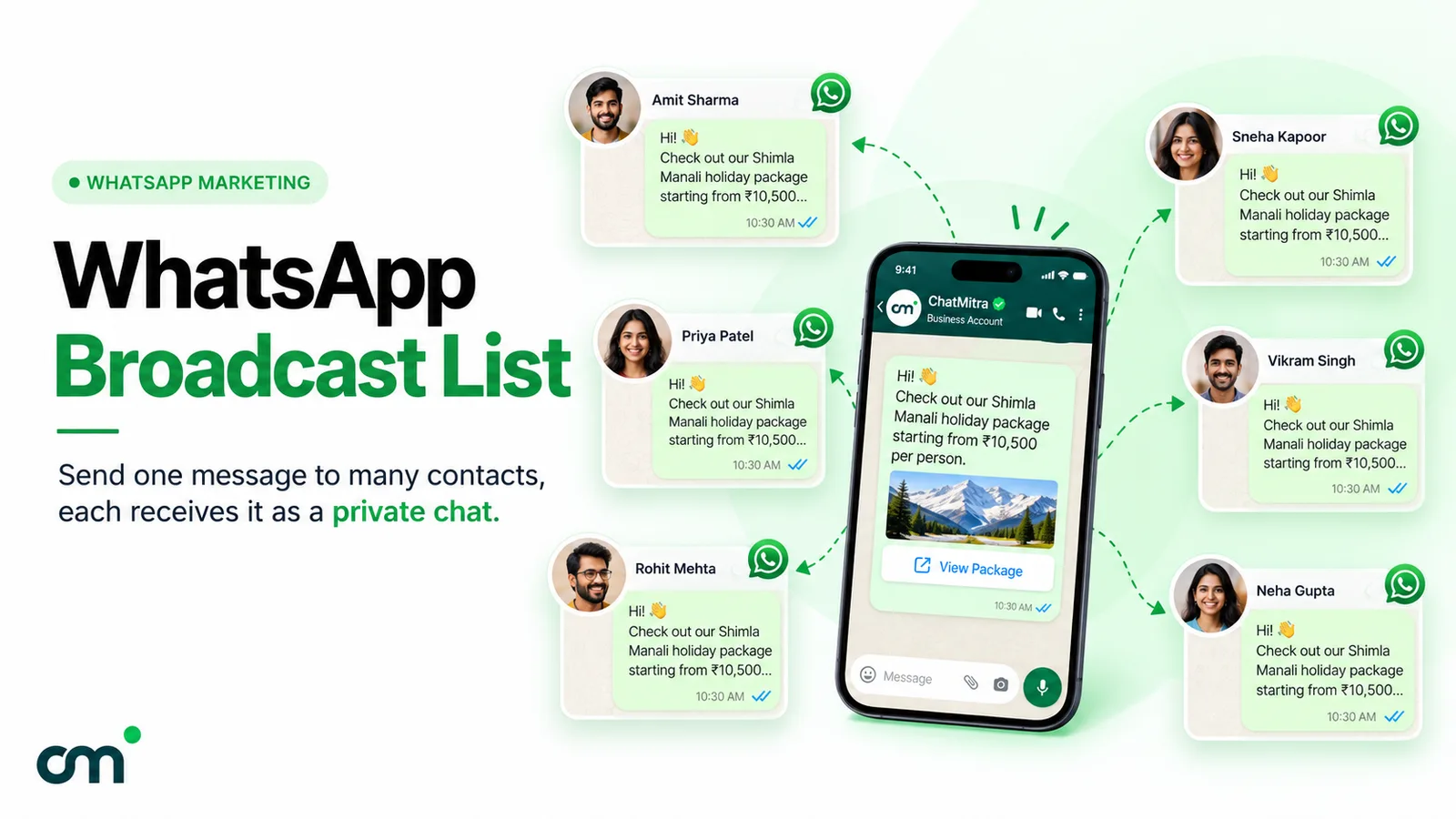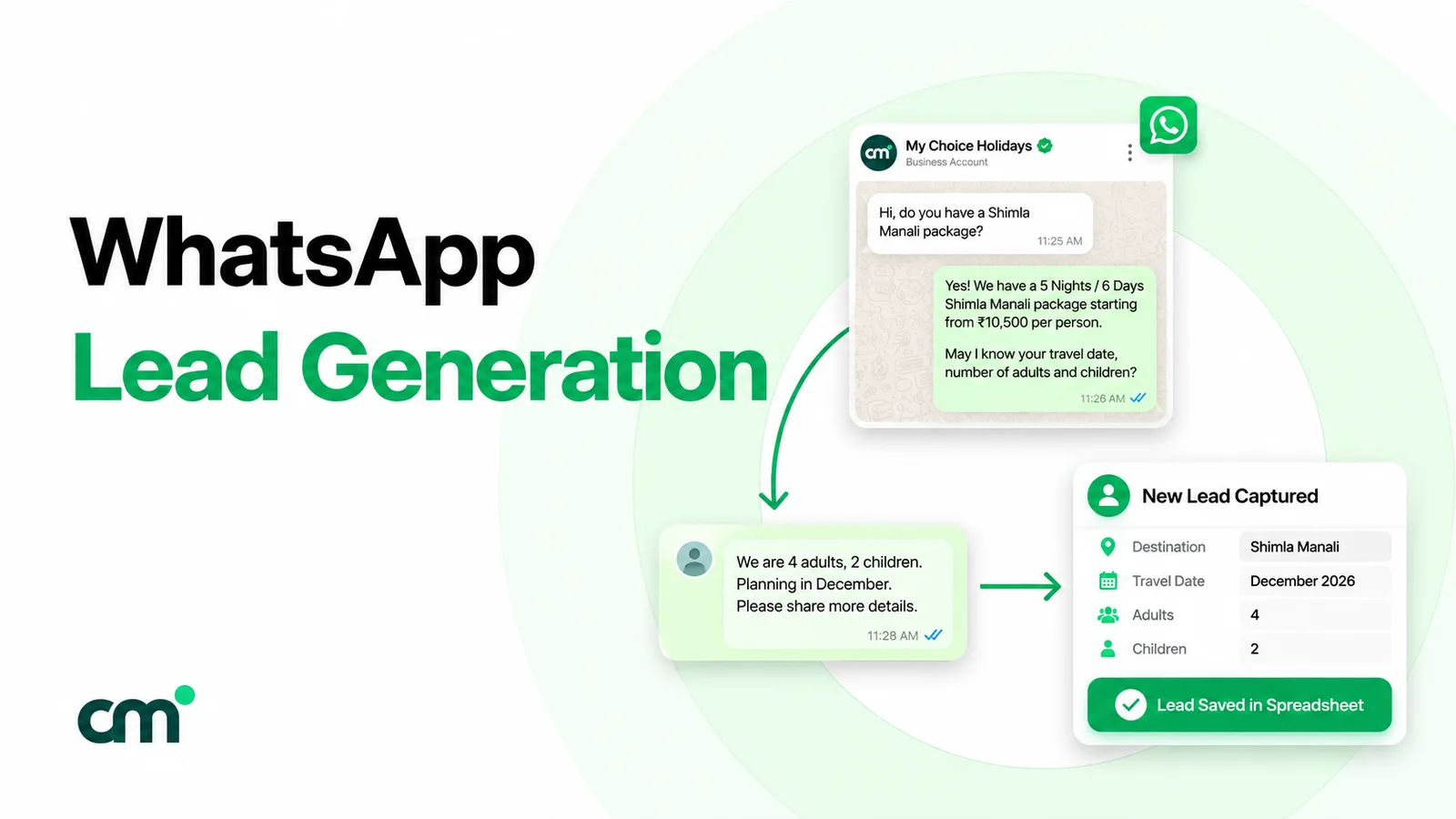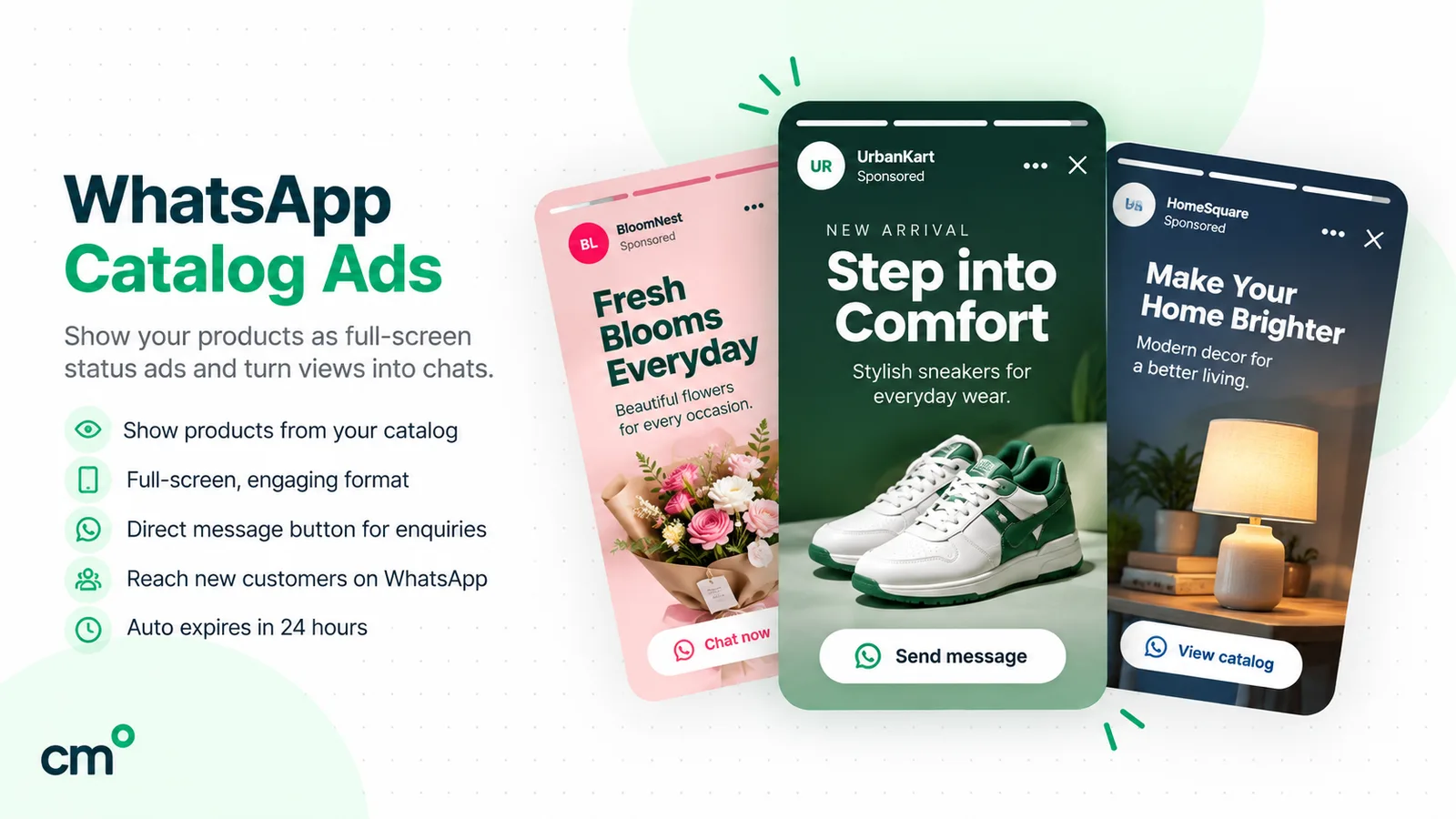
WhatsApp Status marketing means posting short updates (photos, videos, text or voice notes) to your WhatsApp Business Status, where they stay for 24 hours. Your Status reaches customers who saved your number and whom you saved. It’s free, replies land in your chats, and paid ads in Status, bought in Meta Ads Manager and still rolling out gradually, extend it to new people.
For a local shop or service business, Status is the quietest sales channel on the phone: no feed of strangers’ posts, no fee, and an audience made of people who already know you. The catch is that it reaches only those people, disappears in a day, and can’t be posted through the API. This guide covers who actually sees your Status, what to post through the week, how to grow and measure the audience, where ads in Status fit, and how Status sits next to the WhatsApp Business Platform.
Key takeaways
- Your Status audience is your saved-contacts list. Grow the list, and the reach follows.
- A Status earns its place when it gives people a reason to reply: stock, slots, proof, a question.
- Meta documents no API that posts a Status. Plan it as a manual routine, and use paid ads when you need people outside your contacts.
Facts checked against Meta's and WhatsApp's documentation on 25 September 2026.
What is WhatsApp Status marketing?
Status is WhatsApp’s disappearing-update feature, in the Updates tab alongside Channels. WhatsApp’s Help Center describes it as a way to “share text, photo, video, and GIF updates that disappear after 24 hours” (About status). A business uses the same feature from the WhatsApp Business app. There is no separate “business Status”.
Status marketing has two forms, and they work very differently:
- Organic Status. You post from your WhatsApp Business app. It’s free, and it’s shown to your contacts according to your privacy settings.
- Ads in Status. You pay Meta to show a full-screen ad between other people’s statuses, including to people who don’t have your number. They are bought in Meta Ads Manager, not in WhatsApp.
One naming trap: some people call the short text under a WhatsApp profile name the “status”. That’s the About line, and it isn’t what this guide covers.
What you can post
These are the formats and limits WhatsApp documents for the Android app (How to create and share a status; Can’t create or share status; edit, save and delete). Some features roll out gradually, so your app may differ.
| Item | What WhatsApp says | What it means for a business |
|---|---|---|
| Formats | Text, voice, photo, video and GIF statuses, plus a "layout" status that combines 2–6 photos | A price list can be a layout of product photos; a voice status suits a quick "fresh batch ready" note |
| Video length | "Videos can be up to 90 seconds long"; longer uploads are cut to the first 90 seconds | Plan the key message for the first seconds |
| Quality | "HD media isn't supported for statuses" | Keep text on images large; small print blurs |
| Lifespan | Visible for 24 hours; you can delete earlier | Post daily or accept gaps |
| Editing | Only the caption, within 15 minutes; media and audience can't be changed | Check prices and dates before posting |
| Mentions | Up to 5 private mentions per photo or video status (still rolling out in phases) | Tell a specific customer their order is in |
Who can see your WhatsApp Status?
This is the question that decides whether Status is worth your time. WhatsApp’s status privacy page says: “By default, your statuses are shared with all your contacts.” In practice, contact-sharing runs both ways. The troubleshooting page tells someone who can’t see a status to “Add the other person to your contacts, and ask them to add you to theirs,” and Meta’s advertiser help describes statuses as “visible to mutual contacts or selected audiences” (Meta Business Help Centre).
So your Status reaches people who:
- have saved your business number, and
- are saved in the contacts of the phone your WhatsApp Business app runs on, and
- fall inside the audience you picked.
The three audience options are My contacts, My contacts except… (exclude staff, family or suppliers) and Only share with… (a hand-picked list). Changing the setting doesn’t affect statuses already posted.
Four exceptions matter:
- Mentions. People or groups you mention “can see your status—even if they aren’t in your status audience”, and they can reshare its content (About status mentions).
- Posting to a group. A status posted to a group is visible to all its members, whatever your privacy setting.
- Resharing. Where resharing has reached you (WhatsApp says it’s still testing it), turning on Allow sharing lets viewers reshare your status. It’s off by default and doesn’t carry your name or number (How to reshare statuses).
- Facebook and Instagram Stories. You can share a status to your Stories, where it follows your Facebook or Instagram story privacy instead.
Why “saved my number” is the whole game
A shop with 2,000 customers a month but 150 saved contacts has a Status audience of at most 150. Replying to a customer’s first message doesn’t change that, and neither does a chat started from a link. Both sides still need the number saved.
That turns Status marketing into two jobs: getting customers to save your number, and saving theirs. The second one is easy to forget. If you never add customers to your phone contacts, even customers who saved you won’t see your updates. Save them with a consistent name pattern, such as “C – Priya – Satellite”, so you can build Only share with… lists by area or interest later.
What should a business post on WhatsApp Status?
The best statuses answer “why should I reply today?”. The format matters less than that. Four types work for most local businesses:
| Post type | Example | Reply prompt |
|---|---|---|
| Today's stock or slots | A layout of six new kurtas; "3 evening slots left" at a salon | "Reply with the number to reserve" |
| Proof | A finished kitchen installation, a before/after haircut (with the customer's permission), a packed order | "Want a quote for yours? Reply here" |
| Useful know-how | A 30-second voice note on choosing the right paint sheen for monsoon | "Send a photo of your wall and we'll suggest one" |
| Behind the counter | Morning bake coming out of the oven, a new delivery unboxed | "First 10 replies get it before noon" |
Add prices only with context. “₹450” on a photo tells people nothing. “₹450 for a 1 kg eggless cake, order by 4 pm for same-day pickup” answers the next three questions before anyone has to ask them.
WhatsApp’s help pages cover text, photo, video, voice and layout statuses, but they don’t document how links behave in a status. If you paste a website link into a text status, check how it looks on a second phone before you rely on it. The call to action that always works is “reply to this status”, because replies go straight to your chat.
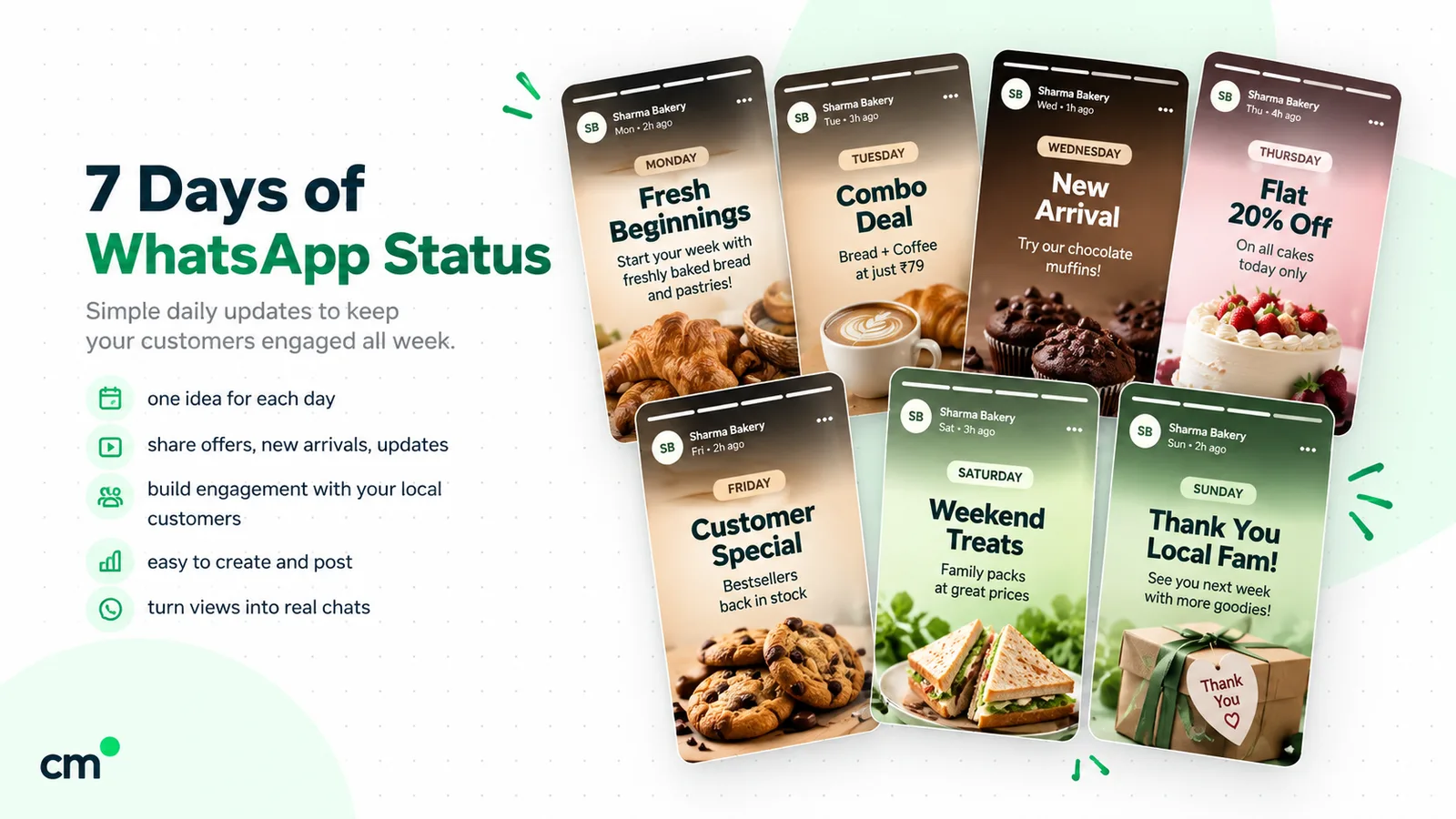
A weekly WhatsApp Status plan for a local business
Consistency matters more than volume. Viewers who tire of your updates can hide them, which moves them out of the main Status list (How to hide and unhide statuses). A realistic rhythm for a small team is one to three statuses a day, posted when your customers are likely to open WhatsApp (for many shops, early morning and evening). Watch your own view counts for two weeks and adjust. Nobody else’s “best time” applies to your customers.
Here’s a week for two common businesses:
| Day | Purpose | Retail shop (clothing or gifts) | Service business (salon or clinic) |
|---|---|---|---|
| Monday | New this week | Layout status of new arrivals | This week's open slots |
| Tuesday | Proof | A customer's order packed and ready (no name shown) | A result photo, with consent |
| Wednesday | Know-how | "How to pick the right size" voice note | Aftercare tip, 30-second video |
| Thursday | Reason to act | One item, one price, one deadline | Midweek slot offer |
| Friday | Question | "Which colour should we restock?" (ask for replies) | "What should we cover next week?" |
| Saturday | Behind the scenes | Unboxing the weekend delivery | Team setting up for a busy day |
| Sunday | Reminder | Opening hours and location | How to book (reply here, or call) |
Batch the work. Take photos in one slot on Monday, write captions in one go, and keep a notes file of reply prompts. WhatsApp’s help pages describe no way to schedule a status, so plan on someone pressing post each day.
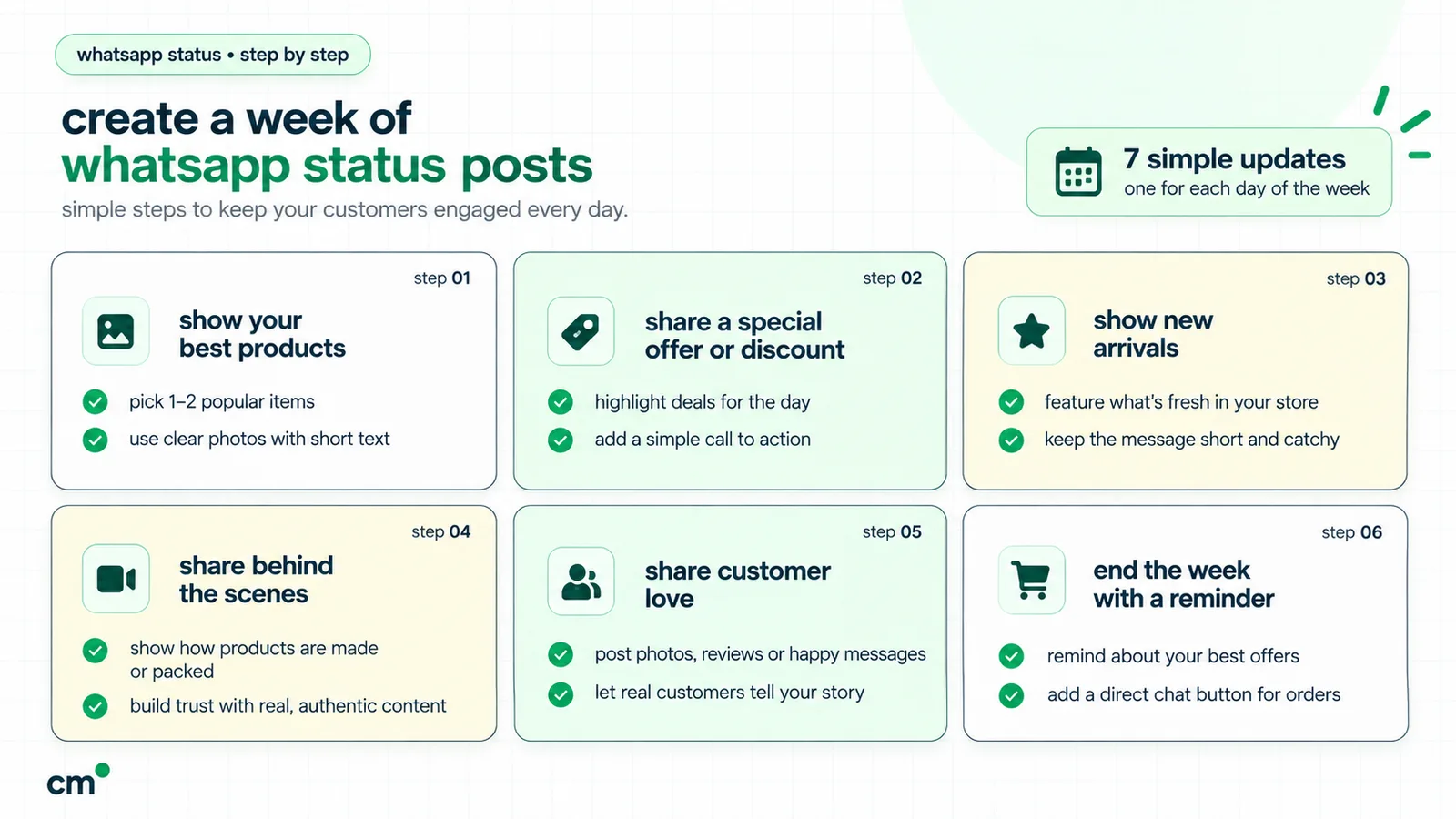
Festival and local-season ideas for India
Festivals and local seasons give Status its best weeks, because customers are already planning purchases:
- Diwali, Navratri, Durga Puja, Eid, Christmas: gift boxes, order-by dates, extended timings, a short greeting on the day itself. Our list of Diwali and Navratri wishes for customers has short lines that fit a text status.
- Pongal, Sankranti, Onam, Bihu, Baisakhi: regional collections and pre-orders for the region you serve.
- Wedding season: booking calendars for salons, caterers, tailors and jewellers.
- Back-to-school and exam season: stationery kits, coaching batch timings, tiffin services.
- Monsoon: waterproofing, umbrellas, pest control, delivery-delay notices.
Post the offer a week or two ahead and the greeting on the day itself.
How to get more people to see your WhatsApp Status
“How to increase WhatsApp Status views” really means “how to get more customers to save my number”. These are the methods that work without buying lists or spamming groups:
- Ask at the counter or after the job. “Save this number for new stock and slot updates” plus a printed number works better than hoping.
- Put a QR code where people wait. A QR code at the billing counter, on the menu card or in the parcel opens a chat with your number. Our free WhatsApp QR code generator creates one as a PNG or SVG with a pre-filled message such as “Hi, please add me for updates”.
- Use a chat link online. Add a wa.me link to your Instagram bio, Google Business Profile and website. The WhatsApp chat link generator builds it from your number and a message.
- Close the loop in the chat. When the “please add me” message arrives, reply asking them to save your number (the link opened a chat, but it didn’t add you to their contacts), then save theirs.
- Share your contact card. A contact card sent in the chat saves people a few taps.
- Mention people who asked. If a customer asked about a product, mention them privately in the status that shows it. Keep this to people who asked. Mentions send a chat notification, and unwanted ones feel like spam.
What doesn’t work: adding strangers to your contacts, “contact-gain” groups, or bought lists of “active WhatsApp status viewers”. They can’t see your updates unless they save you back, and customers who never asked for your messages can report or block you.
If you also collect permission to send offers by message, keep it separate from “save my number”. Saving your number is not consent to marketing messages. Our WhatsApp opt-in guide covers how to ask for and record that consent.
How replies to your Status work
Replies are where Status turns into sales. WhatsApp’s help page on status views says: “Replies and reactions are sent to your shared chat and labeled as Status” (How to see who viewed or liked your status). Viewers can reply with text, photos, attachments, emojis and voice recordings (How to view, like, and reply to status).
That makes every reply a one-to-one conversation you can move forward:
- Answer fast, with the next step. “Yes, size M is available. Shall I keep it for you till 7 pm?” beats “Available.”
- Use quick replies for repeat questions such as price, location and timings, but personalise the first line.
- Label the chat (for example “Status lead”) so you can count how many enquiries Status brought in.
- Check your privacy settings if replies seem to vanish. WhatsApp notes you won’t see replies from people outside your audience, or from contacts your privacy settings don’t allow messages from.
A reply to a status doesn’t hand you permission to start sending that person promotions later. It’s a conversation they started, about that post.
How to measure WhatsApp Status views and results
WhatsApp gives you three numbers, and all three undercount:
- Views. Open My status, tap the status and then the view icon to see who viewed it and when. “You can’t see who’s viewed your status if either of you have turned off read receipts.”
- Likes. Contacts who like a status appear with a green heart.
- Replies and reactions. These arrive in your chats, labelled Status.
The list is only there while the status is live. Where the status archive has rolled out, WhatsApp keeps your expired statuses with their likes and “the total number of views”, but “Viewer names are only available for 24 hours after you post a status. After that, only the view count is kept” (About your status archive).
A simple log in a notebook or spreadsheet is enough:
| Date | Post | Views (at end of day) | Replies | Orders or bookings mentioned |
|---|---|---|---|---|
| Mon | New arrivals layout | (your count) | (your count) | (your count) |
| Thu | One item, one price, one deadline | (your count) | (your count) | (your count) |
After a month you’ll see which post types bring replies, not just views. Two more numbers are worth tracking weekly: how many contacts you saved (your ceiling) and views as a share of that list. If views stay flat while you add contacts, people may be hiding your updates, and the content needs work.
Don’t compare yourself with view benchmarks you find online. There are no official figures for Status reach, and your audience size is unique to you.
WhatsApp Status vs Channels vs broadcast lists
Businesses often run all three from the Business app. They reach different people and behave differently:
| Status | Channel | Broadcast list (Business app) | |
|---|---|---|---|
| Who receives it | Mutual contacts in your audience | Anyone who follows, any audience size | Listed contacts who saved your number |
| Can they reply to you? | Yes, privately | No: emoji reactions and poll votes only | Yes, privately |
| Is your number visible? | They already have it | No: followers don't see your number or profile | They already have it |
| Can new people find it? | No | Yes: link, sharing, channel directory | No |
| How long it lasts | 24 hours | Anyone can see the last 30 days of updates | Stays in each chat |
| Built-in numbers | Views, likes | 30-day insights: accounts reached, top regions, follows and unfollows | See the broadcast list guide |
Sources: WhatsApp Help Center pages on channels for businesses, channel safety and privacy for admins and status privacy. A Channel is the better tool for reaching people who will never save your number, and you can forward a channel update or link to your Status to point your contacts at it. For the broadcast-list rules, limits and alternatives, see our WhatsApp broadcast list guide. If you’re weighing groups too, the Community vs group explainer covers why neither suits marketing.
Ads in WhatsApp Status: what Meta has announced
On 16 June 2025, Meta announced “channel subscriptions, promoted channels and ads in Status in the WhatsApp Updates tab”, with ads shown only in the Updates tab, “away from your personal chats”, and a rollout “slowly over the next several months” (Meta Newsroom). In a post dated 18 September 2025, covering its second business summit in Mumbai, Meta said brands including Maruti Suzuki, Air India and Flipkart were using ads in Status and “people in India who use Updates tab will start to see these soon” (Meta Newsroom).
A year on, WhatsApp’s business Help Center still says: “Ads in Status and Channels are rolling out gradually and might not be available to you yet” (WhatsApp Help Center). Treat availability as account-by-account.
How ads in Status work
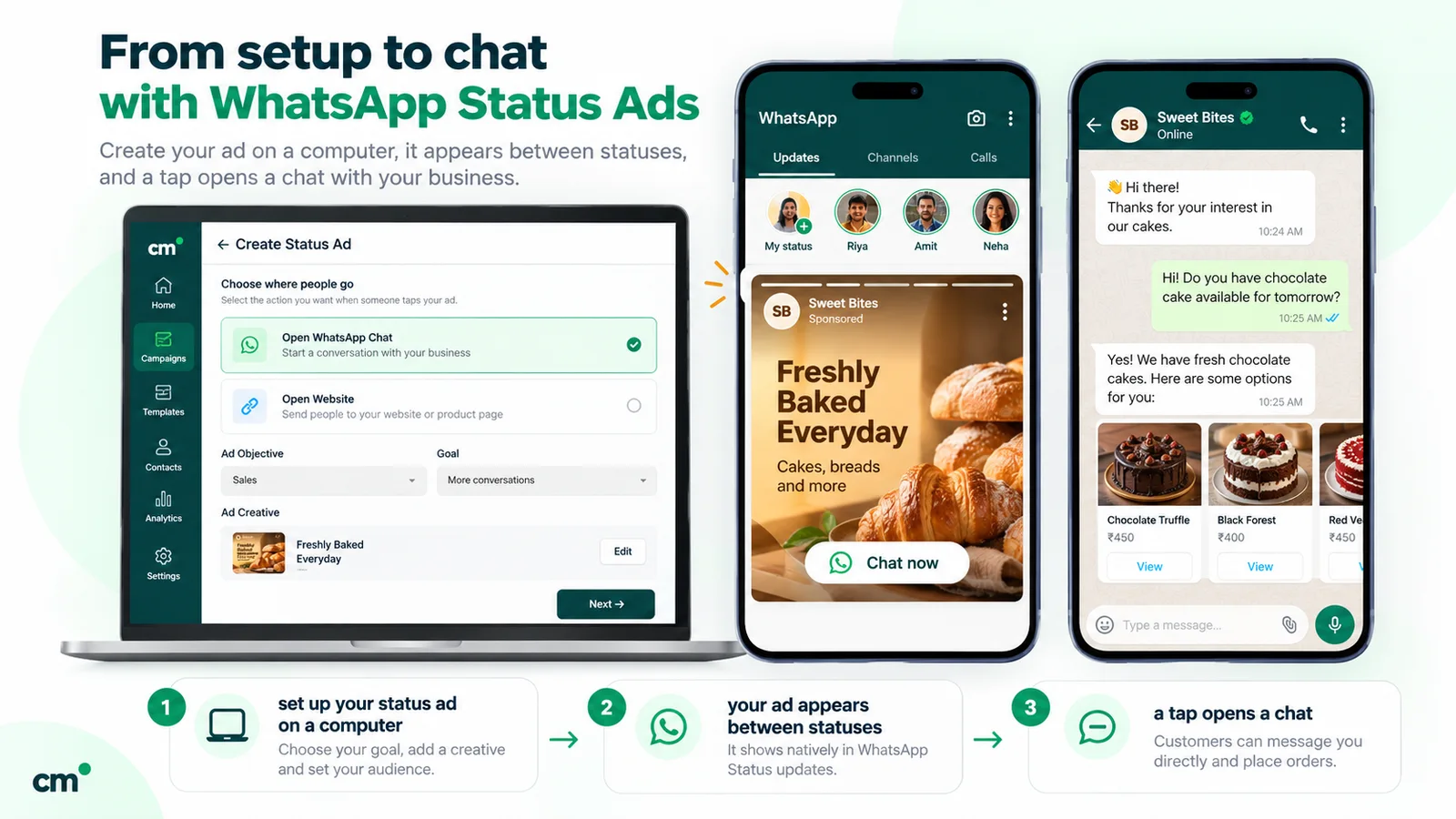
- Where they appear. Between organic statuses in the Updates tab, labelled “Ad” with the advertiser’s name. Meta describes statuses as “single vertical images or videos with a 9:16 aspect ratio”, so design ads for that frame.
- Where they send people. To a WhatsApp chat with your business or to your website. Meta lists sending people to an app as coming soon.
- Who sees them. People in the Updates tab who match your targeting, whether or not they have your number. WhatsApp targets using limited information such as country code, age, device language, general location and Status and Channels activity. Personal messages, calls and statuses are end-to-end encrypted and aren’t used for ads.
How to buy them
Ads in Status are bought in Meta Ads Manager, not in WhatsApp. Meta’s setup guide and placement overview set out the requirements:
- A Facebook Page for your business. For ads that open a WhatsApp chat, you also need a WhatsApp Business account, “either created in the WhatsApp Business app or integrated with the WhatsApp Business API”.
- A supported objective: Awareness, Traffic, Engagement, Leads or Sales. Each supports only some conversion locations and performance goals.
- The right placements. “You must include the Instagram Stories placement to use the WhatsApp status placement.” You can’t run a WhatsApp-Status-only ad.
- Compatible settings. Shops ads, Collection ads, special ad category campaigns, Instant Experience, phone-call destinations and some testing tools aren’t delivered to the Status placement. Custom and lookalike audiences, and detailed targeting, can reduce or restrict delivery unless you use the Advantage+ versions.
- Approval and reporting. After approval the ad appears in Status, and Ads Manager reports impressions, clicks and messaging conversations started.
Meta doesn’t publish a price for Status ads. You set a budget as for any Meta campaign, so start small, measure conversations started, and compare cost per conversation with your other placements.
”Advertise” in the Business app is a different product
The WhatsApp Business app on Android has an Advertise option that turns a photo, catalogue item or status into a Facebook and Instagram ad that leads to a WhatsApp chat (WhatsApp Help Center). Where the business status archive has reached you, expired statuses are saved on your device “for up to 30 days and can be used to create ads” (About archiving your business status). It’s a quick way to promote a status that got good replies, but WhatsApp’s help page describes these as Facebook and Instagram ads. For the Status placement itself, WhatsApp’s Help Center points you to Meta Ads Manager.
Organic Status or Status ads?
- Stick with organic Status if your customers are local, already visit you and can be asked to save your number.
- Test ads in Status if you need people who’ve never heard of you, the placement is available in your ad account, and someone can answer the chats within minutes.
- Use both by putting your best-performing organic post into an ad, then asking new chatters to save your number so they see tomorrow’s free statuses.
If you answer ad chats through the WhatsApp Business Platform, messages that start from a Status ad arrive with the ad’s details in the webhook, but Meta omits the click ID (ctwa_clid) “for messages originating from an ad in WhatsApp Status” (Meta webhook reference). Our WhatsApp lead generation guide covers qualifying and following up those chats.
Can the WhatsApp Business API post a Status?
No, as far as Meta documents it. We checked three places on 25 September 2026:
- The Cloud API message reference lists text, media, location, contacts, reactions, interactive, template and Flow messages. It has no Status or story message type (Message API reference).
- Meta’s coexistence documentation has a feature table for business numbers used on both the Business app and Cloud API. Its row for “Business tools (for example, catalog, orders, status)” says “No change” in the app and “Not supported” on Cloud API (Onboard WhatsApp Business app users).
- WhatsApp’s Share to Status API is a phone-side feature. It lets an app pass photos, videos and stickers to WhatsApp, which “loads it in the status composer, allowing your user to edit and publish it like a regular status” (How to integrate status with third-party apps). A person still presses publish on their own phone.
So when a tool promises to “auto-post your WhatsApp Status”, ask which official Meta documentation it relies on. The documented route today is a person posting from WhatsApp by hand.
Using Status alongside the WhatsApp Business Platform
Many businesses outgrow the app for messaging but don’t want to lose Status. That’s what coexistence is for: one number connected to both the WhatsApp Business app and the Platform. Meta said in September 2025 that businesses can use the Platform for automation and message surges “while they can continue to use the WhatsApp Business App for day-to-day interactions like group chats, calls, and Status updates”.
Before you connect, know what changes. Meta’s coexistence table says:
- Status, catalogue, groups and calls stay in the app, unchanged.
- One-to-one chats are mirrored between the app and the Platform, and messages you send from the app stay free.
- Broadcast lists in the app are disabled: existing lists become read-only and you can’t create new ones.
- Disappearing messages, view-once and live location are turned off for one-to-one chats.
Our learn page on WhatsApp coexistence covers who it suits and its limits.
Where ChatMitra fits, and where it doesn’t
ChatMitra runs on the WhatsApp Business Platform, so it can’t post a Status, show you Status views or build a Status audience. What it does around Status:
- Coexistence numbers are supported. Messages you send from the Business app on your phone also appear in ChatMitra’s shared inbox, so the team sees the whole conversation.
- Broadcasts to opted-in customers. Once the app’s broadcast lists are read-only, template broadcasts through the Platform reach opted-in customers whether or not they saved your number, with tag filters to include or exclude segments. Meta charges per delivered template; see WhatsApp Business cost per message.
- Team replies. Several people can answer from one shared inbox, with team-shared saved replies for the questions Status posts trigger.
- Free tools to get saved. The chat-link and QR generators above are free to use.
One honest gap: ChatMitra saves an incoming text or media message without checking whether it answers a Status. So if a customer’s reply to your Status does reach ChatMitra, it isn’t labelled as a Status reply and doesn’t show which status it answers. Tag those chats by hand if you want to count them.
Common WhatsApp Status marketing mistakes
- Posting ten statuses in a row. Viewers tap through or hide your updates. Three strong ones beat ten.
- Forwarding junk. Good-morning images and viral videos teach customers to skip your statuses.
- Prices without context. Say what’s included, until when, and how to order.
- Tiny text on images. HD isn’t supported, so fine print blurs.
- No reason to reply. Every status should end with a prompt.
- Never saving customers back. People who saved you still won’t see your updates.
- Using customer photos without asking. Get consent before posting a result, a face or an order.
- Treating a Status viewer as a marketing opt-in. Viewing your status isn’t permission to message them offers.
- Running your business from a personal account. The Business app gives you a profile, catalogue, labels, quick replies and the ads tools.
Where to start
This week: save your last 50 customers as contacts, put a QR code at the counter, and post one status a day with a reply prompt. Log views and replies for a month, then decide whether you need ads in Status for new customers or Platform broadcasts for existing ones. For how Status fits your wider plan, read our WhatsApp marketing strategy guide. If you’re ready to add a shared inbox and opted-in broadcasts while keeping Status in the app, compare ChatMitra’s plans.
Sources: WhatsApp Help Center (about status, create a status, status privacy, status views, replies, mentions, resharing, status archive, business status archive, can't create or see status, third-party status integration, channels for business, channel safety and privacy for admins, ads in Status, Business app ads), Meta Business Help Centre (about ads in WhatsApp Status; create ads in WhatsApp Status), Meta Newsroom (16 June 2025; 18 September 2025), Meta for Developers (coexistence, Message API reference, webhook reference). Facts checked against Meta's and WhatsApp's documentation on 25 September 2026.