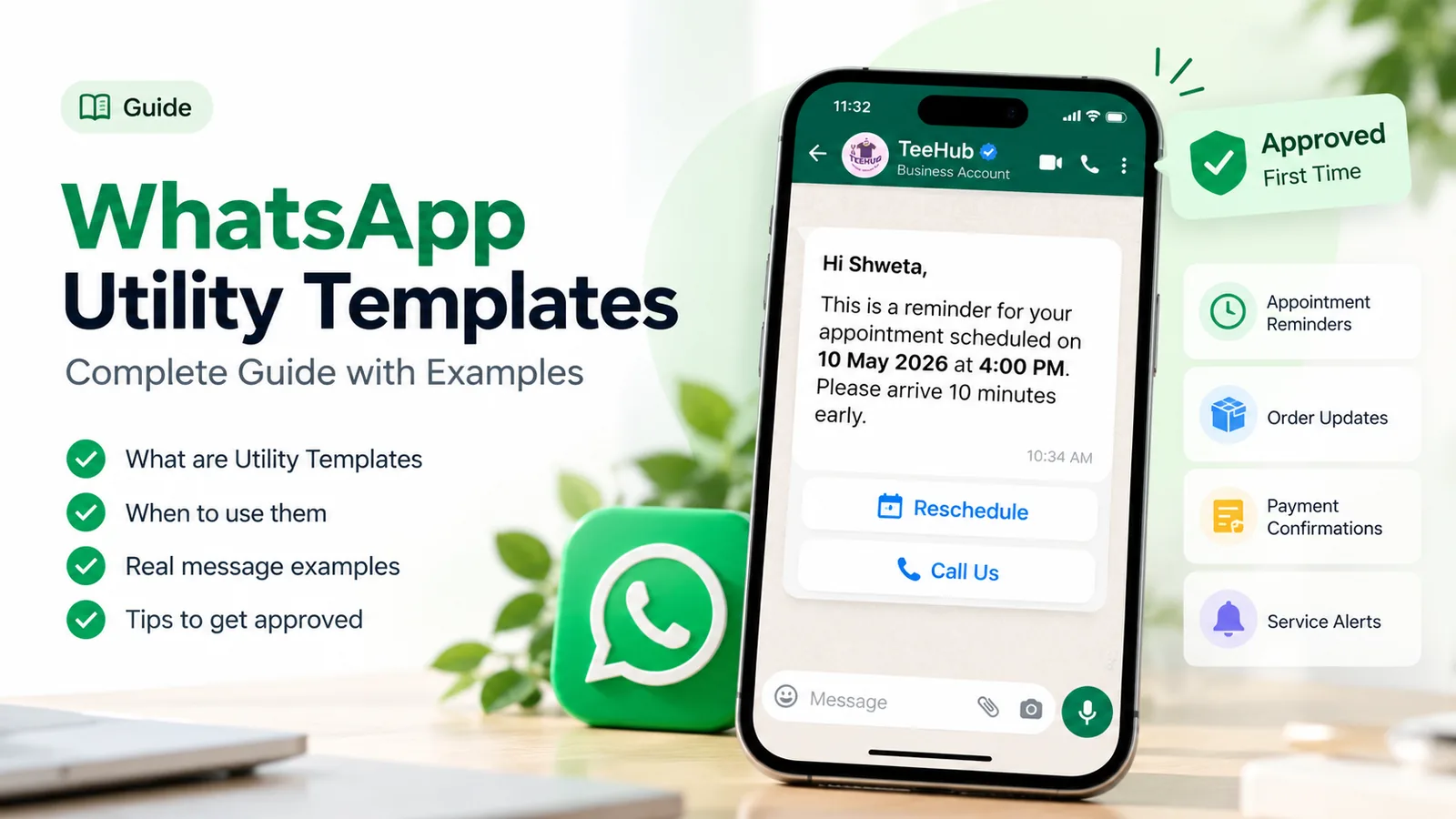
Every business on the WhatsApp Business Platform eventually runs into the same wall: you can’t just message a customer. Outside a 24-hour window after their last message, the only thing you can send is a template message, a format you wrote in advance and Meta approved. Get your templates right and that wall disappears. Get them wrong and they sit in review, get rejected, or quietly cost six times what they should.
This guide gives you 100 WhatsApp template messages you can copy and adapt, sorted by stage of the customer journey. Each one is labelled with the category Meta is likely to give it and the buttons it uses. Before the list, you’ll find the rules that decide approval and price, because a good template that’s rejected or miscategorised isn’t a good template.
What a WhatsApp template message is
A WhatsApp template message is a pre-approved message format that a business uses to start a conversation with a customer on the WhatsApp Business Platform. You write the text once, with numbered placeholders such as {{1}} for details like a name or order number. Meta reviews it, and once it’s approved you can send it to any opted-in customer, filling in the placeholders each time.
You need a template in two situations:
- To start a conversation. If the customer hasn’t messaged you, your first message must be a template.
- To reply after the window closes. When a customer messages you, a 24-hour customer service window opens. Inside it you can reply freely in your own words. Once it closes, you’re back to templates.
Templates exist so that businesses can’t send unsolicited, free-form bulk messages. They also give Meta a way to price messages by purpose, which is why the category matters so much.
If you’re using the free WhatsApp Business app rather than the Platform, templates don’t apply. The closest equivalents there are quick replies and broadcast lists. Everything in this guide is about the Platform, which is what providers such as ChatMitra run on.
The anatomy of a template, with Meta’s limits
A template has up to four parts. Only the body is required.
| Part | What it does | Meta’s limit |
|---|---|---|
| Header (optional) | A bold title line, or an image, video, GIF or document | Text: 60 characters, 1 variable. GIFs only through the Marketing Messages API |
| Body (required) | The message itself | 1,024 characters, multiple variables |
| Footer (optional) | A small grey line under the body | 60 characters |
| Buttons (optional) | Actions the customer can tap | Up to 10 in total: up to 10 quick replies, 2 URL buttons, 1 phone button, 1 copy-code button |
Button text is capped at 25 characters, a URL at 2,000 characters, and a URL button can take one variable, appended to the end of the link. These limits come from Meta’s template components reference.
Names have rules too. Meta allows up to 512 characters of lowercase letters, numbers and underscores, such as order_shipped_v1. ChatMitra’s template builder enforces the same character set and keeps names to 50 characters, which is plenty.
How variables work
Variables are the placeholders you fill in at send time. Meta supports two styles:
- Positional:
{{1}},{{2}},{{3}}, numbered in order. Every template below uses this style, because it works everywhere, including ChatMitra’s builder. - Named:
{{first_name}},{{order_id}}, in lowercase with underscores. Some tools support these, and they’re easier to read.
Either way, you give Meta a realistic sample value for every variable when you submit. “Priya” and “#48213” get approved. “Name” and “xxx” invite a rejection, because the reviewer can’t tell what the message will look like.
The three categories, and why they decide your bill
Every template has one of three categories. Meta checks the category you choose against what the template actually says, and bills the category the template has when you send it.
| Category | What it’s for | Example | Meta rate, India (Oct 2026 card) |
|---|---|---|---|
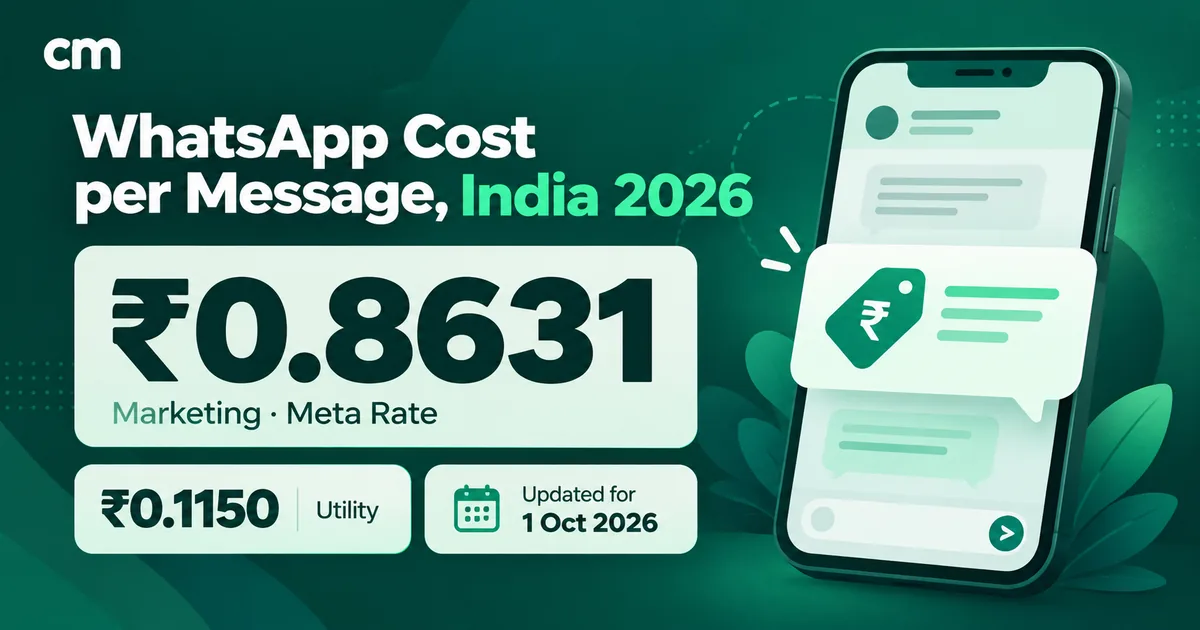
| Utility | Something the customer did or asked for: orders, bookings, payments, account changes | ”Your order 4821 has shipped” | ₹0.1150 per delivered message |
| Authentication | One-time passcodes for login or verification, in Meta’s fixed wording | ”482913 is your verification code” | ₹0.1150 per delivered message |
| Marketing | Anything that promotes, re-engages, announces or invites | ”Our monsoon sale starts Friday” | ₹0.8631 per delivered message |
The rule that trips people up: one promotional line makes the whole template marketing. A shipping update is utility. A shipping update that ends “Use code SAVE10 on your next order” is marketing, at roughly seven times the price in India. Since April 2025, a template submitted as utility that Meta reads as marketing is simply approved as marketing, and Meta also re-checks approved templates over time.
Two more pricing points have changed recently. From 1 October 2026, utility templates sent inside an open customer service window are charged too, so almost every template send now costs something. And per-message pricing means you pay for each delivered template, not per conversation. For the full breakdown, including provider fees, see our guide to WhatsApp business cost per message. For the writing side of utility, see how to write WhatsApp utility templates.
The labels in the list below say likely category, because Meta makes the final call. Treat them as the category to submit under, and keep the wording clean enough to stay there.
How the 100 templates are organised
Most template collections sort by industry. That’s useful when you’re browsing, which is why ChatMitra’s template library does exactly that, with ready-made sets for e-commerce, education, healthcare and seven more.
This list is sorted by what the message does in the customer relationship instead. A clinic, a coaching institute and an online store all need an appointment or booking confirmation, a payment reminder and a feedback request. Grouping by job lets you build a complete set of templates for your business, stage by stage, and spot the gaps.
| Stage | Templates | Mostly |
|---|---|---|
| Welcome and opt-in | 1–6 | Utility and marketing |
| Leads and sales follow-up | 7–14 | Marketing |
| Appointments and bookings | 15–22 | Utility |
| Orders and delivery | 23–34 | Utility |
| Payments and billing | 35–42 | Utility |
| Account and security | 43–48 | Utility and authentication |
| Support and service | 49–55 | Utility |
| Feedback and reviews | 56–61 | Marketing or utility |
| Offers and promotions | 62–71 | Marketing |
| Launches and announcements | 72–77 | Marketing |
| Festivals and greetings | 78–83 | Marketing |
| Re-engagement and win-back | 84–89 | Marketing |
| Events and webinars | 90–95 | Utility and marketing |
| Recruitment and HR | 96–100 | Utility |
Each entry shows a name, the likely category and any buttons, followed by the body to copy. Replace the variables with your own fields and the bracketed hints with your own wording.
Welcome and opt-in (1–6)
The first template a customer receives sets the tone for every one after it. Confirm what they signed up for and make leaving easy. If you collect numbers through forms or ads, read up on WhatsApp opt-in rules first.
1. Opt-in confirmation · Utility · Quick reply: Stop updates
Hi {{1}}, you're now subscribed to order and delivery updates from {{2}} on WhatsApp. You can stop these at any time by tapping the button below.2. Account setup next step · Utility · URL button: Finish setup
Welcome to {{1}}, {{2}}. Your account is ready, and one step is left: verify your business details so you can start using every feature. It takes about two minutes.3. Welcome with a first-order offer · Marketing · URL button: Shop now
Hi {{1}}, welcome to {{2}}! As a thank-you for joining, here's {{3}} off your first order. The code works for 7 days, and the button below takes you straight to the shop.4. Welcome with expectations · Marketing · Quick replies: Show me the catalogue, Not now
Thanks for connecting with {{1}}, {{2}}. We'll send you new arrivals and members-only offers, never more than twice a week. Want a look at what's new this month?5. Preference choice · Marketing · Quick replies: Offers, New arrivals, Everything
Hi {{1}}, what would you like to hear about from {{2}}? Pick one below and we'll keep it to that. You can change your choice whenever you like.6. Language choice · Utility · Quick replies: English, हिंदी, ગુજરાતી
Hi {{1}}, which language would you like {{2}} to use for your order and account updates? Tap one below.For more openers, see our welcome message examples.
Leads and sales follow-up (7–14)
A lead that filled in a form yesterday is warmer than one from last month. These templates work best within a day of the enquiry, and they work better when they ask a question than when they push a link.
7. Enquiry received · Utility · Quick replies: Call me, Message me
Hi {{1}}, thanks for your enquiry about {{2}}. One of our team will get back to you by {{3}}. Would you prefer a call or a WhatsApp message?8. Brochure follow-up · Marketing · Document header · Quick reply: Book a site visit
Hi {{1}}, here's the brochure for {{2}} you asked about. It covers floor plans, amenities and payment options. Reply with any question, or tap below to book a visit.9. Quote sent · Utility · Document header · Quick replies: Approve, I have a question
Hi {{1}}, your quote {{2}} for {{3}} is attached. It's valid for 14 days. Let us know if you'd like to go ahead or change anything.10. Quote follow-up · Marketing · Quick replies: Yes, let’s talk, Not right now
Hi {{1}}, just checking in on the quote for {{2}} we sent last week. If the timing or scope needs changing, we're happy to rework it. Shall we set up a quick call?11. Demo booking nudge · Marketing · URL button: Pick a time
Hi {{1}}, you signed up for {{2}} on {{3}}. A 20-minute demo is the quickest way to see whether it fits your team. Choose a slot that suits you below.12. Trial ending · Marketing · URL button: Choose a plan
Hi {{1}}, your {{2}} trial ends in 3 days. Your data and settings stay saved, so picking a plan keeps everything exactly as it is.13. Price-drop alert · Marketing · URL button: View product
Good news, {{1}}: {{2}}, which you looked at recently, is now {{3}}. The new price holds while stock lasts.14. Back-in-stock alert · Marketing · URL button: Buy now
Hi {{1}}, {{2}} is back in stock in your size. Last time it sold out within a week, so we wanted you to hear first.For timing and sequences, our follow-up message guide goes deeper.
Appointments and bookings (15–22)
Booking templates are some of the most valuable utility messages you can send, because a reminder that prevents one no-show often pays for months of messages.
15. Appointment confirmed · Utility · Quick replies: Confirm, Reschedule
Hi {{1}}, your appointment with {{2}} is booked for {{3}} at {{4}}. Please arrive 10 minutes early. Tap below to confirm or reschedule.16. Appointment reminder, day before · Utility · Quick replies: I’ll be there, Reschedule
Reminder, {{1}}: your appointment at {{2}} is tomorrow at {{3}}. If you can't make it, let us know so we can offer the slot to someone else.17. Appointment reminder, same day · Utility · URL button: Get directions
Hi {{1}}, see you today at {{2}} for your {{3}} appointment. The button below opens directions to our clinic.18. Missed appointment · Utility · Quick reply: Book a new time
Hi {{1}}, we missed you at your {{2}} appointment today. No problem, these things happen. Tap below and we'll find you a new slot.19. Table reservation · Utility · Quick replies: Confirm, Cancel booking
Hi {{1}}, your table for {{2}} at {{3}} is reserved for {{4}}. We hold tables for 15 minutes after the booking time.20. Class or session booked · Utility · URL button: Add to calendar
Hi {{1}}, you're booked into {{2}} on {{3}}. Bring water and a towel, and arrive 5 minutes early to settle in.21. Service visit scheduled · Utility · Quick replies: Confirm, Change time
Hi {{1}}, our technician {{2}} will visit on {{3}} between {{4}} for your service request. They'll call before arriving.22. Hotel stay confirmed · Utility · URL button: Manage booking
Hi {{1}}, your stay at {{2}} is confirmed for {{3}}. Check-in is from 2pm, and you can add airport pickup or early check-in below.Need more? Our guides to booking confirmation messages and WhatsApp reminder messages cover these in depth.
Orders and delivery (23–34)
This is where most businesses send the bulk of their utility templates. Keep each message to one event in the order’s life, and resist adding a “you might also like” line.
23. Order confirmed · Utility · URL button: View order
Hi {{1}}, thanks for your order {{2}}. We've received it and are getting it ready. Total: {{3}}. We'll message you as soon as it ships.24. Cash-on-delivery confirmation · Utility · Quick replies: Confirm order, Cancel order
Hi {{1}}, you placed order {{2}} for {{3}} with cash on delivery. Please confirm the order so we can dispatch it.25. Order packed · Utility
Good news, {{1}}: your order {{2}} is packed and waiting for pickup by our courier. You'll get the tracking link once it's on its way.26. Order shipped · Utility · URL button: Track order
Hi {{1}}, your order {{2}} has shipped with {{3}}. Expected delivery is {{4}}, and you can follow it with the button below.27. Out for delivery · Utility · Quick reply: I’m not home
Hi {{1}}, your order {{2}} is out for delivery today. Please keep your phone handy, as the delivery partner may call.28. Delivered · Utility · Quick reply: Report a problem
Hi {{1}}, your order {{2}} was delivered today. If anything is missing or damaged, tap below within 48 hours and we'll sort it out.29. Delivery attempt failed · Utility · Quick replies: Reschedule, Update address
Hi {{1}}, we couldn't deliver your order {{2}} today. Choose below whether to reschedule or update your address, and we'll try again.30. Delivery delayed · Utility
Hi {{1}}, your order {{2}} is running late because of {{3}}. The new expected delivery date is {{4}}. Sorry for the wait.31. Order cancelled · Utility
Hi {{1}}, your order {{2}} has been cancelled as requested. If you paid online, the refund of {{3}} will reach your original payment method within 5 to 7 working days.32. Return request received · Utility · URL button: Return status
Hi {{1}}, we've received your return request for {{2}}. Our courier will collect it on {{3}}. Please keep the item in its original packaging.33. Refund processed · Utility
Hi {{1}}, your refund of {{2}} for order {{3}} has been processed. Depending on your bank, it can take a few working days to show.34. Item out of stock after order · Utility · Quick replies: Wait for restock, Cancel and refund
Hi {{1}}, we're sorry: {{2}} from your order {{3}} has just gone out of stock. Would you like to wait for the restock or get a full refund?The full set of order messages, with timing, is in our order confirmation message guide. For stock problems, see out-of-stock messages, and for nudging shoppers who didn’t finish checking out, see abandoned cart recovery, which covers why cart reminders are marketing.
Payments and billing (35–42)
Payment templates should be calm and specific. State the amount, the due date and the way to pay, and nothing that reads like a threat.
35. Invoice issued · Utility · Document header · URL button: Pay now
Hi {{1}}, invoice {{2}} for {{3}} is attached. Payment is due by {{4}}. You can pay online with the button below.36. Payment reminder, before due date · Utility · URL button: Pay now
Hi {{1}}, a friendly reminder that {{2}} for {{3}} is due on {{4}}. If you've already paid, please ignore this message.37. Payment overdue · Utility · Quick reply: Talk to us
Hi {{1}}, our records show that invoice {{2}} for {{3}} is now overdue. If something's holding up the payment, reply here and we'll work it out together.38. Payment received · Utility · URL button: Download receipt
Hi {{1}}, we've received your payment of {{2}} for {{3}}. Thank you. Your receipt is ready to download below.39. Payment failed · Utility · URL button: Retry payment
Hi {{1}}, your payment of {{2}} for order {{3}} didn't go through, so the order is on hold. You can retry with the button below.40. Fee instalment reminder · Utility · URL button: Pay fee
Hi {{1}}, the next instalment of {{2}}'s fee, {{3}}, is due on {{4}}. Paying online takes under a minute.41. Subscription renewal notice · Utility · URL button: Manage plan
Hi {{1}}, your {{2}} subscription renews on {{3}} for {{4}}. No action is needed to continue. You can change or cancel your plan below.42. Price change notice · Utility · URL button: See details
Hi {{1}}, from {{2}}, the price of your {{3}} plan will change to {{4}}. Your current price applies until then. Full details are below.A notice like 42 stays utility only while it’s a plain notice. Add “upgrade now and lock in the old price” and it becomes marketing. Our price increase letter guide explains the wording.
Account and security (43–48)
Authentication templates are different from everything else on this list: Meta supplies the wording, and you choose options such as the code expiry and the button. Templates 43 and 44 show that fixed format. The rest are ordinary utility alerts.
43. One-time passcode · Authentication · Button: Copy code
{{1}} is your verification code. For your security, do not share this code.Footer: “This code expires in 10 minutes.”
44. Login code with app autofill · Authentication · Button: Autofill (one-tap)
{{1}} is your verification code.45. New login alert · Utility · Quick reply: This wasn’t me
Hi {{1}}, there was a new login to your {{2}} account from {{3}} on {{4}}. If this was you, no action is needed.46. Password changed · Utility · Quick reply: I didn’t do this
Hi {{1}}, the password for your {{2}} account was changed just now. If you didn't make this change, tap below and our team will secure your account.47. Profile details updated · Utility
Hi {{1}}, the {{2}} on your {{3}} account was updated today. If you didn't request this change, reply to this message straight away.48. Large transaction alert · Utility · Quick reply: Not me, block card
Hi {{1}}, a payment of {{2}} was made from your account ending {{3}} at {{4}}. If you don't recognise it, tap below now.For how authentication templates work, including copy-code and one-tap buttons, see WhatsApp authentication templates.
Support and service (49–55)
Support templates reopen a conversation after the window has closed. Their job is to bring the customer back into a chat where you can then reply freely.
49. Ticket created · Utility
Hi {{1}}, we've logged your request as ticket {{2}}. Our team usually replies within {{3}}. You can add details by replying here.50. Ticket update · Utility · Quick replies: That’s fixed, Still a problem
Hi {{1}}, there's an update on your support ticket {{2}}: {{3}}. Please tap below to let us know whether this solves the problem.51. Waiting for your reply · Utility · Quick reply: Continue the chat
Hi {{1}}, we're still here to help with ticket {{2}}, but we need a little more information from you. Tap below to pick up where we left off.52. Ticket closed · Utility · Quick reply: Reopen ticket
Hi {{1}}, we've closed ticket {{2}} because the issue looks resolved. If it comes back, tap below and we'll reopen it.53. Service completed · Utility · Document header
Hi {{1}}, the service on your {{2}} was completed today. The job card is attached, and your next service is due around {{3}}, and we'll remind you a week before.54. Warranty expiring · Utility · Quick reply: Tell me about extended cover
Hi {{1}}, the warranty on your {{2}} ends on {{3}}. After that, repairs are charged. Reply if you'd like details of extended cover.55. Scheduled maintenance · Utility
Hi {{1}}, {{2}} will be unavailable on {{3}} for scheduled maintenance. Your data is safe and no action is needed.When something has gone wrong, our apology message guide helps with tone.
Feedback and reviews (56–61)
Ask once, soon after the experience, and make answering a single tap. Send the review link to every customer, not only the happy ones: filtering who gets asked based on their answer is review gating, which Google’s policies prohibit.
56. Rating request · Marketing · Quick replies: Great, Okay, Not good
Hi {{1}}, how was your experience with {{2}}? Tap one below. It takes a second and helps us improve.57. Delivery feedback · Utility · Quick replies: All good, Something was wrong
Hi {{1}}, did your order {{2}} arrive in good condition? A quick answer below helps us fix problems before they repeat.58. Google review request · Marketing · URL button: Leave a review
Hi {{1}}, thank you for choosing {{2}}. If you have a minute, a short Google review helps other customers find us. Every review is welcome, good or bad.59. Post-visit check-in · Utility · Quick replies: Feeling better, Need help
Hi {{1}}, it's been 3 days since your visit to {{2}}. How are you feeling? Reply if you have any questions about your treatment.60. Survey invitation · Marketing · URL button: Start survey
Hi {{1}}, we're improving {{2}} and would value your view. The survey has 5 questions and takes about 2 minutes.61. Thank-you after a review · Marketing
Thank you, {{1}}! We read every review, and yours made the team's day at {{2}}. We look forward to seeing you again.See how to ask customers for feedback and how to ask for Google reviews for the full method, and our thank-you message examples for gratitude that isn’t a sales pitch.
Offers and promotions (62–71)
Promotional templates are the ones customers are most likely to block, and Meta limits how many marketing templates a person receives, so each one has to earn its place. Be specific, give a deadline, and send fewer.
62. Sale announcement · Marketing · URL button: Shop the sale
Hi {{1}}, our {{2}} sale is live: up to {{3}} off across the store until {{4}}. Your favourites are usually the first to go.63. Personal discount code · Marketing · Copy-code button
Hi {{1}}, here's a code just for you: {{2}} off your next order at {{3}}. Use it any time before {{4}} at checkout.64. Flash sale · Marketing · URL button: Shop now
For the next 6 hours only, {{1}} is {{2}} off at {{3}}. When the timer runs out, prices go back to normal.65. Bundle offer · Marketing · Image header · URL button: See the bundle
Hi {{1}}, our {{2}} bundle puts two of our best-sellers together for {{3}}, less than buying them separately. It's the most popular combination this month.66. Free shipping weekend · Marketing · URL button: Start shopping
Free shipping on every order this weekend, {{1}}, with no minimum. Offer ends {{2}} at midnight.67. Loyalty points reminder · Marketing · URL button: Use my points
Hi {{1}}, you have {{2}} points with {{3}}, worth {{4}} off your next purchase. Points expire at the end of the month.68. Referral invitation · Marketing · URL button: Share my link
Hi {{1}}, love {{2}}? Invite a friend and you'll both get {{3}} off when they place their first order.69. Upgrade offer · Marketing · URL button: See plans
Hi {{1}}, your team has used {{2}} of your plan's limit this month. Upgrading to {{3}} gives you more room and adds {{4}} for your whole team.70. Reorder reminder · Marketing · Quick reply: Reorder now
Hi {{1}}, it's been about a month since you ordered {{2}}. Running low? Tap below to reorder with your saved address.71. Membership renewal offer · Marketing · URL button: Renew now
Hi {{1}}, your {{2}} membership ends on {{3}}. Renew this week and we'll add {{4}} to your membership at no extra cost.Our broadcast message examples have more promotional formats.
Launches and announcements (72–77)
Announcements work when they’re news to the reader. “We have a new product” isn’t. “The size you asked for now exists” is.
72. New product launch · Marketing · Image header · URL button: See it first
Hi {{1}}, meet {{2}}, our newest {{3}}. It's available today, and early customers get free delivery for launch week.73. New collection · Marketing · Image header · URL button: Browse collection
Hi {{1}}, our {{2}} collection has just arrived at {{3}}. Thirty new pieces, with sizes from S to 3XL.74. Feature announcement · Marketing · URL button: Try it now
Hi {{1}}, {{2}} now lets you {{3}}. It's already switched on in your account, so you can try it today.75. New branch opening · Marketing · URL button: Get directions
Hi {{1}}, {{2}} opens its new branch in {{3}} on {{4}}. Visit in the first week for an opening-day welcome gift.76. Admissions open · Marketing · URL button: Apply now
Hi {{1}}, admissions for {{2}} are now open. Applications close on {{3}}, and seats in each batch are limited, so we suggest applying early.77. New property listing · Marketing · Image header · Quick reply: Book a site visit
Hi {{1}}, a new {{2}} in {{3}} matches what you were looking for. It's listed at {{4}}. Would you like to see it this week?For openings, see our shop opening message guide.
Festivals and greetings (78–83)
Greetings are marketing, even with no offer in them, because their purpose is to build the relationship. Keep them warm and short, and don’t send one for every festival on the calendar.
78. Diwali greeting · Marketing · Image header
Wishing you and your family a bright and joyful Diwali, {{1}}. Thank you for being part of the {{2}} family this year.79. Eid greeting · Marketing · Image header
Eid Mubarak, {{1}}! May this Eid bring peace, happiness and time with the people you love. Warm wishes from the whole {{2}} team.80. Christmas and New Year · Marketing · Image header
Merry Christmas and a happy New Year, {{1}}. Thank you for your trust in {{2}} this year. We look forward to serving you in the next one.81. Birthday wishes · Marketing · Copy-code button
Happy birthday, {{1}}! To celebrate, here's {{2}} off anything at {{3}} this week. Have a wonderful day.82. Customer anniversary · Marketing
Hi {{1}}, it's been one year since your first order with {{2}}. Thank you for sticking with us. Here's to the next one.83. Festival hours update · Utility
Hi {{1}}, {{2}} will be closed from {{3}} for the festival. Orders placed during this time will ship from {{4}} onwards.Template 83 is utility only if it’s a plain notice about something the customer needs to know, and many businesses send it as marketing to be safe. For full sets, see our Diwali and Navratri wishes, Christmas and New Year wishes and birthday wishes for clients.
Re-engagement and win-back (84–89)
Win-back templates go to people who’ve drifted away, which also makes them the ones most likely to be reported. Give a reason to come back and an easy way to say no.
84. We miss you · Marketing · Quick replies: Show me what’s new, Stop messages
Hi {{1}}, it's been a while since your last visit to {{2}}. A lot has changed, and we'd love to show you. Tap below to see what's new.85. Win-back offer · Marketing · URL button: Claim offer
Hi {{1}}, we'd love to have you back at {{2}}. Here's {{3}} off your next order, valid until {{4}} on everything in store.86. Lapsed subscription · Marketing · URL button: Restart my plan
Hi {{1}}, your {{2}} plan ended last month. Your saved settings are still here, so restarting picks up right where you left off.87. Unfinished application · Marketing · URL button: Continue application
Hi {{1}}, your application for {{2}} is almost done: only {{3}} is left. Your answers are saved, so it should take about 5 minutes.88. Wishlist reminder · Marketing · URL button: View wishlist
Hi {{1}}, the items in your wishlist at {{2}} are still waiting, and one of them is running low on stock.89. Re-permission check · Marketing · Quick replies: Keep me updated, Unsubscribe
Hi {{1}}, we haven't heard from you in a while, so we want to check: would you still like updates from {{2}} on WhatsApp?Template 89 is worth sending once a year to inactive contacts. Removing people who don’t want your messages protects your quality rating more than any clever wording.
Events and webinars (90–95)
Event templates mix categories. Confirmations and reminders for something the person registered for are utility. Invitations to something they haven’t asked about are marketing.
90. Registration confirmed · Utility · URL button: Add to calendar
Hi {{1}}, you're registered for {{2}} on {{3}} at {{4}}. We'll send the joining link an hour before it starts.91. Joining link · Utility · URL button: Join now
Hi {{1}}, {{2}} starts in one hour. Use the button below to join. Doors open 10 minutes early.92. Starting now · Utility · URL button: Join now
We're live, {{1}}! {{2}} has just started. Tap below to join, and the Q&A is at the end.93. Recording available · Utility · URL button: Watch recording
Hi {{1}}, thanks for registering for {{2}}. The recording and slides are now ready to watch.94. Event invitation · Marketing · Image header · URL button: Register free
Hi {{1}}, you're invited to {{2}}, a free live session on {{3}}. Seats are limited, so register now to save your place.95. Ticket confirmation · Utility · Document header
Hi {{1}}, your ticket for {{2}} is attached. Show it at the entrance on {{3}}. Gates open at {{4}} on the day.For complete invitation sequences, see our webinar invitation message guide.
Recruitment and HR (96–100)
Candidates and new employees appreciate WhatsApp because it’s where they already are. Keep these templates factual, and never put confidential details such as salary in a template variable.
96. Application received · Utility
Hi {{1}}, thank you for applying for the {{2}} role at {{3}}. We review every application and will update you by {{4}} at the latest.97. Interview scheduled · Utility · Quick replies: Confirm, Request another time
Hi {{1}}, your interview for {{2}} is scheduled for {{3}} with {{4}}. Please confirm that the time works for you.98. Interview reminder · Utility · URL button: Join interview
Hi {{1}}, a reminder that your interview for {{2}} is today at {{3}}. Use the button below to join the video call.99. Documents needed · Utility · URL button: Upload documents
Hi {{1}}, to complete your joining process at {{2}}, please upload {{3}} by {{4}}. The secure upload link is below.100. First-day welcome · Utility
Welcome to {{1}}, {{2}}! On your first day, please report to {{3}} at {{4}}. Your buddy for the week will meet you there.That’s a hundred. You won’t need all of them. Most businesses run well on 10 to 20 well-written templates spread across the stages.
How to turn a sample into an approved template
Here’s the path from a sample above to a template you can send, using ChatMitra as the example. Other providers and WhatsApp Manager follow the same steps.
- Open Templates and start a new one. In ChatMitra it’s Templates in the sidebar.
- Choose the category. ChatMitra’s builder starts on Marketing, so change it to Utility or Authentication where that’s the honest fit.
- Pick the language your customers will read. Each language is a separate template.
- Name it. Lowercase, numbers and underscores only, for example
order_shipped_v1. A version suffix makes it easy to replace later. - Add the header, if any: text (up to 60 characters), or an image, video or document.
- Paste the body and adjust the wording. Keep
{{1}},{{2}}and so on in order, with no gaps. - Add sample values for every variable. Use realistic ones: “Priya”, “#48213”, “12 March”.
- Add buttons. In ChatMitra you can add quick replies (25 characters each), call-to-action buttons (up to 2 website links and a phone number) and a copy-code button.
- Submit and wait. Meta says a decision can take up to 24 hours. In ChatMitra, the Sync Templates button on the Templates page pulls the latest status from Meta.
Once approved, you can send the template as a broadcast, from an automation such as an order update, or through the API.
Why templates get rejected, and how to fix it
Meta’s template review documentation lists the most common rejection reasons. Here they are, with fixes.
| Rejection reason (Meta) | Example | Fix |
|---|---|---|
| Variables missing or with mismatched curly braces | {{1} or {1} | Use exactly two braces on each side |
| Special characters in a variable | {{#1}}, {{$amount}} | Plain numbers only. Put ”₹” or ”#” outside the braces |
| Variables not sequential | {{1}}, {{3}} | Renumber: {{1}}, {{2}} |
| Too many variables for the message length | ”{{1}} {{2}}, {{3}} {{4}}.” | Write real sentences around fewer variables |
| Body starts or ends with a variable | ”{{1}}, your order is ready” or “…delivered by {{2}}“ | Add words before the first and after the last variable |
| Duplicate of an existing template | Same text as a template you already have | Change the wording, or reuse the approved one |
| Policy violation | Restricted products, misleading claims | Check WhatsApp’s commerce and business policies |
Two other habits cause trouble even when a template is approved. Vague sample values (“test”, “abc”) slow reviews down. Promotional drift gets a utility template approved as marketing, which you’ll only notice on the bill. Read each utility template one last time and delete anything that sells.
Writing habits that make templates work
Approval is the minimum. These habits decide whether customers read, tap and reply.
- One job per template. A message that confirms an order, asks for a review and offers a discount does none of them well.
- Lead with the useful fact. “Your order 4821 has shipped” beats “Exciting news from our team!”
- Use the customer’s name once. It helps, but three times reads like a mail merge.
- Prefer a button to a link in the text. Buttons are bigger targets, look trustworthy, and keep the body short.
- Two to four variables. Enough to be personal, not so many that the reviewer sees a form.
- Say who you are when it isn’t obvious. If your display name differs from your shop name, add it to the body.
- Write in the customer’s language. A Hindi or Gujarati version of your top utility templates often gets more replies than English.
- Give an easy way out in marketing templates, such as a “Stop messages” quick reply. People who can leave easily are less likely to block or report you.
Sending templates without hurting your account
Every template you send affects how WhatsApp sees your number. Customers who block or report your messages pull your quality rating down. Meta can pause a template whose quality drops, and limits how many marketing templates each person receives.
Four rules keep you safe:
- Only message people who opted in, and keep a record of when and how.
- Send marketing templates less often than you think you should. A weekly offer that people want beats a daily one they don’t.
- Watch template quality and read rates. A template that suddenly underperforms usually needs rewriting, not resending.
- Clean your list with a re-permission template (number 89) for contacts who haven’t engaged in months.
Where to go from here
Start with the stages where you lose the most today. For most businesses that’s orders and delivery (fewer “where is my order?” calls), appointments (fewer no-shows) and payments (faster collections). Write three or four utility templates for those first, get them approved, and automate them. Add marketing templates once the utility set is running.
If you want ready-made sets by industry, browse the WhatsApp template message library. To see how ChatMitra’s builder, approval sync and sending work together, visit WhatsApp templates in ChatMitra.