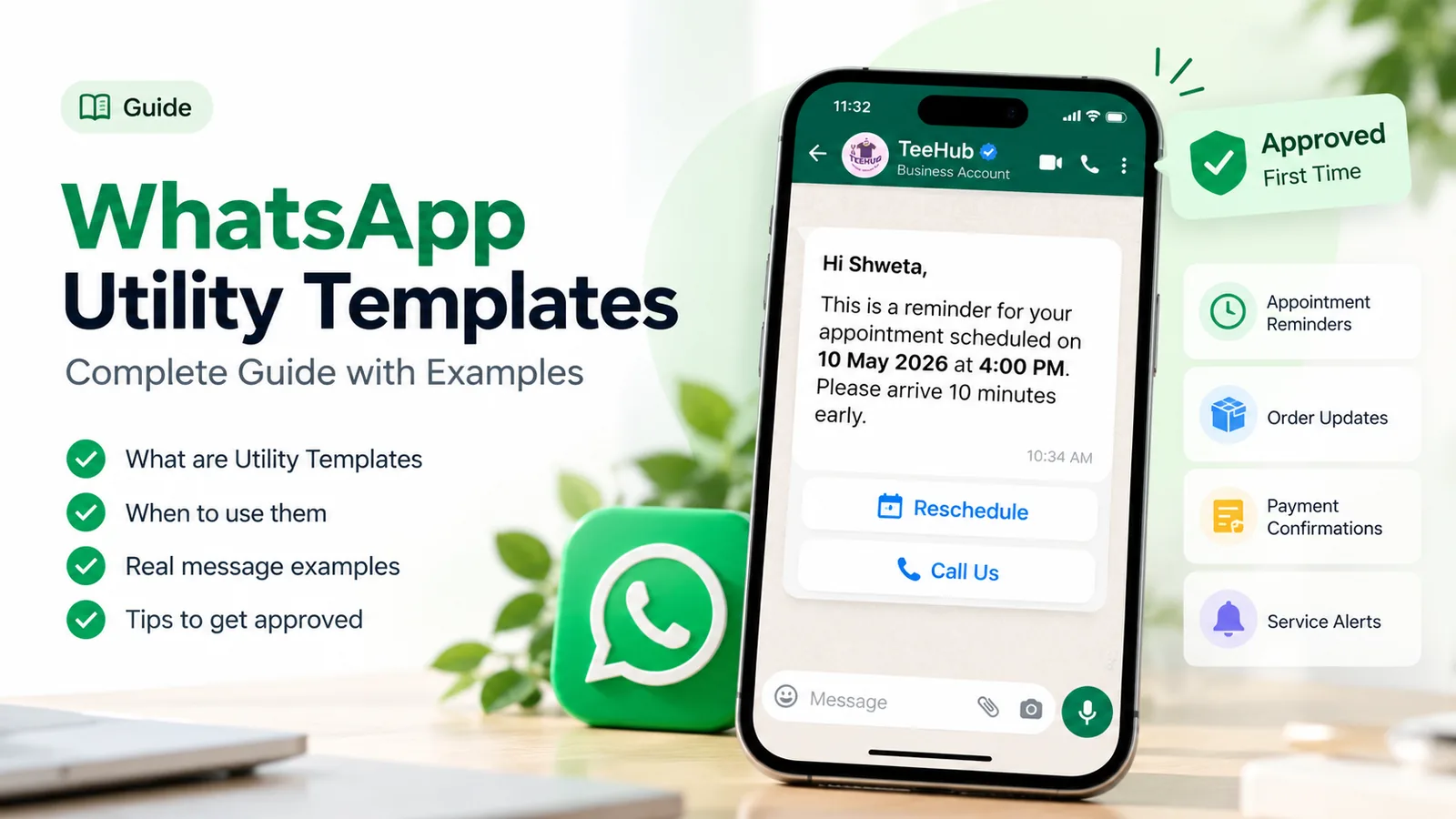
A WhatsApp template is rejected when Meta’s review finds a formatting error, a category that doesn’t match the content, or content that breaks WhatsApp’s policies. The most common causes are a variable at the very start or end of the message, variables out of order, too many variables for the length of the text, and symbols such as #, $ or % inside a variable. Meta tells you the reason in WhatsApp Manager and by email, and you can fix the template and resubmit it, or appeal within the same screen.
Below are the 12 reasons Meta rejects templates, each with a broken example and a fixed one, followed by what happens after approval, how to appeal, and a checklist to run before you press Submit. Every rule here comes from Meta’s own documentation, checked in October 2026.
Using ChatMitra? ChatMitra’s template builder blocks several rejection causes before you submit: it won’t let the body start or end with a variable, go over 1,024 characters, carry more than 20 variables or 10 emojis, or reuse a variable number. Rejected templates appear in the Rejected tab after you click Sync Templates. Jump to fixing rejected templates in ChatMitra.
How template review works
When you submit a template, Meta checks it with automated systems and, where needed, a human reviewer (Meta: template review). A decision can take up to 24 hours. You’re told in three ways: a WhatsApp Manager notification, an email to your Meta Business Suite admins, and a webhook to your provider.
An approved template shows Active – Quality pending in WhatsApp Manager (APPROVED in the API), and you can start sending it. A rejected template can be edited and resubmitted, or appealed.
Review looks at two things at once:
- The content and format, against WhatsApp’s Business Messaging Policy and Meta’s formatting rules.
- The category you chose (marketing, utility or authentication), against Meta’s template category guidelines. The category sets the price, so Meta checks it closely. Our explainer on marketing, utility and authentication messages covers the categories in depth.
Find the exact rejection reason first
Don’t guess. Meta records a reason for every rejection, and it’s in four places:
- WhatsApp Manager: Account tools › Message templates, then open the template.
- Business Support Home: Account Overview › View my accounts › your business account › your WhatsApp account › Rejected message templates. For duplicates, this also names the existing template with the same wording.
- Email to the admins of your business portfolio.
- The
message_template_status_updatewebhook, which your provider receives with areasoncode.
The webhook codes are short, so here’s what each one means (Meta: template status webhook):
| Code | Meta’s description | What to check |
|---|---|---|
INVALID_FORMAT | The template has an invalid format | Variables, length, samples (reasons 1–5 and 12). The webhook adds a reason and a recommendation for this code only. |
INCORRECT_CATEGORY / TAG_CONTENT_MISMATCH | The content doesn’t match the category you chose | Reason 6 |
PROMOTIONAL, SCAM, ABUSIVE_CONTENT | The template contains content that violates Meta’s policies | Reasons 7–10 |
NONE | Used on pause events, not rejections | See “Approved, then paused” below |
If the code is INVALID_FORMAT, read the recommendation in the webhook or WhatsApp Manager before rewriting anything; it often names the exact problem.
The 12 reasons templates get rejected, and the fix for each
1. The body starts or ends with a variable
Meta calls these “dangling parameters” and rejects them. A variable at the edge gives the reviewer no context, and a blank or odd value would leave the customer with a broken sentence.
- ❌
{{1}}, your appointment is confirmed for {{2}} - ✅
Hi {{1}}, your appointment is confirmed for {{2}}. Please arrive 10 minutes early.
The fix is a few words before the first variable and after the last. Ending with a full stop isn’t enough; add a short closing sentence.
2. Variables are broken, empty or out of order
Variables must use double curly braces with numbers in sequence: {{1}}, {{2}}, {{3}}. Meta rejects missing or mismatched braces and numbering that skips or jumps, such as {{1}}, {{2}}, {{5}}, {{4}}.
- ❌
Hi {1}, your order {{3}} ships on {{2}}. - ✅
Hi {{1}}, your order {{2}} ships on {{3}}.
This usually happens when you delete a sentence from a draft and forget to renumber the rest. Read the variables left to right before submitting.
3. Too many variables for the length of the message
A message that’s mostly placeholders tells the reviewer nothing about what you’ll send, so Meta rejects templates with “too many variable parameters relative to the message length.”
- ❌
Hi {{1}}, {{2}} {{3}} on {{4}} at {{5}}. - ✅
Hi {{1}}, your {{2}} with Dr {{3}} is booked for {{4}} at our {{5}} clinic. Reply here if you need to change it.
Add fixed words around the variables, or move parts that never change into the fixed text. There’s no published ratio, so aim for more fixed words than variables.
4. A variable contains #, $ or %
Meta’s list of formatting errors includes variable parameters that “contain special characters such as a #, $, or %.” Keep symbols in the fixed text, and keep them out of your sample values too.
- ❌
Your order #{{1}} of ${{2}} has shipped.with sample#4521 - ✅
Your order {{1}} of {{2}} has shipped.with samples4521and₹1,299
The same thinking applies to discounts. Write “Get {{1}} off” with the sample “20 percent”, or put the percentage in the fixed text if it’s the same for everyone.
5. Samples are missing or unrealistic
If your template has variables or a media header, you have to submit sample values: a sample name, a sample order number, a sample image. Meta uses them to see how the message will look. Appeals, too, must include samples.
- ❌ Samples
test,xyz,123 - ✅ Samples
Priya,ORD-4521,15 October, 6:30 pm
For a URL button with a variable at the end, give a sample of the full link the customer would really get, for example https://example.com/track/ORD4521.
6. The category doesn’t match the content
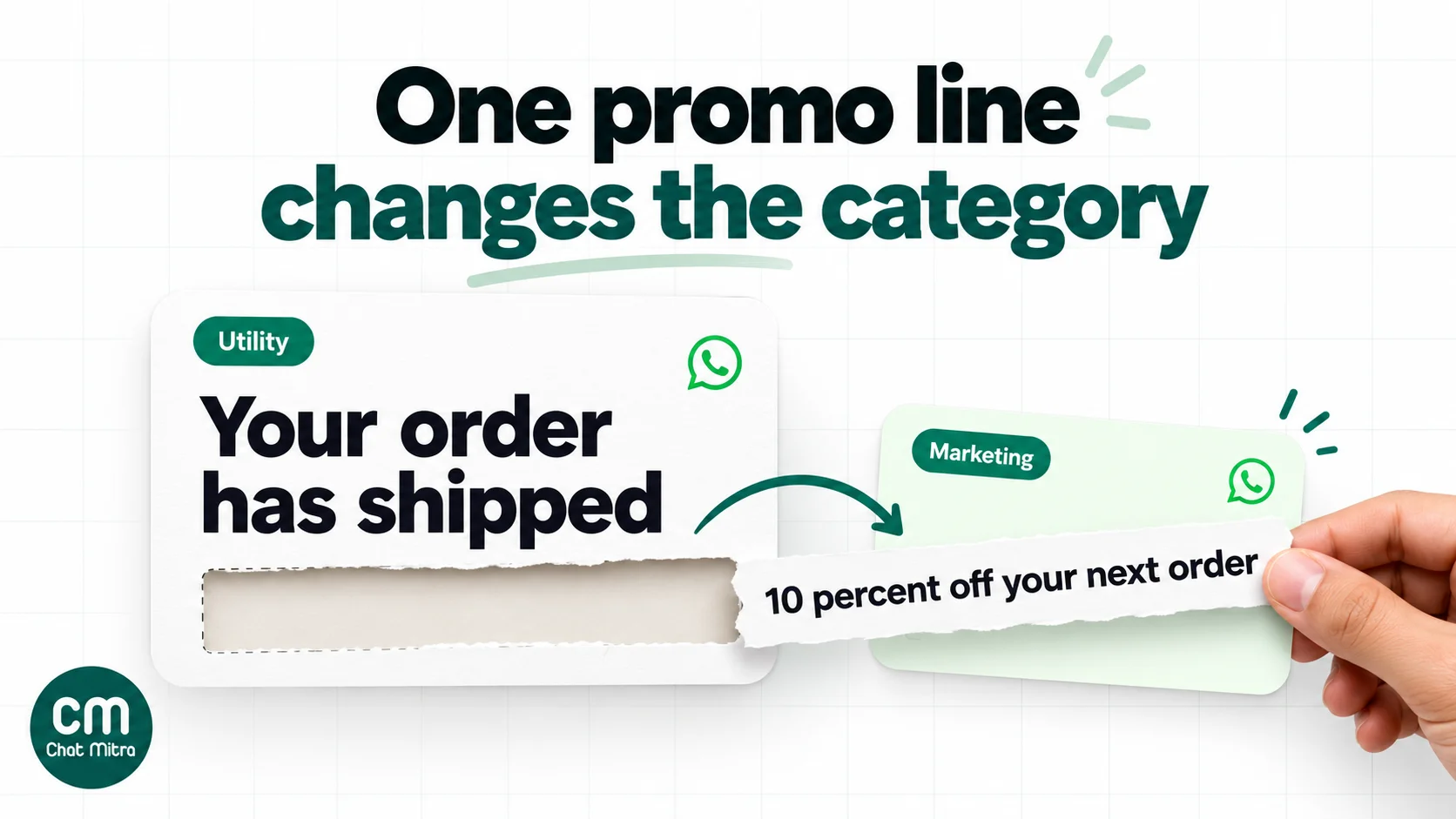
This is the costliest mistake, because the category sets the price. Meta’s rules for a utility template are strict: it must be non-promotional and also tied to something the customer did (an order, an account, a booking) or critical to them. Templates with mixed content, such as an order update with a promo or a feedback survey with an offer, count as marketing.
What happens depends on the direction of the mistake:
Utility that should be marketing: since 9 April 2025, it isn’t rejected. Meta approves it as marketing and charges the marketing rate. You can request a review within 60 days if you think Meta got it wrong.
Content that doesn’t fit the category at all: rejected with
INCORRECT_CATEGORYorTAG_CONTENT_MISMATCH. You can create a new template, edit the category and resubmit, or request a review.Utility or marketing that should be authentication (a one-time password, for example): Meta gives notice, then rejects it on the first day of the following month.
❌ Utility:
Your order {{1}} has shipped. Use code BACK10 for 10 percent off your next order.✅ Utility:
Your order {{1}} has shipped and should reach you by {{2}}. Track it with the button below.Send the code in a separate marketing template.
Our guide to WhatsApp utility templates has more examples of what stays utility.
7. The content is vague
Meta treats templates whose contents are unclear, such as a body that’s only {{1}} or just “Congratulations!”, as marketing, and they’re often rejected outright. The reviewer has to understand the purpose from the fixed text.
- ❌
Congratulations {{1}}! Tap below. - ✅
Congratulations {{1}}, your loan application {{2}} has been approved. Tap below to see the next steps.
8. It asks for sensitive identifiers
WhatsApp’s policy forbids asking people to share full payment card numbers, bank account numbers, national identification numbers or other sensitive identifiers, or documents that may contain them. Asking for part of an identifier, such as the last four digits, is allowed.
- ❌
Please reply with your full Aadhaar number and card number to verify your account. - ✅
Please reply with the last 4 digits of the mobile number linked to your account so we can find your booking.
If you need documents for KYC, send customers to your secure website or app rather than collecting them in the chat.
9. It threatens or shames the customer
Meta rejects “potentially abusive or threatening content, such as threatening a customer with legal action or threatening to publicly shame them.” Payment and collection reminders are where this usually happens.
- ❌
Pay {{1}} today or we will take legal action and inform your employer. - ✅
Hi {{1}}, your payment of {{2}} for invoice {{3}} was due on {{4}}. Tap below to pay, or reply here if you need more time.
10. It breaks the Commerce Policy or a regulated-vertical rule
When you offer goods or services for sale, Meta treats every related message, including descriptions, prices and fees, as part of the transaction, and it must follow the WhatsApp Commerce Policy. Goods that Meta’s Commerce Policy prohibits can’t be sold on WhatsApp at all. Some regulated categories, including alcohol, online gambling and gaming, and over-the-counter drugs, can be promoted only in the countries WhatsApp lists for each, only on the Business Platform (not the app), and with age limits such as no alcohol messages to anyone under 18 (WhatsApp Business Messaging Policy, updated 23 September 2026).
The fix isn’t wording. Check the country lists in the policy before you write the template, and if your product isn’t allowed where your customers are, use templates for order updates only, or don’t use WhatsApp for that product.
11. It duplicates an existing template
A template with the same body and footer wording as one already in your account is rejected as a duplicate. Business Support Home names the existing template and its language. Either use the existing template or change the wording. Authentication templates are exempt from this check.
Duplicates are common when you resubmit a rejected template under a new name without changing the text, or when two team members create the same order update.
12. It’s over a length or format limit
Meta’s limits (Meta: template components):
| Part | Limit |
|---|---|
| Body | 1,024 characters |
| Text header | 60 characters |
| Footer | 60 characters |
| Button label | 25 characters |
| URL in a URL button | 2,000 characters, one variable at the end |
| Template name | Lowercase letters, numbers and underscores only, up to 512 characters |
Meta also says the number of emojis allowed in the body may be limited. Use them sparingly; a template full of emojis also looks like spam to customers.
Approved, then paused or recategorised
Approval doesn’t settle things for good. Three things can happen to a live template.
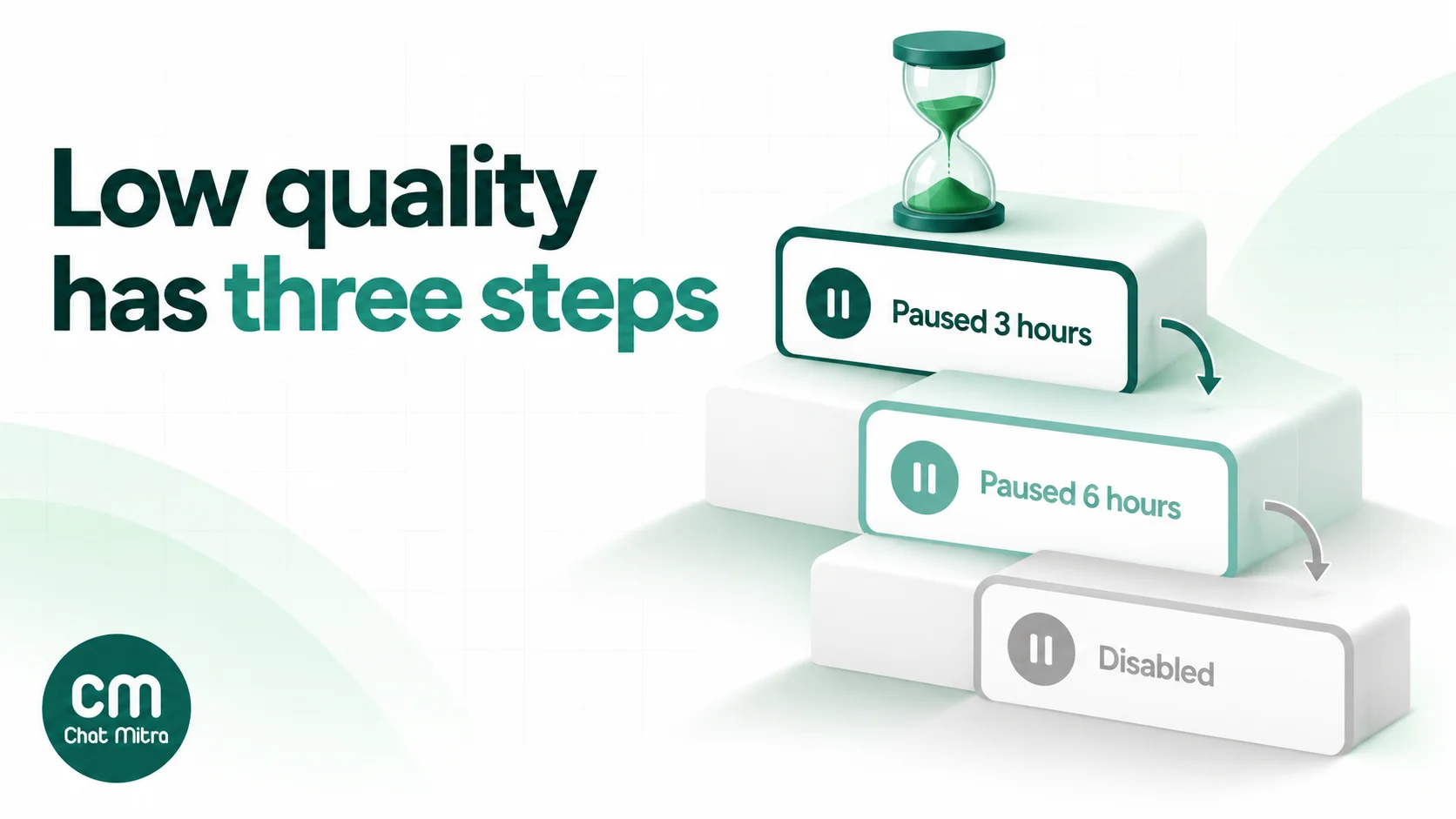
It’s paused for low quality. Meta rates each template on how customers respond, including blocks and reports. When a template reaches the lowest rating (Active – Low quality), it’s paused automatically: for 3 hours the first time, 6 hours the second time, and the third time it’s disabled (Meta: template pausing). You aren’t charged for sends attempted while it’s paused, but they fail. Templates paused under Meta’s template pacing must be unpaused manually in WhatsApp Manager or through the API. A disabled template can be edited and resubmitted.
Its category is changed. Meta regularly reviews approved templates. If a utility template should be marketing, you get a day’s notice and then the category changes, while the template stays approved. Businesses that Meta has warned for misusing categories get no notice: since 16 April 2025, the change is immediate.
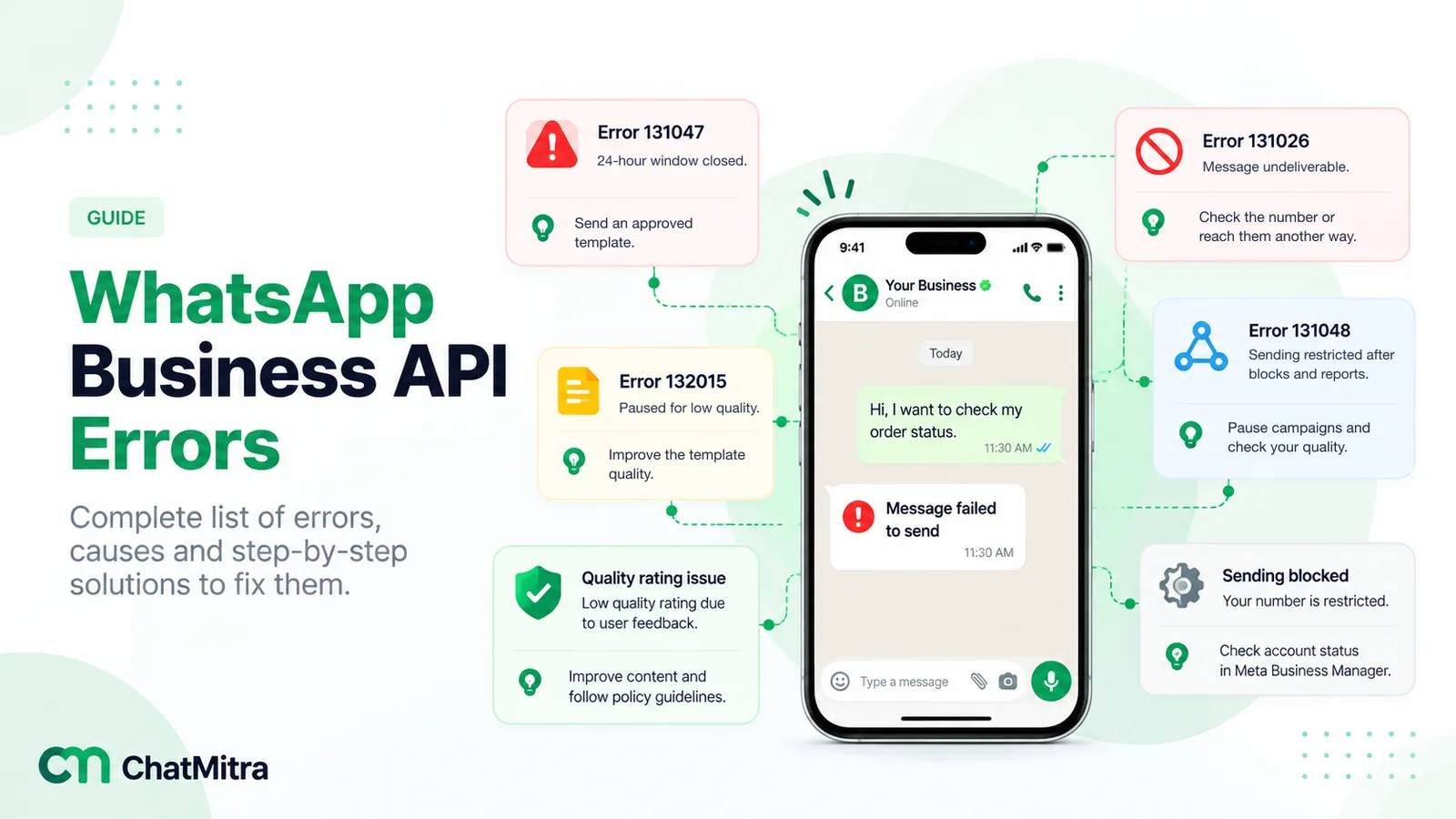
It’s approved but not delivered. WhatsApp limits how many marketing templates one person receives from businesses, based on how much they engage, and doesn’t currently deliver marketing templates to United States numbers (Meta: per-user marketing limits). These show up as send errors, not rejections. Our guide to WhatsApp Business API errors explains the codes.
Fix, appeal or start again?
Once you know the reason, pick the quickest route:
| Situation | Best route | Rules to know |
|---|---|---|
| The rejection is right (formatting, vague text) | Edit and resubmit | Rejected and paused templates can be edited an unlimited number of times |
| You think Meta is wrong | Appeal in WhatsApp Manager | The appeal must include samples; decision within 24 hours |
| Utility approved as marketing and you disagree | Request a review | Within 60 days of the category change |
| You need a different category for an approved template | Create a new template | You can’t edit the category of an approved template |
| You want to change an approved template’s wording | Edit it | Once per 24 hours, up to 10 times in 30 days; it can’t be sent while in review |
| You deleted a template and want its name back | Wait, or use a new name | A deleted template’s name can’t be reused for 30 days |
Sources: Meta: template review, template categorisation and template management.
Keep in mind that each account holds 250 templates, or 6,000 once your business portfolio is verified and a number has an approved display name. Delete old rejected drafts so they don’t crowd out templates you use.
Checklist before you submit
Run through this before every submission. It takes two minutes and catches most rejections.
| Check | Why |
|---|---|
| The body starts and ends with fixed words, not a variable | Dangling parameters are rejected |
| Variables run {{1}}, {{2}}, {{3}} in order, with no gaps or repeats | Out-of-order or broken variables are rejected |
| There are more fixed words than variables | Too many variables for the length is rejected |
| No #, $ or % inside variables or samples | Special characters in variables are rejected |
| Every variable and media header has a realistic sample | Samples are required, including for appeals |
| No offer, discount or upsell in a utility template | Mixed content is approved as marketing |
| The purpose is clear from the fixed text alone | Unclear content is treated as marketing |
| No request for full card, bank or ID numbers | Sensitive identifiers break WhatsApp’s policy |
| No threats of legal action or shaming | Abusive content is rejected |
| The product is allowed in your customers’ countries | Commerce Policy and regulated verticals |
| The wording isn’t the same as an existing template | Duplicates are rejected |
| Body ≤1,024, header and footer ≤60, buttons ≤25 characters | Format limits |
For promotional templates, also make sure you have the customer’s opt-in; our WhatsApp opt-in guide explains what counts. For worked examples that pass review, see our WhatsApp templates for restaurants.
Fixing rejected templates in ChatMitra
Checked against the product in October 2026:
| Need | How ChatMitra handles it | Plan |
|---|---|---|
| Catch formatting errors before submitting | The builder flags a body that starts or ends with a variable, is only variables, is over 1,024 characters, has more than 20 variables, an empty {{}}, a repeated variable number, more than 10 emojis or three blank lines in a row; it also flags headers over 60 characters | All plans |
| Template names | Lowercase letters, numbers and underscores, up to 50 characters; ChatMitra adds a timestamp to each name, so a name you used before never blocks a new submission | All plans |
| Samples | Sample values for body variables, and a required sample for any URL button with a variable | All plans |
| See what was rejected | Sync Templates, then the Rejected tab | All plans |
| Start from a ready template | Template library: Edit & Use Template opens a library template in the builder | All plans |
| Send approved templates | Inbox, campaigns, Google Sheets automation, and the developer API | API on Pro |
Good to know:
- Read Meta’s reason in WhatsApp Manager. ChatMitra’s template list shows which templates were rejected, but not Meta’s reason text yet. Open the template in WhatsApp Manager or Business Support Home to see it.
- To fix a rejection, create a corrected template. Use the same wording with the fix applied, or edit it in WhatsApp Manager and then click Sync Templates.
- The builder doesn’t check everything. Variable order (as opposed to repeats), symbols in samples, policy issues and duplicates of your other templates are still up to you, so run the checklist above.
Why businesses choose ChatMitra for templates
| ChatMitra advantage | What it means | How it compares |
|---|---|---|
| Builder checks Meta’s commonest format rules as you type | Fewer rejections from dangling or repeated variables and over-length bodies | Check whether your provider validates before submitting or only shows Meta’s rejection |
| Free Starter plan with templates and campaigns | Create, sync and send templates without a subscription | Meta’s template rates are the same on every provider |
| Meta’s rates at cost, no markup | A utility template costs ₹0.115 in India and a marketing one ₹0.8631, from Meta, nothing added | Check whether a provider adds a margin on Meta’s rates |
| ₹0.20 per conversation, not per message | Several messages to one customer in 24 hours cost one fee | Per-message fees add up |
| Enterprise (₹2,499 a month) removes the ₹0.20 fee | One fixed fee for high volumes | Cheaper than Pro above about 8,500 conversations a month |
Plans are on the pricing page. For the basics of templates, see our WhatsApp message templates guide.
Where to start
If a template has just been rejected, find the code first, then match it to the reasons above. Most rejections come from reasons 1 to 4 and take a minute to fix. If the code is about category, take out the promotional line and decide whether the message is really utility. Before your next submission, run the checklist, and give yourself a day before any campaign that depends on a new template.
ChatMitra’s Starter plan is free and includes the template builder, campaigns and Sheets automation. Pro adds auto-replies and the API, with a 15-day free trial.
Sources: Meta for Developers: template review (updated 17 June 2026), template categorisation (updated 15 September 2026), template management (updated 2 July 2026), templates overview (updated 21 May 2026), template components (updated 24 June 2026), template pausing (updated 17 June 2026), per-user marketing limits (updated 17 June 2026), template status webhook (updated 21 May 2026). WhatsApp Business Messaging Policy (updated 23 September 2026). ChatMitra product behaviour as checked in ChatMitra's code and pricing page (October 2026).