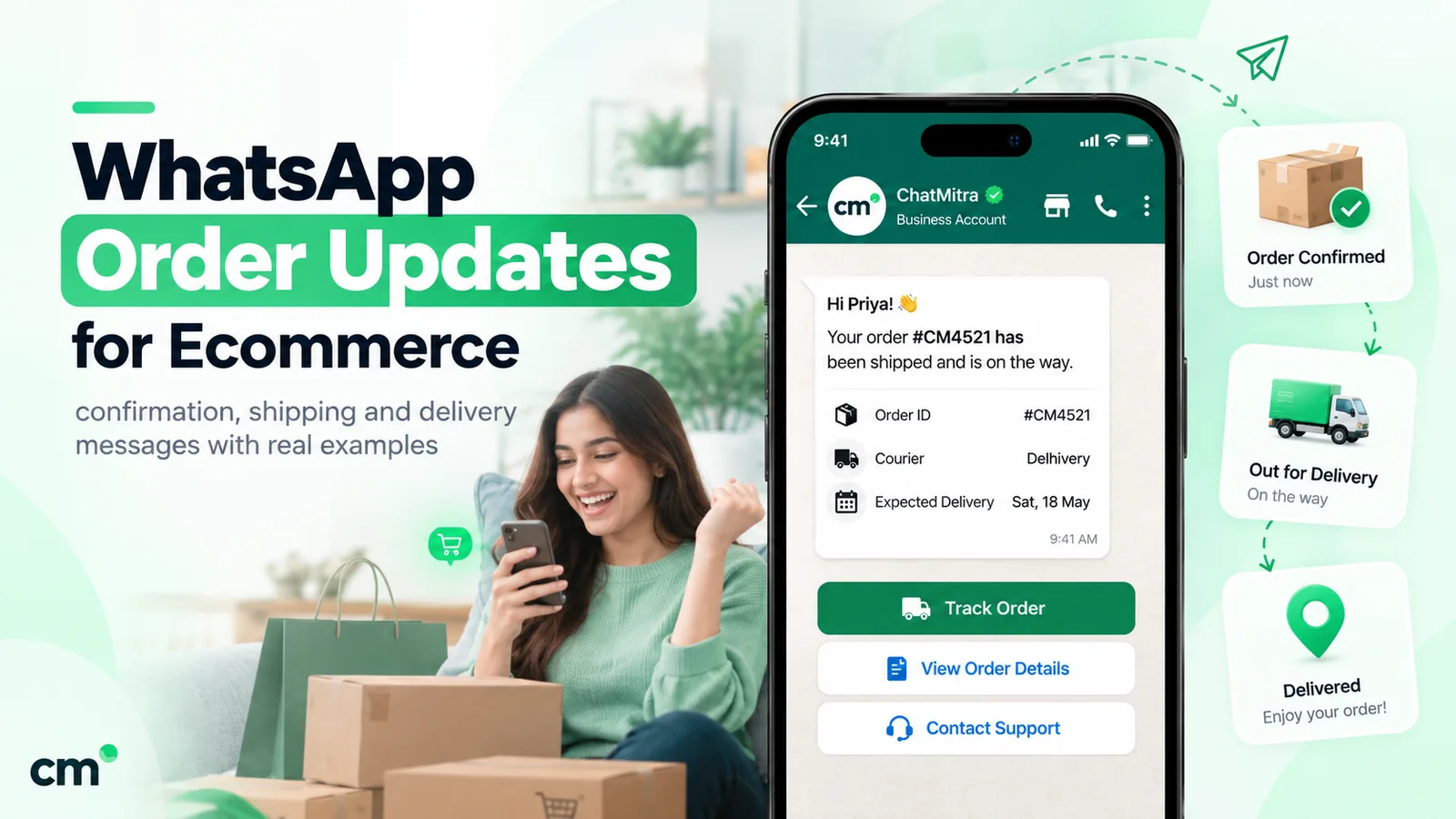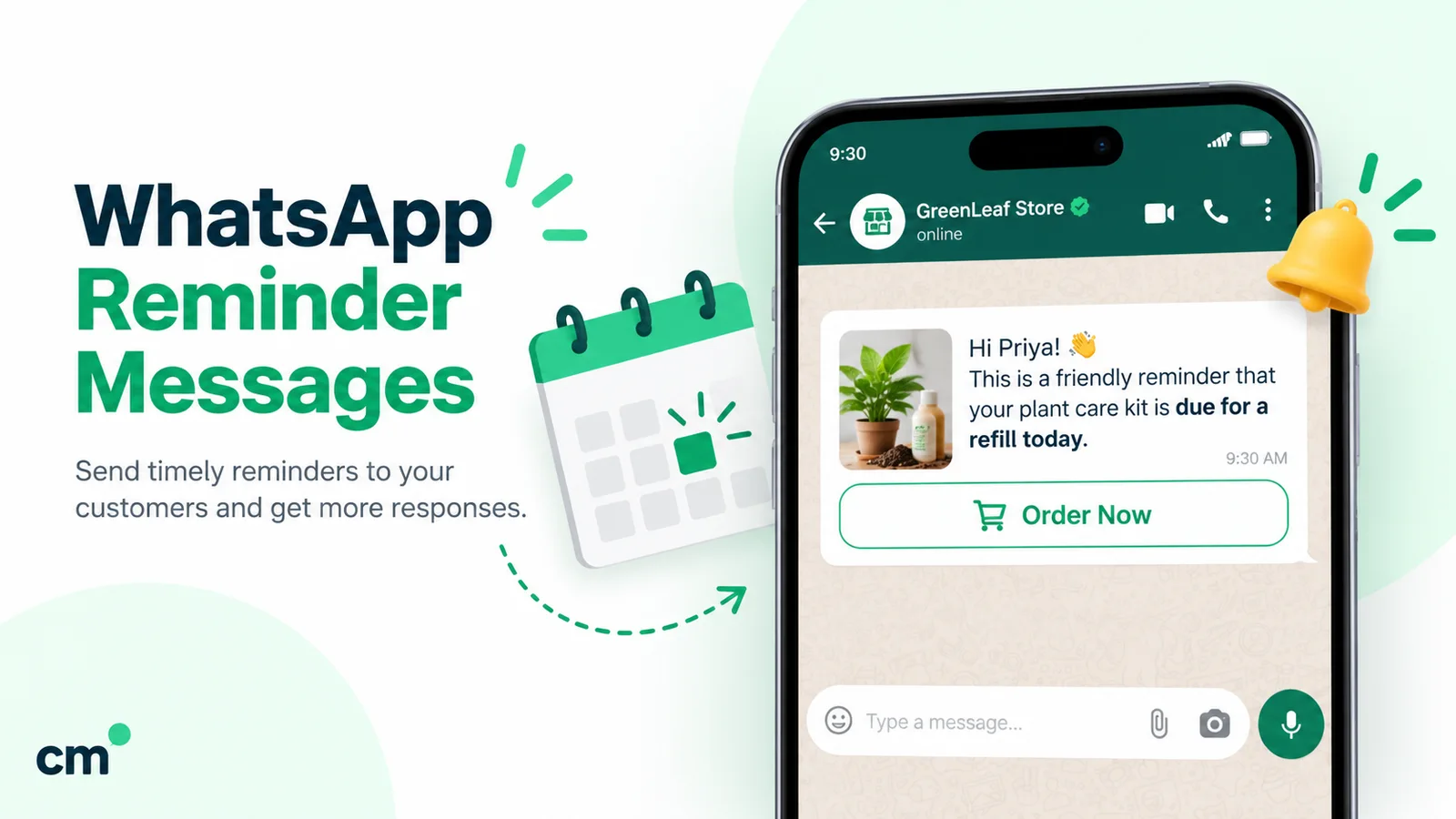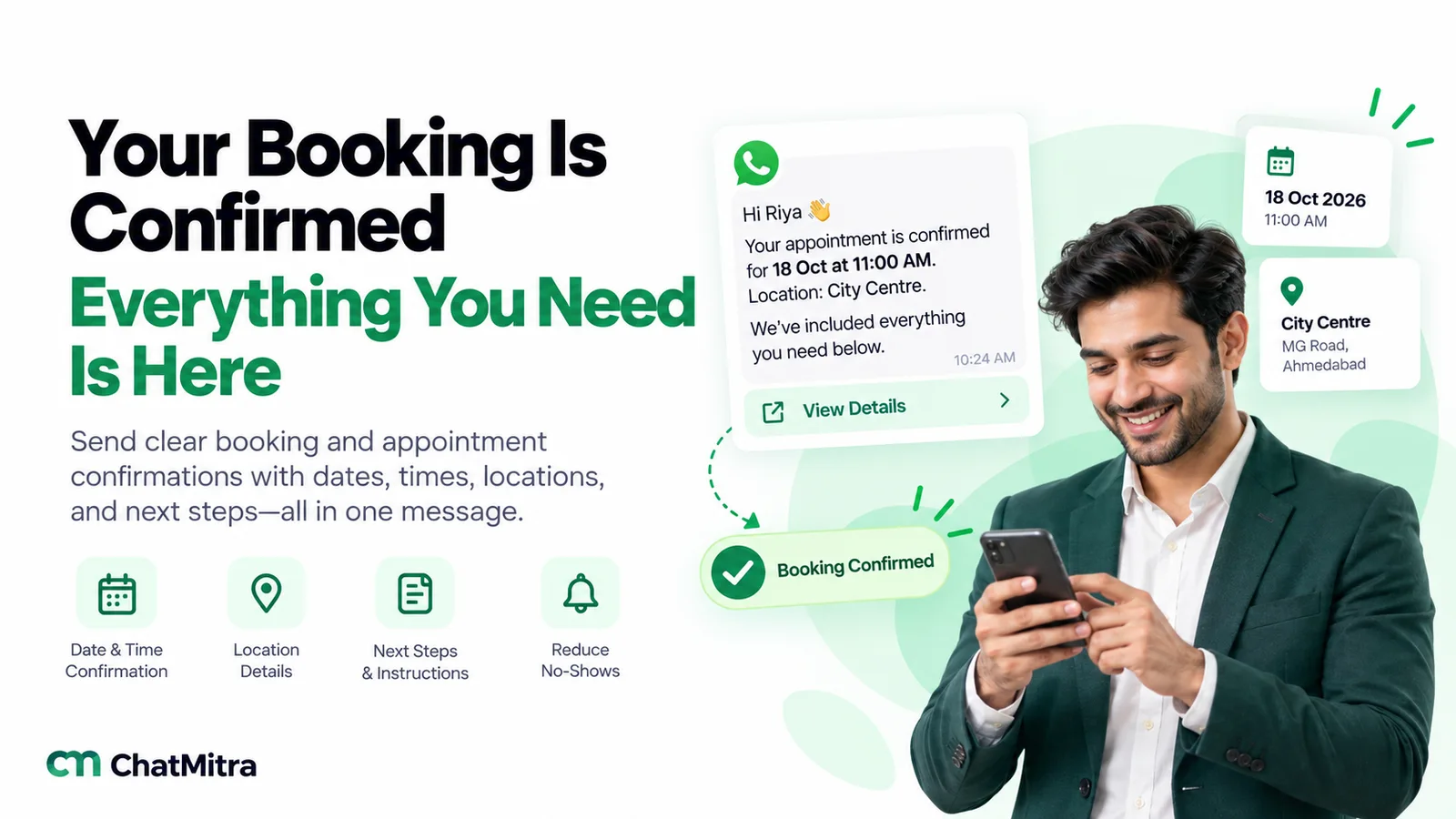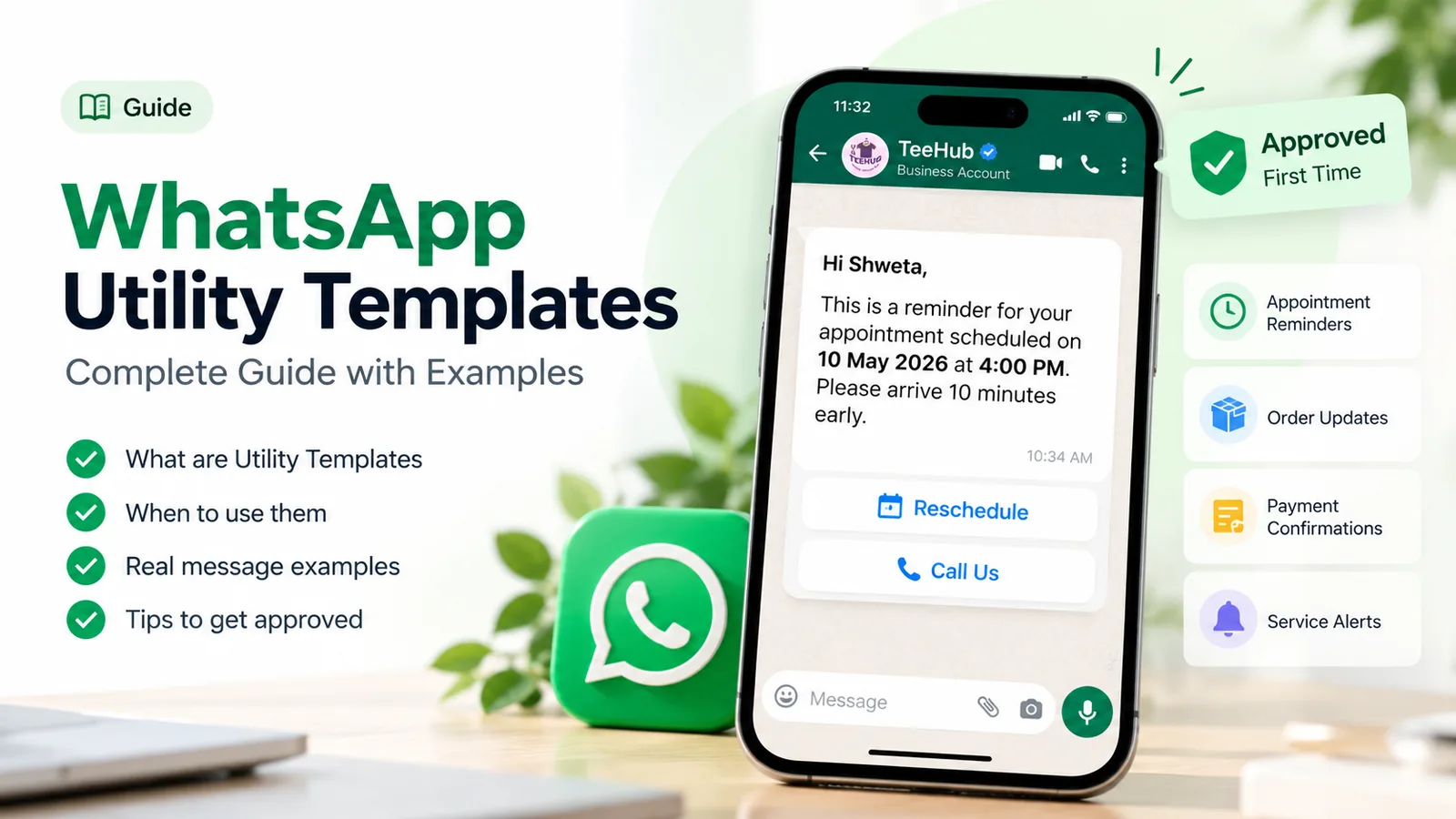
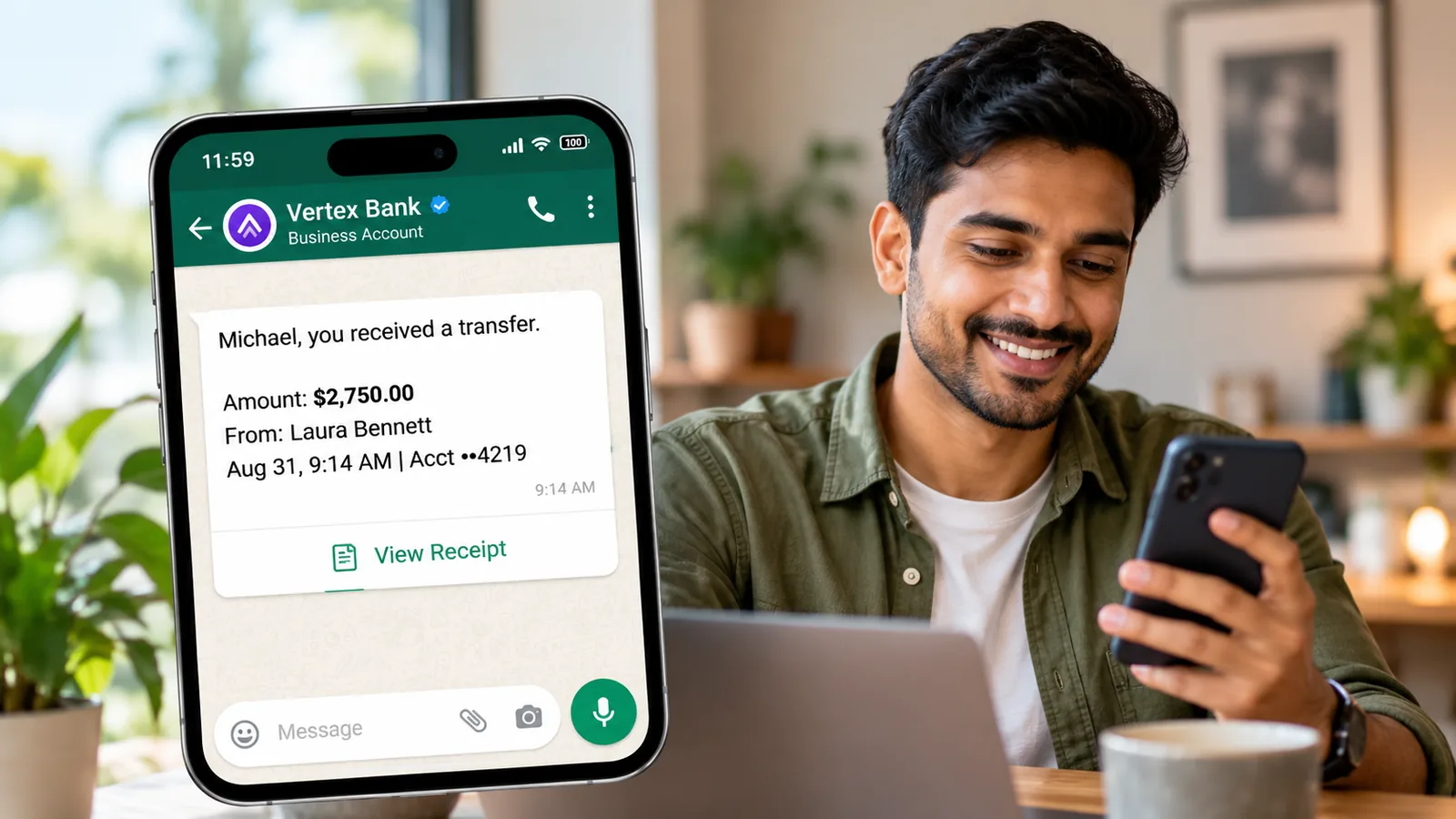
A WhatsApp utility template is a Meta-approved message format that follows up on something the customer did or asked for: an order, a payment, a booking, an account change. To keep it in the utility category, write only about that transaction, put the details in variables, give one practical next step, and leave out every offer, upsell and renewal push. Meta checks the wording, not the category you pick.
Getting this right has always saved money. Since 1 October 2026 it matters on almost every send, because Meta now charges for utility templates even inside an open customer service window. Below: Meta’s test, structure and wording, variable rules, six rewrites, 24 examples, the grey areas, and what to do when Meta moves a template to marketing.
Key takeaways
- Meta's test has two parts: nothing promotional, and tied to the customer's own order, account or request (or essential to them).
- Mixed content is marketing. One discount line flips the whole template.
- Nearly every utility send is billable since 1 October 2026 (only free entry point windows stay free), so clean wording pays off at scale.
- A recategorised template keeps working, but at the marketing price until you fix it or win a review.
What makes a WhatsApp template “utility”?
Meta’s template categorization guidelines set a two-part test. A template is utility only if it meets both:
- It “must be non-promotional, not containing any promotional or persuasive intent.”
- It must also be “either specific to or requested by the user (clearly related to their order, account, services, or transactions) OR essential or critical to the user (for example, to ensure user safety).”
(Meta, template categorization, updated 15 September 2026.)
Meta groups the everyday cases into five objectives: opt-in management, order management, account alerts or updates, feedback surveys, and continuing a conversation the customer asked to move to WhatsApp. For order and account messages it adds a hard line: they “should not promote, recommend, upsell, or cross-sell products; include offers; or attempt to secure renewals.”
The “essential” route covers messages people need whether or not they bought anything: severe weather and crisis alerts, public health notices, outages, fraud warnings, product recalls, and legally required disclosures.
Here is how utility sits next to the other two template categories:
| Utility | Marketing | Authentication | |
|---|---|---|---|
| Job | Follow up on the customer's own action or request | Awareness, sales, retargeting | Verify identity with a one-time code |
| Typical trigger | An order, payment, booking or account event | Your campaign calendar | A login or sign-up attempt |
| Example | "Your order 4821 has shipped" | "20% off this weekend" | "Your code is 482913" |
| India rate per delivered message | ₹0.1150 | ₹0.8631 | ₹0.1150 |
If you want the category definitions in more depth, our explainer on WhatsApp utility messages covers them. This guide is about the writing.
Why the wording now decides your bill
Meta bills the category a template has when you send it. Its pricing page says a business “accepts the charges associated with the category applied to the template at time of use” (Meta, pricing, updated 10 September 2026). The category you chose when you created it doesn’t count.
Two changes make that more expensive than it used to be.
In-window utility is no longer free. From 1 July 2025, Meta stopped charging for utility templates sent in reply to a customer inside an open 24-hour window. That ended on 1 October 2026: “Meta will charge on a per-message basis for utility messages sent in response to users (within an open 24-hour customer service window)” (Meta, non-template messages). So a template that drifts into marketing now costs you on every send, not just the ones outside the window.
Meta catches drift automatically. Since April 2025, a template you submit as utility but that Meta reads as marketing is simply approved as marketing. Meta also re-checks approved templates on a recurring basis, including ones it had already reviewed.
Here’s what that means in rupees. Say a store sends 20,000 shipping updates a month in India:
| Same 20,000 messages | Rate | Monthly Meta cost |
|---|---|---|
| Approved as utility | ₹0.1150 | ₹2,300 |
| Recategorised as marketing (one "shop our sale" line added) | ₹0.8631 | ₹17,262 |
That’s about ₹15,000 a month for one sentence. Utility also gets volume discounts: Meta says “volume tiers apply only to utility and authentication messages”, and in India the utility rate drops after 25 million messages a month. For the full cost picture, see WhatsApp business cost per message.
The anatomy of a utility template
A utility template has up to four parts. Each one has a job, and each has a limit you’ll hit if you’re not watching:
| Part | What it's for in a utility template | Meta's limit |
|---|---|---|
| Header (optional) | A short label ("Order shipped") or a document such as a PDF invoice or ticket | Text: 60 characters, 1 variable. Media: image, video or document |
| Body (required) | The event, the details, and the next step | 1,024 characters |
| Footer (optional) | Business name, support hours, or how to stop updates | 60 characters |
| Buttons (optional) | Actions on the transaction: Track order, View invoice, Reschedule | Up to 10 in total; at most 2 URL buttons and 1 phone button; labels up to 25 characters |
Source: Meta, template components. For every button type and its grouping rules, see our guide to template elements.
A document header is the neatest way to deliver an invoice or e-ticket, because the file arrives with the message. Location headers, allowed only in utility and marketing templates, suit “your pickup point” messages.
How to write a utility template, step by step
- Name the trigger. Write down the event behind the message, such as “payment captured”. If you can’t name one, and it isn’t a safety or legal notice, it probably isn’t utility.
- Give the template one job. A template that confirms, thanks, suggests and asks for a review is doing four jobs, and at least one of them is marketing.
- Open with the event. “Your order 4821 has shipped” tells the customer why you’re writing in five words. Skip “Greetings from”.
- Put every changing detail in a variable. Names, order numbers, amounts, dates, tracking IDs. Specificity is half of Meta’s test.
- Give one practical next step that finishes the transaction: track, pay, confirm, reschedule, download.
- Add buttons that act on the transaction, such as a tracking link, a “Reschedule” quick reply or your support number.
- Close with fixed text. End on a full sentence, not a variable.
- Write honest sample values. Meta reviews your samples too, so use a realistic name, order number and date.
Wording rules that keep a template in utility
Many recategorisations come from habits carried over from marketing copy. Here are the patterns to replace:
| Instead of | Write | Why |
|---|---|---|
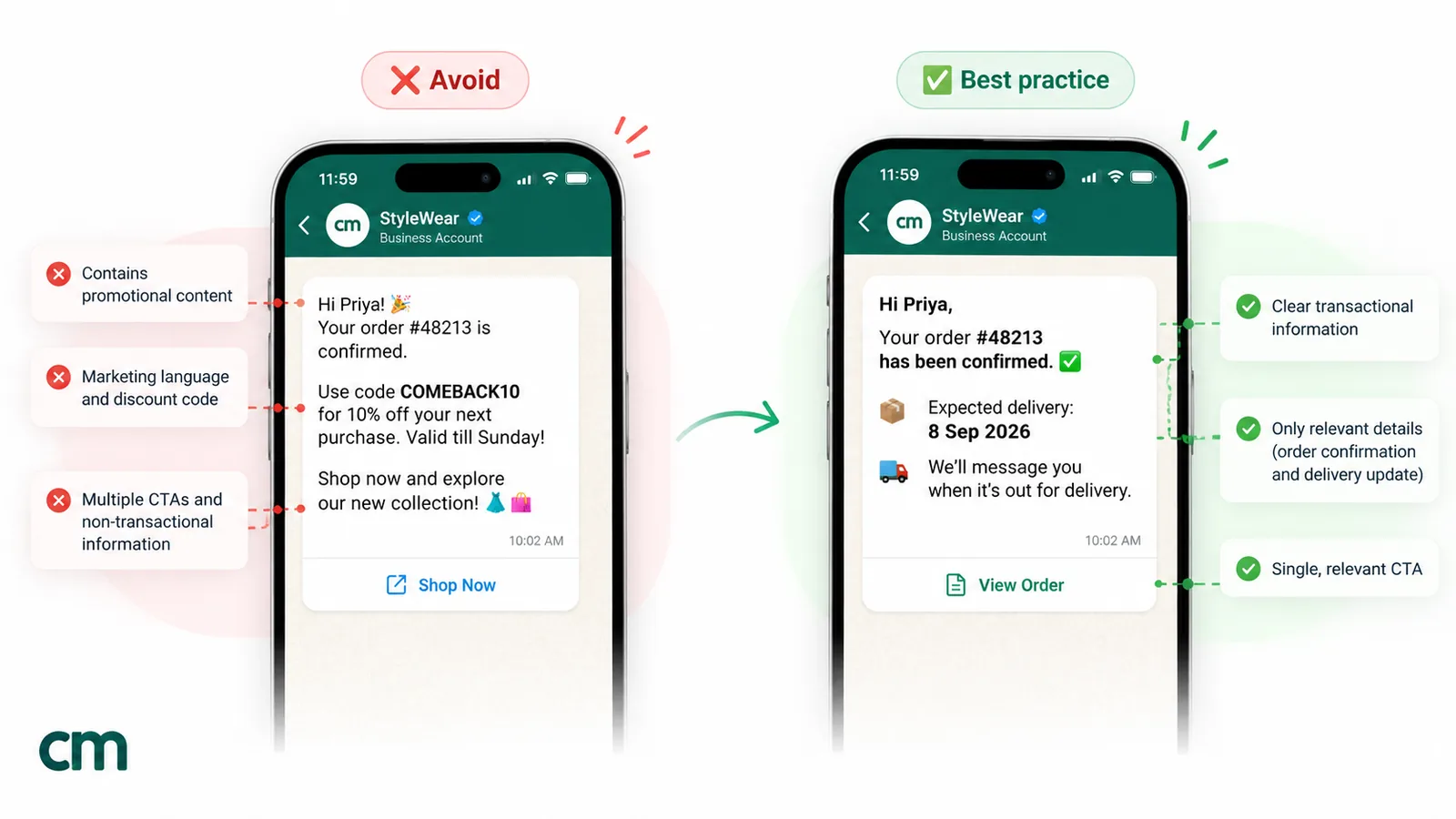
| "Thank you for shopping with us! Here's 10% off your next order" | "Your order {{1}} is confirmed" | Any offer makes it mixed content, and mixed content is marketing |
| "You'll love these picks" | Nothing: cut it | Recommending products is outside utility |
| "Hurry! Only a few left" | "We've reserved your item until {{2}}. After that, the hold ends." | Urgency written to persuade is persuasive intent |
| "Renew now to keep enjoying the benefits" | "Your plan ends on {{2}}. No action is needed if auto-pay is on" | Meta lists attempts to secure renewals as not allowed |
| "Shop now" or "Explore more" buttons | "Track order", "View invoice", "Reschedule" | Buttons are read as part of the intent |
| "Congratulations!" on its own | "Your account is now active" | Meta calls unclear content like this marketing |
| "Dear valued customer" | "Hi {{1}}," | Generic greetings make a message look like a broadcast |
A few more habits help:
- Be plain, not cold. “We’ve received your payment of ₹4,800” beats “This is to inform you that payment has been received”. Warmth is fine; persuasion is not.
- Write in the customer’s language. Meta supports more than a hundred language codes, including Hindi, Bengali, Gujarati, Marathi, Tamil and Telugu, but “Template strings and variables are not translated by Meta.” Submit each language as its own version with the matching code.
- Keep emojis rare. Meta can reject a template over its emoji count, and party emojis on an order update read as promotion.
- Never ask for full sensitive numbers. Meta’s review guidance rules out requesting full card, account or national ID numbers. The last four digits are fine.
- Don’t threaten. Meta rejects templates that threaten legal action or public shaming.
Utility doesn’t mean skipping opt-in. Collect consent at checkout or sign-up, as our WhatsApp opt-in guide explains.
Variables and sample values
Variables cause many rejections, usually for mechanical reasons rather than content. Meta’s template review page lists these rejection causes (Meta, template review):
- Dangling parameters. “The message template cannot start or end with a parameter.” Begin with “Hi {{1}},” and end with a sentence of fixed text.
- Numbering gaps. Parameters must be sequential: {{1}}, {{2}}, {{3}}, never {{1}}, {{3}}.
- Too many variables for the length. A body like “{{1}} {{2}} at {{3}}” is almost all variables. Add enough fixed words to show what the message is about.
- Special characters inside the braces. Don’t put characters such as #, $ or % inside a parameter.
- Missing samples. Every parameter needs an example value.
Meta supports two formats. Positional parameters are numbered from 1. Named parameters use lowercase letters and underscores, such as {{order_id}}. Positional is the default when you don’t specify a format. The examples in this guide use positional numbers, because every tool supports them.
Choose samples that make the purpose obvious. “Riya”, “ORD-48213”, “₹1,299” and “14 March, 11:00 AM” tell the reviewer what the message does. “test” and “123” tell them nothing.
Before and after: six rewrites
Each draft below would likely be approved as marketing, or recategorised later. The rewrite keeps the useful part and removes the rest.
1. Order confirmation with a coupon
- Before: “Thanks for your order {{1}}! 🎉 Use code COMEBACK10 for 10% off next time.”
- After: “Hi {{1}}, your order {{2}} for {{3}} is confirmed. We’ll message you again when it ships.”
- Why: the coupon made it mixed content. If you want a re-order offer, send it as a separate marketing template to people who opted in.
2. Shipping update with a new collection
- Before: “Order {{1}} is on its way! Our festive collection just landed, so take a look before it sells out.”
- After: “Hi {{1}}, order {{2}} is on its way with {{3}}. Expected delivery: {{4}}. Tap below to track it.” Button: Track order (URL).
- Why: the festive-collection line promotes new products, and “before it sells out” adds pressure. The tracking button is the only next step the customer needs.
3. Subscription expiry that pushes renewal
- Before: “Your plan expires on {{1}}! Renew today and keep saving.”
- After: “Hi {{1}}, your {{2}} plan ends on {{3}}. Your saved settings will stay in your account after that date.”
- Why: Meta’s own marketing examples include this “Renew today” message. The rewrite states a fact and leaves the decision to the customer. For plans that renew automatically, an auto-debit notice is an account update; Meta’s utility library even includes an auto-pay reminder.
4. Delivery delay with a goodwill credit
- Before: “Sorry your package {{1}} is late. We’ve added ₹100 credit to your account!”
- After: “Hi {{1}}, your order {{2}} is delayed and should now arrive by {{3}}. We’re sorry for the wait. Reply HELP if you need anything.”
- Why: Meta lists an apology-with-credit message as marketing. Send the delay notice as utility and the credit, if you give one, as a separate message.
5. Generic feedback request
- Before: “How are we doing? Tell us about your experience with our brand!”
- After: “Hi {{1}}, how was your delivery of order {{2}} on {{3}}? Tap a button to rate it.” Quick replies: Good, Okay, Poor.
- Why: Meta approves feedback surveys as utility only when they’re specific to an order or interaction. “Our brand” is generic.
6. Appointment reminder with an upsell
- Before: “Reminder: haircut tomorrow at 4 PM. Add a hair spa for just ₹499!”
- After: “Hi {{1}}, reminder of your {{2}} appointment at {{3}} on {{4}}. Tap a button to confirm or reschedule.” Quick replies: Confirm, Reschedule.
- Why: the add-on is a cross-sell. The confirm button also cuts no-shows, which is what the reminder is for.
24 utility template examples by use case
These examples follow the rules above: a clear trigger, details in variables, one next step, and fixed text at both ends. Adapt the wording to your business. Meta decides the category at review, so no example is guaranteed to be approved as utility.
Orders and delivery
- Order confirmed: “Hi {{1}}, your order {{2}} for {{3}} is confirmed. We’ll send you the tracking details once it ships.”
- COD confirmation: “Hi {{1}}, you placed cash-on-delivery order {{2}} for {{3}}. Please confirm it so we can ship it.” Quick replies: Confirm order, Cancel order.
- Shipped: “Hi {{1}}, order {{2}} has shipped with {{3}}. Expected delivery is {{4}}. Use the button below to track it.” Button: Track order.
- Out for delivery: “Hi {{1}}, your order {{2}} is out for delivery today. Please keep your phone reachable for the delivery partner.”
- Delivery attempt failed: “Hi {{1}}, we couldn’t deliver order {{2}} today because {{3}}. Choose a new delivery slot using the button below.” Button: Choose slot.
- Return received: “Hi {{1}}, we’ve received your return for order {{2}}. Your refund of {{3}} will reach your original payment method within {{4}}. We’ll message you here when it’s done.”
For more order-stage wording, see our order confirmation message examples.
Payments and billing
- Payment received: “Hi {{1}}, payment of {{2}} against invoice {{3}} has been received. Your receipt is attached to this message.” Header: document.
- Invoice ready: “Hi {{1}}, invoice {{2}} for {{3}} is ready and due on {{4}}. You can view and pay it using the button below.” Button: Pay invoice.
- Payment due reminder: “Hi {{1}}, a reminder that your payment of {{2}} for {{3}} is due on {{4}}. Ignore this message if you’ve already paid.”
- Payment failed: “Hi {{1}}, your payment of {{2}} for order {{3}} didn’t go through. Your order is on hold until {{4}}. Use the button below to try again.”
- Refund processed: “Hi {{1}}, we processed the {{2}} refund for order {{3}} on {{4}}. Banks usually take a few working days to show it.”
Payment links have their own rules, covered in how to send a payment link on WhatsApp.
Appointments and bookings
- Booking confirmed: “Hi {{1}}, your booking at {{2}} on {{3}} at {{4}} is confirmed. Your booking ID is {{5}}. Reply here if you need to change it.”
- Appointment reminder: “Hi {{1}}, a reminder of your appointment with {{2}} on {{3}} at {{4}}. Tap a button to confirm or reschedule.” Quick replies: Confirm, Reschedule.
- Rescheduled: “Hi {{1}}, your appointment has moved to {{2}} at {{3}}, as you requested. Everything else stays the same.”
- Cancelled by the business: “Hi {{1}}, we’re sorry, but we’ve had to cancel your {{2}} slot on {{3}} because {{4}}. Tap below to pick another time.” Button: Book again.
Our booking confirmation message and WhatsApp reminder guides go deeper on timing and no-shows.
Accounts and subscriptions
- Account activated: “Hi {{1}}, your {{2}} account is now active. You can sign in with the phone number you registered.”
- New login alert: “Hi {{1}}, there was a new sign-in to your account on {{2}} from {{3}}. If this wasn’t you, reset your password using the button below.” Button: Secure account.
- Auto-debit notice: “Hi {{1}}, {{2}} will be debited on {{3}} for your {{4}} plan. You don’t need to do anything if your details are up to date.”
- Price change notice: “Hi {{1}}, from {{2}} the price of your {{3}} plan changes to {{4}}. Your current billing date remains the same.”
For the full letter behind a notice like number 19, see our price increase letter guide.
Services, education and support
- Ticket created: “Hi {{1}}, we’ve logged your request as ticket {{2}}. Our team will reply here by {{3}}.”
- Ticket resolved: “Hi {{1}}, ticket {{2}} is now resolved. Reply to this message within 7 days if the issue comes back.”
- Fee due (coaching or school): “Hi {{1}}, the {{2}} fee of {{3}} for {{4}} is due on {{5}}. You can download the fee receipt after payment from the parent portal.”
- Class schedule change: “Hi {{1}}, the {{2}} class on {{3}} has moved to {{4}}. The classroom and your batch stay the same.”
Essential notices
- Service disruption: “Hi {{1}}, {{2}} will be unavailable on {{3}} between {{4}} for scheduled maintenance. Your data and bookings are not affected.”
Grey areas: which category would Meta pick?
Some messages feel transactional but fall on the marketing side. Most verdicts below come straight from Meta’s guidelines; the price-change row is our reading of them:
| Message | Likely category | Reason |
|---|---|---|
| Abandoned-cart reminder | Marketing | Meta lists it under retargeting, "marketing even if requested by users" |
| "Renew today" subscription message | Marketing | An attempt to secure a renewal |
| Delay apology with a credit or coupon | Marketing | One of Meta's own marketing examples |
| Feedback survey about a specific order | Utility | Meta's feedback-survey objective, provided it's specific and has no promotion |
| "Tell us about your experience" survey | Marketing | "A general/generic survey… will not be approved as utility" |
| Plain notice of a price or terms change | Utility | Our reading of Meta's account-update objective (Meta gives no price-change example); keep it free of any offer |
| One-time passcode | Authentication only | "Marketing and utility templates cannot be used for this purpose" |
| "Continue on WhatsApp" message | Utility only if the customer asked | It "should not be initiated without a user having requested" the move |
Back-in-stock alerts are a judgement call. Even when the customer signed up for the alert, the message exists to make a sale. We’d plan for marketing rates. Our out of stock message guide covers how to word these.
Start from Meta’s template library
Meta runs a template library for common utility cases. It “makes it faster and easier for businesses to create utility templates for common use cases, like payment reminders, delivery updates”. Library templates “have already been categorized as utility” and contain “fixed content that cannot be edited and parameters you can adapt” (Meta, template library).
Its use cases include order and shipment confirmations, delivery updates and failures, order delays, payment reminders and confirmations, auto-pay reminders, fraud alerts and return confirmations.
The trade-off is control. A customised library template goes through review like any other, and library parameters are type-checked at send time, so an amount outside the expected range makes the send fail. Use the library for standard notices, and write your own when you need your tone or buttons.
When Meta changes your template’s category
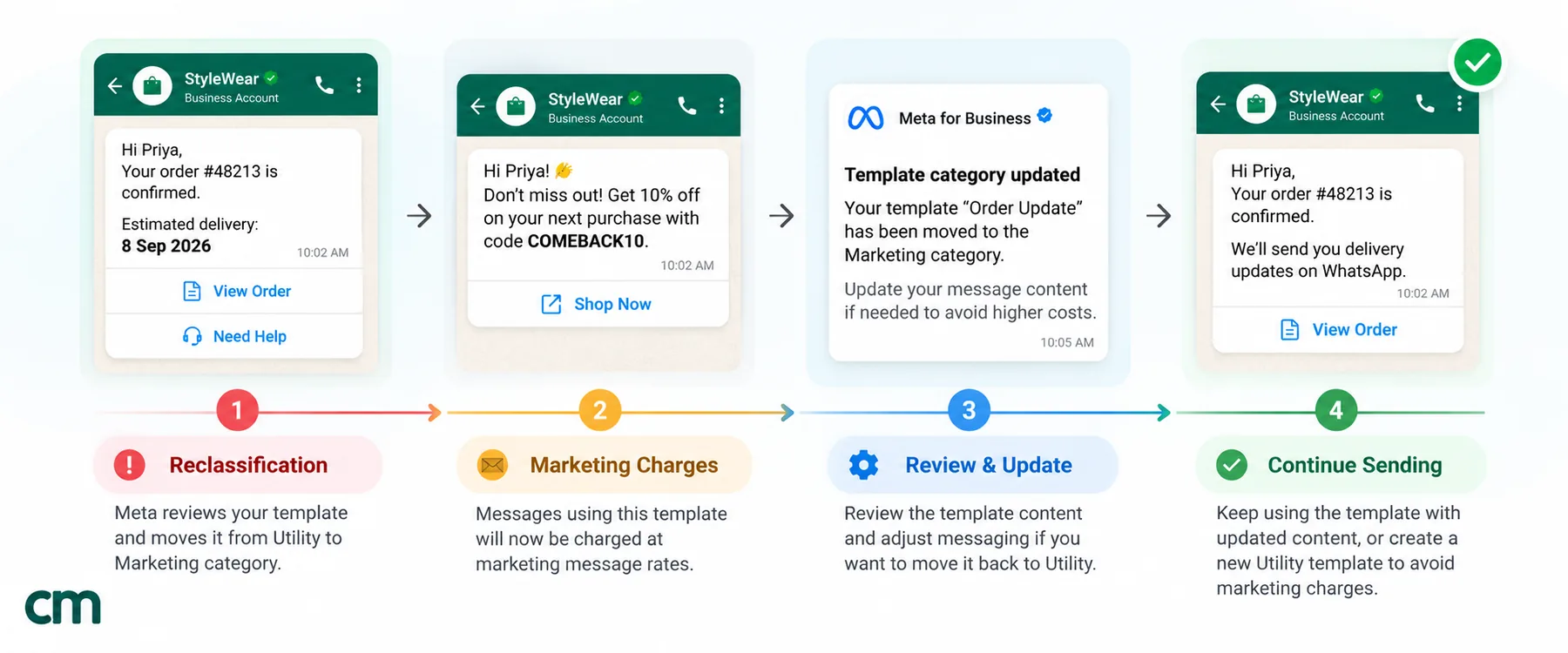
Recategorisation can happen at two points.
At review. Since 9 April 2025, “if you selected UTILITY as the template’s category and WhatsApp determined it should be MARKETING, the template is approved as MARKETING.” You don’t get a rejection to fix. You get a marketing template.
After approval. Since July 2024, Meta has run “a recurring process to identify and update approved templates that should be of a different category.” This includes templates that were already reviewed. Meta gives “a 1-day advance notice” through a template_category_update webhook, email and a banner in WhatsApp Manager. The template “remains APPROVED and can continue to be used to send messages”, but it’s billed as marketing from then on.
What to do when it happens:
- Re-read the template against the two-part test. The promotional line is usually easy to spot.
- If you’re sure it’s pure utility, request a review. Meta says you can request one “up to 60 days from the date the category was updated”, and “a review can only be requested via WhatsApp Manager” (Business Support Home, under template category updates).
- If the wording was the problem, create a clean template. Meta’s template management page says “you cannot edit the category of an approved template.” Write a new template with fixed wording, get it approved as utility, and switch your automations to it.
- Audit the rest of your library. If one order update carried a promo line, the others probably do too.
Take repeated drift seriously. Meta’s guidelines now describe escalating penalties for businesses that misuse the utility category:
- instant category changes with no notice;
- a cap on utility volume for at least 7 days;
- a 7-day restriction (30 days for repeat violations), during which all approved utility templates become marketing and you can’t create new utility templates or request reviews.
A clean utility library is much cheaper than a restricted one.
Quality counts too. Meta rates each template GREEN, YELLOW or RED. A template whose quality drops too low is paused for 3 hours, then 6, then disabled (Meta, template pausing). After a utility pause, new utility templates may also be paced for 7 days. Send only messages people expect.
Writing and submitting utility templates in ChatMitra
In ChatMitra you build templates under Templates → Create template:
- Set the category to Utility. The dropdown starts on Marketing, so change it first. Switching category resets the form.
- Choose a header type: text (up to 60 characters), image, video or document. A document header suits invoices and tickets.
- Write the body with numbered variables such as {{1}} and {{2}}. The builder warns you if the body starts or ends with a variable or is only variables, and flags anything over 1,024 characters. Fix every warning before you submit.
- Fill in a sample for every variable. The builder flags any you leave empty, and you can change the values each time you send.
- Add a footer and buttons. The builder supports quick replies, URL buttons (up to two, with one variable at the end of the link) and one phone button. It warns you if a URL button points to wa.me or another WhatsApp link.
- Pick the language and submit. Meta says a decision can take up to 24 hours. If Meta rejects it, the template moves to the Rejected tab.
The Example Template tab has dozens of utility examples by industry. Treat them as drafts and run each through the two-part test, because Meta judges your version.
After approval, check the category badge on the template’s preview, because that’s what Meta will bill. If a utility template was moved to marketing, the Request Review Template Category button at the top of the Templates page opens the category updates tab in Meta’s Business Support Home.
You can send approved utility templates from the inbox, as a campaign, from a Google Sheets automation, or automatically on Shopify order events: confirmation, cash-on-delivery confirmation, cancellation and fulfilment. On the Pro and Enterprise plans, per ChatMitra’s pricing page, the developer API sends them from your own system. For more starting points, browse the WhatsApp template message library.
Pre-submission checklist
Run through this before you submit any utility template:
- It follows a specific customer action or request, or it’s an essential notice.
- It has one job.
- The first line says what happened.
- Names, numbers, amounts and dates are all in variables.
- There is no offer, discount, recommendation, upsell, cross-sell or renewal push, anywhere.
- Buttons act on the transaction (track, pay, confirm, reschedule, download).
- The body starts and ends with fixed text, and the variables are numbered in order.
- Every variable has a realistic sample value.
- It doesn’t ask for full card, account or ID numbers.
- Emojis are few or none, and the header, body, footer and buttons are within their limits.
- The language code matches the language you wrote in.
- Everyone who will receive it has opted in.
Utility templates are the messages customers are glad to get: the receipt, the tracking link, the reminder that saves a wasted trip. Keep the selling for your marketing templates and they’ll stay cheap and trusted.