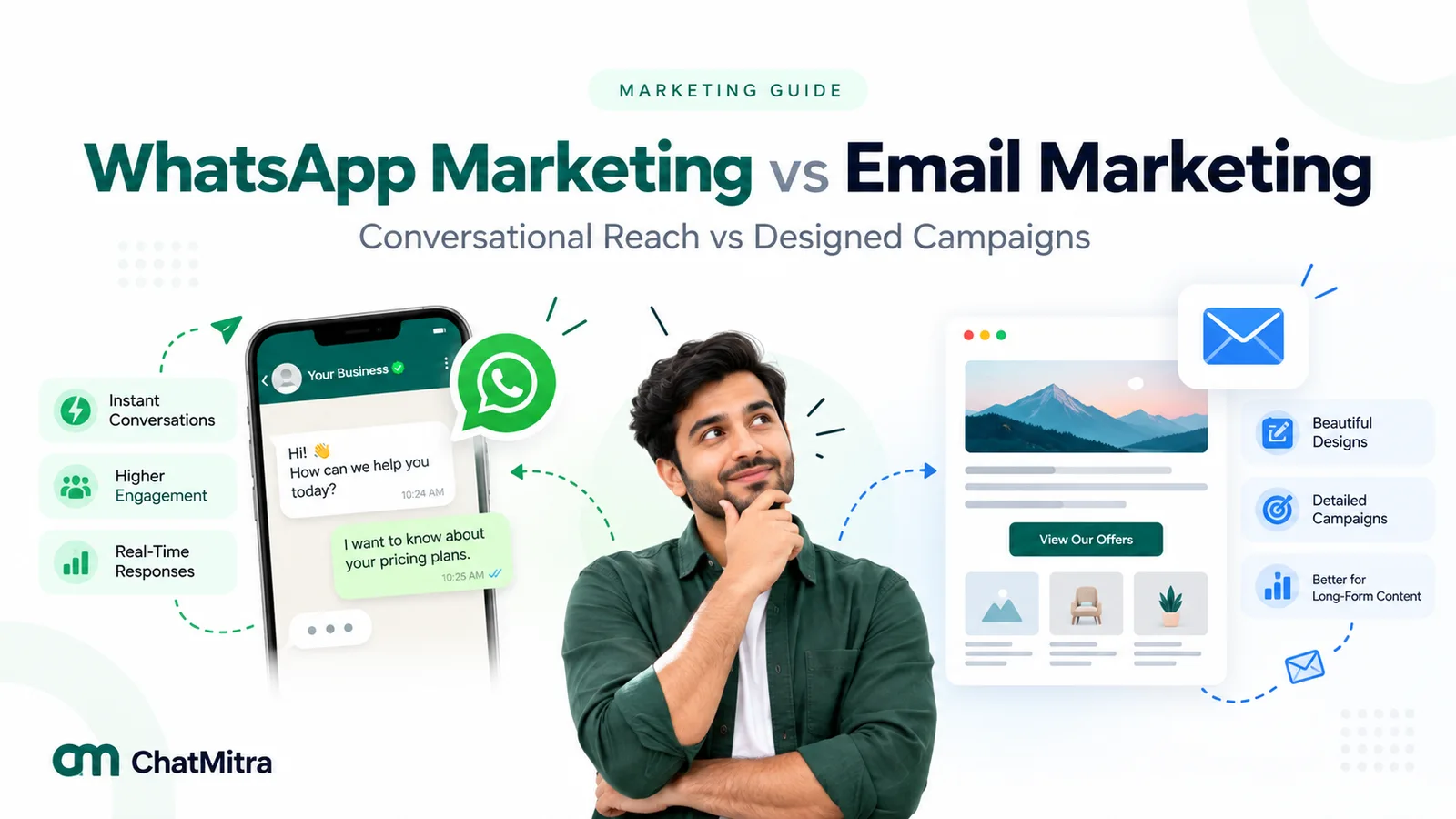
WhatsApp vs email marketing is a choice between two different jobs. Email is cheap per send, suits long content and reaches anyone with an address. WhatsApp costs money for every delivered template, needs the customer’s opt-in, and suits short, timely messages people can answer with a tap. Most businesses do best giving each channel its own role.
This guide compares consent rules, costs, delivery, formats and measurement, then gives a decision table and a pattern for running both channels together.
Key takeaways
- The pricing units differ. Meta bills each delivered WhatsApp message; most email tools bill by list size or send volume. Frequency is where the gap shows.
- Delivery is decided differently too: mailbox providers judge your domain's reputation, while Meta judges how people react to your messages.
- Pick the channel per message type, not per business. Receipts and newsletters, reminders and replies can each have a different answer.
Facts checked against Meta's and WhatsApp's documentation, the FTC's CAN-SPAM guide, EU and UK regulator texts, India's DPDP Act and Gmail's and Yahoo's sender rules on 26 September 2026. Rupee figures are Meta's India rates and exclude tax.
WhatsApp vs email marketing at a glance
Throughout this guide, “WhatsApp marketing” refers to campaigns sent through the WhatsApp Business Platform (the API). The free WhatsApp Business app is built mainly for one-to-one chats, not large list campaigns.
| Criterion | Email marketing | WhatsApp marketing (Business Platform) |
|---|---|---|
| What you need from the customer | An email address, plus whatever consent local law requires | A mobile number on WhatsApp and an opt-in that names your business |
| Who controls the channel | An open standard; you can move your list to any email provider | Meta's platform, policies and template review |
| How it's priced | Mostly by number of contacts or by emails sent, set by your email provider | Per delivered message, by category and the recipient's country, set by Meta, plus any platform fee |
| Message length and layout | Long, designed HTML with many links, images and attachments | Short templates with optional media and buttons; free-form replies inside a 24-hour window |
| What decides delivery | Domain authentication, spam complaints and sender reputation | Opt-in, template approval, messaging limits, per-user marketing limits and quality signals such as blocks and reports |
| Replies | Possible, but campaign replies usually go to an inbox nobody watches closely | Built in; a reply opens a 24-hour window for free-form service messages |
| Engagement signal | Opens (via a tracking image, unreliable) and clicks | Sent, delivered, read (depends on read receipts), replies and clicks |
What each channel is built for
Email is an inbox people visit when they choose to. A promotional email sits among newsletters, receipts and work mail, and can be read days later, searched and forwarded. That makes it good at depth and record-keeping, and weak at anything urgent.
WhatsApp is a chat list people check through the day, next to messages from family and friends. WhatsApp’s own About page says “More than 3 billion people in over 180 countries use WhatsApp” (WhatsApp, About), and the WhatsApp statistics guide explains what Meta’s user figures do and don’t measure. The same personal setting that gets a message seen also raises the cost of getting it wrong: a promotion that feels like spam in a chat thread earns a block, not just a deleted email.
There is also a structural difference. Email runs on open standards, so your list and consent records work with any email service. WhatsApp business messaging runs on Meta’s platform: Meta approves your templates, sets your sending limits and can “limit or remove your access” under its WhatsApp Business Messaging Policy.
Consent: what the rules say on each channel
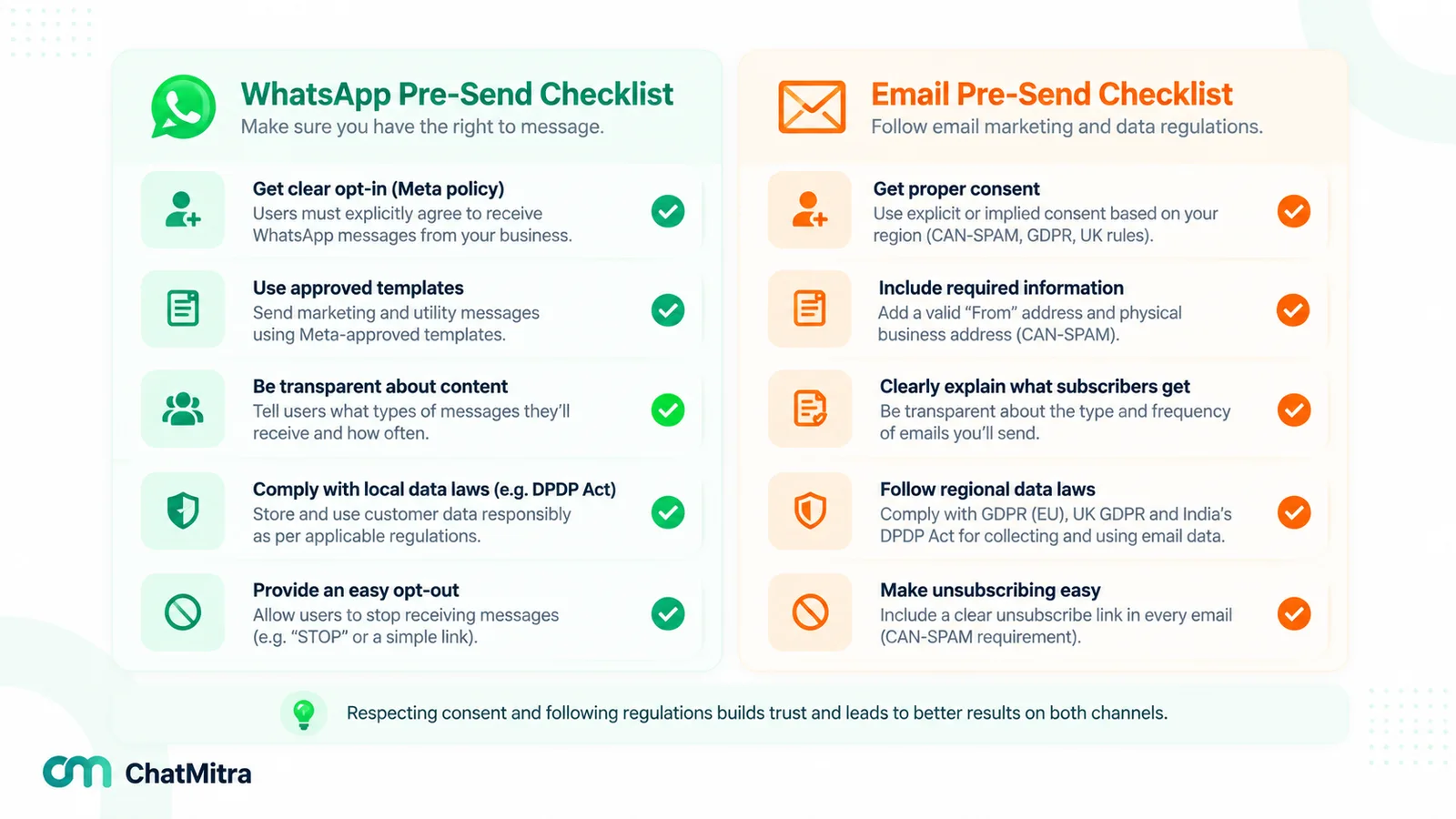
This section summarises the main rules; it is not legal advice. Consent is where the two channels differ most, and where a list built for one channel can’t simply be reused for the other.
WhatsApp: opt-in first, everywhere
Meta’s rules travel with the channel, so they apply in every country. Before a business message goes out, you need the person’s number and “opt-in permission from the recipient”, in the words of the WhatsApp Business Messaging Policy. Meta’s opt-in guide says that since the November 2024 policy update the opt-in may be general rather than WhatsApp-specific, provided local law is met, and that businesses “must clearly state the business’s name” the person is opting in to.
Opt-outs count wherever they are made: the policy requires businesses to honour opt-out requests “either on or off WhatsApp”. A customer who answers your newsletter with “stop messaging me on WhatsApp” has opted out of WhatsApp.
Email in the United States: CAN-SPAM works on opt-out
The FTC’s CAN-SPAM compliance guide describes a law that “establishes requirements for commercial messages” and “gives recipients the right to have you stop emailing them”. It “doesn’t apply just to bulk email” and “makes no exception for business-to-business email”. The model is opt-out: rather than a sign-up requirement, the guide sets conditions on every message:
- Accurate header information and a subject line that “must accurately reflect the content of the message”.
- A clear and conspicuous disclosure “that your message is an advertisement”.
- Your “valid physical postal address”.
- A working opt-out. The guide says “You must honor a recipient’s opt-out request within 10 business days”, and the mechanism must work “for at least 30 days after you send your message”.
The FTC says each email in violation “is subject to penalties of up to $53,088”.
Email in the EU and UK: consent first, with a soft opt-in
Under the EU ePrivacy Directive, marketing by electronic mail may be sent “only in respect of subscribers or users who have given their prior consent” (Directive 2002/58/EC, Article 13). There is one exception: a business that got a customer’s email address “in the context of the sale of a product or a service” may market “its own similar products or services”, provided the customer can object at collection “and on the occasion of each message”.
The UK’s regulator explains the same idea as the “soft opt-in”. The ICO says “You must not send marketing emails or texts to individuals without specific consent”, and that the soft opt-in “does not apply to prospective customers or new contacts (eg from bought-in lists)” (ICO, electronic mail marketing). Both consent rules protect individuals: Article 13’s consent rule applies to subscribers “who are natural persons”, and the ICO says “You can email or text any corporate body” (sole traders count as individuals).
India: the DPDP Act for both channels
India’s Digital Personal Data Protection Act, 2023 applies to personal data whichever channel you use. Its consent section requires consent that is “free, specific, informed, unconditional and unambiguous with a clear affirmative action”, and it lets people withdraw consent “at any time, with the ease of doing so being comparable to the ease with which such consent was given” (DPDP Act, India Code). India Code’s commencement note brings the notice and consent sections into force 18 months from 13 November 2025, which is around 13 May 2027. The WhatsApp opt-in guide covers what the Act adds for WhatsApp in detail.
| Question | Email (US) | Email (EU / UK) | WhatsApp (Meta policy, everywhere) |
|---|---|---|---|
| Consent before the first marketing message? | Not generally; opt-out model | Yes for individuals, except the soft opt-in for existing customers and similar products | Yes, naming your business |
| Opt-out | In every message; honoured within 10 business days | At collection and in every message | Honour requests made on or off WhatsApp |
| Bought or rented lists | Not banned by CAN-SPAM itself, but mailbox providers penalise complaints | Not covered by the soft opt-in | No valid opt-in from the person, so not allowed |
| Other requirements | Ad disclosure, postal address, honest headers | Data protection law (GDPR / UK GDPR) also applies | Meta-approved templates outside the 24-hour window |
Can you reuse email consent for WhatsApp?
Sometimes. Meta’s test is that the opt-in says the person agreed to hear from your business and names it; local law decides the rest, and in the EU and UK whether email consent covers a new channel is a question for your adviser. The safest route is a separate WhatsApp opt-in, for example a form or a link that opens a chat.
How WhatsApp and email marketing costs work
The two channels charge on different units, and that matters more than any single price.
WhatsApp: Meta charges per delivered message
Meta bills on “a per-message basis”, and its pricing page says “Rates vary based on the template’s category and the recipient WhatsApp phone number’s country calling code”. Two changes took effect on 1 October 2026. Service replies became chargeable, with a monthly allowance of 1,000 free delivered service messages per business phone number that doesn’t carry over. And utility templates now cost money even when a customer service window is open.
Selected rates from Meta’s 1 October 2026 rate cards (charged for each delivered message):
| Market (card currency) | Marketing template | Utility template | Service reply, beyond the free 1,000 |
|---|---|---|---|
| India (INR card) | ₹0.8631 | ₹0.1150 | ₹0.1150 |
| India (USD card) | $0.0118 | $0.0014 | $0.0014 |
| United Arab Emirates (USD) | $0.0576 | $0.0157 | $0.0157 |
| United Kingdom (USD) | $0.0635 | $0.0220 | $0.0220 |
| North America (USD) | $0.0250, but US (+1) numbers currently receive no marketing templates | $0.0034 | $0.0034 |
Your WhatsApp provider may add its own fee on top. The WhatsApp Business cost per message guide covers volume tiers and provider fees.
Email: priced by list size or by volume
There is no official email rate card. Email service providers (ESPs) set their own prices, usually on one of two models:
- Contact-based plans. The price depends on how many contacts you store, with a monthly send allowance. Mailchimp’s pricing page, for example, lists plans by contacts and “Monthly Email Sends”, and notes that “Overages apply if contact or email send limit is exceeded”.
- Volume-based sending. You pay for the emails you send. Amazon SES, for example, prices outbound email per 1,000 emails on its pricing page.
Much of email’s real cost is design time, list cleaning and deliverability work. We don’t quote ESP prices, which vary by list size, features and region; get quotes for your own list.
A worked example: 10,000 contacts in India
Assume 10,000 opted-in customers with Indian numbers and no open conversation with you when the campaign goes out.
| What you send | Meta's charge | Adding ChatMitra's fee (Starter or Pro) | Email equivalent |
|---|---|---|---|
| One promotional campaign | 10,000 × ₹0.8631 = ₹8,631 | ₹8,631 + ₹2,000 = ₹10,631 | Your plan for 10,000 contacts, within its send allowance |
| Four weekly promotions in a month | 4 × ₹8,631 = ₹34,524 | ₹34,524 + ₹8,000 = ₹42,524 | Usually the same plan, if four sends fit the allowance |
| One order or delivery update to each (utility) | 10,000 × ₹0.1150 = ₹1,150 | ₹1,150 + ₹2,000 = ₹3,150 | Transactional email, often through a separate sending service |
Three things follow from the table:
- Frequency is where WhatsApp costs rise. Each additional WhatsApp campaign costs about the same as the first. On a contact-priced email plan, a second or third send to the same list costs little extra until you reach the allowance. A weekly newsletter belongs on email.
- Conversations are cheap on WhatsApp. Say 500 customers reply to a promotion and your team answers them within the window: the answers draw on your number’s 1,000 free service messages for the month, and only service messages beyond the allowance cost ₹0.1150 each to Indian numbers.
- Compare cost per result, not per message. A ₹1.06 WhatsApp message that recovers an order can beat a cheaper email nobody acts on, or the reverse. Test it.
How the ChatMitra column works: Starter and Pro add ₹0.20 for each contact once per 24-hour conversation, however many messages it contains, and an incoming customer message can open that conversation too. The Enterprise plan costs ₹2,499 a month and adds no per-conversation fee, leaving only Meta’s charge.
Deliverability vs quality rating: what stops a message arriving
Both channels can refuse your messages. Who decides, and on what basis, is different.
Email: authentication, complaints and reputation
Mailbox providers decide whether you land in the inbox, the spam folder or nowhere. Since 1 February 2024, Google has required senders of “more than 5,000 messages per day to Gmail accounts” to set up SPF, DKIM and DMARC, keep “spam rates reported in Postmaster Tools below 0.30%”, and make marketing messages “support one-click unsubscribe, and include a clearly visible unsubscribe link in the message body” (Google, email sender guidelines). Google also advises keeping spam rates below 0.10%.
Yahoo sets similar rules for bulk senders: publish a DMARC policy, support one-click unsubscribe, “Honor unsubscribes within 2 days” and “Keep your spam rate below 0.3%” (Yahoo Sender Hub). The one-click mechanism is defined in RFC 8058. Your ESP handles most of the technical setup, but the complaint rate depends on who you send to and how often.
WhatsApp: templates, limits and people’s reactions
WhatsApp has no spam folder. Instead, a message is delivered, limited or refused:
- Templates. Once the 24-hour customer service window has closed, Meta allows templates only (Meta’s sending guide). Meta checks the category: its categorisation rules treat “an order update with a promo” as mixed content, which is marketing.
- Messaging limits. Meta’s messaging limits page caps the number of unique people you can reach outside a service window in a moving 24-hour period. “Newly created business portfolios have a messaging limit of 250”; the limit can rise to 2,000 once you complete a scaling path such as business verification, and then, automatically, to 10,000, 100,000 and unlimited, one level at a time, when your messages are high quality and you have used at least half your current limit in the last 7 days. A new account cannot send a 10,000-person campaign on day one.
- Per-user marketing limits. WhatsApp “may limit the number of marketing template messages a WhatsApp user receives from any business”, taking into account “an individual’s recent marketing message read rate” (Meta, per-user limits). Those messages fail with error 131049.
- Quality. People can block or report a business, and the policy warns that Meta’s systems “may limit the amount of messages a business can send” in response. ChatMitra’s explainer on quality rating and account health covers the practical side.
- Numbers not on WhatsApp. Meta’s error-code reference returns 131026, “Unable to deliver message”, and one listed cause is a number that isn’t a WhatsApp number.
On both channels, mailing people who don’t engage hurts you: on email through your domain’s reputation, on WhatsApp through quality signals and per-user limits that stop marketing reaching people who ignore it.
Formats: what fits in each message
Email gives you a full page. You can send a designed newsletter with several stories, a long product guide, a receipt with line items, a PDF contract or a report someone will file away. Links are unlimited, and the message stays searchable in the customer’s mailbox.
WhatsApp gives you a card in a chat. A template can carry a header image, video or document, a body with personalised variables, and buttons. Interactive reply-button messages offer “up to three predefined replies” (Meta’s messaging guide), so a customer can confirm, reschedule or ask for help with one tap. Long text reads badly on a phone, and each extra message is billed.
A useful rule of thumb: if the reader needs to scroll to understand it, it probably belongs in email. If the reader needs to act on it today, it probably belongs on WhatsApp. The WhatsApp vs SMS comparison covers the same trade-off against plain text messages.
Automation and timing
Email automation has few timing limits: a welcome series, a post-purchase sequence or a win-back journey can send whenever your rules say, as long as your consent basis covers it.
WhatsApp automation works around the customer service window. Each inbound customer message starts, or restarts, a 24-hour period in which you may reply free-form; after it lapses, only templates are allowed (Meta’s messaging guide). In practice:
- A sequence of several WhatsApp marketing templates costs a marketing rate each time and counts towards each person’s per-user limit. Keep WhatsApp sequences short; long nurture sequences suit email.
- Triggered one-off messages (an order shipped, an appointment tomorrow) suit WhatsApp well: they are timely and often get a reply.
- Undelivered WhatsApp messages are retried for a time-to-live period; Meta’s default is 30 days for all messages except authentication templates. A flash-sale message that arrives after the sale has ended is worse than no message, so set expiry on anything time-bound where your platform allows it.
Measuring results: why open and read rates mislead
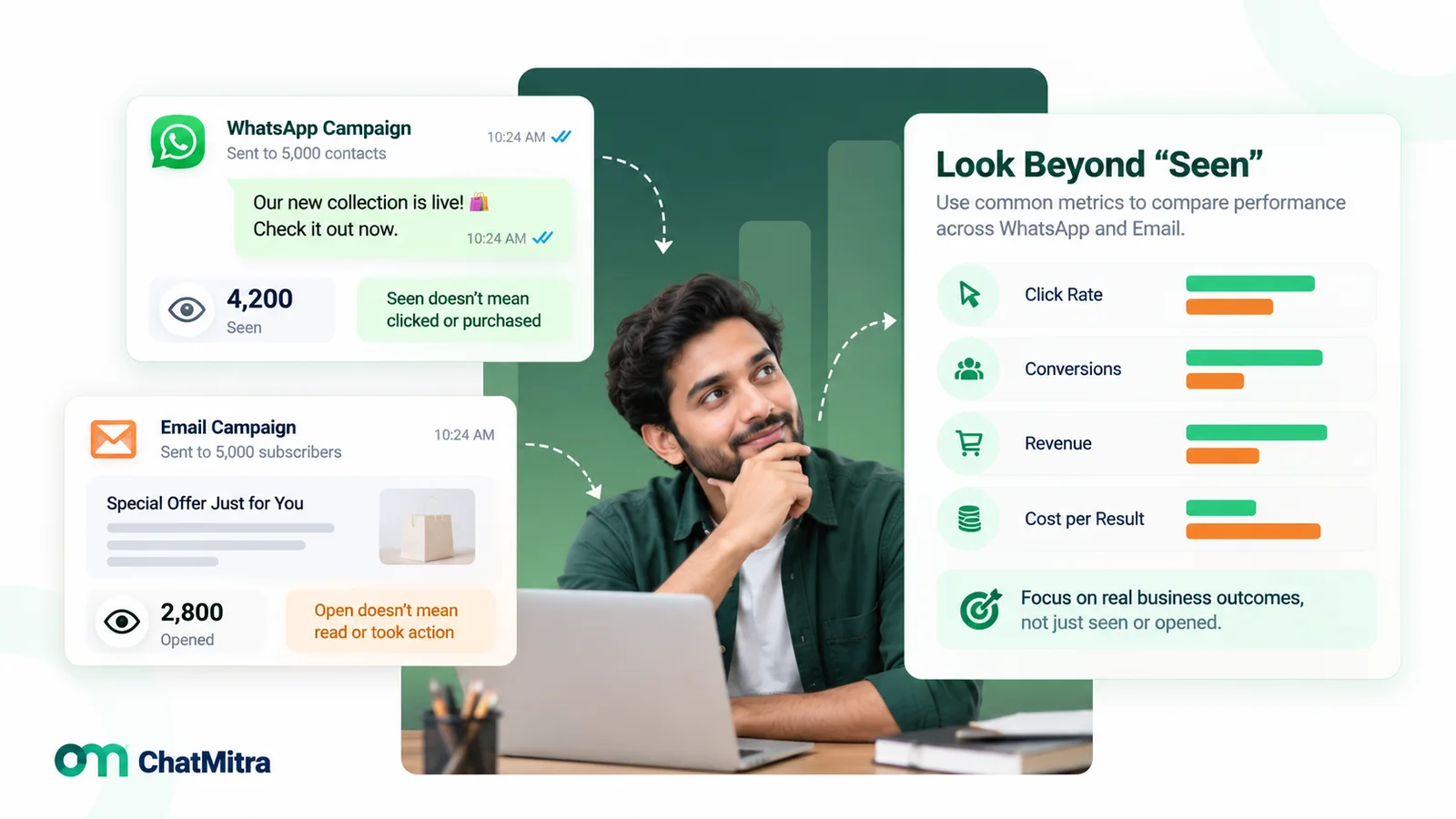
Both channels report a “seen” metric, and both are weak.
Email opens are detected when the email loads a tiny tracking image. Apple’s Mail Privacy Protection “prevents senders from seeing if you’ve opened the email message they sent you” (Apple, iPhone User Guide).
WhatsApp reads come from status webhooks. Meta marks a message “read” once it has been shown in an open chat on the customer’s device (Meta, status webhooks). But WhatsApp’s Help Center says a recipient “might have disabled read receipts in the privacy settings” (WhatsApp Help Center), so your read rate undercounts. For what each tick means, see ChatMitra’s explainer on WhatsApp webhooks and message status.
Headline claims such as a “98% WhatsApp open rate” have no primary source; the WhatsApp statistics guide explains why. A fair comparison uses metrics both channels can track the same way:
| Metric | How to track it on email | How to track it on WhatsApp |
|---|---|---|
| Clicks | Links with UTM tags | URL buttons and links with UTM tags |
| Replies | Replies to a monitored address | Inbound messages after the campaign |
| Orders or bookings | Tagged links or discount codes per channel | Tagged links or discount codes per channel |
| Negative signals | Unsubscribes and spam complaints | Opt-outs, blocks and quality warnings |
| Cost per result | Plan cost ÷ orders from the campaign | Message charges ÷ orders from the campaign |
For a cleaner answer, keep a holdout: send the campaign on one channel to half an eligible segment and on the other channel to the other half, then compare orders.
When to use WhatsApp, when to use email
A starting point to test against your own audience:
| Message | Lead channel | Why | Supporting channel |
|---|---|---|---|
| Weekly newsletter or blog digest | Long, frequent and cheap per extra send | None, or a monthly WhatsApp highlight to an engaged segment | |
| Order, shipping and delivery updates | WhatsApp (utility) | Timely, and a reply goes straight to support | Email receipt as the record |
| Invoices, contracts and statements | Documents people file and search | A WhatsApp note that it has been sent | |
| Appointment and payment reminders | WhatsApp (utility) | Confirm or reschedule buttons | Email calendar invite |
| Abandoned cart | WhatsApp for opted-in customers; email for everyone else | Timing matters; cart reminders are marketing messages on WhatsApp | The other channel, once, if there's no action |
| Flash sale or limited stock | WhatsApp to an engaged segment | Hours matter more than design | Email to the wider list |
| B2B nurture and proposals | Detail, attachments and forwarding to colleagues | WhatsApp for quick follow-up once a conversation has started | |
| Customer support | Two-way chat; the first 1,000 service messages per number each month are free | Email for cases that need documents | |
| Promotions to US customers | Marketing templates to +1 US numbers are currently blocked by Meta | WhatsApp utility messages only | |
| Re-engaging inactive customers | Low cost; WhatsApp may limit marketing to people with low read rates | WhatsApp only after they re-engage |
For cart recovery on WhatsApp in more depth, see the WhatsApp for ecommerce guide; for flash sales, back-in-stock alerts and win-backs run as WhatsApp campaigns, see these WhatsApp marketing campaign ideas. For how WhatsApp fits a wider plan, see the WhatsApp marketing strategy guide.
How to use WhatsApp and email marketing together
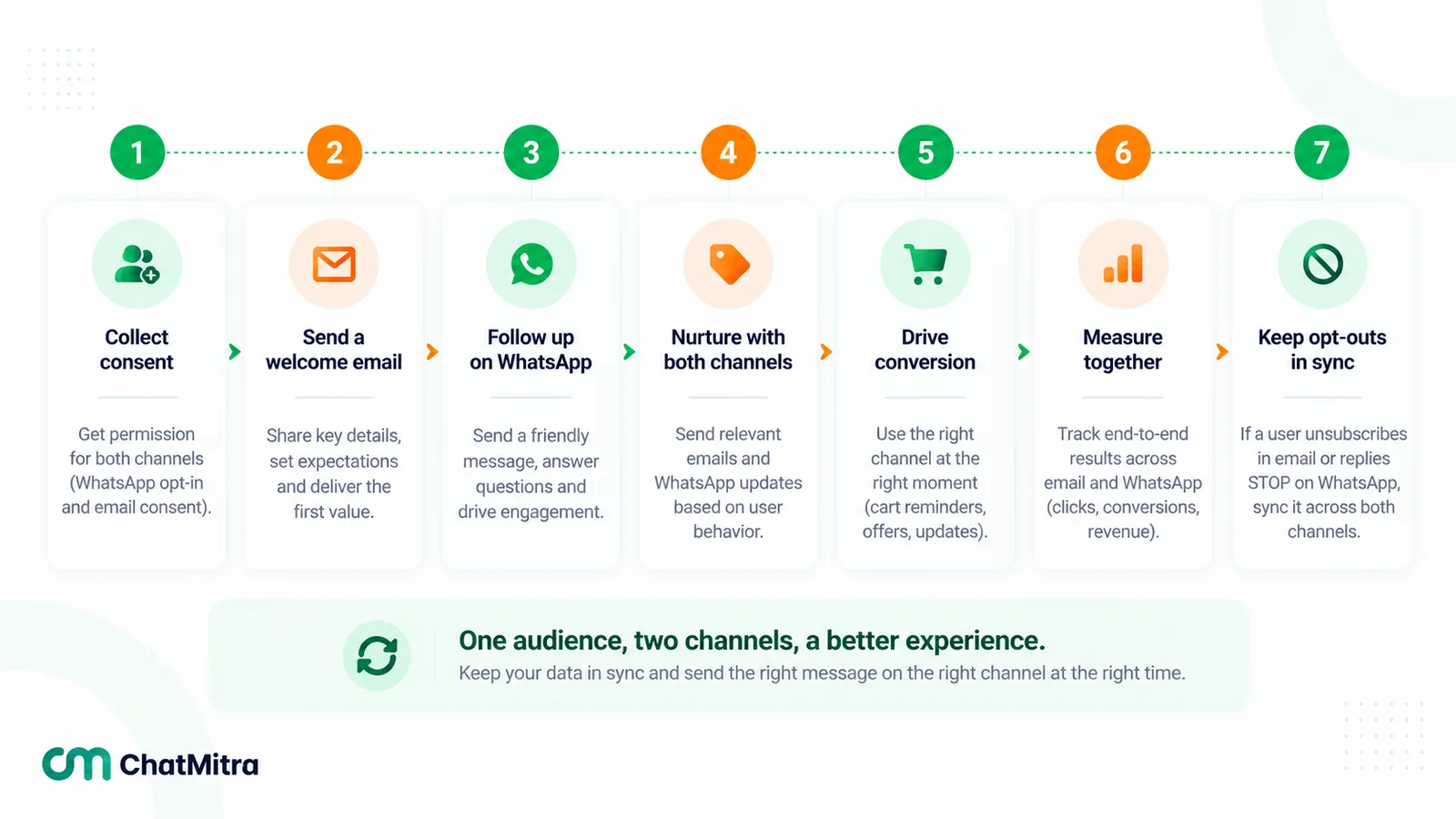
- Keep one contact record with both addresses and separate consent. Store the email address, the mobile number, and a consent status per channel (and per message type if you collect it that way). An email unsubscribe and a WhatsApp opt-out are different events.
- Give each channel a job. For example, email for newsletters, receipts and long content; WhatsApp for time-sensitive alerts, reminders and conversations.
- Don’t send the same promotion on both at once. Sequence them. Send the email first; send WhatsApp later only to people who haven’t clicked, and only if the message is worth a paid message.
- Sync opt-outs both ways where you can. Meta’s policy treats a WhatsApp opt-out request made anywhere as binding, so a “stop WhatsApp” reply to an email must reach your WhatsApp tool.
- Cap frequency across channels. Count messages per person per week across email and WhatsApp together, not per channel.
- Use events to trigger the other channel. Status webhooks (sent, delivered, read, failed) and click events can drive the next step, for example an email when a WhatsApp message fails.
- Measure the combination against email-only for a segment, on orders and opt-outs.
A worked example for an online shop’s abandoned checkout: one hour after the cart is left, send an email reminder to everyone with an email address. Six hours later, send one WhatsApp marketing template only to customers who opted in to WhatsApp and haven’t clicked or bought. Stop both the moment an order arrives. Each step has a clear reason, and nobody gets the same nudge twice in an hour.
Mistakes to avoid
- Moving the newsletter to WhatsApp. Frequent long updates cost a marketing rate per person per send and push people towards blocking.
- Messaging email subscribers on WhatsApp without a WhatsApp-valid opt-in. An email address is not a mobile number, and an email sign-up may not meet Meta’s opt-in test or local law.
- Judging channels on opens vs reads. Both are partial. Compare clicks, replies and orders.
- Ignoring messaging limits when planning a launch. A new WhatsApp account starts at 250 people outside the window per 24 hours.
- Adding a promo line to an order update. Meta treats that as marketing, with marketing prices and limits.
- Letting opt-outs live in one system. A “stop” on one channel that never reaches the other is how complaints and blocks start.
Where ChatMitra fits in a two-channel setup
ChatMitra covers the WhatsApp half: approved templates, segmented broadcasts, a team inbox shared by your agents, and an API with webhooks. It has no email sending, so it runs next to your email platform, not instead of it.
| Need | In ChatMitra? | Detail |
|---|---|---|
| Send email campaigns | No | Use an email service provider alongside it |
| Keep an email address on each contact | Yes | Contacts have an email field; contacts can be imported from CSV (with an Email column) and exported as CSV for your email tool |
| WhatsApp broadcasts to segments | Yes | Include or exclude contacts by tag; broadcasts can be scheduled, rescheduled or stopped |
| Campaign reporting | Yes | Recipients, sent, delivered, read and failed; retargeting and report export |
| Trigger or sync with other tools | Yes, on the Pro plan per ChatMitra's pricing page | Webhooks for message received, sent and status updates; a REST API to send templates |
| Record WhatsApp marketing opt-outs | Partly | A contact field is filled when a customer uses WhatsApp's own stop control for marketing messages; there is no automatic STOP-keyword unsubscribe, so exclude opted-out contacts with tags |
If WhatsApp is the channel you’re adding next to email, compare ChatMitra’s plans. Avoid bulk-sender apps that bypass Meta’s platform, whoever you choose; this comparison of official and unofficial bulk WhatsApp senders sets out the risks.
Sources: WhatsApp Business Messaging Policy, About page and Help Center; Meta for Developers (pricing and 1 October 2026 rate cards, opt-in, sending, messaging limits, per-user limits, template categories, status webhooks, error codes); FTC; EU Directive 2002/58/EC; ICO; DPDP Act, 2023; Google and Yahoo sender rules; RFC 8058; Apple; Mailchimp and Amazon SES pricing pages. ChatMitra behaviour verified in ChatMitra’s code on 26 September 2026.
Facts checked against Meta's and WhatsApp's documentation, government sources and mailbox providers' sender rules on 26 September 2026.