A WhatsApp win-back campaign is a short series of messages to customers who used to buy from you and have stopped. Done well, it reaches people at the point where they’re overdue, gives them a real reason to come back, and leaves everyone else alone. Done badly, it’s a discount blast to a stale list that pays customers who’d have returned anyway, annoys the rest and pulls down your template quality.
This guide covers the parts most win-back advice skips: how to decide who counts as lapsed from your own order data, which message to send first, when a discount is worth it, the WhatsApp rules that apply (every win-back message is marketing), what a campaign really costs in India and how to tell whether it worked.
Using ChatMitra? Import lapsed customers with their last order date and product as contact fields, tag the segments, send each step as a broadcast with personalised variables, and let Automation send a reminder a set number of days after each customer’s imported last order date. ChatMitra’s fee is ₹0.20 per conversation, not per message. Jump to Win-back campaigns on ChatMitra.
What a win-back campaign is, and when you need one
Three kinds of message get mixed up under “re-engagement”:
| Situation | What it is | Right tool |
|---|---|---|
| Customer added to cart and left an hour ago | Cart recovery | Abandoned cart messages |
| Customer bought once, a week ago | Post-purchase follow-up and second-order nudge | Order follow-ups, feedback, care tips |
| Customer used to buy regularly and is now well past their usual reorder time | Win-back | This guide |
Win-back is about customers who have a buying history and have gone quiet. That history is what makes the campaign work: you know what they bought, when and how often, so the message can be specific. “Hi Priya, it’s been three months since your last order of the vitamin C serum” is a different message from “We miss you! Come back for 10% off”.
You need a win-back programme when a meaningful share of your revenue comes from repeat purchases and you can see customers dropping off. If most customers buy once in several years (a sofa, a laptop), a discount win-back makes little sense; accessory, service and care messages work better.
Who counts as lapsed: use your own reorder data
Most guides say “30, 60 or 90 days”. Those numbers mean nothing without your product. A customer who bought a 30-day pack of supplements 45 days ago is probably lost to a competitor; a customer who bought a winter jacket 45 days ago is perfectly normal.
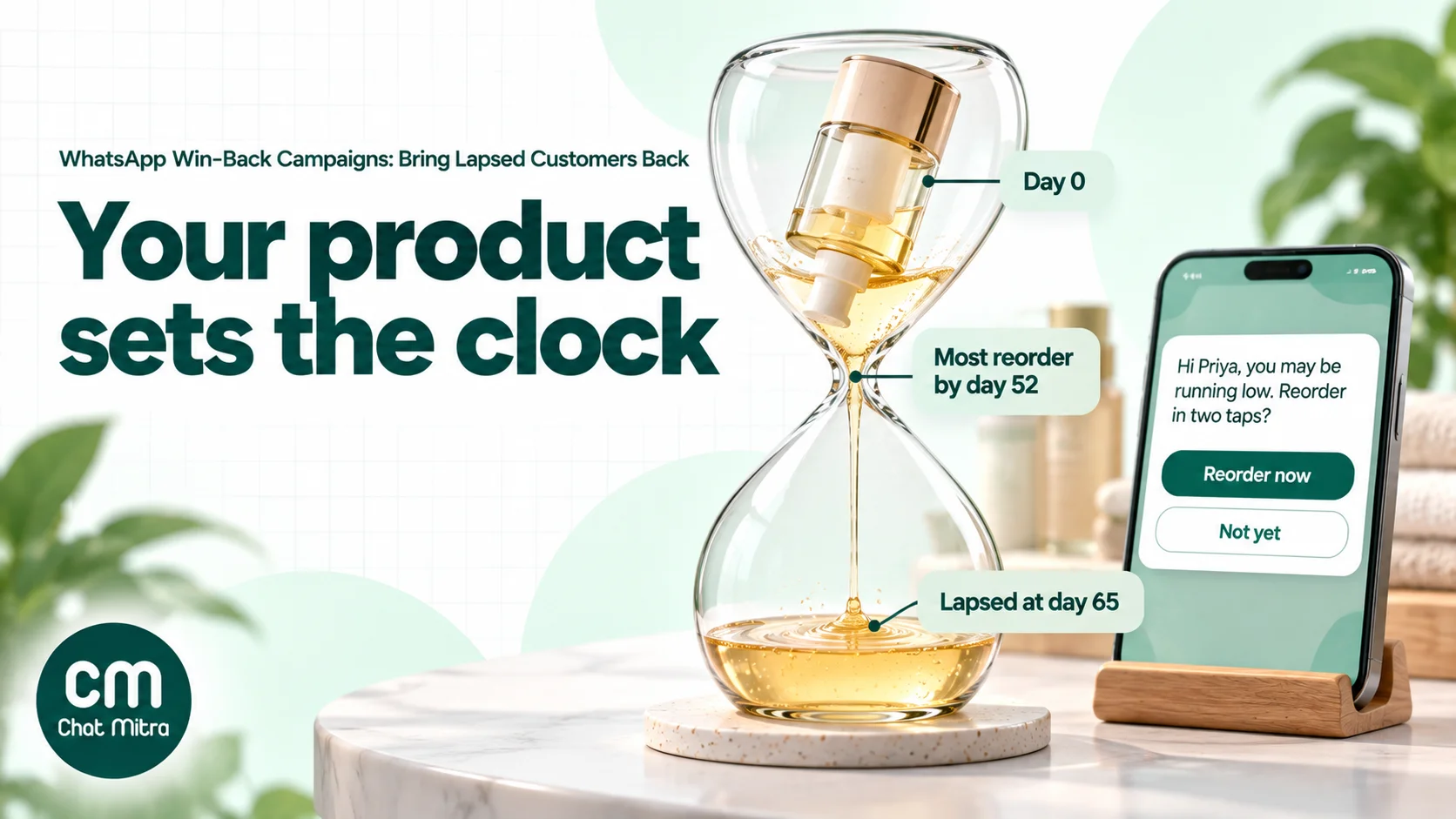
You can find your own lapse point with an order export and a spreadsheet:
- Export orders with customer phone number (or ID), order date and order value for the last 12 to 24 months.
- Keep customers with at least two orders and calculate the days between their first and second order.
- Sort those gaps from shortest to longest and find the gap that 80% of repeat customers stayed within. If 80% of second orders arrived within 52 days, that’s your “normally reorders by” point.
- Add a margin of about a quarter to avoid messaging people who are only a little late. In this example, a customer with no order for 65 days is overdue, and that’s where win-back starts.
- Repeat it by category if you sell products with very different lives, such as refills and devices, and by customer group if regulars behave differently from one-time buyers.
Recalculate every quarter. Seasonal businesses (festive wear, school supplies, sunscreen) should compare the same season last year rather than a rolling average.
If you don’t have enough repeat orders to calculate, start from how long the product lasts and adjust once data builds up:
| Business | What sets the cycle | Reminder before lapse | Treat as lapsed when |
|---|---|---|---|
| Consumables with a fixed pack (supplements, serums, pet food) | How many days a pack lasts | A few days before the pack would run out | No reorder by about 1.5 times the pack life |
| Grocery or daily-needs delivery | Weekly or fortnightly habit | Usually none | Three to four missed usual cycles |
| Salons, clinics, car service | Service interval | When the next visit is due | Twice the usual interval |
| Restaurants and cafés | Each guest’s normal visit gap | None | Two to three times their normal gap |
| Fashion and footwear | Seasons and launches | New-season drop | No purchase in a full season |
| Electronics, furniture, appliances | Rarely repeat | Accessories, care, warranty and service | Don’t run discount win-backs; send useful service messages |
| B2B reorders (retailers, distributors) | Reorder cycle | When the next order is due | Two missed reorder cycles |
These are starting points, not benchmarks. Replace them with your own numbers as soon as you have a few hundred repeat orders.
Segment lapsed customers before you write anything
“Lapsed” is not one audience. The same message to everyone will be wrong for most of them.
| Segment | How to spot them | What they need first |
|---|---|---|
| One-time buyers who never came back | One order, older than your lapse point | A reason to buy again: what else you sell, how others use the product, a bestseller in a related category |
| Lapsed regulars | Two or more orders, now past their own usual gap | A reminder of what they used to buy and an easy reorder |
| Lapsed high-value customers | Top 10% by spend in the last year | A personal note, early access or a service call before any discount |
| Customers whose last order went wrong | Return, refund, complaint or late delivery on the last order | An apology and a fix from a real person; no promotion until that’s done |
| Discount-only buyers | Every order used a coupon | A modest offer, or nothing; full-price messages rarely move them |
| Long-dormant contacts | No order or reply for a year or more | One honest check-in, then remove them if they don’t respond |
Two segments deserve special care. Customers whose last order went wrong should never get a cheerful “We miss you!” before someone has dealt with the problem; that’s the fastest way to get blocked. And long-dormant contacts are where most of the quality damage comes from: people who don’t remember you are the ones who report or block a business.
Eight win-back messages you can adapt
All of these are marketing templates. Keep them short, mention something specific to the customer, and give one clear next step. Variables in double braces are filled per customer.
1. Reorder reminder (for consumables)
Hi {{1}}, you ordered {{2}} on {{3}}. Most customers finish a pack in about {{4}} weeks, so you may be running low. Reorder in two taps?
Buttons: Reorder now · Not yet
2. What’s new since their last visit
Hi {{1}}, it’s been a while since your last order. Since then we’ve added {{2}}, and {{3}} is back in stock. Take a look when you have a minute.
Button: Show new arrivals
3. Recommendation from their last category
Hi {{1}}, customers who bought {{2}} often pair it with {{3}}. Here’s how it works and what it costs.
Button: Show me
4. Ask what went wrong
Hi {{1}}, we noticed you haven’t ordered from {{2}} since {{3}}. Did something put you off? Tap one, it helps us improve.
Buttons: Price · Delivery · Did not need it
5. The offer (only for people who didn’t respond to earlier messages)
Hi {{1}}, here’s {{2}} off your next order as a welcome back. Use code {{3}} before {{4}} to claim it.
Buttons: Copy code · Shop now
6. Preference check
Hi {{1}}, we’d rather send you less than send you something you don’t want. How often should {{2}} message you?
Buttons: Once a month · Only big offers · Stop offers
7. Service recovery (for customers whose last order had a problem)
Hi {{1}}, this is {{2}} from {{3}}. I saw your last order had {{4}}, and I’m sorry we didn’t get it right. Can I help fix it?
Buttons: Yes please · No thanks
8. Last message in the series
Hi {{1}}, this is our last reminder for now. Your {{2}} welcome-back offer ends on {{3}}. If you’d rather not hear from us, tap Stop offers and we won’t send promotions again.
Buttons: Shop now · Stop offers
Two tips for getting these approved. Fill every variable with a realistic sample when you submit, and don’t start or end the body with a variable; Meta rejects templates with leading or trailing variables.
For “Copy code” buttons, Meta allows one per template and limits the code to 20 characters; quick-reply button labels can be up to 25 characters, so keep them plain (“Stop offers”, not “No, thanks!”), per Meta’s coupon code template reference. Send the customer to a store page that already has the right product in the cart where you can; every extra step loses people.
The offer ladder: escalate only when you need to
Discounts are the most expensive part of a win-back campaign, not the messages. A ₹150 discount costs as much as about 170 delivered marketing messages in India. So the order matters:
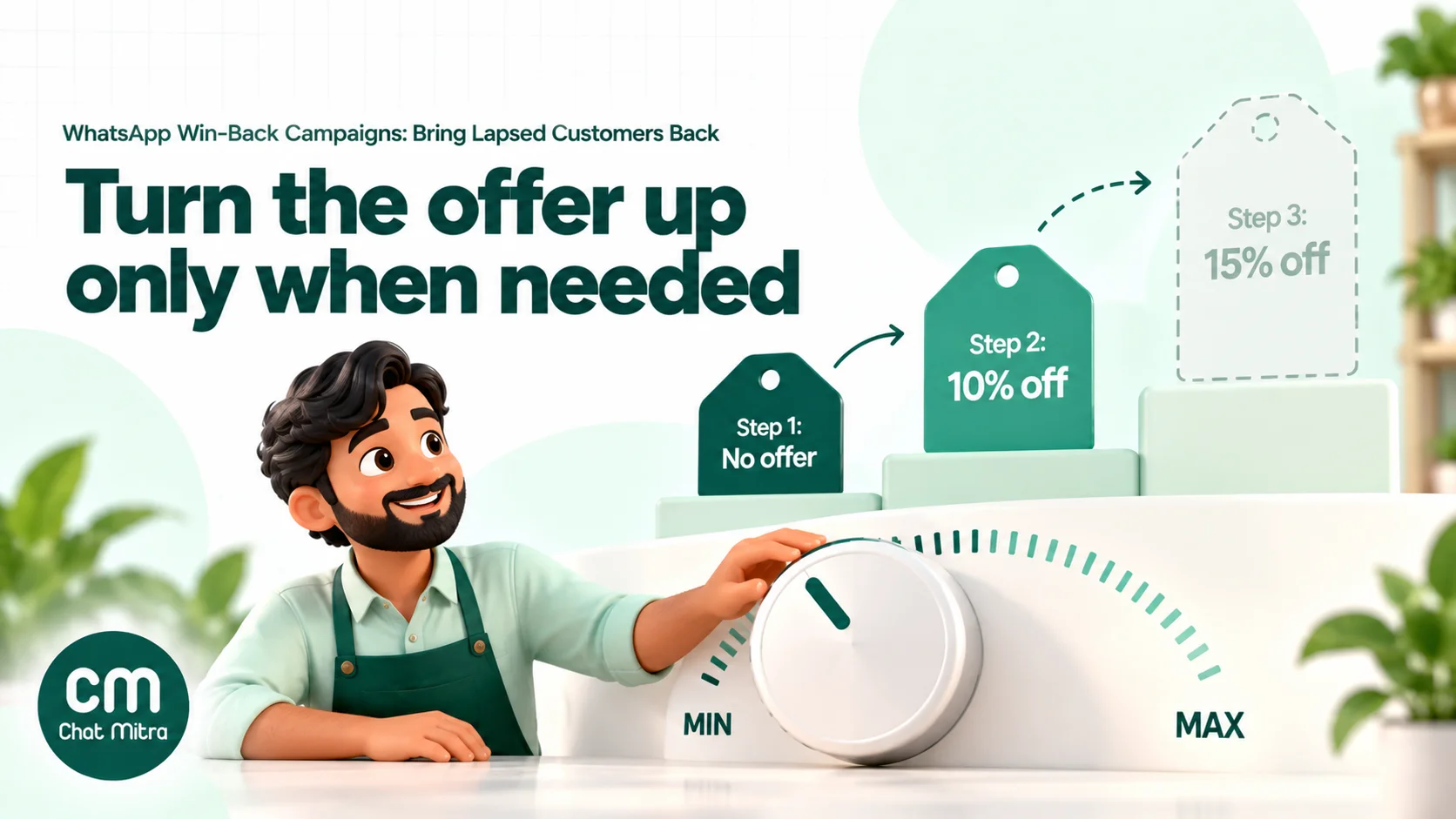
- Step 1, no offer. A reorder reminder, what’s new, or a recommendation. Regulars who simply forgot will come back here, at full price.
- Step 2, a small incentive. Free delivery, a sample with the next order, or a small discount, sent only to people who didn’t buy or opt out after step 1.
- Step 3, your best offer, with a deadline. A larger discount or gift for the remaining non-responders, clearly marked as the last message.
Some rules make the ladder work:
- Set the ceiling from margin, not from competitors. Work out the most you can spend to win a customer back and still make money on their next two or three orders. That number caps step 3.
- Don’t offer step 3 to high-value customers first. They usually respond better to recognition, early access or a personal call than to a discount.
- Don’t re-offer the same discount every quarter. Customers learn the pattern and wait for it. Change the incentive or skip discounts for people who only buy with one.
- Make codes personal or single-use where your store allows it, so a code shared in a deals group doesn’t drain your margin.
- Check your regular prices. If the “discount” is just a higher price struck through, it’s misleading, and India’s consumer protection rules on false or misleading advertising apply.
Timing, frequency and stop rules
A typical sequence looks like this:
| Day | Message | Who gets it |
|---|---|---|
| 0 (lapse point) | Reminder, what’s new or recommendation | Everyone in the segment except the holdout |
| 7 | Small incentive or feedback question | Only those who didn’t buy, reply or opt out |
| 14 | Best offer with a deadline, marked as the last message | Only those who still haven’t responded |
| 30 | Check results; drop non-responders from regular promotions | — |
Gaps of a week or so give people time to act without the messages blurring together. Shorten them for fast-moving products like groceries and lengthen them for considered purchases.
The stop rules matter more than the schedule. Remove a customer from the rest of the series as soon as any of these happens:
- They buy. Nothing irritates a customer more than a “we miss you” discount the day after they paid full price.
- They reply. A reply starts a 24-hour customer service window. Answer them as a person; don’t keep firing templates.
- They ask to stop in any words (“stop”, “not interested”, “please don’t message”), or tap a stop button you included.
- They tap Meta’s Stop promotions. WhatsApp then stops delivering your marketing templates, and sends fail with error 131050. Meta says not to retry.
- They never read anything. If someone hasn’t read your last several messages, the next one is unlikely to land, and it lowers your template’s quality signals.
Per-user marketing limits
WhatsApp limits how many marketing templates a person receives from all businesses over a period, based partly on how recently they’ve been reading marketing messages and how busy their inbox is. Lapsed customers are exactly the people with low engagement, so expect some win-back messages to fail with error 131049. You aren’t charged for those, but don’t retry immediately: Meta asks businesses to wait at least 24 hours, and repeated retries can block delivery to that person for up to 24 hours. Marketing messages sent inside an open customer service window don’t count towards the limit.
Template quality and pausing
Each template has a quality rating based on how people react to it, including blocks, reports and low read rates. A template that drops to low quality is paused for 3 hours the first time and 6 hours the second; the third time it’s disabled. A “we miss you” template sent to thousands of people who don’t remember the business is the classic way to get there. Start with your most recent lapsed customers and a small batch, watch the rating, then widen.
Our WABA health and quality rating guide explains how ratings affect your number, and messaging limits covers how many people you can reach each day.
The WhatsApp rules that apply to win-back
Every win-back message is marketing. Meta’s template categorization lists retargeting messages (“promote or recommend offers, products, or services… to users who might have visited your website, used your app or engaged with you”) as marketing, adds that they are marketing “even if requested by users”, and gives “As a thank you for your last order, please enjoy 15% off your next order” as a marketing example. Relationship messages such as birthday wishes and “thank you for being a valued customer” are marketing too. A reorder reminder nudges a purchase, so treat it as marketing as well. Submitting these as utility to save money risks escalating restrictions, which can end with all your utility templates reclassified as marketing.
You need opt-in for marketing. Meta’s opt-in rules require that the person agreed to receive messages from your business, with your business name stated. Meta’s tips recommend opt-in that covers the kinds of messages you’ll send, such as offers and recommendations, and honouring opt-outs. If customers gave their number only for delivery updates, check what they agreed to before sending offers. Our WhatsApp opt-in guide shows how to collect it properly.
Free-form messages are for replies only. You can’t start a win-back conversation with a plain text message; it must be an approved template. Once the customer replies, you can chat freely for 24 hours.
Marketing sends are moving to a new API. Meta announced that the Cloud API stops supporting marketing messages on 13 October 2027, and marketing templates move to the Marketing Messages API for WhatsApp. If you send through a provider, ask how they handle it; if you built your own integration, plan the migration. Our post on the Marketing Messages Lite API explains the differences.
What a win-back campaign costs in India
Meta charges per delivered message. In India, from Meta’s pricing page and rate card as of October 2026:
- Marketing template: ₹0.8631 per delivered message. Every win-back template is in this band.
- Service messages (your replies inside the 24-hour window): the first 1,000 a month are free per business number, then ₹0.115 each.
- Failed messages (for example error 131049 or 131050) aren’t charged.
On ChatMitra, add ₹0.20 per conversation, once per customer per 24 hours, however many messages you exchange in that window. Enterprise (₹2,499 a month) removes that fee.
Worked example
A skincare brand has 2,000 opted-in customers who are past its 65-day lapse point. It keeps 200 aside as a holdout and messages the other 1,800 in a three-step ladder. The numbers below are assumptions to show the method, not results to expect:
| Step | Delivered | Meta (₹0.8631 each) | ChatMitra (₹0.20 per conversation) | Buyers | Discount given |
|---|---|---|---|---|---|
| Day 0: reminder, no offer | 1,710 | ₹1,475.90 | ₹342.00 | 50 | ₹0 |
| Day 7: 10% off (avg order ₹1,200) | 1,630 | ₹1,406.85 | ₹326.00 | 70 | ₹8,400 |
| Day 14: 15% off, last message | 1,520 | ₹1,311.91 | ₹304.00 | 40 | ₹7,200 |
| Total | 4,860 | ₹4,194.67 | ₹972.00 | 160 | ₹15,600 |
90 of the first sends failed (per-user limits or numbers no longer on WhatsApp) and weren’t charged. Each later step went only to people who hadn’t bought or opted out: 30 people opted out after day 0 and 40 after day 7. Replies were answered inside the customer service window and stayed within the free 1,000 service messages for the month.
Messaging cost ₹5,166.67 in total (₹4,194.67 to Meta, rounded per row above, plus ₹972 to ChatMitra). The discounts cost ₹15,600, three times as much. That’s why the ladder starts without an offer.
Now the important part. In the holdout group, 8 of 200 customers (4%) came back on their own during the same 30 days. At that rate, about 72 of the 1,800 messaged customers would have returned anyway. So the campaign’s real effect is 160 − 72 = 88 extra customers, not 160.
- Messaging cost per extra customer: ₹5,166.67 ÷ 88 = ₹58.71
- Total cost per extra customer, including discounts: (₹5,166.67 + ₹15,600) ÷ 88 = ₹235.99
Compare that ₹235.99 with what it costs you to acquire a new customer and with the profit from a returning customer’s next few orders. If it’s lower, the campaign pays. If most of the cost is discounts, try a smaller step 2 or skip the offer for regulars next time.
To estimate your own campaigns, our WhatsApp cost per message guide has the full rate breakdown.
How to measure a win-back campaign honestly
Read rates and replies tell you whether people saw the message, not whether the campaign made money. Lapsed customers sometimes come back without any nudge, so counting every returning buyer overstates the result.
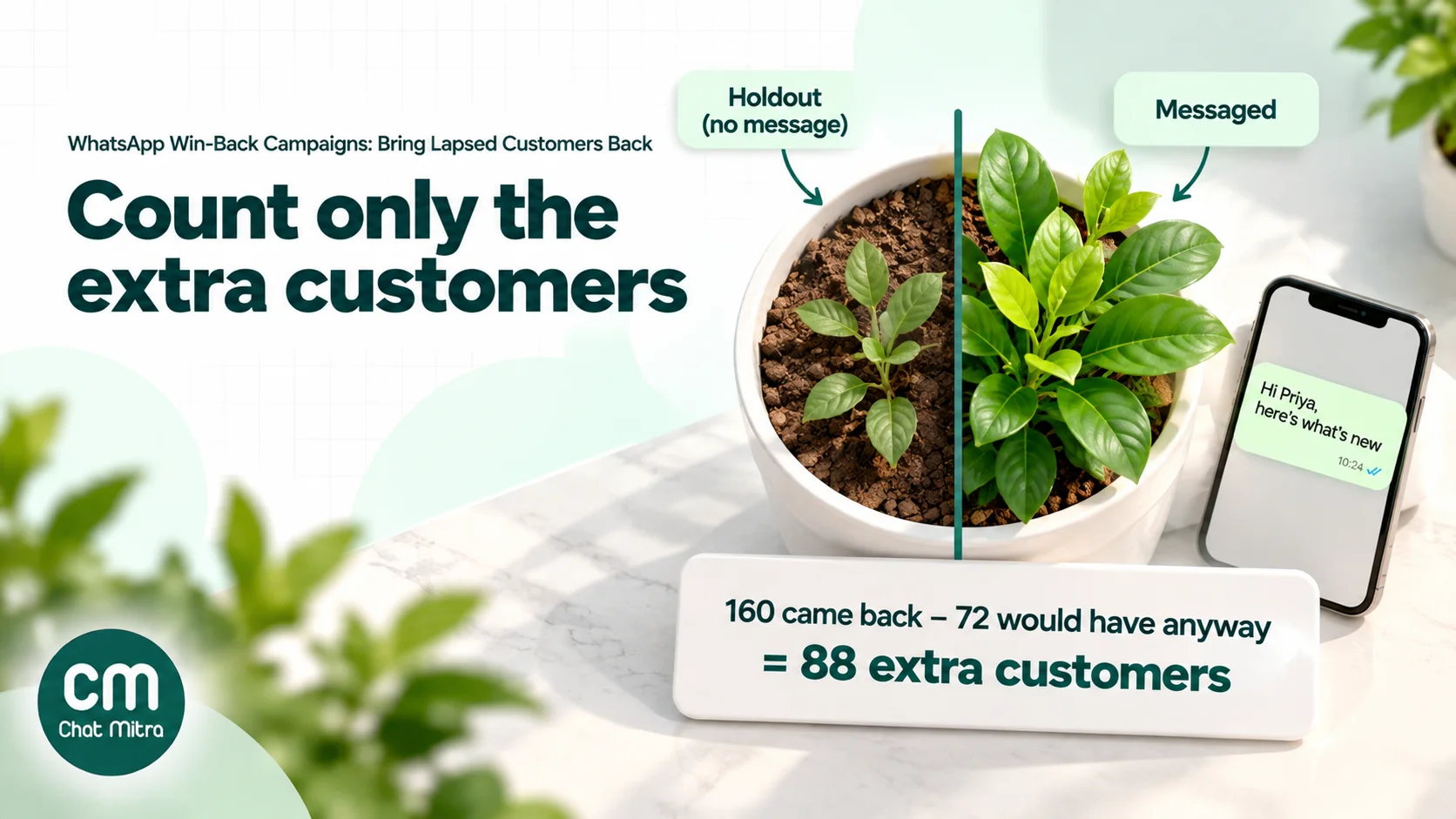
- Keep a holdout. Before sending, randomly set aside 10% of the segment (at least a few hundred people if you can) who get no win-back messages. Random means by a coin-flip rule such as the last digit of the customer ID, not “the ones we didn’t get to”.
- Fix the window. Decide in advance how long you’ll count purchases, such as 30 days from the first message, and use the same window for both groups.
- Compare reactivation rates. Share of the messaged group that bought, minus the share of the holdout that bought. That difference times the messaged group size is your number of extra customers.
- Include every cost. Meta charges, platform fees and discounts. Divide by extra customers to get cost per customer won back.
- Track what happens next. A customer who returns once with a 15% discount and disappears again isn’t really won back. Check how many reactivated customers place another order within your normal reorder time.
- Watch the side effects. Opt-outs, blocks, template quality and failed sends with 131049 tell you when a segment is being over-messaged.
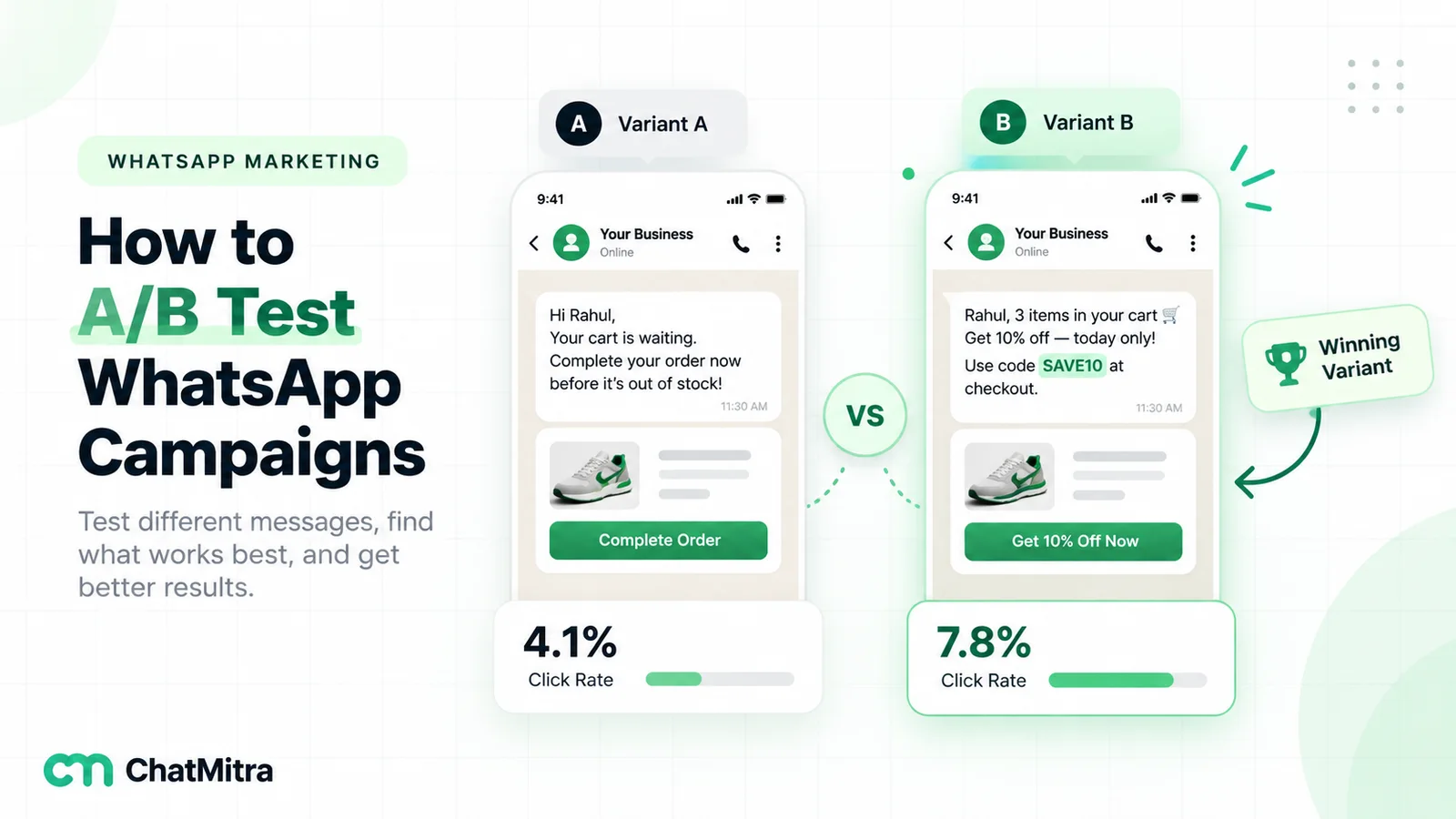
If the messaged group and holdout buy at about the same rate, the campaign isn’t working, however many people read it. Change the message, the segment or the timing before scaling up. Our guide to A/B testing WhatsApp campaigns covers how to compare two versions properly.
Examples by business type
- D2C supplements or skincare: reorder reminder a few days before a typical pack runs out, timed from each customer’s last order; “what’s new” at the lapse point; small incentive at day 7. High-value customers get early access to a launch instead of a discount.
- Grocery and daily-needs delivery: a short “your usual basket” reminder with a reorder button after three missed weekly cycles; free delivery as the only incentive, because margins are thin.
- Salons and clinics: a “time for your next appointment?” reminder when the usual interval passes, with a booking button; a feedback question for clients who haven’t booked in two intervals.
- Restaurants and cafés: a new-menu message for regulars who’ve missed several of their usual visits; a weekday-only offer for step 2, when tables are emptier.
- Fashion: win-back timed to the new-season drop rather than to days since purchase, recommending items in the size and categories the customer bought before.
- B2B distributors: a “your usual order” reminder to retailers who missed a reorder cycle, with the last order’s items listed and a button to repeat it; a call from the sales rep for accounts that missed two.
For more campaign ideas across the customer lifecycle, see our WhatsApp marketing campaign ideas.
Common mistakes
- Discounting everyone at step 1. It pays customers who would have come back anyway.
- Using one lapse window for every product. A refill and a mattress don’t run on the same clock.
- Messaging contacts who never agreed to promotions. Delivery-only consent doesn’t cover offers.
- Not stopping after a purchase or a reply. The sequence keeps running and makes the business look careless.
- Ignoring Stop promotions and opt-out replies. Sending to people who said stop is a policy problem as well as a quality problem.
- Retrying 131049 failures straight away. Wait at least 24 hours, or drop those contacts from this campaign.
- Measuring with read rate. A high read rate with no change against the holdout is still a failure.
- Sending “we miss you” after a bad experience. Fix the problem first.
- Starting with your oldest contacts. Begin with recently lapsed customers, who are likelier to respond and less likely to report you.
Win-back campaigns on ChatMitra
ChatMitra runs on the official WhatsApp Business API, and campaigns that use a marketing template are already sent through Meta’s Marketing Messages API. ChatMitra doesn’t read your order history by itself, so the lapse calculation happens in your order export; ChatMitra holds the result as contact fields and tags, sends the series, and lets you exclude people at each step.
| ChatMitra advantage | What it means for win-back | How it compares |
|---|---|---|
| ₹0.20 per conversation, never per message | A customer who replies, asks questions and reorders in the same 24 hours counts once | Per-message platform fees grow with every reply |
| Contact fields as template variables | Import last_product or last_order_date with a CSV and use them as variables, with a fallback for empty fields | Personal reminders without a developer |
| Tags to include or exclude | Build “lapsed 65+”, “VIP” and “no offers” tags and include or exclude them in each broadcast | Each ladder step goes only to the people who need it |
| Campaign results by status | See who was sent, delivered, read or failed, tag a whole group, or send a new template to it | Drop never-read contacts before the next step |
| Date-based Automation | ”N days after a date” on a contact’s last_order_date field sends the first reminder automatically each day | Win-back runs every day, not as a quarterly blast |
| Button replies start actions | Auto Reply and Automation react to button taps such as “Stop offers” or “Reorder now” and can add a tag | Opt-outs and interest get recorded as they happen |
| Meta’s rates passed through at cost | You pay Meta’s India rates above, with nothing added | Check whether a provider marks up Meta’s price |
| Enterprise (₹2,499/month) removes the fee | High-volume senders pay a flat platform fee | Starter is free; Pro is ₹999/month |
How to set it up:
- Prepare the list. From your order export, make a CSV of lapsed customers with name, mobile number (with country code), tags such as
lapsed-65orvip, and columns likelast_productandlast_order_date. Extra columns become contact fields, and tags are created if they don’t exist. - Exclude opt-outs first. In Contacts, filter by the Unsubscribe status OPTED OUT (people who tapped Meta’s Stop promotions), select them and add a
no-offerstag. Exclude that tag from every win-back broadcast. - Get the templates approved as marketing. Submit the reminder, the incentive and the last-message templates with sample values.
- Send step 1. Create a broadcast with the reminder template, include
lapsed-65, excludeno-offersand your holdout tag, and map the variables to contact fields. - Record responses. On Pro, add Auto Reply rules so a “Stop offers” tap adds the
no-offerstag and a “Reorder now” tap addsinterested. Tag customers who bought since step 1 (from your store’s new orders) asreturned. - Send the next steps to the rest. Before day 7 and day 14, broadcast the next template to
lapsed-65, excludingno-offers,returnedand the holdout. To skip people who never opened step 1, open the campaign’s results, tag everyone in the Read group, and include that tag in the next step. - Automate the ongoing reminder. Once the one-off campaign is done, build an Automation with the “N days after a date” trigger on
last_order_date(for example 65 days) to send the first reminder to each customer as they become overdue. Keeplast_order_dateupdated with each new order; when the date changes, the old trigger date no longer matches, so customers who reorder aren’t reminded.
Good to know:
- ChatMitra doesn’t track orders or calculate who is lapsed; it works from the dates and tags you import or update.
- Contacts who tapped Stop promotions aren’t removed from broadcasts automatically; use the filter-and-tag step above before every send.
- An Automation run that is waiting in a Delay isn’t cancelled when the customer replies or buys. For multi-step sequences, use separate date triggers (for example 65 and 72 days after
last_order_date) or broadcasts, rather than one workflow with long delays. - Optional automatic retries resend failed messages after 24 hours or more. For win-back campaigns, leave them off or tag opt-outs before each retry round, so people who said stop aren’t messaged again.
- Put coupon codes in the message body as a variable and link to your store with a URL button.
- The Shopify integration sends order, COD, cancellation, fulfilment and abandoned-cart messages, but doesn’t store a customer’s last order date or order count.
- Broadcasts and retargeting are on every plan; Auto Reply needs Pro. Check the pricing page for what your plan includes.
Where to start
Start with one segment and one message. Take your order export, work out your lapse point, and pick the most recently lapsed regulars. Hold out 10%, send a no-discount reminder or a “what’s new” message, and compare purchases after 30 days. Add the small incentive and the final step only when the first message has shown it moves people, and keep the stop rules in place from day one.
Sources
- Meta for Developers: Template categorization, Get opt-in for WhatsApp, Pricing on the WhatsApp Business Platform, Per-user marketing template message limits, Coupon code templates, Template quality rating, Template pausing, Error codes (131049, 131050), Marketing Messages API overview. All read on 22 October 2026.