Quick Answer: Schedule WhatsApp broadcasts in ChatMitra by creating a campaign, selecting a pre-approved template, enabling the Schedule option, and setting your desired date and time. You can schedule up to 3 months in advance.
ChatMitra now offers scheduling for WhatsApp Broadcasts, allowing you to plan up to 3 months ahead. This feature is perfect for businesses that want to maintain consistent communication without being tied to their screens.
With the WhatsApp Campaign Scheduler, you can:
- Schedule your broadcasts well in advance, even if you're dealing with multiple time zones
- Nail your midnight product dispatches without sacrificing your sleep
- Automate your broadcasts and reclaim your weekends and holidays
Step 1: Navigate to the Campaigns Page
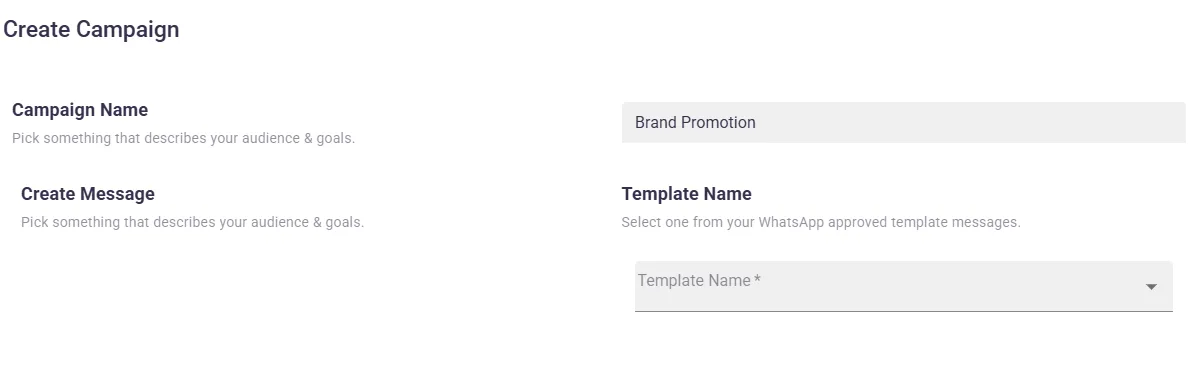
The first step is to go to the Contacts/Campaigns page to create your Broadcast Campaign. Enter a campaign name that helps you identify this broadcast easily.
Step 2: Choose a Pre-Approved WhatsApp Template
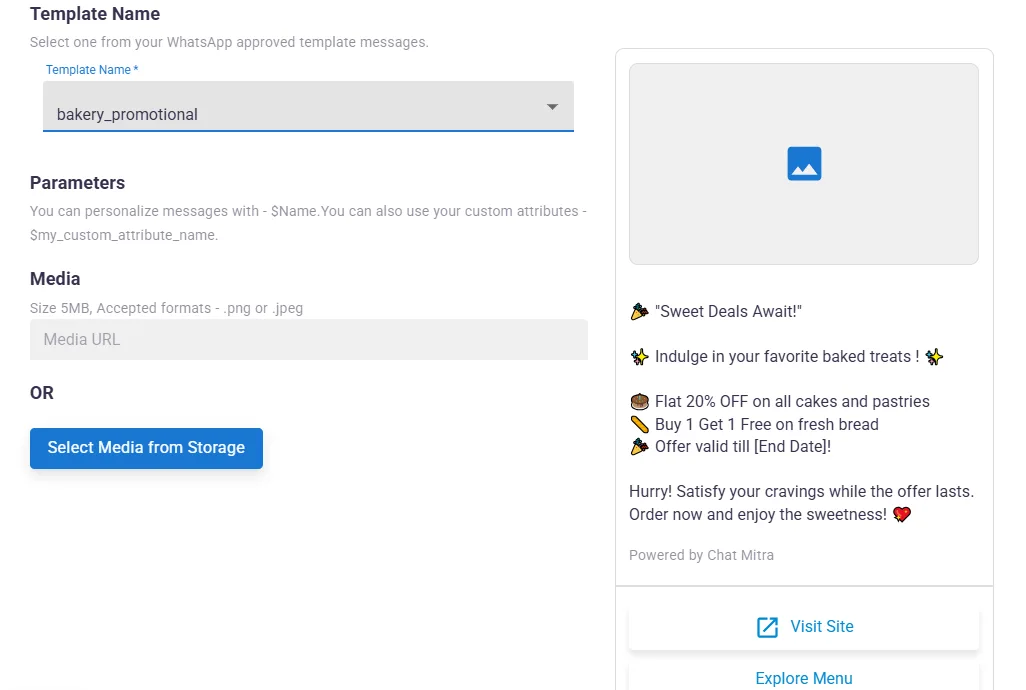
Select a pre-approved WhatsApp Template Message from the dropdown menu. These templates have already been reviewed and approved by WhatsApp, ensuring smooth delivery.
Step 3: Enable Schedule Date & Time
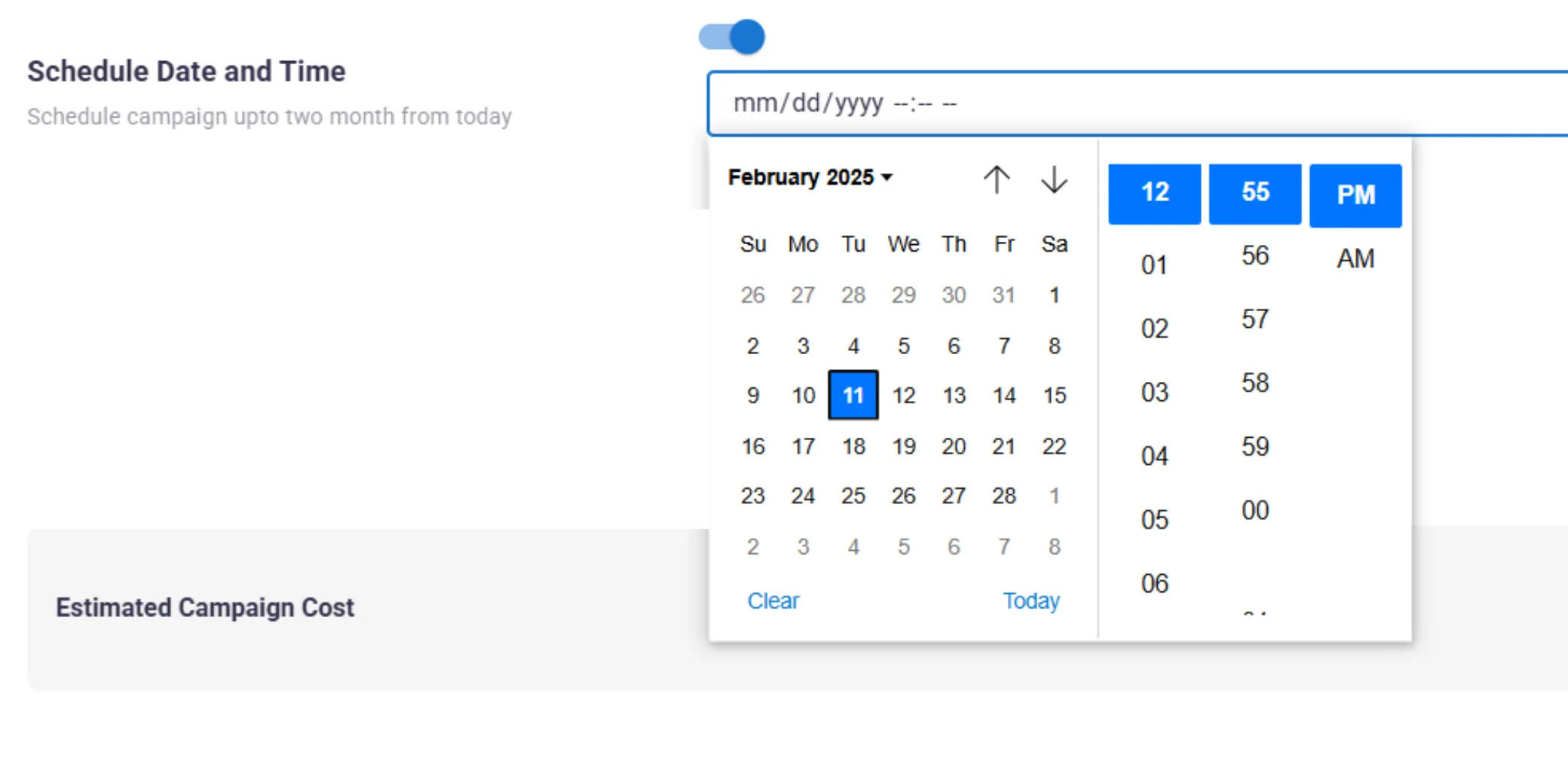
After scrolling down, you will see the Schedule Date & Time option. Toggle this option ON to enable scheduling for your broadcast campaign.

Step 4: Set Your Schedule Details
Choose when and where you want your broadcast to go out. Select the date, time, and time zone that works best for your audience. Remember, you can schedule up to 3 months in advance.
Step 5: Schedule Your Campaign
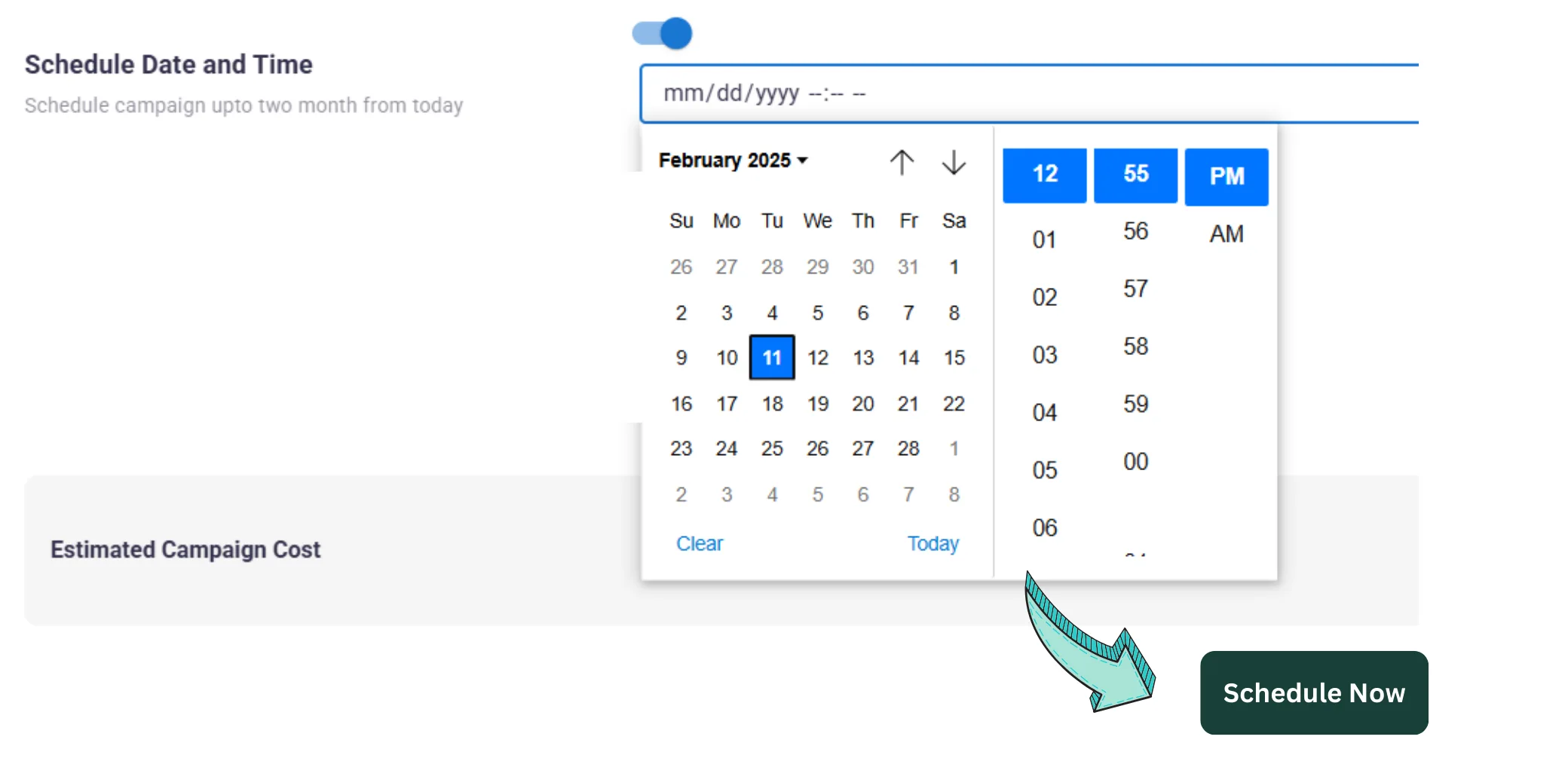
Finish scheduling by clicking the Schedule Campaign button. Your broadcast is now queued and will be sent automatically at the scheduled time.
View Your Scheduled Campaigns
Go to the Campaigns page to view your scheduled campaigns list. Here you can track the status, edit details, or cancel scheduled broadcasts if needed.
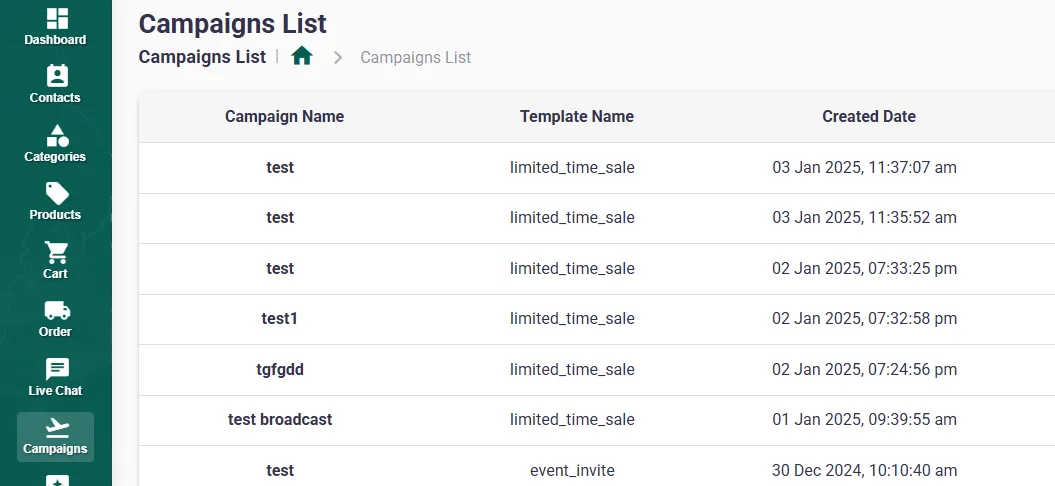
That is it. Schedule your campaigns in advance using the ChatMitra App and focus on what matters most for your business.
Best Practices for Scheduled Broadcasts
Plan Ahead
Take advantage of the 3-month scheduling window to plan seasonal campaigns, product launches, and promotional events well in advance.
Consider Time Zones
Schedule broadcasts according to your audience's local time for maximum engagement. Early morning or early evening typically works best.
Test Before Scheduling
Send test broadcasts to yourself or team members before scheduling large campaigns to ensure templates render correctly.
Monitor Performance
Regularly review your scheduled campaigns' performance to optimize future scheduling times and content.
Start Scheduling Your Broadcasts
Plan ahead and automate your WhatsApp marketing with ChatMitra.
Get Started Free