Build Your WhatsApp Catalog from Google Sheets in Minutes
Stop managing your product catalog manually. Use Google Sheets and Chat Mitra to sync hundreds of products to WhatsApp instantly. No coding required.
Upload your inventory once, manage it in a familiar spreadsheet, and let Chat Mitra handle syncing to your WhatsApp Catalog. Real-time updates ensure customers always see current pricing and availability.
How WhatsApp Catalog Works with Chat Mitra
Transform customer communication with our powerful WhatsApp catalog platform. Share your dynamic product catalog effortlessly.
Create or connect a Google Sheet
Treat it like your master product database. Every product row becomes a catalog item. No more juggling CSVs, manual uploads, or different people working from different versions—one sheet keeps inventory, prices, and copy consistent across channels.
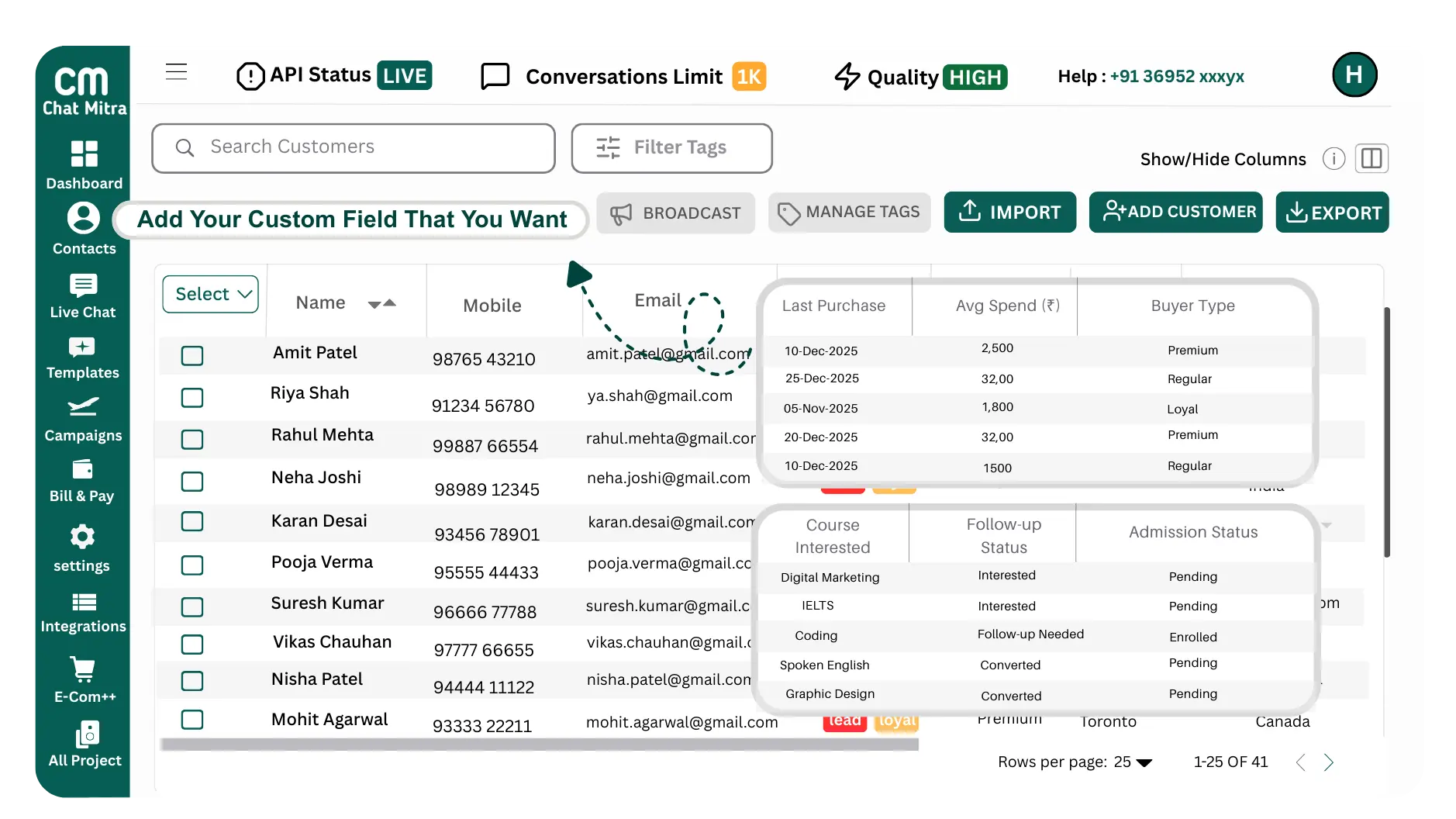
Bulk import & structured product data
Map columns (name, SKU, price, image URL, description, stock, category) and bulk-import hundreds of products in one action. ChatMitra validates key fields and flags missing images or prices. Saves hours of manual entry and prevents listing errors that cause lost sales or customer confusion. Perfect for launches, seasonal stock changes, or migrating legacy catalogs.
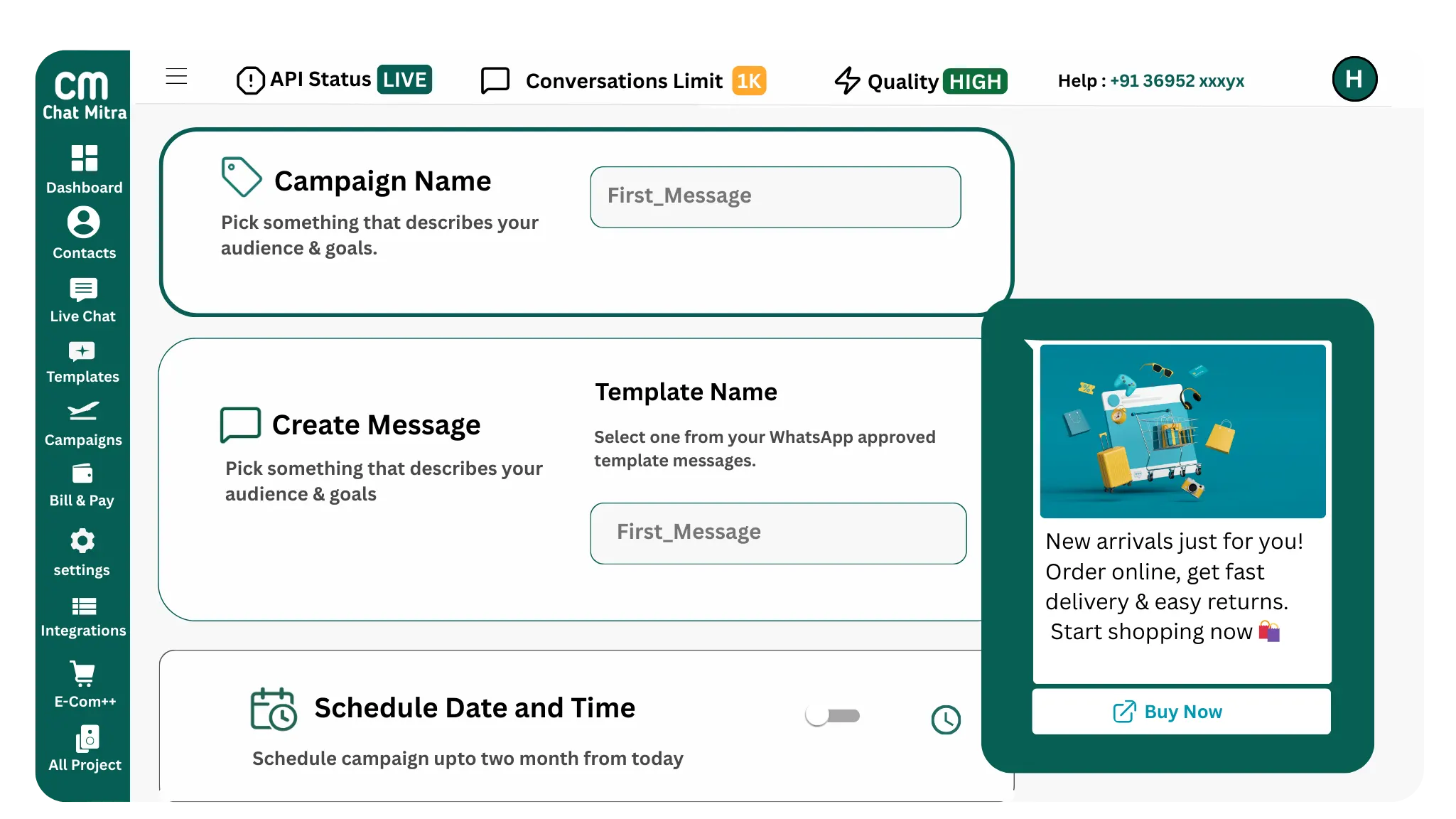
One-click sync to WhatsApp catalog (live updates)
Hit Sync and ChatMitra creates/updates your WhatsApp catalog immediately. Any later changes in the sheet can be pushed live with another click. Avoids outdated prices or unavailable items being shown to customers—reduce disputes, returns, and support tickets caused by stale information.
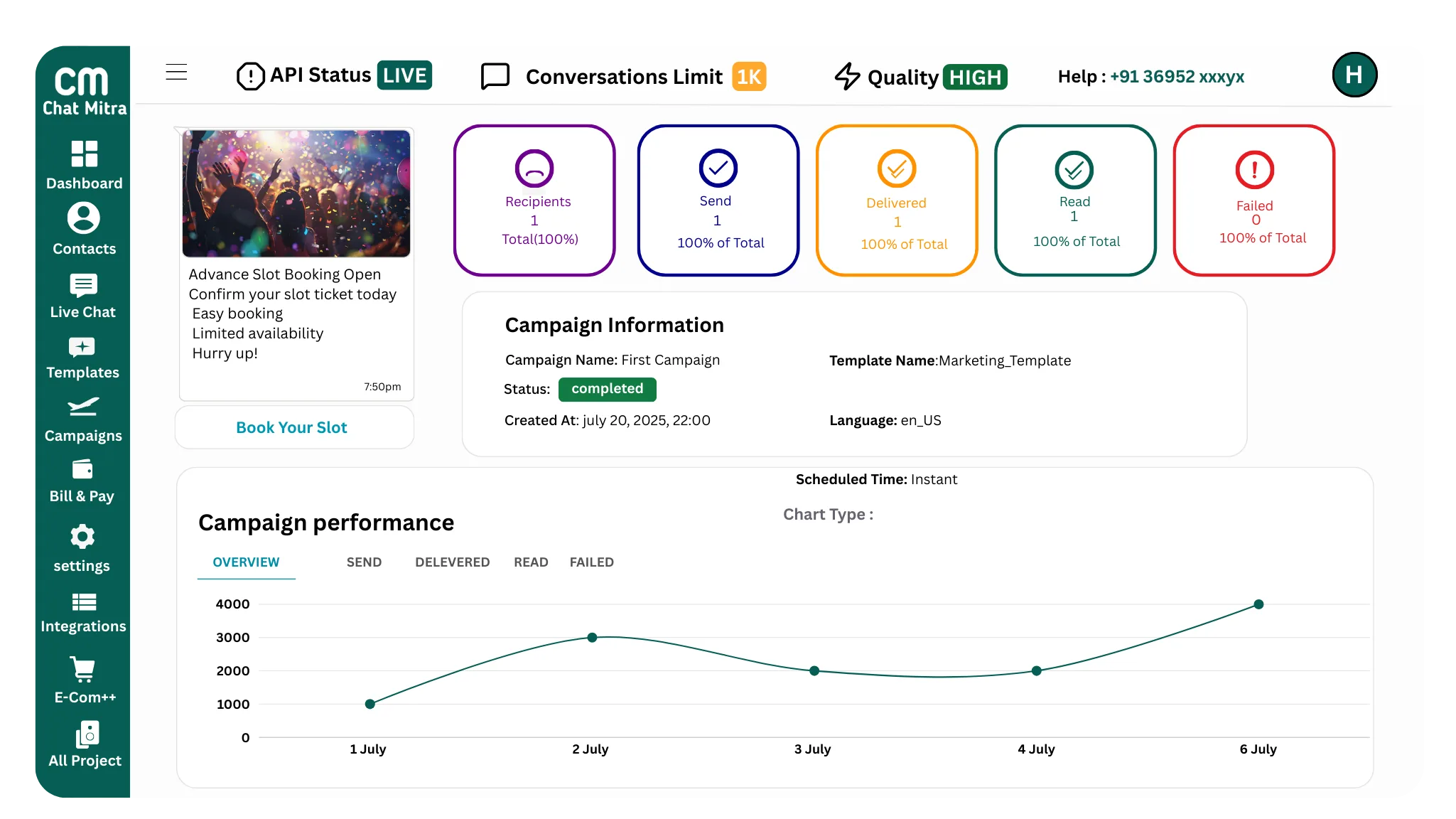
Try 50 free credits—no subscription, no payment details required
Why Google Sheets for Your WhatsApp Catalog
Stop wasting hours on manual catalog management
50%
Faster Setup
vs. manual catalog creation
100+
Products at Once
with bulk sync capability
Real-Time
Sync Speed
to your WhatsApp Catalog
Powerful Features for Your Product Catalog
Everything you need to manage your WhatsApp Catalog efficiently
Bulk Product Management
Add or update hundreds of products at once from your Google Sheet. No manual product-by-product entry. Paste your inventory and sync instantly to WhatsApp.
Real-Time Catalog Sync
Every change you make in Google Sheets updates your WhatsApp Catalog in seconds. Price changes, new products, descriptions, and images all sync automatically.
Simple Setup, No Coding
Log in to Chat Mitra, create a Google Sheet, add your products, and sync. No technical skills needed. The intuitive interface works for anyone.
Real Benefits for Your Business
Streamline your product management and boost sales
Manage Inventory Efficiently
Use Google Sheets as your single source of truth for product information. Update once in your sheet and the catalog syncs automatically. No data duplication or inconsistency across channels.
Save Hours on Manual Data Entry
Bulk upload hundreds of products at once instead of adding them individually. What would take days manually takes minutes with Google Sheets and Chat Mitra.
Enable Team Collaboration
Multiple team members can edit your product catalog simultaneously using Google Sheets collaboration features. Everyone stays in sync and works on the same data.
Keep Your Data Backed Up
All your product data is automatically backed up in Google Drive. You can recover from any mistake using version history. Your catalog data is always safe.

Works for Every Business Type
See how different businesses use Google Sheets for their WhatsApp Catalog
E-Commerce Stores and Retail
Manage inventory across WhatsApp, website, and physical stores from one Google Sheet. Update pricing for seasonal sales, add new products, or mark items out of stock.
Fashion retailers with 500 plus SKUs syncing all products with size and color options
Electronics retailers updating prices instantly when running promotions
Multi-brand retailers organizing products by brand and category
Seasonal retailers adding hundreds of items at product launch time
Food and Beverage Businesses
Keep your menu updated with prices, ingredients, and availability. Add seasonal items or special offerings and customers see them immediately.
Restaurants syncing menu items with pricing and dietary information
Bakeries adding fresh daily items and removing sold out products
Catering services managing multiple menu packages and pricing
Coffee shops updating seasonal beverages and special pricing
Grocers and Food Delivery Services
Manage thousands of products with bulk pricing updates. Handle inventory changes from suppliers without manual catalog updates.
Online grocery stores syncing 5000 plus products with real time pricing
Delivery services updating availability based on current inventory
Farmers markets syncing seasonal produce as items become available
Specialty food retailers managing supplier product information
Beauty and Personal Care
Showcase your full product range with detailed descriptions, prices, and product images. Manage multiple product lines and SKU variations.
Beauty brands managing product lines across makeup, skincare, and fragrance
Salons listing services with pricing and duration information
Hair product retailers syncing product stock and pricing
Cosmetics distributors managing inventory for multiple brands
Books, Media, and Education
Create a digital library of books, courses, or educational materials. Update prices, add new releases, and manage inventory efficiently.
Bookstores syncing inventory across online and physical locations
Online course providers listing courses with pricing and details
Educational material retailers managing textbook inventory
Publishing companies launching new releases to customers
Services and Subscription Businesses
List your service offerings with pricing, duration, and booking information. Update availability and pricing for different service tiers.
Fitness centers listing membership packages and pricing
Hair salons managing service offerings and pricing
Consulting firms listing service packages and rates
Insurance providers managing policy options and pricing
Best Practices for Your Catalog
Follow these tips to create a catalog that converts customers to sales
Use Clear Product Names
Write product names that are clear and descriptive. Instead of just SKU numbers, use names like Blue Cotton T-Shirt XL or Organic Green Tea 100g. Customers need to understand what they are looking at.
Write Compelling Descriptions
Include product descriptions that highlight key features and benefits. Tell customers what makes your product valuable. Be honest about what the product does and what it does not do.
Include High Quality Images
Use clear, well-lit product images that show the product from useful angles. Include images of the product in use if possible. Images are the most important factor in whether customers will purchase.
Keep Pricing Accurate and Updated
Make sure prices in your Google Sheet match your actual selling prices. Update prices immediately for promotions or sales. Customers who see outdated prices will be frustrated.
Organize Products Logically
Use consistent categories to organize products. If you sell clothing, use categories like mens, womens, and kids rather than random groupings. Organized catalogs are easier for customers to browse.
Review and Test Your Catalog
After syncing, test your WhatsApp Catalog to make sure everything displays correctly. Check that images load, prices show, and categories are organized as expected. Fix any issues before promoting to customers.
Keep Google Sheet Clean and Organized
Use consistent formatting in your Google Sheet. Keep column headers clear and in the same row. Remove extra spaces and special characters that might cause syncing issues.
Monitor Catalog Performance
Use Chat Mitra analytics to see which products customers view most and which get added to carts. Use this data to feature popular products and improve descriptions for products with low engagement.
Start Building Your WhatsApp Catalog Today
Log into Chat Mitra now and create your first Google Sheet connected WhatsApp Catalog. It only takes a few minutes to get started.
Frequently Asked Questions
What is a WhatsApp Catalog and why do I need one?
A WhatsApp Catalog is a digital storefront within WhatsApp where customers can browse your products directly in the app. Instead of sending individual product details, you create a catalog where customers see product names, prices, descriptions, and images. WhatsApp Catalog is essential for e-commerce because it lets customers shop without leaving WhatsApp. They can view your full product range, read details, and add items to carts. Studies show customers are significantly more likely to purchase when products are easily accessible.
How does Chat Mitra simplify WhatsApp Catalog creation with Google Sheets?
Instead of manually adding products to your WhatsApp Catalog through the Meta Business Manager, Chat Mitra lets you manage everything in a Google Sheet. You create or open a Google Sheet linked to your Chat Mitra account, add your products with details like name, price, and description, and everything syncs to your WhatsApp Catalog automatically. This means no manual data entry, no switching between platforms, and no risk of errors. You manage your catalog in a familiar spreadsheet interface and Chat Mitra handles the technical syncing.
How do I get started with Google Sheets WhatsApp Catalog in Chat Mitra?
Getting started is simple. Log into your Chat Mitra account and navigate to the Products section. If this is your first time, click Create Google Sheet and Chat Mitra will generate a new Google Sheet linked to your account with the correct columns for product information. If you already created a sheet, click Open Google Sheet to access it. Add your products with details like name, price, category, image URL, and description. Save the sheet and your products automatically sync to your WhatsApp Catalog within seconds. That is it. No technical knowledge required.
Can I add hundreds of products to my catalog at once?
Yes, absolutely. Google Sheets is perfect for bulk product uploads. You can paste hundreds of products at once from your existing inventory into the sheet. If you have products in Excel, CSV format, or another spreadsheet, simply copy and paste them into your Chat Mitra Google Sheet. Google Sheets handles large datasets efficiently. Once you save, all products sync to your WhatsApp Catalog instantly. This is far faster than adding products one by one manually.
How quickly do changes in Google Sheets sync to WhatsApp?
Syncing is real-time. As soon as you update your Google Sheet and save the changes, they reflect in your WhatsApp Catalog within seconds. If you change a product price, update a description, add a new product, or remove an item, your WhatsApp Catalog updates immediately. This real-time sync ensures your customers always see the most current product information and pricing. You never have to worry about customers seeing outdated prices or information.
Is it safe to manage my product catalog through Google Sheets?
Yes, it is completely safe. Chat Mitra uses secure OAuth integration to connect with Google Sheets, which means you authorize Chat Mitra once and it works securely. Your Google account credentials are never stored by Chat Mitra. All your product data is backed up automatically in Google Drive, so you have a complete backup of your catalog. If anything goes wrong, you can recover your data from Google Drive. The integration uses the same security standards as major e-commerce platforms.
Can multiple team members edit the catalog at the same time?
Yes, Google Sheets supports real-time collaboration. Multiple team members can log into your Google Sheet simultaneously and edit products at the same time. You can see changes in real-time as your teammates make updates. This makes it easy for different departments to manage their products. Your inventory manager can update stock levels, your marketing team can update descriptions and images, and your finance team can manage prices. All changes sync to WhatsApp automatically, keeping everyone in sync.
What happens if I accidentally delete a product or make a mistake?
Google Sheets has a version history feature that lets you recover from mistakes. Click File, then Version History, and select See Version History. You can see all previous versions of your sheet and restore any version with one click. This means if you accidentally delete a product or make an error, you can restore the sheet to how it was before the mistake. Once you restore a version, the corrected data syncs to your WhatsApp Catalog. This safety net means you can edit confidently without worrying about permanent mistakes.
Do I need coding or technical skills to use this feature?
No technical skills are required at all. Google Sheets is designed to be user-friendly, and Chat Mitra makes it even simpler by handling all the technical syncing. You just type in your product information like you would in any spreadsheet. Chat Mitra handles connecting to WhatsApp and ensuring the data is formatted correctly. If you can use Excel or Google Sheets, you can manage your WhatsApp Catalog with Chat Mitra. Our support team is available if you have any questions.
How is this better than managing a WhatsApp Catalog manually?
Managing a WhatsApp Catalog manually through Meta Business Manager is time-consuming and error-prone. You have to add each product individually, filling in separate forms for each product. Want to change 100 prices? You edit 100 individual product pages. With Google Sheets and Chat Mitra, bulk updates happen instantly. Update one column in your sheet, save, and 100 products update automatically. You get collaboration features, backup capabilities, version history, and the ability to bulk import from other sources. What takes hours manually takes minutes with Google Sheets.
What product information should I include in my Google Sheet?
Your Google Sheet should include product name, price, product description, product category, and image URL at minimum. You can also add SKU or product ID for your internal tracking, stock quantity if you track inventory, and any special attributes like size options or colors. Chat Mitra provides a template with the correct column structure when you create your first sheet, so you know exactly what information to include. The more detailed information you provide, the better customers can understand your products.
Can I organize products into categories in my WhatsApp Catalog?
Yes, you can organize products by category. In your Google Sheet, include a column for product category like clothing, electronics, books, or any categories your business uses. When you sync to WhatsApp, products are organized by category, making it easier for customers to browse. Your catalog appears organized in WhatsApp with category sections, improving the shopping experience. Customers can filter by category to find exactly what they want faster.
How do I add product images to my WhatsApp Catalog?
Product images are added by including image URLs in your Google Sheet. Upload your product images to a cloud storage service like Google Drive, Dropbox, or AWS, get the shareable link, and paste that link into the image URL column in your sheet. When you sync, Chat Mitra pulls the images and displays them in your WhatsApp Catalog. Make sure images are clear, well-lit, and show your products from useful angles. Good images significantly increase customer engagement and purchase likelihood.
Can I sync inventory or stock levels from Google Sheets to WhatsApp?
Yes, if you track inventory in your Google Sheet, you can sync that information to WhatsApp. Include a column for stock quantity or inventory level. When stock is zero, you can hide that product from the catalog or mark it as out of stock. This prevents customers from trying to order products you do not have. When you receive new inventory, update the quantity in your sheet and it syncs immediately. This keeps your inventory information accurate across all channels.