“Connecting to the WhatsApp API” sounds like a job for a developer. It isn’t. Embedded signup turns it into a short, guided wizard. Here’s what actually happens.
What embedded signup is
Embedded signup is Meta’s official onboarding flow, built right into ChatMitra. Instead of bouncing between Meta’s tools and ours, you stay in the ChatMitra dashboard while it walks you through Meta’s required steps.
Example: a café owner connects her number over a coffee break — log in with Meta, verify by SMS, set the name “Brew & Co”, done.
The steps, one by one
1. Log in with Meta
2. Pick or create your Business Portfolio
3. Register your phone number
4. Verify it (SMS or call)
5. Set your display name
6. You're live → send a test message- Log in with Meta — connects your Meta account.
- Choose your Business Portfolio — or create one (it’s free).
- Register your number — the one customers will message.
- Verify — enter the code from the SMS or call.
- Set your display name — your business name in chat (Meta may review it).
- Go live — send yourself a test message.
Here’s what the Meta steps look like inside the signup flow:
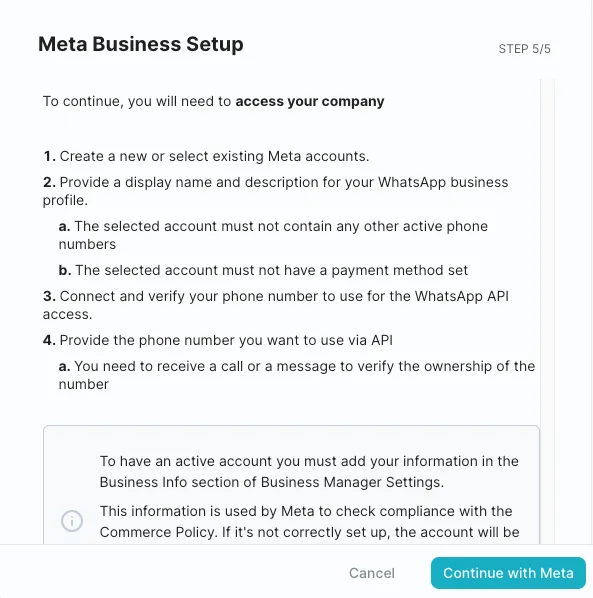 Illustrative (Meta interface): the “Continue with Meta” step.
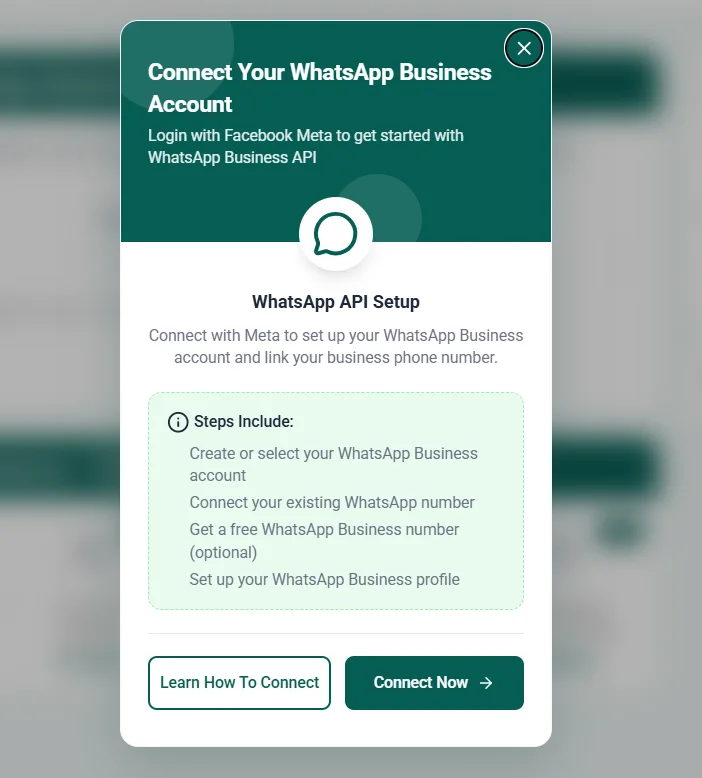 Illustrative (Meta interface): launching Meta’s embedded signup.
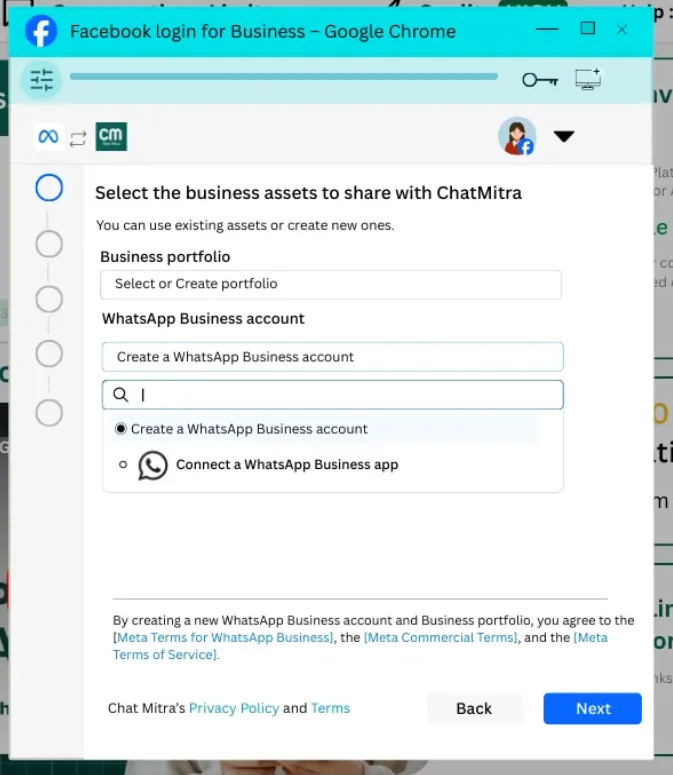 Illustrative (Meta interface): choosing your portfolio and WABA.
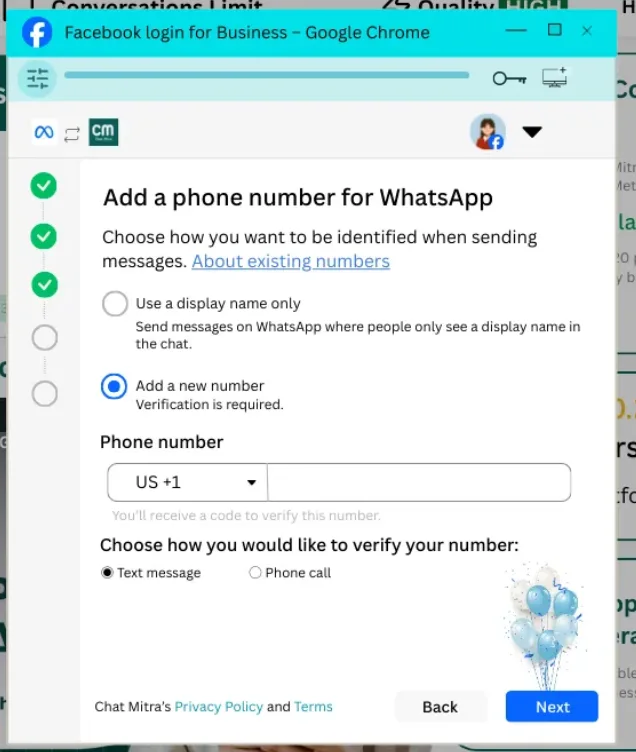 Illustrative (Meta interface): adding your phone number.
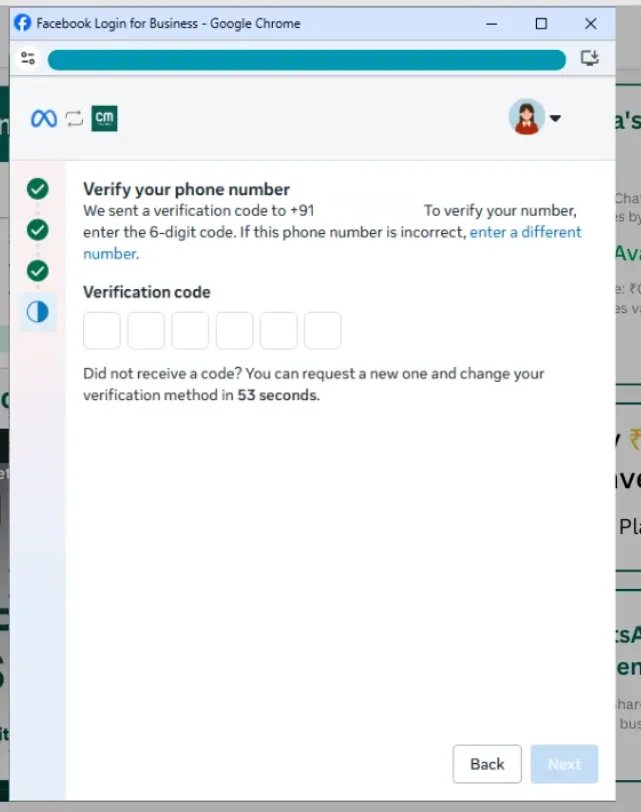 Illustrative (Meta interface): verifying the number by SMS or call.
If something stalls
Most hiccups have simple causes:
| Symptom | Likely cause |
|---|---|
| Can’t register the number | It’s still active on the WhatsApp app — migrate it |
| Verification code never arrives | Number can’t receive SMS/call — try the call option |
| Session expired | Took over ~1 hour — start again, it’s quick |
| Display name pending | Meta is reviewing it — you can still message meanwhile |
For the deeper, click-by-click walkthrough, see the developer documentation.
