WhatsApp can do far more than plain text — and using the right format means customers act in one tap instead of typing a paragraph. Here’s the full toolkit.
Session messages vs templates
First, one rule that decides what you can send:
- Inside the 24-hour window (the customer messaged you recently): send any type freely.
- Outside it (starting a conversation, or 24h+ since their last message): you must start with a template.
Once a template reopens the conversation, you’re back to sending anything for the next 24 hours.
The message types
| Type | Best for | Example |
|---|---|---|
| Text | Quick replies, info | ”Your table is booked for 8 PM.” |
| Image | Visuals, offers | A photo of today’s special |
| Document | Files | A PDF invoice |
| Audio / Video | Demos, guides | A 20-sec how-to clip |
| Location | Directions | ”Here’s our pickup point” |
| Contacts | Sharing details | A delivery agent’s number |
| Buttons | Quick choices | ”Track order” / “Talk to us” |
| List | Menus of options | A food menu to pick from |
| Template | Starting a chat | ”Hi {{1}}, your order shipped” |
Example: a restaurant sends a list message of its menu, then buttons for “Order now” and “Book a table” — the customer taps, never types.
What each type looks like on WhatsApp
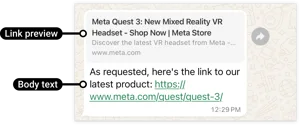 A plain text message.
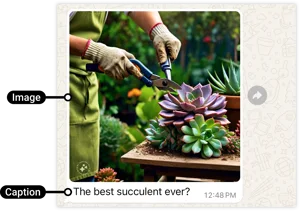 An image message — great for products and offers.
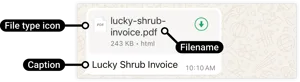 A document message (e.g. a PDF invoice).
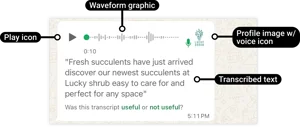 An audio / voice message.
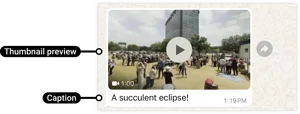 A video message — short demos and walkthroughs.
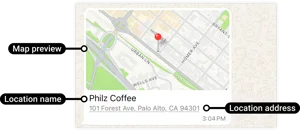 A location message — share a pickup point or store.
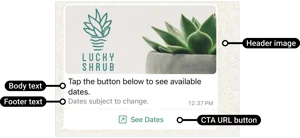 An interactive message with tappable buttons.
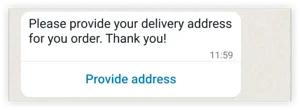 An address message — collect a delivery address in chat.
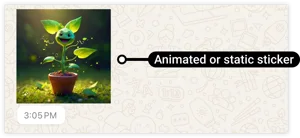 A sticker message.
Illustrative: how each message type renders in WhatsApp.
Choosing the right type
Need them to choose?   → buttons or list
Need to show something? → image / video
Sending a file?         → document
Starting the chat?      → template
Just answering?         → text
The principle: make the next step a tap, not a sentence. It’s faster for the customer and cleaner for you.
